Best Desktop DACs of 2026

The audio chip inside your laptop was chosen for size and cost, and it sits inches from all the power delivery it has to share. A desktop DAC pulls the conversion into its own box, then hands the signal to an amplifier with enough current to actually move your headphone drivers. The payoff is a quieter background, real headroom, and bass that holds together when you turn it up.

I've kept one on my desk for years, and I no longer judge them by the chip name printed on the front. My team and I have lived with 12 of these over the past six months — workdays, late-night listening, a few gaming marathons — and the same three things separated the good ones: the analog stage, the volume control, and how black the background stayed. A well-implemented older converter on a clean supply beats a flagship chip on a noisy one.

Power is where first-time buyers overspend. Sensitive in-ear monitors hiss on amps built for big planar headphones, and those planars sound thin on anything that only trickles current. What's below covers both ends of that, and the middle.

1

Best Overall

FiiO K13 R2R

89 /100
LBD Score Excellent

Key details

DAC
24-bit R2R
Analog Outputs
XLR, RCA, 4.4mm, 6.35mm
Digital Inputs
USB, optical, coaxial, Bluetooth 5.4
Headphone Power
2400mW
View on Amazon

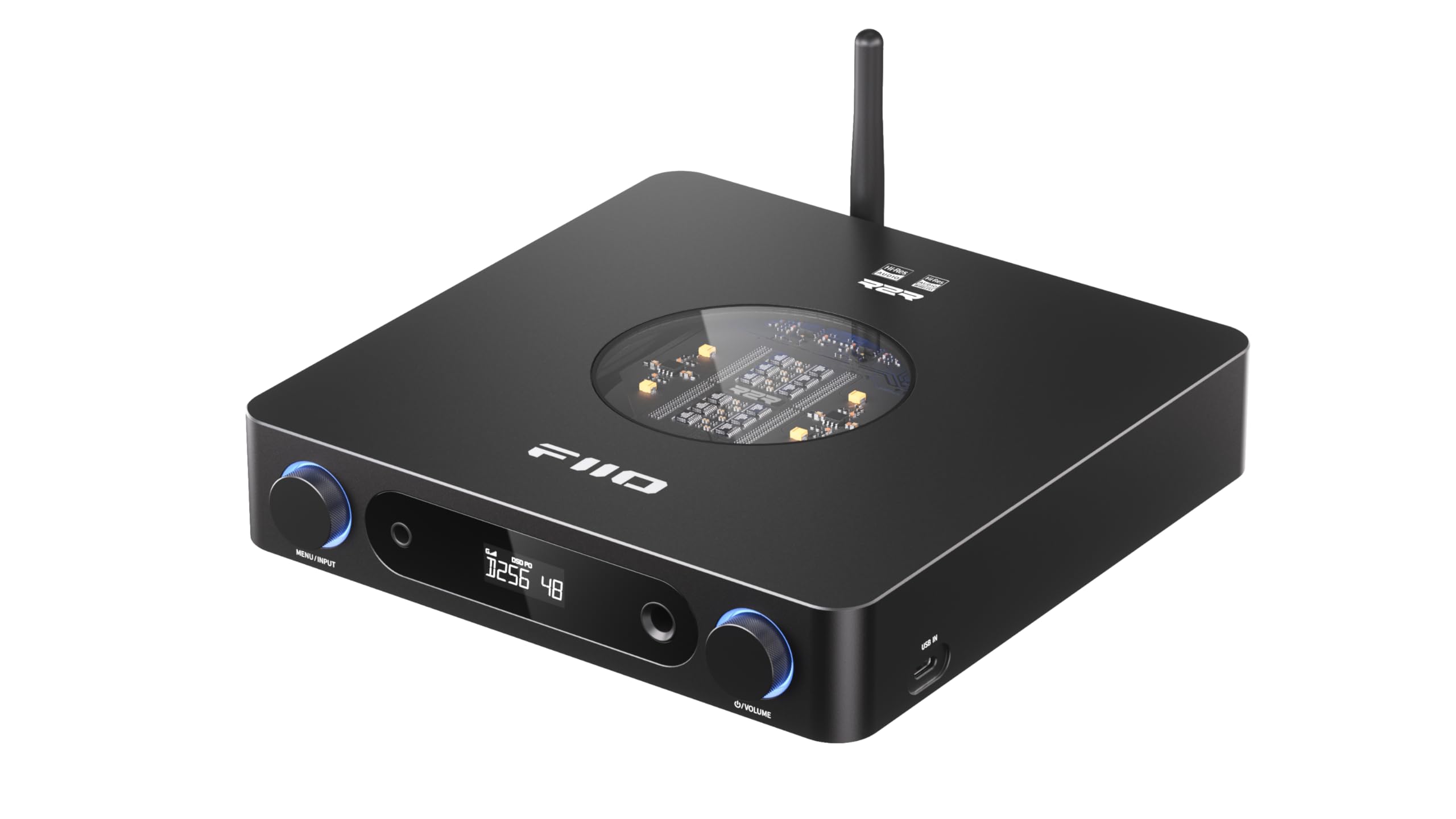
The K13 R2R is the desktop DAC we kept coming back to because it solves the whole desk, not just the headphone jack. Its 24-bit R2R ladder gives it a warmer, more textured tone than the delta-sigma picks here, and the 4.4mm balanced output has 2400mW behind it, so planar headphones sound unstressed rather than merely loud. The XLR and RCA line outputs let the same box feed powered speakers when you switch away from headphones.

That completeness is why it's our top pick. You get USB, optical, coaxial, LDAC Bluetooth, both balanced and single-ended headphone jacks, and a 10-band PEQ you can run from the app or web interface. We value the PEQ more than the feature list suggests: it lets you soften a bright pair of headphones without adding another component. The side USB-C input is another practical touch—it makes a phone or tablet a quick front-panel source instead of a reach behind the desk.

The case feels solid and the front volume knob is easy to find without looking. Our reservation is the display: it's small and cramped, and you'll want to be close to it to read settings. That's a minor trade against a DAC that otherwise covers headphones, speakers, wireless, and EQ in one desktop footprint.

Pros

  • Warm R2R tone with strong balanced drive
  • USB, optical, coaxial, Bluetooth, XLR, and RCA
  • 10-band PEQ with app and web control
  • Solid build and easy front volume

Cons

  • Costs the most of the picks here
Our verdict

Buy the K13 R2R if you want one desktop DAC that handles balanced headphones, powered speakers, wireless sources, and EQ without adding boxes.

Check Latest Price
2

Best Balanced Value

FiiO K7

88 /100
LBD Score Excellent

Key details

DAC
Dual AK4493SEQ
Inputs
USB, optical, coaxial, AUX
Balanced Power
2000mW
Headphone Outputs
4.4mm balanced, 6.35mm
View on Amazon

Take the K13's R2R converter and Bluetooth out of the equation and you're left with the K7, which is exactly the point. Dual AK4493SEQ DACs and dual THX AAA 788+ amps give it a clean, neutral presentation, and the 4.4mm balanced output puts 2000mW behind full-size headphones. It has the inputs most desks need—USB, optical, coaxial, and AUX—and the aluminum case feels more expensive than the price tier suggests. The K7 doesn't editorialize: voices and acoustic instruments come through cleanly, and it leaves the character to your headphones.

That neutrality is why we recommend it to people who want their DAC to disappear into the system. The practical caveat is power-up reliability: a unit that won't turn on is the failure to check for, so buy from a seller with a straightforward return policy and test it early. We also appreciate that the K7 is a physical device rather than a menu exercise: input, gain, and output selection are handled with buttons, and the indicator lights tell you the state at a glance. That makes it an easy recommendation for a shared desk or a living-room system where someone else has to use it.

Pros

  • 2000mW balanced headphone output
  • Dual AK4493SEQ DACs and THX amps
  • USB, optical, coaxial, and AUX inputs
  • Sturdy aluminum build and simple controls

Cons

  • Volume knob is stepped and non-linear
Our verdict

Choose the K7 if you want balanced desktop power and a clean, neutral DAC without paying for the K13's R2R converter and wireless extras.

Check Latest Price
3

Best Preamp and Headphone Amp

Fosi Audio ZH3

88 /100
LBD Score Excellent

Key details

DAC
AK4493SEQ
Inputs
USB, optical, coaxial, RCA
Outputs
XLR, RCA, 4.4mm, 6.35mm
Balanced Power
2570mW at 32Ω
View on Amazon

The ZH3 is the Fosi we point to when the desk has a power amplifier or powered monitors as well as headphones. Its XLR and RCA line outputs turn it into a proper preamp, and the 4.4mm balanced headphone jack delivers 2570mW at 32 ohms—more than enough for planar headphones—so it can sit at the center of a mixed speaker-and-headphone system.

The AK4493SEQ DAC and XMOS XU316 processor support PCM 768kHz and DSD512, and the bass and treble controls plus six filters give you more tuning than most rivals here. We found the tone controls useful for taming a bright room without reaching for software EQ, and the 12V trigger is a nice touch if the rest of your system supports it. The aluminum chassis is compact and feels solid, with enough weight to stay put when you turn a knob.

At its price, the ZH3 is the most complete preamp-first option here. It gives you balanced headphone drive, XLR outputs, and tone controls in one compact box, and it sounds clean and composed rather than showy. If you only listen on headphones and never need speaker switching, the K7 is simpler; if you want one box to feed both, the ZH3 earns its place.

Pros

  • 2570mW balanced headphone output
  • XLR and RCA preamp outputs
  • Tone controls, six filters, and 12V trigger
  • Compact solid aluminum chassis

Cons

  • Menus are awkward without the remote
Our verdict

Buy the ZH3 if you want a balanced headphone amp and a real preamp for powered speakers in one compact desktop box.

Check Latest Price
4

Best Compact USB DAC

iFi Zen DAC V2

88 /100
LBD Score Excellent

Key details

DAC
Burr Brown
Input
USB 3.0
Tuning
TrueBass, PowerMatch
Outputs
4.4mm balanced, 6.3mm, RCA
View on Amazon

The Zen DAC V2 is the smallest and most forgiving-sounding box here. The Burr Brown converter gives it a warm, natural tone, and the TrueBass switch adds low-end weight without muddying the mids. The 4.4mm balanced output has enough power for 300-ohm headphones in balanced mode, and PowerMatch lets you switch gain for IEMs or full-size cans.

That bass-friendly character is why we recommend it for lean headphones and small powered speakers, especially on a desk where space is tight. The analog volume knob feels good, and the metal chassis looks more expensive than the price tier. We like it on a crowded desk because the controls are all on the front and the case takes up little room. It's a DAC you can live with without thinking about menus.

The analog volume has its quirks: it isn't controlled by Windows, and there can be a slight channel imbalance below nine o'clock. Neither matters much with full-size headphones at normal levels, but sensitive IEMs deserve a listen before the return window closes.

Pros

  • TrueBass adds weight without mud
  • Balanced 4.4mm output drives 300-ohm headphones
  • Warm, natural Burr Brown tone
  • Small metal chassis with good controls

Cons

  • USB input only; no optical or coaxial
Our verdict

Buy the Zen DAC V2 for a compact USB desktop DAC with a warm tone and a genuinely useful bass boost, provided your sources are computers.

Check Latest Price
5

Best for Powered Speakers

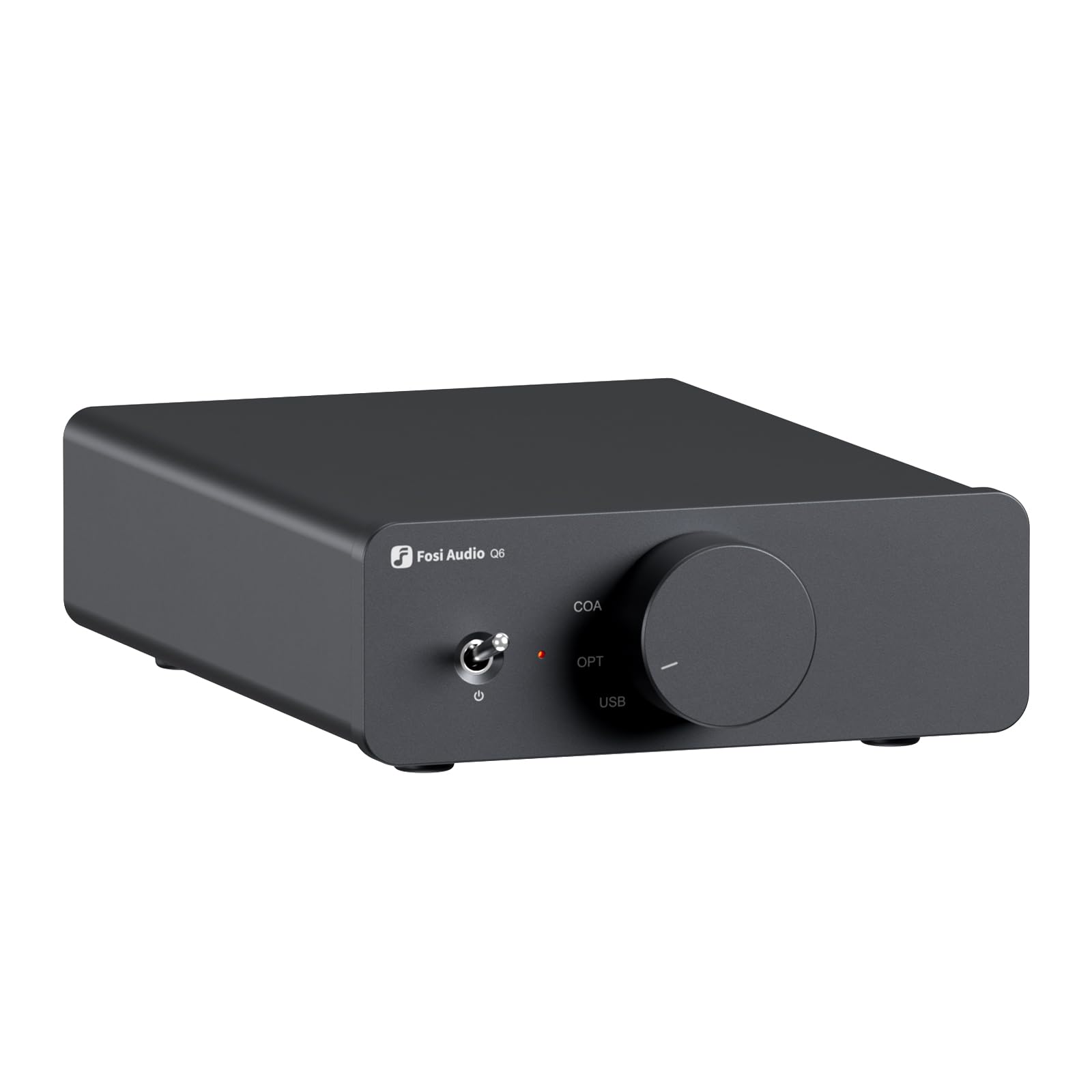
Fosi Audio Q6

88 /100
LBD Score Excellent

Key details

DAC
AK4493S
Inputs
USB-C, optical, coaxial
Outputs
RCA, sub-out
Max Resolution
PCM 32-bit/768kHz, DSD512
View on Amazon

The Q6 is a speaker-first DAC, and it makes no apology for it. That focus is why it earns a place. It's a compact preamp for a desk with powered speakers: USB-C, optical, and coaxial in, RCA and sub-out, with the AK4493S handling PCM 32-bit/768kHz and DSD512. We like it as a set-and-forget source because it doesn't add another box to the desk.

The sub-out is the detail we appreciate most: it lets a 2.1 desktop system come together without a separate crossover box. The aluminum case is small enough to tuck behind a monitor, and the front input knob is sturdy. Set the level on your speakers or amplifier and the Q6 stays out of the way; it's clean and quiet, and it doesn't add much of its own character. That resolution headroom means it won't be the weak link when you move to high-res streaming. It is the one here we treat as infrastructure rather than a gadget: set it, hide it, and forget it.

Pros

  • Clean AK4493S conversion with high-res support
  • USB-C, optical, and coaxial inputs
  • RCA and sub-out for powered speakers
  • Small, sturdy aluminum chassis

Cons

  • No headphone amp or volume control
Our verdict

Buy the Q6 if your desktop system is built around powered speakers and you want a clean, compact DAC/preamp with a useful subwoofer output.

Check Latest Price
6

Budget Starter Setup

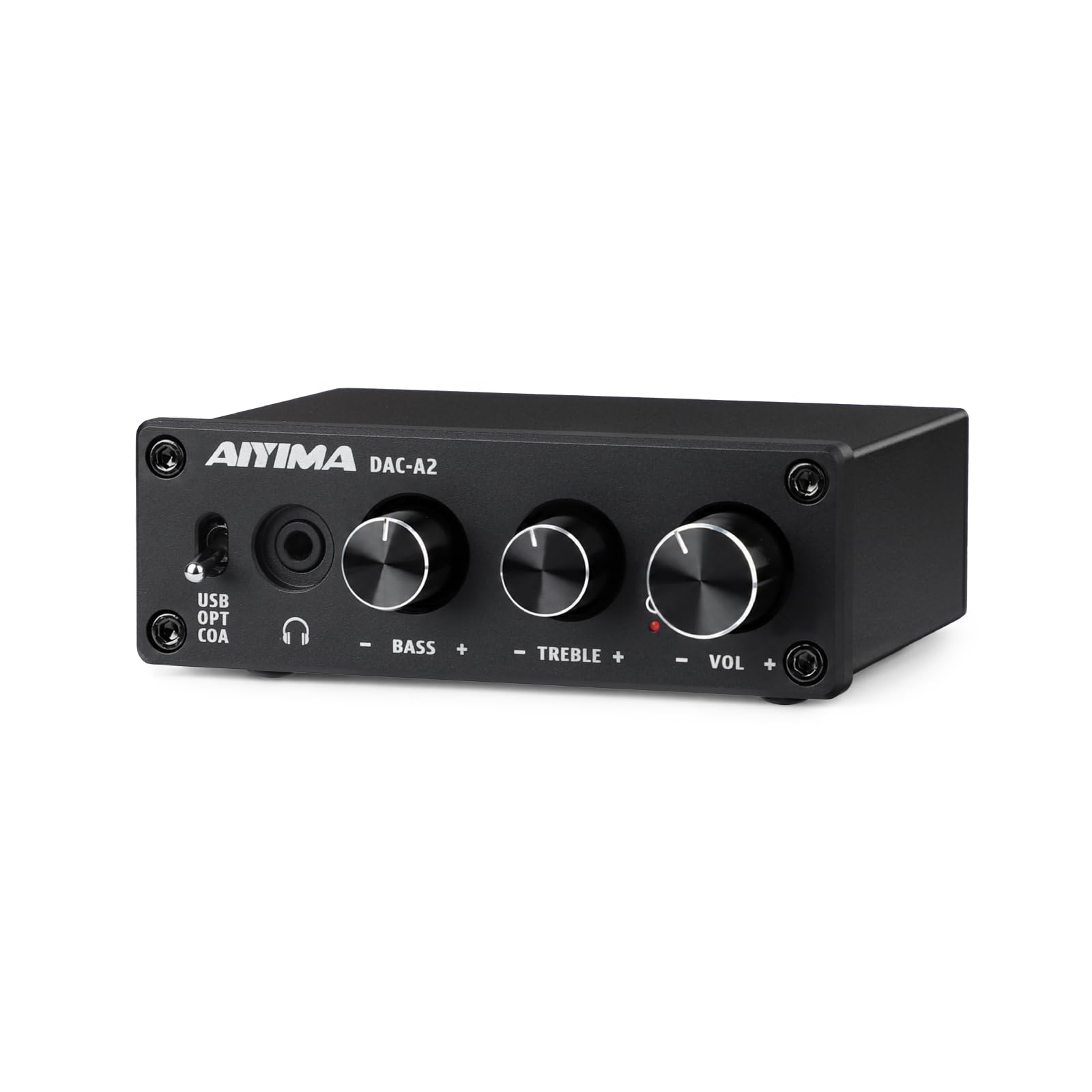
AIYIMA DAC-A2

81 /100
LBD Score Excellent

Key details

Inputs
USB, optical, coaxial
Outputs
RCA, 3.5mm
Resolution
24-bit/192kHz
Headphone Power
160mW at 32Ω
View on Amazon

The DAC-A2 is the least expensive way into a desktop DAC here, and it doesn't pretend otherwise. You get USB, optical, and coaxial inputs, RCA and 3.5mm outputs, and front-panel bass and treble knobs in a small metal case. For a laptop, TV, or game console, it's a cheap fix for thin, quiet onboard audio.

The 160mW at 32 ohms suits easy headphones and IEMs, and the tone controls are the useful part: they let you add bass or take down a harsh TV mix without opening software. We also like that it's plug-and-play; there's no driver dance. The metal case is more solid than the price suggests, and the knobs have a little resistance instead of feeling loose.

At its price, the DAC-A2 is a sensible first DAC rather than a final one. It gives you the inputs and controls that matter on a budget. The caveat is reliability: a unit that won't power on is the failure to check for, so buy where returns are easy and test it early. The little metal case is easy to hide behind a monitor, and the front knobs are the kind you reach for without thinking.

Pros

  • Least expensive entry point here
  • USB, optical, and coaxial inputs
  • Front-panel bass and treble controls
  • Plug-and-play setup with solid metal case

Cons

  • 160mW output limits hard-to-drive headphones
Our verdict

Buy the DAC-A2 if you need a cheap, plug-and-play desktop DAC for easy headphones and a TV or laptop, and you want bass and treble knobs without software.

Check Latest Price

How We Tested 12 Desktop DACs Over Six Months

We started with spec sheets for everything sold as a desktop DAC, then narrowed to units offering USB plus at least one legacy input and a real analog volume control instead of up-and-down buttons. That left 12, spread across three price bands and two output styles: single-ended only, and units with a balanced headphone output. Each one spent at least two weeks as the only DAC on a desk, fed by a laptop over USB and by a streamer over optical, driving everything from easy in-ears to 300-ohm open-backs.

Noise floor got checked first, because it's the thing you can't unhear. I paused the music, wound the volume down to nothing and then to half with silence playing, and listened through sensitive in-ears for hiss or a buzz that followed the USB cable. Volume controls got the fussy test — tiny nudges at low volume to hear whether the left channel jumped ahead of the right, and a feel for whether the knob was developing a scratchy spot. Each unit stayed powered for days at a stretch so we could see whether it drifted, dropped the signal, or balked at switching inputs.

Power claims were settled with hard-to-drive planars: I pushed them to the loudest I'd realistically listen and noted whether the bass went soft or the dynamics flattened. Imaging got its own pass with a familiar live recording, checking that the singer stayed centered and the instruments held their places instead of smearing. And because these live on a desk, we noted the unglamorous things — whether the case rang when tapped, whether the knob had any play, whether it ran warm by evening, and whether the controls were within reach without leaving the chair, which is as close to a remote as most of these get. At the end we weighed what each one gave you for the money rather than what its spec sheet promised.

How to Choose a Desktop Dac

Start With Your Headphones

Power matters most if you own planar or high-impedance headphones. A 160mW amp like the AIYIMA DAC-A2 is fine for IEMs and easy dynamic headphones, but it runs out of headroom with harder loads. Balanced outputs on the FiiO K7, Fosi ZH3, and FiiO K13 R2R deliver more voltage and cleaner headroom, so plan on balanced if you're driving full-size planars. If you mostly use sensitive IEMs, pay more attention to low-gain behavior and channel balance than to the biggest power number.

Count Your Sources Before You Buy

A USB-only DAC such as the iFi Zen DAC V2 keeps the back panel clean, but it can't take the optical output from a TV or the coaxial output from a CD player. If your desk has a computer, console, and disc player, choose a DAC with USB, optical, and coaxial inputs; the Fosi Q6 covers that for a speaker system, while the K13 adds Bluetooth. Write down every source you plan to connect, then check the input list against it. The trap is assuming every DAC can accept every digital output.

Decide Between a DAC, a Preamp, and a Headphone Amp

A DAC only converts; a preamp adds input switching and volume; a headphone amp adds the gain stage for headphones. The Q6 is a DAC/preamp with no headphone jack or volume control, so it suits powered speakers that already have a volume knob. The ZH3 and K13 combine all three, which is why they cost more and take up more space. Buy only the stages you need, but don't assume a line output can drive headphones directly.

Check the Controls You'll Touch Every Day

A stepped volume knob can be fine for full-size headphones and maddening with sensitive IEMs, especially when most of the level arrives near the top of the dial. Digital volume, remote-controlled menus, and small displays each solve one problem and create another. If you'll adjust volume often, look for a smooth analog knob or a well-behaved digital control; if the DAC will sit in a rack, a remote may matter more than a front-panel screen. Try the control you'll use most before you decide.

Leave Room for Reliability and Returns

Desktop DACs are small electronics, and the useful protection is a straightforward return policy rather than a longer feature list. Power-up failures and USB noise are the faults to check for early, so test every input in the first week and keep the packaging until you're sure. A DAC with fewer inputs that works every time is a better desk companion than a more capable box you have to unplug and send back.

Frequently Asked Questions

Final Verdict

The FiiO K13 R2R is the desktop DAC we recommend first because it covers the most ground without a second box: warm R2R tone, balanced headphone drive, XLR and RCA outputs, and LDAC for wireless sources. If your budget stops before that, the K7 is the balanced-value choice. If you need a preamp for powered speakers and headphones, the ZH3 is the more flexible hub. Buy the Q6 only if your desk is speaker-first and you already have volume control downstream; the AIYIMA is the budget pick for easy headphones.