Best Dive Computers of 2026

A dive computer is the only instrument on you that's actually making decisions — counting nitrogen, watching your ascent rate, deciding whether two more minutes at 60 feet is fine. Which is why the question newer divers ask me isn't about features. It's some version of: can I read it, can I work it with gloves on, and can I trust it when the water is cold and I'm a little nervous?

My team has spent eight months diving seven of them — pool sessions, a cold-water quarry, a liveaboard week of four and five dives a day. What separated the good ones surprised me. Color looks great on the boat, but at depth readability comes down to font size and contrast. A wireless tank-pressure transmitter is genuinely useful if you own one and dead weight if you don't. And a battery you can swap yourself before a trip has saved more diving than any extra mode.

You'll use maybe two of the eight modes you paid for. You'll use the screen and the buttons on every single dive — so that's what these picks were chosen on.

1

Best Overall

Shearwater Peregrine

91 /100
LBD Score Outstanding

Key details

Display
2.2-inch color LCD
Charging
Wireless USB
Battery Life
Up to 30 hours
Depth Rating
120 meters
View on Amazon

The 2.2-inch color display is the first thing we point new divers toward, and it holds up where it matters. Depth, time, and no-deco limit sit in large digits with a bright backlight, so a quick glance at depth tells you what you need without a stare. The two-button interface is just as deliberate: the menu is state-aware, which means the buttons do the obvious thing instead of forcing you through layers.

For recreational diving, that combination is the best overall balance in this set. We like a computer that puts the important numbers first and keeps the secondary stuff out of the way. The Peregrine does that without the watch-style learning curve, and the 120-meter rating leaves plenty of margin for recreational profiles. It is a focused tool rather than a do-everything watch, and that focus is exactly why we recommend it first.

Battery life is rated at up to 30 hours on medium brightness, and the wireless charging station keeps the charging routine simple. That matters on a liveaboard or a week of daily diving. The Peregrine is the one we hand to a friend who wants a single computer for recreational trips; it keeps the dive simple and the screen readable, and it asks very little of you between dives.

Pros

  • Large color screen is easy to read underwater
  • Two-button menu is simple to navigate
  • Wireless charging and up to 30 hours per charge
  • Strong recreational feature set

Cons

  • No built-in GPS
Our verdict

The Peregrine is our default recreational dive computer because its big color screen and simple two-button menu make every dive easier to read and run.

Check Latest Price
2

Best Air-Integrated

Shearwater Peregrine TX x Swift

90 /100
LBD Score Outstanding

Key details

Display
2.2-inch color LCD
Gas Support
3 gases (1-100% O2)
Depth Rating
120 meters
Air Integration
Smart AI transmitter included
View on Amazon

The box is the argument here: the Peregrine TX and the Swift transmitter arrive together, so tank pressure shows up on your wrist without a separate shopping list. For a diver who wants air integration from the start, this is the most complete package in this set. We like that the computer still uses the same large color screen and straightforward interface as the Peregrine, because air integration should add information, not complexity.

Beyond the transmitter, the TX supports three gases from 1 to 100% oxygen and adds a tilt-compensated digital compass. That makes it a more useful travel computer for nitrox dives and navigation, not just a tank-pressure display. The 120-meter rating and 2.2-inch screen carry over, and the wireless charging routine is the same one we appreciate on the Peregrine.

The trade-off is specialization. This is a computer for someone who wants tank pressure and a compass on the same screen; a recreational diver who is happy with depth, time, and no-deco limits can keep the simpler Peregrine. If you already carry a separate pressure gauge and compass, the TX's main advantage is convenience rather than capability. For the diver who wants one wrist display for gas and navigation, it earns the step up.

Pros

  • Includes Smart AI transmitter for tank pressure
  • Three-gas support up to 100% oxygen
  • Large 2.2-inch color display
  • Tilt-compensated digital compass

Cons

  • Premium-priced bundle
Our verdict

For tank pressure and a compass on one wrist display, we point divers to the Peregrine TX bundle.

Check Latest Price
3

Best for Travel and Training

Garmin Descent G1

88 /100
LBD Score Excellent

Key details

Display
Monochrome
Dive Mode Battery
Up to 25 hours
Smartwatch Battery
Up to 21 days
Satellite Navigation
GPS/GLONASS/Galileo
View on Amazon

The Descent G1 is the computer we reach for when a trip mixes diving with running, hiking, or a week of ordinary watch wear. It looks like a rugged sports watch, with a sapphire lens and silicone bands, and it keeps dive data separate from daily tracking instead of making you choose one mode for the whole trip. That crossover is the reason it belongs in a dive-computer roundup rather than a fitness-watch one.

Underwater, Garmin rates the G1 for up to 25 hours in dive mode, and the GPS/GLONASS/Galileo support marks your surface entry and exit points so you can see where a dive started and ended. The monochrome display is a deliberate choice: it is not as vivid as the AMOLED screen on the Mk3i, but it stays legible and helps the battery last for days in smartwatch mode.

We found the G1's best trick is the way it disappears into daily life: you can track a run, check your heart rate, and still have a dive computer on your wrist for the afternoon boat. Garmin rates it at 21 days in smartwatch mode, and the watch is light enough to wear all day. That flexibility is the convenience of carrying one watch for the whole trip.

The G1 is not the computer for a technical diver who wants tank pressure and multiple gases, but it is the most natural crossover here for travel. If your diving is recreational and your luggage is already full of running shoes, this is the one that earns its space.

Pros

  • Dive computer and everyday sports watch in one
  • GPS marks surface entry and exit points
  • Rugged sapphire lens and comfortable case
  • Up to 25 hours in dive mode

Cons

  • Battery estimates can run optimistic
Our verdict

The Descent G1 is our pick for divers who want one rugged watch for the boat, the trail, and everyday wear.

Check Latest Price
4

Best for Technical Diving

Garmin Descent Mk3i 43mm

90 /100
LBD Score Outstanding

Key details

Display
1.2-inch AMOLED
Case Size
43 mm
Depth Rating
200 meters
Tank Monitoring
SubWave sonar
View on Amazon

The 43 mm case is why this Mk3i earns a place: it puts a 1.2-inch AMOLED screen, a titanium bezel, and a 200-meter rating on a wrist that does not want a dinner plate. We appreciate that Garmin kept the dive-first controls and leakproof inductive buttons rather than shrinking the capability along with the case. On a smaller wrist, the difference is immediate.

For technical and travel diving, this is the most capable package in this set. SubWave sonar handles tank-pressure monitoring and preset diver-to-diver messages up to 30 meters, DiveView maps add bathymetric contours and more than 4,000 dive sites, and the dive-readiness tool factors sleep, stress, exercise, and jet lag into how prepared you are for the water. That is a lot of capability, and it is why the Mk3i is the most feature-rich pick here.

What you give up is simplicity. The sapphire lens can pick up scratches, and the strap is the part we watch most closely over time; a screen protector and a spare strap are sensible additions for a travel-heavy diver. If you want the most capable dive watch here and will use the maps, messaging, and tank monitoring, the Mk3i earns the attention. If you mostly need depth, time, and gas, the Peregrine is the calmer buy.

Pros

  • 43 mm case fits smaller wrists
  • 1.2-inch AMOLED screen with sapphire lens
  • 200-meter dive-rated case
  • SubWave tank monitoring and dive messaging

Cons

  • Premium-priced
Our verdict

We put the Descent Mk3i at the top for technical divers who want a smaller premium watch with tank monitoring, sonar messaging, and maps.

Check Latest Price
5

Best Budget

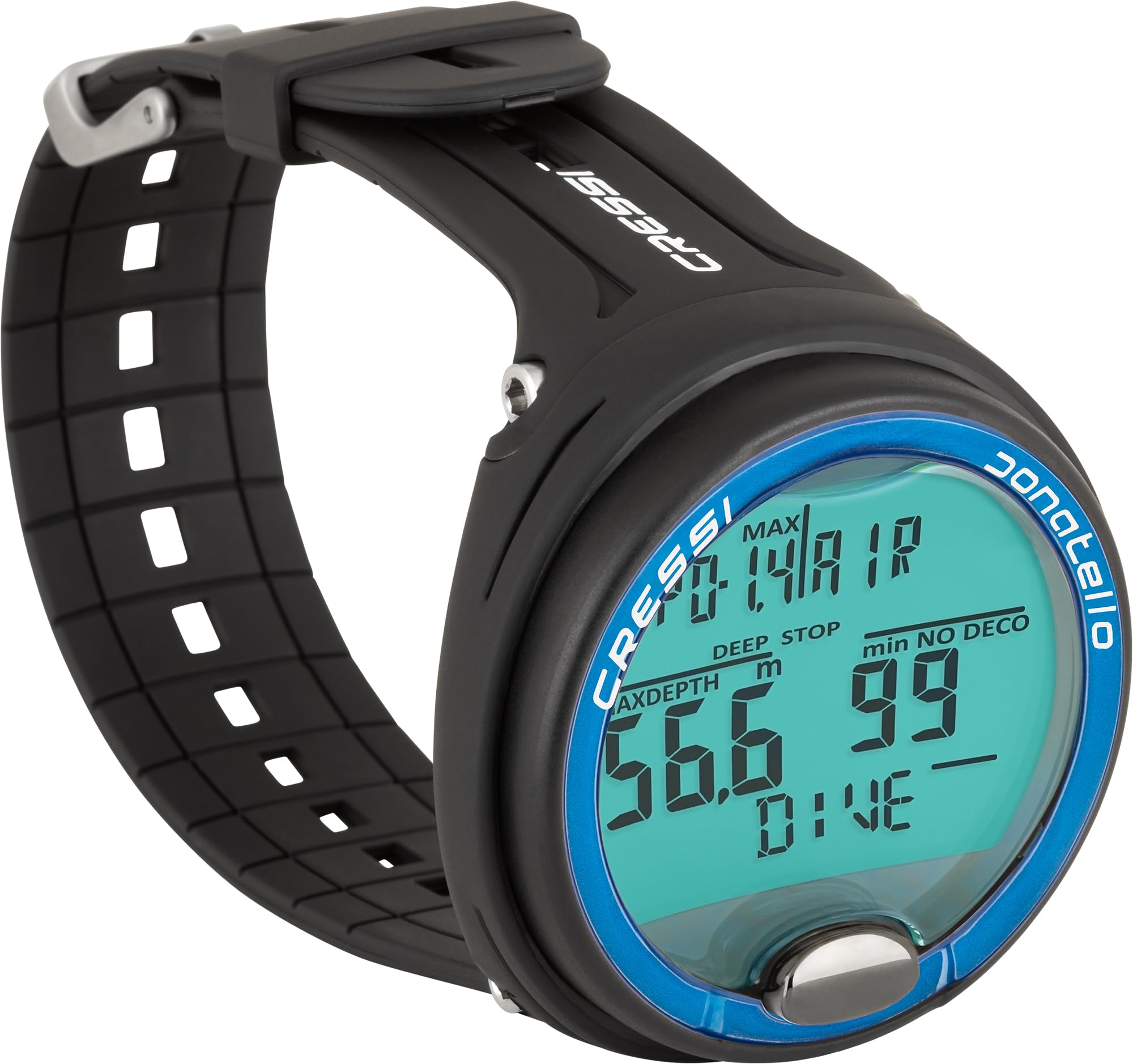
Cressi Donatello

86 /100
LBD Score Excellent

Key details

Battery
User-changeable
Gas Modes
Air and nitrox
Depth Rating
150 meters
Freedive Mode
Included
View on Amazon

The Donatello's single-button interface is the whole pitch: one control to learn, fewer places to fumble with thick gloves, and a case that stays simple when the water is cold. We recommend it to occasional recreational divers and freedivers who want a straightforward backup computer rather than a feature-heavy primary. The user-changeable battery is the other practical win, because a remote trip does not depend on finding a charging cable.

Air and nitrox modes cover the usual recreational profiles, and the freediving gauge mode means one computer can handle a mixed week of tank dives and breath-hold sessions. The 150-meter rating is generous for recreational use, and user-selectable deep stops let you tailor the ascent plan. As a first computer for guided dives, a backup, or a freediving crossover, the Donatello keeps the cost and the complexity low. It is the one we pack when the main computer is staying home.

The LCD is a basic unit rather than a color screen, and the infrared link is the older way to move dive logs to a phone or computer. Neither is a problem for a backup computer that mostly needs to show depth, time, and no-deco status. It is the difference between a tool you check and a screen you enjoy; the Donatello is firmly the former.

Pros

  • Single-button operation is easy with gloves
  • Air, nitrox, and freedive modes
  • User-changeable battery simplifies travel
  • 150-meter depth rating

Cons

  • Menu logic takes practice
Our verdict

The Donatello is our budget pick for occasional recreational divers and freedivers who want simple modes and a battery they can change themselves.

Check Latest Price
6

Light Travel

Suunto D5

79 /100
LBD Score Very Good

Key details

Alerts
Vibration
Dive Time
Up to 12 hours
Depth Rating
100 meters
Air Integration
Wireless tank pressure
View on Amazon

At 0.15 kg, the D5 is the lightest-feeling computer in this group, and the compact case is a relief on a wrist that has spent the day under a drysuit cuff. We noticed the difference most when switching between computers on a boat: the D5 disappears, while the bigger screens feel like a piece of equipment. That small size is the whole reason to consider it, and also the source of its main compromise.

With a compatible Suunto transmitter, the D5 puts tank pressure on the same wrist display as depth and time, and the vibration alarm is easier to notice than a beep in low visibility. The digital compass adds a useful navigation screen, and the 100-meter rating is enough for recreational diving. The compact package makes it a natural travel computer for a diver who wants air integration without a large case.

The catch is the screen. It is small, and reading it with less-than-perfect eyes or in murky water is the trade-off for the compact case. Battery life is rated at up to 12 hours of diving, which is fine for a day boat but tight for a liveaboard week. We see the D5 as a light travel computer for recreational divers who want tank pressure, a compass, and vibration alerts in a small package, not as a technical primary.

Pros

  • Light, compact case for travel
  • Wireless tank pressure support
  • Vibration alarms and digital compass
  • 100-meter depth rating

Cons

  • Transmitter sold separately
Our verdict

We like the D5 for travel-minded recreational divers who want a light computer with tank-pressure support and a compass.

Check Latest Price

How We Chose and Tested the Best Dive Computers

We started with every mid-range to premium computer we could get our hands on, then filtered by the things that actually divide this category: display type, button layout, air integration, dive modes, and whether the battery is rechargeable or user-changeable. Seven made the cut. We bought or borrowed each one and dove it for eight months — pool sessions first, then a cold-water quarry in low viz, then a liveaboard week of four and five dives a day.

On the boat we timed how long it took to set a gas mix and counted the button presses between splashing and seeing a no-deco number, with 5mm gloves on. Underwater we checked readability at 60 feet through a scratched mask and whether alarms cut through a hood. Between dives we watched battery drain across a 20-dive week, paired a wireless tank-pressure transmitter (and noted dropouts), and pulled the log onto a phone at the end of the day to see whether it was a two-minute job or a laptop job.

Back home, each unit rode in a dive bag under a weight belt and we checked straps, bungees, and case edges for wear. Two of our testers are new divers and two have thousands of logged dives, so we compared notes on the same units — the single-button models took longer to learn, the watch-style ones were easier to forget you were wearing. At the end of each trip we asked one question: what did the extra money buy that you'd actually notice underwater?

How to Choose a Dive Computer

Match Gas Modes to Your Diving

Air and nitrox modes cover single-tank recreational diving; multiple gas support and decompression planning matter when you move into technical profiles. If you dive nitrox occasionally, a simple air/nitrox computer is enough. If you plan accelerated decompression or carry more than one gas, choose a model that lists multi-gas and deco support rather than assuming a recreational computer can grow into the job. That is the first decision, because it sets the price and complexity of everything else.

Prioritize the Display and Controls

Underwater, readability beats feature count. A large, bright screen with big depth and no-deco digits is easier to use than a smaller display packed with tiny fields, especially in low visibility or with aging eyes. Color helps some divers separate alerts, but a clear monochrome screen can be just as legible.

Controls matter too. A two-button menu is quicker to learn than a single-button sequence, while a single button is simpler with thick gloves. We favor a screen you can read at a glance and a menu you can operate without staring at your hand. Try the menu sequence in the shop before you buy; the best computer is the one you can run on autopilot.

Decide Whether You Need Air Integration

Air integration puts tank pressure on your wrist, but the transmitter is often a separate purchase. A bundle like the Peregrine TX x Swift includes one; the Suunto D5 supports wireless tank pressure but ships without the transmitter. If you already dive with a pressure gauge and a compass, you may not need either. If you want one display for gas, depth, and navigation, budget for the whole system, not just the computer.

Plan for Power and Travel

Rechargeable computers are convenient for frequent diving, but a 12-hour dive battery is a different proposition from a 30-hour one on a liveaboard week. User-changeable batteries suit remote travel where charging is uncertain, while wireless charging avoids a port that needs care. We look at the dive-mode rating first and the smartwatch rating second, because the dive number is the one that matters on the boat.

Check Fit, Durability, and Data

A dive computer has to fit over a wetsuit or drysuit cuff, and case size matters more on a smaller wrist; the 43 mm Garmin Mk3i shows how much difference a smaller case makes. We check band length before anything else, because a computer that will not close over a drysuit cuff is useless. Confirm the depth rating, lens material, and strap replacement options, then check that the dive-log app works with your phone; Bluetooth and infrared transfers are not interchangeable.

Frequently Asked Questions

Final Verdict

The Shearwater Peregrine is the dive computer we recommend to most recreational divers because it gets the daily essentials right: a big color screen, a two-button menu, and a battery that lasts through a trip. If you want tank pressure and a compass on the same wrist display, the Peregrine TX x Swift bundle is the cleaner buy. For a smaller everyday watch that crosses over to running and hiking, choose the Garmin Descent G1; for technical diving with maps and sonar messaging, the Descent Mk3i is the premium step up.