Best Gaming Desks for Kids of 2026

A desk in a kid's room lives a rough life: elbows on it, headphones yanked out of it, a chair back slammed into the front edge every night. The real question isn't which one looks best under a strip of colored light — it's which one is still square and steady after a year of it. I spent six months with 11 of them to find out.

Nearly every one of these desks leans on the same two extras: built-in power and LED lighting, usually on an adhesive strip. The power earns its keep — a headset, a controller, a tablet, all charging in one place. The lights are for the kid, and glued strips do peel. And measure the corner before you fall for a wide L-shape; fit is the thing that ruins a small room fastest.

Assembly and price are where these split most sharply — some took two hours with an Allen wrench, others thirty minutes, and the sturdiest weren't always the priciest. The picks below cover tight corners, drawer people, and kids who are only in it for the lights.

1

Best Overall

Bestier 42-Inch L-Shaped Gaming Desk

92 /100
LBD Score Outstanding

Key details

Power
2 AC, 1 USB, 1 USB-C
Storage
Reversible side shelves
Lighting
LED strip under shelf
Desktop Shape
42-inch L-shape
View on Amazon

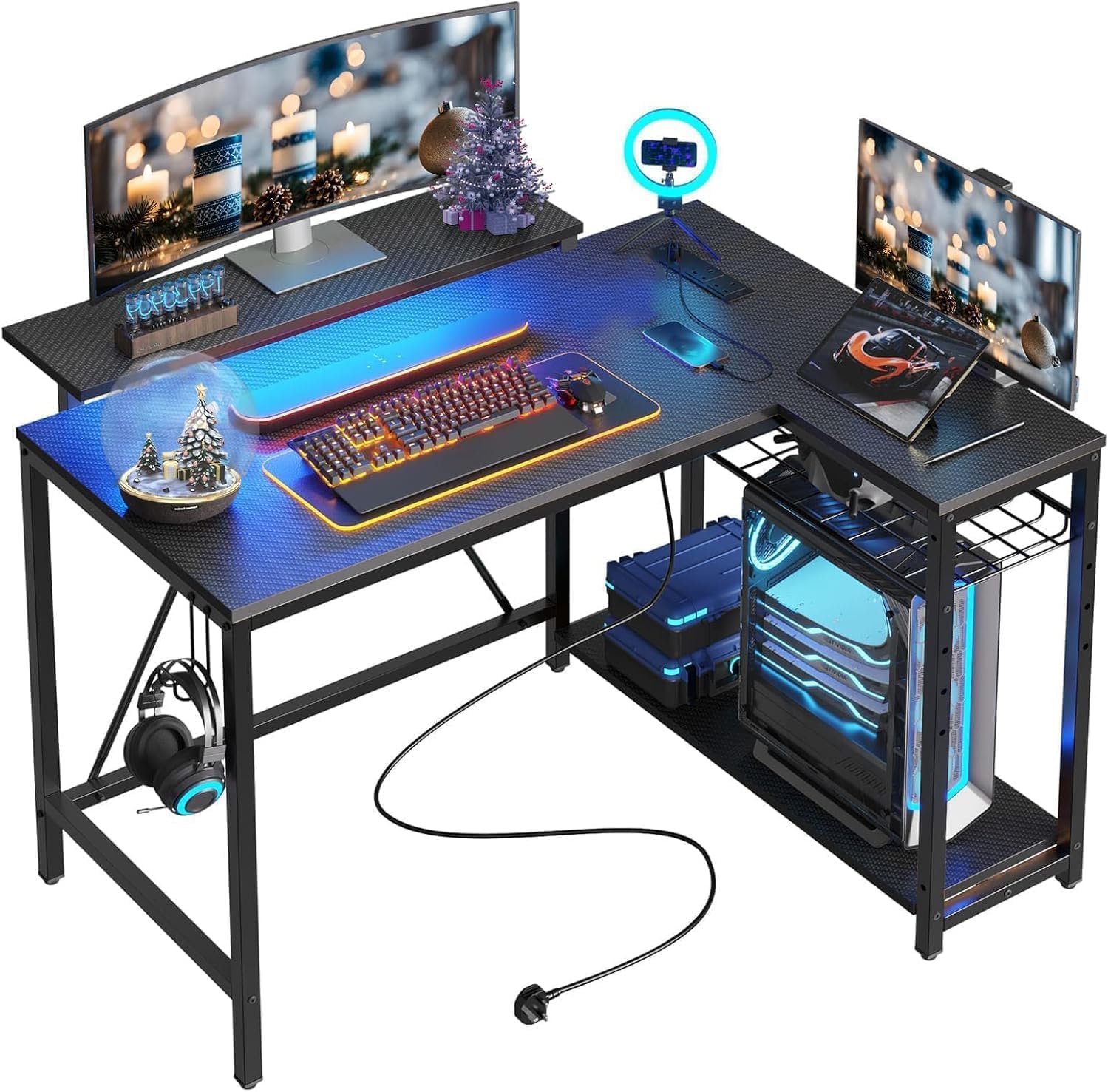
A 42-inch L-shaped desk is the sweet spot for a kid's bedroom: wide enough for a monitor and a console without turning the room into an office. That is why the Bestier is our top pick. It tucks into a corner, and the side shelves can be mounted on the left or right, so the desk follows the room instead of forcing a furniture rearrange. The upper shelf works as a monitor riser or a display perch, and the carbon-fiber finish gives it the gaming look without going full neon.

The built-in power strip is the part that won us over: two AC outlets, one USB port, and one USB-C port at desk level. In a kid's room, that is the difference between a tidy setup and a power strip snaking across the carpet. We also like that the LED strip sits under the shelf, where it lights the keyboard area instead of glaring across the room. The headphone and backpack hook is a small detail, but it keeps the desktop from becoming a pile of straps and cables.

The one thing we want buyers to check is the monitor shelf. It is the part that decides whether the desk feels solid, so tighten it gradually, keep a heavy screen centered, and do not overtighten the hardware into the top. A 42-inch desk is still a one-screen desk for most kids, and that is the right trade for a small room. The shelves do the heavy lifting on storage, which is why this one feels complete rather than stripped down.

Pros

  • Compact 42-inch L-shaped footprint
  • Built-in 2 AC, USB, and USB-C ports
  • Reversible shelves and monitor stand
  • LED light under the shelf

Cons

  • Assembly calls for two adults
Our verdict

We make this the top pick for a kid's first gaming corner: it packs LED lighting and built-in charging into a footprint that fits a bedroom.

Check Latest Price
2

Best for Teens

ODK 48-Inch L-Shaped Gaming Desk

92 /100
LBD Score Outstanding

Key details

Power
3 AC, 2 USB
Lighting
RGB LED strip
Desktop Shape
48-inch L-shape
Monitor Shelf
Adjustable
View on Amazon

If the Bestier's 42-inch surface looks tight, the ODK gives a teen more room to spread out without turning the bedroom into a full office. The L-shaped top runs 48 inches wide, and the reversible layout lets you put the long side where the wall allows. It still fits a corner; it just asks for a bigger one.

What we like most is the combination of storage and power: three outlets and two USB ports at desk level, a monitor stand that lifts the screen, and open shelves that can hold a console, headset, or schoolbooks. For a teen juggling gaming and homework, that is more useful than a light show. The carbon-fiber surface and RGB strip give it the gaming look, but the desk earns its place with the practical stuff.

The desk is 30 inches high, so it pairs with a standard gaming chair; a younger child needs a chair with a footrest or a cushion. Run a finger along the painted edges before handing it over, because they can arrive sharp enough to file. Those are small checks, not dealbreakers. For a teen with a monitor, a console, and a pile of schoolwork, the extra surface is the reason to choose this over the smaller picks.

Pros

  • Three AC outlets plus two USB ports
  • Adjustable monitor stand and open shelves
  • Reversible 48-inch L-shape
  • Solid feel for teen use

Cons

  • Main panel alignment can be fussy
  • Heavy to move once assembled
Our verdict

A sturdier, roomier step up for a teen: we like the 48-inch corner top, the built-in outlets, and the monitor stand that keeps a screen at a sensible height.

Check Latest Price
3

Best RGB

HLDIRECT 47-Inch RGB Gaming Desk

91 /100
LBD Score Outstanding

Key details

Lighting
App-controlled RGB
Desktop Size
47 x 23.6 inches
Weight Capacity
200 lb
Included Accessories
Mouse pad, cup holder, hook
View on Amazon

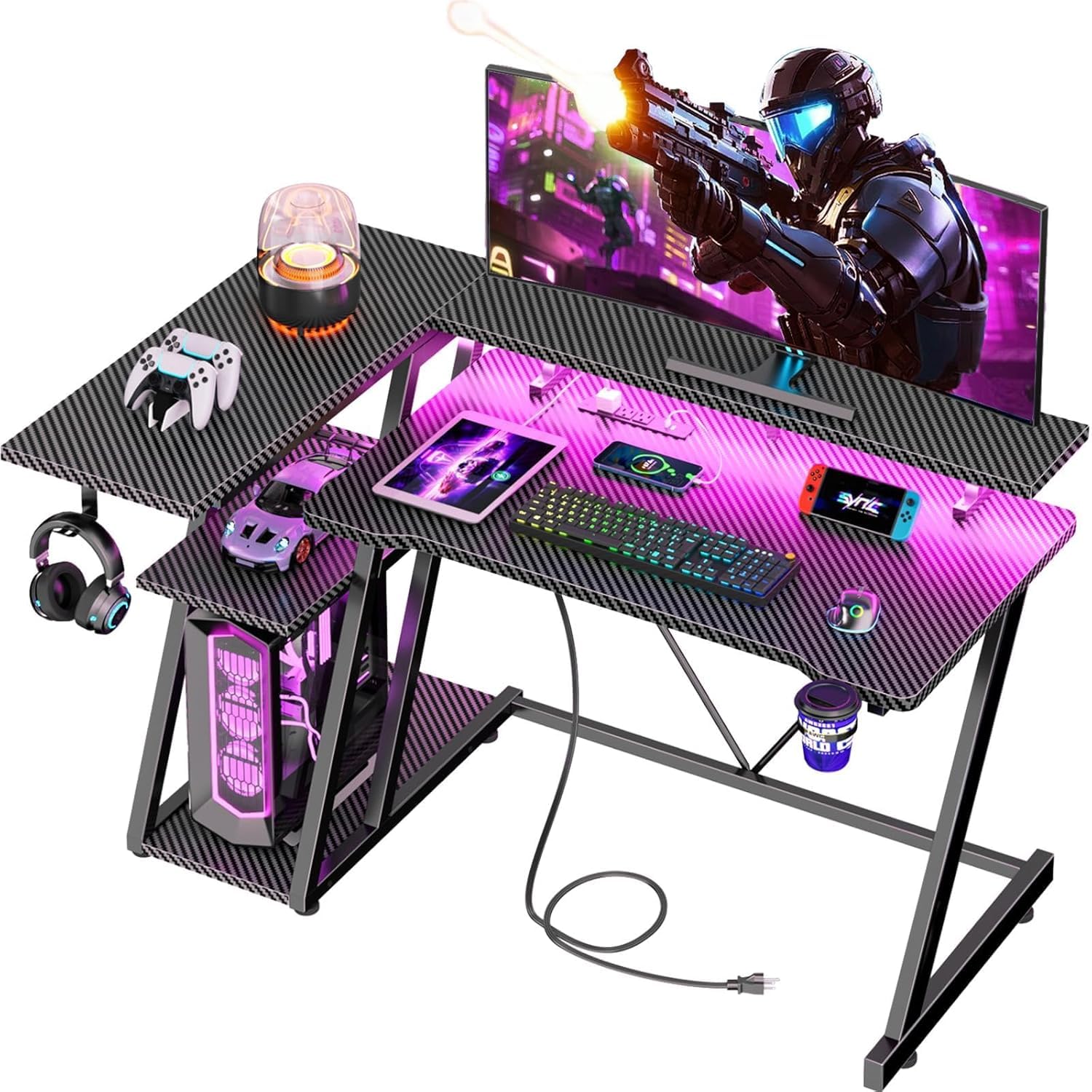
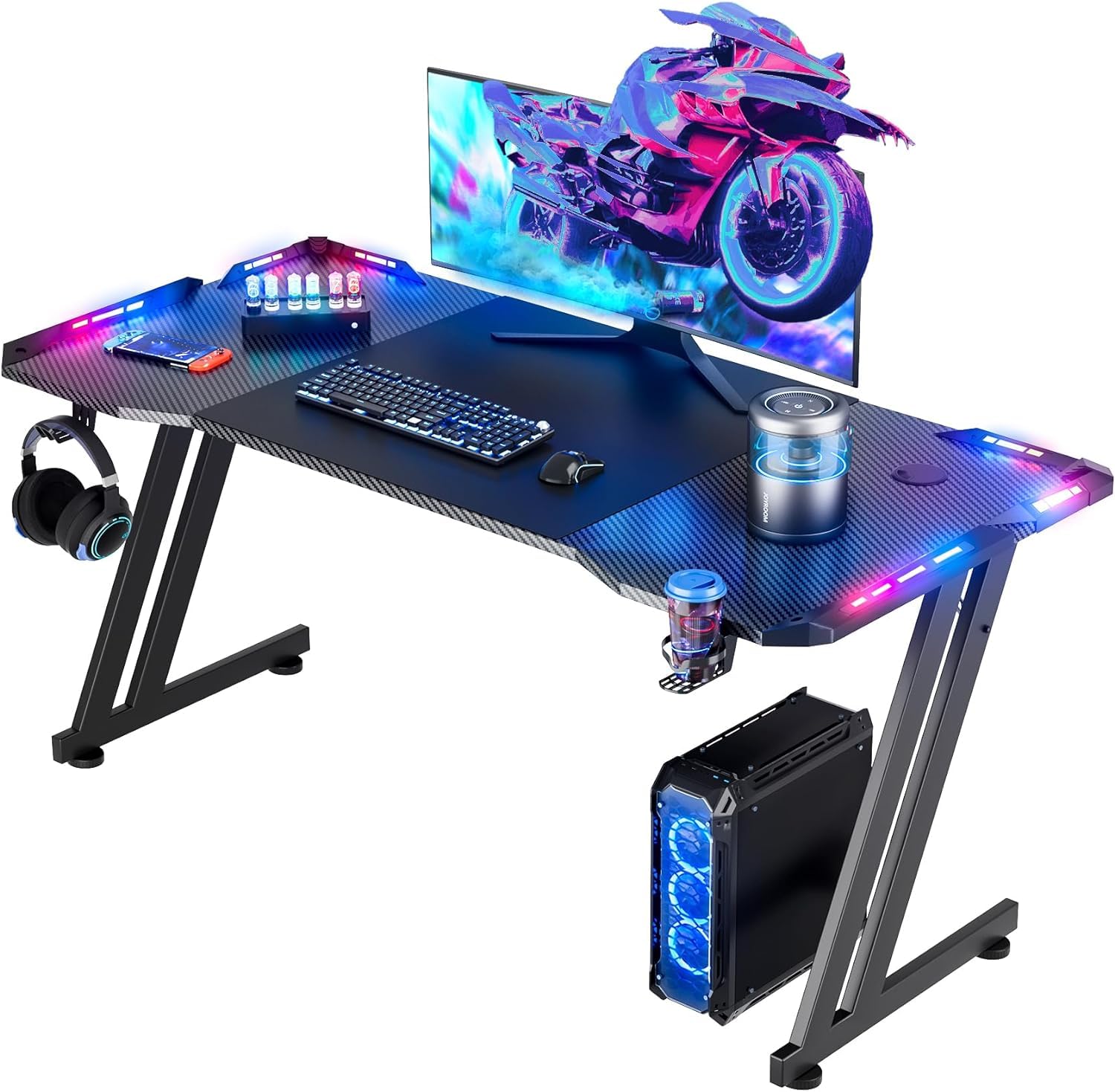
The four RGB strips are the reason a kid will pick this desk out of a lineup. The light is broken into four zones and controlled through an app, so it can pulse, fade, or hold a single color. The oversized mouse pad, cup holder, and headphone hook complete the gaming look. We think it is a strong choice for a style-first teen, as long as you understand that the lights are the headline, not a bonus.

The desk itself is a 47-inch by 23.6-inch rectangle with a Z-shaped steel frame and a 200-pound capacity. That extra depth matters: a monitor sits farther back, and there is room for a keyboard and a school binder without everything crowding the front edge. The carbon-fiber finish wipes clean, which is a practical detail in a room where snacks and drinks tend to migrate toward the keyboard.

Our reservation is the electronics. The LED system is the main event, and the app-controlled strips can arrive dead or stop working. Check every zone the day it arrives, before you finish assembly and bundle the cables out of reach. That is the risk you take for the light show. The 23.6-inch depth is the underrated part: it gives a monitor breathing room and leaves the front edge clear for a keyboard and a snack.

Pros

  • Four-zone app-controlled RGB
  • Deep 47 x 23.6-inch top
  • 200-pound weight capacity
  • Mouse pad, cup holder, and hook included

Cons

  • No shelves or built-in outlets
Our verdict

We think this is the pick for a teen who wants the room to glow: four RGB zones, a huge mouse pad, and a deep 47-inch top make it feel like a gaming station.

Check Latest Price
4

Best for Tight Rooms

Korfile 40-Inch L-Shaped Gaming Desk

91 /100
LBD Score Outstanding

Key details

Power
3 AC, 2 USB
Storage
3 shelves, monitor stand
Lighting
RGB strip
Desktop Shape
40-inch L-shape
View on Amazon

A 40-inch L-shaped desk is what you buy when the room has a corner and not much else. The Korfile folds a monitor stand, three side shelves, three AC outlets, two USB ports, and an RGB strip into a footprint that is barely wider than a compact desk. For a kid's first gaming corner, that density is the appeal.

We like the way the shelves take the clutter off the desktop: a console or a compact PC can sit on the lower shelf, games and a headset on the others, and the long monitor stand can hold a screen or two 24-inch monitors. The reversible layout means the shelves can go left or right, which matters in a small room with one obvious corner. The carbon-fiber top wipes down without a fight, and the cup holder and headphone hook are useful rather than decorative.

The trade-off is surface area. The 39.4-inch top is the smallest L here, and the short leg of the L eats into the space where a keyboard and mouse land. It is a one-monitor desk for a kid who mostly plays with a controller, not a dual-screen homework station. For a tight room and a single screen, we can live with that. If a monitor stand is the part you want, this is the smallest way to get one here.

Pros

  • 40-inch L fits tight corners
  • Three shelves and a monitor stand
  • 3 AC and 2 USB outlets
  • RGB light strip

Cons

  • Large PC towers may not fit the shelf
Our verdict

For a tight corner and a single-monitor setup, we like this compact L-shaped desk: it packs LED lighting, outlets, and shelves into a genuinely small footprint.

Check Latest Price
5

Best Budget

VASAGLE 47.2-Inch Computer Desk

93 /100
LBD Score Outstanding

Key details

Frame
Steel with adjustable feet
Finish
Rustic brown + ink black
Desktop Size
47.2 x 19.7 inches
Weight Capacity
110 lb
View on Amazon

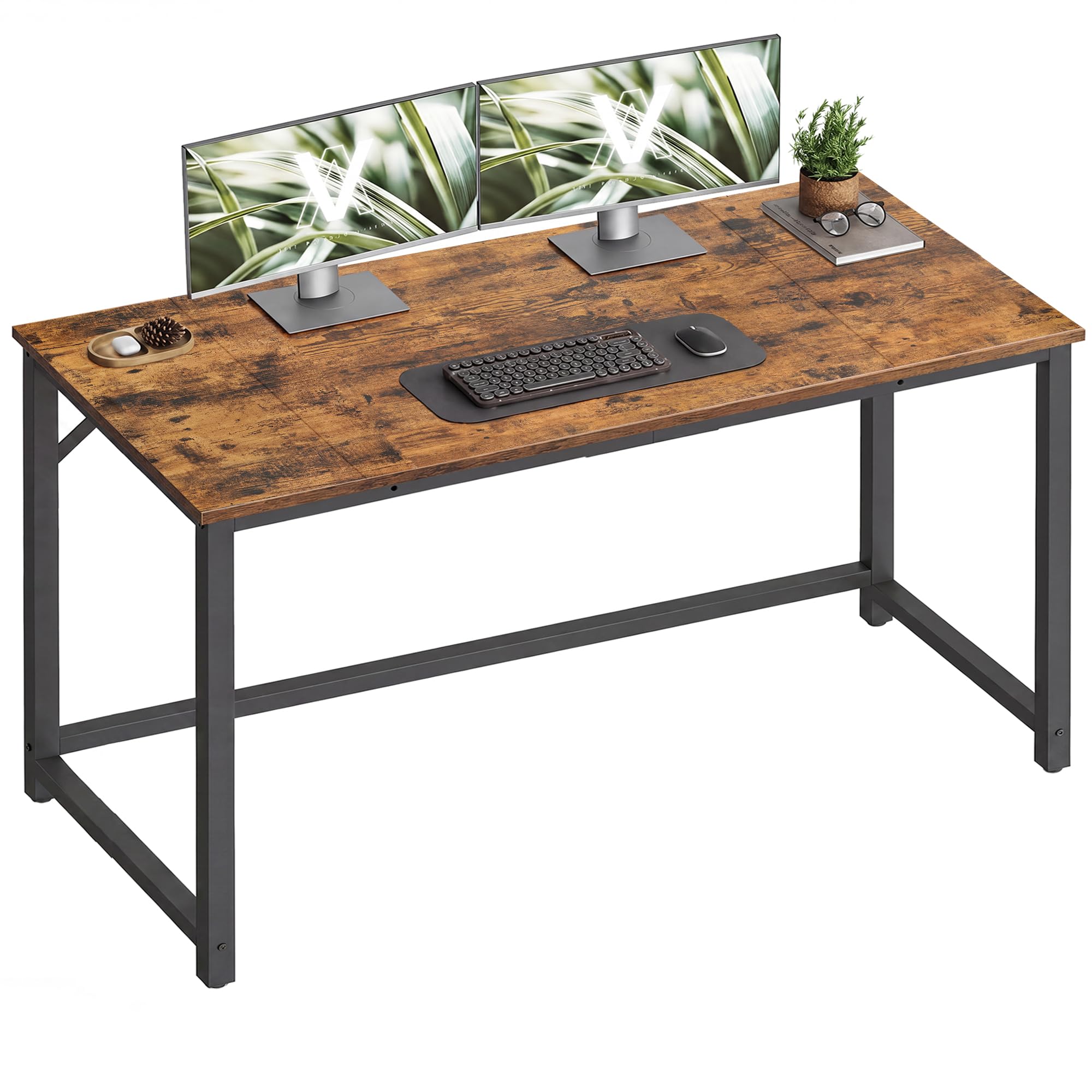
No RGB, no cup holder, no built-in outlet. The VASAGLE is the desk you choose when the kid wants a gaming setup but the room needs to look like a bedroom, not an esports arena. The 47.2-inch top comes in a rustic brown and black finish, and the steel frame gives it a cleaner line than most budget gaming desks.

We like it as the value pick because it spends money on the parts that matter: a 47.2 by 19.7-inch work surface, a 110-pound capacity that is enough for a monitor, laptop, and lamp, and adjustable feet that keep it steady on an uneven floor. Assembly is simple and the parts are labeled, which is not a small thing when a desk arrives in a dozen pieces. It is a study desk first, and that is exactly why it works for a kid who also games.

The limits are honest. The 19.7-inch depth is fine for a monitor and keyboard but tight for a big school binder. Beyond that, the desk stays out of the way: no cable channels to clean, no light strip to troubleshoot, no app to set up. What you get instead is a desk that is easy to live with and easy to move when the room gets rearranged. If the room is shared and the desk has to disappear visually, this is the one.

Pros

  • 47.2-inch top with adjustable feet
  • Steel frame in a clean finish
  • Easy, labeled assembly
  • Simple design suits shared rooms

Cons

  • Particleboard top can arrive damaged
Our verdict

Our budget pick for a kid who needs a clean study desk first: it is simple, steady, and easy to put together, with no gaming extras to pay for.

Check Latest Price
6

Younger Kids

Lufeiya 40-Inch Desk with Drawers

90 /100
LBD Score Outstanding

Key details

Layout
Reversible drawer side
Weight
25.9 lb
Storage
4 fabric drawers
Desktop Width
39.4 inches
View on Amazon

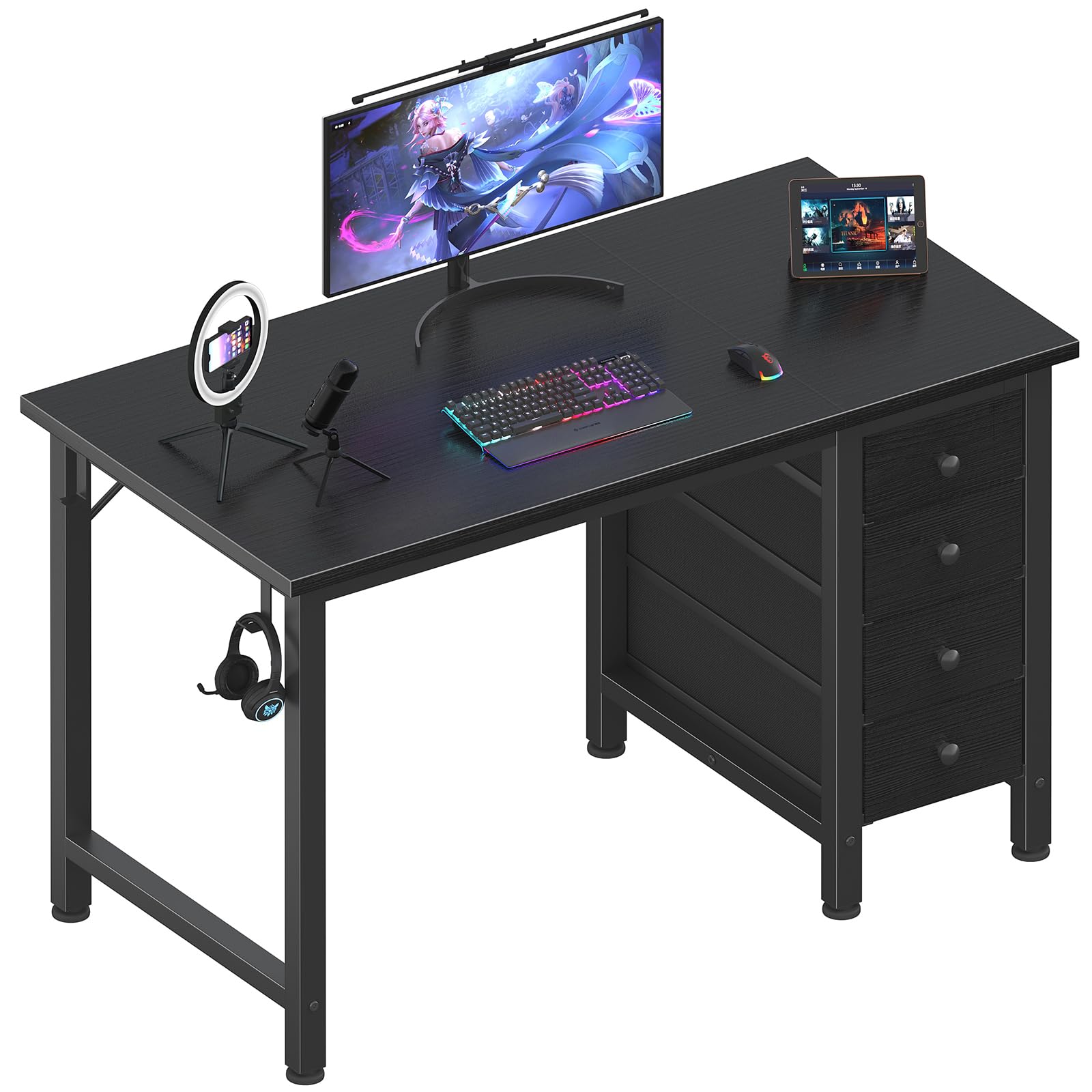
Four fabric drawers are the reason this desk exists in a kid's room. Gaming gear multiplies, with headsets, controllers, charging cables, and school supplies, and the Lufeiya gives all of it a place to disappear. The 39.4-inch top is compact, the drawer bank can be mounted on either side, and the black finish keeps it from looking like a nursery piece.

We like the idea for a younger kid or a tidy teen: the drawers are soft-sided and light, so they will not turn into a heavy file cabinet, and the adjustable leg pads help on carpet. The headphone hook and open shelf under the top add a little more landing space. For homework, crafts, and a single monitor, the size is right.

The fabric drawers are the trade-off: they hold controllers and notebooks, not heavy binders, and they will not feel like a filing cabinet. Check the glides and the leg pads after assembly; those are the parts that decide whether the desk feels solid. The top is also compact enough that a big monitor and a keyboard will fill it, so this is not the desk for a dual-screen setup.

Our take: this is the storage pick, not the toughness pick. For a younger kid's bedroom, the drawers are worth the trade-off because they solve the clutter problem that makes small rooms feel smaller. A teen who wants a desk to feel like a rock should look at the steel-frame picks instead.

Pros

  • Four fabric drawers hide clutter
  • Reversible drawer layout
  • Adjustable leg pads for carpet

Cons

  • No built-in outlets or lighting
  • Fixed height may not suit younger kids
Our verdict

This is our storage pick for a younger kid's bedroom: four soft drawers swallow the clutter, and the compact top leaves floor space for everything else.

Check Latest Price
7

Small Bedrooms

Pamray 39-Inch Computer Desk

91 /100
LBD Score Outstanding

Key details

Storage
1 fabric drawer
Desktop Width
39 inches
Monitor Support
Monitor stand, PC stand
Weight Capacity
150 lb
View on Amazon

The Pamray is the rectangular alternative to all the L-shaped desks here. A 39-inch top slides flat against a wall instead of wrapping into a corner, which can be the better fit in a narrow bedroom or a dorm. It also packs a monitor stand, a side PC stand, a fabric drawer, and two hanging hooks into a small footprint.

We appreciate the monitor stand more than the usual cable grommet: it raises a screen to a more comfortable height and frees the desktop underneath for a keyboard and a notebook. The PC stand gets the tower off the floor and out of the vacuum path, always a plus in a kid's room. The 150-pound capacity is adequate for a monitor, console, and school gear.

The catch is assembly. The pieces are compact, but the screw holes can be misaligned, and a desktop that bows up around a screw is frustrating to fix after the fact. Dry-fit the frame and the shelf before tightening anything; if a hole does not line up, stop and ask for a replacement rather than forcing it. Our take: the Pamray is a smart small-room desk if you want a monitor stand and a place for the tower without an L-shape. The two hooks are the small detail that makes it work: a backpack and a headset can hang at the end of the desk instead of landing on the keyboard.

Pros

  • Monitor stand and PC stand save space
  • Compact 39-inch rectangular top
  • One fabric drawer and two hooks

Cons

  • No built-in outlets or cable management
  • Fixed height may not suit younger kids
Our verdict

Our pick for a narrow room: the monitor stand and PC stand save space, and the compact rectangular top keeps the floor clear.

Check Latest Price

How We Tested the Best Gaming Desks for Kids

I started the shortlist with desks marketed for kids and teens, roughly 39 to 48 inches wide, and cut anything whose reviews repeated the same wobble complaint, anything that wouldn't clear a bedroom door frame, and anything that couldn't realistically be built by one adult. That left 11, which we assembled in a 10-by-10 bedroom and then lived with for six months — after-school homework, weekend game sessions, and one crowded sleepover.

Every desk was built once by one adult with a screwdriver and whatever tools came in the box, with a second person on standby for the L-shaped models. I timed the build, noted whether the pre-drilled holes lined up or needed a fight, and counted how many steps the diagram got wrong. Sturdiness got tested the way kids test it: full weight on the front edge, each corner pushed side to side, the monitor shelf shaken. I also took one apart and rebuilt it to see whether the joints went back together square.

On the electronics, I plugged in a headset, a controller cable, and a tablet at the same time to see whether the outlets were reachable or buried behind a leg, and I checked the LED strip's adhesive every couple of weeks — a few were lifting at the corners by week three. Size got measured against the room rather than the listing: footprint, knee clearance, whether a shelf could actually hold a console. Appearance held up to close inspection too, since I was looking for chipped edges and exposed screws after a month of daily use, along with whether each desk felt like it was worth what it cost.

How to Choose a Gaming Desk for a Kid

Measure the corner before you fall for the lights

An L-shaped desk can be the most space-efficient choice in a kid's room, but only if you measure the actual corner and the chair pull-out. A 40-inch L like the Korfile is a one-monitor desk; a 48-inch L like the ODK leaves room for a console and books but needs a bigger corner. Tape the footprint on the floor, including the chair zone, and check that the desk's short leg will not block a closet or bed. The label compact is not a standard, so the dimensions are what count.

Match desk height and depth to the kid

Most desks here sit around 29 to 30 inches high, which suits a standard gaming chair and most teens. A younger child needs an adjustable chair with a footrest, or the desk becomes a place to dangle legs. Depth matters just as much: 19 to 20 inches is fine for a monitor and keyboard, while 23 inches or more gives a school binder room. A monitor stand can raise the screen without stealing desktop space, but check that the shelf does not push the screen too close.

Check the frame, the top, and the weight rating

Gaming styling can hide a budget frame. Look for a steel frame, a stated weight capacity, and adjustable feet. A 110-pound desk like the VASAGLE is fine for a monitor, laptop, and lamp; a 150- to 220-pound desk is the safer choice for a gaming PC or a kid who leans on the edge. Particleboard tops are common at this price, so hand-tighten screws and stop when the top pulls down snug. Run a hand along the edges before a younger child uses the desk, and file any sharp spots. If the desk rocks after assembly, adjust the feet before assuming the frame is bad.

Decide which extras are worth the space

Built-in outlets and USB ports are the most useful upgrade for a kid's room, because they keep a power strip off the floor and make charging a headset or tablet easy. Shelves and drawers save the desktop, but they can crowd legroom; a 40-inch desk with three shelves is still a 40-inch desk. RGB lighting is fun and should be treated as fun: it is not a reason to accept a wobbly frame. For a younger kid, drawers beat a light show; for a teen, a monitor stand and cable management earn their keep.

Plan the assembly and the first week

Set aside an evening, not ten minutes. These desks arrive flat-packed, and two people make the job easier, especially when an L-shaped top has to be flipped. Keep the hardware labeled, start every bolt loose, and tighten diagonally once everything lines up. Check the lights, outlets, and drawer glides before you fill the desk. A desk that arrives damaged is easier to return before assembly than after.

Frequently Asked Questions

Final Verdict

For most families, the Bestier 42-inch L-shaped desk is the one we point to first. It gives a kid the gaming details that matter, including LED light, built-in charging, a monitor shelf, and reversible storage, without eating the whole room. If your teen needs more surface and a sturdier feel for a bigger setup, the ODK 48 is the step up; if the corner is truly tiny, the Korfile 40 is the better fit.