Best Gaming Desks Under $500 of 2026

A gaming desk should not feel like a gamble. The category is full of carbon-fiber finishes, glowing LED strips, cup holders, and built-in outlets, but the things that matter after the novelty wears off are simpler: Does it wobble when you lean on it, does it fit your corner, and will it still feel solid six months in?

We tested 12 models under $500 for six months, assembling each solo and using them for workdays, late-night gaming, and monitor swaps. We judged finish quality, assembly clarity, sturdiness, and appearance with the lights on and off. We also checked whether the extras—power outlets, reversible shelves, monitor stands, headphone hooks, cable management—actually earned their space, because a desk is only a value if you can reach the cup holder without elbowing your mouse.

The picks below suit different rooms and setups, from compact corners to dual-monitor stations. What they share is a frame that does not flinch.

1

Best Overall

Mr IRONSTONE 51-Inch L-Shaped Desk

95 /100
LBD Score Outstanding

Key details

Extras
Monitor stand, cup holder, hook
Surface
Two 50.8 x 18.2 in tops
Lighting
App-controlled RGB strip
Weight Capacity
220 lb
View on Amazon

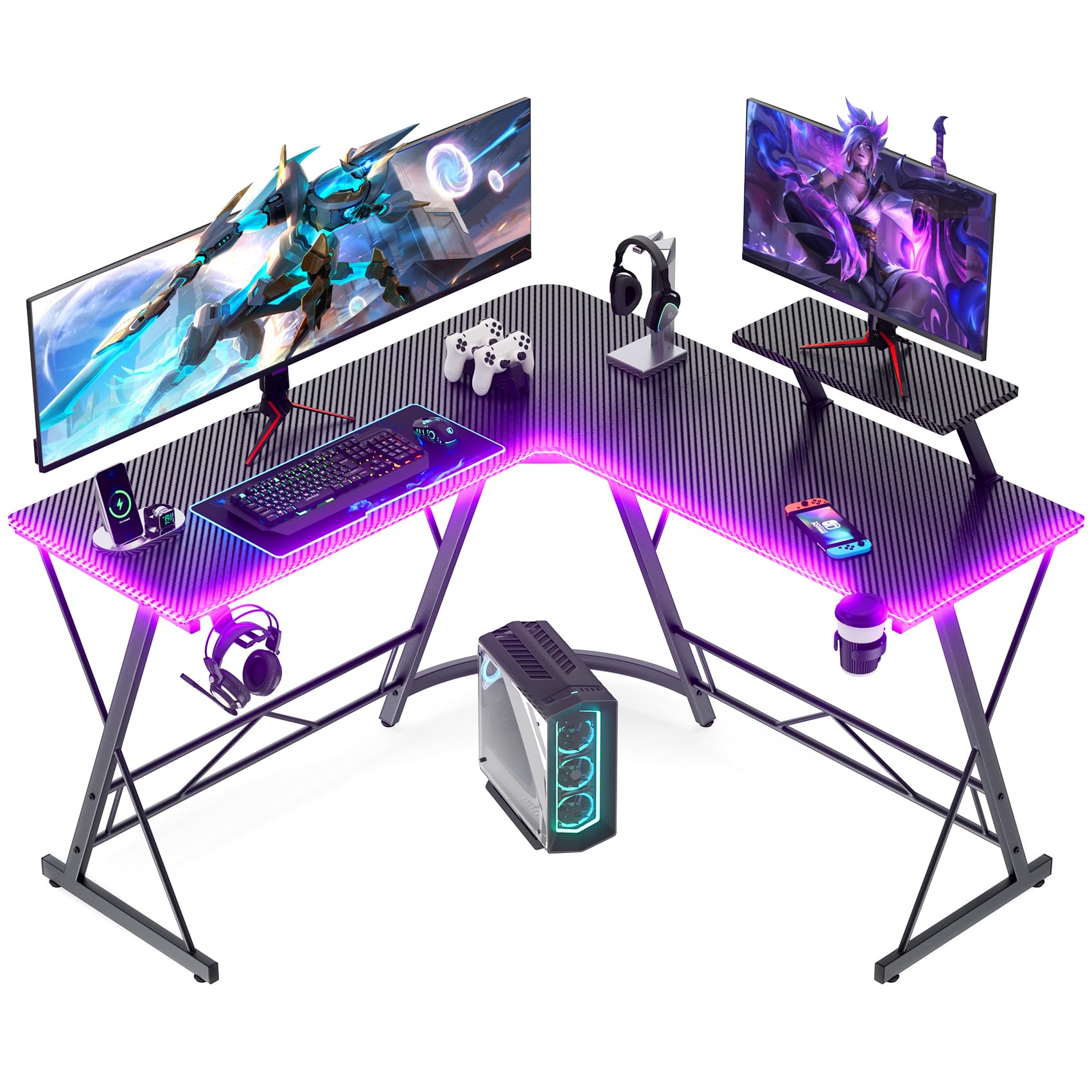
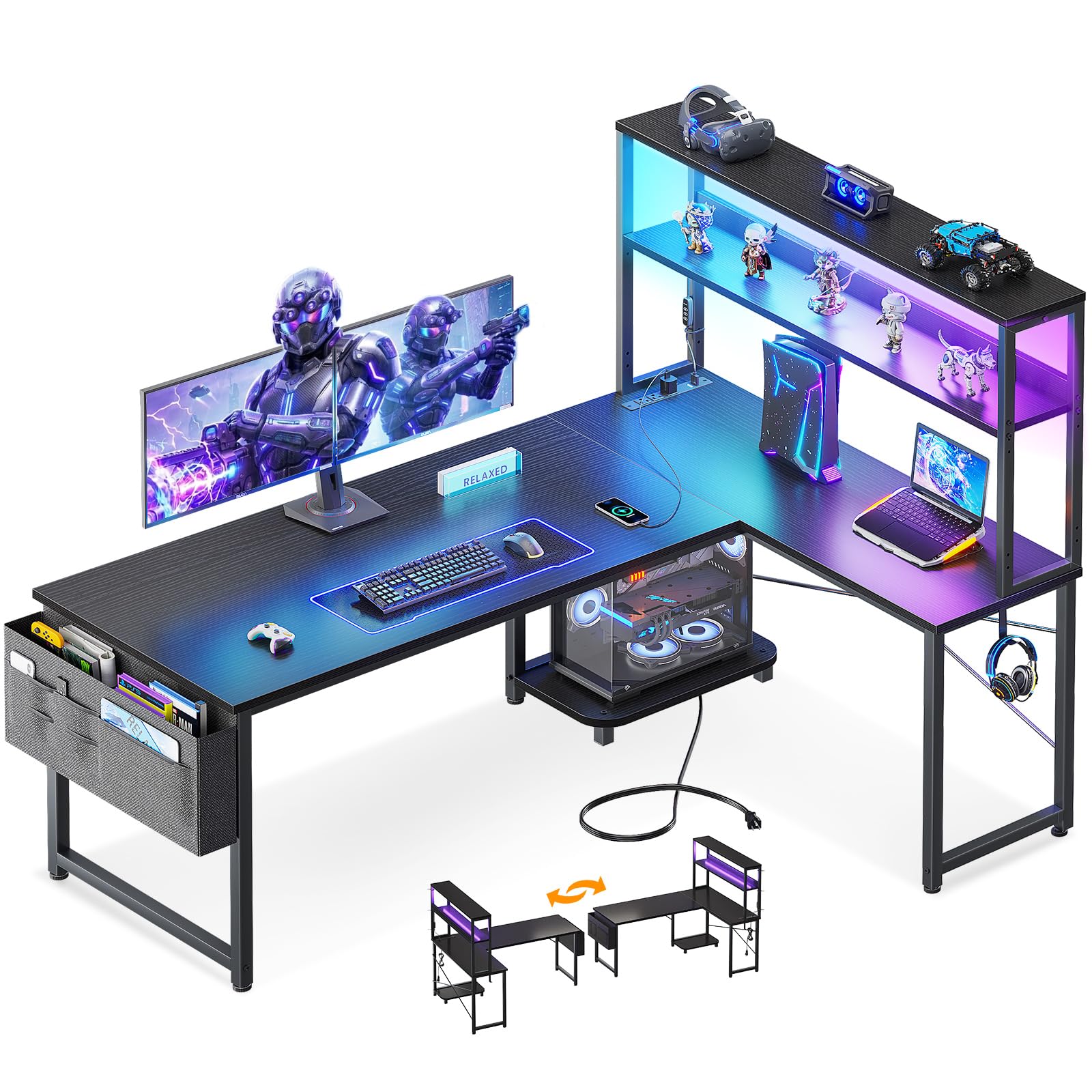
The combination of an L-shaped surface, app-controlled lighting, and a monitor stand, cup holder, and headphone hook is what makes the Mr IRONSTONE our top pick. It gives you a complete gaming corner rather than a project, and the phone control is the detail we appreciate most because there is no remote to lose in a drawer.

Each wing measures 50.8 inches long by 18.2 inches deep, so the corner gives you two distinct zones: a monitor wall and a side surface for a console, headset, or notebook. The 220-pound rating is enough for a dual-monitor setup and a tower. The monitor stand earns its place by lifting a screen without eating the desktop, and the cup holder and hook keep the small clutter off the surface.

Assembly is the one place to slow down: start every bolt loose, get the frame square, then tighten. The 39-pound frame is light enough for one person to shift after the build, which helps in a bedroom that has to do double duty.

Pros

  • App-controlled RGB strip
  • Two 50.8 x 18.2 inch desktops
  • Monitor stand, cup holder, and hook included
  • 220-pound weight capacity

Cons

  • Angled legs are not a footrest
Our verdict

We recommend the Mr IRONSTONE as the best all-around gaming desk here because it combines an L-shaped layout, app-controlled lighting, and useful accessories without a premium price.
Check Latest Price
2

Best for Storage and Power

ODK 53-Inch L-Shaped Gaming Desk

92 /100
LBD Score Outstanding

Key details

Power
3 AC outlets, 2 USB
Surface
53 x 18.9 in
Lighting
10 colors, 10 modes
Weight Capacity
300 lb
View on Amazon

The ODK makes its case with a built-in power strip and two shelves: three AC outlets and two USB ports sit on the frame, so the monitor, console, and phone charger can stay plugged in. That is the feature that separates it from the simpler L-shaped desks here.

The 300-pound capacity is the highest stated capacity among these picks, and the two shelves plus CPU stand turn the corner into a command center. We like that the shelves are reversible, so the storage can sit on whichever side keeps the chair clear. The shelf modules also add bracing; snug them before you judge whether the desk is steady.

The LED strip adds 10 colors and 10 modes, but we treat it as ambience, not workspace lighting. Assembly is a one-person job per the instructions, but the shelves and braces reward patience: tighten the frame square first, then the shelves.

Pros

  • 3 AC outlets and 2 USB ports
  • Two shelves plus CPU stand
  • 300-pound weight capacity
  • Reversible shelf orientation

Cons

  • 18.9-inch depth limits deep monitor stands
Our verdict

We recommend the ODK for a setup that needs to stay self-contained because its outlets, shelves, CPU stand, and 300-pound frame handle the gear without a separate power strip.

Check Latest Price
3

Best for Multi-Monitor Setups

SEDETA 67-Inch L-Shaped Gaming Desk

93 /100
LBD Score Outstanding

Key details

Power
4 AC outlets, 2 USB
Storage
Hutch, pegboard, keyboard tray
Surface
67 in L or 94.5 in straight
Lighting
App RGB, 29 modes
View on Amazon

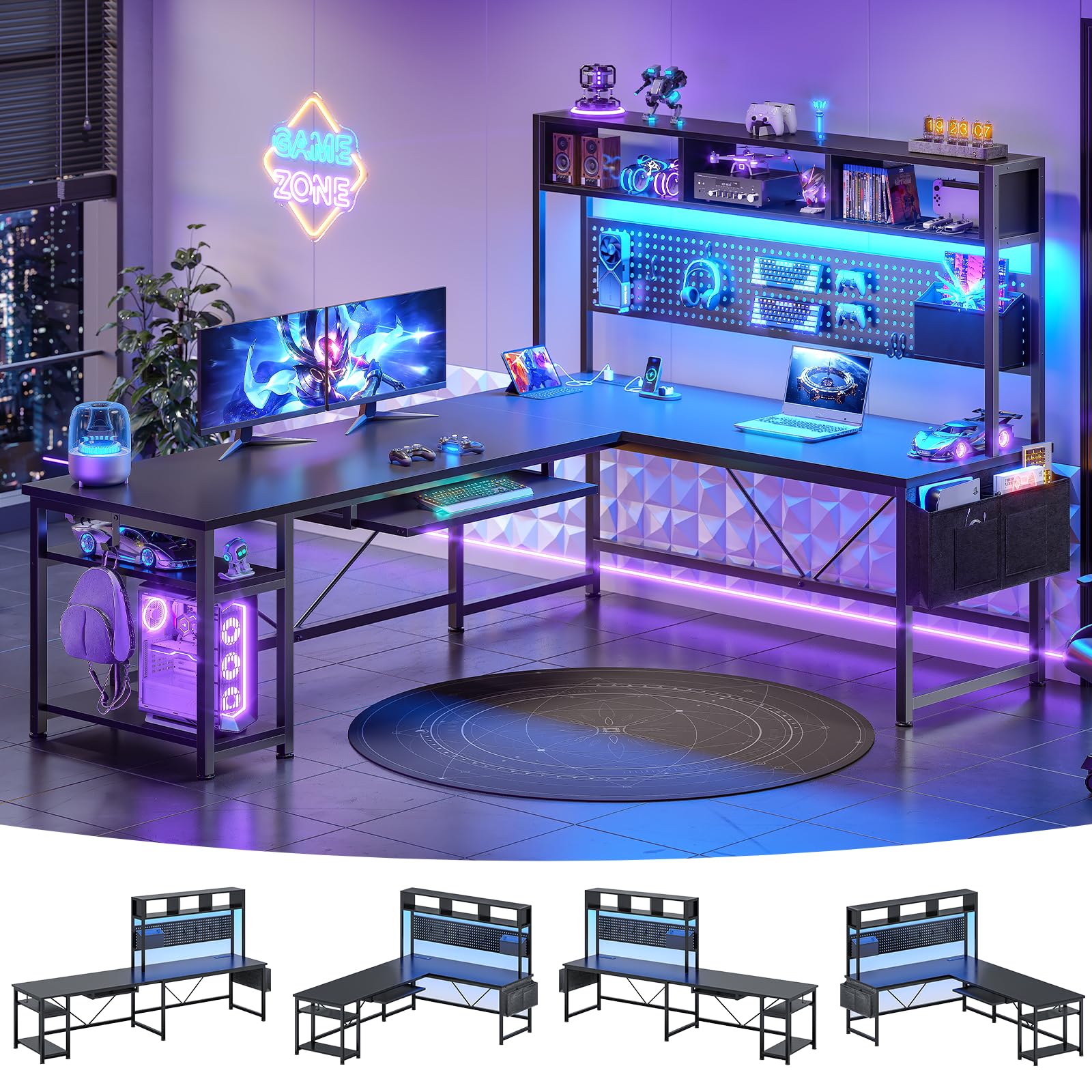
The SEDETA's party trick is scale: it is a 67-inch L in a corner and a 94.5-inch straight run when you have a full wall. We like that flexibility for a three-monitor setup because the extra length lets each screen have its own zone instead of crowding the center.

The hutch, pegboard, keyboard tray, and storage bag give the setup places to put controllers, a headset, and cables, and the four AC outlets plus two USB ports mean one cord to the wall. The hutch and pegboard are the storage we value most because they keep the desktop clear.

At 76 pounds it is the heaviest desk here, and the instructions call for two people for assembly; that is realistic. The RGB strip is app-controlled with 29 modes and a huge color range, but we care more about the outlet placement and the pegboard, which are the parts you use every day.

Pros

  • 67-inch L converts to 94.5-inch straight
  • 4 AC outlets plus 2 USB
  • Hutch, pegboard, keyboard tray, storage bag
  • App-controlled RGB with 29 modes

Cons

  • Keyboard tray is tight for full-size keyboards
  • 76-pound build needs two people
Our verdict

We recommend the SEDETA for a multi-monitor battlestation because its 67-inch L converts to a 94.5-inch straight desk and adds a hutch, pegboard, and four outlets.

Check Latest Price
4

Best for Small Spaces

Bestier 42-Inch L-Shaped Gaming Desk

92 /100
LBD Score Outstanding

Key details

Storage
Reversible shelves, monitor stand
Charging
2 AC, USB, USB-C
Lighting
Built-in LED strip
Footprint
42 in corner
View on Amazon

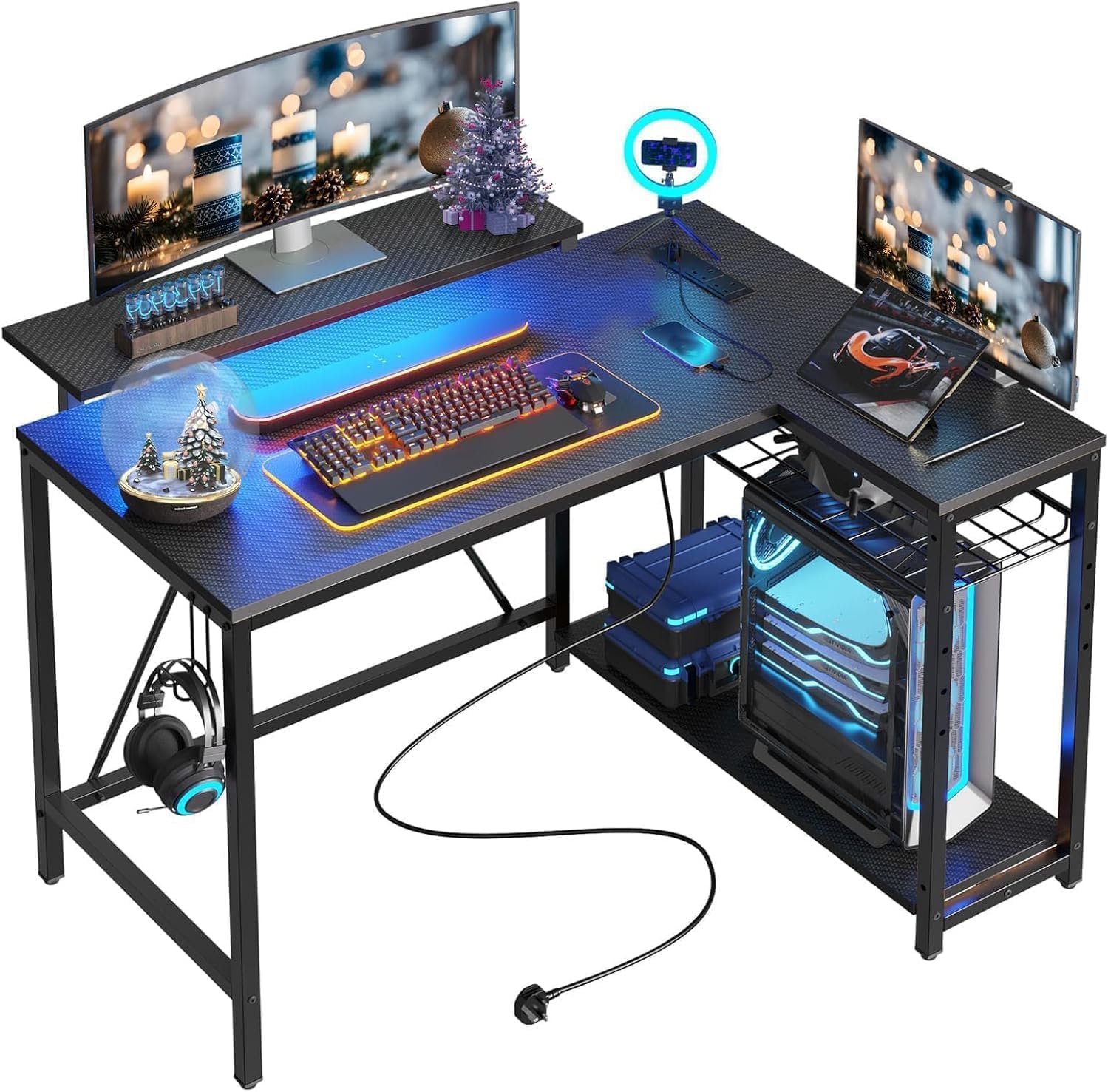
A 42-inch L is the desk we point to when a 53- or 67-inch model can swallow the whole room. The Bestier keeps the corner layout in a compact footprint and adds the features that matter in a shared space: two AC outlets, USB and USB-C charging, a light strip under the upper shelf, and a hook for a headset or bag.

We like the reversible shelves because the storage can move to whichever side keeps the chair clear, and the upper stand can serve as a monitor riser or a display shelf. That is a smarter use of a small desk than a fixed hutch.

The trade-off is surface area: this is a one-monitor desk with room for a console or a laptop, not a three-screen command center. Keep the tower on the floor unless you confirm the weight rating, and use the shelves for the clutter that can otherwise crowd the desktop.

Pros

  • 42-inch corner footprint
  • 2 AC outlets plus USB and USB-C
  • Reversible shelves and dual-purpose stand
  • Built-in LED strip under the shelf

Cons

  • No stated weight capacity
Our verdict

We recommend the Bestier for a small bedroom or apartment because its 42-inch L fits a tight corner while adding USB-C charging, reversible shelves, and a built-in light.

Check Latest Price
5

Best Flat RGB Desk

HLDIRECT 47-Inch RGB Gaming Desk

91 /100
LBD Score Outstanding

Key details

Surface
47 x 23.6 in
Included
Extra-large mouse pad, cup holder, hook
Lighting
4-zone RGB, app control
Weight Capacity
200 lb
View on Amazon

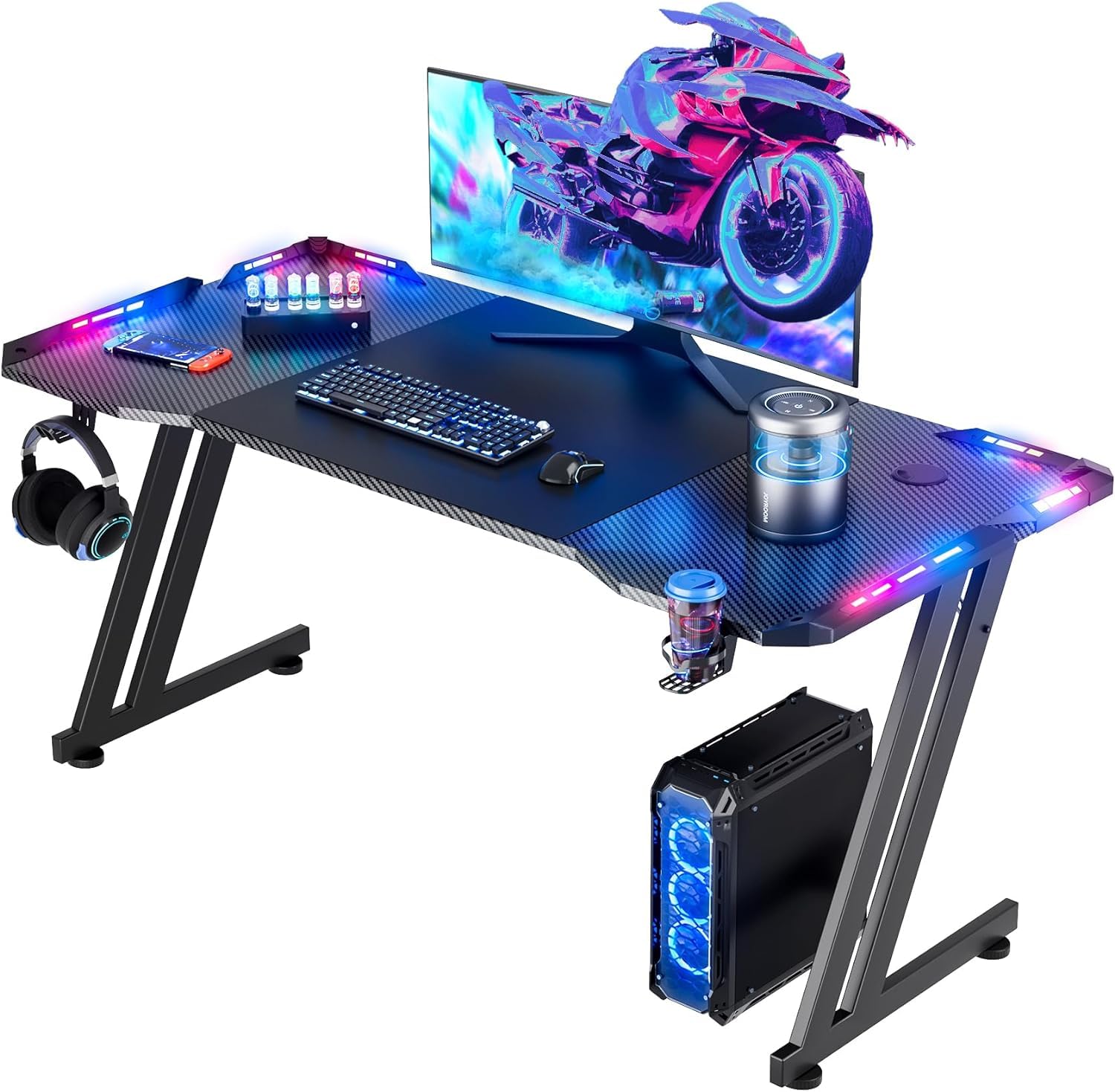
A flat desk is easier to place than an L, and the HLDIRECT uses its 47 by 23.6 inch top well: the extra depth leaves room for a large mouse pad and a monitor without pushing the keyboard to the edge.

The four RGB zones are the reason to choose this one over a plain flat desk. They run from an app, cover each side of the desktop, and can change color and pattern; we treat that as fun, not task lighting. The Z-shaped frame gives it a more aggressive look than a four-post desk, and the 200-pound rating is enough for a monitor, console, and speakers.

The included extra-large mouse pad, cup holder, and headphone hook save you from buying the small stuff, and the 47-inch width can handle two monitors if you keep them compact. The 23.6-inch depth is the number to check against your monitor stand; a deep VESA base can eat most of it.

Pros

  • 47 x 23.6 inch top
  • Four app-controlled RGB zones
  • Extra-large mouse pad, cup holder, and hook
  • 200-pound capacity

Cons

  • LED zones can fail
Our verdict

We recommend the HLDIRECT for a flat RGB setup because its deep 47-inch top, four app-controlled light zones, and included mouse pad make a compact, colorful station.

Check Latest Price
6

Understated Rooms

VASAGLE 55-Inch Computer Desk

93 /100
LBD Score Outstanding

Key details

Frame
Steel with adjustable feet
Finish
Rustic brown particleboard
Surface
55.1 x 19.7 in
Weight Capacity
110 lb
View on Amazon

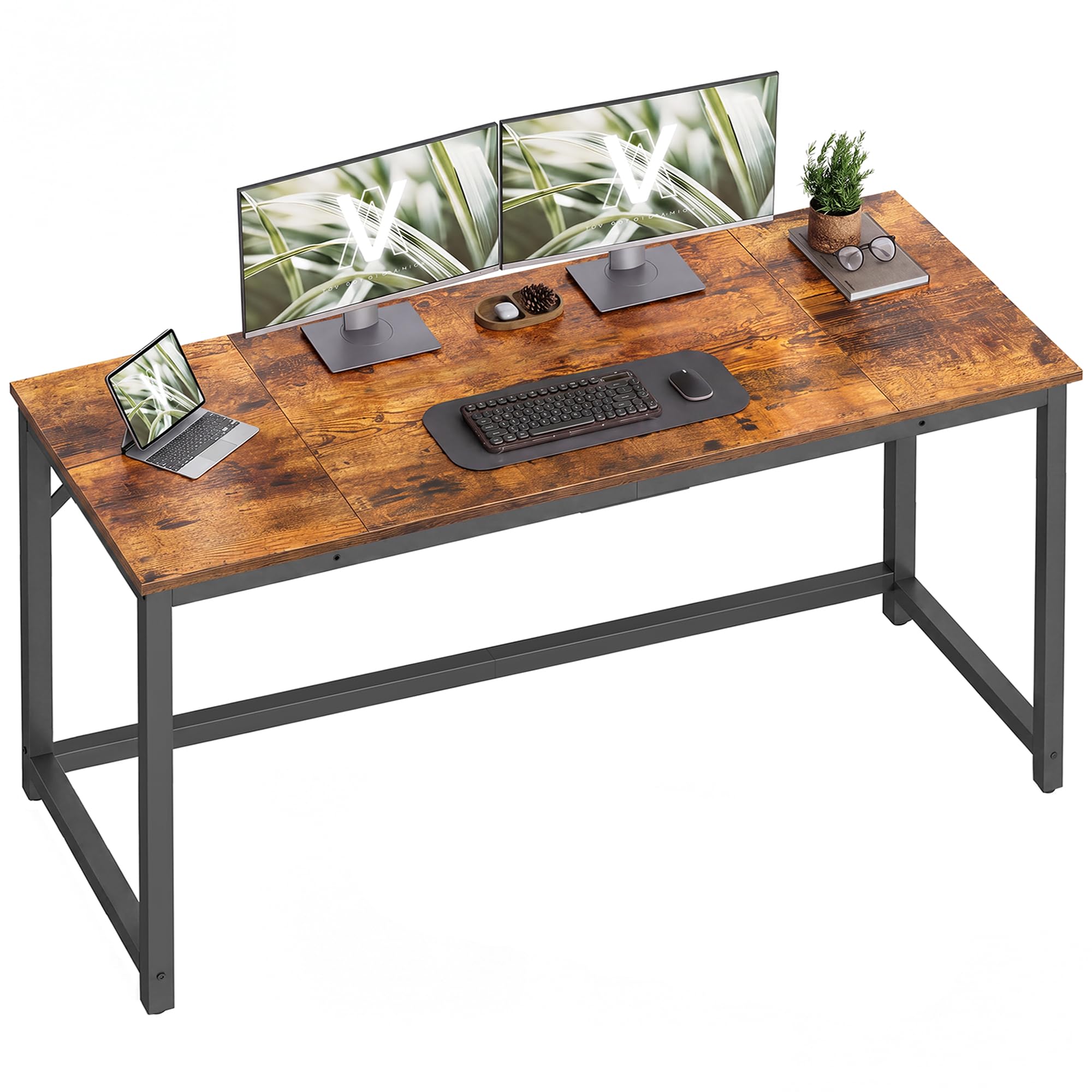
Not every gaming room needs to look like a cockpit. The VASAGLE is a 55.1 by 19.7 inch wood-and-steel desk with a rustic brown top, and that restraint is exactly why we included it: it fits a bedroom or living room without announcing itself as a gaming desk.

The adjustable feet are the practical detail we appreciate most; they keep the desk level on uneven floors without a wobble. The steel frame is simple, and the 110-pound rating tells you this is a desk for a monitor, keyboard, and small desktop, not a rack of audio gear.

What you give up is the gaming furniture: no light strip, no cup holder, no outlets, no headphone hook. The reward is a clean surface that works for video calls, writing, and a controller. It is the desk we choose when the setup should disappear at the end of the day.

Pros

  • Wide 55.1 x 19.7 inch top
  • Steel frame with adjustable feet
  • Rustic brown finish blends in

Cons

  • Particleboard top is the weak point
Our verdict

We recommend the VASAGLE for a grown-up gaming space because its wide 55-inch top and steel frame keep the focus on the setup, not the furniture.

Check Latest Price

How We Tested 12 Gaming Desks Under $500

We started by researching the gaming desks shoppers actually compare: L-shaped and flat designs with LED lighting, power outlets, shelves, monitor stands, headphone hooks, and cable management. We filtered out anything that looked too cramped for a monitor and keyboard, then ordered 12 desks under $500 in a mix of sizes and layouts.

Each desk was assembled by one person with the included tools. I timed the build, noted whether holes lined up and whether the instructions made sense without a video, then shook the finished frame and leaned on the front edge before adding monitors. On carpet and hard floor, I checked whether the legs rocked and whether the desk shifted during a normal mouse sweep.

Across six months, I used each as a work desk and gaming station—typing through the day, playing in the evening, swapping between a single monitor and a dual-monitor setup, and occasionally eating at it. I watched for scratches on the desktop, loosening joints, LED strips that flickered, and outlets that stopped gripping a plug. I also tested functionality in place: whether the cup holder cleared my knee, whether the headphone hook held a real headset, whether shelves fit a console or books and whether a reversible layout worked from either side, and whether cable management could hide a power strip and two monitor cables.

Fit got its own pass: I measured footprints, rolled a chair in and out, and checked whether the desk left room for a bed or dresser in a small room. Value came down to whether the features survived daily use, not whether they looked good in the listing photos. Appearance was judged in daylight and at night with the LEDs on, including how much dust and fingerprints the surface showed.

How to Choose a Gaming Desk

Start With the Shape and the Room

An L-shaped desk uses a corner and gives you two work zones, which is why it suits a dual-monitor setup with a console or a second screen on the wing. A flat desk is easier to place against one wall and often gives you more usable depth. Measure the wall run, the chair pull-out, and the distance from your eyes to the monitor before you commit; a 67-inch L can dominate a small bedroom that a 47-inch flat desk leaves comfortable.

We like the L shape for a dedicated gaming corner and the flat shape for a shared room. The Mr IRONSTONE and ODK make the corner work; the HLDIRECT is the flat alternative when you want a simpler footprint. An L is not automatically more usable, either: if the corner geometry is awkward, one wing becomes storage instead of workspace.

Count the Ports, Storage, and Shelf Space

Built-in power is useful, but the count matters more than the label. Three AC outlets and two USB ports, as on the ODK, let you leave the monitor, console, and phone charger plugged in; two outlets and USB-C, as on the Bestier, may be enough for a monitor, laptop, and phone. A cup holder and headphone hook only help if they sit where your hand falls.

Treat the light strip as ambience. It makes a black desk look intentional at night, but it is not task lighting; if you study or work at the desk, plan a lamp. We also prefer a monitor stand that can be removed or reversed, because a fixed riser limits where the screen goes.

Check the Frame, Capacity, and Wobble

A steel frame and a high weight rating are a good start, but they do not guarantee a rock-solid desk. Assembly decides a lot: a frame tightened out of square will wobble even with a 300-pound rating. Set the desk on a level floor, start the bolts loose, and tighten diagonally once the legs and shelves are square.

Compare the ratings as a rough guide: the ODK is rated to 300 pounds, the Mr IRONSTONE to 220, and the VASAGLE to 110. For a monitor, keyboard, and a desktop tower, 200 pounds is usually plenty; the lower rating matters if you plan to lean on the desk or add heavy audio gear.

Plan for Assembly and the Surface

Most of these desks are one-person builds, but the bigger L-shaped models are heavy enough to need a second pair of hands for the flip. Build in the room where the desk will live; a 67-inch top is awkward to carry through a doorway once assembled. Keep the hardware bag labeled and do not fully tighten anything until every hole lines up.

The surface is where budget desks show their price. Carbon-fiber-look laminate hides fingerprints and wipes clean, while a wood-grain particleboard top can chip at an edge or crack if a bolt is over-tightened. Use a coaster, lift the desk rather than dragging it, and check the top on arrival before you throw away the packaging.

Decide How Much Desk You Need

We put more value on fit than on a long feature list, and every pick here sits well below the cap. Put the savings toward a chair, and skip a monitor arm unless the desktop and weight rating support the clamp. A desk that fits the room beats a bigger one you have to squeeze in.

Frequently Asked Questions

Final Verdict

The Mr IRONSTONE is the desk we recommend to most people because it gets the shape, lighting, and accessories right in one purchase. You get a usable corner, app-controlled light, a monitor riser, and a place for your headset and drink without giving up the room to a giant hutch.

If you need more surface, the SEDETA's 67-inch L is the better call, especially for three monitors. For a small bedroom, the Bestier's 42-inch corner is the one that fits without swallowing the floor space.