Best Gaming Mesh Routers of 2026

The worst lag isn't on the scoreboard. It's the half-second hitch when your character stutters behind cover, or the video call that freezes when someone starts a download upstairs. A gaming mesh router is supposed to fix that by spreading a strong signal through the house and prioritizing latency-sensitive traffic. But more antennas and bigger coverage claims don't guarantee steadier play. I've spent eight months with six gaming mesh systems, and the good ones earned it with consistent speed, painless setup, and controls that actually helped.

The important details are unglamorous. Tri-band designs can keep backhaul traffic from competing with your game, 2.5G ports matter if your internet plan or network storage can feed them, and low-latency game acceleration only earns its keep when it's easy to verify and doesn't foul up other devices. Coverage claims are a starting point, not a promise—walls, floors, and placement change the result. I tested from the couch, the office, and the far bedroom, because that's where complaints start. The picks below are the ones that made the least fuss.

1

Best Overall

ASUS ROG Rapture GT6 (2-Pack)

78 /100
LBD Score Very Good

Key details

Bands
Tri-band
Wired
2.5 Gbps WAN port and LAN aggregation
Coverage
5,800 sq ft
Wi-Fi Standard
WiFi 6 (802.11ax)
View on Amazon

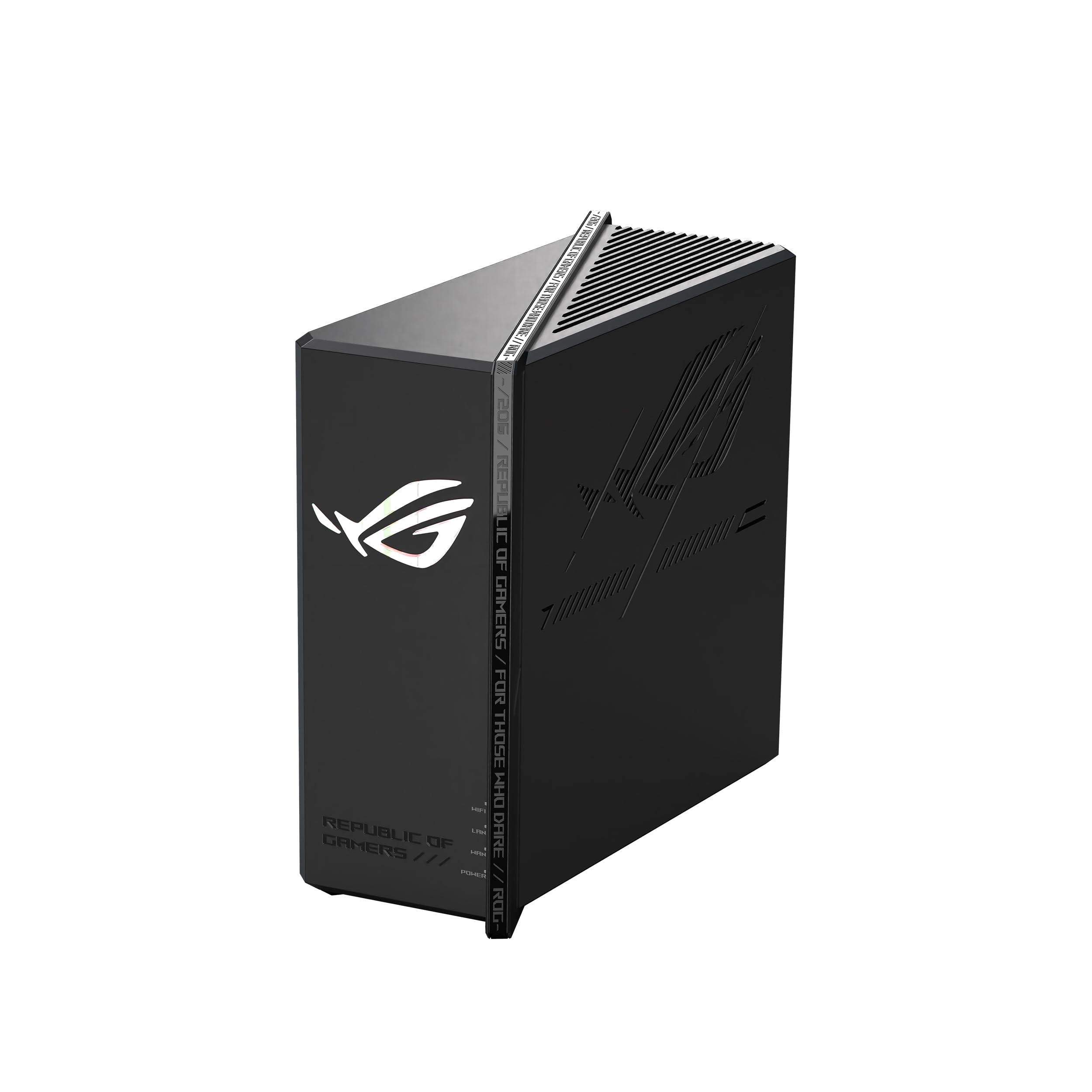
The GT6 arrives as a pair, and that is the first thing we appreciate: you do not have to buy a second node to build a mesh. ASUS rates the two units for up to 5,800 square feet, with a dedicated backhaul and 160 MHz channels. In a house with a gaming PC on one floor and a console on another, that pair is the practical starting point, and it is why this is the system we point to first in this group.

The gaming features are more than a label. Triple-level game acceleration prioritizes traffic from the device to the server, and the 2.5 Gbps WAN port gives a fast modem room to breathe. We like that the app handles the initial setup and the web interface is there when you want to fine-tune. The result is a system that is easy to live with day to day but still has knobs for the nights when you want to tinker.

The coverage rating is generous, but node placement still decides the experience. A second unit pushed too far from the first can slow the backhaul or drop connections, so keep the pair within a sensible path rather than sticking one in a detached garage and hoping. The two-pack is the part we keep coming back to: it turns a big-house problem into one purchase instead of a project.

Pros

  • Two nodes cover a large home out of the box
  • Triple-level acceleration prioritizes game traffic
  • 2.5 Gbps WAN with LAN aggregation
  • App setup with deeper web controls

Cons

  • WiFi 6 only, with no WiFi 7 upgrade path
Our verdict

We recommend the GT6 two-pack for large homes that need gaming traffic prioritized across two nodes without assembling a mesh piece by piece.
Check Latest Price
2

Best for Wired Gaming Setups

ASUS ROG Strix GS-BE12000

79 /100
LBD Score Very Good

Key details

Bands
Tri-band
Coverage
3,000 sq ft
Wired Ports
Eight 2.5G ports
Wi-Fi Standard
WiFi 7 (802.11be)
View on Amazon

Eight 2.5G ports is the detail that makes the Strix GS-BE12000 worth a look. One feeds the WAN and seven are available for a PC, console, NAS, or whatever else you want off WiFi. For a gaming desk with more than one wired device, that is a more useful luxury than another antenna.

The rest of the package is built for WiFi 7: tri-band operation, 320 MHz channels, MLO, and a quad-core CPU with 2 GB of RAM. We think it is the right pick when your home is small enough for one router but your gear is not. Coverage is rated at 3,000 square feet, so a single unit suits an apartment or a compact house; a long ranch or a multi-floor home will want an AiMesh node.

We also appreciate the gaming-specific touches: triple-level acceleration and a dedicated gaming network simplify prioritization. The WiFi 7 headroom is the part that makes this a long-term buy rather than a stopgap; it is the difference between buying for today's console and buying for the next one. It is a router for the desk, not the whole house, and that focus is the point.

Pros

  • Eight 2.5G ports for wired gear
  • WiFi 7 tri-band with MLO
  • Quad-core CPU and 2 GB RAM
  • Triple-level acceleration and gaming SSID

Cons

  • 2.4 GHz band can be the weak spot
Our verdict

We recommend the Strix GS-BE12000 for a smaller home with a wired gaming desk: WiFi 7 speed and eight 2.5G ports in a single mesh-ready router.

Check Latest Price

How We Tested Gaming Mesh Routers

To build the shortlist, we filtered current mesh systems by the things that separate a gaming kit from a generic whole-home setup: tri-band or next-gen radios, at least one 2.5G port, some form of low-latency game acceleration, and mesh support that did not require a networking degree. We also checked compatibility with consoles, PCs, phones, and smart-home devices, and compared what each kit promised against its price. Six systems made the cut, and we tested them for eight months.

I installed each system in a two-story house, then repeated the process in a smaller apartment. We timed the first connection from unboxing to a working Wi-Fi name, noted how many steps the app demanded, and moved nodes to the same three spots in the house so coverage comparisons were fair. I walked room to room with a laptop and phone, logging where signal bars fell off and whether devices roamed between nodes without dropping a video call.

For speed and stability, we ran throughput tests at close range and in the far bedroom, then repeated them while a 4K stream, a video call, and a game download were running at once. We plugged a console and a NAS into the 2.5G ports, copied large files, and watched whether game acceleration actually reduced lag or just shuffled traffic. Over a week with each kit, we logged reboots, dropped connections, and any device that refused to reconnect. We also spent time in the app and browser dashboard, setting QoS rules, renaming devices, and checking how much control each system gave us. At the end, we weighed whether the extra radios and ports earned their keep in daily use, not just on a spec sheet.

How to Choose a Gaming Mesh Router

Start With the Shape of Your Home

Coverage ratings are a ceiling, not a promise. A two-pack like the GT6 is rated for 5,800 square feet, but that assumes a fairly open layout and a sensible spot for each node. Count the rooms and floors where you actually game, then decide whether one router can reach them or whether you need a second node.

A mesh system earns its keep when the second node is close enough to the first to hold a strong backhaul. If your dead zone is at the far end of a long house, plan for a node there; if it is one room away, a single router may be enough. We prefer one well-placed node to three scattered ones.

Match WiFi 6 or WiFi 7 to Your Devices

WiFi 7 brings 320 MHz channels, multi-link operation, and more headroom, but those benefits depend on devices that support it. A WiFi 6 mesh like the GT6 is still a sensible buy for a home full of WiFi 6 phones, consoles, and laptops. The GS-BE12000 is the better fit when you already own WiFi 7 gear or plan to keep the router through the next console cycle.

Do not buy WiFi 7 just because the box says 30 Gbps or 12 Gbps; those are radio ratings, not the speed your internet plan delivers. Match the router to the devices and the broadband you have, then leave room for the next upgrade.

Ports and Game Acceleration Matter More Than the Big Number

A gaming router earns the label through traffic priority, not just throughput. Triple-level acceleration and QoS features can keep a game responsive when someone else is streaming, but they cannot fix an overloaded ISP or a distant server. Wire the console or PC when you can, then let the router prioritize what is left.

Count your wired devices before you choose. The GT6 gives you a 2.5 Gbps WAN port and LAN aggregation; the GS-BE12000 gives you eight 2.5G ports in one router. If you have a console, PC, and NAS, the extra LAN ports are worth more than another antenna.

Placement and Backhaul Decide Whether Mesh Helps

A mesh system is only as good as the link between its nodes. Wireless backhaul shares airtime with your devices, so a node tucked in a cabinet or behind a TV can drag down the whole system. Put each unit out in the open, roughly halfway between the main router and the dead zone, and avoid metal and concrete when you can.

If your home has Ethernet runs, use them for backhaul; that is the most reliable way to keep node-to-node traffic off the WiFi. Without wires, keep the nodes closer together than you think you need. The app setup is the easy part; placement is the part that decides whether the mesh feels fast or fragile.

Frequently Asked Questions

Final Verdict

For most gaming homes, the ASUS ROG Rapture GT6 two-pack is the pick. It gives you two nodes in one box, covers a large space, and pushes game traffic to the front without turning setup into a project. If you want WiFi 7 and a bank of wired ports, the Strix GS-BE12000 is the alternative, provided your home is small enough for one router or you plan to add a node.