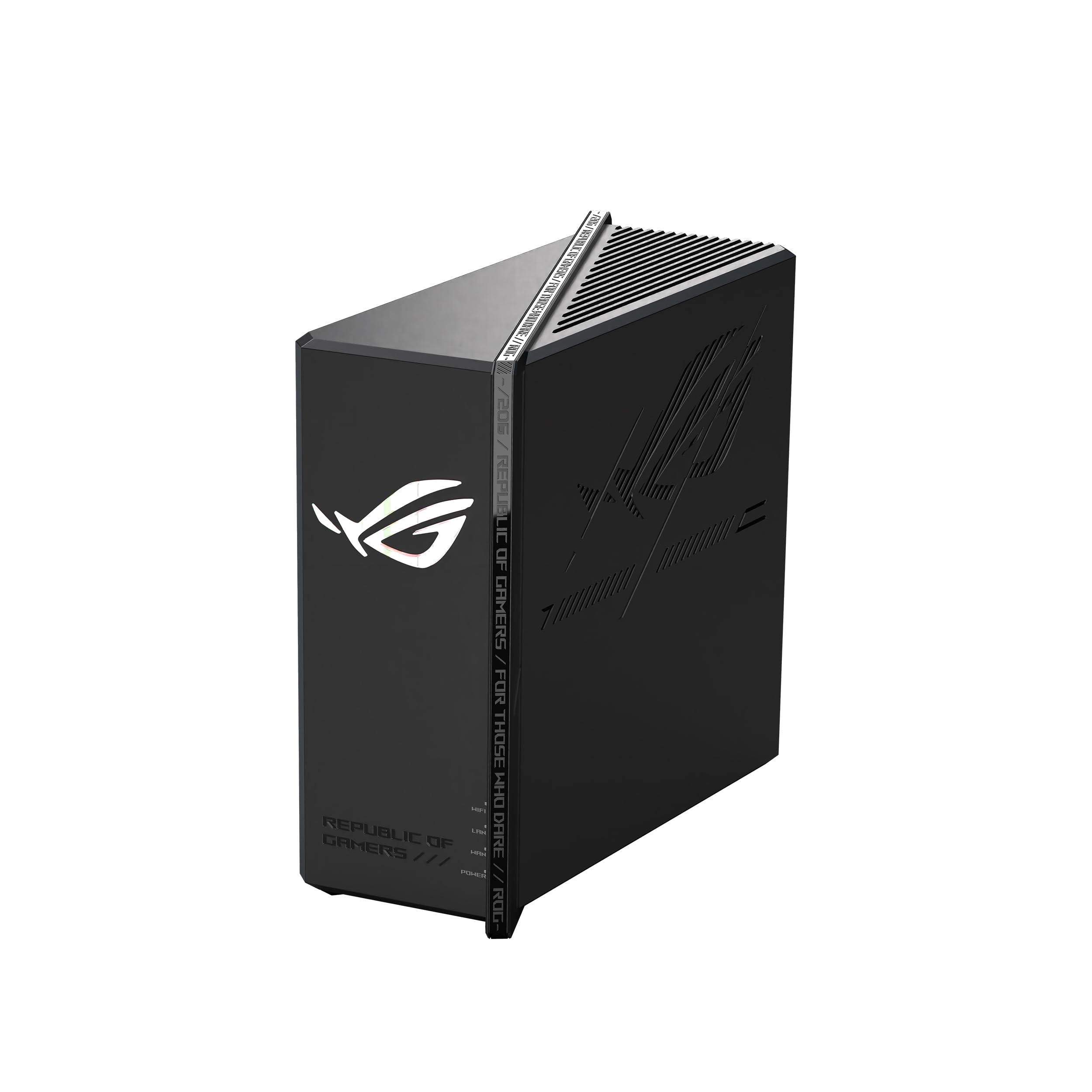
Best Gaming Routers of 2026

The worst lag never announces itself. It lands the second a match starts, right as someone else in the house opens a 4K stream, and your character hitches sideways into a wall. A gaming router is built to stop that: it pushes your traffic ahead of everyone else's, holds a signal in the rooms your old router gave up on, and gives you the ports to skip Wi-Fi entirely. I've had eight of them running on my network for the past six months.

The number printed largest on the box tells you almost nothing about how a router behaves at 9 p.m. with a house full of devices. What separates the good ones is how steady they stay under load and whether you can finish setup without a networking degree. Most of these also light their antennas in RGB, which I turned off inside a week — fun, but not a reason to buy one.

A couple of these are more router than a studio apartment will ever need, and that's fine — the list below makes clear which is which.

1

Best Overall

ASUS ROG Strix GS-BE12000

79 /100
LBD Score Very Good

Key details

Wi-Fi
Wi-Fi 7 tri-band
Coverage
Up to 3,300 sq ft
Wired Ports
1×2.5G WAN, 7×2.5G LAN
Rated Throughput
12 Gbps
View on Amazon

The back panel of the ROG Strix GS-BE12000 is what sold us: one 2.5G WAN port and seven 2.5G LAN ports, which is more multi-gig wired capacity than any other router in this group. That matters if your desk has a gaming PC, a console, and a NAS competing for attention, because each one can run at 2.5G instead of dropping to a 1G port. We think that practical headroom is more valuable than a bigger Wi-Fi number on the box.

The tri-band Wi-Fi 7 radio is rated to 12 Gbps, and the quad-core 2.0GHz processor with 2GB of RAM has enough headroom for a busy household. We used the ROG Gaming Network SSID to keep game traffic separate, and the triple-level acceleration is easy to switch on when you want priority for a PC or console. Coverage is rated to 3,300 square feet, which is realistic for an open floor plan; the 6GHz band still loses steam through walls, as it does on every router here.

The 2.4GHz band is the one to watch. It is the band your smart-home gear depends on, and it can be the first to get moody at distance, so put the router central rather than in a closet. Setup through the ASUS app is straightforward, and the web interface is there when you want VLANs or VPN settings. We also appreciate that the GS-BE12000 is an 8.9-inch square rather than a giant trophy; it fits on a shelf without becoming the shelf.

A five-port 2.5G switch costs extra and adds another power brick; this router removes that clutter. If you have more wired gear than wireless exotica, the GS-BE12000 is the one that makes the fewest compromises.

Pros

  • Seven 2.5G LAN ports for wired gear
  • Tri-band Wi-Fi 7 rated to 12 Gbps
  • Useful game-priority controls
  • Compact 8.9-inch square body

Cons

  • No 10G ports for multi-gig wired
  • Costs more than Wi-Fi 6E alternatives
Our verdict

For a wired-heavy PC or console setup, the GS-BE12000 is the best overall pick here, with Wi-Fi 7 and a rare run of 2.5G ports.

Check Latest Price
2

Best High-End

ASUS ROG Rapture GT-BE98 Pro

83 /100
LBD Score Excellent

Key details

Wi-Fi
Wi-Fi 7 quad-band
Coverage
Up to 3,500 sq ft
Wired Ports
2×10G, 4×2.5G
Rated Throughput
30 Gbps
View on Amazon

The ROG Rapture GT-BE98 Pro starts with the ports: two 10G connections and four 2.5G ports, plus a quad-band Wi-Fi 7 radio rated to 30 Gbps. That is a different class of wired flexibility from the rest of this group. If you have a multi-gig internet plan, a 10G NAS, or a PC with a 10G card, the router has a place to put all of it without a switch.

The speed is not the point by itself; the point is that the GT-BE98 Pro gives a multi-gig household a 10G path for the PC or NAS and still has four 2.5G ports left for consoles and access points. We think that is the right buy if you already pay for multi-gig service or move big files across a network. If you do not have that gear, it is more router than you need, and the GS-BE12000 is the more sensible default.

The quad-band design adds lanes, but 6GHz still loses range through walls, so a big house may need a mesh node even with this much power. The other caveat is stability: connection drops can occur, so update the firmware and keep the return window open while you test your own space. The dual 10G ports are the real luxury here, not the 30 Gbps badge.

Pros

  • Dual 10G ports for multi-gig wired gear
  • Quad-band Wi-Fi 7 rated to 30 Gbps
  • Four 2.5G LAN ports
  • Triple-level game acceleration

Cons

  • Large 13.7-inch footprint
  • Premium price for flagship hardware
Our verdict

If you have multi-gig internet and 10G wired gear, the GT-BE98 Pro is the high-end choice; without that gear, the GS-BE12000 is the better default.

Check Latest Price
3

Best Value

GL.iNet Flint 2

90 /100
LBD Score Outstanding

Key details

Wi-Fi
Wi-Fi 6 dual-band
Firmware
Pre-installed OpenWrt
Wired Ports
2×2.5G, 4×1G
Rated Throughput
6 Gbps
View on Amazon

The Flint 2 arrives with OpenWrt already installed, and that is the detail that makes it the value pick here: you get a genuinely open router without spending an evening flashing firmware. We like that the default setup is friendly enough for a first-time buyer, while the advanced menu is there when you want VLANs, VPN policy, or AdGuard Home.

The hardware is not flagship: dual-band Wi-Fi 6, 6 Gbps, two 2.5G ports, four 1G ports, 1GB of RAM, and a 761-gram body. For a gaming PC and a console, that is enough, and the dual 2.5G ports let you keep a PC and a NAS on multi-gig without a switch. We also appreciated the AdGuard Home support and the WireGuard VPN rating up to 900 Mbps; both are useful if you want privacy or remote access without another box.

The trade-off is the missing 6GHz band. In a crowded apartment, Wi-Fi 7's 6GHz lane is the cleaner path, and the Flint 2 cannot offer it. The other catch is that OpenWrt gives you plenty of rope; the default setup is friendly, but advanced changes can break things. For most gamers who do not need the newest radio, though, the Flint 2 is the best value in this set, and the price leaves room for a mesh node if coverage needs help.

Pros

  • Pre-installed OpenWrt firmware
  • Dual 2.5G ports and four 1G ports
  • AdGuard Home and WireGuard VPN support

Cons

  • Dual-band only, with no 6GHz
Our verdict

For gamers who want the best value and do not need Wi-Fi 7, the Flint 2 is the pick; its OpenWrt flexibility is the most useful here.

Check Latest Price
4

Best Midrange for Consoles

TP-Link Archer GXE75

85 /100
LBD Score Excellent

Key details

Wi-Fi
Wi-Fi 6E tri-band
Gaming
Dedicated game panel
Wired Ports
1×2.5G WAN, 4×1G LAN
Rated Throughput
5.4 Gbps
View on Amazon

The Archer GXE75's dedicated game panel is the kind of feature you either use constantly or ignore after the first week. It shows network status and lets you prioritize a connected PC or console, and the RGB lighting makes it feel like a gaming product rather than a beige box.

Underneath, this is a tri-band Wi-Fi 6E router rated to 5.4 Gbps, with a 2.5G WAN port and four 1G LAN ports. We think that mix is right for a console-first setup: the PS5 or Xbox gets a fast 6GHz lane, the PC can use the 2.5G port, and EasyMesh gives you a path to more coverage later. The four 1G LAN ports are the limit; if you have multiple 2.5G devices, the GS-BE12000 is the better fit.

Setup through the app was quick, and the HomeShield parental controls are a nice extra for a family network. The 6GHz band is fast but short-range, so keep the router in the same room as the console if you can. The game panel is more useful than the RGB, and that is not something we say often.

Pros

  • Tri-band Wi-Fi 6E with a 6GHz lane
  • Dedicated game panel and acceleration
  • 2.5G WAN and EasyMesh support

Cons

  • Only one 2.5G port; the rest are 1G
Our verdict

If your console and PC can use 6GHz and you want gaming controls without flagship money, the GXE75 is the midrange pick.

Check Latest Price
5

Budget RGB Builds

MSI Radix AXE6600

84 /100
LBD Score Excellent

Key details

Wi-Fi
Wi-Fi 6E tri-band
Gaming
AI QoS
LAN Bandwidth
0.09 oz
Rated Throughput
6.6 Gbps
View on Amazon

The Radix AXE6600 is the only router here that treats lighting as a headline feature. The six antennas glow, and the effect is hard to miss on a desk. The antenna lights also stay on, which is worth knowing before you put this in a bedroom or a shared living room.

As a router, it is a tri-band Wi-Fi 6E design rated to 6.6 Gbps with a 2.5G LAN port, a 1.8GHz quad-core processor, and AI QoS that prioritizes game traffic. We think it makes the most sense as a budget gaming router for a desk or dorm where the look matters and you do not need Wi-Fi 7. The 6GHz band gives consoles and PCs a clean lane, and the 2.5G port is enough for one fast wired device.

Setup is the part to flag for a first-time buyer: the app and web interface are more fiddly than ASUS or TP-Link, and the advanced features can get in the way if you just want to plug in and play. The six antennas are fixed, so measure your shelf depth before you commit; this is not a router you tuck behind a monitor.

Pros

  • Tri-band Wi-Fi 6E with 6GHz
  • AI QoS for game traffic
  • 2.5G LAN port for one fast wired device

Cons

  • Wi-Fi 6E only, no Wi-Fi 7
Our verdict

The Radix is a budget-minded 6E gaming router with style; choose it if you want RGB and 6GHz for less, but expect a fussier setup.

Check Latest Price

What Six Months of Testing Gaming Routers Looked Like

We started by pulling spec sheets on more than 30 routers and shortlisting the ones with at least one multi-gig port, some form of traffic prioritization, and Wi-Fi 6E or 7 radios — then dropped anything that looked expensive for what it offered. Eight made the cut and came home with me.

Each took a turn as the only router in a 1,900-square-foot two-story house, including a garage office that has never gotten decent coverage. I timed setup from cutting the tape to the first browser page loading, once through the phone app and once through the web panel, and noted how much of the gaming-priority setup I could finish without opening a manual. Then I ran speed tests sitting next to the router, one room over, and at the far end of the garage.

The part that mattered most was Wednesday and Sunday nights, when three of us are gaming, streaming, and on video calls at once. I logged ping spikes mid-match, watched whether a download on another device choked my connection, and made sure the old stuff — a Wi-Fi 5 console, a smart TV, a couple of phones — stayed connected rather than getting dropped. Every router also got unplugged and restarted to see whether it came back on its own, then left running for weeks to catch the dropouts a first-hour test misses.

Throughout, I kept a running note of what each one cost against what it actually delivered, because paying for a spec you'll never use is the easiest mistake to make here. Antenna lighting got logged and then ignored; reliability and range are what decided the final list.

How to Choose a Gaming Router

Count Your Wired Devices First

The most useful question is how many devices you can plug in, and how fast those ports run. A single 2.5G WAN port is enough to feed a fast modem, but it does not help a PC, console, and NAS at the same time if the LAN ports are 1G. The GS-BE12000's seven 2.5G LAN ports are the reason we rank it first for a wired-heavy desk; the GT-BE98 Pro steps up to 10G for a multi-gig PC or NAS. If you have one gaming PC and one console, a single 2.5G LAN port is plenty. Count your multi-gig gear before you pay for 10G.

Wi-Fi 7 Is Nice, but 6GHz Coverage Is the Real Question

Wi-Fi 7 adds capacity and a 6GHz lane, and it is the right long-term buy if your phone, console, or PC already supports it. The catch is that 6GHz does not travel as far as 5GHz, so a router rated for 3,000 square feet may still leave a far bedroom on 5GHz. We treat the band count as a congestion tool, not a coverage guarantee. If your devices are Wi-Fi 6 or older, the Flint 2's dual-band Wi-Fi 6 can be the better value; if you have a crowded apartment and Wi-Fi 7 devices, the GS-BE12000 or GT-BE98 Pro make more sense.

Game Acceleration Works Only If You Set It Up

Game acceleration is a bundle of QoS rules, dedicated ports, and traffic priority, not a magic low-ping switch. On the GS-BE12000, the ROG Gaming Network SSID and triple-level acceleration are easy to enable; on the TP-Link GXE75, the game panel shows what is connected and lets you prioritize it. Use the feature on the device that matters, your PC or console, and leave the rest of the house on normal priority. If you do not set it up, you are paying for a gaming router and using it like a plain one.

Stability and Placement Beat a Big Throughput Number

A 12 Gbps or 30 Gbps rating is headroom, not a promise of a strong signal in every room. The practical risks in this category are connection drops and weak 2.4GHz range, so placement matters more than the badge. Put the router central and high, keep it out of a cabinet, and use a mesh node for a long or thick-walled house. We also like a router with a return window and a recent firmware update before you commit your whole smart home to it. If your smart devices live far away, check the 2.4GHz band first.

Spend for Ports and Software, Not Just Speed

The price gap between gaming routers usually buys more wired ports, a faster CPU, and more software depth, not a magically lower ping. The Flint 2 is the value benchmark because it gives you OpenWrt, dual 2.5G ports, and strong performance without Wi-Fi 7. The GT-BE98 Pro is the opposite: a premium flagship for someone with 10G gear. We think most buyers should spend enough for a stable tri-band router with the ports they need, then stop. A mesh node or a 2.5G switch is often a better upgrade than the next tier of router.

Frequently Asked Questions

Final Verdict

The ASUS ROG Strix GS-BE12000 is the one we recommend as the default gaming router because it gets the balance right: Wi-Fi 7 tri-band, seven 2.5G LAN ports, and gaming controls that are useful without turning setup into a project. It is the router we point to when your desk has a PC, a console, and maybe a NAS, and you want all of them wired at more than 1G.

If you already have 10G gear, the ROG Rapture GT-BE98 Pro is the step up. If you want the best value and do not need 6GHz, the GL.iNet Flint 2 is the smarter spend. Start with your wired devices, then choose the router that matches them; the biggest throughput number is the last thing that should decide it.