Best KVM Switches of 2026

For a year, my work laptop and my home desktop shared one desk the way two roommates share a bathroom: badly. I'd unplug the monitor, swap the USB cables, and by the time everything reconnected, my windows had rearranged themselves and the screen had forgotten which resolution it liked. A KVM switch ends that. One button hands the monitor, keyboard, mouse, and everything else on the desk from one machine to the other, and both computers keep running the whole time.

We've spent five months with 12 of them, from palm-sized two-port boxes to dual-monitor units, and the spec sheet turned out to be a poor predictor of daily life. A switch can promise 4K and still blank your screen for four seconds on every press. The good ones hold the handshake with both computers through EDID emulation, so the monitor never renegotiates and switching feels closer to alt-tabbing than rebooting.

Compatibility is the other trap: dual-monitor units need the right port mix, and DisplayPort switches don't always play nicely with an HDMI-only laptop. The picks below are grouped by how many machines and screens they handle, and each one earned its spot over months of daily use.

1

Best Overall

Hearvo S7232H KVM Switch

89 /100
LBD Score Excellent

Key details

Monitors
1
Computers
2
USB Ports
4 USB 3.0
Resolution
4K@60Hz
View on Amazon

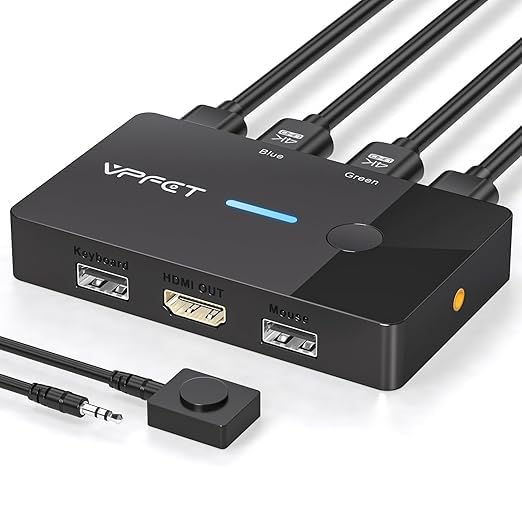
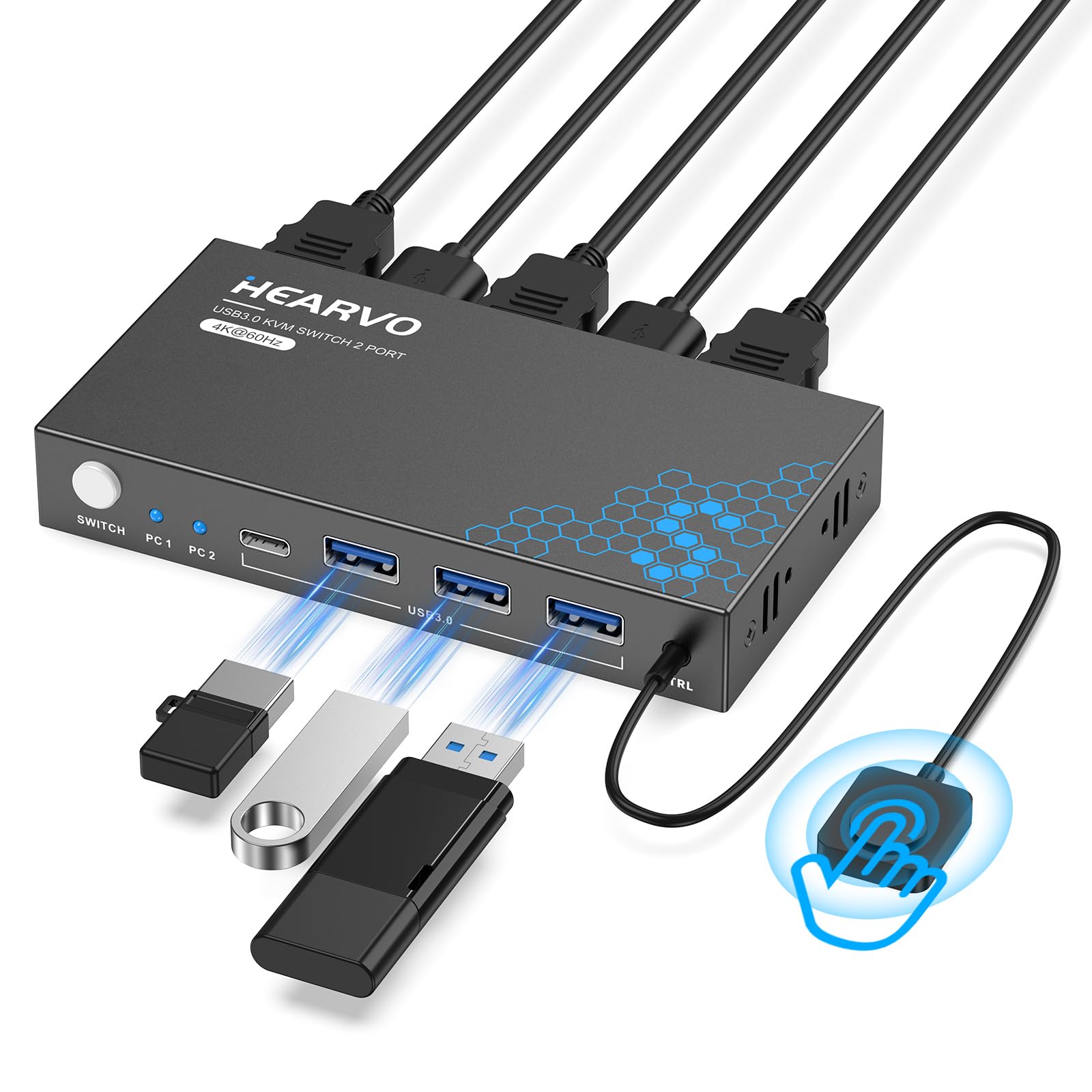
Two computers, one monitor, and a keyboard that has to be re-paired every time you switch is the everyday problem this switch solves. The Hearvo S7232H is small enough to disappear behind a monitor, and it does the basic job without a software install: one button or the wired controller moves the display, keyboard, mouse, and anything else plugged into its USB ports. We like that it keeps four USB 3.0 ports live, including a USB-C port, because that turns the switch into a small shared hub rather than just a video selector.

The 4K@60Hz ceiling is right for office monitors, and adaptive EDID is the detail that makes daily switching less annoying: the computer that is not on screen still sees a display, so windows and resolution do not reset every time you come back. The wired controller is the part we kept reaching for. It lets the box sit on the floor or behind the monitor while the button stays on the desk, which is the difference between a switch you use and one you crawl under the desk to operate.

If you run two screens, this is not the switch for that desk, and the DisplayPort or dual-HDMI picks are the better fit. What keeps us coming back is the small stuff: the USB-C port gives you a place for a newer drive or cable, and the wired button means the box can live out of sight. That is a lot of daily convenience from a switch this compact.

Pros

  • Two computers on one 4K monitor
  • Four USB 3.0 ports, including USB-C
  • Adaptive EDID reduces display resets
  • Wired controller keeps the button within reach

Cons

  • Single-monitor output only
Our verdict

For a two-computer, one-monitor desk, the Hearvo S7232H is our default: 4K60, adaptive EDID, four USB 3.0 ports, and a wired button at the budget end.
Check Latest Price
2

Best for Four Computers

UGREEN 4-Port HDMI KVM Switch

89 /100
LBD Score Excellent

Key details

Monitors
1
Computers
4
USB Ports
4 USB 3.0 + 2 USB 2.0
Resolution
4K@60Hz
View on Amazon

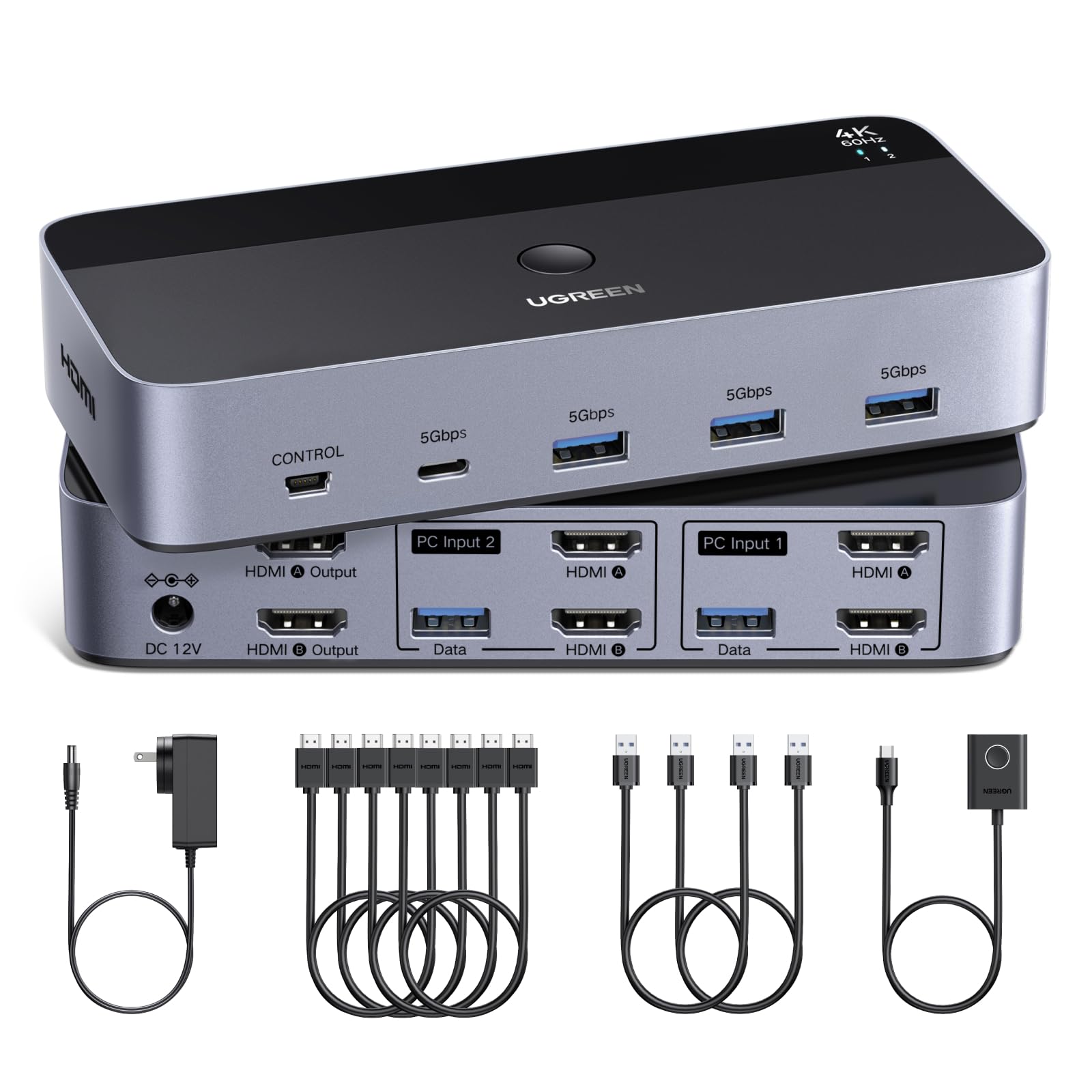
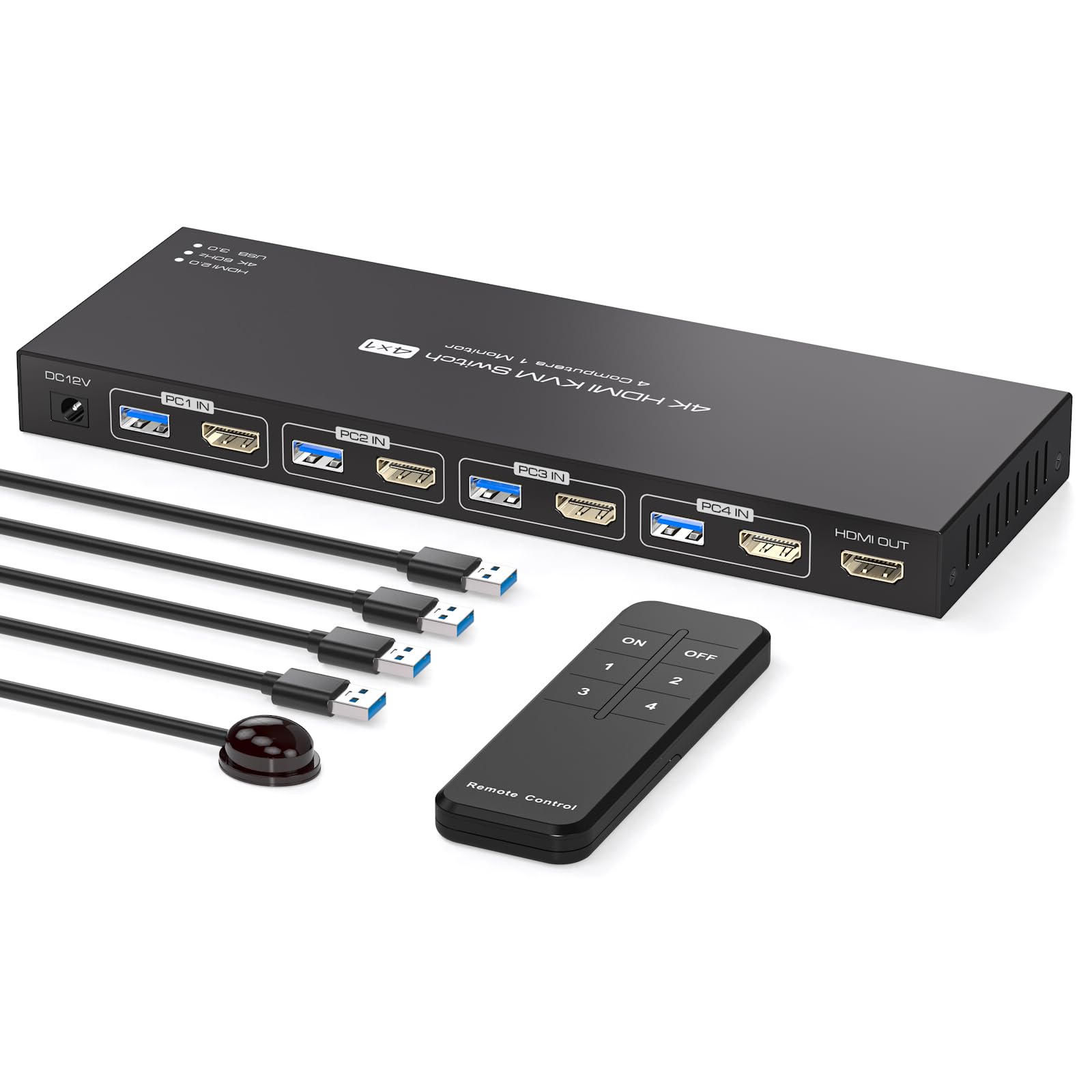
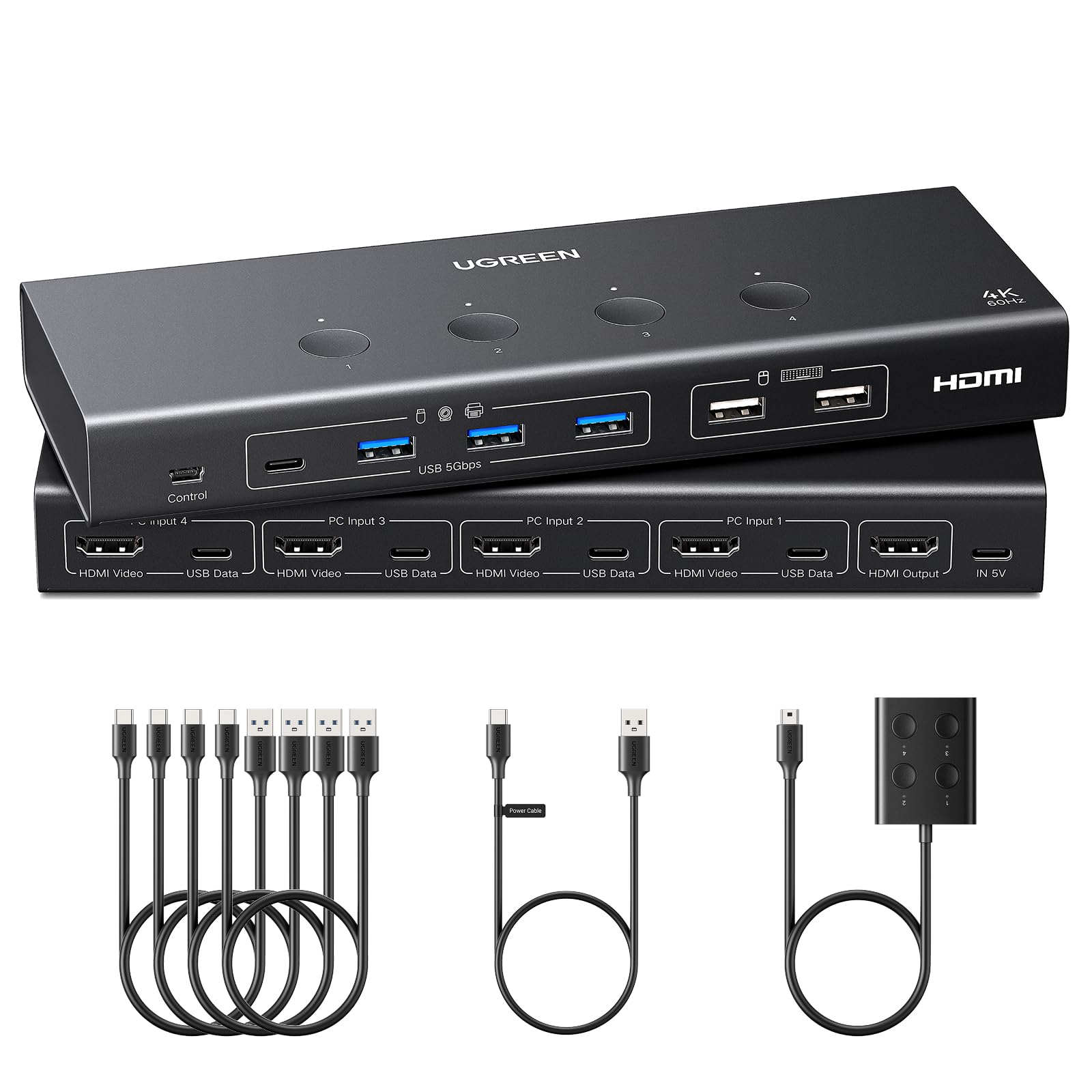
Four computers into one monitor is a different kind of KVM than the two-port boxes most people buy. The UGREEN 4-port model is built for that desk: four HDMI inputs, a single output, and six USB ports shared across the machines. It is the switch you buy when the work laptop, personal desktop, test bench, and spare mini PC all need to land on the same screen.

We like the port mix more than the headline resolution. Four USB 3.0 ports and two USB 2.0 ports mean the keyboard and mouse can share the slow ports while a drive, webcam, and printer stay on the fast ones. EDID emulation is supported, and the included four USB-A to C cables remove one shopping trip. The 4K@60Hz video ceiling is fine for office work; this is not the switch for a 4K@144Hz gaming panel.

The trade-off is the cabling. Every computer needs an HDMI cable and a USB link, so four machines means eight cables before you count the monitor and power. That is the price of four inputs; a two-PC desk does not need the extra runs. For a one-screen setup, the UGREEN is the tidier way to stop swapping cables.

Pros

  • Four computers on one monitor
  • Six shared USB ports
  • EDID emulation and 4K60
  • Four USB-A to C cables included

Cons

  • Single-monitor output only
Our verdict

If your desk has more computers than monitor outputs, the UGREEN 4-port switch is the cleanest way to keep four machines on one screen with plenty of USB.

Check Latest Price
3

Best DisplayPort Dual-Monitor Setup

TJCXELE DisplayPort KVM Switch

85 /100
LBD Score Excellent

Key details

Inputs
DisplayPort 1.4
Monitors
2
Computers
2
Resolution
4K@144Hz
View on Amazon

The TJCXELE is the switch we point to when the monitors are the expensive part of the desk. It supports two DisplayPort monitors at up to 4K@144Hz, which is the spec that matters for a gaming panel or a high-refresh work display, and it keeps four USB 3.0 devices shared between the two computers. The 48Gbps DisplayPort 1.4 path gives this one more headroom than the 4K@60Hz HDMI switches here.

The external 12V adapter is a practical detail. It gives the USB ports a stable power source instead of asking the computers to carry the load, which is what you want if a webcam or an external drive is part of the shared setup. The wired controller also lets the switch live under the desk, and the metal housing is a step up from the plastic budget boxes.

The TJCXELE does not solve mixed HDMI and DisplayPort desks; it is for the clean case where both machines and both monitors speak DisplayPort. In that setup, it has the best video headroom in this group. If either computer is HDMI-only, look at the dual-HDMI UGREEN or step up to the AV Access instead.

Pros

  • Dual DisplayPort at 4K@144Hz
  • Four USB 3.0 ports
  • 12V power for stable USB
  • Wired controller and metal body

Cons

  • DisplayPort-only inputs
Our verdict

For two computers and two DisplayPort monitors, the TJCXELE is the high-refresh pick: 4K@144Hz, four USB 3.0 ports, and a wired controller.

Check Latest Price
4

Best for Four PCs and Two Monitors

ATLAHET 4-Port Dual-Monitor KVM

85 /100
LBD Score Excellent

Key details

Monitors
2
Computers
4
USB Ports
4 USB 3.0
Resolution
8K@60Hz / 4K@120Hz
View on Amazon

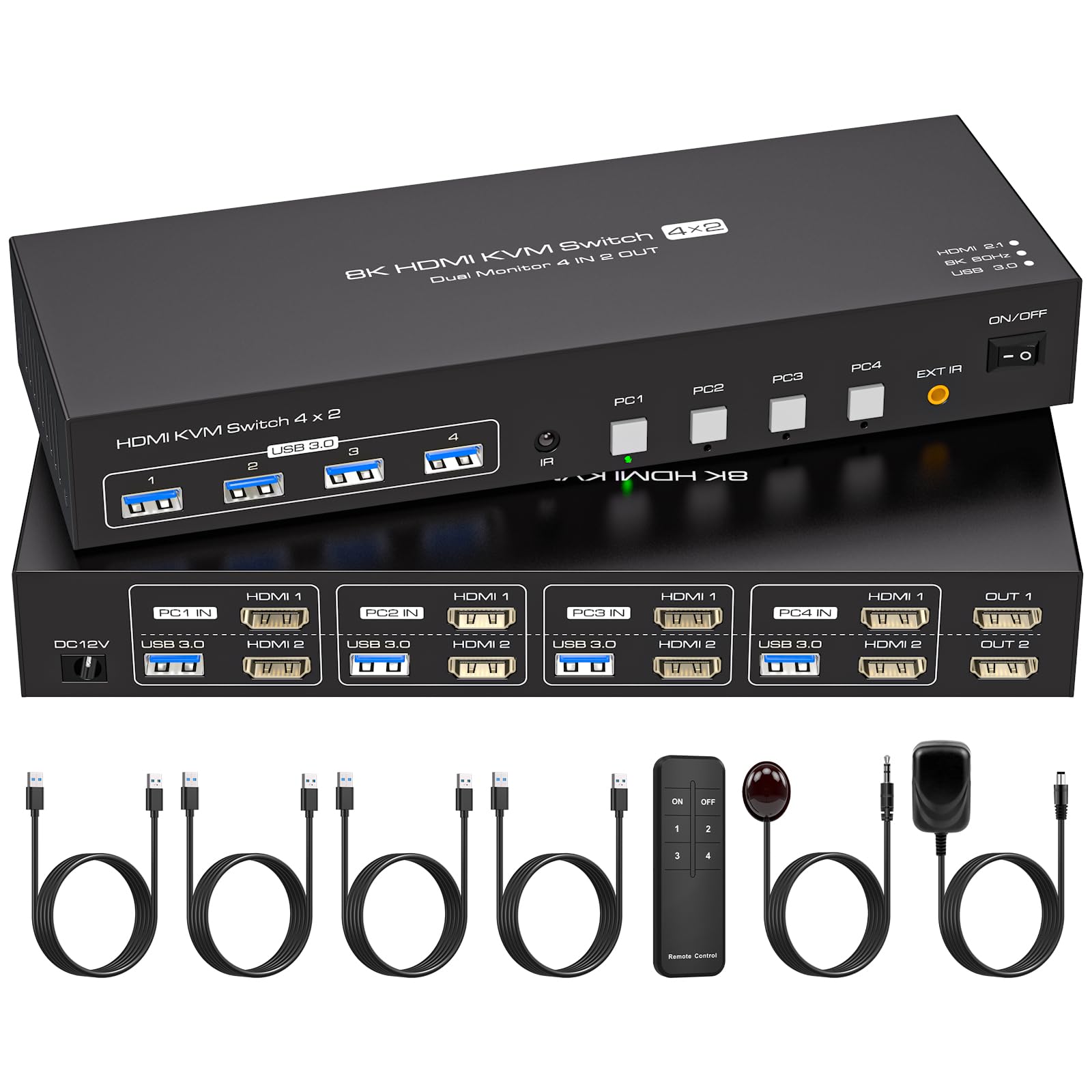
Four computers and two monitors is the point where a KVM stops being a small box and starts being a wiring project. The ATLAHET takes that shape seriously: four computers into two monitor outputs, four USB 3.0 ports, and a single button that moves the whole desk between machines. It is the most capable multi-PC switch in this group without going to a dock-style premium model.

The 8K@60Hz and 4K@120Hz support is more headroom than most office desks need, but it is useful if one of those screens is a high-refresh gaming display or a future 8K panel. EDID emulation is the quieter win: each computer keeps seeing the monitors even when it is not selected, so windows and resolution are less likely to reset. Four USB 3.0 ports round out the shared side.

The cabling is the real cost. Each of the four computers needs two HDMI runs and a USB connection, so the back of the desk fills up fast and a label maker becomes useful. We think the ATLAHET earns its place when the four-PC, two-monitor setup is permanent; for a desk that changes often, the simpler two-port switches are easier to live with.

Pros

  • Four computers share two monitors
  • 8K@60Hz and 4K@120Hz support
  • EDID emulation keeps displays stable
  • Four USB 3.0 ports

Cons

  • Two HDMI plus USB from every computer
Our verdict

The ATLAHET is the pick for four computers and two monitors: 8K-ready video, EDID emulation, four USB 3.0 ports, and one-button switching.

Check Latest Price
5

Best Premium Laptop Dock

AV Access iDock B10

84 /100
LBD Score Excellent

Key details

Monitors
2
Computers
2
Resolution
8K@60Hz / 4K@165Hz
USB-C Charging
100W
View on Amazon

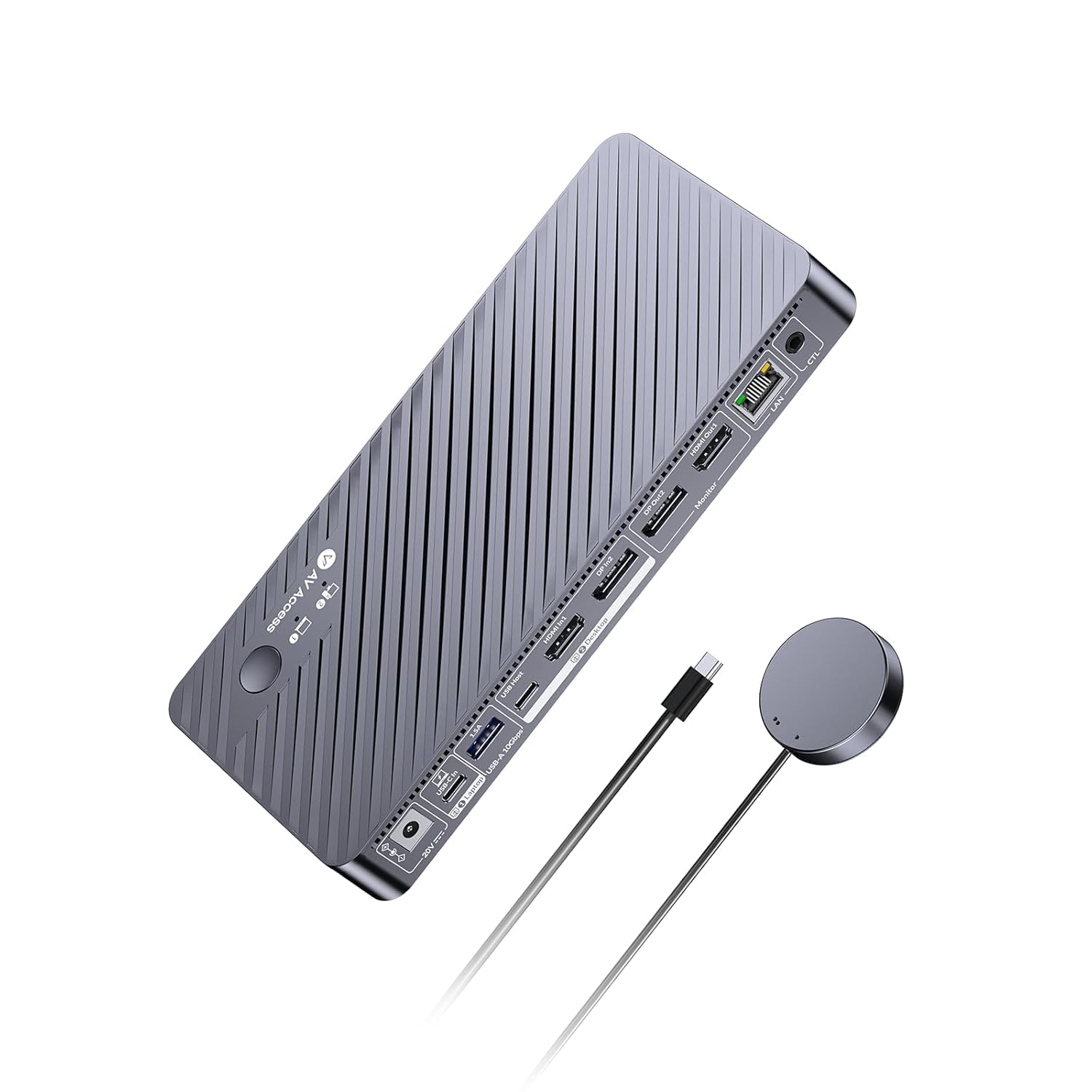
The iDock B10 is less a traditional KVM switch than a docking station that happens to switch. One full-featured USB-C cable brings a laptop's dual displays, data, and up to 100W charging into the same desk as a desktop PC, while the desktop connects through its own DisplayPort or HDMI path. That makes it the pick for the hybrid worker who wants to sit down, plug in one cable, and be on the same keyboard, mouse, and monitors.

The video headroom is serious: dual 8K@60Hz on the desktop side or dual 4K@165Hz, plus 10Gbps USB and Gigabit Ethernet. The Ethernet detail is the one we appreciate most. Both computers stay on the network even when one is not selected, so downloads, updates, and cloud backups keep running in the background instead of pausing every time you switch.

It is also an 11-in-1 hub, so the shared side covers a keyboard, mouse, external storage, a webcam, and audio without another dock on the desk. We like that the laptop charges over the same cable; it means the switch is doing the job of two devices. The catch is that the laptop needs a full-featured USB-C port with DisplayPort Alt Mode and power delivery. An older laptop with a plain USB-C data port will not get the dual displays or the charging.

We still recommend it for the hybrid desk because the one-cable routine is that much better than a plain switch. It is not the right answer for two desktops that already have their own ports, and the shared USB path is not perfect: some devices can drop and reconnect when you switch. For a laptop-and-desktop setup with two good monitors, it replaces a KVM and a dock with one box that does both.

Pros

  • One USB-C cable for dual video, data, and 100W charging
  • Dual 8K or 4K@165Hz video
  • Gigabit Ethernet stays live on both computers
  • 11-in-1 dock replaces a separate hub

Cons

  • Premium price
Our verdict

For a USB-C laptop and a desktop on two monitors, the AV Access iDock B10 is the premium one-cable dock and KVM that earns its price.

Check Latest Price
6

HDMI Dual Monitors

UGREEN Dual-Monitor HDMI KVM

80 /100
LBD Score Excellent

Key details

Monitors
2
Computers
2
USB Ports
4 USB 3.0
Resolution
4K@60Hz
View on Amazon

Dual-monitor switches are judged on what happens after the button press, and that is where this UGREEN model gets complicated. The hardware is simple enough: two HDMI inputs per computer, two monitor outputs, four USB 3.0 ports, and a wired controller. The 4K@60Hz ceiling and included HDMI and USB cables make it an easy box to set up. The dual-monitor handoff is the part to watch.

We like the shape for a two-computer desk with two HDMI monitors, especially when both machines are desktops that stay put. The button and remote controller are easy to reach, and the USB 3.0 ports cover a keyboard, mouse, and a drive without a separate hub. The included HDMI and USB cables are a real convenience; most switches here expect you to supply the video runs. It is a good fit for a fixed dual-HDMI desktop setup, not a universal recommendation.

If either computer is a laptop or the monitors use different connections, the TJCXELE or the AV Access is the safer route. For two desktops and two identical HDMI panels, the UGREEN is a reasonable value. Just keep the return window open long enough to test the monitor handoff on your own screens.

Pros

  • Two computers and two HDMI monitors
  • Four USB 3.0 ports
  • Includes HDMI and USB cables
  • Wired desktop controller

Cons

  • Dual-monitor handoff can be inconsistent
Our verdict

The UGREEN dual-monitor HDMI switch is a solid two-PC, two-screen option with included cables, but its dual-monitor handoff keeps it out of our top tier.

Check Latest Price
7

Basic Two-PC Sharing

CMSTEDCD 2-Port HDMI KVM

84 /100
LBD Score Excellent

Key details

Monitors
1
Computers
2
USB Ports
2 USB 2.0
Resolution
4K@60Hz
View on Amazon

The CMSTEDCD is the least expensive way into a two-computer, one-monitor switch here, and it covers the basics: 4K@60Hz video, a button on the box, a wired remote, and two USB 2.0 ports for a keyboard and mouse. For a second desk or a spare-room setup, that is often all you need. It is not the switch to buy if you plan to move files or run a webcam through it.

The USB 2.0 limitation is the one that matters. A keyboard and mouse do not care, but an external SSD, a card reader, or a high-resolution webcam will feel the slower 480Mbps ceiling. The 4K@60Hz video is fine for office work, and the compact metal body is easy to tuck behind a monitor. Setup is plug-and-play, with no driver install.

We recommend it for the desk that needs one screen and two computers and nothing more. If you need USB 3.0 speeds or the cleanest switching, the Hearvo is the better buy. If the job is basic input sharing, this one is hard to beat on value here.

Pros

  • Lowest-cost two-PC switch here
  • 4K@60Hz video
  • Wired remote included
  • Plug-and-play setup

Cons

  • USB 2.0 ports limit fast drives
Our verdict

The CMSTEDCD two-port switch is the budget way to share one monitor, keyboard, and mouse, as long as USB 2.0 speed is enough.

Check Latest Price
8

Budget Four-PC Desks

PVBCTCSID 4-Port HDMI KVM

88 /100
LBD Score Excellent

Key details

Monitors
1
Computers
4
USB Ports
4 USB 3.0
Resolution
4K@60Hz
View on Amazon

The PVBCTCSID covers the same four-computers, one-monitor shape as the UGREEN 4-port, but it does it for less. You get four HDMI inputs, one output, four USB 3.0 ports, and a remote control for switching. For a small lab, a repair bench, or a home office with a pile of machines, that is a useful combination.

The four USB 3.0 ports are the reason to pick it over a cheaper two-port switch. A keyboard, mouse, printer, and a flash drive can stay connected, and the 5Gbps speed is enough for everyday file transfers. The 4K@60Hz video ceiling is standard for this price and fine for office monitors. The box includes the power adapter, four USB A-A cables, and a controller, so the USB side is ready to go.

The remote is the main control, and the four-PC cabling is substantial: each computer needs an HDMI run plus the USB cable. Neither is a dealbreaker for a permanent workbench, but this is not a switch you move between desks. The one-monitor shape is also fixed, so a dual-display desk should look at the ATLAHET or the TJCXELE instead.

We recommend it when the budget is tight and the monitor count is one. It is not the switch for a dual-display desk, and it is not the one to choose for the most polished desktop controller. What it does well is get four computers onto one screen with fast USB ports and a remote, which is the job a lot of small workbenches actually need.

Pros

  • Four computers on one 4K monitor
  • Four USB 3.0 ports
  • Remote and controller included
  • Power adapter and four USB A-A cables included

Cons

  • Single-monitor output only
Our verdict

The PVBCTCSID is the budget four-computer, one-monitor switch: four USB 3.0 ports and a remote, without the UGREEN's extra polish.

Check Latest Price

How We Tested KVM Switches

We started by rounding up every switch we could find with at least two computer inputs and USB pass-through, then cut the list by port type, how many machines and monitors each box claimed to handle, and whether it shipped with the cables and power adapter you actually need. That left 12 units, from plain two-port boxes to dual-monitor docks.

Each one lived on a desk for five months, wired between a work laptop and a personal desktop sharing a monitor, keyboard, mouse, webcam, and an external SSD. We timed every switch with a stopwatch, from button press or hotkey to a usable picture, and noted whether the screen blanked, flickered, or came back at the wrong resolution. Windows got rearranged more than once, so we logged which switches remembered the monitor handshake and which made us drag every window back into place.

Dual-monitor units got a second round: two screens in extend mode, then in copy mode, checking that the right ports fed the right display and that a DisplayPort screen and an HDMI screen could coexist on the same box. We plugged hard drives and webcams in and out to see whether switching back to the other computer dropped a drive mid-transfer or made the webcam vanish from a call. Peripherals that reconnected silently scored well; the ones that needed a replug did not.

We also judged the unglamorous parts: how clearly the ports were labeled, whether setup took ten minutes or an hour, how solid the buttons and wired desktop controllers felt, and whether the box included cables or expected you to buy them separately. Anything that needed a power cycle to recover from a switch didn't stay on the desk long.

How to Choose a Kvm Switch

Count computers and monitors first

A KVM switch is built around a fixed shape: two computers into one monitor, two into two, four into one, and so on. That count decides which models are even worth comparing. If you have two laptops and one screen, a compact two-port switch is enough; if you keep a work laptop, a personal desktop, and a gaming rig, pay for four inputs rather than swapping cables. We start every recommendation with that count, because the wrong shape is the one mistake a switch cannot fix later.

Match the video connection and resolution

HDMI is the common denominator, but DisplayPort is the better fit for high-refresh gaming monitors and some dual-display setups. The spec to check is the resolution and refresh rate the switch supports across all ports, not just one. A 4K@60Hz switch is plenty for office screens; a 4K@144Hz DisplayPort model earns its place when you have a fast panel. We treat 4K@60Hz as the baseline for general work and step up only when the monitors justify it. Also check what each computer outputs: a switch with two HDMI inputs is not the answer for a laptop that only offers USB-C without an adapter.

Look at USB ports, not just video

The keyboard and mouse are the minimum; the useful question is what else you want to keep plugged in. USB 3.0 ports with 5Gbps move files and support a webcam or printer at a sensible speed, while USB 2.0 ports are fine for input devices but slow for drives. We prioritize at least two USB 3.0 ports on a shared desk. If you plan to attach an external SSD or a bus-powered webcam, choose a switch with its own power adapter rather than relying on the computer's USB power.

Plan for EDID, cables, and where the button lives

EDID emulation keeps each computer seeing a display even when it is not selected, which cuts down on windows rearranging and resolution resets. Cabling is the other practical cost: each computer needs one video cable per monitor plus a USB link, so a four-computer, two-monitor switch can mean twelve cables. We also look for a wired desktop controller. It lets the switch hide behind the monitor or under the desk while the button stays within reach.

When a dock-style KVM is worth it

A dock-style KVM combines the switch with laptop charging, Ethernet, and a USB hub. That is worth paying for when one cable needs to connect a work laptop to two monitors and charge it at the same time. It is overkill for two desktops that already have their own ports. We see the premium as justified only when the laptop is the machine you carry in and out every day; otherwise a plain switch leaves more money for monitors.

Frequently Asked Questions

Final Verdict

For most people, the Hearvo S7232H is the right first KVM: it handles two computers on one monitor, keeps four USB 3.0 devices within reach, and gives you a wired button instead of a reach behind the desk. The single-monitor limit is the only reason to look elsewhere. If your desk runs two DisplayPort monitors, choose the TJCXELE; if it holds four computers, the UGREEN 4-port is the cleaner upgrade.