Best Laptop Wi-Fi Cards of 2026

Your laptop's Wi-Fi card is the least expensive part inside it, which is exactly why it's the first to feel old. The router gets upgraded, the phone works in every room, and the laptop still stutters on a call two walls away. Replacing one small module fixes more of that than most people expect.

I've swapped cards in three of my own laptops, and the mistakes are always the same. People chase the fastest spec without checking whether their machine takes an M.2 module or an older mini PCIe card, or they end up with one locked to a particular processor family and no idea why it never shows up in Device Manager. Bluetooth gets overlooked too, even though it rides on the same chip — the version you get is the version printed on the card.

We installed and lived with 14 of these over four months, in laptops both old and new. Speed makes the headlines, but compatibility and reliability decide whether you're still happy in a month. The picks below are the ones that held up.

1

Best Overall

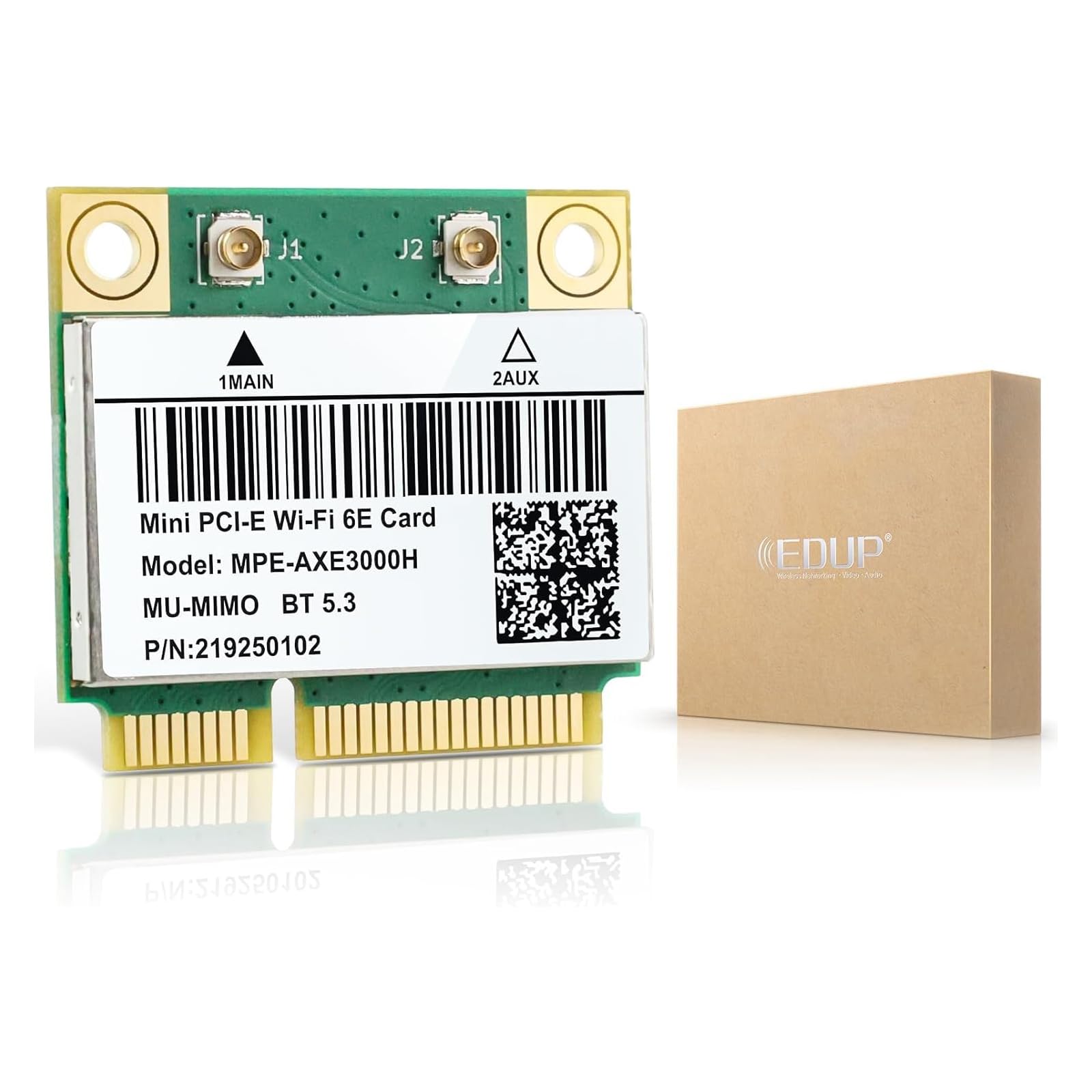
EDUP Intel AX210 M.2 Wi-Fi 6E Card

90 /100
LBD Score Outstanding

Key details

Bluetooth
5.3
Top Speed
5400 Mbps
Slot And CPU
M.2 2230 A/E key, Intel CPU
Wi-Fi Standard
Wi-Fi 6E, tri-band (6 GHz, 5 GHz, 2.4 GHz)
View on Amazon

The tell that a Wi-Fi card upgrade worked isn't a speed test — it's the band. Once Windows 11 sees an Intel AX210, the 6 GHz radio shows up in the adapter's properties, and that's the part of this swap you actually notice: a channel almost nothing else in your building is competing for. It's our default recommendation because it pairs tri-band Wi-Fi 6E and Bluetooth 5.3 with the 2230 A/E-key shape most laptops already have.

Physically, it's the least dramatic install in this guide: one screw, two antenna leads, and the card sits where the old one did. Because it's Intel's own module, Windows 11 usually finds the driver without help, and WPA3 support means the card isn't the piece holding your network security back.

What you're buying is headroom. On 5 GHz you get 160 MHz channels and MU-MIMO, and the 6 GHz band holds its rate at distances where 5 GHz starts to sag. Bluetooth rides on the same module, which quietly solves a familiar annoyance: the USB dongle that lives in a side port because the built-in radio is unreliable.

Two checks before you order. The listing specifies an Intel CPU and a 2230 A/E-key slot, and it won't work in a CNVi-only M.2 socket — those machines need the AX201 further down this list. If your slot is the standard kind, this is the least fussy way to put a current radio inside a five-year-old laptop.

Pros

  • Tri-band Wi-Fi 6E, including a clean 6 GHz band
  • Bluetooth 5.3 on the same module
  • Standard 2230 A/E-key shape fits most laptops
  • Windows 11 usually installs the driver itself

Cons

  • The 6 GHz band needs Windows 11, not Windows 10
Our verdict

Our default pick: given a standard M.2 A/E-key slot and an Intel CPU, it's the 6E card we send almost everyone to.

Check Latest Price
2

Best for Wi-Fi 7 and Gaming

Intel Killer BE200 1750x

88 /100
LBD Score Excellent

Key details

Bluetooth
5.4
Top Speed
5.8 Gbps
Requirements
M.2 Key E, Intel CPU, Windows 11
Wi-Fi Standard
Wi-Fi 7, tri-band (6 GHz, 5 GHz, 2.4 GHz)
View on Amazon

Low latency is the pitch on this one, and the hardware backs up the idea if not the exact number: a tri-band Wi-Fi 7 module can park a game session on 6 GHz while the rest of the household fights over 5 GHz, with Bluetooth 5.4 running alongside on the same card.

We point Wi-Fi 7 buyers here when the laptop is a recent Intel machine and the router is already newer than the laptop. That combination is the only one where the premium buys a generation instead of a brand, and the 5.8 Gbps figure is router-dependent — the listing says as much — so treat it as headroom rather than a number you will reproduce on a speed test.

The install is short: same Key E slot as the AX210, and Windows 11 recognizes the card without a manual driver download. What you are paying for beyond that is the band and the latency tuning, and both go quiet on a Wi-Fi 6 router, at which point this card connects exactly like the cheaper AX210 at the top of this list.

Pros

  • Wi-Fi 7 tri-band with Bluetooth 5.4
  • Low-latency tuning aimed at gaming
  • Recognized by Windows 11 without a driver hunt

Cons

  • AMD systems are ruled out outright
  • Needs Windows 11 and a Wi-Fi 7 router for full speed
Our verdict

Wi-Fi 7 earns its price here only if the laptop is a recent Intel and the router already speaks Wi-Fi 7 — that's when we point buyers to this one.

Check Latest Price
3

Best 6E Card for a Mini PCIe Slot

EDUP AX210HMW Mini PCIe Card

84 /100
LBD Score Excellent

Key details

Bluetooth
5.3
Interface
Mini PCIe, half-size
Top Speed
5400 Mbps
Wi-Fi Standard
Wi-Fi 6E, tri-band (6 GHz, 5 GHz, 2.4 GHz)
View on Amazon

Half-size Mini PCIe is the slot that disappeared from laptops around the middle of the last decade, and it's the reason plenty of otherwise decent machines are still stuck on 802.11n. This card is the way out: Intel's AX210 chipset — the same radio as our top pick — mounted on a Mini PCIe board, with tri-band 6 GHz and Bluetooth 5.3.

It is a slightly more involved install than the M.2 cards. Windows 10 and 11 both want Intel's driver installed first, and Linux wants a 5.10 kernel or newer plus a compile, so budget twenty minutes and a working connection for the download. The antenna leads seat the same way as on any other card, which is to say gently.

We recommend it for a single reason: for a laptop with this slot, it is the only route here to a 6 GHz radio, and the jump from an old 2x2 card is the difference between a machine you tolerate and one you use. Nothing else in this guide fits that slot, which settles the argument for anyone who has one.

Pros

  • Puts Wi-Fi 6E in a half-size Mini PCIe slot
  • Bluetooth 5.3 as well as the 6 GHz band
  • Works in Windows and modern Linux kernels

Cons

  • Costs more than the same chipset on M.2
Our verdict

It's the only card here that brings 6 GHz to a half-size Mini PCIe slot, which is exactly why we recommend it.

Check Latest Price
4

Best Budget Wi-Fi 6

REKONG AX200NGW M.2 Card

84 /100
LBD Score Excellent

Key details

Bluetooth
5.2
Interface
M.2 2230, Key A+E
Top Speed
3000 Mbps
Wi-Fi Standard
Wi-Fi 6, dual-band (5 GHz, 2.4 GHz)
View on Amazon

When a laptop drops its connection every twenty minutes and needs a reboot to find the network again, the fault is usually the card, and no router setting will fix it. This is the cheapest Wi-Fi 6 card here — Intel's AX200 on an M.2 2230 A+E key board — and for a lot of older machines it is the whole fix.

The AX200 is a generation behind the AX210 and honest about it: 802.11ax on 2.4 and 5 GHz, no 6 GHz band, Bluetooth 5.2, MU-MIMO and OFDMA for crowded networks, and WPA3. If your router tops out at Wi-Fi 5 or plain Wi-Fi 6, that list covers everything you can actually use.

Installation is the standard M.2 routine: one screw, two antenna leads, and Intel's driver package from the download page the listing points to. Nothing about it needs a technician, and the card comes back out if the problem turns out to be something else.

Our judgement: if your router doesn't broadcast 6 GHz, the AX210's extra band sits unused, and this card does the same work for less money. We reach for it when the goal is a stable Wi-Fi 6 link on an older machine rather than the newest radio — and once that link is stable, most people stop thinking about their Wi-Fi entirely.

Pros

  • Cheapest route to Wi-Fi 6 in this set
  • Bluetooth 5.2 included
  • Standard M.2 A+E key install
  • MU-MIMO and OFDMA for busy networks

Cons

  • No 6 GHz band
Our verdict

For a laptop whose router has no 6 GHz band to offer, this is the Wi-Fi 6 swap we reach for — cheap, simple, and enough.

Check Latest Price
5

Best Cheap Fix for a Wi-Fi 5 Laptop

Intel 9560NGW Wireless-AC Card

86 /100
LBD Score Excellent

Key details

Bluetooth
5.1
Interface
M.2 PCIe
Top Speed
1.73 Gbps
Wi-Fi Standard
802.11ac, dual-band (5 GHz, 2.4 GHz)
View on Amazon

This is the cheapest card in the roundup, and for a laptop that shipped with one, that is most of the argument: it's the same Intel 9560NGW a lot of machines came with, so a like-for-like swap means the same driver, the same antenna placement, and a laptop that boots the way it did before the old card started dropping connections.

The specifications are Wi-Fi 5: 802.11ac, 2x2, up to 1.73 Gbps, and Bluetooth 5.1 on the same module. Windows 11 installs the driver on its own, Linux is listed as supported, and Bluetooth 5.1 is current enough for a mouse, a headset and a keyboard.

Our view is that this is a repair part, not an upgrade. If you want the newer radio, the REKONG AX200 sits one price tier up and adds Wi-Fi 6; if the laptop just needs its old Wi-Fi back, paying the difference buys nothing you will notice day to day.

Pros

  • The cheapest card in this roundup
  • Same part number as many factory installs
  • Bluetooth 5.1 on the same module
  • Windows 11 installs the driver automatically

Cons

  • Wi-Fi 5 only
Our verdict

We treat it as a repair part rather than an upgrade: the cheapest way back to a working Wi-Fi 5 connection.

Check Latest Price
6

Legacy Mini PCIe

REKONG 7260HMW Mini PCIe Card

86 /100
LBD Score Excellent

Key details

Bluetooth
4.0
Interface
Mini PCIe, half-size
Top Speed
867 Mbps
Wi-Fi Standard
802.11ac, dual-band (5 GHz, 2.4 GHz)
View on Amazon

Half-size Mini PCIe is the oldest slot in this roundup, and the cards that fit it are getting scarce. This one is an Intel 7260 on that board: 802.11ac, 867 Mbps on 5 GHz and 300 Mbps on 2.4 GHz, Bluetooth 4.0, and Windows 7 through 11 on the supported list.

For an old laptop that just needs to be online, we think it is a sensible buy — cheap, screwdriver-only, and destined for a slot nothing newer supports. The catch is specific: some Lenovo laptops check the card against a BIOS whitelist and refuse to start with an unlisted one, so look your model up before ordering rather than after.

Bluetooth 4.0 is the other thing to know. It works, but it is the oldest radio here, and pairing trouble on a modern Windows install is the likeliest way this card disappoints. If Bluetooth is the reason for the upgrade, the EDUP AX210HMW above does Wi-Fi 6E and Bluetooth 5.3 in the same slot; if the goal is simply a working network connection, this one still delivers it.

Pros

  • Fits half-size Mini PCIe slots
  • 802.11ac on 5 GHz for older machines
  • Cheap, with no soldering required

Cons

  • Bluetooth 4.0 can be the troublesome half
Our verdict

Our pick for a laptop with a half-size Mini PCIe slot, as long as its model isn't one that checks cards against a whitelist.

Check Latest Price
7

CNVi-Only Slots

MQUPIN AX201NGW M.2 Card

83 /100
LBD Score Excellent

Key details

Bluetooth
5.2
Interface
M.2, CNVi
OS Support
Windows 10/11, Chrome OS, Linux 5.2+
Wi-Fi Standard
Wi-Fi 6, dual-band (5 GHz, 2.4 GHz)
View on Amazon

Some laptops have an M.2 slot wired for CNVi — Intel's integrated-MAC arrangement — and those machines reject a standard AX200 or AX210 however carefully you seat it. That is the whole reason this card is in the roundup, and the listing is unusually direct about the check: confirm your motherboard and CPU support Intel CNVi before ordering.

What you get is Wi-Fi 6 on 2.4 and 5 GHz, Bluetooth 5.2, and support for Windows 10 and 11, Chrome OS, and Linux kernels from 5.2 up. In every way that matters it is a current card, minus the 6 GHz band the AX210 adds.

We treat it as a compatibility part rather than an upgrade: you buy it because your slot demands CNVi, not because it is the quickest thing in this guide. That is also why it lands in the also-consider group — a good answer to a narrow question, and the wrong purchase for anyone with a standard A/E-key slot, who should be looking at the AX210 at the top of this list.

Pros

  • The fix for CNVi-only M.2 slots
  • Bluetooth 5.2 and Wi-Fi 6
  • Windows, Chrome OS and Linux listed

Cons

  • Dual-band only
Our verdict

Buy it for the slot, not the speed — we recommend it because it works where a standard M.2 6E card won't.

Check Latest Price

How We Tested Laptop Wi-Fi Cards in Real Machines

We built the shortlist from spec sheets first, because the physical interface eliminates half the market before you plug anything in. A laptop that takes a half-size mini PCIe card can't use an M.2 module, and an M.2 slot keyed A/E won't accept a card cut for a different key, so we confirmed the fitting on every candidate and kept a spread across Wi-Fi 5, 6, 6E, and the newest generation, with Bluetooth versions from 4.0 up to 5.4 represented. Fourteen cards made the cut, and we ran them for four months.

Each card went into a real laptop: an older machine that shipped with Wi-Fi 5, a mid-range one from the last couple of years, and wherever the slot allowed, an AMD-based model alongside an Intel one. I timed every install from the moment the bottom panel came off to the moment the card appeared in Device Manager, and noted whether the driver was found automatically or had to be hunted down. Reconnecting those two hair-thin antenna leads is where most people get stuck, so I did it with ordinary household tools and wrote down how long it fought me.

For speed, every card ran the same test in the same three spots in my house: on the couch beside the router, two rooms away through two walls, and out on the back porch. Results went against the laptop's original card as a baseline, since a card is only an upgrade if it beats what came out. Then came weeks of ordinary use — video calls, large file transfers, closing the lid and opening it again, reboots, pairing Bluetooth headphones and checking whether they stayed paired. Every drop and every card that needed a second try to reconnect after sleep got logged.

One limit worth naming: a 6E or 7 card only earns its keep if your router broadcasts on the newer bands. Paired with an older router, an expensive module performed about the same as a cheap one, which is useful to know before you spend up.

How to Choose a Laptop Wi-Fi Card

Match the slot before you compare anything else

There are two card families in this roundup and they do not interchange. M.2 2230 with an A/E key is the small rectangular card in most laptops built since the middle of the last decade; half-size Mini PCIe is the older, wider format. Open the laptop and look at the card you are replacing before you order — the physical size and the notch pattern tell you which family you are in, and no driver in the world makes the wrong one fit.

Buy for the slot you have rather than the fastest card on the page. Our two Mini PCIe picks exist precisely because the Wi-Fi 6E card we recommend first will not physically go into those machines.

Check the CPU and the slot's wiring, not just the socket

Fitting is only half of compatibility. The BE200 cards here require an Intel 12th-generation or newer CPU and explicitly rule out AMD systems, and the AX201 is a CNVi card that only works where the chipset supports Intel's integrated MAC. The AX210 sits in the middle: it wants an Intel CPU and a standard A/E-key slot, and it is the wrong choice for a CNVi-only socket.

Confirm both the CPU generation and the socket wiring before you buy. The laptop's spec sheet covers the first; the model number printed on the card you are removing covers the second.

Decide whether the 6 GHz band is worth paying for

Wi-Fi 6E and Wi-Fi 7 cards earn their keep on the 6 GHz band, and that band exists only when two things are true: your router broadcasts it, and the laptop runs Windows 11, the first Windows version that supports it. On Windows 10 a 6E card still works, but it stays on 5 GHz and you have paid for a radio you cannot switch on.

The headline Wi-Fi 7 speed follows the same logic — the listing itself notes it needs a Wi-Fi 7 router. We send Wi-Fi 5 households to the AX200 instead, because on that router the extra band is money you never get back.

Plan the swap before you open the case

The physical job is small: disconnect the battery, remove one screw, unclip two antenna leads, and reverse the process with the new card. The antenna leads are the fragile part, so press them on squarely rather than hard, and check they are seated before you put the bottom panel back.

Before you start, put Intel's driver package for the new card on a USB stick. With the old card out, the laptop has no way to fetch it. Wi-Fi and Bluetooth usually arrive in the same package, and your Bluetooth devices will need re-pairing afterwards since they were paired to the old radio.

Frequently Asked Questions

Final Verdict

Start with the EDUP AX210. On a laptop with a standard M.2 A/E-key slot and an Intel CPU, it is the least fussy route to 6 GHz, Bluetooth 5.3 and a card Windows 11 drives without help, and it is the upgrade most people should buy.

Move to the Killer BE200 only if you are on a recent Intel machine with a Wi-Fi 7 router already in place; drop to the REKONG AX200 if your router has no 6 GHz band to offer. And if the laptop is old enough to have a half-size Mini PCIe slot, the EDUP AX210HMW is the one card here that fits.