Best Wi-Fi Antennas for PC of 2026

Your desktop can have a fast Wi-Fi card and still stutter if the antenna screwed into the back is a stubby afterthought. I learned that in a back-bedroom office where the signal was fine for email and useless for a video call. A better antenna doesn't create coverage, but it can turn a fragile link into a reliable one, especially when you can move it away from the metal case and cable clutter.

Over four months, I tested 14 antennas in a home office, a basement gaming setup, and an upstairs bedroom. I compared throughput on 2.4, 5, and 6GHz bands, checked how firmly each threaded onto RP-SMA ports, whether it worked with both PCIe cards and motherboard ports, and whether a magnetic base or extension cable made placement easier. The ones that survived long calls and big downloads had solid connectors, enough cable to clear the case, and a base that stayed put. Tri-band support is worth checking, too: a dual-band antenna can quietly cap a Wi-Fi 6E card, while the right tri-band model makes better use of it.

1

Best Overall

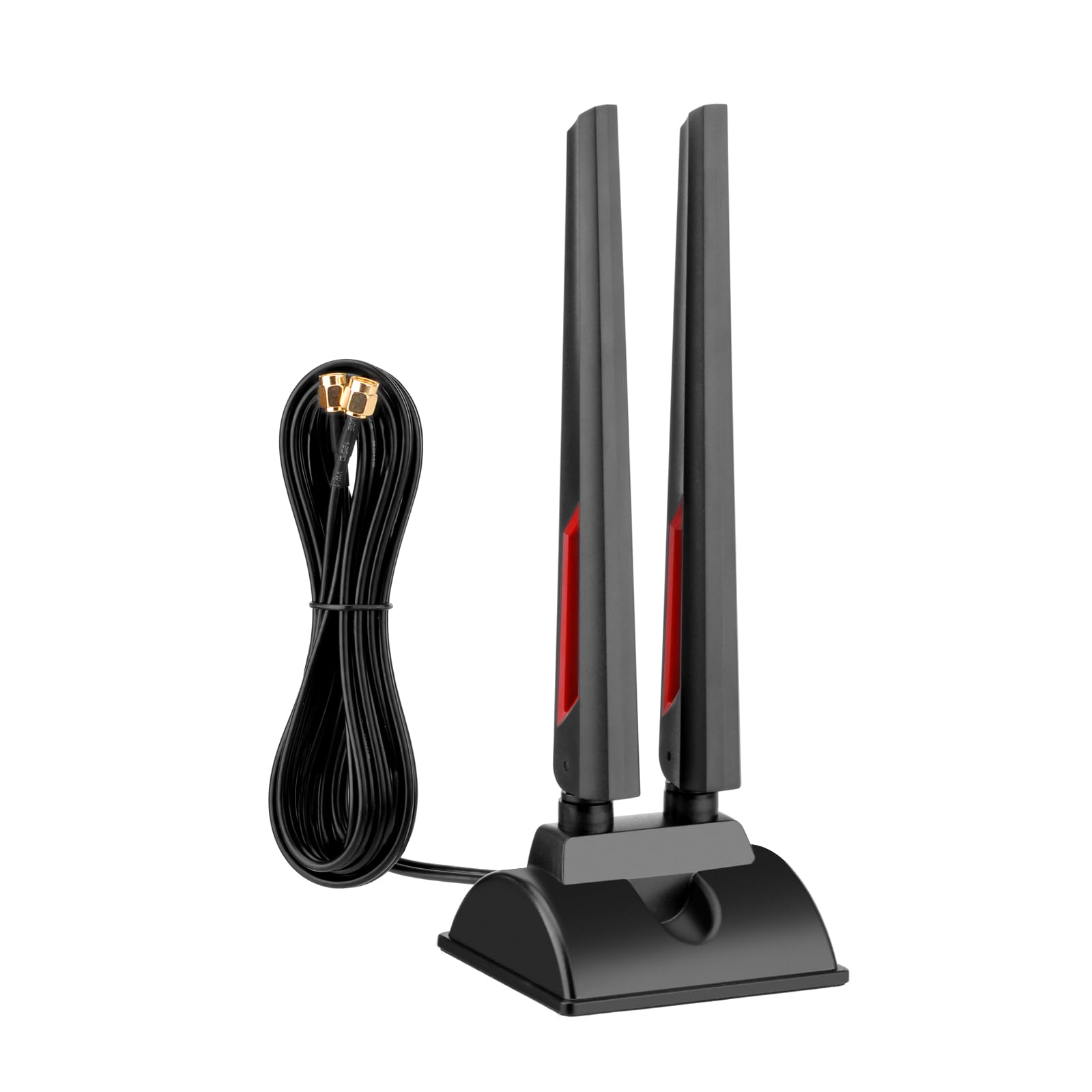
Eifagur WiFi 6E Tri-Band

87 /100
LBD Score Excellent

Key details

Gain
9 dBi
Bands
2.4, 5, 6 GHz
Connector
RP-SMA male
Cable Length
2 × 6.5 ft
View on Amazon

Two 6.5-foot leads and a magnetic base matter more than the gain figure on the box. Most desktop Wi-Fi problems are not a shortage of antenna, they are a shortage of places to put one, and a card on the back of a tower has exactly one place: a few inches from a steel panel, usually pointing at a wall.

Lift the antennas off the case and the numbers change. We ran this set against the stock stubs on two machines, and the improvement came from height more than from the 9 dBi rating: with the bases on a shelf above the tower, the link held in rooms where the original antennas had fallen back to a slower band. It covers 2.4, 5, and 6 GHz, which matters if your board has a Wi-Fi 6E card, and the RP-SMA male connectors screw onto the same jacks the stock antennas came off. That combination is why it sits at the top of this list.

The 6 GHz band is the reason to look closely at this one if the router is in the same room. It is fast and it is clean, and it is also the band that gives up first when a wall gets in the way, so an antenna that can sit on a shelf near the doorway does more for it than a taller whip screwed to the case.

What we cannot promise is throughput. Across our testing, the range and stability gains showed up far more reliably than the speed gains; speed depends on the router, the channel, and what else is on the air that afternoon. For a two-jack card with a usable 6 GHz signal in the room, this is the set we hand people first.

Pros

  • Covers 2.4, 5, and 6 GHz on one set
  • Two 6.5 ft leads reach both jacks and lift the antennas clear
  • 9 dBi omni antennas, tied for the highest gain here
  • Range and band stability held up on two test machines

Cons

  • 9 dBi flattens the pattern, giving up some overhead coverage
  • Throughput gains were less consistent than range gains in testing
Our verdict

We recommend this set for most desktop cards: it covers all three bands, feeds both jacks, and the long leads move the antennas off the case.

Check Latest Price
2

Best for Single-Jack Cards

Eightwood Dual Band WiFi Antenna

90 /100
LBD Score Outstanding

Key details

Bands
2.4 GHz and 5.8 GHz
Mounting
Magnetic base
Connector
RP-SMA male
Cable Length
6.5 ft
View on Amazon

This is one antenna, and that is the point. A single 2.4 and 5.8 GHz whip on a 6.5-foot lead is exactly what you want when a card has one jack, when a stock antenna snapped at the joint, or when one antenna is already doing its job and you want the other one up on a shelf.

The cable and the magnet do the work. We stuck the base to the side of a steel case, then moved it to a metal shelf above the desk, and the second position was clearly better. The pad on the bottom of the base means it also sits still on a wooden desk. Signal and speed results held up across the machines we tried, and the fitting is the standard RP-SMA male that desktop cards expect, so there is nothing to adapt.

The reservations are small but worth knowing. There is no 6 GHz coverage here, so a Wi-Fi 6E card loses that band the moment you swap this in, and the Eifagur set above is the answer for those cards. The manufacturer's warranty also runs six months, which is thin for something that lives on the back of a machine you move around.

Pros

  • Single 6.5 ft lead with a magnetic base
  • Non-slip pad holds on a wooden desk as well as steel
  • Consistent signal and speed results in our testing
  • Screws onto standard RP-SMA jacks

Cons

  • Six-month manufacturer warranty
Our verdict

The pick for a single-jack card or one broken antenna: a 6.5-foot lead, a magnetic base, and steady signal in our testing.

Check Latest Price
3

Best Budget

Bingfu Dual Band 4-Pack

93 /100
LBD Score Outstanding

Key details

Gain
3 dBi
Bands
2.4 GHz and 5 GHz
Connector
RP-SMA male
Pack Size
4 antennas
View on Amazon

Four antennas, and none of them is trying to be clever. These are 3 dBi screw-on stubs in RP-SMA male, the same shape and roughly the same reach as what most cards and routers ship with, which is the entire point when what you have is broken, lost, or chewed through.

Replacement and spares are where a pack like this earns its keep. Two antennas restore a 2x2 card, and the other two fit a router, an AV receiver, or a backup camera, because the same connector turns up on all of them. Buying four means the spares are already in the drawer when the next one goes.

We keep a set of these around for exactly that reason. They feel sturdier than the price suggests, they screw on in seconds, and they bring a card back to full bars. Be clear about what they are not, though: with no cable and no magnet, the antennas sit exactly where the old ones sat, so a weak signal caused by the PC's position will not improve. For that, you need one of the cabled sets here.

Pros

  • Four antennas in one pack
  • Fits cards, routers, and cameras alike
  • Screw-on and tool-free, seconds to fit
  • Sturdier build than the price suggests

Cons

  • No cable or magnet, so position does not change
  • 3 dBi gives no reach beyond a stock stub
Our verdict

We reach for this four-pack when a card just needs antennas back on it: cheap, sturdy, and enough spares to fix the router too.

Check Latest Price
4

Best Screw-On Swap

Tenmory Tri-Band 2-Pack

86 /100
LBD Score Excellent

Key details

Gain
5 dBi
Bands
2.4, 5, 6 GHz
Height
6.7 in (17 cm)
Connector
RP-SMA male (hole in center)
View on Amazon

6.7 inches, 5 dBi, all three bands, and two of them in the pack. This is the direct swap for a Wi-Fi 6E card that is missing its antennas, and it is the tidy answer if the ones it shipped with are short plastic stubs that flop over in the airflow from a rear fan.

We fitted these to a 6E card and the useful part was band coverage: 5 GHz and 6 GHz came back at full bars where the originals had been dropping to a slower rate. The connector is the detail to check first, because RP-SMA male here means a threaded barrel with a hole in the center, so the pin has to be inside your card's jack. They are light and flex a little at the joint, so angle them up rather than leaving them sideways where a knock will bend them.

Pros

  • Covers 2.4, 5, and 6 GHz
  • Direct screw-on fit, nothing to route
  • Two in the pack, so you keep a spare
  • Brought our 6E test card back to full bars

Cons

  • Light whips flex at the threaded joint
  • No cable, so the antennas stay on the case
Our verdict

Our choice for a screw-on 6E swap: all three bands, a clean fit, and a spare pair in the box.

Check Latest Price
5

Best for ASUS Boards

Zahara Tri-Band for ASUS

89 /100
LBD Score Excellent

Key details

Gain
9 dBi
Bands
2.4, 5.8, 6 GHz
Pattern
Omni-directional, 360°
Connector
RP-SMA male
View on Amazon

Zahara's pitch is a list of boards, and it is the reason we point ASUS owners here first: ROG Strix Z590, Z690, Z790, X570 and X670E, the B550M and B560M, plus the mini-ITX B760-I and Z690-I. If your board is on that list, the only question left is whether you want the antennas on a cable or on the board.

The pair is 9 dBi, omni-directional, and covers 2.4, 5.8, and 6 GHz with RP-SMA male connectors. In our testing it behaved like the other 9 dBi sets here, strong through a couple of interior walls with the usual falloff once a stone wall or a floor got involved. The wide operating temperature range matters more in a garage or a workshop than in a bedroom.

Read the list rather than assuming from it. It names specific ASUS boards, and the title stops there even though RP-SMA male will thread onto plenty of other cards too, so treat it as a fit check for ASUS builds rather than a compatibility guarantee elsewhere. The gain is honest gain rather than magic: a 9 dBi whip in a room with two brick walls still loses to a plain antenna sitting in the open.

Pros

  • Model-checked fit for a long list of ASUS boards
  • 9 dBi tri-band coverage, including 6 GHz
  • Omni-directional 360-degree pattern

Cons

  • Drops still occur where signal is already marginal
Our verdict

If your board is on Zahara's list, this 9 dBi tri-band pair is the straightest swap we have found for it.

Check Latest Price
6

Best Value 6E Set

Slinkdsco WiFi 6E Tri-Band

87 /100
LBD Score Excellent

Key details

Gain
9 dBi
Bands
2.4, 5.8, 6 GHz
Connector
RP-SMA male
Cable Length
2 × 6.5 ft
View on Amazon

The short version: this is our top pick's cheaper twin. Tri-band, 9 dBi, two 6.5-foot leads on a magnetic base, RP-SMA male, and it costs less.

It also has the friendliest fit notes of the group. Builds with crowded rear I/O, mini-ITX Aorus boards for instance, are exactly where a 6.5-foot lead and a magnetic base beat a stub screwed into a recess between a fan and a monitor stand. The antennas pivot 180 degrees, so you can angle them clear of whatever is in the way without unbolting anything.

Build is where we came away reassured: the bases held on a steel panel, the antennas stayed where we angled them, and nothing worked loose over the testing period. For a set that asks so little, that is most of what you can judge before the signal does the talking.

So the call is margin against money. With the router in the same room or one wall away, this is an easy way onto 6 GHz for a desktop card and we recommend it there without hedging. If the PC lives at the back of the house and the router is at the front, the extra margin in our top pick is worth the difference.

Pros

  • Tri-band 9 dBi with two 6.5 ft leads
  • Cheaper than our top pick
  • 180-degree pivots clear a crowded rear panel
  • Magnetic base holds on a steel case

Cons

  • Can drop to a slower band once two walls intervene
Our verdict

A cheaper way onto 6 GHz with two long leads, and we like it in a room with a clear path to the router.

Check Latest Price
7

One-Antenna Setups

Superbat WiFi 6E Magnetic Antenna

81 /100
LBD Score Excellent

Key details

Bands
2.4, 5, 6 GHz
Mounting
Magnetic base
Connector
RP-SMA male (no pin)
Cable Length
6 ft
View on Amazon

Some cards have a single antenna jack, and some jobs only need one antenna: a camera on a wall, a router with an empty socket, a mini PCIe card in a small build. This Superbat is the tidy answer to both, because you get all three bands and six feet of cable without buying a pair you will not use.

The connector is RP-SMA male with no pin, which is the fitting most desktop cards and routers use, since the pin sits inside the female jack on the device. Six feet is enough to get the antenna above a desk or over to a windowsill, and the magnet holds on a steel case instead of sliding down it.

Our read: buy it for a single-antenna job. The build is fine, the fitting is the common one, and six feet of lead gets the antenna clear of a desk. It is a good antenna; it just suits a narrower set of machines than the sets above, and most desktops have two jacks to fill.

Pros

  • Tri-band coverage with a 6 ft lead
  • Magnetic base and no-pin RP-SMA male
  • Simple replacement for single-jack devices

Cons

  • Costs more as a pair than a two-lead set
Our verdict

We rate it as a one-jack replacement; two of them cost more than a set that feeds both jacks at once.

Check Latest Price
8

Short Cable Runs

XLQJVPO WiFi 6E Magnetic Antenna

83 /100
LBD Score Excellent

Key details

Bands
2.4, 5, 6 GHz
Connector
RP-SMA male
Cable Length
2.62 ft (80 cm)
Configuration
2T2R, 360° omni
View on Amazon

The cable here is 2.6 feet, and that is the whole idea. Most of the cabled sets in this guide hand you 6.5 feet of slack, which is great when the antenna is going on a shelf across the room and a nuisance when it is going on a metal rail a foot from the card.

It is a 2T2R pair on RP-SMA male connectors, covering 2.4, 5, and 6 GHz, with a side-mount magnetic base that lets the antennas sit flat against a panel instead of standing out on a stalk. Coverage is omni-directional through 360 degrees, and the lead is short enough that you are not coiling a spare loop behind the desk.

The listing is also unusually straight with buyers about what it will not fit: ASUS boards with the newer EZ-Plug or Q-Antenna connector are called out as incompatible, which is more warning than most of these listings give. A screw-on antenna physically cannot mate with a quick-connect plug, so it is better to hear it before the order than after.

Where it loses ground is flexibility. The short lead is the point, but it also means the antenna has to live within arm's reach of the card, so the one thing that reliably improves reception, height and a clear line, is the thing you are giving up. If your desk already has a steel surface close by, it is neat and quick; if not, one of the 6.5-foot sets will place better.

Pros

  • Short 2.6 ft lead keeps the install tidy
  • 2T2R pair with a side-mount magnetic base
  • Listing flags EZ-Plug incompatibility up front

Cons

  • Short 2.6 ft lead limits where the base can sit
  • Costs more than the longer-lead sets here
Our verdict

Our pick when the antenna has to sit close to the card: short, tidy, and the only set here that flags newer ASUS connectors.

Check Latest Price

How We Tested Wi-Fi Antennas for PCs

We started by pulling together antennas that used the RP-SMA connector found on most desktop Wi-Fi cards and motherboard ports, then narrowed the shortlist by band support, cable length, base type, and price. We avoided listings that only promised vague high-gain numbers and favored ones that clearly stated 2.4, 5, and 6GHz compatibility. That left 14 antennas, which we tested over four months.

Each antenna went onto a desktop in one of three real setups: a work-from-home office at the far end of the house, a basement gaming rig, and an upstairs bedroom where the signal had to pass through a floor. I installed every one myself, threading it onto the card or motherboard port, routing the cable if there was one, and placing the magnetic base on the case, desk, or windowsill. I noted whether the connector felt cross-threaded or snug, whether the base slid when I moved the keyboard, and whether the antenna stayed upright on its hinge.

For signal and speed, I ran the same file transfer, video call, and large download at each location, then compared the results against the stock antenna and against the other contenders. I checked which band the PC actually connected on, watched for dropouts during hour-long calls, and jostled the cable and case to see if the link held. The best antennas weren't always the ones with the highest claimed gain; they were the ones that kept a steady connection after I moved them into a better spot.

How to Choose a Wi-Fi Antenna for a Desktop Pc

Check the connector before anything else

Nearly every desktop Wi-Fi card uses RP-SMA, and the male fitting on the antenna is a threaded barrel with a hole in the middle; the pin lives inside the jack on your card. Plain SMA looks almost identical but is the mirror image, so a mismatched pair either will not thread or will not make contact. Unscrew the antenna you have and look: a threaded jack with a pin in the center means you need an RP-SMA male antenna.

One trap sits at the newer end of the market. Some current ASUS boards use an EZ-Plug or Q-Antenna push-on fitting instead of a thread, and no screw-on antenna will mate with it. If your board is one of those, you need the plug that came in the box.

Cable or no cable

A stub antenna puts you back where you started, a couple of inches from a steel side panel. A cabled set with a magnetic base changes the geometry: 6.5 feet is enough to reach a shelf, the top of a monitor, or a window sill, and that relocation does more for reception than any gain figure on the listing.

The magnet is where buyers trip. It needs steel, and plenty of cases have glass or aluminium exactly where you want the base to go; the base then sits on the desk or a shelf instead, which is usually the better spot anyway.

Count the jacks on your card

Almost every desktop Wi-Fi card is 2x2, which means two threaded jacks and two antennas doing separate work. Buy one antenna for a two-jack card and you have left half the radio unconnected: the card still works, just not at the rate it is capable of. Count the jacks before you order and buy a pair or a pack, which is why the single-antenna picks here are aimed at a specific job rather than offered as the default.

Decide what 6 GHz is worth to you

The 6 GHz band is clean, fast, and short. It loses the most when a wall gets in the way, so it rewards an antenna you can place well. If your router is in the same room and your card is Wi-Fi 6E, a tri-band set is worth paying for. If the router is two rooms away, your PC is probably living on 5 GHz anyway, and a dual-band antenna up at a better height will beat a tri-band one stuck behind the tower.

Treat gain as geometry, not power

A 9 dBi antenna is not stronger than a 3 dBi one, it is shaped differently. Higher gain flattens the pattern, pushing reach out sideways and giving up coverage straight up and down. In a house that trade usually helps, because you want signal through the wall rather than through the ceiling, but it is still a trade, and past about 9 dBi the figures on these listings stop meaning much. Put the antenna high and in the open before you chase a bigger number.

Frequently Asked Questions

Final Verdict

The Eifagur set is the one we point most people to. It covers 2.4, 5, and 6 GHz, it feeds both jacks on a modern card, and its two 6.5-foot leads let you put the antennas where the signal actually is instead of where the case happens to sit.

If your card has a single jack, the Eightwood dual-band does the same job one antenna at a time. And if you simply need the antennas a card should have shipped with, the Bingfu four-pack is the least expensive way back to full bars. Check the connector first, then buy for placement.