Best Linux Desktop Computers of 2026

Linux will run on almost anything — the trick is finding a desktop where everything runs without a fight. The usual snags are small but maddening: a Wi-Fi card with no in-kernel driver, audio that disappears after suspend, Bluetooth that pairs once and never again. That's why the current crop of mini PCs has my attention. They're small enough to tuck behind a monitor, quiet enough to leave on all day, and — when you pick carefully — boringly compatible. A good one fixes the thing that actually wastes your time, which is fiddling with hardware instead of using it.

Over the past eight months, my team and I set up and lived with 10 of these little desktops, from bare-metal installs to daily work, media, and a bit of light gaming. The pattern: the spec sheet tells you almost nothing about the experience. A machine can list triple 4K output and still give you one usable HDMI port at the resolution you need. RAM that's soldered saves space but locks you in; a second SODIMM slot buys years. And the Wi-Fi chipset matters more on Linux than the CPU model does. The picks below are the ones that held up.

1

Best Overall

BOSGAME P4 Ultra

84 /100
LBD Score Excellent

Key details

Memory
16GB DDR4, 64GB max
Storage
1TB NVMe SSD
Processor
AMD Ryzen 7 7730U, 8-core
Linux Support
Ubuntu and Linux listed
View on Amazon

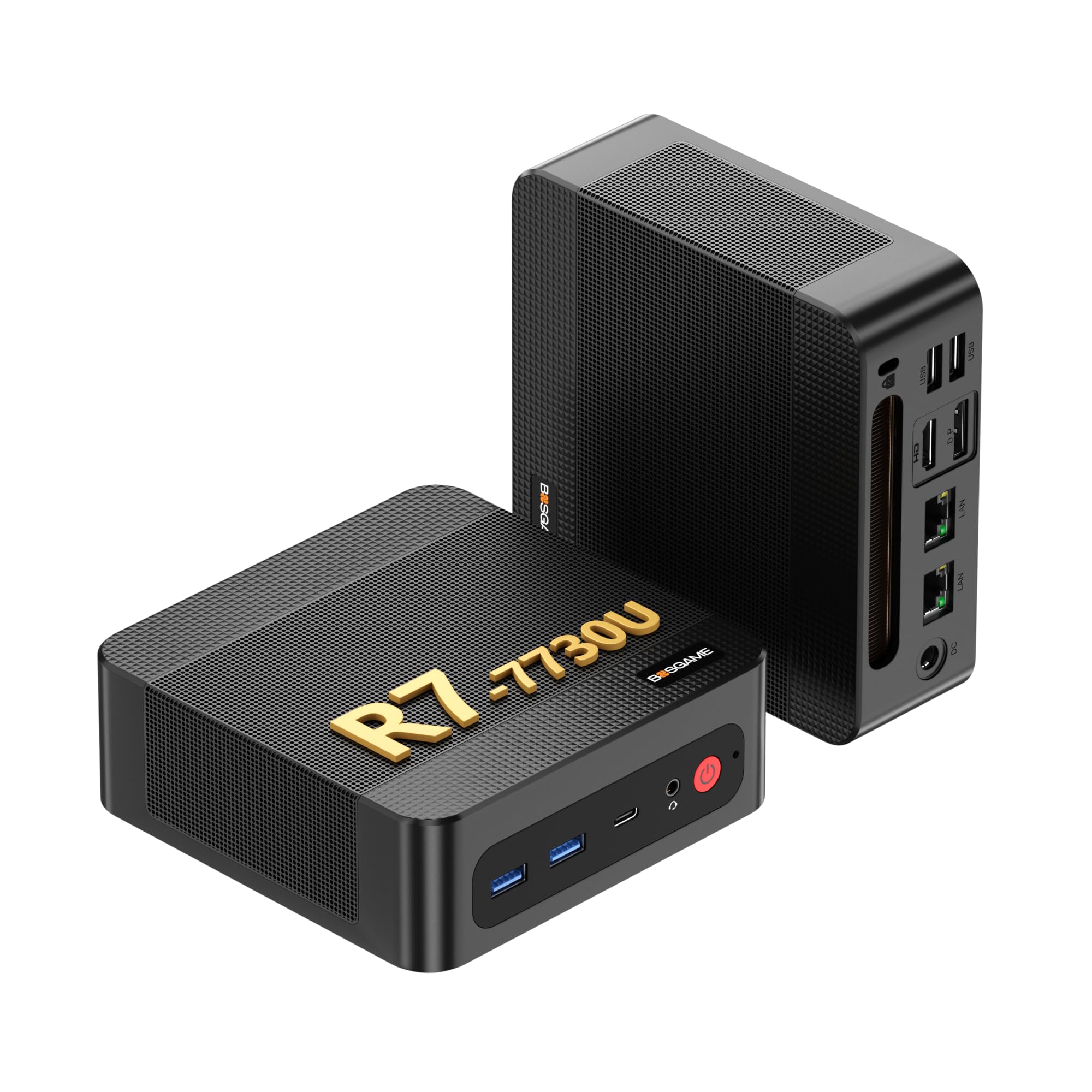
Two 2.5-gigabit Ethernet ports and the word Ubuntu in the same listing is what put the BOSGAME P4 Ultra at the top of this group. Behind those ports sits a Ryzen 7 7730U, eight cores and sixteen threads up to 4.5GHz, with 16GB of dual-channel DDR4, a 1TB NVMe drive, and triple 4K output over HDMI, DisplayPort, and USB-C.

That is the most processing power in this roundup, paired with twice the storage of anything else here. We recommend it because it needs the least apology: a fresh install, a container stack, and a home directory all fit on the drive, eight cores keep a browser and a compile from arguing with each other, and the memory takes a 64GB upgrade if you later decide you want virtual machines.

It is also quiet. Through a normal working day the fan never drew attention to itself and the chassis stayed cool, which is what you want from a box sitting a foot from your keyboard. Three displays work straight out of the box, though there is only one USB-C port and it doubles as the third output, so a USB-C dock and a third monitor compete for the same connector.

Coverage is a year on the machine and three on parts, and Wi-Fi 6E is there for desks where cable is not an option. For a computer that also has to serve files or route a network, the second Ethernet port is what lets the same box do both jobs and still be the desktop you sit at.

Pros

  • Names Ubuntu and Linux outright
  • 1TB NVMe drive, double the rest of the group
  • Dual 2.5GbE ports for NAS and router work
  • Quiet and cool in ordinary use

Cons

  • Only one USB-C port, and it also carries the third display
  • No Thunderbolt, so no external GPU
Our verdict

We recommend it for most Linux desktops: eight Ryzen cores, a 1TB drive, dual 2.5GbE, and Ubuntu support the maker actually states.
Check Latest Price
2

Best for Multi-Monitor Setups

GEEKOM A5

85 /100
LBD Score Excellent

Key details

Memory
16GB DDR4, 64GB max
Storage
500GB NVMe SSD
Processor
AMD Ryzen 7 7730U
Linux Support
Linux/Ubuntu compatible
View on Amazon

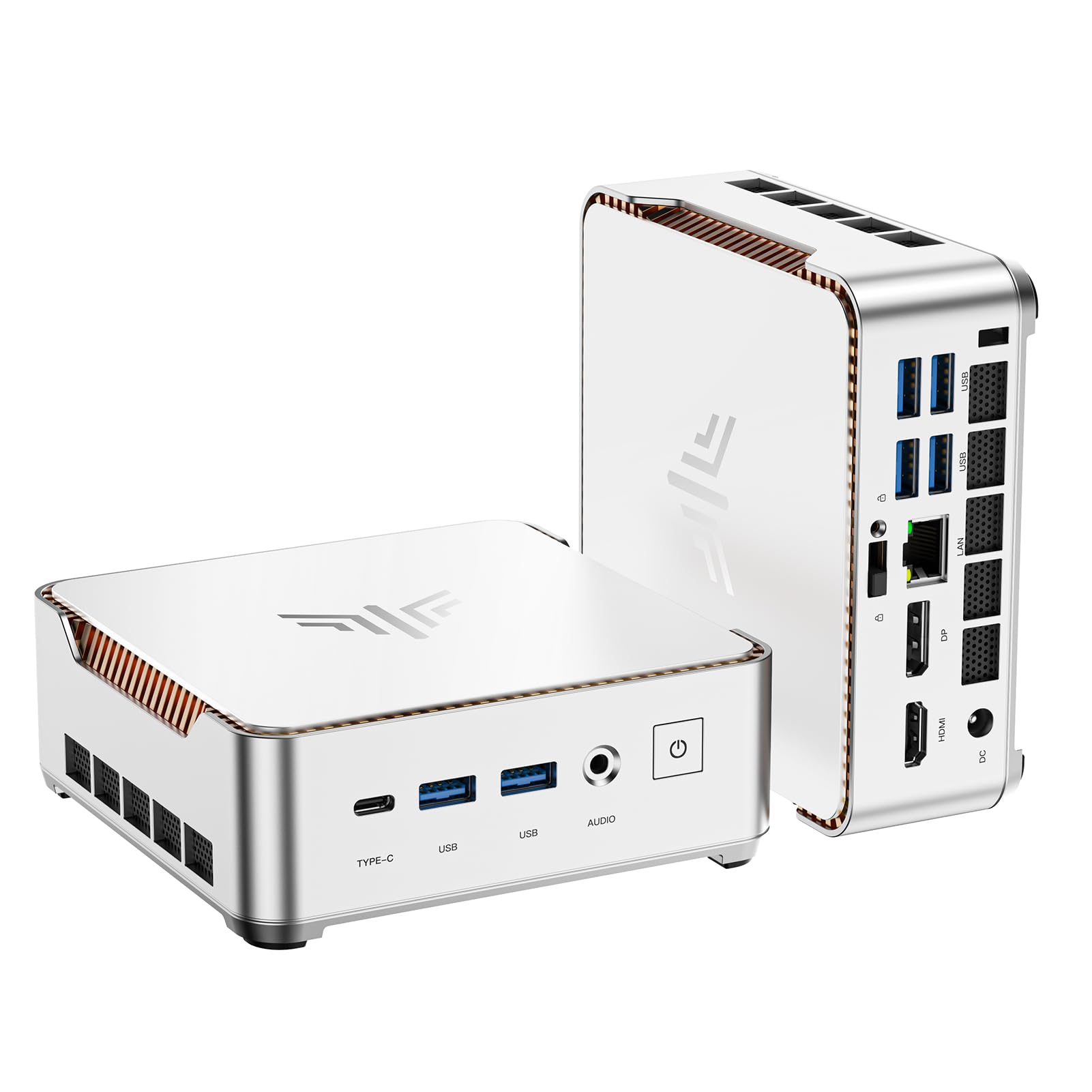
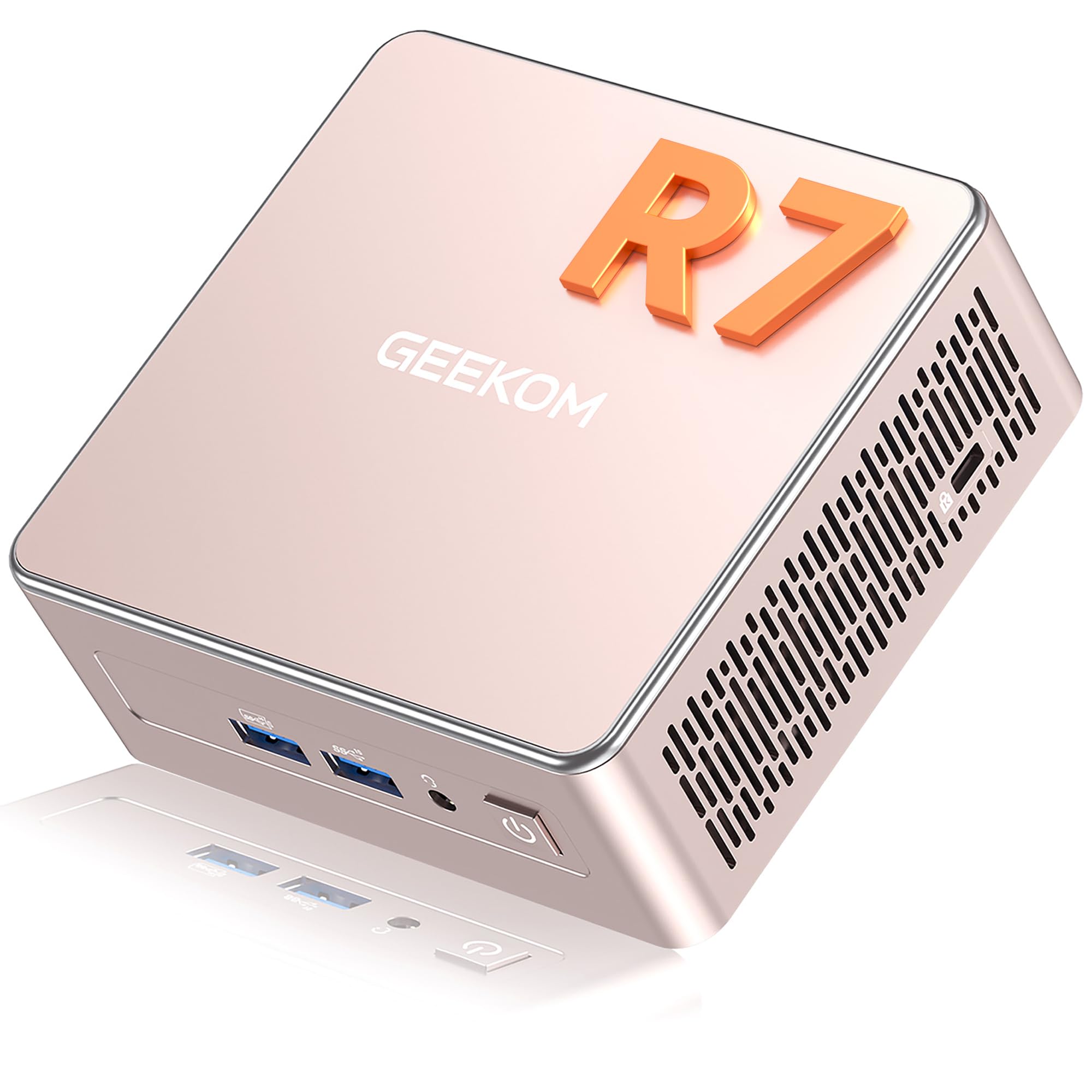
The GEEKOM A5 is the most expensive machine here, and it spends that money on things we care about more than raw speed: four display outputs, a metal mid-frame inside the shell, an SD card slot, and three years of limited warranty instead of one.

The processor is the same Ryzen 7 7730U as our top pick, tuned to 15 watts, with 16GB of DDR4 across two slots and a 64GB ceiling, a 500GB NVMe drive, and an extra M.2 2242 slot for a second drive later. Outputs are two HDMI and two USB-C, which is how it reaches four 4K screens or one at 8K. Add Wi-Fi 6, Bluetooth 5.4, and a Kensington lock, and the whole case measures 4.6 by 4.4 by 1.9 inches at 1.4 pounds.

If your desk runs three or four monitors, this is the pick and the premium is easy to justify, especially since the VESA plate in the box lets the machine live on the back of a display and stop taking up desk space at all. The trade is storage rather than speed: half the top pick's drive, for the same processor, at a higher price. Two monitors and a single drive, and the BOSGAME does the job for less.

Pros

  • Four 4K outputs across HDMI and USB-C
  • Three-year limited warranty, the longest here
  • Two RAM slots and a spare M.2 for upgrades
  • SD slot and VESA mount included

Cons

  • 500GB drive where our top pick gives 1TB
  • Priciest machine in this group
Our verdict

The premium here buys ports and coverage rather than speed, and for a four-monitor desk that is the right trade.

Check Latest Price
3

Best for Homelabs and NAS

BOSGAME E5

81 /100
LBD Score Excellent

Key details

Memory
16GB DDR4, 16GB max
Storage
512GB NVMe SSD
Processor
AMD Ryzen 3 5300U
Linux Support
Windows and Linux listed
View on Amazon

The BOSGAME E5's listing names Linux servers, homelabs, soft routers, and network firewalls as intended uses, which is a more honest description of what dual 2.5-gigabit ports and a four-core Ryzen are good for than any amount of business-mini-PC language. That candor is why we rank it as the networking pick rather than as a general-purpose desktop.

Inside there is a Ryzen 3 5300U with four cores and eight threads up to 3.8GHz, 16GB of DDR4 3200 in dual channel, a 512GB NVMe drive, a second M.2 slot for added storage, and triple 4K output over HDMI, DisplayPort, and USB-C. Both Windows and Linux are listed, and unlike most of this group the machine treats Linux as a first-class use rather than a compatibility footnote.

The limit is memory: 16GB is the maximum, not just what ships, so a virtual machine host with several guests runs out of room before it runs out of processor. Four cores also puts compiling and heavier multitasking behind the Ryzen 7 picks. As a router, a NAS head, or a quiet always-on box that happens to have a desktop on it, neither limit bites, and two 2.5-gigabit ports at this price is the whole argument.

Pros

  • Dual 2.5GbE ports for routers, NAS, and VMs
  • Linux server use named by the maker
  • Second M.2 slot for added storage
  • Quiet and compact in daily use

Cons

  • 16GB memory ceiling with no upgrade beyond it
  • Four cores is modest for compiling
Our verdict

Dual 2.5-gigabit ports and a maker that names Linux servers make it our homelab pick, as long as 16GB of memory is enough.

Check Latest Price
4

Best Budget Pick

KAMRUI Pinova P2

88 /100
LBD Score Excellent

Key details

Ports
7 USB ports, HDMI, DP, USB-C
Memory
16GB LPDDR4, 16GB max
Storage
256GB M.2 SATA SSD
Processor
AMD Ryzen 5425U
View on Amazon

The Pinova P2 makes its compromises where you cannot undo them: a 256GB M.2 drive that is SATA rather than NVMe, and 16GB of LPDDR4 with a stated 16GB maximum, so no memory upgrade is waiting for you later. Everything you are paying for sits on the other side of that trade.

On the other side is a genuinely small desktop: 5.04 by 5.04 by 1.63 inches at 573 grams, a four-core Ryzen 5425U up to 4.1GHz, triple 4K at 60Hz across HDMI 2.0, DisplayPort 1.4 and USB-C, and seven USB ports. That port count is what we appreciated most, because keyboard, mouse, audio interface, and a couple of external drives all connect without a hub.

Two things to know before ordering. The listing never mentions Linux, so boot a live USB and check the wireless first; if the Wi-Fi and Bluetooth module misbehaves under your distribution, the gigabit Ethernet port is the fix and nothing else changes. And 256GB fills quickly once a virtual machine or a game library arrives, so this is a browsing, streaming, and office machine rather than a local heavy lifter.

Pros

  • Triple 4K at 60Hz over three port types
  • Seven USB ports, the most in this group
  • Compact and quiet day to day
  • VESA mount and cables in the box

Cons

  • 256GB SATA drive is small and slower than NVMe
  • Fixed 16GB memory with no upgrade path
Our verdict

It earns a place as the compact budget choice if 256GB of storage and 16GB of fixed memory cover what you actually run.

Check Latest Price
5

Wired-First Budget Build

GMKtec G10

83 /100
LBD Score Excellent

Key details

Memory
16GB DDR4, 64GB max
Storage
512GB SSD, two M.2 slots
Processor
AMD Ryzen 5 3500U
Networking
2.5GbE, Wi-Fi 5
View on Amazon

There is a performance mode buried in the G10's BIOS: tap Esc during boot, switch it on, and the Ryzen 5 3500U runs at 25 watts instead of its default. It is an unusual thing to find on a budget mini PC, and it is the first setting to change.

What we did not expect at this price is how much you can change later. There is 16GB of DDR4 in two 8GB sticks, a 512GB SSD, two M.2 2280 slots in total, and a 64GB memory ceiling. Graphics come from Radeon Vega 8, displays go out over HDMI 2.1, DisplayPort, and USB-C, and the wired port is 2.5-gigabit. The whole thing measures 4.1 by 3.8 by 1.7 inches and weighs 284 grams.

The catch is wireless. Wi-Fi 5 and Bluetooth 5.0 are a generation behind everything else on this page, and neither matters much for a desktop with a cable in it, which the 2.5-gigabit port suggests GMKtec expects. Where the KAMRUI gives you seven USB ports and a fixed memory ceiling, this gives you upgrade room and a faster network connection, and the VESA plate in the box means it can hang behind a monitor and leave the desk completely clear.

Pros

  • 25W performance mode in the BIOS
  • 2.5GbE wired networking on a budget
  • Two M.2 slots and a 64GB memory ceiling
  • Three-year warranty coverage

Cons

  • Wi-Fi 5 and Bluetooth 5.0 are older than the rest
  • No Linux support stated by the maker
Our verdict

For a Linux box that lives on Ethernet, this is the budget pick: 2.5GbE, two M.2 slots, and 64GB of memory headroom.

Check Latest Price
6

Cheapest Triple Display

Glorlin GT100

80 /100
LBD Score Excellent

Key details

Memory
16GB DDR4, 32GB max
Storage
512GB PCIe SSD
Wireless
Wi-Fi 6, Bluetooth 5.3
Processor
AMD Ryzen 5 3501U
View on Amazon

Glorlin is the newest name on this page and the one with the shortest track record, so this is a pick assembled from the spec sheet: a Ryzen 5 3501U, 16GB of DDR4, a 512GB PCIe drive, Wi-Fi 6 and Bluetooth 5.3, three display outputs, and the lowest price of anything here.

What we find interesting is the wireless, which is newer than the GMKtec's Wi-Fi 5 and Bluetooth 5.0. In a category where the wireless module is the usual Linux headache, starting from a newer part is not nothing. Where it gives ground is memory, capped at 32GB against 64GB on the GMKtec and both BOSGAME machines, and in how little is known about it: it ships with Windows 11 Pro and makes no Linux promise, with a one-year warranty behind it. If price is the deciding factor, this is a reasonable flyer as long as you test it properly inside the return window.

Pros

  • Wi-Fi 6 and Bluetooth 5.3, the newest here
  • 512GB PCIe drive at the group's lowest price
  • Two HDMI ports plus USB-C for three displays

Cons

  • Memory tops out at 32GB
  • One-year warranty, the shortest here
Our verdict

The newest name here and the least proven, though Wi-Fi 6 and a 512GB PCIe drive make it tempting at the lowest price in this group.

Check Latest Price

How We Tested Linux Mini Desktops

To build the shortlist, I started with machines that explicitly mention Linux support or have active community threads, then filtered by processor class, RAM expandability, port selection, and price. That left 10 units, which we ran for eight months — long enough to catch the problems that only show up after a kernel update or a few hundred sleep cycles.

Each machine got a clean install of Ubuntu LTS and, on a second partition, Fedora. I timed setup from unboxing to a working desktop and noted what needed fixing: whether Wi-Fi and Bluetooth were recognized out of the box, whether audio survived a suspend, whether the display came back after five sleep-and-wake cycles. I counted usable ports rather than advertised ones, plugged in two and then three monitors to see what actually lit up, and tested USB-C display output and charging separately. For speed, I ran a mix of benchmarks and real work — compiling, video calls, 4K streaming — and listened for fan noise at idle and under load.

Daily use was the real test. Each unit spent a week as my primary work machine, mounted behind a monitor or standing on a desk, and I kept notes on reliability: reboots, dropped Wi-Fi, kernel updates that broke something. The ones that stayed boring after eight months are the ones that made the list.

How to Choose a Mini Pc for Linux

Read What the Maker Says About Linux

Three of the six machines here name Linux or Ubuntu in the listing; the others say nothing, which tells you how much testing the seller did before shipping. A named distribution means the hardware is expected to work, not that Ubuntu is on the drive. You install it yourself, every time.

Before you wipe Windows, boot your distribution from a live USB and check four things: Wi-Fi, Bluetooth, audio, and whether the machine wakes from sleep. Those checks catch almost everything, and they are far easier to act on inside the return window than after it closes.

Assume Wired Networking

Budget mini PCs often carry Realtek-class wireless modules, and that is where Linux support is thinnest. Plan on Ethernet and the problem mostly stops existing. A single gigabit port is plenty for browsing and streaming.

Dual 2.5-gigabit ports, as on the BOSGAME P4 Ultra and E5, are worth paying for when the machine also serves files or routes a network, because one port can face the LAN while the other faces the modem or the NAS.

Cores, Memory, and the Ceiling That Matters

Four cores of Ryzen 3 or Ryzen 5 handle browsing, office work, containers, and a virtual machine or two without complaint. Eight cores, which is the Ryzen 7 in our top two picks, is the step up for compiling, running local models, or hosting several guests at once.

The number shoppers miss is the memory ceiling rather than the installed 16GB. The BOSGAME E5 stops at 16GB and the KAMRUI cannot be upgraded at all, while the BOSGAME and GEEKOM machines take 64GB when you need it.

Storage: Capacity, Interface, and a Second Slot

256GB is a working install with a little room left; 512GB is comfortable; 1TB means you stop thinking about it. Interface matters as much as size, and the KAMRUI's 256GB drive is SATA rather than the NVMe used almost everywhere else here.

If you expect to add storage later, look for a second M.2 slot. The GMKtec G10 and the BOSGAME E5 each have one, and a drive you install yourself usually costs less than buying the bigger configuration up front.

Displays, Mounting, and Desk Space

Three 4K outputs is the norm here, and the GEEKOM A5 goes to four. Check port types rather than just the count: a USB-C display output and a USB-C dock compete for the same connector, which is exactly what happens on the P4 Ultra.

Every pick includes a VESA plate, and at 284 grams to 1.4 pounds these are light enough to hang on the back of a monitor. That is the single best way to get a desktop off a small desk entirely.

Frequently Asked Questions

Final Verdict

The BOSGAME P4 Ultra is the machine we point most Linux buyers to. The maker names Ubuntu and Linux, the Ryzen 7 has eight cores, the drive is 1TB, and the dual 2.5-gigabit ports let it be a desktop and a small server at the same time.

Take the GEEKOM A5 instead when four displays and three years of coverage matter more than storage. Take the BOSGAME E5 when the machine's real job is routing, NAS, and containers rather than compiling.