Best Liquid-Cooled Gaming PCs of 2026

The appeal of a liquid-cooled prebuilt is that someone else does the hard part: the radiator gets mounted, the paste gets spread, the cables get tucked, and you plug in one cord. The catch is that "liquid cooled" on a spec sheet tells you almost nothing on its own. A big radiator bolted into a case with no airflow can still let a processor throttle itself, and a pump running flat out can whine louder than the fans it replaced.

We've spent the past eight months living with seven of these machines, and the pattern settled fast: the good ones are quiet, cool, and honest about what's inside. Everyone talks about radiator size, but the power supply and the memory kit decide how the thing feels in year two, and a 1TB drive fills up faster than you'd guess once a few big installs land.

These are the machines we kept using after testing ended and the ones that stayed composed through a long session and still looked sharp on a 1440p or 4K monitor. A few of them surprised us; a couple disappointed us in ways the spec list never hinted at.

1

Best Overall

Skytech Azure 3

87 /100
LBD Score Excellent

Key details

Memory
32GB DDR5-5600
Storage
2TB NVMe
Graphics
RX 9070 XT 16GB
Liquid Cooling
360mm AIO
View on Amazon

The 360mm AIO is the first thing we look at on this build, not because a bigger radiator is automatically better, but because it gives the Ryzen 7 9850X3D room to stretch without the fans screaming. Skytech pairs it with 32GB of DDR5-5600 and a 2TB Gen4 NVMe drive, so the core platform feels complete rather than parts-bin. The case is a standard mid-tower, and the ARGB fans are controlled through the usual motherboard software.

What makes this our top pick is the combination of that X3D chip and the 16GB RX 9070 XT. In our testing, this is the system we kept coming back to for high-refresh 1440p and 4K: the X3D cache helps with simulation and strategy games, and the 16GB of VRAM leaves room for high-resolution textures. The 850W 80+ Gold power supply is another detail we appreciate; it gives the build headroom instead of cutting close to the load.

The compromises are real but narrow. Wi-Fi 5 is the biggest one, since most new routers are faster, and the fans can become noticeable when the GPU is working hard. Neither changes the recommendation for a wired desktop or a headset. What we like most is that Skytech spends the money on the parts that determine frame rates and leaves the case simple.

Pros

  • 360mm AIO and ARGB fans
  • X3D CPU with 16GB graphics
  • 2TB Gen4 NVMe storage
  • 850W 80+ Gold PSU

Cons

  • Wi-Fi 5 only
  • Fans can get loud under load
Our verdict

The best liquid-cooled gaming PC here for most people, pairing a 360mm AIO with a gaming-focused X3D CPU and a 16GB RX 9070 XT.
Check Latest Price
2

Best Value

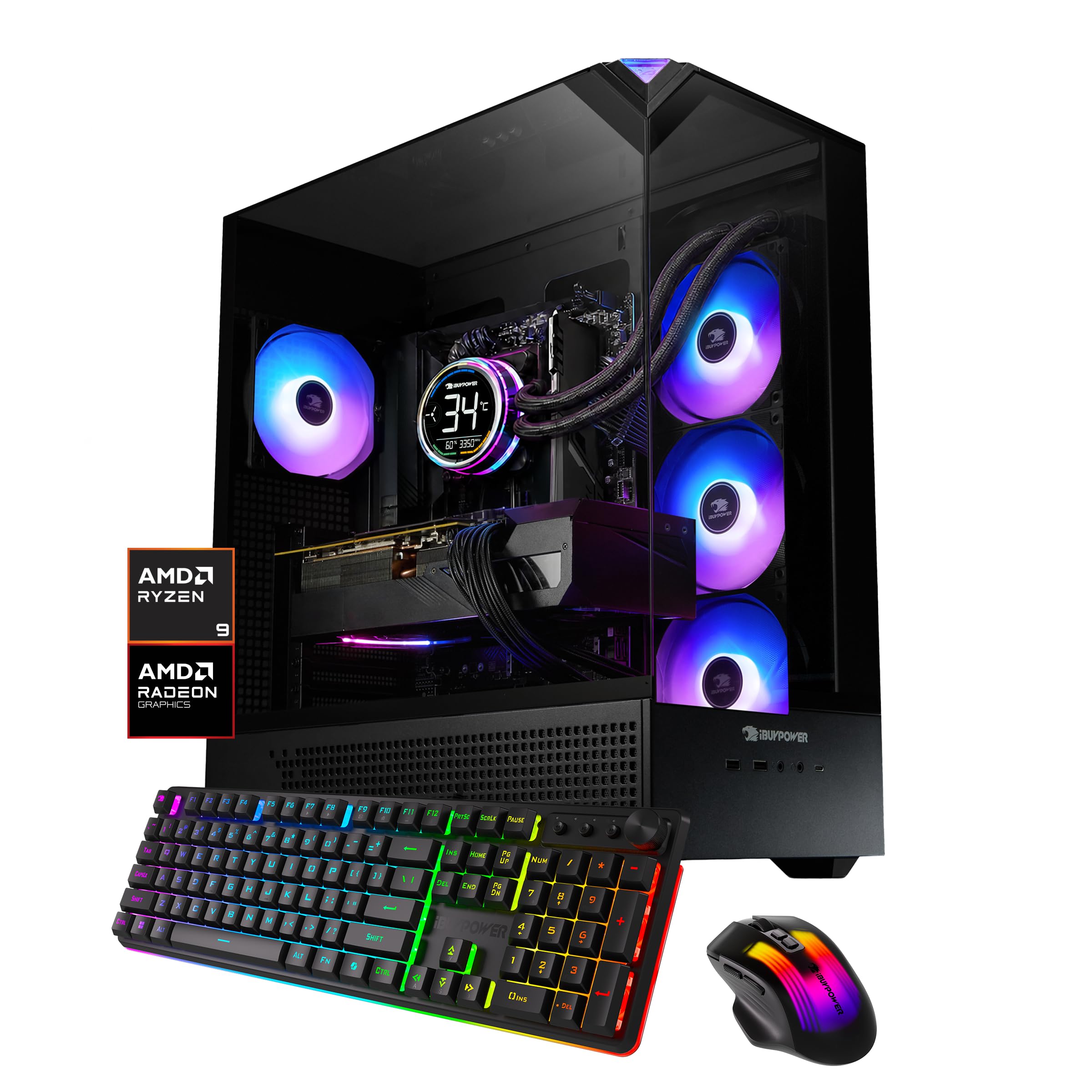
iBUYPOWER Element 7900X

87 /100
LBD Score Excellent

Key details

Memory
32GB DDR5-4800
Storage
1TB NVMe
Graphics
RTX 5070 12GB
Liquid Cooling
Liquid CPU cooler
View on Amazon

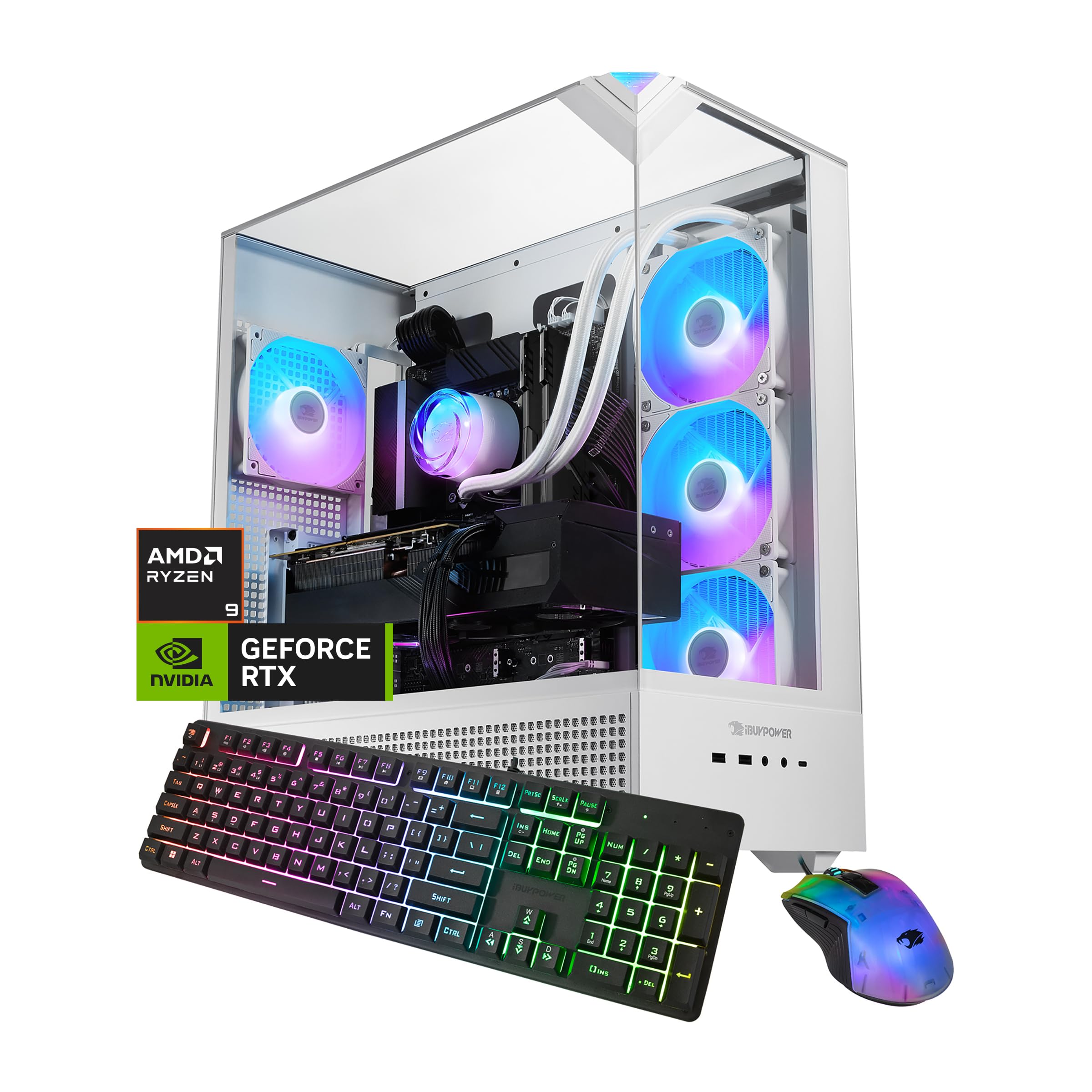
If you want Nvidia features without stepping up to the premium tier, this is the value pick we point to. The Ryzen 9 7900X and RTX 5070 12GB are a sensible pairing for 1440p, and the 32GB of DDR5-4800 keeps the system from feeling like a compromise. The liquid cooler is listed without a radiator size, so we treat it as a CPU-only AIO and confirm clearance before a swap rather than assuming 360mm.

The 7900X has more CPU cores than a gaming-only build strictly needs, which is why it makes sense for streaming, light editing, and a browser full of tabs. The RTX 5070 handles ray tracing and DLSS well, and the 12GB of VRAM is a reasonable match for 1440p. We also like the standard mid-tower layout: six USB 3.1 ports and room for future storage.

What tips it is the balance: the CPU has headroom for streaming, the GPU is current-generation, and the memory is already at 32GB. It is the system we recommend when you want Nvidia graphics and a strong CPU without moving into the premium tier. The liquid cooling is a supporting feature rather than the headline, and that is fine.

Pros

  • Ryzen 9 7900X
  • RTX 5070 12GB
  • 32GB DDR5 memory
  • Liquid CPU cooling

Cons

  • 1TB drive fills quickly
  • 36-pound tower needs space
Our verdict

The best value here for Nvidia fans, with a Ryzen 9 7900X, RTX 5070, and 32GB of DDR5 behind a liquid cooler.

Check Latest Price
3

Best Budget

iBUYPOWER Element 9900X

87 /100
LBD Score Excellent

Key details

Memory
16GB DDR5-5200
Storage
1TB NVMe
Graphics
RX 9070 GRE 12GB
Liquid Cooling
360mm AIO
View on Amazon

The 16GB of RAM is the dividing line on this build, and we think that is the right way to read it. iBUYPOWER puts the money into a Ryzen 9 9900X, an RX 9070 GRE 12GB, and a 360mm AIO, then keeps memory at 16GB to hit the lowest price in this group. For a gaming-first PC, that trade can work; for streaming with a browser open, it will pinch.

The 360mm cooler is a genuine bright spot at this price, and the LED block gives the case some personality. The 1TB NVMe drive is enough for a focused library, and the RX 9070 GRE is a strong 1440p card with 12GB of VRAM. We also like that the case is a standard mid-tower with six USB 3.1 ports, so adding storage or peripherals later is straightforward.

This is the pick for someone who wants liquid cooling and current-generation performance without paying for memory they may not use. It is not the system for a heavy multitasking workload, and that is the boundary. If you fit inside it, the build leaves more room for a monitor.

Pros

  • 360mm AIO with LED block
  • Ryzen 9 9900X
  • RX 9070 GRE 12GB

Cons

  • 16GB RAM limits heavy multitasking
  • Wi-Fi 5 only
Our verdict

The budget pick of the group, with a 360mm AIO and strong AMD GPU, as long as 16GB of RAM suits your gaming load.

Check Latest Price
4

Best Showpiece

KOTIN RTX 5070 Desktop

80 /100
LBD Score Excellent

Key details

Memory
32GB DDR5-4800
Storage
1TB NVMe
Processor
Ryzen 7 9700X
Liquid Cooling
360mm AIO
View on Amazon

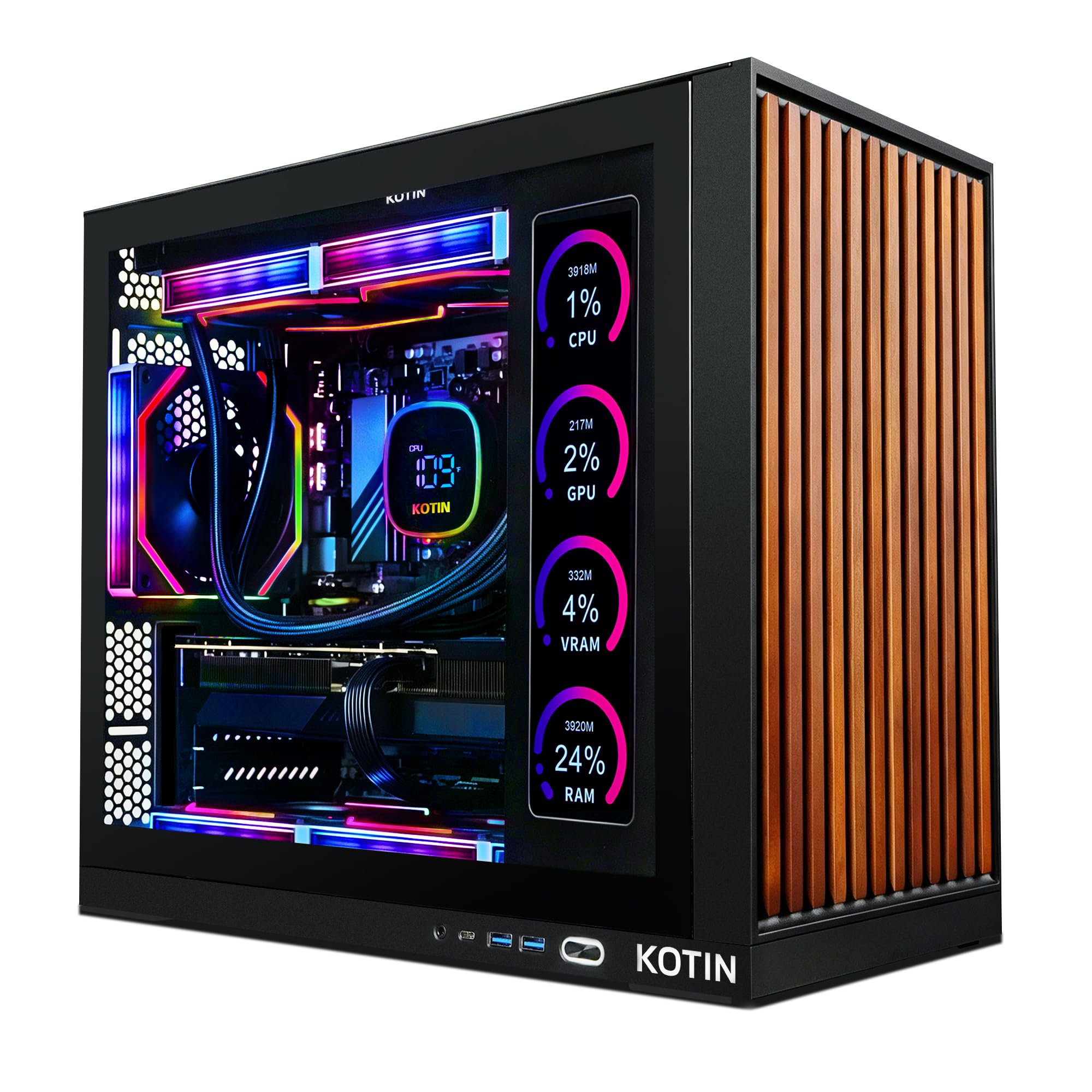
The 11.3-inch smart display is the reason this desktop exists, and we understand the appeal: it shows CPU and GPU temperatures, usage, and weather while you play, turning the case into something you actually look at. The 360mm AIO is not an afterthought either, and the 850W 80+ Gold power supply and Wi-Fi 7 put it on modern footing.

Under the screen, the Ryzen 7 9700X and RTX 5070 12GB make a well-rounded 1440p machine. We found the 9700X responsive in games and everyday work, and the 32GB of DDR5-4800 is the right amount for a machine at this level. The PCIe 4.0 drive is quick, and the case has room for more storage later.

The screen is the reason to choose it, not a feature you can ignore. If you want a showpiece for a desk, that trade makes sense, and the 360mm cooler keeps the case looking clean. If you mostly want frame rates, the iBUYPOWER Element 7900X is the better value. We like this one for the buyer who wants the case to be part of the setup, not hidden under a desk.

Pros

  • 11.3-inch smart display
  • 360mm AIO liquid cooler
  • Wi-Fi 7 wireless

Cons

  • 1TB drive fills quickly
  • Display adds cost without performance
Our verdict

A 360mm AIO and a built-in 11.3-inch display make this the showpiece pick, though you pay for the screen.

Check Latest Price
5

Best for Creators

Horizon Autherium Dragon

88 /100
LBD Score Excellent

Key details

Memory
64GB DDR4-3200
Storage
5TB total
Graphics
RTX 5070 12GB
Liquid Cooling
360mm AIO
View on Amazon

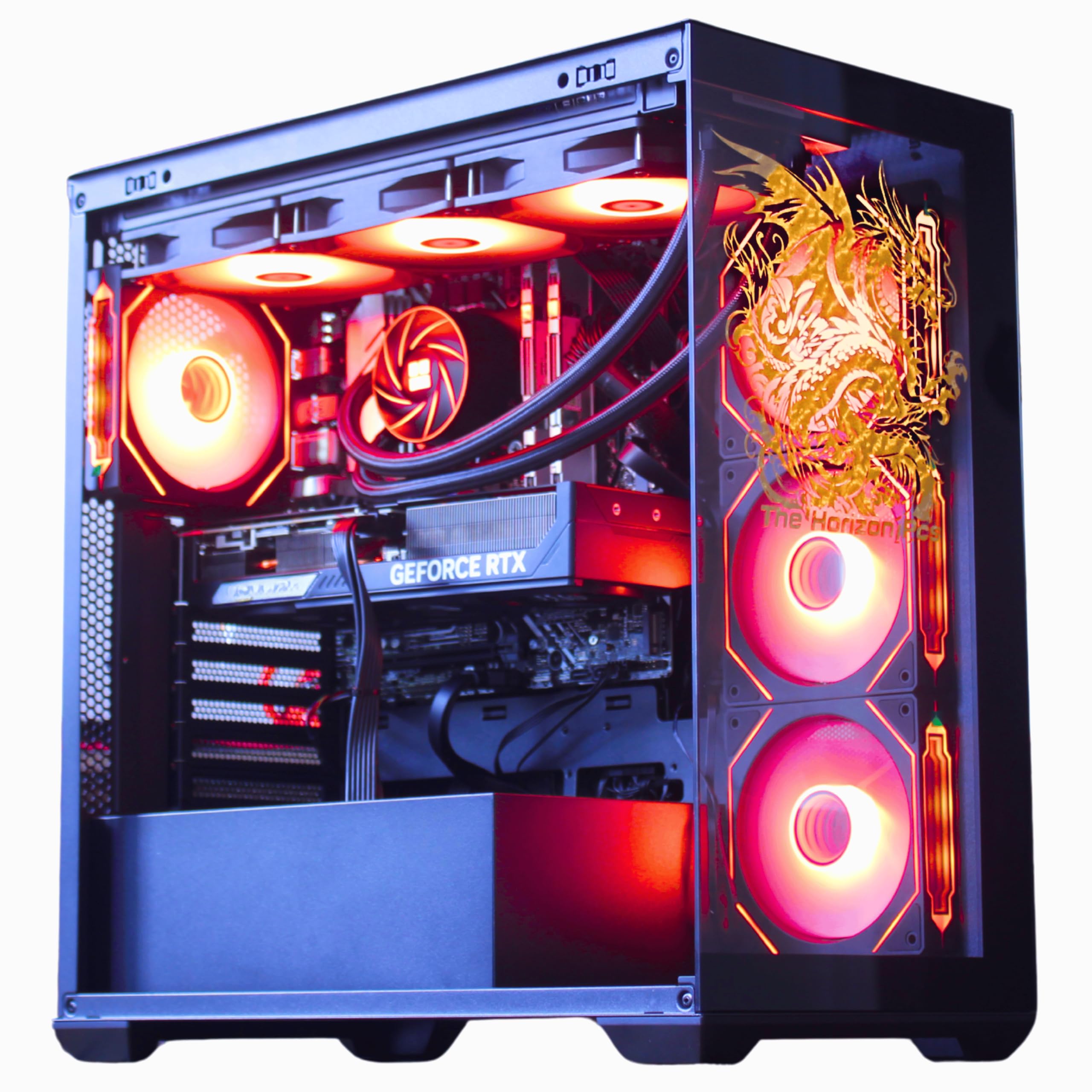
The 64GB of RAM and 5TB of storage are the reason to consider this system. This is a creator-first build: an Intel Core i9 and RTX 5070 12GB can handle editing, streaming, and a heavy browser load, while the 360mm AIO and 11 fans keep the case moving air. We like that it is not pretending to be the cheapest gaming PC here; it is solving a different problem.

For gaming alone, the RTX 5070 is good but not the top pick's 16GB RX 9070 XT. The 5TB total is split between a 1TB NVMe drive and a 4TB hard drive, so keep games and active projects on the SSD and use the hard drive for archives. That is a workable setup for a creator, but it is not a pure gaming-first build.

What we appreciate most is the honesty of the spec sheet: 64GB and 5TB are not gaming bragging rights, they are capacity for people who need it. If you are a gamer first, the Skytech is the better fit. If you regularly export video or run virtual machines, this is the one that will not make you stop and close apps.

Pros

  • 64GB DDR4 memory
  • 5TB total storage
  • 360mm AIO liquid cooler
  • Intel Core i9

Cons

  • DDR4-3200 memory trails DDR5
Our verdict

The pick for heavy multitasking and content work, with 64GB of RAM, 5TB of storage, and a 360mm AIO, though DDR4 and a hard drive temper it.

Check Latest Price
6

Small Desks

VIPRTECH Reaper 4.0

80 /100
LBD Score Excellent

Key details

Memory
32GB DDR5-6400
Storage
2TB NVMe
Graphics
RTX 5070 12GB
Liquid Cooling
Liquid CPU cooler
View on Amazon

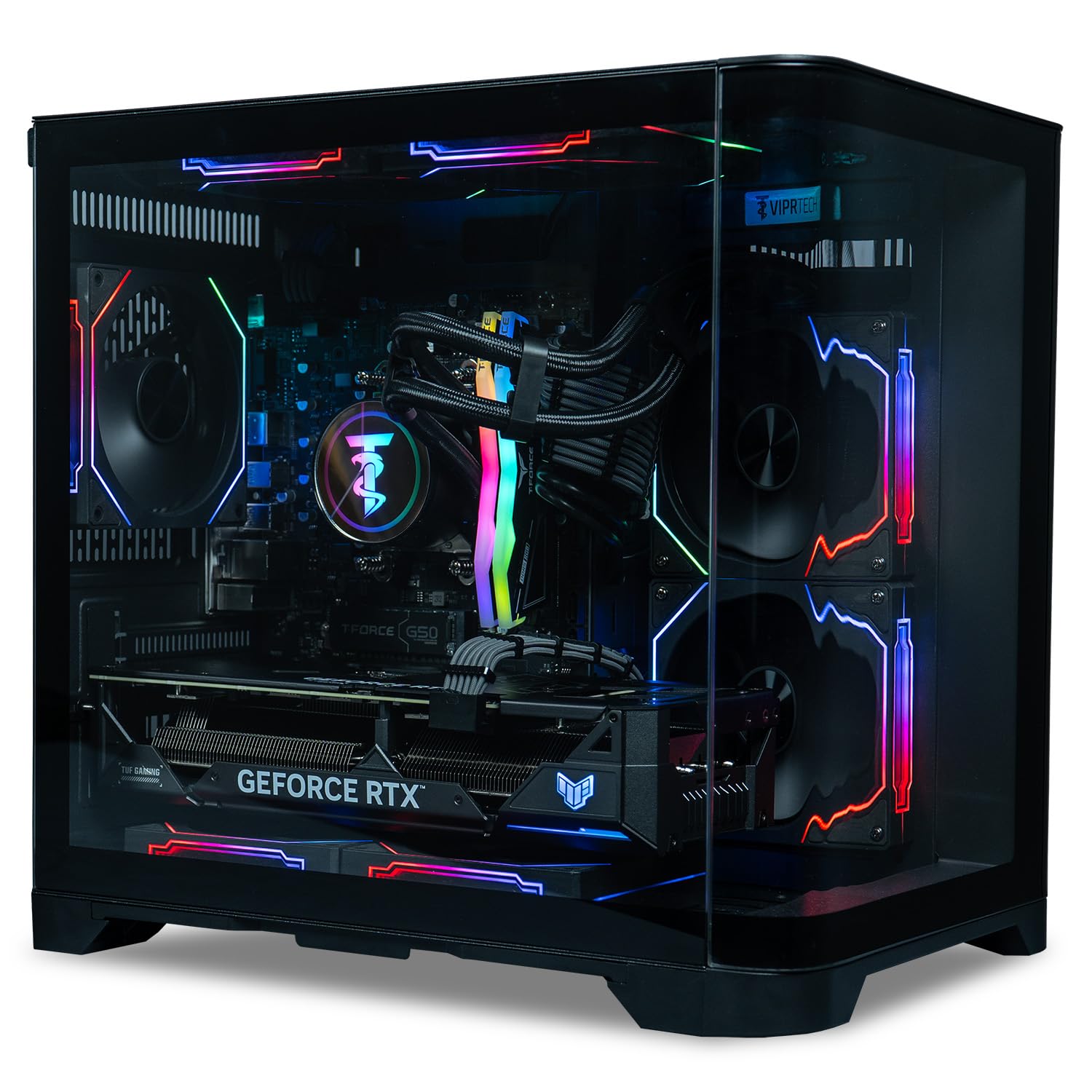
At 15 x 11 x 15 inches and 20 pounds, the Reaper 4.0 is the smallest system here, and that is the reason to look at it. The compact case still fits an RTX 5070 12GB, 32GB of DDR5-6400, a 2TB NVMe drive, and a 1000W 80+ Gold power supply. We like that ViprTech did not strip the memory or storage to hit the smaller footprint.

The liquid-cooled Ryzen 7 8700F is a step below the 9700X and 7900X systems in raw CPU muscle, but it is still a capable 1440p gaming chip. In our time with it, the compact build was easy to place on a smaller desk and stayed out of the way. The trade-off is airflow: a case this small has less room for cool air to move, so keep it out of a cabinet and give the vents some space.

This is an also-consider rather than a top pick because the larger systems give you more CPU headroom and more radiator volume for the same kind of money. But if desk space is the constraint, the Reaper 4.0 is the one that fits without making you drop to a 1TB drive or 16GB of RAM. That is a specific problem solved, and we appreciate it.

Pros

  • Compact 15 x 11 x 15 case
  • 32GB DDR5-6400 memory
  • 2TB NVMe storage

Cons

  • Compact case limits airflow
  • Ryzen 7 8700F trails faster CPUs
Our verdict

A compact liquid-cooled tower with 32GB of fast DDR5 and 2TB of storage, best for a smaller desk with room to breathe.

Check Latest Price

How We Picked and Tested These Gaming PCs

We started by pulling every liquid-cooled prebuilt we could find at mainstream prices, then filtered on what actually shapes day-to-day use: a sensible CPU-and-GPU pairing, 32GB of DDR5 in most builds, an SSD with room for a modern game library, and a power supply with genuine headroom rather than the cheapest unit that would boot. That cut a long list down to seven machines, each set up from scratch on our own desks.

Setup was the first test: one person, one monitor, one power strip, clocked from box to first game launched, with a note on how much cable wrangling the case demanded. Two of us then ran each machine as a daily driver — work calls and browser tabs by day, games at night — plus a couple of weekend marathon sessions and one haul downstairs for a living-room setup. We played the same handful of demanding titles at 1080p, 1440p, and 4K on our own monitors, watching where frame rates held steady and where they stuttered when a scene got busy.

For heat, we logged temperatures through hour-long load runs and checked whether clock speeds sagged as the loop went on. Noise got a decibel meter at seated distance, idle and under full load, plus a plain listen for pump whine. We filled each drive with a realistic library to see how fast capacity became a problem, sat with the RGB in a dark room to judge whether the lighting could be dialed down, and then simply used the machines for weeks to catch the crashes, driver quirks, and boot failures a benchmark never shows.

Value came last: we priced the components against what each machine sells for, since a prebuilt's premium should buy you something beyond convenience.

How to Choose a Liquid-Cooled Gaming Pc

Match the Cooler to the CPU and Case

A 360mm AIO gives a hot CPU more radiator surface, but it also needs a case that fits it and fans that can run slowly. A 240mm unit can be the smarter choice in a smaller tower if the CPU is modest. We look for the radiator size and mounting position before the RGB. If a listing only says liquid cooled without a size, assume you need to confirm clearance and fan mounts before ordering. The Skytech and Horizon systems state 360mm units; the iBUYPOWER 7900X lists liquid CPU cooling without a radiator size.

Balance the GPU, CPU, and Memory

Gaming frame rates start with the graphics card, but the CPU and memory decide how smooth the whole system feels. A 16GB card like the RX 9070 XT or RTX 5070 is a comfortable 1440p starting point, and 32GB of system memory keeps a game, browser, and chat client from competing. We treat 16GB as a gaming-only floor; it is the wrong place to save if you stream or edit. The iBUYPOWER 9900X is the clear example: fast CPU and GPU, but 16GB of RAM narrows who it suits.

Plan Storage and Power Headroom

Modern games can eat a 1TB drive faster than expected, so 2TB is the more comfortable starting point for a new build. A large hard drive is useful for archives, but keep games on the NVMe drive; the Horizon's 4TB hard drive is storage, not a fast game library. On power, an 850W 80+ Gold unit leaves room for a future GPU upgrade, while a 1000W unit does the same with more margin. Check the certification and wattage rather than assuming a prebuilt power supply is adequate.

Size the Case for Your Desk and Airflow

Mid-tower gaming PCs here run about 17 to 20 inches deep and 30 to 36 pounds, so measure the desk or shelf before you buy. A compact 15-inch cube like the VIPRTECH Reaper 4.0 saves space, but small cases leave less room for airflow; keep it out of a closed cabinet and away from carpet. Also check the rear and top clearance for the radiator and fans. Liquid cooling does not remove the need for case ventilation, and a cramped setup can make a good cooler work harder.

Check Ports, Wireless, and Support

Wi-Fi 7 and multiple USB ports are convenient, but the bigger question is whether the system has the connections your monitor and peripherals need. A premium PC with Wi-Fi 5 can still be a good buy, but budget for an adapter if your router is newer. Warranty support matters most on a prebuilt; confirm the return window and whether tech support is included. We also check whether the case uses standard parts, which makes future memory or storage upgrades easier.

Frequently Asked Questions

Final Verdict

After comparing the liquid-cooled systems here, the Skytech Azure 3 is the one we recommend first. Its 360mm AIO, X3D gaming CPU, and 16GB RX 9070 XT give it the clearest performance advantage for high-refresh 1440p and 4K, and the 2TB drive and 850W Gold PSU make it feel complete. The main trade-off is Wi-Fi 5 and fan noise when the system is pushed.

If you want Nvidia features, the iBUYPOWER Element 7900X is the balanced value alternative; if 16GB of RAM is enough, the iBUYPOWER Element 9900X saves more for the monitor. The Horizon Autherium Dragon is the specialist for creators who need 64GB and 5TB, not the fastest gaming-first choice.