Best MIDI Controllers of 2026

Every MIDI controller is a trade-off between desk space and how much keyboard you actually get. A 25-key unit fits in a backpack and still leaves room for a second monitor; an 88-key board gives you two hands and the full range, but it isn't living on a small desk. Pick the size you'll honestly play and the decision shrinks fast. The right one turns the piano roll you've been drawing with a mouse into something you play with your hands.

Key feel is where the money goes, and it's the one thing you can't upgrade later — no firmware update turns mini keys into synth-action keys. I've spent six months with 11 controllers, from slim 25-key boxes to a full 88, playing them the way I actually work: writing chords at my desk, building drum patterns on the pads, and hauling one to rehearsal. Some patterns held across all of them.

The ones worth your money share a keybed that doesn't fight you, a mapping that talks to your DAW without a manual, and knobs and faders that land where your hand expects. What follows is sorted by who each one suits.

1

Best Overall

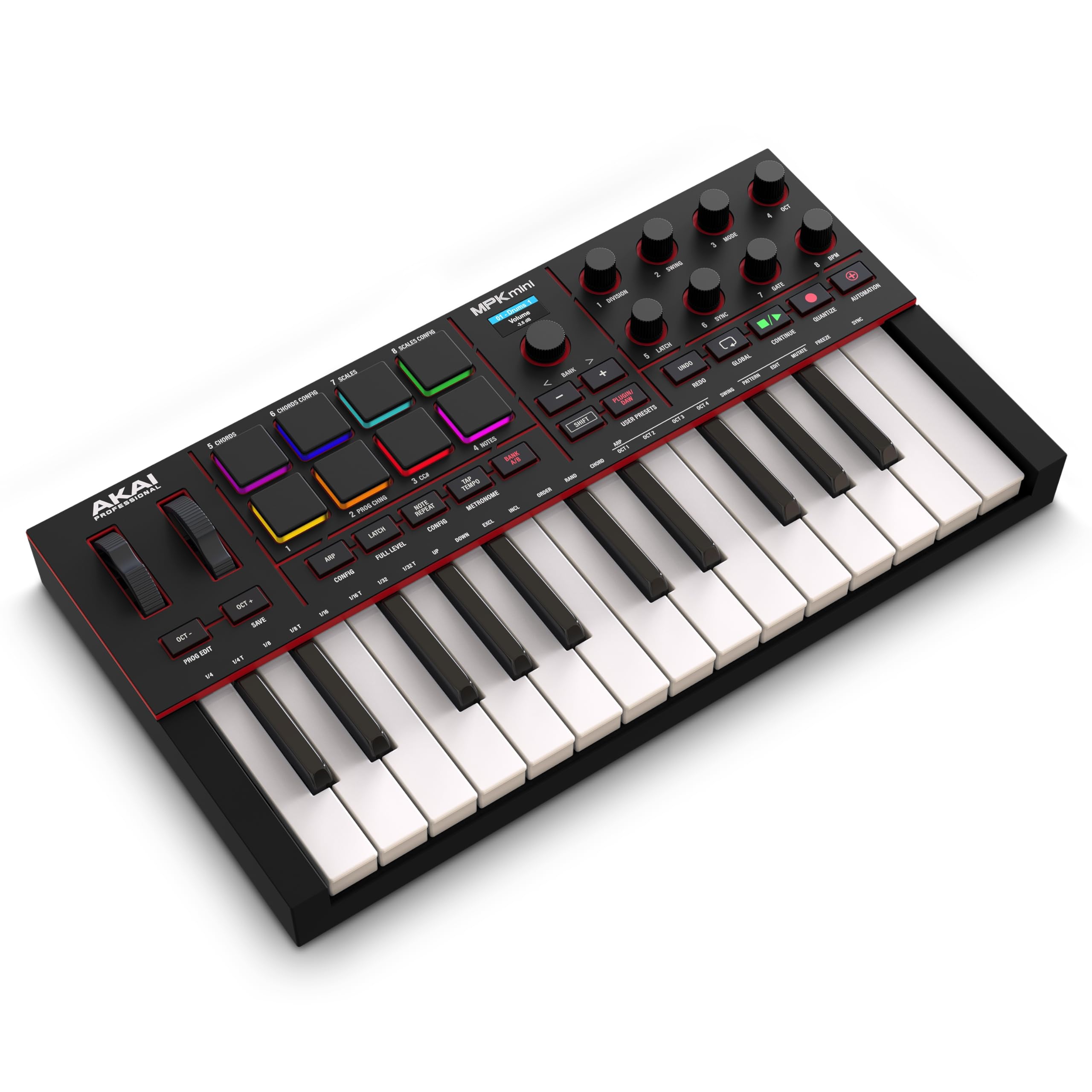
Akai Professional MPK Mini IV

93 /100
LBD Score Outstanding

Key details

Keys
25 mini, velocity-sensitive
Weight
2.2 lb
Connection
USB-C, bus powered
Pads And Knobs
8 pads, 8 knobs
View on Amazon

A full-color screen and a push-and-turn encoder are two things no other 25-key controller here gives you, and they change how often you look away from your laptop. Chord mode, scale mode, the arpeggiator and patch names all land on that display, so you can set a key and start playing without reaching for the mouse. The board is 13.88 by 7.56 inches and 1.44 inches tall, and at 1 kg it moves between desk and bag without complaint.

What earns it the top spot is how much of a studio it packs into that footprint. Twenty-five velocity-sensitive keys with an octave range that runs ten octaves up and down, eight velocity- and pressure-sensitive MPC pads, eight 360-degree knobs and USB-C bus power — the whole beat-making surface, not just a keyboard, for less money than the Arturia and M-Audio boards here. We were also impressed by how much the RGB pad feedback helps when you're triggering clips with the lights low.

The keys are where the compromise sits. They're mini keys and they want a firm press; if you play piano parts from muscle memory, that stiffness will fight you, and the 37-key Arturia or a full-size Keystation is a better home for that playing. For basslines, chord stabs and drum programming — what this board is for — we found the action quick enough to forget about.

Akai's software bundle is the other half of the deal: Ableton Live Lite 12 plus a suite of AIR, Akai and Moog instruments, with mapping for Logic Pro and FL Studio already in place. That's the shortest route from unboxing to a finished loop of anything in this group.

Pros

  • Screen and encoder keep you off the mouse
  • Eight pads and eight knobs cover beats and plugins
  • USB-C power and a 1 kg body travel well
  • Software suite gets a beginner to a first track

Cons

  • No fader bank; mixing is knobs and mouse
  • Some DAW mappings need manual work
Our verdict

If you want one small controller that covers keys, beats and plugin tweaks, this is the one we point most people to — it's the most complete 25-key board here.
Check Latest Price
2

Best for Two-Handed Playing

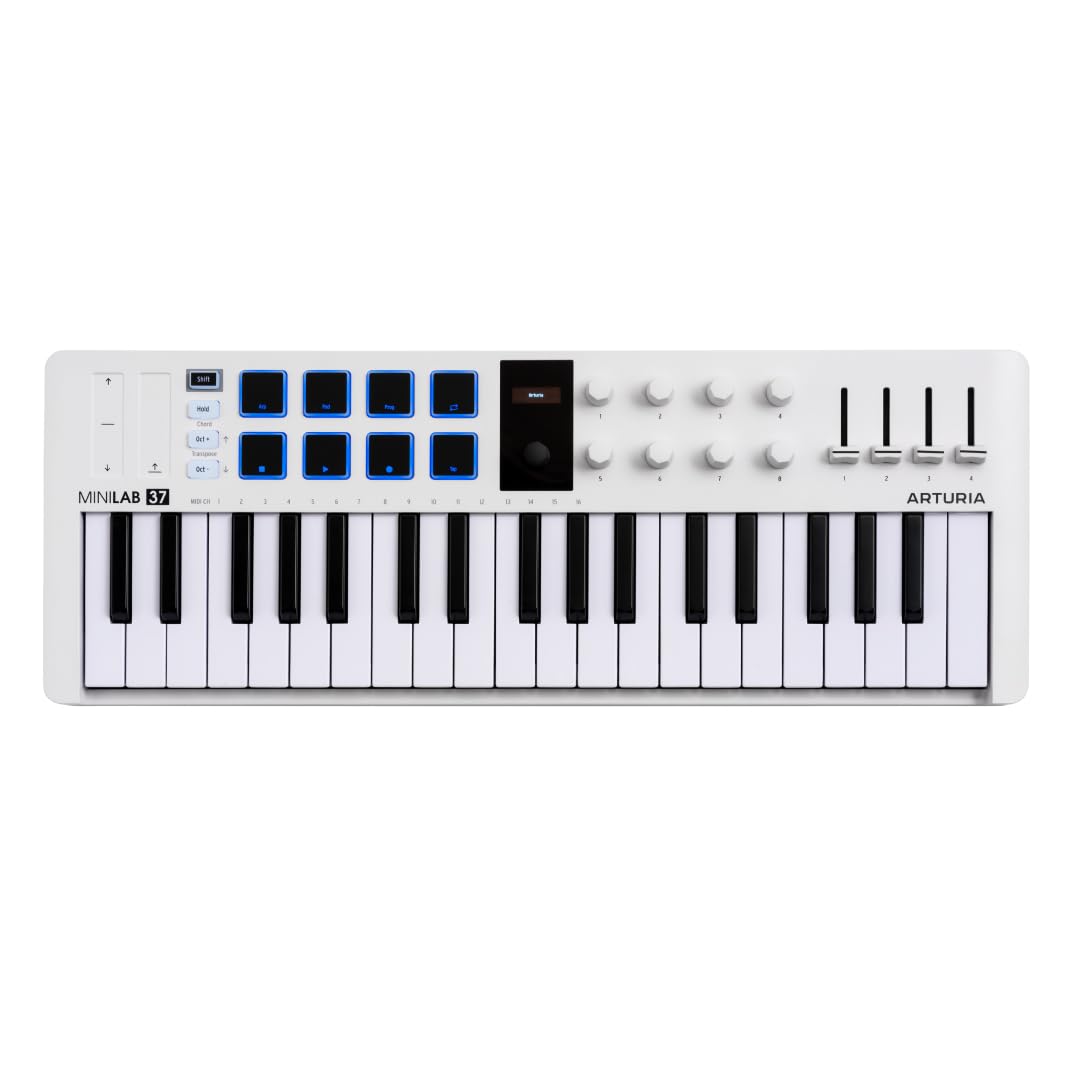
Arturia MiniLab 37

92 /100
LBD Score Outstanding

Key details

Keys
37 slim, velocity-sensitive
Pads
8 in a 2x4 stack
Weight
2.58 lb
Controls
Faders, encoder, mini display
View on Amazon

Thirty-seven keys is twelve more than the compact boards here, and that dozen is the difference between playing chords in one hand and actually using two. Arturia fits them into a shell that stays desktop-friendly, and at 1.17 kg it's still light enough to carry between rooms without thinking about it.

The hardware around the keys is more generous than the size suggests: a 2x4 stack of pads for finger drumming and clip launching, faders that map to your DAW, a small display that shows values as you turn, an arpeggiator, chord mode and one-button transposition. Stacking the pads two-by-four rather than in a single row keeps the whole pad section under one hand, which matters more than it sounds like it should when you're launching clips mid-set.

Where it beats the 25-key Arturia is anything you play rather than program. The slim keys take noticeably less force than the Akai's mini keys, so runs and chords don't tire your hands, and the extra range means a bassline and a chord can share a take without a trip to the octave buttons. If you write songs at a desk rather than chop samples, this is the one we hand you first.

The finish is better than the money suggests — tidy panels, wood-look sides, a board that looks deliberate on a desk rather than assembled from parts. It's the sort of thing you leave out instead of putting away.

Pros

  • 37 slim keys allow two-handed playing
  • Faders and a mini display for DAW control
  • Light at 1.17 kg for its size
  • Generous Arturia software bundle

Cons

  • Pads trail the keybed for quality
  • Bundled software takes an evening to install
Our verdict

Two-handed players get the better end of this one: more keys, lighter action, and a footprint that still fits a desk.

Check Latest Price
3

Best for Ableton Live Performance

Akai Professional APC Mini MK2

91 /100
LBD Score Outstanding

Key details

Pads
64 RGB, 8x8 grid
Faders
8 channel, 1 master
Weight
1.79 lb
Mapping
1:1 with Ableton Live
View on Amazon

This is the one pick here that isn't really a keyboard: an 8x8 grid of 64 RGB pads and nine faders, built around Ableton Live's Session view with one-to-one mapping. For playing a live set, that's the most direct control in this group — the grid under your hands is the grid on the screen, and triggering a scene stops being a trackpad operation.

Sixty-four pads is a full screenful of clips. Launch, stop and re-trigger scenes without leaving the grid, ride eight channel faders plus a master, and switch to Drum mode to play Ableton's Drum Rack straight from the pads. Note mode turns the grid into a scale-locked keyboard with the scale lit up, which is a genuinely different way to sketch a melody — and one we reached for more often than expected.

At 9.48 by 8.28 by 1.2 inches and 810 g it drops into a gig bag next to a laptop, and Ableton Live Lite is in the box, so the surface and the software that drives it arrive together. If you're starting from nothing, that's a working rig in one order.

The RGB pads mirror clip colors from Ableton, which is the detail that made us stop missing the laptop screen: after two sessions you navigate by color rather than by reading labels. It's the closest thing here to playing an instrument that happens to be a spreadsheet.

Pros

  • 64 pads show a full Session view
  • Nine faders for a hands-on mix
  • One-to-one mapping with Ableton Live
  • Fits a gig bag at 810 g

Cons

  • Outside Ableton, every control needs mapping
Our verdict

An Ableton Live set stops being a trackpad job: 64 clips and a whole mix under your hands in a bag-sized box.

Check Latest Price
4

Best Full-Size Keys on a Budget

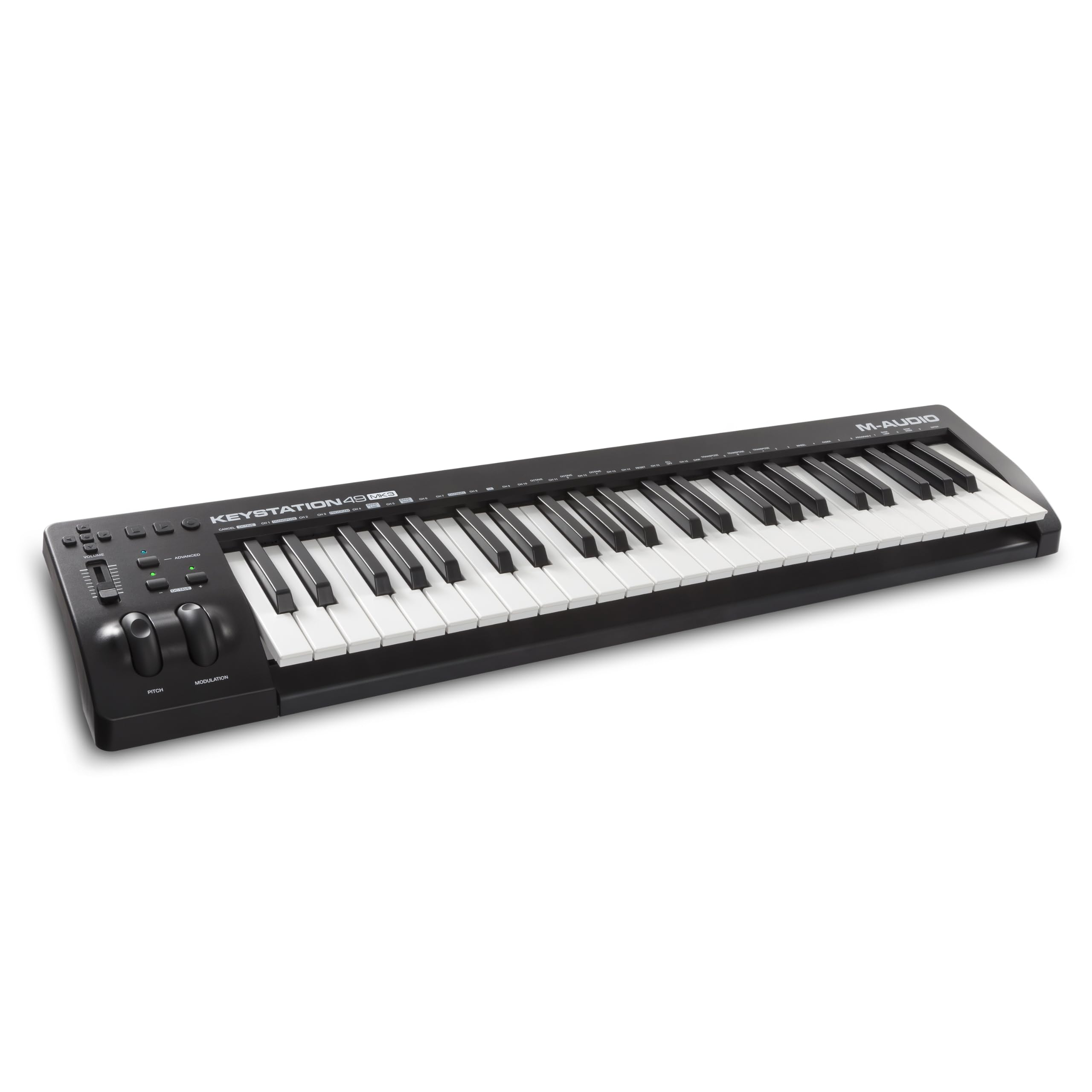
M-Audio Keystation 49 MK3

89 /100
LBD Score Excellent

Key details

Keys
49 full-size, velocity-sensitive
Weight
4.9 lb
Controls
Volume fader, transport buttons
Pedal Input
Sustain pedal input
View on Amazon

Full-size keys are the whole argument for the Keystation 49: forty-nine of them, velocity-sensitive, with the light synth-action feel of a keyboard rather than the stubby resistance of a mini controller, and proper pitch and mod wheels to the left where your hands expect them.

We reach for it whenever a part needs width — chords voiced properly, a bassline that isn't squeezed into two octaves, a melody played with both hands. It's the least expensive route to full-size keys in this group, and the sacrifice is control: one volume fader, a row of transport buttons, no pads and no knobs. If you already own a pad controller, or you do your tweaking on screen, that's an easy trade to take.

Setup really is plug-and-play: no driver, no power supply, and it works with an iPad through Apple's camera adapter. At 32.26 inches wide and 4.9 pounds it lives on a desk or a stand rather than in a bag, and the port is the old square USB-B, so keep track of the cable in the box.

One thing to test in the first week is recognition. If your DAW doesn't list it on first connect, try another USB port and rescan the MIDI devices before you decide anything is wrong — the keyboard itself has no settings to fight with.

Pros

  • 49 full-size velocity-sensitive keys
  • Sustain pedal input and pitch/mod wheels
  • Plug-and-play USB with no driver
  • Light enough to move at 4.9 pounds

Cons

  • No pads or knobs beyond one fader
  • May need a port swap before it's recognized
Our verdict

For players who want real key width and nothing else, this is the value pick: 49 full-size keys, sustain pedal input, and no money spent on pads.

Check Latest Price
5

Best for Mixing and Fader Control

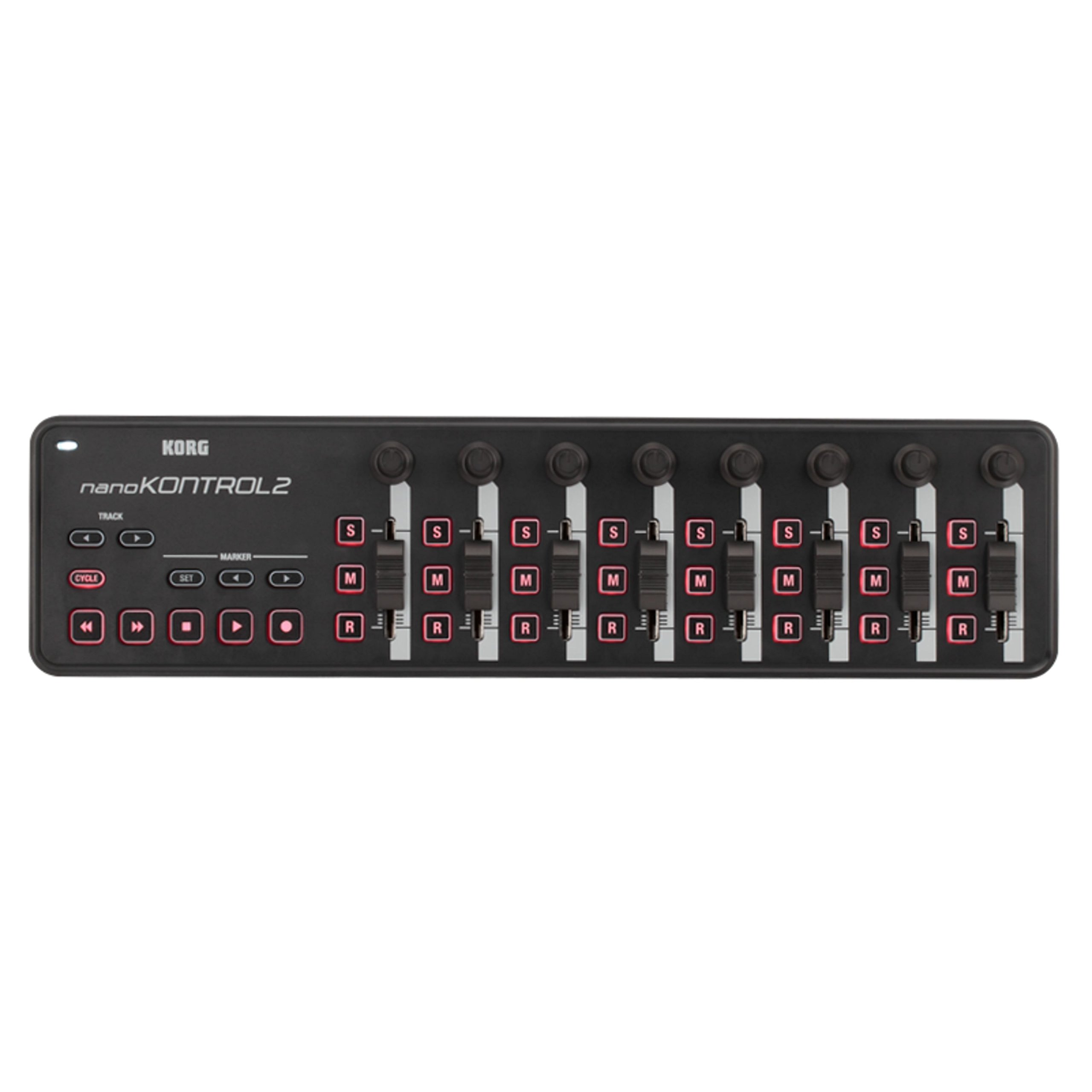
Korg nanoKONTROL2

94 /100
LBD Score Outstanding

Key details

Weight
10.3 oz
Channels
8
Controls
Faders, solo, mute, record
Transport
Track select, marker advance
View on Amazon

Eight channels of faders in a slab 1.18 inches tall — that's the nanoKONTROL2's whole pitch, and for a lot of home setups it's the missing piece. There are no keys and no pads: what you get is a fader bank with solo, mute and record buttons, a transport section, and track-select and marker buttons for moving around a session without the mouse.

We like it as the second box on a desk that already has a keyboard. Riding a vocal with a fader under your hand is a different job from dragging a line on screen, and eight channels covers a compact arrangement in a single pass. It's USB bus-powered and weighs 293 g, so it slips into a laptop bag and back out again.

The programmable part matters more than it sounds. Assigning different applications to different channels turns the surface into a volume desk for the whole machine rather than just a DAW, so the same faders serve your session and whatever else is running.

It won't replace a keyboard, and it isn't the surface to buy if you want pads to hit. As the fader section your keyboard doesn't have, nothing here does the job for less.

Pros

  • Eight channels of faders in a slim slab
  • Transport and marker buttons reduce mouse work
  • 293 g and bus-powered for travel
  • Assignable per application

Cons

  • Manual mapping in DAWs without a template
  • Light-duty feel next to the keyboards here
Our verdict

If your mixes are all mouse work, this is the least expensive pick here and the only pure mixer: eight faders, transport, and no keys to pay for.

Check Latest Price
6

Tight Desk Spaces

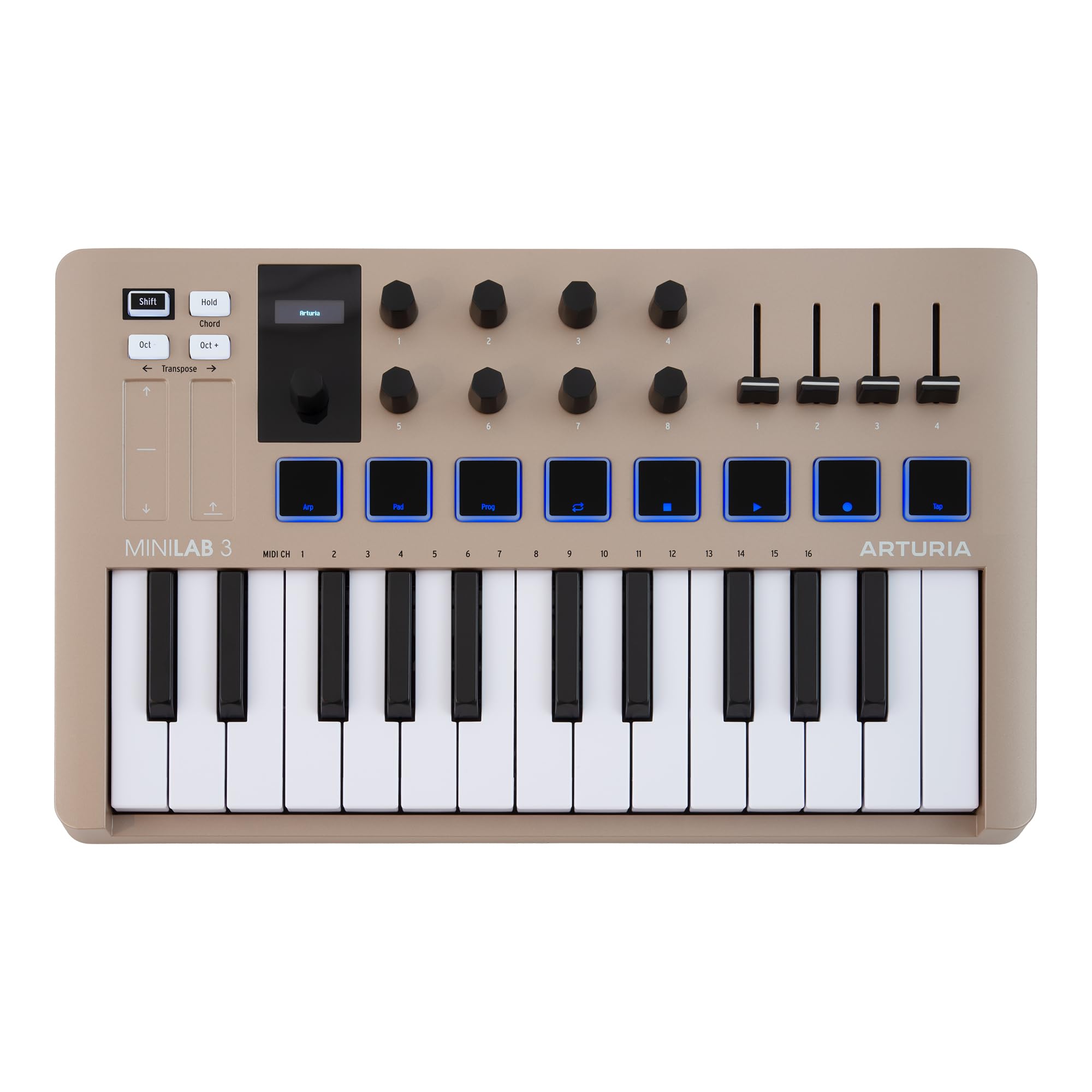
Arturia MiniLab 3

92 /100
LBD Score Outstanding

Key details

Keys
25, velocity-sensitive
Weight
2.2 lb
Software
Arturia suite included
Warranty
5 years
View on Amazon

Champagne is an odd choice for studio gear and we ended up liking it: the MiniLab 3 is the one controller here that looks deliberate on a desk rather than purely functional. Under the finish it's the 25-key version of the Arturia keybed, with slim keys that take light pressure and respond smoothly to velocity.

The software gives it a second life. Arturia's suite supplies instruments and presets to play immediately rather than a folder of installers to work through, and the five-year manufacturer warranty is the longest coverage in this group by a wide margin — the others stop at one.

Size is the trade. Twenty-five keys means two-handed parts want the 37, and at 1 kg this is a board that's happiest left in place rather than carried around, though it moves easily enough when it has to.

We put it in also-consider rather than the top tier because the Akai does more for less money: a screen, an encoder and the same pad count. What the MiniLab 3 has is the nicer keybed, the better-looking case and the longer warranty — a real reason to choose it if you play more than you program.

Pros

  • Slim keys with light, smooth action
  • Arturia software suite included
  • Five-year manufacturer warranty
  • Champagne finish looks good on a desk

Cons

  • 25 keys limit two-handed parts
Our verdict

A 25-key board with the nicest keys in its size class here and five years of warranty — pick it if Arturia's instruments are where you want to start.

Check Latest Price
7

Piano-Range Arranging

M-Audio Keystation 88 MK3

89 /100
LBD Score Excellent

Key details

Keys
88 full-size, semi-weighted
Weight
13.8 lb
Controls
Volume fader, transport, wheels
Pedal Input
Sustain pedal input
View on Amazon

Fifty-four inches wide and 13.8 pounds: decide where the Keystation 88 lives before you order it. What that space buys is the full 88-key range in a board one person can still move — full-size, velocity-sensitive, semi-weighted keys, enough for piano parts and for fitting a whole arrangement on one keyboard.

The rest of the package is the same plain one M-Audio fits to the 49: a volume fader, transport buttons, pitch and mod wheels, octave buttons and a sustain pedal input, with USB power and no driver to install. You're paying for keys and range here, not for pads, and the slim 2.88-inch case sits on a stand without blocking the screen behind it.

For a home studio that writes piano, orchestral or layered parts, we think that's the right trade. Semi-weighted keys aren't hammer action, so a pianist will feel the lighter touch, but they're consistent across the range and quick enough for synth work. If you also need a drum grid, a small pad controller on the desk is the cheaper way to add one.

What it can't do is travel: 54 inches needs a case, a car with a folded seat, and a plan.

Pros

  • Full 88-key range in one board
  • Sustain pedal input and pitch/mod wheels
  • USB powered with no driver
  • Slim case for a full-range board

Cons

  • 54 inches wide; needs a permanent spot
  • Semi-weighted, not hammer-action keys
Our verdict

For a home studio that plays piano parts, the range is worth the wall space: 88 semi-weighted keys, USB power, and no pads you'll never use.

Check Latest Price

How We Tested the Best MIDI Controllers

We built the shortlist by reading spec sheets and user reviews side by side, filtering for keybed size, bus power over USB, and whether the maker ships a DAW mapping instead of leaving you to build one. Anything that needed a wall adapter just to wake up got cut early, as did controllers whose pads felt like an afterthought. That left 11 units, which I lived with for six months.

Each one sat on the same desk with the same laptop and monitors. I played a two-octave scale and the same four-chord progression on every keybed, noting whether keys bottomed out with a thud or sprang back, whether the black keys sat level, and how the spacing compared to the piano I learned on. On the pads, I hit one pattern soft, medium, and hard to find exactly where velocity started registering.

Setup was timed from unboxing to first note, manual closed. I checked whether transport buttons and faders mapped to a DAW on their own or needed a script, plugged each into a laptop, a tablet through a USB-C hub, and a hardware synth over five-pin MIDI wherever those ports existed, and listened for lag between a pad hit and the sound.

Build quality got the least gentle treatment: every controller rode in a backpack to two rehearsals, and I pressed on the chassis corners and wiggled each knob to see what flexed. Value came down to what shipped in the box — software, a sustain pedal input, real wheels instead of touch strips — weighed against what it cost.

How to Choose a Midi Controller

How Many Keys, and How Big

Twenty-five mini keys is where most people start, and it's enough for basslines, chord stabs and drum programming. It is not enough for two-handed playing, because you'll spend the session on the octave buttons. Thirty-seven is the smallest size where both hands can work at once, and the Arturia MiniLab 37 covers that in a shell that still sits under a monitor. Forty-nine full-size keys, as on the Keystation 49, is where piano parts start to feel natural; if you arrange whole pieces at a keyboard, 61 or 88 saves scrolling.

Key size matters as much as key count. Mini keys are fine for programming and catching ideas; full-size keys let your hands use shapes they already know. Action is the other half of the decision — synth-action keys are light and fast, semi-weighted ones push back a little. Piano action isn't part of this category at all: even our 88-key pick is semi-weighted.

What Sits Beside the Keys

Count the things you reach for the mouse to do. If it's launching clips, you want a grid — the APC Mini MK2 puts 64 pads in front of you. If it's programming drums, eight good pads will do. If it's riding levels, a fader bank like the nanoKONTROL2's is worth more than any number of knobs, because a fader tells you where it is without you looking. Knobs are for plugin parameters and work best in groups of eight.

The trap is buying a controller with one of everything and discovering you use none of them well. Pick the two controls you'll touch in every session and let the rest go.

Software and DAW Mapping

Every controller here is a box of controls until software makes sound, so the bundle matters more than beginners expect. Ableton Live Lite, MPC Beats and Arturia's instruments are genuine starting points, and a good suite is the difference between playing on day one and shopping for a synth.

The trap is the phrase pre-mapped. It means the obvious transport and mixer controls are assigned — not that every knob lands where you want it. Expect an evening of reassignment, and buy a surface that already has a template for your DAW. An Ableton-first grid controller is the wrong purchase for someone working in FL Studio, however good the pads are.

Desk Space and Connection

A 25-key board sits in front of a laptop on almost any desk. A 32- to 49-key board wants a deep desk or a stand. An 88-key board is 54 inches wide and needs a permanent home — check that width before anything else, because a controller that doesn't fit where you work doesn't get used.

Connection is the easy part. Everything here runs on USB bus power with no wall supply, which is exactly why the cable matters: USB-C is the sturdier modern connector, while the Keystations use the older square USB-B, so keep track of what came in the box. If you play with a sustain pedal, check for a pedal input — not every board has one.

Frequently Asked Questions

Final Verdict

The Akai MPK Mini IV is the controller we point most people to: 25 keys, eight pads, eight knobs and a screen in a package small enough to leave on the desk, which is where a controller earns its keep. If you play with both hands, the Arturia MiniLab 37 is worth the step up for the extra keys alone. If your set happens in Ableton's Session view, the APC Mini MK2 replaces the mouse more completely than any keyboard here.