Best Mini Wireless Keyboards of 2026

A mini keyboard is a compromise you make on purpose: you trade the number pad and some key travel for something that fits in a bag, on a coffee table, or in one hand while the TV does the browsing. What separates them isn't size — it's whether the keys still feel deliberate at 60 percent scale, whether it reconnects a week later, and whether the backlight earns the battery it drains.

I've burned through a shelf of these on media PCs and hotel-room writing setups, and my team has now lived with 14 of them for five months. The cheapest are fine for a Wi-Fi password and a search box; the ones worth carrying every day cost a bit more and don't sound like a stapler.

Two features ended up mattering more than the listings suggest: a touchpad, which turns the keyboard into a whole remote, and dual-mode Bluetooth plus 2.4G, so one board can drive a TV and a laptop without swapping dongles. The picks below split along that line — desk keyboards first, couch keyboards close behind.

1

Best Overall

Logitech MX Keys Mini

89 /100
LBD Score Excellent

Key details

Power
USB-C rechargeable
Weight
1.5 lb
Connection
Bluetooth, 3 devices
Dimensions
11.65 x 5.19 x 0.83 in
View on Amazon

A mini keyboard usually means a compromise you feel in every sentence. This one keeps full-size, dished keycaps and a scissor mechanism with enough travel to push back, so it reads like a shrunken laptop board rather than a membrane mat. It is the one here we are content to draft on for an hour.

Mini, in this case, means 11.65 inches wide — about a third narrower than a full-size board — and 1.5 pounds. That is a desk keyboard that travels in a laptop bag, not a pocket keyboard, and we are happy with the trade: the weight buys a rigid deck that does not flex when you type hard.

Pairing to three devices and switching between them is the feature we lean on most, since one keypress moves from a desktop to a tablet to a phone. It works across Windows, macOS, Linux, Android, and iOS, and it recharges over USB-C. The backlight is the other thing we appreciate: it comes up as your hands approach and dims when you stop, though there is no way to pin it on.

Two things keep it from being the answer for everybody. There is no USB receiver at all, so a TV box, an older desktop, or a projector without Bluetooth is out, and Bluetooth is exactly where this keyboard occasionally stumbles — a dongle would have covered that. The other is money: it costs several times what our budget picks do, and that is the whole argument for the Arteck below.

Pros

  • Full-size dished keys that reward real typing
  • Pairs with three devices and switches instantly
  • Backlight wakes as your hands approach
  • USB-C charging with days of runtime

Cons

  • No dongle, so Bluetooth-free TVs and desktops are out
  • Heavy at 1.5 pounds for travel
Our verdict

For typing first and portability second, this is the one we recommend: laptop-grade keys, three-device switching, and a backlight that wakes as your hands approach.

Check Latest Price
2

Best Value for Typing

Arteck HW098

88 /100
LBD Score Excellent

Key details

Keys
79
Battery
Up to 4 months, 2 AAA
Connection
2.4GHz USB receiver
Dimensions
11.12 x 4.7 x 0.2 in
View on Amazon

Price is the first thing to say here: this is the least expensive keyboard in the guide that you can genuinely touch-type on, and it gives up surprisingly little to get there. The 79 keycaps are full size, the scissor mechanism is quiet, and the whole board is 0.2 inches thick.

At 7.65 ounces and just over 11 inches wide, it disappears into a bag and sits flat on a narrow desk. The nano receiver stores in a slot in the back, which is the detail we appreciate most for travel — nothing rolling loose in a pocket. Two AAA batteries are included, rated for up to four months at two hours a day.

What you give up is flexibility. There is no Bluetooth, so a tablet, phone, or TV box without a spare USB-A port is out unless you carry an adapter, and the layout is aimed at Windows rather than a Mac. Longevity varies too: some of these boards stop responding after several months, so register the 24-month warranty the day it arrives.

Pros

  • Quiet scissor keys with full-size keycaps
  • A fifth of an inch thick and 7.65 ounces
  • Up to four months on two AAA batteries
  • Receiver stows inside the keyboard

Cons

  • 2.4GHz only, with no Bluetooth
  • Some units stop responding within months
Our verdict

Our pick when you want a real keyboard for very little money: quiet scissor keys, a four-month battery, and a receiver that stores inside the case.

Check Latest Price
3

Best Keyboard and Mouse Set

TECKNET X315 Combo

89 /100
LBD Score Excellent

Key details

Keys
78
Range
Up to 49 ft
Battery
4 AAA batteries
Connection
2.4GHz, shared receiver
View on Amazon

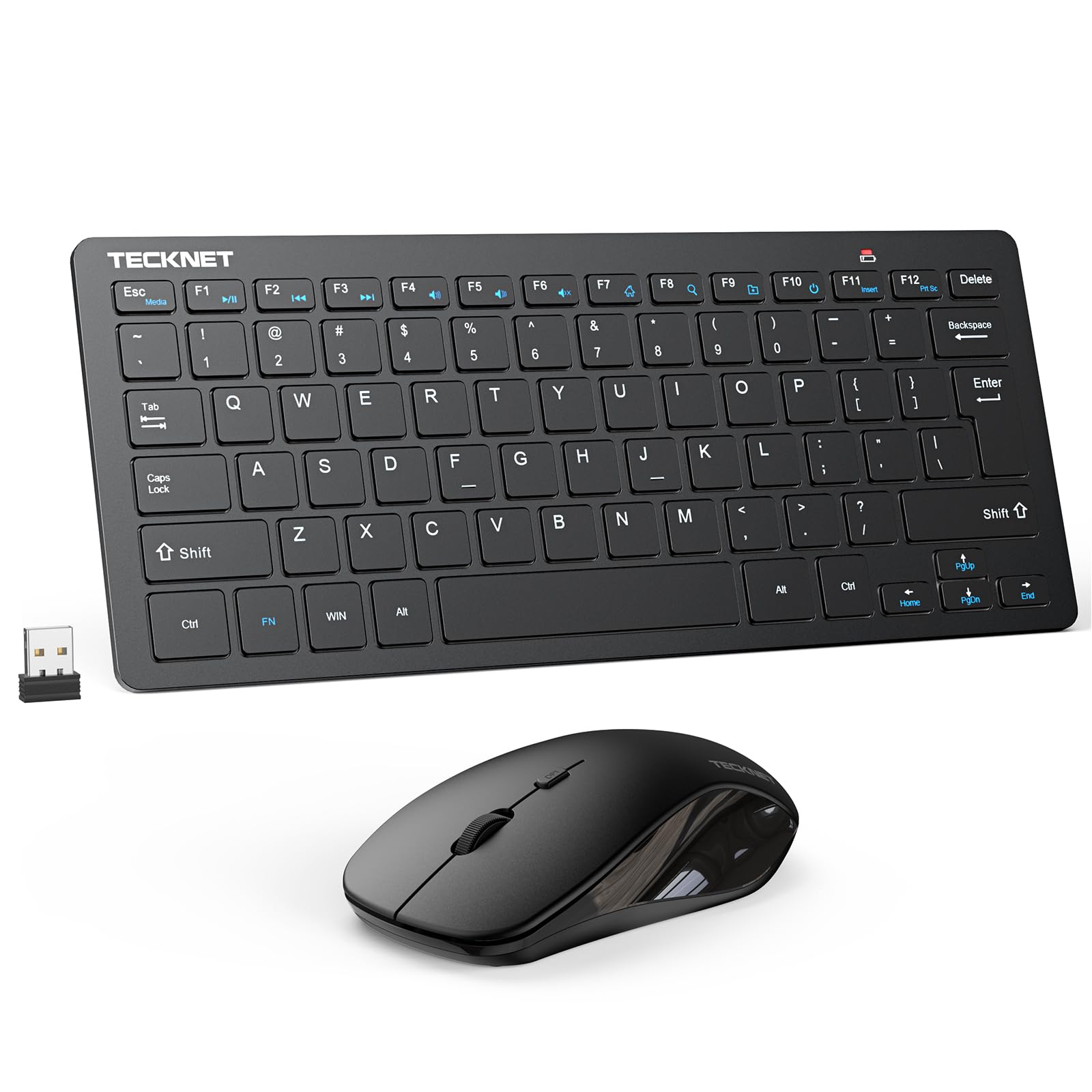
The mouse is the reason to pick this set over a bare keyboard. It arrives paired to the same nano receiver, so one USB-A port drives both, and the keyboard's 12 hotkeys cover volume and playback without reaching for anything else.

We like the value here: 78 scissor keys in a body that takes up a fraction of a desk, with a mouse that is small but not fussy. It is not a full-size board — travel is short and the mouse suits smaller hands — and the pair runs on four AAA batteries you will be buying rather than recharging. The two pieces together weigh about 12.7 ounces, so it stays put.

Two caveats are worth knowing before you order. The set is Windows-first, so the hotkeys assume a PC rather than a Mac or an Android box. And some of these sets develop lag or dropouts, particularly when the receiver goes into a TV rather than a computer — keep it on a desktop and the link is steadier.

Pros

  • Keyboard and mouse share one nano receiver
  • 78 keys with 12 multimedia shortcuts
  • Quiet scissor keys with a soft press

Cons

  • Four AAA batteries, none rechargeable
  • Some sets develop lag or dropouts
Our verdict

Buy it when a compact keyboard and mouse should arrive together and share one receiver; skip it if you want rechargeable gear rather than four AAA batteries.

Check Latest Price
4

Best for TV and Streaming

Rii X1 PLUS

85 /100
LBD Score Excellent

Key details

Size
About iPhone-sized
Battery
500mAh, USB-C
Backlight
White LED
Connection
2.4GHz and Bluetooth
View on Amazon

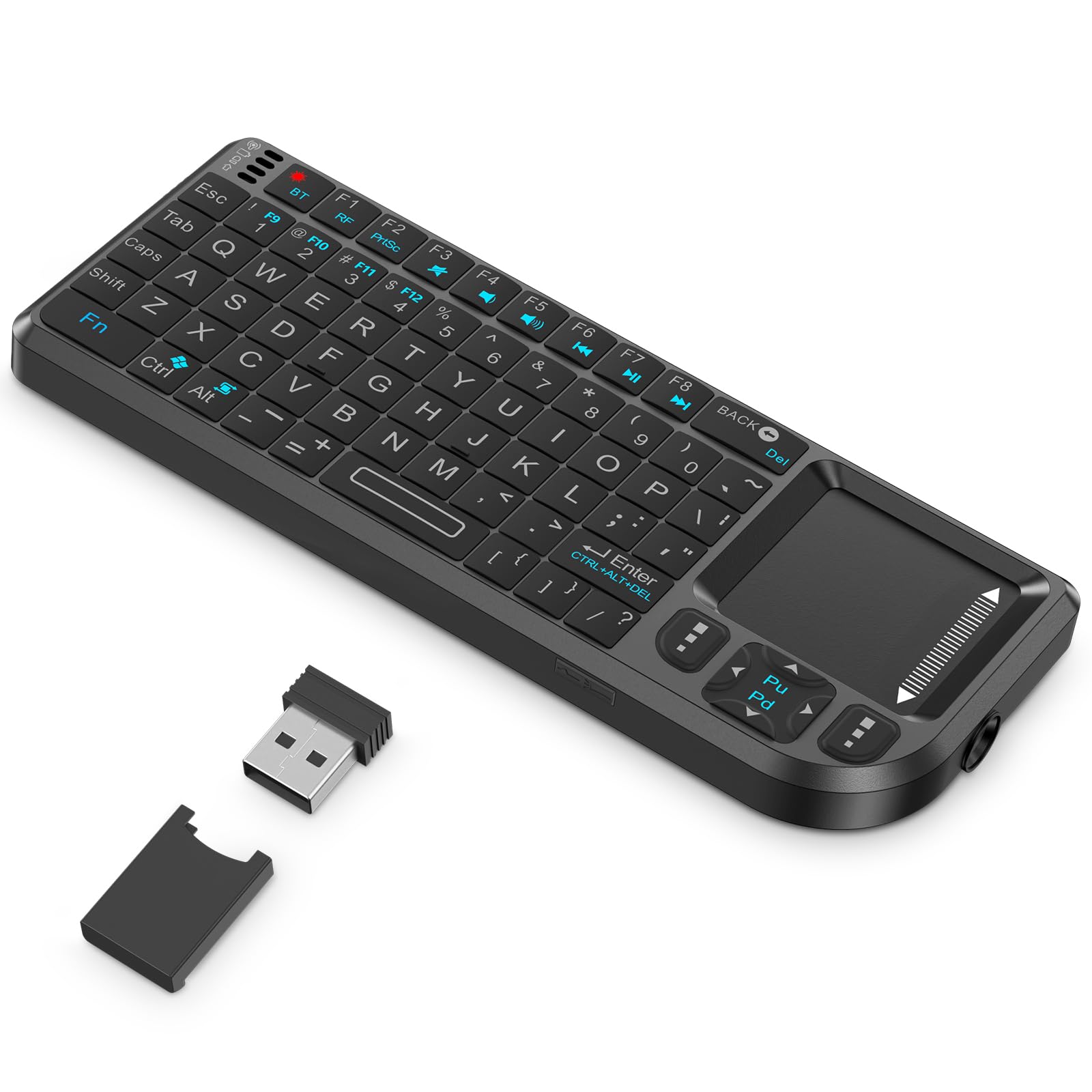
A 500mAh battery rated for more than 30 days between charges is the headline, and it is the spec that changes how you live with this one: it sits by the couch for weeks and does not ask for a cable. It is also about the size of a phone, so it lives in a drawer rather than on a desk.

Both wireless modes are on board, which matters more than it sounds. The dongle covers an older desktop or a TV box, Bluetooth covers a tablet, phone, or Fire Stick, and it holds two devices so you can hop between them. There is a 33-foot range, a white backlight for finding keys in the dark, and a touchpad with proper left and right buttons.

What we like most is the balance: small enough to hold in one hand, usable enough that you stop dreading a Wi-Fi password on a TV. What it is not is a typing keyboard. The keys are thumb-sized, the space bar sits right of center, and the touchpad falls under the thumb you want for the space bar, so two-handed typing gets awkward fast.

Pros

  • 2.4GHz and Bluetooth, two devices paired
  • More than a month per charge over USB-C
  • Touchpad with real left and right buttons

Cons

  • Keys too small for touch typing
  • Touchpad sits under the typing thumb
Our verdict

The best couch keyboard here: it pairs two ways, runs a month per charge, and puts a real touchpad in a body the size of your phone.

Check Latest Price
5

Best for Presentations

Burhoo K808

86 /100
LBD Score Excellent

Key details

Keys
69
Battery
600mAh, USB-C
Backlight
7 colors
Connection
2.4GHz and Bluetooth
View on Amazon

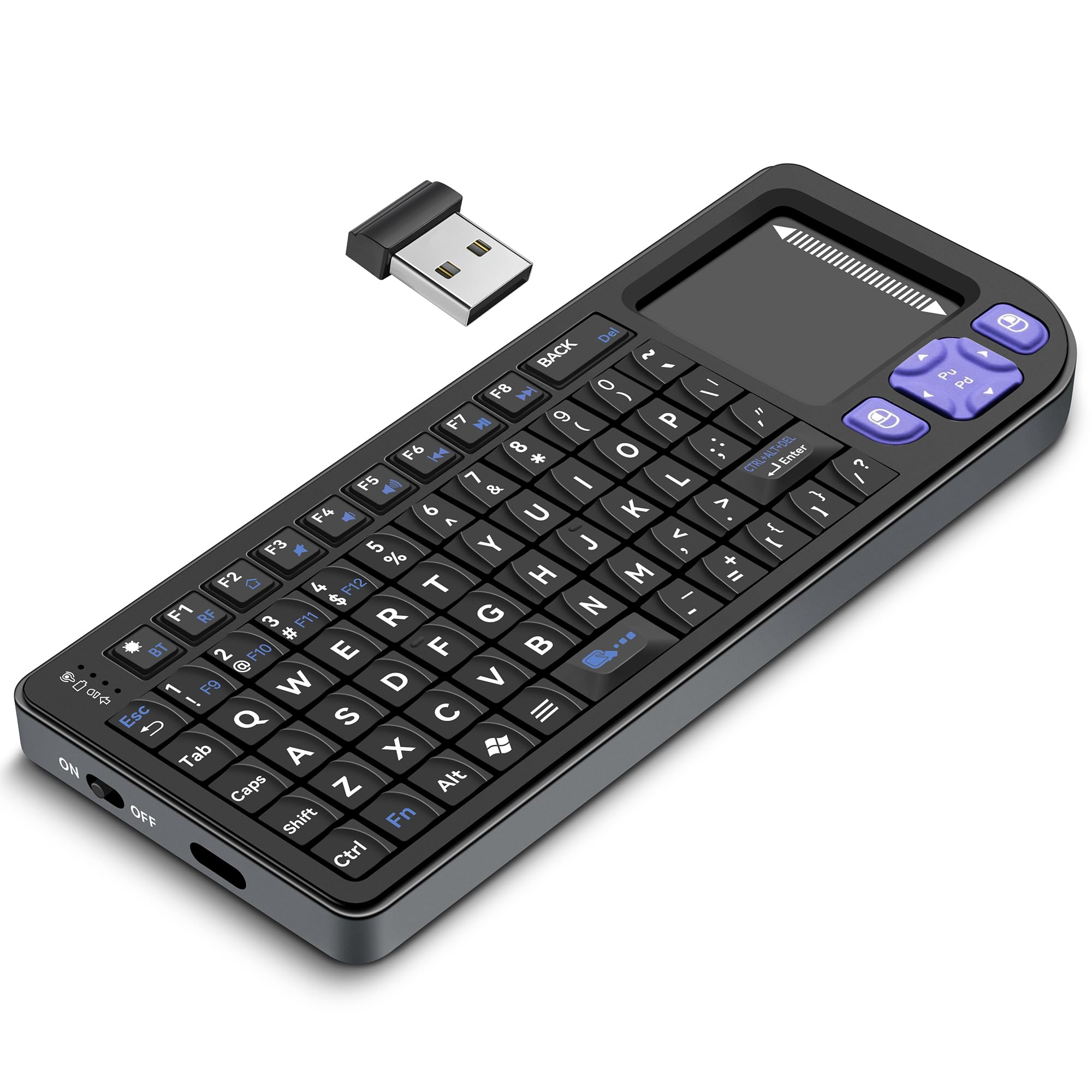
Presenting from the back of a room is a specific job, and this remote does it better than anything else here: a laser pointer built into the edge, a touchpad that rotates 90 degrees with Fn+Alt so a thumb can reach it, and dedicated click buttons. We think that combination earns it a place in a conference bag.

Away from the podium it is a competent media keyboard. Both connections are present — 2.4GHz through the dongle for older boxes, Bluetooth for a tablet or a smart TV — and the 600mAh cell charges over USB-C. The seven backlight colors are more fun than necessary, but they do help when the room is dark.

The limits are size and sensitivity. At 69 keys this is a two-thumb device, and anyone expecting laptop-style typing will be disappointed. The touchpad is also eager enough that small movements can register as clicks, and quick jabs can double up a letter, so brace your hand before you tap.

Pros

  • Touchpad rotates 90 degrees for the thumb
  • Built-in laser pointer for presenting
  • Seven backlight colors and two radios

Cons

  • 69 cramped keys are not for real typing
  • Sensitive touchpad and stray double letters
Our verdict

If you present, teach, or drive a media PC from across the room, this is the one we hand you: laser pointer, rotating touchpad, backlit keys.

Check Latest Price
6

Best Build Quality in a Handheld

Miritz K809

83 /100
LBD Score Excellent

Key details

Keys
74
Battery
1000mAh, USB-C
Connection
Bluetooth 5.2 and 2.4GHz
Dimensions
5.94 x 2.32 x 0.48 in
View on Amazon

Aluminum on a keyboard this small is unusual, and it changes how the thing feels in the hand: less like a TV remote, more like a piece of equipment. The frame is why this one costs more than the plastic handhelds here, and we think it is the right place to spend.

The rest of the package holds up. Bluetooth 5.2 for a tablet, phone, or smart TV, 2.4GHz through the dongle for anything with a USB-A port, and a 1000mAh battery that is the largest in this guide. At 5.94 by 2.32 inches and about 3 ounces, it sits in a palm; RGB lighting cycles with a single key.

The touchpad is where our enthusiasm cools. It is fine for opening an app or throwing a cursor across a TV screen, and frustrating the moment you need precision — small icons, scrollbars, text selection — with the cursor jumping just as you settle on a target. Add cramped keys and this is a controller that types, not a keyboard for writing.

Pros

  • Aluminum frame feels solid in the hand
  • 1000mAh battery, the largest in this guide
  • Bluetooth 5.2 plus 2.4GHz dongle

Cons

  • Touchpad imprecise for small targets
  • Tiny keys make long typing slow
Our verdict

The handheld that feels like real equipment rather than a plastic remote, with the biggest battery here — just expect to point with patience.

Check Latest Price
7

Plain Desk Keyboard

Macally Compact Wireless

89 /100
LBD Score Excellent

Key details

Keys
78
Battery
1 AAA included
Shortcuts
12 shortcut keys
Connection
2.4GHz USB-A dongle
View on Amazon

No Bluetooth, no backlight, no touchpad. This is a plain 78-key keyboard with a USB dongle, and for a lot of desks that is the entire point.

It is about 11 inches wide with full-size keycaps, 12 shortcut keys, and no number pad, so it frees desk space without shrinking your fingers' targets. Setup is a dongle and a switch: plug and play on a Windows PC or a Chromebook, with one AAA battery in the box and an on/off switch that stretches it.

The rigid deck is what we noticed first — it feels better made than its price suggests, and it stays flat under fast typing. It is louder than the scissor boards from Logitech and Arteck, which matters if you type on calls.

Where it fits: a secondary keyboard for a desktop, a media PC, or a laptop whose own keyboard has given up, especially if Bluetooth has been unreliable for you. What it is not is a long-term sure thing. It will not pair with a tablet or phone, and a share of these fail inside a year, so buy it as the cheap, simple option rather than the durable one.

Pros

  • 78 full-size keys with 12 shortcuts
  • Plug and play on PC and Chromebook
  • On/off switch saves the included battery

Cons

  • No Bluetooth and no backlight
  • Some units fail within a year
Our verdict

A no-frills space saver for a Windows PC or Chromebook, and the sensible choice if Bluetooth has been nothing but trouble on your desk.

Check Latest Price
8

Travel Bag

MRSVI A8

83 /100
LBD Score Excellent

Key details

Backlight
7 colors
Connection
Bluetooth and 2.4GHz
Dimensions
6.02 x 2.32 x 0.51 in
Laser Pointer
Built in
View on Amazon

It is orange, six inches wide, and light enough that you forget it is in the bag. Whether that is the whole appeal depends on what you want it for, but the footprint is real: 6.02 by 2.32 by 0.51 inches.

The feature list is the one the better handhelds here share. Bluetooth and 2.4GHz, a touchpad that rotates 90 degrees with Fn+Alt, a built-in laser pointer, and seven backlight colors, all charged over USB-C with an auto-sleep function to stretch the cell.

What separates it from our presentation pick is fit and finish. Pairing sometimes needs a second attempt before the link holds, and the keys sit close enough together that big hands will feel it. The laser and the rotation are the useful parts; the color cycling is a novelty.

We see it as a second keyboard — one that lives in a bag for a projector, a tablet, or a media box and does not need its own case. If it will be your only keyboard, step up to the Miritz or the Logitech, both of which are far better to type on.

Pros

  • Six inches wide and barely 3.5 ounces
  • Rotating touchpad plus built-in laser
  • Seven-color backlight and USB-C charging

Cons

  • Pairing can take a couple of attempts
  • Keys are tight for large hands
Our verdict

The one we take when the bag is already full: phone-sized, backlit, able to point and click, as long as you are patient with pairing.

Check Latest Price

How We Tested the Best Mini Wireless Keyboards

We started by rounding up every compact keyboard we could get our hands on — 2.4G dongle-only models, Bluetooth and 2.4G dual-mode boards, and the palm-sized touchpad remotes people buy for a TV or HTPC — then cut the field by layout, connection type, and whether the battery was rechargeable or replaceable. Fourteen of them made it into the test, and we've been using them for five months.

Each one went where these actually live: on a coffee table paired to a TV, on a desk next to a laptop, in a backpack for a week of travel, and on a kitchen counter. We typed real documents rather than gibberish, then checked the results for dropped or doubled characters, which is the clearest signal of a laggy controller. We also recorded typing up close and played it back side by side to compare noise, since a clattery board is a real problem in a shared room or on a call.

Connectivity got its own round of abuse. We paired each keyboard with a laptop, a tablet, and a TV device, walked a room away to find where the wireless signal gave out, and left each one switched off for a week to see whether it woke on the first keypress or had to be re-paired from scratch. Battery life we logged by date, running backlights at full brightness to get the worst case rather than the best.

For build and size, we flexed every frame, measured the footprint against a 13-inch laptop, and tossed them into bags with keys and cables rattling around. Then we typed in the dark to see whether the backlight actually lit the legends or just glowed around them.

How to Choose a Mini Wireless Keyboard

Decide Between a Typing Board and a Handheld

The flat boards in this group run about 11 inches wide and a third of an inch thick, with keycaps close to full size; that is the group to shop if you will write more than a search query. The handhelds are around six inches, and they trade key size for a touchpad and one-handed control.

The trap is that mini describes the case, not the keys. Two boards of identical width can type completely differently, so look for scissor switches and laptop-like keycaps if you plan to write on it. We treat the handhelds as remotes that type, not as keyboards.

Bluetooth, a Dongle, or Both

Check what your devices actually offer before you choose a radio. A smart TV, a projector, or an older desktop may have no Bluetooth at all and only a USB-A port, while a tablet or phone has Bluetooth and no full-size USB. Dual-mode models cover both cases, and the dongle also sidesteps the pairing dropouts Bluetooth occasionally brings.

If you are buying for one machine, match the connection to that machine. If the keyboard will move between a TV and a tablet, pay for both radios — being stuck without the right one is the most common way this purchase goes wrong.

Do You Need the Touchpad?

If the keyboard lives on a couch, a built-in touchpad saves you a second device, and one with proper left and right buttons beats tapping the pad. At a desk a mouse is faster, and a keyboard-and-mouse set can share a single receiver so you lose only one USB port.

Our advice: buy the touchpad for the TV, buy the mouse for the desk, and do not pay for pointing you will never use. The touchpad precision on these handhelds is fine for opening apps and miserable for selecting text.

Power: Rechargeable or AAA

Rechargeable handhelds carry the bigger cells — the ones here run 500mAh to 1000mAh — and a backlight is the fastest way to drain them, so charge between sessions rather than while you work. The flat budget boards mostly take AAA cells, which means no cable and no waiting, at the cost of buying batteries.

The flat boards are rated in months at a couple of hours a day, so battery cost is small; if the idea of buying cells bothers you, pay the small premium for USB-C.

Check the Layout Before You Commit

Mini layouts drop keys, and which ones matter depends on you. We check the function row first, because a board without a lock turns volume control into a two-handed job. Then look for arrow keys or a layer that reaches them, and a right-side Shift if you use it.

If the keyboard will serve more than one operating system, confirm the legends match. A Windows-first board plugged into a Mac still types, but the top row will not do what the printing says.

Frequently Asked Questions

Final Verdict

Of everything here, the Logitech MX Keys Mini is the one we hand to most people, because it is the only pick that makes a shrunken keyboard feel like a good keyboard instead of a compromise. Nothing else in this group is as pleasant to write on for an hour.

If that price is too steep, or your machine has no Bluetooth at all, the Arteck HW098 is the sensible spend: thin, quiet, and dongle-based. And if the keyboard is for a couch and a TV rather than a desk, take the Rii X1 PLUS instead — two radios, a month between charges, and a touchpad already in your hand.