Best Outdoor Security Cameras of 2026

An outdoor camera has one job, and it's the hardest job in the house: sit out there through sleet and August and still be watching at 2 a.m. The category splits in two. Wired models pull steady power and never blink, but you're up a ladder with a drill. Battery and solar units go up in ten minutes, then ask to be remembered. Over eight months, my team and I lived with 14 of them — floodlights over a driveway, pan-tilt models under the eaves, a couple of full multi-camera systems.

What separates them is what happens after dark and what happens when nothing's wrong. A sharp daytime feed is table stakes; the real test is making out a face at dusk, and staying quiet when a cat crosses the lawn. First-timers overrate resolution and underrate the boring parts — the Wi-Fi at the far corner, and how fast the app loads a clip.

Two-way talk is fun for a week; free local storage is what you'll still care about in year two. The right camera for your fence line is below.

1

Best Overall

Ring Floodlight Cam Wired Plus

95 /100
LBD Score Outstanding

Key details

Power
Hardwired
Siren
App-activated
Resolution
1080p HD
Floodlight Output
2000 lumens
View on Amazon

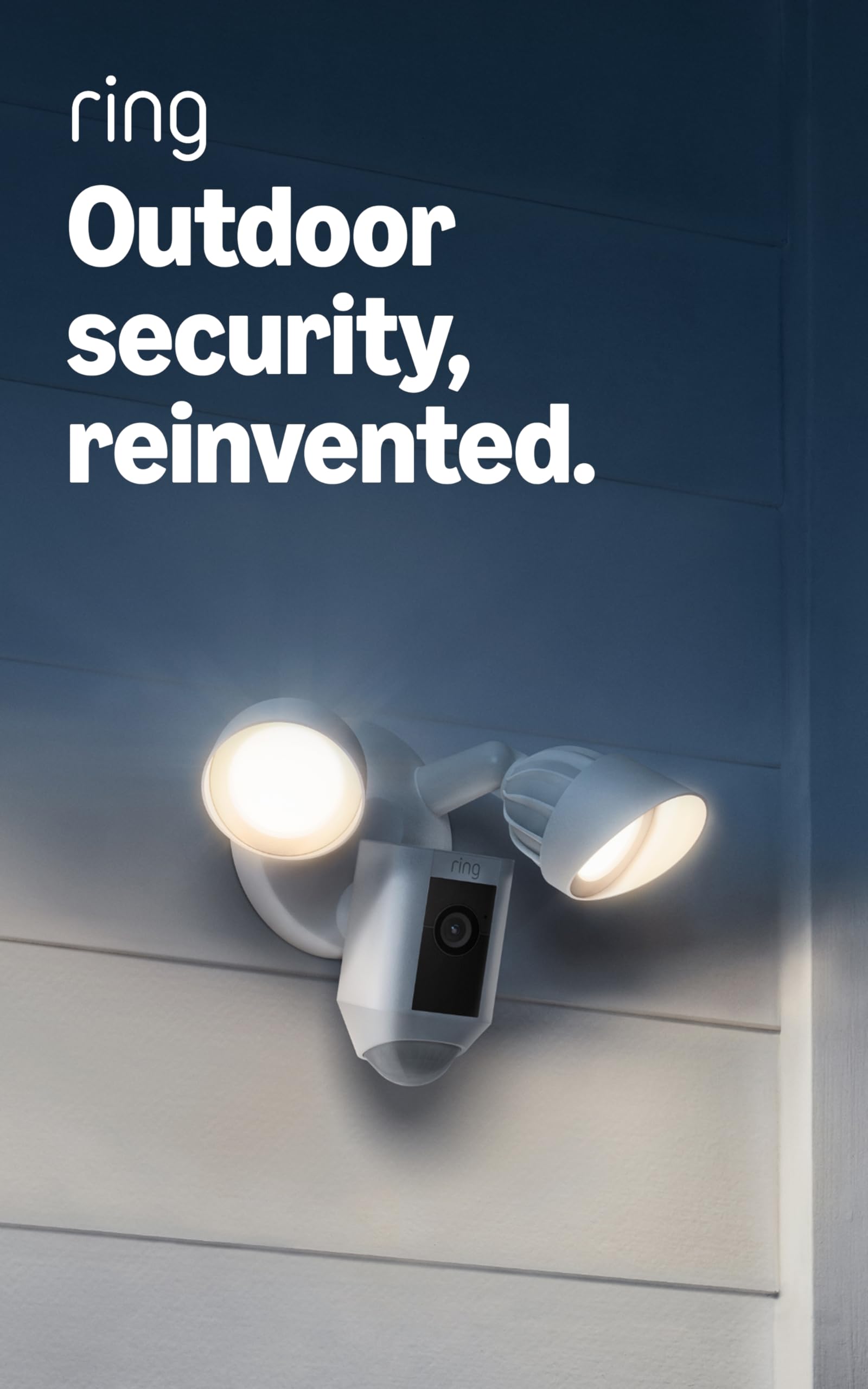
Every outdoor camera runs into the same problem eventually: power. Battery models go flat in a cold snap, solar panels struggle under a deep overhang, and both leave a gap in coverage exactly when the weather is worst. The Floodlight Cam Wired Plus sidesteps the whole argument by drawing from the wiring that feeds an outdoor light, so it never needs charging and never takes a night off. That is the single biggest reason it is our top pick.

What it does with that power is the second reason. Two thousand lumens of motion-activated floodlight turn a dark driveway into something the 1080p sensor can actually read, and a siren you trigger from the app gives you a way to react while you're still looking at the phone. The light is doing double duty here: it's the deterrent, and the camera is the record of whatever the light interrupted.

Installation is the part buyers worry about and mostly shouldn't. The camera mounts where a light fixture or junction box already supplies power, and the app carries everything else — motion zones, sensitivity, light behavior, and the alert list. A hardwired camera is also the least fussy thing to own long-term: no pack to bring inside, no panel to angle at the winter sun.

The catch is that the design assumes power is already there. If the wall you want covered has no fixture, budget for an electrician before you budget for the camera, because there's no battery fallback in the box. Where a back door, a garage gable, or a side-yard light already exists, that constraint disappears and the hardwired version becomes a straight upgrade on anything you'd have to recharge.

Pros

  • Hardwired power means no charging, ever
  • 2000-lumen floodlights light a whole driveway
  • App siren and adjustable motion zones

Cons

  • Resolution tops out at 1080p
  • Motion alerts need tuning to avoid false triggers
Our verdict

Buy this one if there's already power where you want the camera, because it never needs charging and the floodlights do half the security work on their own.

Check Latest Price
2

Best Budget

TP-Link Tapo C500

91 /100
LBD Score Outstanding

Key details

Resolution
1080p
Pan And Tilt
360° horizontal, 130° vertical
Weather Rating
IP65
Night Vision Range
Up to 98 ft
View on Amazon

A camera that turns is usually the expensive kind. The Tapo C500 pans a full 360 degrees horizontally and 130 degrees vertically, follows a person across the yard as they move, and costs less than almost anything else here. If you want to try a camera on the back gate without committing to a system or a subscription, this is where we point people.

The hardware is more than the price suggests. Night vision reaches 98 feet, the housing is IP65 rated, and a microSD slot takes cards up to 512GB, so recordings don't have to go through a cloud plan. We also like the physical privacy mode: the housing rotates to cover the lens, a blunt, obvious answer to a question software tends to handle badly. Set against the rest of this group, it's the best value here.

The compromises are about placement rather than performance. This is a corded camera, so it wants an outlet within reach of its adapter, which rules out a fence post at the back of the lot. Wi-Fi is the other weak link — the pan motor is only as good as a steady connection, and a camera at the far end of a yard will drop frames and alerts. Keep it within solid signal of the router and it behaves.

Pros

  • Full 360-degree pan and 130-degree tilt
  • Night vision down to 98 feet
  • microSD up to 512GB, no subscription required
  • Housing physically covers the lens

Cons

  • Motion tracking reacts to small movement
Our verdict

If you want a camera that turns without paying for the privilege, this is the value pick in the group and the easiest way to try pan and tilt.

Check Latest Price
3

Best Battery-Powered

Ring Outdoor Cam (Stick Up Cam)

91 /100
LBD Score Outstanding

Key details

Power
Rechargeable battery pack
Mounting
Wall bracket or flat surface
Resolution
1080p HD
Night Vision
Color
View on Amazon

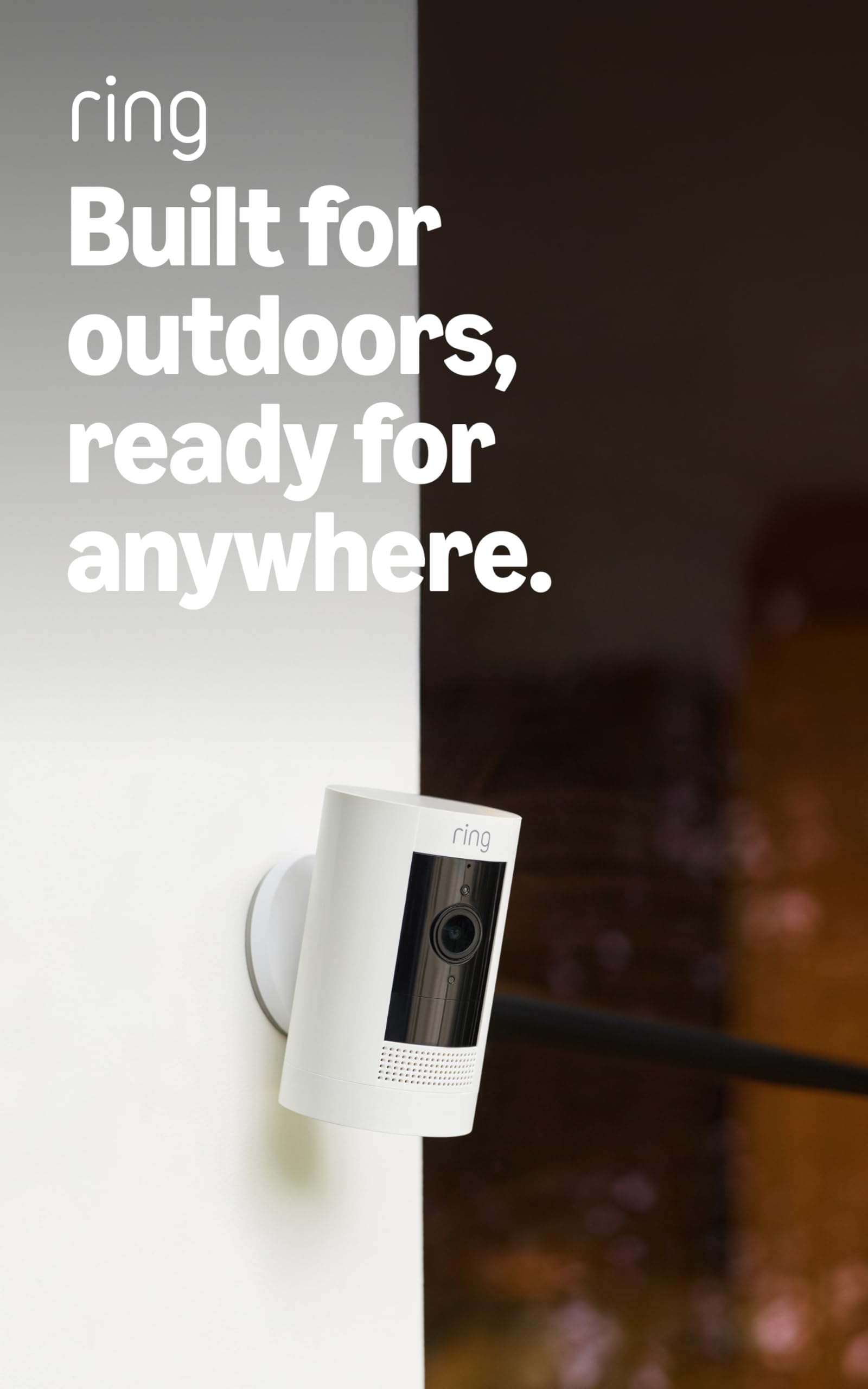
A flat surface or a wall bracket, a battery pack you can swap, and nothing to wire. The Stick Up Cam is the pick for anyone renting, moving a camera between spots, or watching a shed that has never had electricity near it. We came back to the bracket more than anything else: it lets the camera sit on a shelf indoors and angle through a window as easily as it screws to siding, though you'll want to expect some reflection from the glass at night.

Video is 1080p with color night vision and two-way talk, and everything lands in the Ring app alongside the floodlight above, so a mix of wired and battery cameras stays on one screen and one alert list. That shared app is the real argument for this over a cheaper no-name camera: one place to check, one set of settings, and a household that already knows how to use it.

Battery is the honest trade. Ring quotes a rechargeable pack rather than a run time, because how long you get depends on how busy the view is — a driveway with passing traffic will chew through charge far faster than a side gate nobody uses. Add the solar panel if the camera faces sun, or plan on bringing the pack inside every few weeks. That's the price of putting a camera where there's no wiring, and for a rental or an outbuilding it's worth paying.

Connection stability is the other thing to watch. On a weak signal the camera drops offline, and an offline camera is a bracket with a battery in it. Check your Wi-Fi at the exact mounting spot before you drill. If it's marginal, the wired floodlight or a kit with its own base station is the safer buy.

Pros

  • Battery pack, so no wiring is needed
  • Wall bracket or flat-surface placement
  • Shares the Ring app with wired Ring cameras
  • Color night vision and two-way talk

Cons

  • Battery life depends on how busy the view is
  • Solar panel and ceiling mount sold separately
Our verdict

The pick for a rental, a shed, or any spot without wiring, as long as you accept a recharge routine in exchange for putting the camera anywhere.

Check Latest Price
4

Best No-Subscription Kit

aosu D1 Classic 4-Cam Kit

86 /100
LBD Score Excellent

Key details

Resolution
2K (3MP)
Local Storage
32GB built-in
Weather Rating
IP65
Cameras Included
4
View on Amazon

Thirty-two gigabytes of storage sits in a base station next to your router, not in a cloud account, and that base is what turns four cameras into a system. The aosu D1 Classic records roughly 120 days of looped footage locally, adds no subscription, and shows four live feeds on one screen. That combination is why it's the kit we recommend to anyone who doesn't want a monthly bill attached to their home security.

How the cameras connect is the clever part. They talk to the base over its own wireless link rather than joining your home Wi-Fi, so the camera at the back fence doesn't need a strong router signal. Each one pans and tilts through 360 degrees and follows a person automatically once it spots movement, which is genuinely useful on a corner where trouble could come from two directions.

Two things to keep in mind. Thirty-two gigabytes is a fixed amount of room, so the oldest footage rolls off as new events arrive — if you want a long archive, that's the trade. And solar keeps the batteries topped up in most conditions, but a camera in deep shade will need an occasional charge by cable. Neither is a reason to look elsewhere; they're the terms of getting four cameras with no ongoing cost.

Pros

  • 32GB of local storage, no subscription
  • Cameras link to the base, not home Wi-Fi
  • 360-degree pan with automatic person tracking
  • Four live feeds on a single screen

Cons

  • Tracking follows people, not vehicles or pets
Our verdict

Choose this kit if four cameras and no monthly bill matter more than per-camera polish, especially where the router doesn't reach the fence line.

Check Latest Price
5

Best for 24/7 Recording

ANNKE 3K Lite 8-Camera System

89 /100
LBD Score Excellent

Key details

Resolution
1080p
Local Storage
1TB HDD included
Weather Rating
IP67
Cameras Included
8
View on Amazon

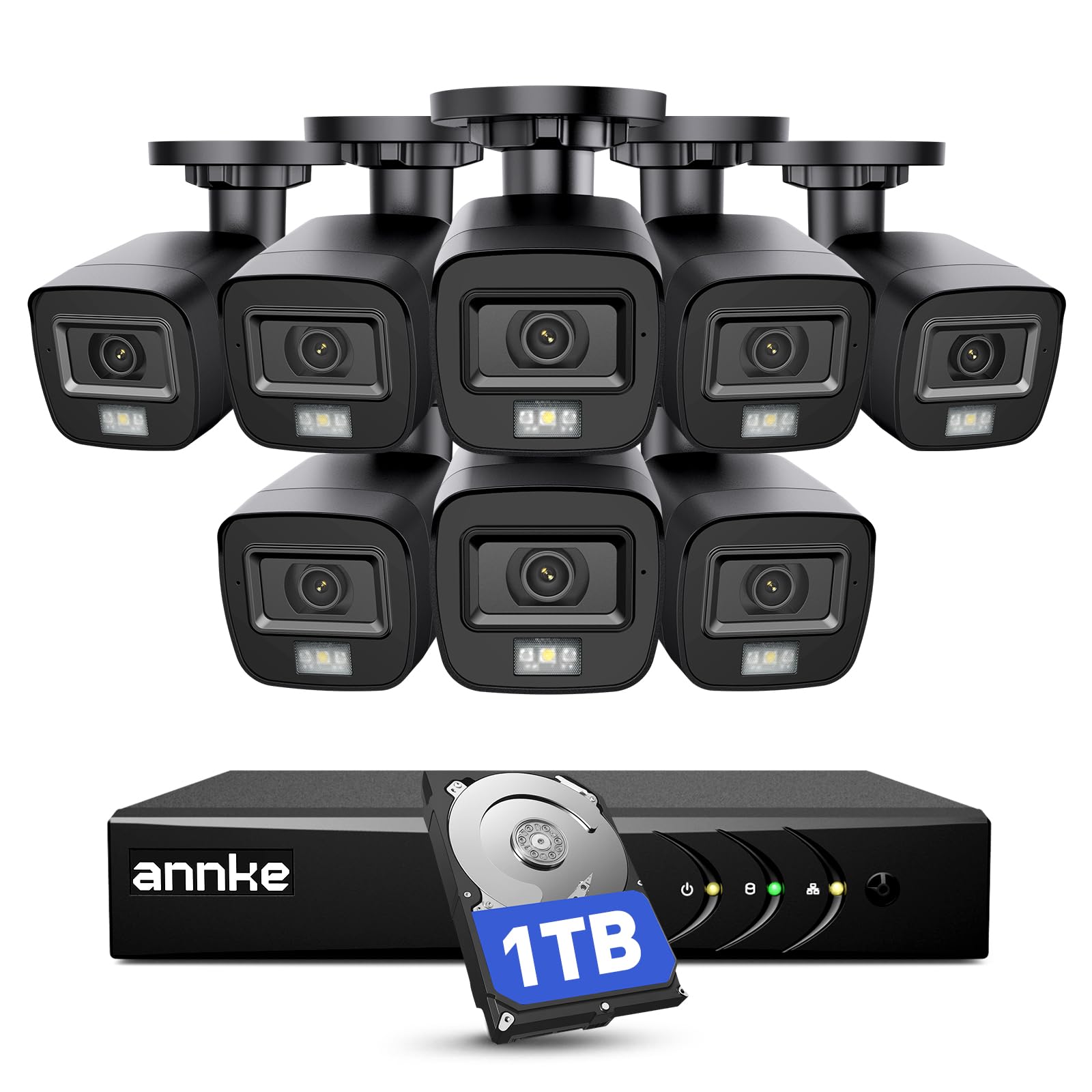
Most cameras here wake up when something moves and go quiet again. The ANNKE system records eight channels continuously onto a 1TB drive that arrives already installed, so the question after an incident isn't whether something got caught but which hour to scrub through. For a shop, a farmyard, or a house where things have gone missing, that difference is the whole reason to buy.

The kit covers serious ground: eight 1080p bullet cameras, eight 60-foot BNC cables, power splitters and adapters, and an 8-channel DVR that accepts drives up to 10TB. The cameras are IP67, the toughest weather rating in this group, and the IR LEDs reach about 100 feet in the dark. Human and vehicle detection lets you jump to the events that matter instead of reviewing a day of nothing.

It's also the most work to install by a wide margin. Eight cables have to be pulled from the DVR to wherever the cameras land, and while the app pairing is quick, the physical run is a weekend with a drill and a ladder. That's what you accept in exchange for a system that doesn't lean on Wi-Fi, doesn't charge a subscription, and doesn't miss whatever happens between motion clips.

Remote viewing is the least polished part. Getting the app and a phone talking takes patience, and live view away from home is the feature most likely to frustrate. Treat it as an on-site recorder with remote access as a bonus and it delivers: nothing else here puts eight cameras and a terabyte of storage on a wall for anything close to the money, and if the DVR ever dies, every camera on it goes dark with it.

Pros

  • 24/7 continuous recording to a 1TB drive
  • Eight IP67 cameras in one kit
  • Human and vehicle detection built in
  • Storage expandable up to 10TB

Cons

  • Remote app access is the weakest part
Our verdict

The right system when you need footage of everything, not just motion events, and you can commit a weekend to running cable.

Check Latest Price
6

Best Solar-Powered

SEHMUA 2K Solar 2-Pack

87 /100
LBD Score Excellent

Key details

Power
Solar panel and 6000mAh battery
Resolution
2K
Weather Rating
IP65
Night Vision Range
98 ft
View on Amazon

Aim is the thing you get wrong first. You mount a camera, open the app, and discover the gate sits just outside the frame. Both cameras in this SEHMUA pair pan through 355 degrees, so you re-aim from the couch instead of the ladder, and once you settle on a view the removable solar panel keeps the 6000mAh battery topped up without a cable back to the house.

Picture is 2K, night vision reaches about 98 feet, and a white spotlight brings color into the image when the PIR sensor trips. Setup is genuinely quick — a few screws for the mount, then the app walks you through pairing. Two cameras at this price with their own power supply is the reason the pair sits high in this group on value.

The pan is manual, and that's the honest limitation: the camera moves when you tell it to, not when a person walks past. For a backyard you check a few times a day, that's a fair trade, because you get a wider sweep of the property than a fixed lens gives you and you can widen it whenever you like.

Check the network before you buy. This is a 2.4GHz-only camera, so confirm that a 2.4GHz signal actually reaches the mounting spot, especially if your router splits the two bands into separate names. Do that and the pair delivers 2K, pan control, and its own power for the money — which is why it's the solar option we reach for first.

Pros

  • Solar panel keeps the 6000mAh battery charged
  • 355-degree pan, re-aimed from the app
  • 2K video with 98 feet of night vision

Cons

  • 2.4GHz networks only
  • microSD card sold separately
Our verdict

Buy the pair if you want 2K and pan control on a yard with no outlet, and you don't mind aiming the cameras yourself.

Check Latest Price
7

Four-Sided Coverage

Gianteye 2K Solar 4-Pack

88 /100
LBD Score Excellent

Key details

Power
Solar panel and battery
Resolution
2K
Weather Rating
IP65
Cameras Included
4
View on Amazon

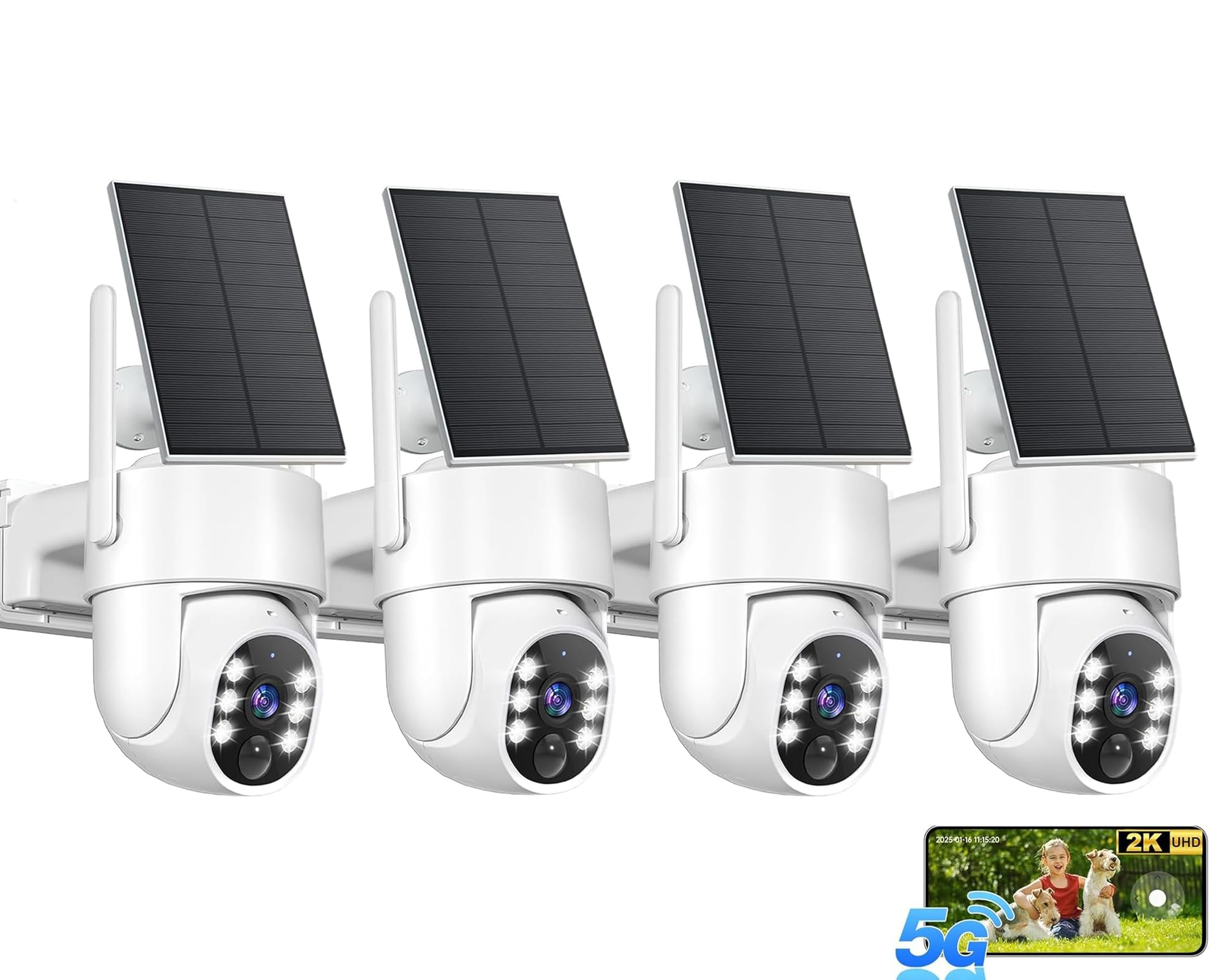
Four sides of a house, four cameras, one solar panel each. A kit like this exists because nobody wants to buy a camera, mount it, then repeat the whole exercise three more times: the Gianteye bundle covers a perimeter in one order, with 2K video, pan and tilt through 360 degrees, and human detection that filters out a swaying branch. Mounting is the easy part — screw the base down, pair it in the app, and the panel keeps the battery up through the day.

Wi-Fi pairing is where it can go sideways. If the app doesn't find a camera on the first try, setting up close to the router and moving the camera afterward usually settles it. Beyond that the app is plain but workable, and four 2K solar cameras for roughly what two big-name ones cost is a trade we make happily — provided you're comfortable running a smaller brand's software for the next few years.

Pros

  • Four 2K cameras with solar panels
  • 360-degree pan and tilt on each camera
  • Human detection cuts false alerts
  • Works on 2.4GHz and 5GHz Wi-Fi

Cons

  • Manual pan and tilt, no auto tracking
Our verdict

Worth it if you want a perimeter covered in one purchase and can live with a smaller brand's app and cameras that pan on command only.

Check Latest Price
8

Single Doorways

HITELLARCAM 2K Security Camera

86 /100
LBD Score Excellent

Key details

Power
5200mAh rechargeable battery
Wi-Fi
2.4GHz and 5GHz
Resolution
2K
Weather Rating
IP66
View on Amazon

Free cloud storage is the headline, and it's the reason this camera made the list: no subscription for clips, plus a microSD slot if you'd rather keep everything on your own card. For a first camera over a garage or a back porch, that removes the ongoing bill that makes a lot of cheap cameras more expensive than they look.

The rest is more than the price suggests. Video is 2K with full-color night vision, the battery is a 5200mAh pack rated for one to six months in power-saving mode, and the housing is IP66. It also handles both 2.4GHz and 5GHz networks, which is unusual on a camera in this bracket and makes pairing on a modern router easier.

Set expectations at doorway scale and it makes sense. The listing puts night vision at about eight meters, roughly 26 feet, which is plenty for a porch and not enough for a driveway. Judged as a cheap, self-contained camera for one entrance with no monthly fee, it earns its place here; judged as the only camera guarding a large yard, it doesn't.

Pros

  • Free cloud storage with no subscription
  • 2K video with full-color night vision
  • 2.4GHz and 5GHz Wi-Fi support
  • IP66 housing for outdoor mounting

Cons

  • Battery runtime drops with frequent alerts
Our verdict

A sensible first camera for one door if you want 2K and no subscription, and a poor fit for a long driveway or a busy street.

Check Latest Price

How We Tested Outdoor Security Cameras

We started with every outdoor camera a normal person would actually consider — wired floodlight units, wired multi-camera kits with a recorder, solar and battery models, and pan-tilt units — then filtered by weather sealing, storage options, and whether the app worked without a subscription. That left 14 cameras, which we ran for eight months straight.

Each one went up where it would live at your house: a floodlight unit over a driveway, pan-tilt cameras under the back eaves and over a side gate, a solar set on a shed roof with no outlet nearby, and a full recorder system covering a yard from four corners. I timed every solo install with a ladder and a drill, and noted which ones needed an electrician, a Wi-Fi extender, or nothing. Footage was judged on specifics — a person walking up the path at dusk, a box dropped at the door, a car pulling in after dark, and a rainy night to see whether headlights and droplets wiped out the frame. Floodlights were judged on whether the beam reached the end of the drive and whether color held once it kicked on.

Motion detection got the most scrutiny, because a camera that cries wolf is one you stop checking. We counted false alerts from cats, branches, and passing cars, retuned sensitivity, and counted again. Battery models stayed on default settings so we could see how honest their charge estimates were, and I logged every dropped connection at the far corner of the yard. Value came down to what you get before paying anyone: local storage, on-device detection, and whether clips are still viewable a week later.

How to Choose an Outdoor Security Camera

Power decides placement, and what you maintain

A wired camera never needs charging and never goes dark because a pack ran flat, but it needs an outlet or a junction box exactly where you want the view. The Ring Floodlight Cam Wired Plus is the simplest install in this group because it mounts where an outdoor light already supplies power. Battery cameras trade that for a recharge schedule that depends on how many alerts fire, and solar panels shorten the schedule only where the panel gets real sun.

Settle this before you compare megapixels, because it rules out more products than resolution ever will. A shaded north wall is a bad home for a solar camera no matter how good its sensor is.

Fixed lens or pan and tilt, and how much resolution you need

A fixed camera pointed at one approach is simpler, cheaper, and always looking where you need it. A pan-and-tilt model like the Tapo C500 sweeps a far wider arc, but it only faces one way at a time, so the coverage is only real if you're moving it when something happens.

On resolution, 1080p is enough to identify a person at driveway distance; 2K earns its keep when you zoom into a face or a plate near the edge of the frame. Buy the coverage first and the pixels second.

Where the footage lives, and what it costs you

Every camera here records, but they don't all charge for it. Local storage is the cheaper route: a microSD card in the camera (Tapo, SEHMUA), a hard drive in a DVR (ANNKE), or a base station with 32GB built in (aosu D1 Classic). Cloud plans add a monthly bill, and in exchange the footage survives if someone walks off with the camera.

That trade is worth thinking about honestly. A card inside a camera leaves with the camera, and a DVR in a garage is only as safe as the garage. If the point is evidence, decide which failure you're insuring against.

What the IP rating actually covers

Two digits, and the second one is the one that matters outdoors: the first is dust, the second is water. IP65 shrugs off rain and hose spray, IP66 handles stronger jets, and the IP67 cameras in the ANNKE kit can take brief immersion, which is worth having on a coast or under a gutter that empties right onto the mounting spot.

None of these are meant to sit underwater, and none of them enjoy a housing packed with snow. Mounting under an eave is cheaper than buying a tougher rating.

Set the alerts so you don't end up muting them

Motion detection is where these cameras lose people. A branch, a passing car, or the neighbor's cat sets off the same chime as a stranger at the door, and after a week of that the app gets silenced. Person detection and adjustable motion zones, which the Ring cameras and the ANNKE system both offer, fix most of it.

Placement does the rest: angle the camera so foliage, the street, and anything that sways sit outside the frame. A camera you've muted is no longer a security camera.

Frequently Asked Questions

Final Verdict

The Ring Floodlight Cam Wired Plus is the one we point most people toward, as long as power already exists where they want the view. It never needs charging, it lights up what it records, and it carries the strongest body of positive feedback in this group.

If there's no fixture on that wall, take the Ring Stick Up Cam for a rental or the SEHMUA pair for a yard without an outlet. Where the requirement is footage of every second rather than footage of movement, the ANNKE system is the only pick here that never stops recording.