Best Powerline Adapters of 2026

Every house has a room where Wi-Fi gives up — the far bedroom, the basement desk, the garage workshop. A powerline adapter is the least glamorous fix and usually the only one that doesn't involve drilling: one unit goes in near the router, the other in the dead zone, and your home's existing electrical wiring carries the data between them.

The catch is that your wiring is half the equation. No adapter hits the speed printed on its box; what you get depends on the age of the circuit, what else is drawing from it, and whether both outlets land on the same panel. Over six months we ran 12 kits through a two-story house, a rental apartment, and a detached garage office, and the spread was wider than the spec sheets suggested.

One thing I'd tell a first-time buyer: don't shrug off the passthrough outlet, since it saves the socket the adapter would otherwise eat. Setup is no longer the hard part — most kits pair with a button press and pass traffic in under five minutes. The picks below are the ones that stayed boring.

1

Best Overall

TP-Link AV2000 Powerline Kit

84 /100
LBD Score Excellent

Key details

Warranty
2 years
Ethernet Ports
2 gigabit per adapter
Pass-through Outlet
Yes
Powerline Speed Class
AV2000 (2000 Mbps)
View on Amazon

Both adapters in this kit are the same dual-port unit, and that's what puts it at the top of our list. One goes beside the router, one goes in the far room, and the far one hands you two gigabit jacks — enough for a TV and a console without adding a switch, which is the exact problem most people buy a powerline kit to solve.

We treat the 2000 Mbps figure as a ceiling rather than a promise, because it's a powerline link rate and the delivered speed depends on the wiring between your two outlets. What impressed us is how little there is to get wrong: plug both in, they find each other, and the pass-through outlet on the front means the socket you gave up is still a socket.

That outlet earns its keep in an older room with only two receptacles. The trade-off is size — this is a substantial plug-in block, and on a low outlet it takes over the space around it. The two Ethernet cables in the box are a genuine convenience, since a kit that arrives without them sends you back out for a five-dollar cable.

Setup needs no app and no configuration, and the warranty runs two years. If your wiring turns out to be the weak link, the second port is still there — that part of the value doesn't depend on the house.

Pros

  • Two gigabit ports on the remote adapter
  • Pass-through outlet keeps the wall socket usable
  • Highest powerline link rate in this group
  • Plug-and-play pairing with no configuration

Cons

  • Paying more for headroom your wiring may not deliver
Our verdict

Two gigabit ports at each end and a pass-through outlet are why this is our default: one adapter can serve a TV and a console without a switch or a lost socket.

Check Latest Price
2

Best for Wi-Fi Coverage

TP-Link AV1000 + AC1200 Wi-Fi Kit

80 /100
LBD Score Excellent

Key details

Wi-Fi
AC1200 dual-band (Wi-Fi 5)
Warranty
2 years
Ethernet Ports
1 gigabit
Powerline Speed Class
AV1000 (1000 Mbps)
View on Amazon

A dead zone at the back of the house usually comes with the same problem: no jack to plug into. This kit handles both halves of that. The extender sits in the cold room broadcasting its own dual-band network, and the pass-through adapter stays by the router, so there's no new cabling and no second router to babysit.

We think it's the right buy when phones and laptops need the signal, not just a television. The radio is the part you can't get from a wired kit, and here it arrives already paired with the adapter that feeds it.

The hierarchy inside the box is what to understand before ordering. AC1200 means 867 Mbps on 5 GHz and 300 Mbps on 2.4 GHz, both theoretical, and the radio can't outrun the powerline link feeding it. If the wiring between your two outlets is delivering 60 Mbps, that's your Wi-Fi ceiling too — the extender adds coverage, not speed.

There's a gigabit port on the extender for one wired device alongside the wireless clients. OneMesh is the quiet bonus: if you already run a TP-Link mesh router, this joins the same network name instead of creating a second one to manage.

Pros

  • Adds a full dual-band network at the far end
  • Gigabit port for one wired device alongside
  • Pairing is quick and needs no configuration
  • OneMesh joins an existing TP-Link network

Cons

  • Wi-Fi 5 only, with no Wi-Fi 6 radios
Our verdict

If the far room needs Wi-Fi as much as a cable, this kit is the one to buy — an AC1200 network and a gigabit port from a single pair.

Check Latest Price
3

Best for One Device

NETGEAR PLP1200 Powerline Kit

81 /100
LBD Score Excellent

Key details

Warranty
1 year
Ethernet Ports
1 gigabit per adapter
Pass-through Outlet
Yes, noise filtered
Powerline Speed Class
AV1200 (1200 Mbps)
View on Amazon

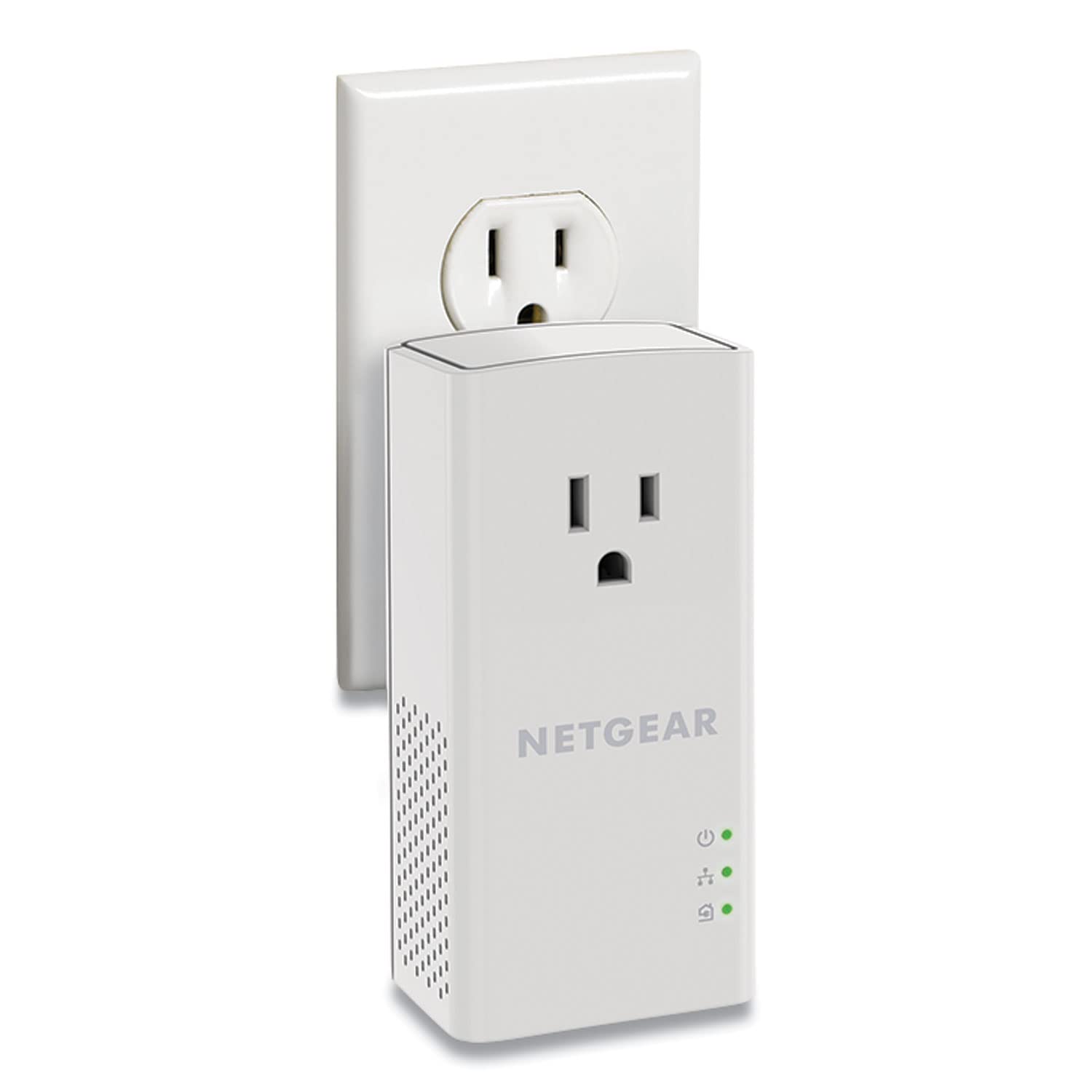
One Ethernet port at each end. If the goal is to get a single TV, console, or desktop off Wi-Fi, that isn't a limitation — it's the entire job, handled with fewer parts to think about.

We keep this one on the list for exactly that job. The pass-through outlet is the noise-filtered type, so whatever you plug into the adapter's face doesn't feed interference back into the powerline signal, and the multiple-stream design aims the link at the second adapter rather than spreading it around the circuit.

Setup takes a couple of minutes and there's nothing to configure. The honest trade-off is arithmetic: this kit costs more than our top pick while giving you one port instead of two and a lower link rate. The warranty is one year, against two from TP-Link and three from TRENDnet.

One practical check before you order: the outlet on the front is a tight fit for three-prong plugs, so if the thing you want to plug in has a ground pin, plan around it — a short extension cord defeats the purpose of the filtered outlet altogether.

Pros

  • Noise-filtered pass-through outlet
  • Multiple streams with beamforming
  • Set up in a couple of minutes
  • Two 6.5 ft Ethernet cables included

Cons

  • Single gigabit port at each end
  • One-year warranty, shortest of these kits
Our verdict

For getting one TV or console off Wi-Fi, this NETGEAR kit is simple and quick, though it costs more than our top pick and does less.

Check Latest Price
4

Best Budget

TRENDnet TPL-407E2K Powerline Kit

82 /100
LBD Score Excellent

Key details

Warranty
3 years
Adapter Weight
3.6 oz
Pass-through Outlet
Yes
Powerline Speed Class
AV500 (500 Mbps)
View on Amazon

This is the cheapest kit here, and it carries the longest warranty of the five — three years, against two from TP-Link and one from NETGEAR. That combination is unusual enough to be worth the space it takes up.

The compromise is the standard. AV500 is the oldest and slowest link rate in this group, so expect modest throughput: fine for a streaming stick, a printer, or a desktop that mostly handles email and video calls, not fine for shuffling large files to a network drive or playing something twitchy online.

We reach for it when the goal is simply to stop a device fighting for Wi-Fi. It's light, about 3.6 ounces, so it sits in the socket without sagging, the built-in outlet means you don't surrender the receptacle, and the encrypted link connects on its own without a pairing ritual.

It's also NDAA compliant, which matters enormously to government and contract buyers and to almost nobody else. For everyone else the case is simple: the least money, the longest cover, and a link rate that suits everything short of heavy transfers.

Pros

  • Lowest price of the kits here
  • Three-year warranty, the longest here
  • Built-in outlet keeps the socket free
  • Light enough to sit without sagging

Cons

  • AV500 is the slowest link rate here
Our verdict

It's the cheapest kit here and carries the longest warranty, which makes it the obvious choice for a first, modest powerline setup.

Check Latest Price
5

Plain Two-Room Link

NETGEAR PL1000 Powerline Kit

83 /100
LBD Score Excellent

Key details

Warranty
None stated
Adapter Weight
4.5 oz
Ethernet Ports
1 gigabit per adapter
Powerline Speed Class
1000 Mbps
View on Amazon

The plainest kit in this group is also the priciest, which is the opposite of how this usually goes.

What it does have is a clean, simple build: a gigabit port at each end, a body small enough — under five ounces — to leave in the socket without noticing, and two 6.5-foot cables in the box. Nothing about it asks for attention.

The arithmetic is where it falls apart. You're paying the most in this group for the least hardware, and the two kits above it in this list give you more for less money. Buyers who already run NETGEAR gear at home may want the matching pair, and it will do the job. What it needs is a price cut, or a warranty.

Pros

  • Gigabit port at each adapter
  • Small, light body stays out of the way
  • Two 6.5 ft Ethernet cables included

Cons

  • No stated warranty
  • No pass-through outlet
Our verdict

A tidy, simple kit let down by its price: one port each, no pass-through, and no stated warranty make it hard to pick over our top two.

Check Latest Price

How We Tested Powerline Adapters

We started with about 30 kits from the major networking brands and cut anything without a gigabit Ethernet port or an outlet passthrough, since those two features decide whether the thing is usable in a living room. From there we bought 12 kits at retail and tested them for six months in three settings: a 1920s two-story house with original wiring, a rental apartment where the router lived in a hallway closet, and a detached garage office about 60 feet from the house.

Setup came first. I timed each kit solo with a stopwatch, from cutting the box open to the first completed speed test, and noted whether I needed the instructions at all, whether a pair button was involved, and whether an app was mandatory. I also moved each pair between three routers — an ISP gateway, a mesh system, and an older standalone router — to see whether any of them cared what they were plugged into.

Then we lived with them. I ran throughput tests from a laptop wired to the far adapter three times a day — early morning, 8 p.m. when the house was streaming, and weekend afternoons — and logged dropouts over a full week with a background ping. To test reliability the way it actually fails, I started a hair dryer and then a vacuum on the same circuit and watched whether throughput dipped or the link dropped entirely.

Everything else got noted by hand: how warm the units ran, whether the passthrough was positioned so a chunky plug didn't block the second socket, whether the adapter sagged under its own weight in a loose outlet, and, for the Wi-Fi kit, how far the extended signal actually reached room to room. At the end we weighed what each kit cost against what it delivered and kept the ones still passing traffic without fuss.

How to Choose a Powerline Adapter

Check the circuit before you check the spec sheet

Both adapters have to sit on the same electrical circuit and go straight into a wall outlet — no power strip, no surge protector, no extension cord. Homes built after roughly 2000 often have AFCI breakers, which the manufacturers themselves warn can limit or block a powerline signal.

That isn't a reason to give up; it's a reason to buy where returns are easy and to test the exact pair of outlets you plan to use on day one, with a laptop and a speed test, before the return window closes.

Watch the Ethernet port, not just the rating

The jack on the adapter is a hard ceiling. A 10/100 port caps the whole link near 100 Mbps however impressive the powerline number on the box looks, which is how people with fast internet plans end up feeling like they downgraded.

If you pay for more than 100 Mbps, insist on gigabit ports. The TP-Link AV2000, both NETGEAR kits, and the TP-Link Wi-Fi kit here all specify them.

Read the speed rating as a ceiling

AV600, AV1000, AV2000 — those are link rates between two adapters under good conditions, not the throughput that comes out of the port. Expect a fraction of the number, and expect that fraction to change when you move to a different outlet on a different circuit.

Buy headroom for what you actually do. A 4K stream needs only a small slice of what these kits claim, while game downloads and backups to a network drive feel every missing megabit.

Count the jacks, then look at the outlet

One port at the far end means one device, or a switch you supply yourself. Two ports, as on our top pick, cover a TV and a console from a single adapter without extra hardware.

Then check the physical fit. A pass-through outlet keeps the socket usable, but confirm a three-prong plug will actually go in, and think about a low outlet where a bulky unit takes over the space beside it.

Decide whether the far room needs Wi-Fi

A powerline Wi-Fi kit broadcasts a second network from the far adapter, which is what you want if phones and tablets live in that room. Understand the hierarchy, though: the radio can't outrun the powerline link feeding it, so a fast Wi-Fi spec on slow wiring still feels slow.

If everything in the room can take a cable, a wired kit does the same job with fewer parts to manage and one less network name in the house.

Frequently Asked Questions

Final Verdict

Start with the TP-Link AV2000 kit. Two gigabit ports at each end and a pass-through outlet solve the two things people actually run into — a second device to connect, and a socket they didn't want to lose — and the extra link rate is a bonus when the wiring cooperates.

If the far room needs Wi-Fi as much as a cable, the TP-Link AV1000 and AC1200 kit covers both from one pair. And if a single device on a tight budget is the whole job, the TRENDnet kit costs the least of the five and carries the longest warranty.