Best RAM of 2026

The worst few seconds of any PC upgrade come right after you hit the power button on new RAM: the fans spin up, the screen stays black, and you start wondering if you've killed a motherboard. Usually it isn't a bad stick — it's memory that doesn't get along with your board, your CPU, or the speed profile you just switched on. Get that right and RAM quietly fixes what actually annoys you: the browser crawling at 40 tabs, the game that hitches when you alt-tab, the export that drags on for an hour.

I've built and rebuilt enough machines to be picky, and over the past six months my team and I have installed 12 kits — DDR4 and DDR5, 32GB and 64GB, low-profile and RGB — into working computers rather than open benches. Here's what first-time buyers miss: the speed on the box is an overclock profile, not a default. Until you enable XMP or EXPO in the BIOS, that 6000MT/s kit idles at a humbler JEDEC speed, and if your board can't hold the profile, you're the one debugging it. The kits below booted clean and stayed that way.

1

Best Overall

Corsair Vengeance DDR5 32GB 6000 CL30

94 /100
LBD Score Outstanding

Key details

Kit Size
32GB (2 x 16GB)
Profiles
AMD EXPO & Intel XMP 3.0
Memory Type
DDR5 DIMM, 288-pin
Speed And Latency
6000 MHz, CL30
View on Amazon

Thirty is the number we check first on a DDR5-6000 kit, and it's why this Vengeance set is our default recommendation. At 6000 MT/s, a CAS latency of 30 works out to roughly 10 nanoseconds of true latency; the CL36 kits sold beside it land nearer 12. That gap won't show up in a spreadsheet, but on a Ryzen or Core build doing real work, it's the difference between memory that keeps up and memory that quietly gives a little back.

Both profiles are here, which matters more than the badge on the heatspreader. AMD boards read EXPO, Intel boards read XMP 3.0, and this kit carries both, so one purchase covers a Ryzen 7 or a Core Ultra build. It's also the version without RGB — plain grey sticks, low enough that a dual-tower air cooler hangs over them instead of forcing the front fan up.

The rest is ordinary in the way we want: 1.4 volts, a standard 288-pin DIMM, a limited lifetime warranty, and 32GB split across two 16GB modules so two slots stay empty. That last detail matters on AM5, where filling all four slots usually costs you speed, and it's the reason a 2 x 16GB kit beats a 4 x 8GB one at the same total.

Where it falls short is showmanship. Build into a glass case and want the memory to be part of the light show, and this isn't the kit — one of the RGB versions is. Everyone else gets the money spent on timings and clearance instead, and a system that boots at the speed printed on the box once the profile is on.

Pros

  • 6000 CL30 equals about 10 ns true latency
  • EXPO and XMP 3.0 cover AMD and Intel
  • No RGB, so tall air coolers clear it

Cons

  • No lighting for glass-case builds
Our verdict

The DDR5 kit we point new builders to first: 6000 CL30, both EXPO and XMP profiles, and no RGB tower to crowd a CPU cooler.

Check Latest Price
2

Best for AMD Ryzen Builds

G.Skill Flare X5 DDR5 32GB 6000 CL36

91 /100
LBD Score Outstanding

Key details

Kit Size
32GB (2 x 16GB)
Profiles
AMD EXPO & Intel XMP 3.0
Memory Type
DDR5 U-DIMM, 288-pin
Speed And Latency
6000 MT/s, CL36
View on Amazon

G.Skill builds the Flare X5 for AM5, and the design says so: a low matte-black heatspreader with no lighting, 1.35 volts, and an EXPO profile a Ryzen board picks up in one click. It carries Intel XMP 3.0 as well, but the tuning is aimed squarely at AMD.

It's our pick once the platform question is settled. Two 16GB sticks leave the other two slots empty, 6000 MT/s is the speed AM5's memory controller handles most comfortably, and the CL36 timings cost you about 12 nanoseconds of true latency instead of the 10 a CL30 kit delivers. That difference is real and measurable; whether it's worth the step up in price is a budget question, not a frame-rate one.

Two things to know before ordering. G.Skill is explicit that you shouldn't mix this kit with another set, even an identical one bought later, so buy the capacity you want now. And not every AM5 board posts at 6000 out of the box — a BIOS update usually settles it, and if it doesn't, running 5200 or 5400 is a normal outcome rather than a dead kit.

What we appreciate most is how little there is to think about afterwards: no software, no lighting profile to maintain, and a heatspreader short enough that cooler clearance stops being a worry.

Pros

  • EXPO profile tuned for AM5 boards
  • Low matte-black heatspreader, no lighting
  • 32GB in two sticks leaves two slots free

Cons

  • Needs a BIOS update on some AM5 boards to hit 6000
Our verdict

Settle the Ryzen question first and this becomes the obvious pick: EXPO tuning, a low matte-black heatspreader, and no lighting to manage.

Check Latest Price
3

Best Value DDR5

Patriot Viper Venom DDR5 32GB 6000 CL30

88 /100
LBD Score Excellent

Key details

Kit Size
32GB (2 x 16GB)
Profiles
Intel XMP 3.0 & AMD EXPO
Memory Type
DDR5 UDIMM, 288-pin
Speed And Latency
6000 MHz, CL30
View on Amazon

Patriot's Viper Venom hits the same headline numbers as our top pick — 6000 MT/s, CL30, 30-40-40-76 timings — and it's the least expensive DDR5 kit in this group. That's the whole pitch: you give up a brand ecosystem and the lighting, and you keep the specification that actually changes how a machine feels.

XMP 3.0 and EXPO are both supported, voltage is 1.35, and the heatspreaders are plain black with no LEDs, so a large cooler fits over them. It reaches its rated speed once the profile is enabled, which is all most builders ask of a memory kit.

Compatibility is where we slow down. This kit doesn't have the validation history of the bigger names, and some Asus boards won't post with it at all. Check your board's memory support list before ordering, buy somewhere with a painless return, and treat a no-post as a reason to send it back rather than a puzzle to solve.

Pros

  • 6000 CL30 timings at the lowest price here
  • Plain heatspreaders clear large coolers
  • Both XMP 3.0 and EXPO profiles present

Cons

  • Won't post on some Asus motherboards
Our verdict

You can spend more on 6000 CL30, but we can't tell you what the extra buys: this Patriot kit carries the same numbers and no lighting for less.

Check Latest Price
4

Best Low-Profile DDR4

Corsair Vengeance LPX DDR4 32GB 3200

96 /100
LBD Score Outstanding

Key details

Kit Size
32GB (2 x 16GB)
Memory Type
DDR4 DIMM, 288-pin
Module Height
34 mm
Speed And Latency
3200 MHz, CL16
View on Amazon

Thirty-four millimeters is the number that keeps this kit in our DDR4 recommendations. That's the height of the LPX heatspreader, low enough to slide under a dual-tower air cooler without moving the fan — the detail that rules out most of the tall DDR4 kits on the shelf.

The rest is deliberately ordinary: 3200 MHz at CL16-20-20-38, 1.35 volts, two 16GB sticks, a black aluminum heatspreader, and a limited lifetime warranty. At 3200 CL16 you're looking at about 10 nanoseconds of true latency, the same figure our DDR5 top pick delivers at 6000 CL30 — DDR4 has given up bandwidth, not response time.

We keep recommending it because it disappears into a build. It fits, it holds its rated speed with the profile on, and there's no software layer to maintain. The wrinkle is that the profile is an Intel XMP one; on a Ryzen board you're relying on the board's DOCP handling, which usually works and occasionally doesn't. If a Ryzen system won't hold 3200, step down one speed grade before deciding the sticks are faulty.

Most people buying DDR4 in 2026 are upgrading a machine they intend to keep rather than starting fresh, and that's exactly the job LPX is good at.

Pros

  • 34 mm tall, clears big air coolers
  • 3200 CL16 for about 10 ns latency
  • Plain black, no lighting to configure

Cons

  • DDR4 boards only; unusable in a DDR5 build
Our verdict

For a DDR4 build with a big air cooler, this is still the answer: 34 mm of plain aluminum that fits where taller kits don't.

Check Latest Price
5

Best High-Capacity DDR5

G.Skill Trident Z5 Neo RGB 64GB DDR5 6000

92 /100
LBD Score Outstanding

Key details

Kit Size
64GB (2 x 32GB)
Profiles
AMD EXPO
Memory Type
DDR5 UDIMM, 288-pin
Speed And Latency
6000 MT/s, CL30
View on Amazon

Two 32GB sticks, not four 16GB ones. That's the decision that makes the Trident Z5 Neo worth its price: 64GB of capacity while both remaining slots stay empty and the memory controller only has two modules to drive. On AM5, where four populated DIMMs often means stepping down in speed, that isn't a small thing.

It's our pick when one machine has to do both jobs — a Ryzen workstation that games at night. 6000 MT/s at CL30 puts it in the same latency territory as our top pick, and the capacity means a browser with forty tabs, a virtual machine, and a game can coexist without the swap file earning its keep. The RGB diffuser is there if you want it and easy to leave dim.

The catch is platform. This is an AMD EXPO kit with only a JEDEC fallback, so on an Intel board you'd be running at default speed and paying for headroom you can't use. It's an AM5 purchase, not a universal one.

One habit worth adopting with any 64GB kit: enable EXPO and then run a memory test before you trust it with work you care about. Modules that fail tend to fail early, and two hours of checking on day one is cheaper than a corrupted project on day thirty.

Pros

  • 64GB as two sticks keeps two slots free
  • 6000 CL30 with EXPO tuning for Ryzen
  • RGB diffuser you can customize or dim

Cons

  • AMD EXPO only
Our verdict

When 32GB won't cover the work, this is what we recommend: 64GB at 6000 CL30, tuned for AM5 and split across two sticks.

Check Latest Price
6

Best for OEM Upgrades

Crucial 64GB DDR4 3200 Kit

92 /100
LBD Score Outstanding

Key details

Voltage
1.2 V
Kit Size
64GB (2 x 32GB), 2Rx8
Memory Type
DDR4 UDIMM, 288-pin, non-ECC
Speed And Latency
3200 MHz, CL22
View on Amazon

This is not a gaming kit and doesn't pretend to be. Crucial's 64GB DDR4 set is two 32GB dual-rank modules with no heatspreaders, no lighting, and no overclocking profile — just JEDEC timings at 3200 MHz, with 2933 and 2666 available if the board wants them. It's built for the machine under a desk that runs a business, not the one with a glass panel.

For that job the numbers line up. CL22 at 3200 MHz works out to about 13.75 nanoseconds, loose next to a gaming kit and irrelevant to an accounting package, a VM host, or a home server running containers. Non-ECC, 288-pin UDIMM means it drops into standard desktops, and Crucial's own scanner is the quickest way to confirm your model before ordering.

It's the upgrade we suggest for Dell XPS and Lenovo IdeaCentre towers, where the goal is capacity without an evening of troubleshooting. No heatsink also means no clearance question in a cramped OEM case, and dual-rank modules are the configuration these boards are usually built around.

The trade-off is that it's slow by enthusiast standards, and 64GB bought this way costs more than a 32GB gaming kit that would feel quicker in games. When the workload is memory-hungry rather than latency-sensitive, that trade is the right one, and this is the least fussy way to make it.

Pros

  • 64GB as two dual-rank modules
  • Runs at 3200, 2933, or 2666 MHz
  • No heatsinks, so OEM cases fit easily

Cons

  • CL22 timings won't suit a gaming-first build
Our verdict

For a work desktop that needs capacity rather than speed, this plain 64GB Crucial kit is the least fussy upgrade on the page.

Check Latest Price
7

Budget DDR4 Upgrades

KingBank DDR4 32GB 3200

86 /100
LBD Score Excellent

Key details

Kit Size
32GB (2 x 16GB)
Profiles
Intel XMP 2.0
Memory Type
DDR4 DIMM, 288-pin
Speed And Latency
3200 MHz, CL16
View on Amazon

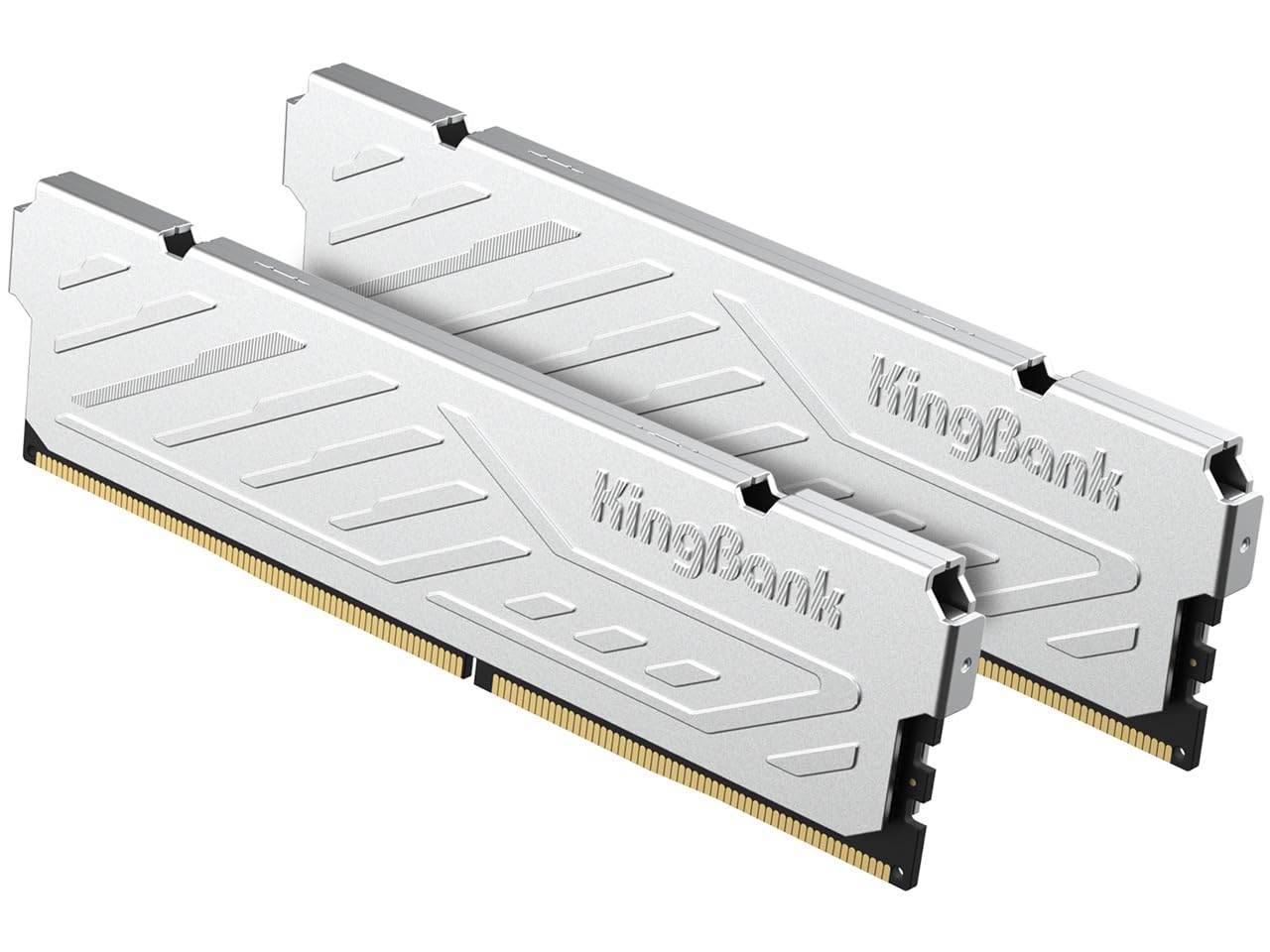
KingBank isn't a name most builders know, and the kit doesn't pretend otherwise: a silver heatspreader, 3200 MHz at CL16, 1.35 volts, XMP 2.0, and a price below every other 32GB kit here. If the goal is getting an older Intel machine onto 32GB for as little as possible, that's the offer.

The specification is the standard DDR4 formula, which we find reassuring: CL16 at 3200 is the same latency class as kits that cost noticeably more, the heatspreader is metal rather than a sticker, and the modules are ordinary 288-pin DIMMs with a limited lifetime warranty.

Where it earns its place is the plain Intel upgrade: a B660 or Z690 board, an older Core chip, and a budget that won't stretch to a name brand. The board's XMP switch does all the work, and the savings go into the rest of the build.

Pros

  • Lowest price of any 32GB kit in this group
  • 3200 CL16 timings match pricier kits
  • Metal heatspreader, not a sticker

Cons

  • Intel XMP 2.0 only; Ryzen boards need DOCP workarounds
Our verdict

The budget route to 32GB of DDR4: standard 3200 CL16 specs, a metal heatspreader, and the lowest price of any kit in this group.

Check Latest Price

How We Chose and Tested These Memory Kits

We started by gathering every current DDR4 and DDR5 kit we could buy in 32GB and 64GB capacities, then filtered by the things that actually decide whether an upgrade goes smoothly: whether the kit shows up on motherboard compatibility lists, whether it carries both Intel XMP and AMD EXPO profiles, rated speed and latency, module height, and price per gigabyte. That left 12 kits, which we bought at retail and installed in real machines rather than a test bench.

Each kit spent time in at least two systems: a DDR5 gaming and streaming build, a DDR4 office desktop that lives with dozens of browser tabs open, and a compact case where tall heat spreaders and RGB diffusers either cleared the CPU cooler or didn't. I installed every kit myself with the case on its side, noted whether the sticks seated with a firm click and whether the board posted on the first try, then went into the BIOS to switch on XMP or EXPO and see whether the rated speed and timings actually held.

Then came the long part. Every kit ran weeks of ordinary use — games, large photo and video exports, virtual machines, overnight sessions — while we watched for boot loops, random restarts, blue screens, and memory errors in a diagnostic pass at the end of each week. We noted where a 64GB kit downclocked itself to stay stable, how much room a board left for adding two more sticks later, and how the same capacity was priced across tiers. The kits that made the list are the ones that posted first time, held their profiles, and never gave us a reason to open the case again.

How to Choose Desktop Ram

Match the Generation to Your Board

DDR4 and DDR5 both use 288-pin DIMM slots, which is exactly why people buy the wrong one: the keying differs and the two are not interchangeable. Before anything else, check the board's specification page for the words DDR4 or DDR5, then look at the maximum supported speed. A 6000 kit on a board that tops out lower will simply run slower, and no amount of profile tuning changes that.

The motherboard's memory support list is worth five minutes. It doesn't guarantee a kit works, but a kit that isn't on it is where most no-post stories begin — our value DDR5 pick is the one on this page where that check matters most.

Read Speed and Latency Together

Marketing leads with the megahertz, but the number that describes responsiveness is true latency, and the arithmetic is simple: CAS latency divided by the data rate, doubled. A DDR5-6000 CL30 kit works out to about 10 nanoseconds, a DDR5-6000 CL36 kit to about 12. A DDR4-3200 CL16 kit reaches the same 10 nanoseconds, which is why an older machine with tight DDR4 still feels quick despite far less bandwidth.

In practice, buy the tightest latency you can afford at a speed your platform runs natively. On AM5 that's 6000; on Intel, follow whatever the board's support list calls for rather than chasing the biggest number on the box.

Turn the Profile On, Then Judge It

Every kit here ships with a slow fallback profile, because that's what guarantees a first boot on an unknown board. DDR4-3200 modules typically come up at 2133 MHz and DDR5-6000 at 4800, and nothing is broken. You have to go into BIOS and select XMP, EXPO, or DOCP — one setting, and it's the difference between the speed you paid for and the speed the board defaults to.

If the rated speed won't post, update the BIOS first, then drop one speed grade. Running 5600 instead of 6000 costs a couple of percent in benchmarks; returning a perfectly good kit costs a week.

Two Sticks Beat Four

Capacity is usually quoted as a total, but the configuration matters as much as the number. Two 16GB sticks leave two slots free for a later upgrade and put the lightest load on the memory controller; four sticks on a current AMD board often means running below the rated speed. If 64GB is the eventual target, buy it as two 32GB modules now rather than adding a second pair later.

Dual-channel matters too, so populate the slots your manual names as a pair — usually the second and fourth from the CPU. A single stick in the wrong slot can cost you more performance than the difference between two speeds of kit.

Check Clearance Before You Fall for the RGB

Heatspreader height is the specification nobody reads and everybody regrets. Our low-profile DDR4 pick is 34 mm, which slides under a dual-tower air cooler; most RGB kits are taller, and the height is always listed on the page. Measure from the top of the DIMM slot to the underside of your cooler's front fan and compare before you order.

If you want the lighting anyway, accept that you may have to raise that fan a centimeter, which can eat into side-panel clearance in a narrow case. A non-RGB kit with a short heatspreader avoids the whole negotiation, and it's why our top DDR5 pick has no diffuser on it.

Frequently Asked Questions

Final Verdict

Our default for a new build is the Corsair Vengeance DDR5 32GB 6000 CL30. It has the tightest latency in this group at a mainstream capacity, carries both EXPO and XMP, and stays short enough that a big air cooler doesn't have to move.

If the board is AM5 and already settled, the G.Skill Flare X5 is the more AMD-specific choice. If the budget is tight, the Patriot Viper Venom keeps the same 6000 CL30 numbers for less. On DDR4, the 34 mm Vengeance LPX is still the safe fit.