Best SD Card Readers of 2026

Laptops quietly dropped their built-in SD slots a few years ago, and the card reader became the bridge between a full memory card and everything else you own. It's an unglamorous thing to shop for, which is exactly why so many people end up with one that stalls halfway through a transfer. The right one turns a card of photos into files on your desktop in a minute or two; the wrong one leaves you watching a progress bar and wondering if something has frozen.

The number that matters most isn't printed on the packaging — it's the handshake between your card, the reader, and the port you plug into. A fast card in a slow reader behaves like a cheap one, and a plug that won't clear the port next to your charging cable is useless no matter what the label promises. We spent the past three months with 14 readers, moving real files across Macs, Windows laptops, iPads, and Android phones, and the standouts separate themselves on things you notice around the tenth transfer.

Some readers here are small enough to forget in a jacket pocket; others earn their extra bulk by handling two card types at once or reaching a laptop that only has old-school USB-A. Either way, the sorting is done for you below.

1

Best Overall

UGREEN 2-in-1 USB-C Card Reader

93 /100
LBD Score Outstanding

Key details

Size
2.9 x 0.85 x 0.46 in
Card Slots
SD and microSD
Connectors
USB-C and USB-A
Rated Speed
5 Gbps
View on Amazon

Two plugs on one body is why this UGREEN takes the top spot. There's a USB-C connector for a MacBook, an iPad, or a recent Windows laptop, and a USB-A connector for the tower under the desk or the older machine you keep for editing. Both slots read at once, so the SD card out of a camera and the microSD out of a drone get copied without swapping anything in and out.

At 2.9 inches long and shaped like a fat flash drive, it's the reader that ends up living in a laptop sleeve. The 5 Gbps rating covers UHS-I cards with room to spare, and in daily use the card sets the pace, not the reader — a slow card transfers slowly in any reader, which is why we don't chase the biggest number on the box for everyday photo offloads. Plug it in and it mounts, with no driver and no app on macOS or Windows.

The USB-C plug is the weak point: it's stubby enough that a phone in a thick case has to come out of that case before the two will meet. That's a minor annoyance for a laptop owner and a real one if you plan to pull photos straight onto a phone at a family party.

Pros

  • USB-C and USB-A plugs built in
  • Reads SD and microSD simultaneously
  • 5 Gbps USB 3.0 transfer rate
  • Two-year warranty

Cons

  • iPhone and iPad mounting is inconsistent
Our verdict

We point most people here: it reads SD and microSD at once, and the built-in USB-C and USB-A plugs fit whatever computer you sit down at.

Check Latest Price
2

Best for Fast Card Offloads

Lexar Multi-Card 3-in-1 Reader

94 /100
LBD Score Outstanding

Key details

Size
3.15 x 3.15 x 0.85 in
Card Slots
SD, microSD, CompactFlash
Connectors
USB 3.1, with USB-C and USB-A cables
Rated Speed
Up to 312MB/s
View on Amazon

The 312MB/s figure on this Lexar is the highest transfer rating in our group, and it only pays off if the cards in your bag can reach it. That means UHS-II SD or microSD. A UHS-I card runs at its own ceiling — Lexar rates backwards compatibility up to 170MB/s — so the extra spend buys headroom you may never touch.

What we like is how much reader you get for a desk: three slots covering SD, microSD, and CompactFlash, a body that sits flat instead of dangling off a laptop, and a cable that ends in USB-C or USB-A depending on which of the two supplied cables you attach. It's the one we reach for when a card is full and someone is waiting. The CF slot matters more than it sounds if you still shoot an older DSLR or pull footage off an old camcorder.

Size is the trade-off. At roughly three inches square and a few ounces, it travels in a laptop bag rather than a pocket, and the included cable is short enough that the reader wants to sit beside the machine rather than stretch across a desk.

Pros

  • Up to 312MB/s on UHS-II cards
  • Third slot reads CompactFlash
  • Ships with USB-C and USB-A cables
  • Sits flat and stays put on a desk

Cons

  • Too bulky for a pocket
Our verdict

If you shoot UHS-II cards and offload them in a hurry, this is the reader we hand over: three slots, a sturdy body, and the fastest transfers here.

Check Latest Price
3

Best for UHS-II Cards

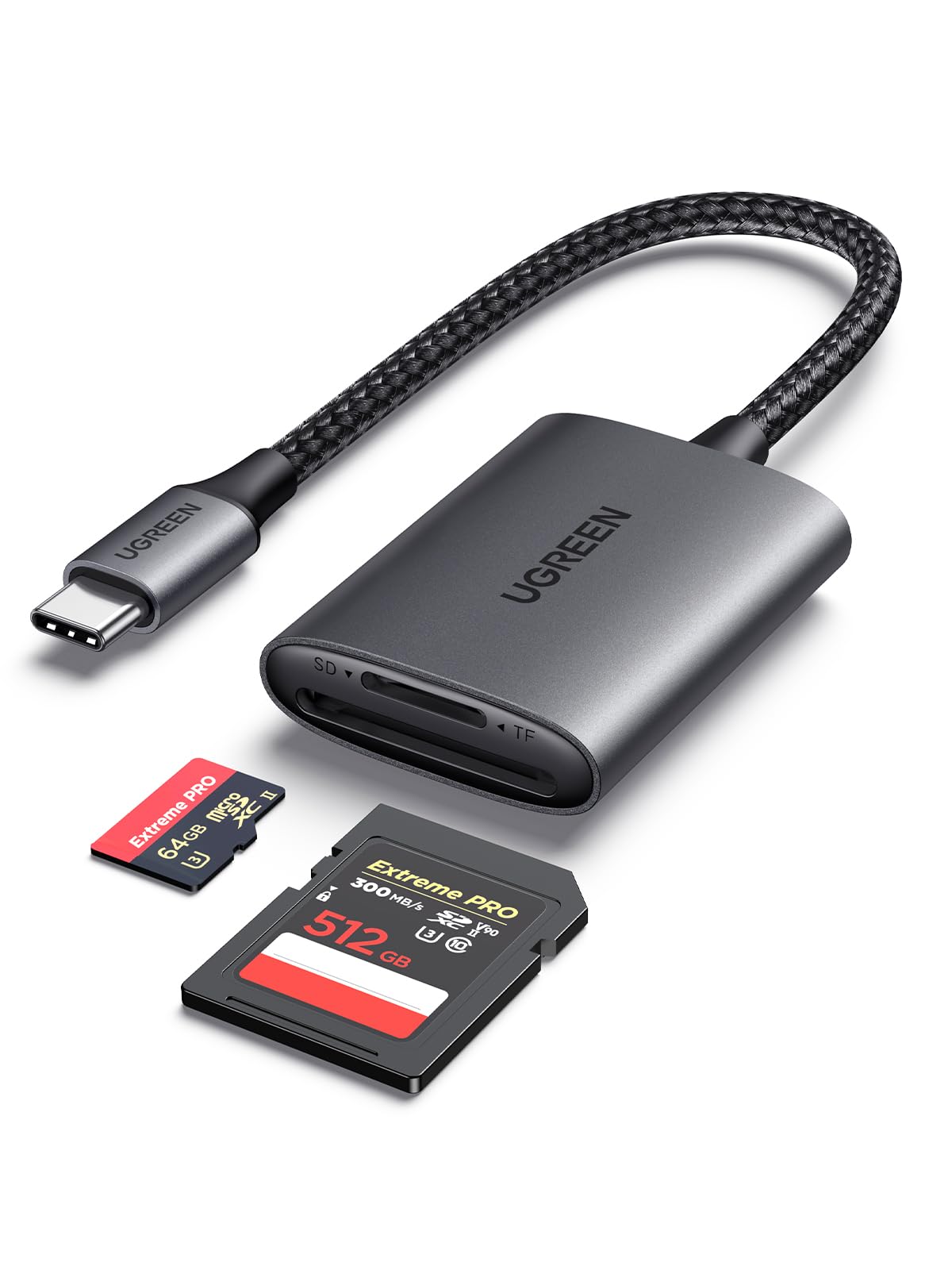
UGREEN SD 4.0 UHS-II Reader

92 /100
LBD Score Outstanding

Key details

Cable
Attached braided
Card Slots
SD and microSD, UHS-II
Connectors
USB-C
Rated Speed
Up to 312MB/s
View on Amazon

This one is built for a specific shopper: someone whose camera writes UHS-II cards and who wants that speed at the other end of the cable. The SD 4.0 slots are rated to 312MB/s, and both the SD and microSD slots accept UHS-II media. If your cards are ordinary UHS-I, you're paying for a ceiling you can't reach — the cheaper UGREEN does the same job for that media.

It reads both cards at once, so a card-to-card copy doesn't need a computer in the middle, and it mounts on a phone or tablet without a driver. That's the practical half of what you're buying.

The build is what sold us for camera-bag duty. An aluminum case and a braided, strain-relieved cable are the two parts that fail first on the plastic readers we've retired, and this one feels designed with that in mind. It's light enough to forget in a side pocket until you need it. The cable is permanently attached, though, so if it ever gives out the whole reader goes with it, and there's no USB-A plug anywhere on the body.

Pros

  • SD 4.0 speeds up to 312MB/s
  • Aluminum case and braided cable
  • Reads SD and microSD at once
  • Light enough for a camera bag

Cons

  • USB-C only, with a permanently attached cable
Our verdict

For a UHS-II card and a USB-C laptop, this is the reader that keeps up, and the aluminum body takes camera-bag life in stride.

Check Latest Price
4

Best for USB-A Ports

Anker 2-in-1 SD Card Reader

93 /100
LBD Score Outstanding

Key details

Warranty
Lifetime
Card Slots
SD and microSD
Connectors
USB-A
Rated Speed
5 Gbps
View on Amazon

There's no USB-C connector here, and that's the first thing to know about it. This Anker is for the machine with a row of rectangular USB-A ports: a desktop tower, a work laptop from a few years back, the PC in the spare room that still does the editing.

For that job we like it a lot. Two slots read and write at the same time, so a card-to-card copy doesn't need a computer in the middle, and the 5 Gbps USB 3.0 interface is quick enough that a UHS-I card is the limiting factor. It draws all its power from the port and needs no driver on Windows or macOS. The stubby body sits flush and stays put, which is exactly what we want from something left in the back of a tower for months.

Anker backs it with a lifetime warranty, unusual in a category where most readers promise a year or two, and that's the reason this one holds a place despite a form factor that is on its way out.

Pros

  • Reads and writes both slots at once
  • USB 3.0 speeds up to 5 Gbps
  • Lifetime warranty
  • No driver or power supply needed

Cons

  • No USB-C connector
  • Wide body can crowd the next port
Our verdict

If your machine still has USB-A ports, this is the reader we leave plugged in — two slots, 5 Gbps, and a lifetime warranty behind it.

Check Latest Price
5

Best Budget

UANTIN Dual-Slot Card Reader

92 /100
LBD Score Outstanding

Key details

Warranty
2 years
Card Slots
SD and microSD
Connectors
USB-C and USB-A
Rated Speed
5 Gbps
View on Amazon

This is the reader that ends up on a keyring. It's barely bigger than the plugs themselves, it comes with a strap loop, and it carries both a USB-C and a USB-A connector, so which laptop you're on stops mattering. At this end of the market that combination is the most useful thing in the guide for someone who keeps losing readers at the bottom of a bag.

Both slots work simultaneously and the interface is rated at 5 Gbps, with an on-board chip guarding against over-current and shorts. Two years of warranty from a brand we hadn't bought from before is a pleasant surprise at this end of the market.

The size cuts both ways. The two plugs sit close together on a body you can cover with a thumb, so a laptop with tightly packed ports or a recessed USB-C opening turns a one-second job into a two-handed one. That's the cost of the footprint, and for a reader that lives on a ring it's a fair trade.

Pros

  • Keychain-sized with a strap loop
  • USB-C and USB-A connectors
  • Reads SD and microSD at once

Cons

  • Tight fit in crowded port clusters
Our verdict

The one to buy if you want a reader that's always with you: tiny, dual-connector, and inexpensive enough to keep as a spare.

Check Latest Price
6

Extra USB Ports

Xoqby 5-in-1 Card Reader

89 /100
LBD Score Excellent

Key details

Warranty
1 year
Card Slots
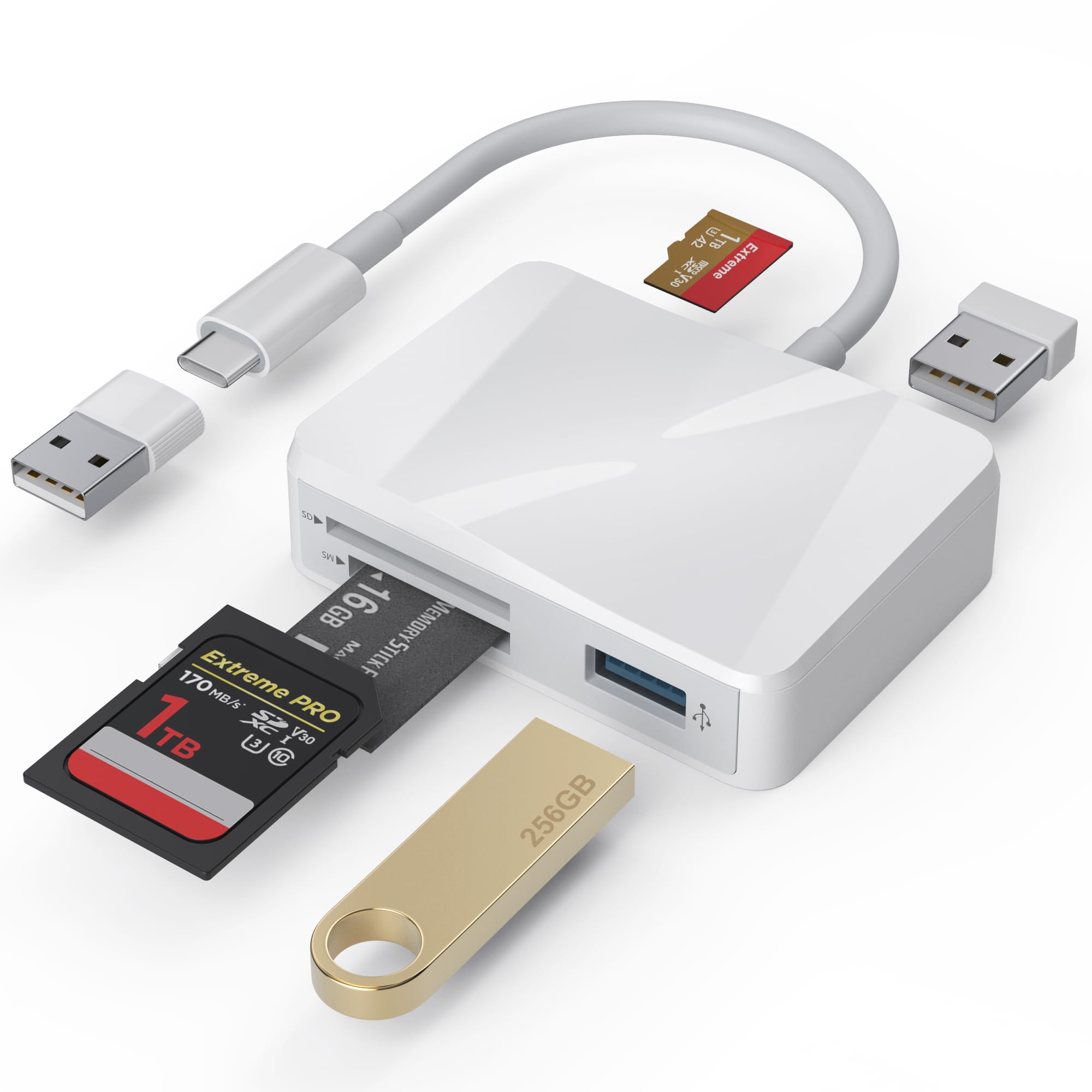
SD, microSD, Memory Stick, 2 USB-A
Connectors
USB-C with USB-A adapter
Rated Speed
480 MB/s
View on Amazon

Three card slots and two full-size USB-A ports is more hardware than anything else on this list, and it's aimed squarely at the laptop that gave up its ports years ago. If you're on a MacBook Air or a thin Windows machine with two USB-C openings total, this replaces a dongle and a reader with one device.

The card side covers SD, microSD, and Memory Stick, and the two USB-A ports behave as separate drives when something is plugged into them, so a flash drive and a mouse receiver can live there alongside a card. A detachable USB-C to USB-A adapter covers the older machine when you need it, and there's no driver to install on any of the systems it lists.

Speed is the part to be realistic about. The headline transfer figure doesn't turn into quick copies in practice, and a multi-gigabyte folder is not what this one is for. Treat it as a port expander that happens to read cards rather than a card reader that happens to have ports.

That's still useful hardware to own. We put it to exactly that use — a handful of JPEGs off a card in a hotel room, with a flash drive riding along in the second port — and it never got in the way. Just don't plan a full offload from a shoot around it.

Pros

  • Three card slots including Memory Stick
  • Two extra USB-A ports
  • Detachable USB-A adapter included
  • Plug and play with no drivers

Cons

  • Slow copies on large transfers
  • iPad connection is unreliable
Our verdict

Buy it for the extra ports rather than the speed: three card slots and two USB-A ports from a single USB-C connection.

Check Latest Price
7

Bag Spare

LBSC USB-C SD Card Reader

89 /100
LBD Score Excellent

Key details

Warranty
1 year
Card Slots
SD and microSD
Connectors
USB-C
Rated Speed
68 Mbps
View on Amazon

Every camera bag deserves one reader nobody worries about, and this is that reader. It's the least expensive thing here, it's USB-C only, and it does the one job — SD and microSD into a phone, tablet, or laptop — with no driver and no app.

The listed transfer rate is 68 Mbps, the lowest in this group by a wide margin, and that's the honest summary of what it's for. A card full of RAW files will feel like a chore; a dozen JPEGs off a point-and-shoot will be done before you've found your keys.

The shell is light plastic and feels it — we noticed the difference the moment we picked it up next to the Lexar. That's fine for a reader that rides in a bag and less fine for one you plug in every day. Mounting on iPhone and iPad is the other thing to watch, since it doesn't happen reliably on every device.

Pros

  • Least expensive reader here
  • Reads SD and microSD over USB-C
  • Small enough to forget in a bag

Cons

  • 68 Mbps rated speed is the slowest here
  • iPhone and iPad connection is unreliable
Our verdict

A good spare to leave in a camera bag or a glovebox, as long as you're not moving a full card in a hurry.

Check Latest Price

How We Tested the Best SD Card Readers

We started by gathering every reader we could find from brands with a track record in memory cards and charging cables, then cut anything that couldn't take both a full-size SD and a microSD without an adapter, anything that required proprietary software, and anything whose price didn't match what it delivered. That left 14 readers.

Each one spent three months in rotation, and most of that time looked like ordinary use: offloading a 128GB card after a weekend shoot, pulling a trail camera card at the kitchen table, dumping phone clips onto a laptop before a flight, and handing a reader to a colleague whose laptop only has USB-A ports. We timed every transfer with a stopwatch using the same card and the same folder of files, then ran the copy a second time to see whether speed held or sagged.

Fit got its own round of poking. We seated each card until it clicked and noted whether it sat flush or jutted out, whether the microSD slot held a bare card without an adapter, and whether the plug cleared a crowded port or bumped the cable beside it. Readers rode loose in camera bags, got knocked off desks, and had their cables bent at the joint. We logged every dropout mid-transfer, every device that failed to see a card on the first plug-in, and how warm each housing got after a long copy.

Value came last, on purpose: with the specs on paper, we asked what each reader actually added — a second slot, a braided cable, a metal shell — and whether that was worth carrying, since a few disappear into a pocket while others need a pouch of their own.

How to Choose an Sd Card Reader

Start With the Port, Not the Price

Readers come three ways: USB-C only, USB-A only, or both plugs on one body. A dual-connector model costs little more than a single one and covers whatever machine you end up at, which is why our top pick and our budget pick both carry two. If you move between a personal laptop and an office desktop, that's the version to buy.

The catch is clearance. USB-C plugs on readers are short — short enough that a phone in a thick case may not seat at all, and short enough that a recessed laptop port can need a second try. If pulling photos straight onto a phone is the main use, plan on removing the case or look for a reader on a short cable instead.

Count the Slots You'll Actually Use

An SD slot plus a microSD slot covers nearly everything: cameras, drones, dash cams, action cameras, and the microSD card out of a phone. Four- and five-slot readers add CompactFlash and Memory Stick for older gear. Pay for those only if you still own that media; otherwise they're bulk in a pocket.

Simultaneous read and write is the feature we check for. With two cards mounted at once you can copy card-to-card without a computer in the middle, which matters on a trip when the laptop stays home.

What the Speed Number Really Means

The rate on the box is a ceiling set by the reader's USB interface. What you get is decided by the slowest link: the card, the reader, the cable, the port. UHS-I cards top out around 104 MB/s regardless, so a UHS-II reader only pays off if you own UHS-II cards — and only on a USB-C or USB 3 port that can feed it.

If your cards are ordinary UHS-I, put the money into build quality and a second slot instead. A UHS-II reader will still read an older card perfectly; it just won't be faster than the cheaper reader beside it.

Dongle or Desk Reader

Direct-plug readers travel: pocket, laptop sleeve, keyring, and no cable to lose. Cabled readers suit a desk, where the cable takes the strain off the port and lets the body sit flat instead of hanging off the side of a laptop.

The trap with direct-plug designs is width. A body wide enough for an SD slot can block the port next to it on a laptop with tightly packed USB-A openings, so look at the spacing before you commit one to a permanent home in the back of a tower.

Build, Warranty, and the Second Year

Readers fail at the slot, the cable, and the joint where the plug meets the body. A metal case and a braided, strain-relieved cable are the two features that change how long one lasts, and they're why our UHS-II pick costs more than a plastic reader with identical slots.

Coverage varies widely: a year on the cheapest readers, two years across most of the midrange, and a lifetime on the Anker. For a reader that lives in a camera bag, that coverage is the difference between an annoyance and a replacement.

Frequently Asked Questions

Final Verdict

Most people should buy the UGREEN 2-in-1. It's the reader that works with whatever computer is in front of you, reads both common card types at once, and is small enough that it stays in the laptop sleeve instead of the drawer.

Spend more only for a reason you can name. If your camera writes UHS-II cards, the UGREEN SD 4.0 reader turns that speed into shorter waits, and if you still pull CompactFlash out of an older body, the Lexar's third slot is the whole argument. And if you just want a reader that's always on you, the UANTIN keychain model is the least expensive way to stop hunting for one.