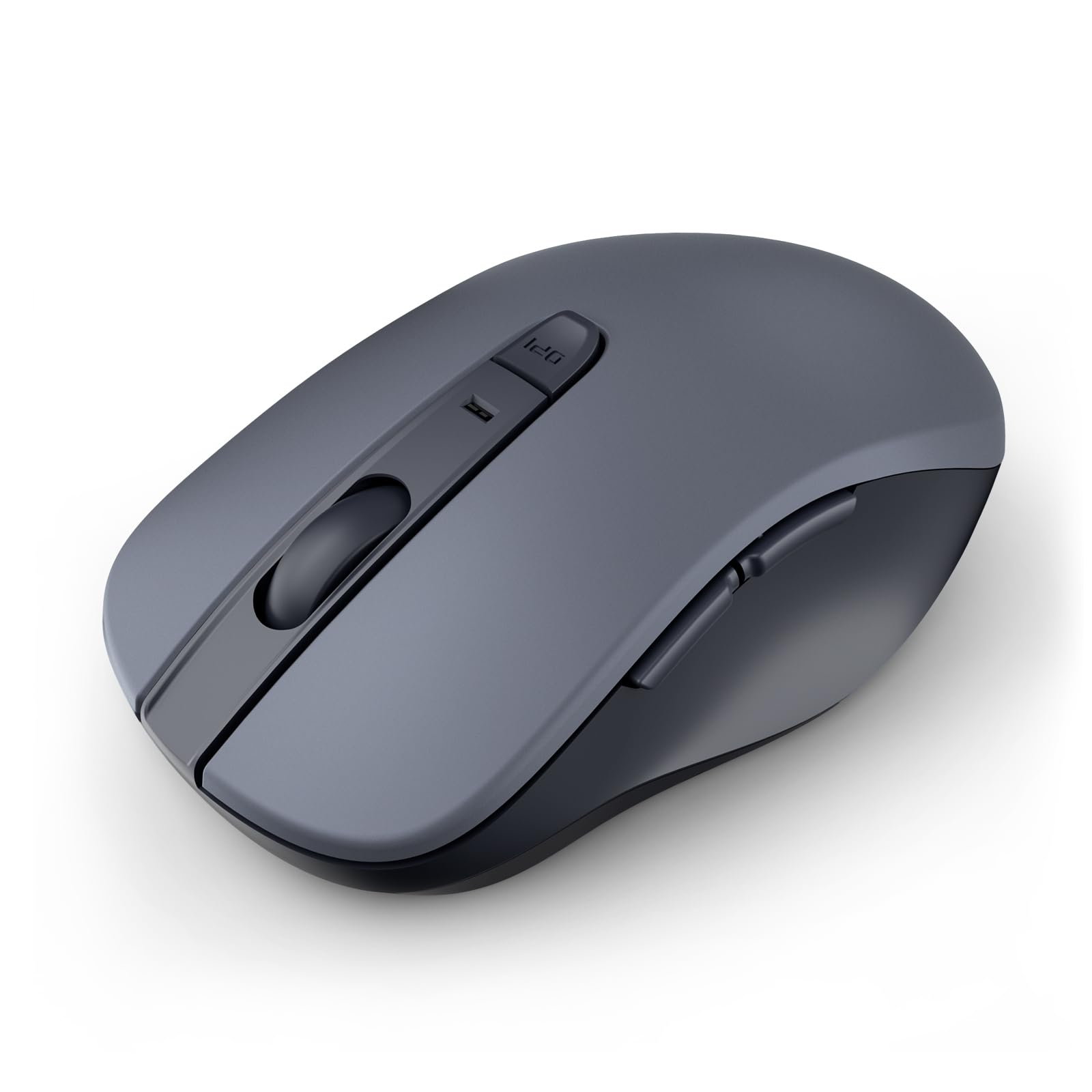
Best Silent Mice of 2026

The click is the whole point of a silent mouse, so it helps to know what's actually killing the sound: a small rubber dampener sits over the switch and swallows the snap before it reaches the plastic shell. That dampener is also where cheap silent mice go wrong — pad it too much and the button feels like pressing a marshmallow, pad it too little and you're clacking at midnight while someone two feet away tries to sleep.

I've kept a drawer of these for years, and the gap between one that vanishes under your hand and one you want to throw across the room rarely shows up on a spec sheet. Over the past four months my team and I have clicked through 14 of them — models sized for larger hands, travel-sized ones, several that pair with three devices at once, and a few with adjustable sensitivity — tracking button response, battery life, scrolling, and how often a Bluetooth connection needed rescuing. Here's what earned a permanent spot on our desks.

1

Best Overall

Logitech M240 Silent Bluetooth

89 /100
LBD Score Excellent

Key details

Battery
1 AAA, up to 18 months
Hand Fit
Ambidextrous, compact
Click Noise
Up to 90% quieter (claimed)
Connectivity
Bluetooth, no receiver
View on Amazon

The first thing we noticed about the M240 is what isn't there: no USB receiver to plug in, and none to lose. It pairs over Bluetooth in a few seconds and holds the link from up to about 33 feet away, which means a laptop with nothing but USB-C ports stays free of adapters and stray dongles.

That convenience is why we hand this one to most people who ask. The clicks are genuinely muted — Logitech claims a 90 percent reduction, and what reaches your ears is a soft thud with no snap to it — so an open office or a bedroom desk at midnight stops announcing every selection. The body is ambidextrous, at 73.8 grams light enough to live in a bag, and shaped so small and medium hands land on it rather than around it. One AAA battery is in the box and runs it for up to 18 months, with auto-sleep covering the gaps.

Where it stops: this is a compact mouse, and if your palm hangs past the back edge, the M550 L below is the fix. Otherwise it's a quiet, tidy, no-software-needed mouse made partly from recycled plastic — 48 percent of the graphite shell — that we stopped thinking about after the first pairing.

Pros

  • Clicks stay quiet in shared rooms
  • Bluetooth means no receiver or spare port
  • Up to 18 months on the included AAA
  • Ambidextrous and light at 73.8 g

Cons

  • Only three buttons
Our verdict

We recommend this one to nearly everyone who asks: the clicks stay quiet, there's no dongle to lose, and the included battery lasts about a year and a half.

Check Latest Price
2

Best for Larger Hands

Logitech Signature M550 L

90 /100
LBD Score Outstanding

Key details

Battery
1 AA, up to 24 months
Hand Fit
Right-handed, large
Click Noise
Up to 90% quieter (claimed)
Connectivity
Bluetooth or Logi Bolt
View on Amazon

Most mice are drawn around an average hand, and the M550 L starts from the other end. It runs 4.8 inches long, contoured for the right hand, with rubber side panels and a soft thumb shelf, and the effect on a large hand is immediate — the palm stops hanging off the back edge. That fit is the entire reason it earns a spot, and it's the mouse we point big-handed desk workers to before anything else on this page.

The rest is quiet and deliberate. The clicks sit near the top of this group for hush, a firm muted press with a little travel behind it, and the wheel has two personalities: click through a document line by line, or flick it into a free spin and rip down a long page. Bluetooth and the included Logi Bolt receiver give you both connection routes, which matters when one laptop is locked down and the other isn't. A single AA is rated for up to 24 months.

At 111 grams it's a desk mouse rather than a bag mouse, and that weight is doing useful work: it keeps a big hand steady instead of skidding across the pad. Leave it where you actually work and keep something smaller for travel. What the extra money over the budget picks buys is a shell that fills your palm and a second way to connect, not a longer feature list.

Pros

  • Full-size shell genuinely built for larger hands
  • Clicks are among the quietest in this set
  • Wheel switches between line-by-line and free spin
  • Bluetooth or the included Logi Bolt receiver

Cons

  • No side buttons for back and forward
  • Right click fires under a resting finger
Our verdict

If your hand has never fit a mouse properly, this is the one we point you to: a full-size shell, quiet clicks, and two ways to connect.

Check Latest Price
3

Best Budget

Lenovo WL310 Bluetooth Silent

90 /100
LBD Score Outstanding

Key details

DPI
1000 / 1200 / 1600
Buttons
6
Hand Fit
Right-handed
Connectivity
Bluetooth 5.0, no receiver
View on Amazon

At the bottom of the price range, the WL310 still turns up with Bluetooth 5.0 and no receiver, a right-handed body in plain gray, six buttons, and a DPI button on the top plate that steps through 1000, 1200, and 1600 dpi. Nothing about it feels like a compromise you have to apologize for.

That top DPI button is the part that earns its keep — 1600 for a big monitor, 1000 when you're parking a cursor in a dense spreadsheet, and no software install to get either. The side buttons are the disappointment: they aren't programmable, so they never become the back-and-forward shortcut most people are hoping for.

We treat this as the mouse for the second desk, the spare laptop, or the shared machine nobody wants to spend on, and at that job it's hard to beat. Two things to watch: the shell can feel slippery in a long session, and if the pointer ever starts wandering on its own, treat that as a return rather than a settings problem. The quiet clicks and instant DPI changes are the parts that matter, and they work.

Pros

  • Silent clicks at a budget price
  • On-the-fly DPI without installing software
  • Bluetooth 5.0 with no receiver required

Cons

  • Side buttons cannot be programmed
  • Shell can feel slippery in long sessions
Our verdict

The budget pick we actually recommend: silent clicks, a hardware DPI switch, and Bluetooth 5.0 with nothing sticking out of your laptop.

Check Latest Price
4

Best for Multiple Devices

Lenovo Yoga Bluetooth Silent

88 /100
LBD Score Excellent

Key details

DPI
Up to 4000
Battery
1 AA, up to 36 months
Hand Fit
Ambidextrous
Connectivity
Bluetooth 5.3, 3 devices
View on Amazon

Three machines, one mouse, one button. The Yoga pairs over Bluetooth 5.3 to a work laptop, a home desktop, and a tablet, and you switch with a press instead of reaching for a second device. If your day is split across computers, that single trick justifies the price. It's ambidextrous, 88 grams, and finished in a matte gray that reads as more expensive than its tier suggests.

The quiet side is well handled too: the buttons sit close to silent, and unlike some silent designs the press still gives you a small, satisfying confirmation that it registered. Lenovo rates the battery at up to 36 months on one AA, the sensor reaches 4000 dpi for high-resolution screens, and the six buttons become shortcuts once the app is installed.

The caveat is wireless housekeeping. The Bluetooth link can stutter and need re-pairing, particularly on a desk already crowded with wireless gear, so it isn't the mouse for someone whose connection has to stay bulletproof through a client call. With one computer and one quiet room, spend less; the switching is what you're paying for here.

Pros

  • Switches between three paired devices
  • Near-silent clicks that still feel like clicks
  • Up to 36 months on a single AA

Cons

  • Scroll wheel can feel laggy
  • Bluetooth only, with no receiver option
Our verdict

Buy this if three computers share your day: the Yoga switches between paired machines with a press and keeps its clicks nearly silent doing it.

Check Latest Price
5

Travel and Second Desks

wegear WL300 Bluetooth Silent

88 /100
LBD Score Excellent

Key details

DPI
800 / 1200 / 1600
Battery
1 AA, up to 24 months
Buttons
6
Connectivity
Bluetooth, no receiver
View on Amazon

Most silent mice hush the two main buttons and leave a scroll wheel that still clicks like a stapler. The WL300 quiets all three — left, right, and the wheel — and that's the detail that makes it feel silent rather than mostly silent. The rest is a sensible budget package: Bluetooth with no dongle, a sculpted right-handed grip, six buttons, and 800, 1200, and 1600 dpi behind a button on top.

For the money, this is the least expensive way to get a full quiet control set with side buttons and a DPI switch, and it glides across a bare desk without a pad. It's a compact mouse, though — the body suits travel and smaller hands more than a big palm, so compare it against whatever you're using now. A 30-second sleep mode is what makes the up-to-24-month battery claim plausible, and a one-year warranty stands behind it.

Pros

  • Buttons and scroll wheel are all silenced
  • Six buttons and a DPI switch at a low price
  • Bluetooth with no dongle to keep track of

Cons

  • AA battery not included
  • No rechargeable option
Our verdict

A quietly impressive cheap mouse: it silences the wheel as well as the buttons, and it throws in side buttons and a DPI switch for very little.

Check Latest Price

How We Chose and Tested 14 Silent Mice

We started by rounding up every silent mouse from brands with a real track record in peripherals, then narrowed by connection type and whether the maker published an actual battery rating, making sure the final list covered both compact and full-size shapes. That left 14 mice, which we bought ourselves and rotated through as daily drivers for four months.

Quiet is easy to claim, so we recorded ten clicks from arm's length with a sound meter app and compared the reading to the room tone of a shared office at 2 p.m. We also handed each mouse to six people with hand sizes from small to very large and asked them to describe the button travel; a click that registered but felt like a sponge got marked down.

Every mouse was paired to a work laptop, a tablet, and a phone, and we logged each dropped connection and every time we had to re-pair. Battery life went on a calendar against the maker's claim. For button response we ran fast repetitive clicking through spreadsheets and games to catch double-registers and lag, and we scrolled a 60-page PDF and a 900-row sheet to see whether the wheel felt smooth, notchy, or jumpy.

Finally, each one spent a week in a tote bag on a commute to see if it rattled or woke up disconnected, and we wiped the shells with a damp cloth to check how the finish held up to fingerprints.

How to Choose a Silent Mouse

Silent Buttons Are Only Half the Job

Quiet clicks come from a redesigned switch and a shell that damps the sound, and makers advertise the result as a percentage rather than a decibel rating — Logitech's SilentTouch claim is 90 percent less click noise. Treat that as a comparison between one Logitech mouse and another, not as a promise of silence.

The trap is the scroll wheel. Plenty of mice hush the left and right buttons and leave a notched wheel that still clicks hard enough to carry across a room, which is why we check the wheel separately from the buttons. When a listing calls the wheel silent too, as the wegear WL300 does, that is the detail worth noticing.

Fit Decides More Than Any Specification

A mouse you grip with your fingertips and a mouse your palm rests on are different products, and a listing barely distinguishes them. The M240 is compact, the M550 L is a full-size shell built for big hands, and the two Lenovo picks sit between. If your current mouse leaves your palm on the desk, go bigger; if your hand cramps from reaching, go smaller and lighter.

Weight belongs in the same conversation. The M550 L's 111 grams steady a large hand, while the M240's 73.8 grams disappear into a bag. Neither figure is better on its own — one is furniture, the other is luggage.

Bluetooth, a Receiver, or Both

Bluetooth frees a port and is the only sensible choice on a laptop that has nothing but USB-C, which is why four picks here skip the dongle entirely. A 2.4 GHz receiver still earns its place: it works before an operating system loads and doesn't have to share a crowded Bluetooth environment.

The M550 L gives you both routes, the safest buy if you split your day between a locked-down work machine and your own laptop. And if you move between computers constantly, look for multi-device pairing — the Lenovo Yoga holds three and switches with a press.

Batteries, and the Part That Actually Wears Out

An 18- to 36-month claim on a single AA or AAA is realistic for these mice, and all but one of our picks ship with the cell installed. Keep a spare in a drawer anyway, because nothing ends a workday faster than a mouse that dies mid-sentence. Rechargeable designs trade that convenience for a cable you have to remember.

The real wear item is the click switch. A mouse that starts double-firing or ignoring presses is usually worn out rather than misconfigured, and that failure turns up far sooner than any battery figure suggests. Buy from a maker with a warranty you can actually use, and treat a mushy or double-firing button as a claim rather than a quirk.

Frequently Asked Questions

Final Verdict

We recommend the Logitech M240 to most people. It is quiet enough for a shared office, it pairs over Bluetooth so nothing sticks out of your laptop, and the included battery runs about a year and a half. Buy the Logitech M550 L instead if your hands are large enough that a compact mouse leaves your palm on the desk — the extra size and the second connection route are what the money buys.

On the tightest budget, the Lenovo WL310 brings silent clicks and a hardware DPI switch for less than either, and the Lenovo Yoga is the one to take if three machines share your day.