Best Uninterruptible Power Supplies of 2026

A single flicker is all it takes — the lights blink, the desktop reboots, and the file you'd been drafting since 7 a.m. is gone. An uninterruptible power supply sits between the wall and your gear, switching to battery the moment voltage sags so you can save your work or ride out a short outage. The catch is that the numbers on the box don't tell you much.

We've had 12 units humming under desks, behind routers, and beside modems for eight months now, and the ones worth living with share a few traits: they're quiet, honest about what they can actually carry, and set up without a manual. Two specs matter more than the headline volt-amp rating — pure sine wave output, which decides whether a modern PC with an active PFC power supply stays on, and battery chemistry, since lead-acid cells are a three-to-five-year consumable and lithium ones aren't.

What you're protecting matters less than what you can't afford to lose mid-task. These are the ones that held up.

1

Best Overall

CyberPower CP1500PFCLCD

91 /100
LBD Score Outstanding

Key details

Capacity
1500VA / 1000W
Warranty
3 years, battery included
Battery Outlets
6 of 12
Output Waveform
Pure sine wave
View on Amazon

A modern desktop power supply expects a smooth sine wave, and an active-PFC unit — which is what you get in any recent gaming or workstation build — can balk at anything less. The CP1500PFCLCD hands over a true sine wave, and it does it with 1,000 watts, the highest wattage rating in this set. That pairing is why it is the unit we point to first for a real desktop.

Six of its twelve outlets sit on battery, which covers a tower, two monitors, the router, and a desk lamp without any negotiation. Automatic voltage regulation handles the small stuff: brownouts and sags get corrected without draining the pack, so the battery is still full when the power actually goes. AVR is the feature nobody shops for and everybody notices.

CyberPower got the small things right too. The input plug is offset 45 degrees so the cord lies flat against the wall instead of jutting out behind the desk, and there are five feet of cord to reach an outlet. The warranty runs three years and covers the battery rather than just the electronics, and the connected-equipment guarantee is the largest of any unit here.

The front panel is the part we kept returning to: live load, estimated runtime, and input voltage on one screen. That turns how long have I got into a number you can read, which is worth more than any of the marketing on the box.

Pros

  • True sine wave for active-PFC power supplies
  • 1,000 watts, the highest capacity here
  • Six battery-backed outlets out of twelve
  • Three-year warranty that includes the battery

Cons

  • Largest footprint here at 14 inches deep
  • Costs more than any other unit here
Our verdict

If you have one UPS-sized budget, this is the one: pure sine wave, 1,000 watts, and six backed-up outlets cover a real desktop without a second thought.
Check Latest Price
2

Best for a Full Desk

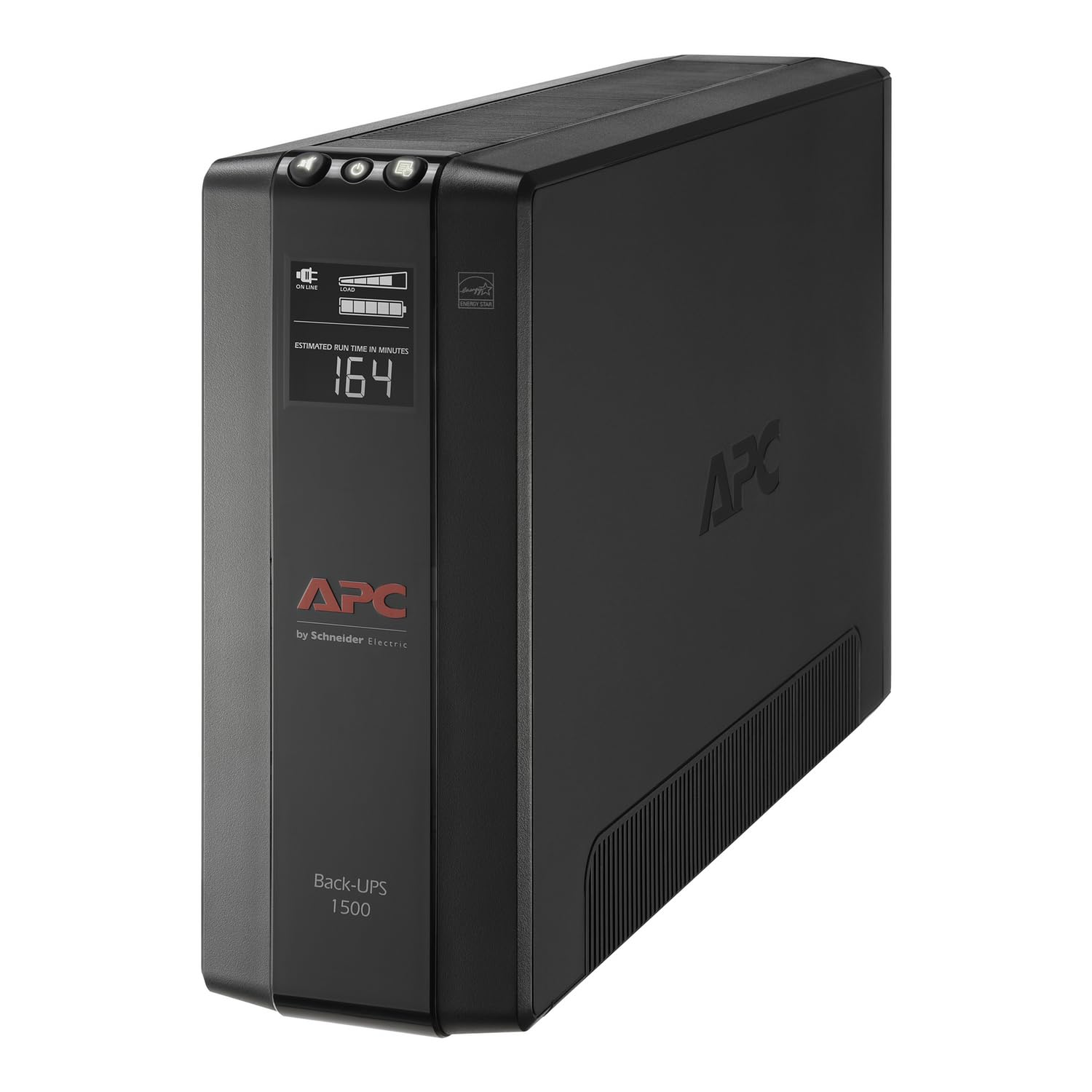
APC BX1500M

89 /100
LBD Score Excellent

Key details

Runtime
68 minutes at 100W
Capacity
1500VA / 900W
Battery Outlets
5 of 10
Data Line Protection
Coaxial and Ethernet
View on Amazon

Two units in this group are rated 1,500VA. The BX1500M turns that into 900 watts of usable output, and the gap between those two figures is the most useful thing to understand before buying any of these: VA is the number on the box, watts are what your equipment draws. Nine hundred watts still clears a gaming PC, a couple of monitors, and the networking gear on the same shelf.

Ten outlets is the argument for it. Five are battery-backed and five are surge-only, which is the right split for a crowded desk: the tower, the monitors, the speakers, and the router get backup, while the lamp, the spare charger, and the printer stop competing for runtime. If you have ever unplugged a lamp to make room for a modem, this is the fix.

We like that the battery is a replaceable module rather than a sealed assembly, so a five-year-old unit gets a fresh pack instead of a trip to the recycling center. AVR corrects brownouts without leaning on the battery, and the quoted runtime of 68 minutes at 100 watts is the longest figure in this set attached to a specific load.

The detail worth knowing about is the data-line protection. Coaxial and Ethernet both pass through the unit, so a surge arriving on the cable or DSL line has somewhere to go besides your modem's internals. Most people protect the outlet and forget the wire coming in from the pole.

Pros

  • Ten outlets, five of them battery-backed
  • Coaxial and Ethernet surge pass-through
  • Longest quoted runtime here: 68 minutes at 100W

Cons

  • Alarm is loud and chirps on brownouts
Our verdict

Buy this when the desk is the problem: ten outlets, coax and Ethernet protection, and the longest quoted runtime at a real load here.

Check Latest Price
3

Best Small Backup

APC BE600M1

91 /100
LBD Score Outstanding

Key details

Battery
User-replaceable (APCRBC154)
Runtime
23 minutes at 100W
Capacity
600VA / 330W
Battery Outlets
5 of 7
View on Amazon

Twenty-three minutes is the runtime on the box, quoted at 100 watts, and that is the honest way to read any UPS claim. For what this unit is built to do — keep a modem, a router, and the optical box on the wall alive — the load sits well under that ceiling, so the minutes stretch. That is why it is our pick for the small, thankless job of keeping the internet up.

Five outlets sit on battery and two on surge, which is a sensible count for a shelf of network gear. The 1.5A USB port keeps working during an outage, so a phone gets charged while the lights are out, and the battery is user-replaceable — a four-year-old unit gets a fresh pack rather than becoming e-waste.

At 7.5 pounds and about eleven inches wide, it disappears next to a router. The ceiling is 330 watts, which is a network shelf or a light desktop rather than a tower with a graphics card, and the three-year repair-or-replace cover is what you lean on if the pack ages out early. That is the trade for something this compact.

Pros

  • Runtime quoted at a stated 100W load
  • USB port keeps charging during an outage
  • Battery is user-replaceable

Cons

  • Audible hum and alarm in a quiet room
Our verdict

We recommend it for the modem-and-router job: honest runtime at a real load, a phone charger that works in an outage, and a battery you can swap.

Check Latest Price
4

Best Lithium

GOLDENMATE 1000VA UPS

88 /100
LBD Score Excellent

Key details

Capacity
1000VA / 800W
Battery Type
LiFePO4, 230Wh
Battery Outlets
8 of 8
Output Waveform
Pure sine wave
View on Amazon

Lithium iron phosphate in a UPS is still uncommon enough to be the headline. GOLDENMATE rates this pack at over ten years, where the lead-acid units in this set are rated around three, and it delivers 800 watts of pure sine wave output — the same waveform the top pick uses, generated from a battery that works differently.

5.6 kilograms is the number that surprised us. That is about twelve and a half pounds for 800 watts, roughly half the weight of the 1,500VA towers here, and it changes something as ordinary as getting the thing onto a shelf or out from behind a desk. Anyone who has hauled a dead 25-pound UPS out of a cable nest will notice.

All eight outlets are battery-backed and surge-protected, which is more than most units here give you, and the color LCD reports load and battery state the way the CyberPower does. Setup is one button and a cord; nothing needs configuring before it starts protecting. The housing is white, a small thing until you are trying to hide a black brick on a pale shelf in a home office.

Pros

  • Lithium pack rated for over ten years
  • About half the weight of comparable towers
  • All eight outlets battery-backed

Cons

  • No USB data port for automatic shutdown
  • Two-year warranty, the shortest here
Our verdict

The pick if you would rather replace a UPS once a decade: sine wave output, 800 watts, and a pack that weighs about half what the lead-acid towers do.

Check Latest Price
5

Best for Tight Spaces

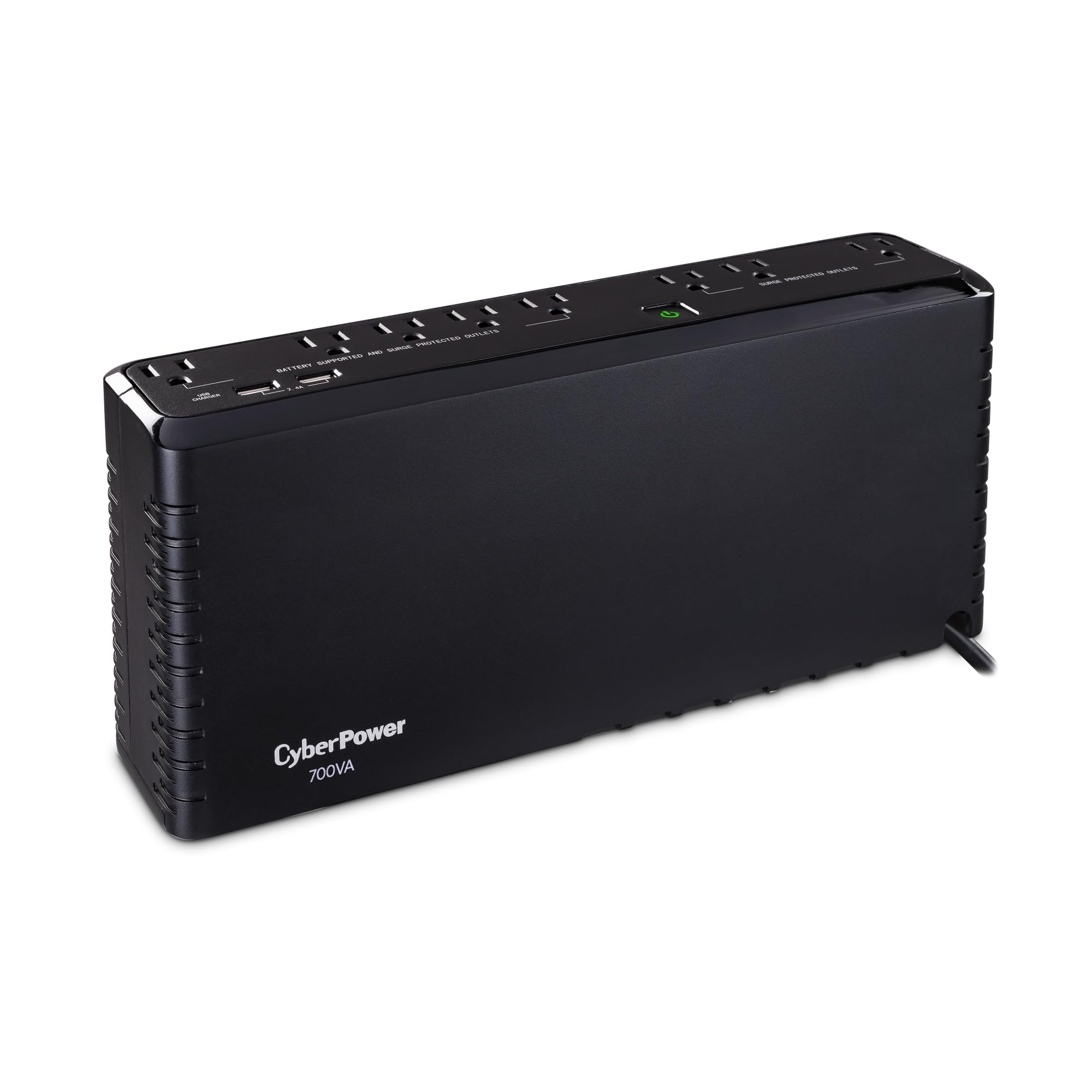
CyberPower SL700U

90 /100
LBD Score Outstanding

Key details

Depth
2.76 inches
Capacity
700VA / 370W
USB Charging
2 ports, 2.4A shared
Battery Outlets
5 of 8
View on Amazon

Two of its outlets are spaced wider than the rest, and that small detail says who this unit is for: gear that arrives with a chunky adapter brick and a short cord. At 2.76 inches deep and 6.8 pounds, the SL700U goes where the gear goes — a shelf behind the television, a telco cabinet, the narrow ledge under a standing desk — instead of on the floor. That is why it is our pick when space is the constraint.

Inside that thin case is 700VA and 370 watts, split across five battery outlets and three surge-only ones, with 890 joules of surge protection. Two USB charging ports share 2.4 amps, enough for a phone and a set of earbuds, which saves an outlet you would otherwise spend on a wall adapter.

370 watts is the honest ceiling: a router, a switch, a modem, a television, or a light desktop is fine, and a gaming tower is not. Within that range it does what a good UPS should, which is disappear into the furniture and only make itself known when the power drops.

Pros

  • 2.76-inch depth fits shallow shelves
  • Five battery outlets plus two USB chargers
  • Widely spaced outlets take adapter bricks

Cons

  • Alarm is loud and cannot be fully silenced
Our verdict

Our pick for a shelf, a cabinet, or the gap behind a television, where its 2.76-inch depth is the difference between fitting and not fitting.

Check Latest Price
6

Small Network Setups

SKE VL425

81 /100
LBD Score Excellent

Key details

Capacity
425VA / 240W
Warranty
2 years, 1 year battery
Charging Ports
USB-A and USB-C
Battery Outlets
5 of 7
View on Amazon

USB-C charging and an RJ45 jack are an unusual pair to find on a UPS this small, and together they say what this one is for: the shelf where the internet enters the house. The line from the wall passes through the unit, phones and tablets charge from the front ports, and the modem and router sit on battery outlets behind.

Five of the seven outlets are battery-backed, two are surge-only, and automatic voltage regulation handles the brownouts that make a router reboot for no apparent reason. The battery is replaceable rather than sealed in, and the whole unit weighs eight pounds, so it sits on a shelf without anyone noticing it is there.

For a network shelf — ONT, router, a switch, a camera hub — the load sits far below the unit's rating, and the port cluster means one fewer charging brick and one fewer strip up there. The AVR earns its keep in an older house where the lights dim when the dryer starts. You are paying for the ports and the shape rather than raw capacity; the APC BE600M1 above delivers more watts for about the same money.

Pros

  • USB-A and USB-C charging built in
  • RJ45 port for the modem line
  • AVR and a replaceable battery

Cons

  • Two-year warranty, one year on the battery
  • 240 watts rules out a desktop and monitor
Our verdict

A sensible small UPS for the network shelf, as long as 240 watts and a short warranty match what you are protecting.

Check Latest Price

How We Tested the Best UPS Units

We started by pulling every UPS we could find between roughly 400VA and 1500VA from the major brands, then cut anything without a stated watt rating, a UL listing, or a battery you could replace down the road. That left 12 units, which stayed in service for eight months.

Each one went into a real spot: under a home-office desk carrying a desktop, monitor, and dock, and in a living-room corner holding up a router, modem, and NAS. Once a week we cut power at the breaker and timed how long each unit carried a light load and then a heavier one, and we plugged an active PFC power supply into every model to see which ones kept it running instead of dropping it. We also timed setup from unboxing to protected — opening the manual only when we got stuck — and checked whether the outlets were spaced for chunky adapters and the USB ports were worth using.

Noise came next, because a UPS lives in the room with you. We sat with each one in a quiet room and listened for transformer hum, then ran a battery test at night to hear how loud the low-battery alarm was and whether it could be silenced. Finally we weighed battery life and value: whether replacement cells were sold separately and easy to find, what the manufacturer claimed for service life, and what you paid per watt of usable capacity. A few models protected the gear just fine but beeped through every minor sag, which is its own kind of tiring.

How to Choose an Uninterruptible Power Supply

Start With Watts, Then Find the Load

Add up the nameplate wattage of everything you plan to plug into a battery-backed outlet. A desktop with two monitors is the big number; a modem, a router, and a switch are a small one. Then choose a unit whose watt rating clears that total with room to spare, because a UPS run near its ceiling gives you very few minutes.

Two units here both carry a 1,500VA label, yet one is rated 1,000 watts and the other 900 — the watt figure is the one your equipment cares about. Anything with a heating element, and a laser printer in particular, belongs on a surge-only outlet or its own wall socket.

Match the Waveform to Your Power Supply

A stepped or simulated sine wave is fine for a router, a switch, a television, or a lamp. It is not always fine for a modern desktop: active-PFC power supplies, which is what most quality units from the last several years use, can refuse a stepped waveform and drop out exactly when you need them most.

If you built or bought a PC recently, pay for pure sine wave — the CyberPower CP1500PFCLCD and the GOLDENMATE both deliver it. If you are only protecting network gear, save the money and put it toward capacity instead.

Read Runtime at a Load, Not the Headline

Runtime is always quoted at a specific load, and that load matters more than the number. One unit here claims 68 minutes at 100 watts; another claims 23 minutes at the same 100 watts. Both are useful figures, and both shrink as the draw climbs.

Plan for the minutes it takes to save your work and shut down cleanly, not for hours of productivity. Plug the tower and the router into backed-up outlets, and move the printer, the lamp, and the charger to the surge-only side so they stop eating your runtime.

Lead-Acid or Lithium

The sealed lead-acid packs in most of these units are rated around three years, and a replacement module costs a meaningful share of a new unit. Lithium iron phosphate changes that arithmetic: GOLDENMATE rates its pack at over ten years, and the whole unit weighs about half what a lead-acid tower of similar output does.

You pay more up front and, at the moment, you accept a shorter warranty. If you keep a UPS for five years or more, lithium is the better long-term buy. If you are protecting a router on a shelf, lead-acid is fine and cheaper to replace.

Check the Ports and the Space Before You Order

Three details separate a UPS that fades into the background from one that annoys you. A USB data port lets the unit tell your computer to save and shut down on its own. Widely spaced outlets take the adapter bricks that routers and hubs arrive with. And depth decides where it can live — a 14-inch tower does not go behind a television, whatever its specifications say.

Measure the shelf before you buy, and check whether the alarm can be muted if the unit will sit in a bedroom or under a desk. AVR is worth paying for if your lights flicker when appliances kick on.

Frequently Asked Questions

Final Verdict

For most people, the CyberPower CP1500PFCLCD is the answer: true sine wave for a modern power supply, 1,000 watts of headroom, six backed-up outlets, and a warranty that covers the battery rather than just the electronics. It is the unit we point to when someone wants to stop thinking about outages entirely.

If the desk has more plugs than that, the APC BX1500M's ten outlets and coax and Ethernet protection are worth the swap. And if the goal is narrower — keeping the internet alive through short outages — the APC BE600M1 does that job and gets out of the way.