Best 140Mm Case Fans of 2026

Every 140mm fan is a trade-off between airflow and the noise you'll tolerate at midnight. The spec sheet gives you both numbers but not the thing that actually matters — pitch. A fan that reads quiet on paper can hum through a mesh front panel, and a louder one with a smoother bearing can be the one you stop hearing altogether.

I've rebuilt the same mid-tower more times than I'd like to admit chasing that hum, and over the past five months my team has run 16 fans through real builds — gaming rigs, a mesh-front airflow case, and a top-mounted radiator. The lesson: peak RPM on the box tells you almost nothing, and neither does price. What separates a good fan is how low it can spin without stalling, and whether it gets there without a click or a whine.

The unglamorous stuff counts too. A splitter or daisy-chain connection saves you a header and a rat's nest behind the tray, and mounting hardware you can install without pulling the build apart is worth more than it sounds. Below are the picks that moved the most air for the least noise in our machines.

1

Best Overall

Noctua NF-A14 PWM

96 /100
LBD Score Outstanding

Key details

Airflow
140.2 m³/h
Warranty
6 years
Max Speed
1500 RPM
Noise Level
24.6 dB(A)
View on Amazon

Open the box and you get more than a fan: four anti-vibration mounts, fan screws, a low-noise adaptor, an extension cable and a y-cable that runs two fans from a single header. That last item is the one we reach for most, because a pair of front intakes sharing one PWM header is the most common arrangement in a modern case, and having the splitter included means no extra order and no rummaging for a spare lead.

It is also why this is the fan we point most people toward. The 1500 RPM ceiling, 140.2 m³/h airflow and 24.6 dB(A) rating are respectable rather than record-breaking, but the fan covers 300–1500 RPM under PWM, so it can idle near-silent and still push when the curve asks. The square frame mounts to a case panel or a 280mm radiator without an adapter, the fibreglass-reinforced PBT feels dense in the hand, and a 6-year warranty and 150,000-hour rating suggest Noctua expects it to outlast the rest of the build.

The classic brown-and-beige frame is the thing to think about before ordering. On an open build with a glass side it is a statement, and not everyone wants to make it; behind a solid panel or a filtered front you never see it. It also costs more than the redux below for broadly similar airflow, and that money buys accessories rather than extra performance.

What tips it for us is the range rather than the peak. A fan that behaves at 500 RPM and still has headroom at 1500 suits an airflow case now and a radiator later, and that flexibility is worth more than a couple of points of airflow. If you are fitting four fans and already own a splitter, the cheaper Noctua does the same job; for a first build where every cable and mount counts, this is the one we hand people.

Pros

  • Anti-vibration mounts, splitter and LNA included
  • Quiet 24.6 dB(A) rating with a 300–1500 RPM PWM range
  • Works as a case fan or on a 280mm radiator
  • 6-year warranty and 150,000-hour rated life

Cons

  • Brown-and-beige frame divides opinion on glass builds
Our verdict

We recommend it as the default 140mm fan: quiet at the speeds you will actually run, at home on a case panel or a radiator, and boxed with the mounts and splitter most builds need.

Check Latest Price
2

Best Quiet Fan for Less

Noctua NF-P14s redux-1500

96 /100
LBD Score Outstanding

Key details

Airflow
133.7 m³/h
Included
Fan and screws
Max Speed
1500 RPM
Noise Level
25.8 dB(A)
View on Amazon

Take our top pick, drop the accessory kit, and you have the P14s redux. It is the same 1500 RPM, 140mm square-frame fan, rated 25.8 dB(A) and 133.7 m³/h, which is close enough to the NF-A14 that most builds will not register the difference. If you want Noctua's acoustics without paying for a box of extras, this is the one to order.

What you give up is everything except the fan and four screws: no anti-vibration mounts, no y-cable, no low-noise adaptor, no extension. Each is sold separately, so the saving narrows quickly if you need two of them. The grey-and-black frame is the other draw. It disappears into a black build in a way the beige Noctua never will, and on a case with a glass side that counts for something.

The long-haul numbers carry over: over 150,000 hours rated, a 6-year warranty and the same fibreglass-reinforced PBT frame. What we noticed in a case is how little the sound changes as the speed ramps — it stays a smooth rush of air rather than developing a whine — and that quality is exactly what separates a Noctua from a cheap fan once the novelty has worn off.

Pros

  • Near top-pick airflow for noticeably less money
  • Grey-and-black frame suits dark builds
  • 6-year warranty and 150,000-hour rated life

Cons

  • Ships with only a fan and four screws
Our verdict

The fan we point to when the budget is tight but the noise target is not: most of our top pick's performance, minus the extras.

Check Latest Price
3

Best for Radiators

be quiet! Pure Wings 3 High-Speed 3-Pack

91 /100
LBD Score Outstanding

Key details

Pack
3 fans
Max Speed
1800 RPM
Noise Level
30.5 dB
Static Pressure
2.44 mm H₂O
View on Amazon

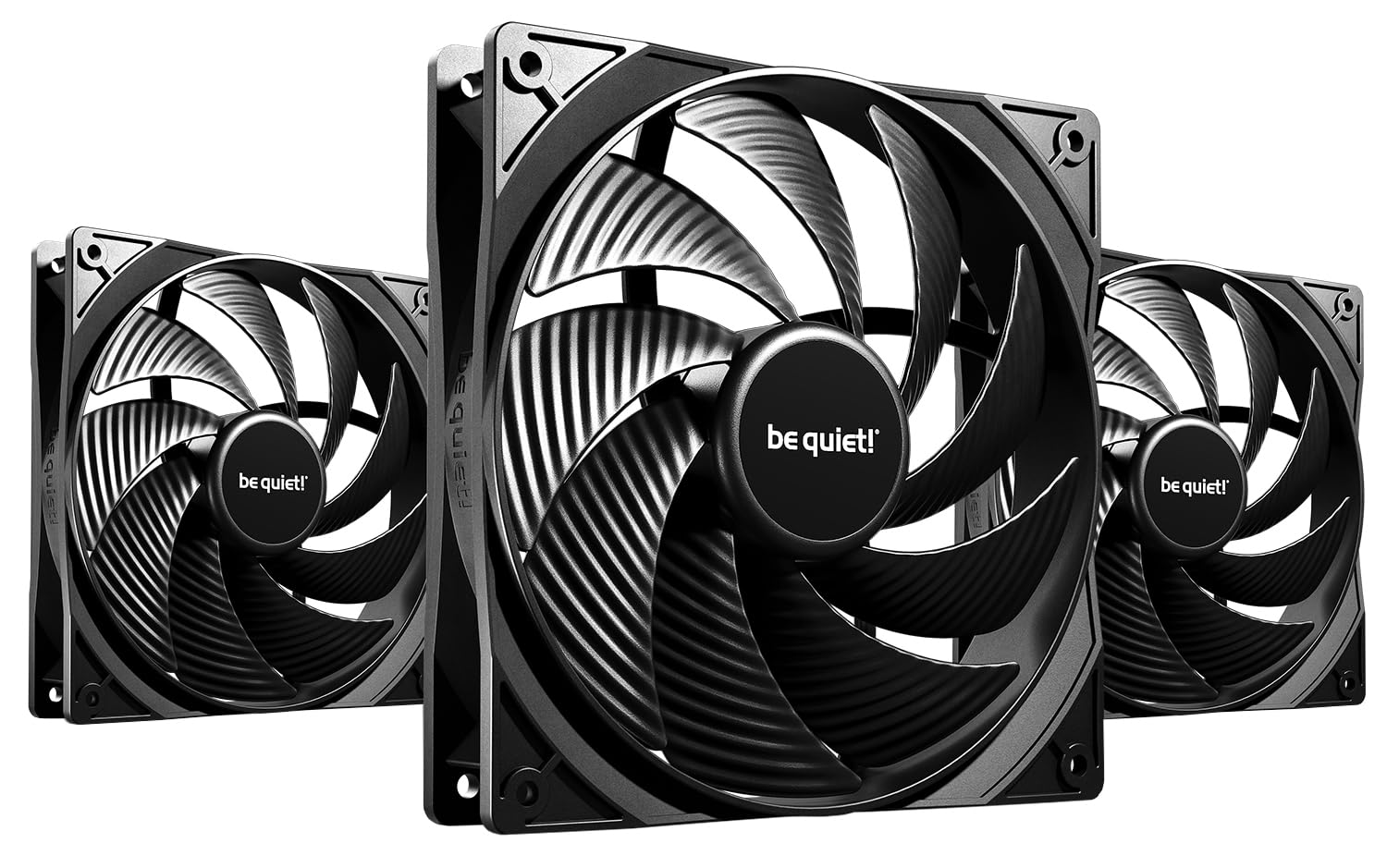
Static pressure is the number to watch when a fan is pressed against fins, a filter or a perforated panel, and 2.44 mm H₂O is the second-highest here behind the Corsair. be quiet! pairs it with a closed-loop motor, which behaves a little like cruise control: as resistance rises, the fan holds its speed instead of sagging. On a 280mm radiator or a fine-mesh front, that is the difference between the airflow figure printed on the box and what actually reaches the components.

The rest of the package is quietly competent. 1800 RPM at the top, 72 CFM, a 30.5 dB rating and a rifle bearing rated for 80,000 hours, with no lighting at all. The nine-blade rotor sits in a frame outlet shaped to cut air leaks, which shows up as less wheeze at the panel edges. This is the high-speed tuning of the Pure Wings 3, so it trades some top-end quiet for pressure; if silence is the entire goal, be quiet! also sells a 1200 RPM version of the same fan.

Three fans with no LEDs is a grown-up combination: you get the pressure for a radiator wall without paying for lighting you will switch off. Screws are the snag. The short, fat ones in the box will not bite in every case hole, and that is the one part of the install we would change. Keep a set of standard case screws in the drawer and the fit becomes fuss-free.

Pros

  • 2.44 mm H₂O static pressure for radiators and filters
  • Closed-loop motor holds speed against resistance
  • Three fans cover a full radiator or a whole case

Cons

  • 30.5 dB rating is louder than the quiet-first picks
Our verdict

Our choice where the fans sit against resistance: 2.44 mm H₂O of static pressure, a motor that holds its speed, and three in the box.

Check Latest Price
4

Best Bulk Value

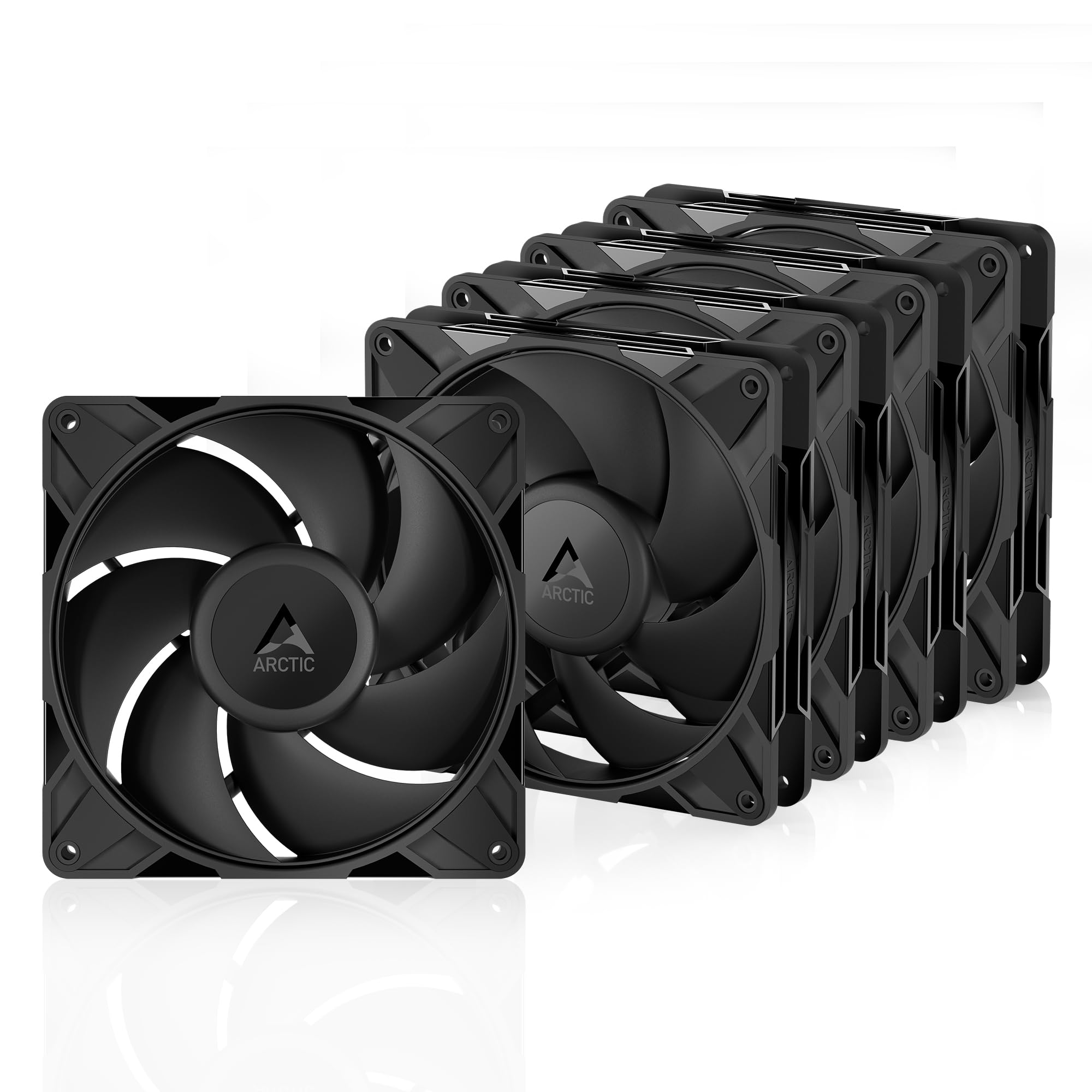
ARCTIC P14 Pro PST 5-Pack

86 /100
LBD Score Excellent

Key details

Pack
5 fans
Bearing
Fluid dynamic
Included
Y-cable splitter
PWM Stop
0 RPM below 5% PWM
View on Amazon

Nothing else here comes close on cost per fan. Five PWM fans and a y-cable splitter arrive in one box, so a case with four or five mounts can be filled in a single order for less than a pair of the premium picks. The feature we appreciate most is the complete stop below 5% PWM: set a curve with a zero-RPM point and the machine goes silent at idle, which is the biggest quality-of-life gain in any build.

The performance side holds up. High static pressure lets these push through radiators, mesh and narrow perforated panels, the fluid dynamic bearing is the sealed, self-lubricating type, and the PWM range sweeps from barely turning to serious airflow. Sound is where the picture changes: below roughly half speed they vanish into a build, and above that the noise climbs faster than you expect. Set the curve conservatively and they are easy to live with; leave them at full tilt and you will hear them.

The screws in the box are the weak point. They are awkward to start in unthreaded holes and the heads sit proud, so keep ordinary case screws on hand before you begin. Once mounted, the frames feel stiffer than the price suggests, and the short cables are a help in a small chassis rather than a limitation.

Pros

  • Lowest per-fan cost in this guide
  • Full stop below 5% PWM for silent idle
  • Y-cable splitter included for the set

Cons

  • Audible once the fans pass roughly half speed
Our verdict

The cheapest way to fill a case with PWM fans: five of them, a splitter in the box, and a complete stop below 5% PWM.

Check Latest Price
5

Best Budget ARGB

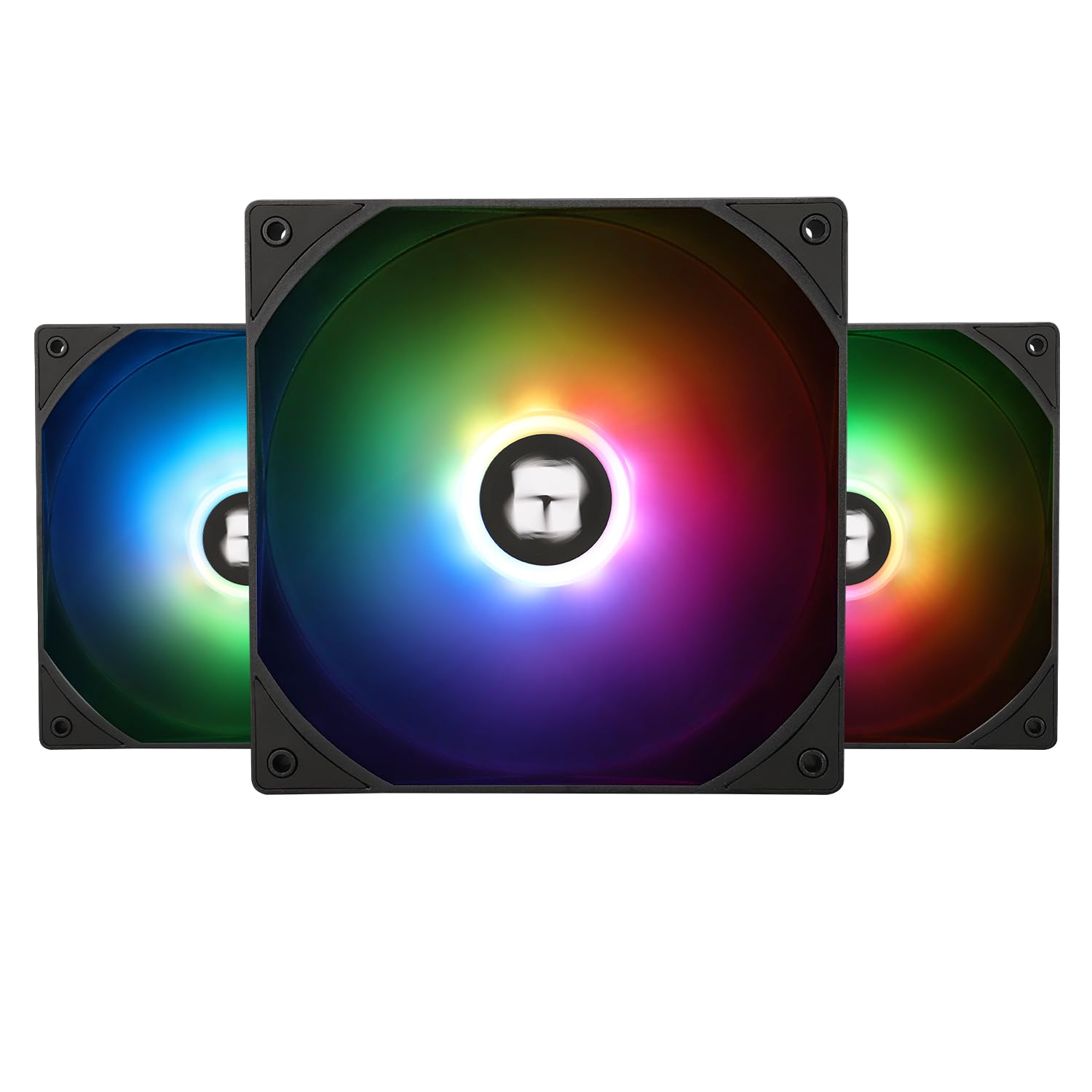
Thermalright TL-C14C-S X3

89 /100
LBD Score Excellent

Key details

Airflow
75.8 CFM
Lighting
5V 3-pin ARGB
Max Speed
1500 RPM
Static Pressure
1.93 mm H₂O
View on Amazon

The lighting is the reason to look at these. A diffusing layer over the rotor spreads ARGB across the whole blade instead of leaving a glowing ring at the hub, and three fans arrive for less than one of the premium picks here. On a budget build with a glass side, it is the biggest visual upgrade in this guide for the money.

As case fans they are competent rather than remarkable: 1500 RPM, 75.8 CFM and 26.4 dB(A), with 1.93 mm H₂O of static pressure. That last figure is the one to note. It is the lowest here, so these are happiest as intakes behind a mesh front or as exhausts, not clamped to a radiator. The S-FDB bearing and 55 cm cables make routing easy, and the 5V 3-pin ARGB connector needs a header on your board, or a controller, to do anything at all.

The plastics are the honest compromise: the frame has a slightly hollow feel next to a Noctua and the blade material is basic. Inside a case with the lights on, none of that registers, and the seven-blade rotor stays smooth at moderate speeds. Run them on a sensible curve and they are quiet enough for a living-room build; push them and the 26.4 dB rating shows where the money went.

Pros

  • Three ARGB fans for very little outlay
  • Bright, evenly diffused blade lighting
  • Long 55 cm cables and standard 4-pin PWM

Cons

  • Frame and blades feel basic next to pricier fans
Our verdict

Three ARGB fans for less than one premium fan, with enough airflow for a normal case: the budget lighting pick we keep recommending.

Check Latest Price
6

Best ARGB with Daisy-Chain

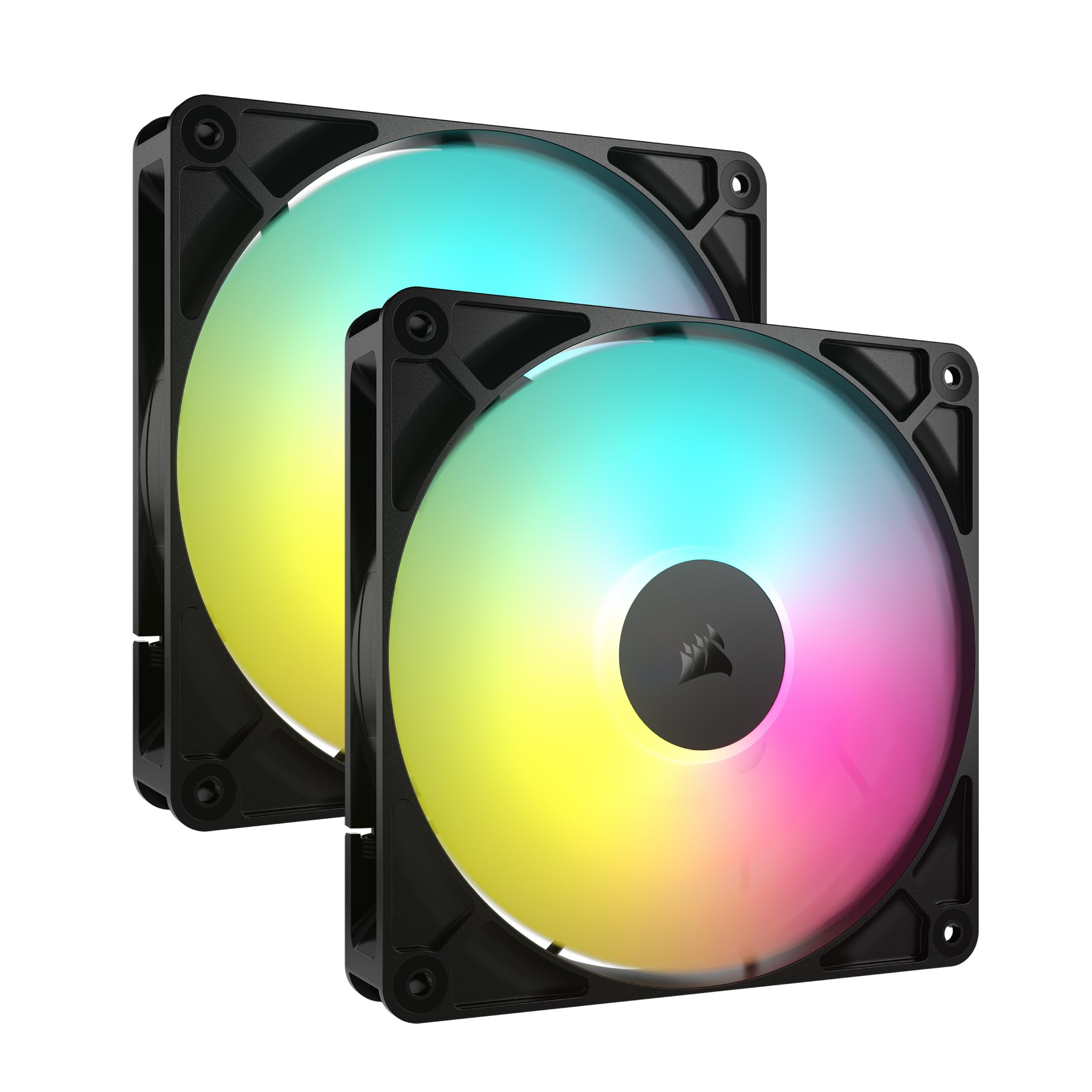
Corsair RS140 ARGB Dual Pack

92 /100
LBD Score Outstanding

Key details

Airflow
95.5 CFM
Lighting
8 LEDs per fan
Max Speed
1700 RPM
Static Pressure
3.46 mm H₂O
View on Amazon

Two fans, one 4-pin PWM cable, one 5V ARGB cable. The RS140 pair chains together, so a front-mounted duo takes two headers and two runs to the motherboard instead of four. In a small case with a glass panel and no room behind the tray, that is the difference between a tidy build and a nest of wires.

The numbers are strong for radiator duty too: 1700 RPM, 95.5 CFM and 3.46 mm H₂O of static pressure, the highest pressure figure in this guide. AirGuide vanes straighten the airflow instead of letting it spiral, and a magnetic dome bearing plus a 5-year warranty round out a package clearly built for AIO swaps as much as for case airflow.

Cabling is where the design gets fiddly. The leads between the two fans are short, and the ARGB run has to reach a header that often sits at the bottom edge of the board, so plan the route before committing to a top-mounted pair. The lighting itself is excellent: eight LEDs per fan, bright enough to colour a whole case interior and easy to sync through the motherboard's ARGB software.

Where the Corsair earns its place is a lighting-led build that also needs pressure. If you already run ARGB and want two fans on two headers, this is the neatest version of that idea here. If silence matters more than the light show, the Noctuas and the be quiet! pack do the same cooling with far less to hear.

Pros

  • Daisy-chain wiring uses one PWM and one ARGB header
  • 3.46 mm H₂O, the highest static pressure here
  • Eight addressable LEDs per fan with 5-year warranty

Cons

  • Audible when pushed toward 1700 RPM
Our verdict

The pair to buy when cable clutter is the enemy: one PWM and one ARGB connector run both fans, and the eight-LED lighting is genuinely bright.

Check Latest Price
7

Best for Glass-Front Builds

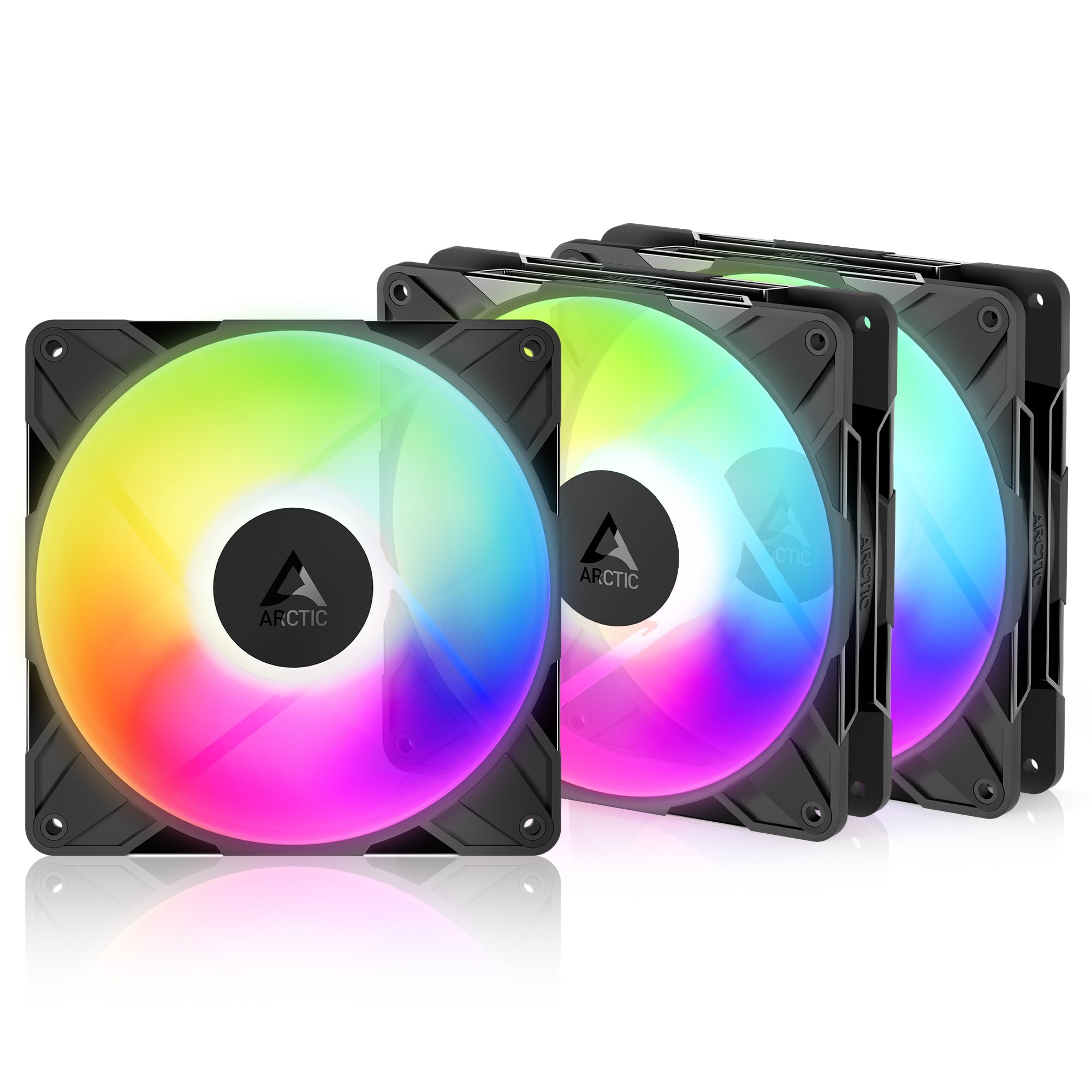
ARCTIC P14 Pro Reverse A-RGB 3-Pack

87 /100
LBD Score Excellent

Key details

Pack
3 fans
Lighting
5V digital RGB
PWM Range
400–2650 RPM
Airflow Direction
Reverse
View on Amazon

A normal fan used as a side or bottom intake shows its back to the room: struts, hub sticker and the least attractive angle of the frame. Reverse-blade fans solve that by pulling air in through the back face, which leaves the clean side facing out through the glass. It sounds like a niche idea until you have built in a case with a wrapped glass corner, and then it is the only thing you notice.

ARCTIC does not charge much of a premium for the trick. The pack runs 400–2650 RPM with a full stop below 5% PWM, uses a fluid dynamic bearing, and includes a y-cable splitter so three fans can share one header. Static pressure is high enough for radiator mounting as well, and the digital 5V RGB is bright rather than subtle.

Mounting takes a little nerve. The holes are not threaded, so the screws need real downward pressure to cut their own thread, and the first one is the worst of the three. Start each screw with a driver rather than by hand and the rest follow. Noise climbs at the top of the range too — at 2650 RPM these are working hard and you will hear it, though a sensible curve keeps them far below that.

For a build where the intake fans are on display, this is the pick that solves the actual problem, and nothing else here offers reverse airflow at all. For a standard front intake behind a mesh panel, the ordinary P14 Pro pack does the same cooling with the fan facing the way it was designed to.

Pros

  • Reverse airflow keeps the visible face clean
  • Zero-RPM stop and 400–2650 RPM PWM range
  • Y-cable splitter and 5V digital RGB included

Cons

  • Wasted in positions where the fan face is hidden
Our verdict

The fix for visible intake fans: reverse blades draw air in from the back so the finished face points outward, and three of them light a build.

Check Latest Price
8

Show Builds

AsiaHorse Amici 140mm ARGB

88 /100
LBD Score Excellent

Key details

Airflow
89.77 CFM
Lifespan
50,000 hours
Lighting
24 LEDs, infinity mirror
Static Pressure
3.24 mm H₂O
View on Amazon

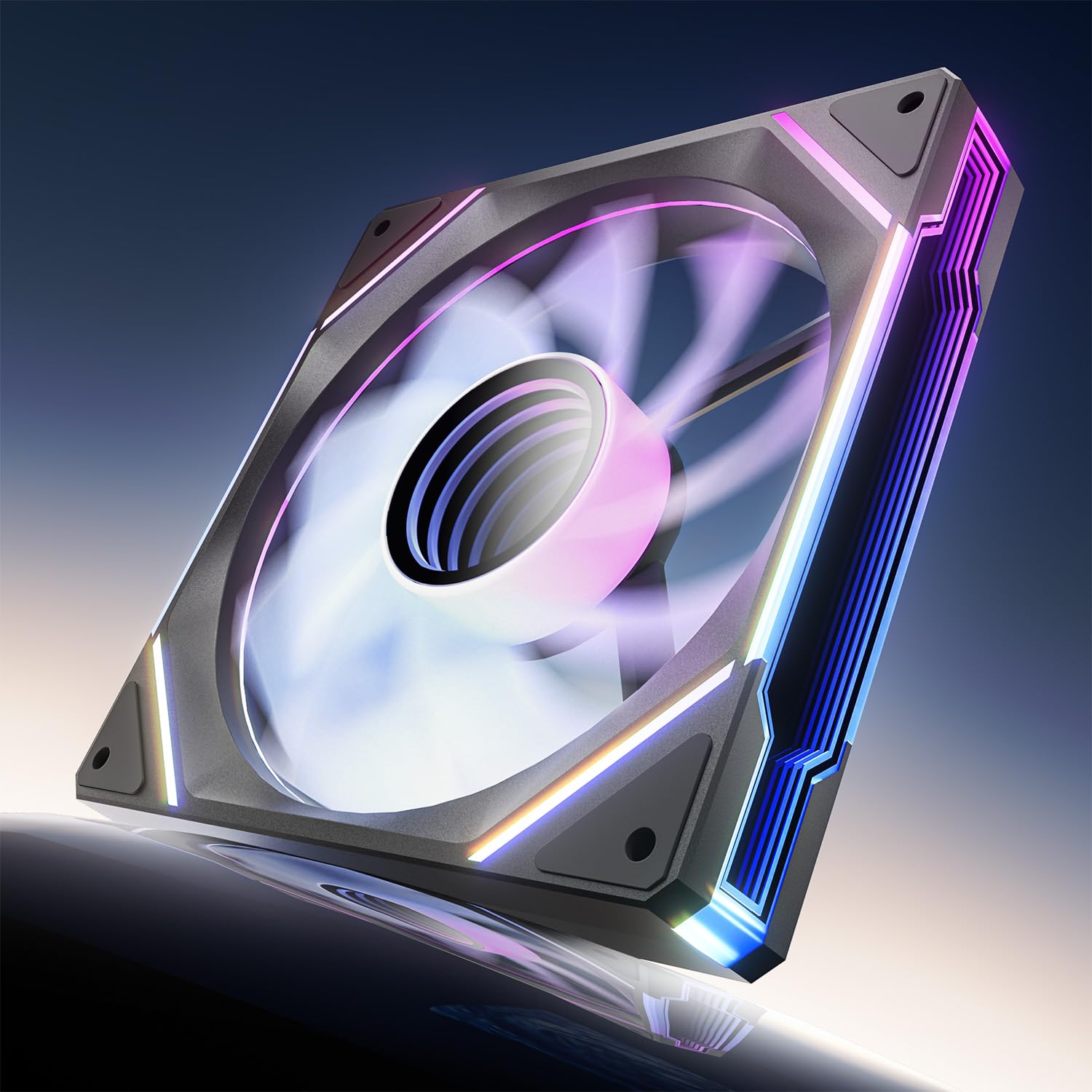
Twenty-four LEDs sit behind an infinity-mirror hub, so the centre of the fan reads as a lit tunnel rather than a glowing logo. It is the most theatrical lighting in this guide, and on a white or mirrored build it does more for the look than a set of plain ARGB rings.

The spec sheet is not just decoration either. 89.77 CFM and 3.24 mm H₂O put it near the top of this group for airflow and comfortably above the Thermalright for pressure, and the hydraulic bearing is rated for 50,000 hours. The noise range is quoted from 6 to 30 dB(A), which is a fair description of a fan that idles quietly and becomes audible as it approaches its top speed.

It is a single fan, not a pack, so a three-fan front means three boxes and three sets of cables. PWM and ARGB leads are separate, as they are on most lit fans, and with several of them the wiring behind the tray adds up. Sync works with the usual motherboard software, and the corners have rubber pads to take the buzz out of a metal panel.

This is the one for a build where the lighting is the point and the airflow merely needs to be good enough — and here it is better than good enough. It sits below our budget ARGB pick because three Thermalrights cover a whole case for less than two of these, and below the Corsair, which gives you daisy-chained control in a pair. Buy the Amici when the look is the reason.

Pros

  • Infinity-mirror hub with 24 addressable LEDs
  • 89.77 CFM and 3.24 mm H₂O at this price
  • Works with Asus Aura Sync and similar software

Cons

  • Sold singly, so a full case adds up
Our verdict

A look-first fan that also moves air: the infinity-mirror hub is the most distinctive lighting here, and the airflow figures hold up.

Check Latest Price

How We Tested 16 Case Fans, Then Lived With Them

We started with a spreadsheet of every 140mm PWM fan available at a mainstream price, then cut anything without a 4-pin header, anything that wouldn't fit a standard 25mm-thick mount, and anything that cost more per fan as a single than a comparable three-pack. That left 16 fans, bought at retail, installed across five builds over five months: a mesh-front gaming rig, a compact micro-ATX case, a top-mounted 280mm radiator, a budget build, and an open bench we used for listening.

Noise came first, because it's what people return fans over. We measured each one with a decibel meter a foot from a closed case at full PWM, then again at roughly 40 percent, the speed most rigs actually idle at, and sat with each for a while listening for bearing tick, motor hum, and the choppy turbulence a blade makes up against a mesh filter.

For airflow and cooling, we trailed a smoke stick into each intake to watch the pull, felt the exhaust by hand, and ran a 30-minute GPU stress loop plus a CPU benchmark on the radiator, noting the temperature delta against a baseline and how hard each fan had to work to hold it. Value was arithmetic: price per fan, splitter included or not.

The last passes were the fiddly ones. We routed every cable behind the motherboard tray to the nearest header and wrote down which ones needed an extension, how many headers a three-pack consumed, and whether daisy-chaining simplified the run or just moved the mess. We counted mounting hardware, installed with both screws and rubber corners, and noted whether it could be done with the motherboard still in the case. Five months in, we listened to all 16 again for bearing noise that wasn't there at the start.

How to Choose 140Mm Case Fans

Match Airflow and Static Pressure to the Mount

Two figures describe the same fan. Airflow, in CFM or cubic metres per hour, is the volume it moves with nothing in the way. Static pressure, in mm H₂O, is how hard it pushes through resistance: radiator fins, a dust filter, a fine mesh front. A 75 CFM fan rated at 1.93 mm H₂O is a case-airflow fan, while the be quiet! and Corsair picks here run 2.44 and 3.46 mm H₂O and are built for radiator duty.

Buy on pressure for filtered intakes and AIO radiators, and on airflow and noise for open mesh fronts and rear exhausts. If you are unsure where a fan will end up, pressure is the safer bet — a pressure fan still moves air freely, while an airflow fan pressed against a radiator loses much of what the box promised.

Read the Noise Figure at the Speed You Will Use

A 24.6 dB(A) rating is measured at full speed, and full speed is rarely where a case fan lives. What matters is the minimum RPM, whether the fan can stop entirely, and how the sound behaves as it ramps. The ARCTIC picks here stop below 5% PWM for genuine silence at idle, and the quietest fans in this group stay smooth through the middle of their range instead of developing a whine.

Set a custom curve in the BIOS rather than leaving the board's default, which tends to be aggressive. Keep each fan just below the speed where you can hear it from your chair and the whole build gets quieter without temperatures moving much.

Count Your Headers Before Buying a Pack

Every fan needs a 4-pin PWM header if you want speed control, and every lit fan needs a 5V 3-pin ARGB header on top of that. A three-pack on a board with two free PWM headers means a splitter or a hub. Packs that include a y-cable, as both Noctuas and the ARCTIC P14 Pro do, solve the fan side in the box; daisy-chain designs like the Corsair RS140 cut the cabling further but concentrate it into one run that has to reach the right corner of the board.

Count before you order, because a cheap pack stops being cheap once a hub goes on the list.

Weigh Pack Size Against What Comes in the Box

Multi-packs are the cheapest route to a full case, but the per-fan price hides what is missing: mounting screws that do not bite in every case hole, no anti-vibration mounts, no extension cables. A single Noctua costs more per fan and arrives with rubber mounts, a splitter and a low-noise adaptor that a first-time builder will actually use.

Decide how many fans you need first. Two is a working case, and four or five suits a mesh-front gaming build with a large graphics card. Then compare what each box contains, not just the number printed on it.

Check Fit, Depth and How Long It Lasts

Almost every 140mm fan is 140 x 140 x 25 mm, so fit comes down to whether your chassis lists 140mm mounts at all and whether a radiator sits under the top panel, where push-pull adds another 25mm of depth.

Bearings are the long-term decision. Rifle and fluid dynamic bearings are sealed and rated between 50,000 and 150,000 hours among these picks, and Noctua covers its fans for six years, Corsair for five. Clearance and coverage both outlast any airflow figure.

Frequently Asked Questions

Final Verdict

For most people, the Noctua NF-A14 PWM is the fan to buy. It is quiet across the range you will actually use, it mounts to a case panel or a radiator without adapters, and it arrives with the splitter and anti-vibration mounts that turn a two-fan install into a ten-minute job.

If that kit is more than you want to spend, the NF-P14s redux does the same cooling with fewer extras. And if the fans are going onto a radiator or a thick filtered front, take the be quiet! three-pack instead, where the 2.44 mm H₂O pressure is the number that decides it.