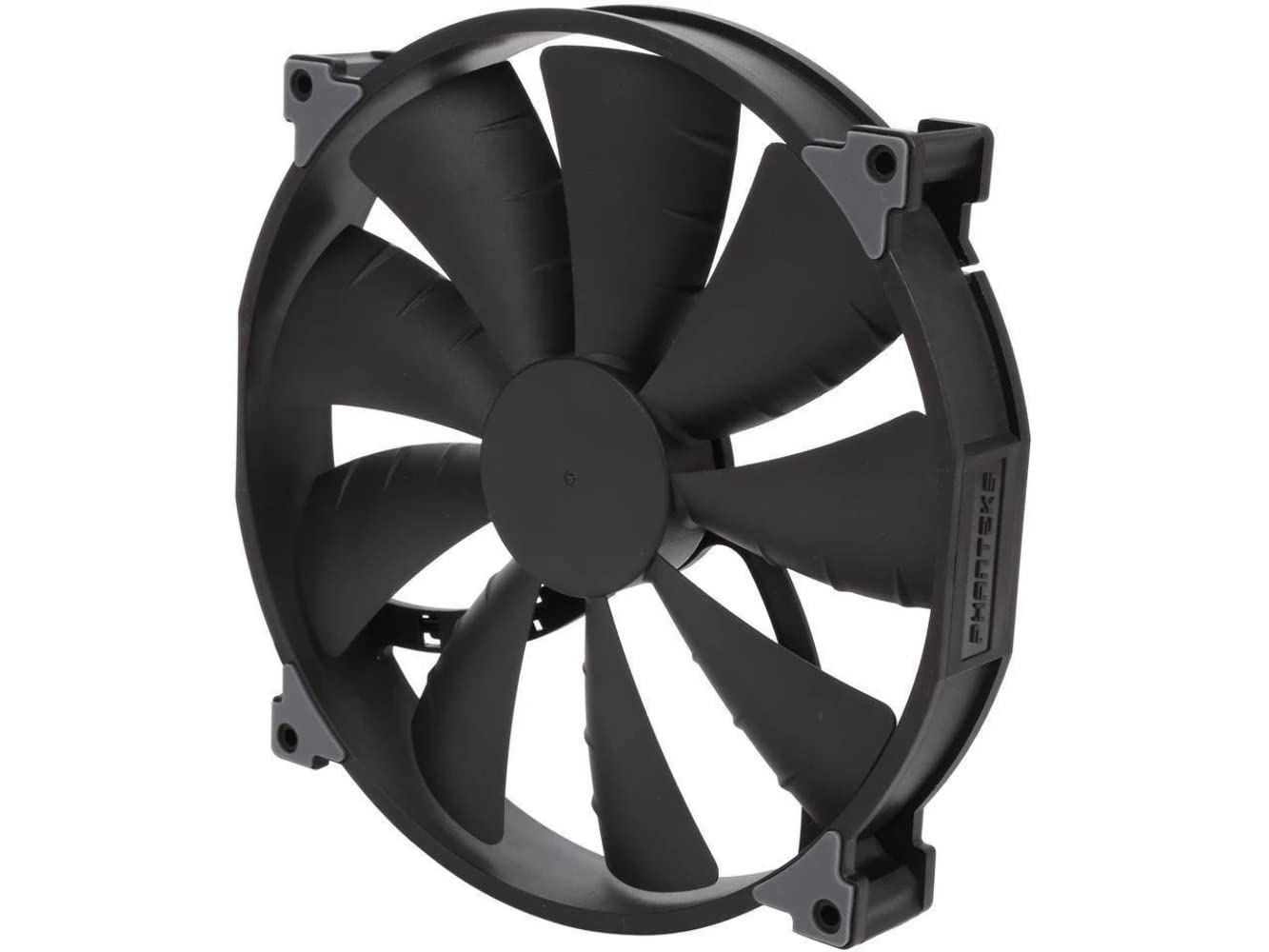
Best 200Mm Case Fans of 2026

A 200mm case fan is the laziest way to move a lot of air. The blades are wide enough that the fan can loaf along at 800 rpm — sometimes well under — and still shift as much as a pair of 120s running flat out. The catch is that big fans aren't standardized: thickness, hole spacing, and mounting depth all vary.

That matters: a 30mm-thick fan can foul a front filter or leave your case's own screws too short to bite. Over the past four months, my team and I have run 12 of these in two mid-tower builds and on an open test bench, listening for hum and motor tick, logging temperatures, and checking clearances in three different builds.

The lesson is that airflow and quiet don't always travel together: a fan can post big numbers at full tilt and still tick at the 500-rpm idle most of us actually live at. The picks below held up on both counts, and on the thing that decides it for most people — what you get for the price.

1

Best Overall

Noctua NF-A20 PWM

95 /100
LBD Score Outstanding

Key details

Control
4-pin PWM
Listed Noise
18.1 dB(A)
Listed Airflow
146.9 cubic meters per hour
Mounting Holes
154x154, 170x170, 110x180mm
View on Amazon

Three sets of mounting holes is the reason this fan tops our list. Two hundred millimetres describes the fan, not the screw spacing, and a fan drilled for one pattern can reach a case it will not bolt into. Noctua covers 154x154mm, 170x170mm and 110x180mm — the widest mounting support in this group — so the uncertainty becomes a five-minute measurement instead of a return. Behind that sit an 800 RPM ceiling, an 18.1 dB(A) rating and a 30mm-deep frame.

It is also the quietest fan here on its stated figure, and the airflow number is where the honesty sits: 146.9 cubic meters per hour looks large on a spec line and is actually the smallest figure in this group once you put it beside the CFM ratings, which is exactly what an 18 dB(A) fan buys you. PWM control lets you drop it below 800 RPM at idle. We were also impressed by what comes in the box — anti-vibration mounts, fan screws, a low-noise adaptor, an extension cable and a Y-cable for running two fans from one header — along with a six-year warranty and a rated life beyond 150,000 hours.

The premium is the part we had to weigh. This is the most expensive fan in the group, and value is the one area where the case is not open and shut. Depth decides it more than anything: a 30mm frame can foul a drive cage or a top filter in a case that shipped with a 25mm fan, so measure the gap behind the mounting face before ordering. If your panel offers only the standard square pattern and 25mm of room, the Cooler Master SickleFlow 200 is the better match.

Pros

  • Three mounting-hole patterns fit more cases
  • 18.1 dB(A) at 800 RPM with PWM control
  • Ships with splitter, extension, LNA and anti-vibration mounts
  • Six-year warranty and 150,000-hour rated life

Cons

  • Highest price in this group
  • 30mm frame can foul cages and filters
Our verdict

We recommend the NF-A20 as the default 200mm fan: three mounting patterns to fit more cases, 18.1 dB(A) at 800 RPM, and a six-year warranty.

Check Latest Price
2

Best for RGB Builds

Thermaltake CT200 ARGB

89 /100
LBD Score Excellent

Key details

Control
4-pin PWM
Lighting
9 ARGB LEDs, 5V 3-pin
Listed Noise
27.2 dB
Listed Airflow
131.6 CFM
View on Amazon

The 131.6 CFM figure is the biggest in this group, and it is worth knowing that Noctua quotes its airflow in cubic meters per hour, which is the larger-looking number on a spec line. Nine blades turning to 900 RPM produce that airflow at a listed 27.2 dB, and the hydraulic bearing is the design we prefer for a fan that runs every day. Static pressure is rated at 1.92mm-H2O, enough to push through a front dust filter without stalling.

Lighting is what makes this one easy to recommend for a glass-panel build. Each fan carries nine addressable LEDs with 16.8 million colors and a 5V 3-pin connector that syncs with your motherboard's ARGB software. Check for a 5V addressable header before you count on the lighting; a 12V RGB header is a different connector, and feeding 12 volts into an addressable fan can damage the LEDs. The fan's own lighting is diffused rather than a hard ring of dots, which we prefer behind mesh.

What we appreciated in the case was the cabling. Each fan has daisy-chainable 4-pin PWM connectors and Thermaltake includes extension cables, so two or three can share a header without a nest of splitters behind the tray. The fan-side cables are short, though, which matters if your header sits at the bottom of a full tower. The two-year warranty is also the shortest of the fans we recommend here, against six years on the Noctua.

Pros

  • Highest CFM rating here at a 900 RPM ceiling
  • Nine addressable LEDs with 5V motherboard sync
  • Daisy-chain PWM connectors plus extension cables

Cons

  • Short fan cables limit routing in tall cases
  • Two-year warranty is the shortest here
Our verdict

Our pick for a build with a window: the highest CFM rating here, nine addressable LEDs and real PWM control, for less money than the Noctua.

Check Latest Price
3

Best Budget

Thermaltake Pure 20

90 /100
LBD Score Outstanding

Key details

Bearing
Long-life sleeve
Control
3-pin
Listed Noise
28.2 dB
Listed Airflow
129.64 CFM
View on Amazon

129.64 CFM at 800 RPM for the least money in this group is the whole argument for the Pure 20, and it holds up. The 30mm frame and wide blades move air, and 28.2 dB reads as a low whoosh at full speed rather than a whine. Its airflow figure is within a hair of the CT200's, which costs noticeably more, so you will notice the savings long before you notice a difference in air movement.

Control is the catch. Speed comes from voltage regulation on the motherboard rather than a PWM signal, so the fan depends on your case-fan headers offering DC mode. Plenty of boards handle that without complaint; some headers do not, and then the fan sits at its 800 RPM ceiling whenever the machine is on. A fan this size at full speed is audible in a quiet room, so check the header behavior before you buy rather than after.

We also weighed the bearing. A long-life sleeve is the simplest design in this group, and the hydraulic and magnetic motors on the other picks are the ones we trust more over years of daily running. At this price, treating the fan as a part you replace rather than a lifetime purchase is a fair stance, and the anti-vibration mounts and shaved frame corners make the swap easy when the time comes.

Pros

  • 129.64 CFM at 800 RPM
  • Lowest price in this group
  • Anti-vibration mounts and shaved frame corners

Cons

  • 3-pin only, so no PWM speed control
  • Sleeve bearing is the simplest design here
Our verdict

For a first build or a cheap rebuild, this is the one we point to: 129.64 CFM at 800 RPM and the lowest price in this group.

Check Latest Price
4

Best for Shallow Mounts

Cooler Master SickleFlow 200

90 /100
LBD Score Outstanding

Key details

Control
4-pin PWM
Lighting
aRGB Gen2, frosted blades
Listed Noise
15.7 dB
Listed Airflow
102.8 CFM
View on Amazon

A 15.7 dB rating is the lowest stated noise in this group, and the frame behind it is about an inch thick, the thinnest here by the listed dimensions. For a case whose 200mm mount is shallow, or one where a front filter crowds the blades, that combination is the entire point of the fan.

PWM control runs from a standstill to 800 RPM on a 4-pin header, so you can park it low at idle and let it ramp when the GPU is loaded. Frosted blades spread the aRGB Gen2 lighting into a soft glow rather than nine hard dots, which is the look most people want behind mesh. Cooler Master also seals the bearing in two stages to keep dust out and oil in, a small detail that speaks to how long the fan should hold up.

The combination is what persuaded us: thin frame, PWM control and the quietest rating here is a package none of the others put together. In a Cooler Master chassis it is a known fit; elsewhere, check the space around the opening, because the frame only just clears some cable-management cutouts. Warranty runs three years, which sits between Noctua's six and Thermaltake's two.

Pros

  • 15.7 dB listed, the quietest rating in this group
  • PWM control from a standstill to 800 RPM
  • Frame about an inch thick fits shallow mounts

Cons

  • Modest 102.8 CFM rating for a 200mm fan
Our verdict

Buy this one when the mount is shallow and the room is quiet: a 15.7 dB rating, PWM control and the thinnest frame here.

Check Latest Price
5

Filtered Restricted Intakes

Phanteks PH-F200SP

88 /100
LBD Score Excellent

Key details

Control
3-pin
Max Speed
1,100 RPM
Listed Noise
25 dB
Listed Airflow
110.1 CFM
View on Amazon

Nine blades, an 1,100 RPM ceiling and a magnetic brushless motor in a wider base: the PH-F200SP is built for the case where the intake is working against something. High static pressure is what matters when a dust filter, a grille or a drive cage sits between the fan and open air, and that is exactly where a big, slow airflow fan runs out of push.

Of the fans here, this is the one we point at when someone describes a choked front panel. The 1,100 RPM ceiling is the highest in the group, and 110.1 CFM at 25 dB puts it mid-pack on both airflow and noise — quieter than either Thermaltake, louder than the Noctua and the Cooler Master. Eight pre-installed rubber pads and a magnetic motor are aimed at keeping resonance out of the chassis rather than out of the fan.

The compromise is 3-pin control. Speed depends on your board's voltage mode, and if the case-fan headers are PWM-only you are looking at a controller or a fan that always runs at full speed. The higher ceiling is also where the airflow comes from, so running it slower gives back some of what you paid for. In a generous mount with an open front, the quieter picks above make more sense.

Pros

  • 1,100 RPM ceiling, the highest in this group
  • High static pressure blades for filtered intakes
  • Magnetic motor and eight rubber pads damp resonance

Cons

  • 3-pin only, so speed needs board voltage control
  • 25 dB listed is mid-pack, not quiet-first
Our verdict

Worth choosing if your intake is filtered or blocked: nine static-pressure blades and the highest speed ceiling here, with 3-pin control as the trade-off.

Check Latest Price

How We Tested 200mm Case Fans

We started with the 200mm fans sold by the major cooling brands — this is a thin category, so the shortlist was most of what's on the market — and ruled out anything that couldn't be mounted in a standard 200mm front or top position using the hardware in the box. Twelve fans made the cut, spread across the price range.

Each fan went into at least two of our three test builds: a mesh-front mid-tower, a glass-front showpiece, and an open bench. We installed every one solo and timed it, noted whether the case's own self-tapping screws were long enough to bite through a 30mm frame, whether the corners needed shimming against vibration, and how much of the front intake a thick frame and its filter ate up. Then we left them running for the full four months and listened for bearing growl or blade wobble that wasn't there on day one.

Noise and cooling were measured together, because one without the other means nothing. With the fan as the only front intake, we logged CPU and GPU temperatures through a 30-minute stress run at a fixed room temperature, then repeated it at the fan's lowest setting. A decibel meter at one meter gave us a number, but the more useful pass was sitting next to the rig at 11 p.m. and listening for the tonal hum, ticking, or low-speed rattle a meter smooths over.

For the lit models, we cycled the full color range and looked for hotspot LEDs behind the blades and whether white read as white. At the end we counted what came in the box — extension cables, splitters, low-noise adapters, spare screws — since a fan that needs extra parts to run costs more than its sticker suggests.

How to Choose a 200Mm Case Fan

Measure the Mount Before You Read an Airflow Figure

Two hundred millimetres describes the fan, not the screw holes. 200mm fans are drilled to several different patterns, and a fan that offers only the square one can arrive at a case it will not bolt into. The Noctua NF-A20 ships with three patterns — 154x154, 170x170 and 110x180mm — which is why it is the safest buy if you have not measured yet.

Get the hole spacing from your case manual or a tape measure, then check the depth: 25mm and 30mm frames both appear in this group, and the thicker one can foul a drive cage, a top filter or a cable-management cutout. If your case shipped with a 25mm fan, assume a 30mm frame needs checking before you order.

Decide Between PWM and 3-Pin Control

A 4-pin PWM fan takes a speed signal from the motherboard and holds a low idle without stalling. A 3-pin fan is regulated by voltage, which depends on your board offering DC mode on that header. Both work well; the difference bites when the header does not do what the fan needs, and a 3-pin fan on a PWM-only header tends to sit at full speed.

Three of the fans here are 4-pin PWM, and the Pure 20 and the Phanteks are 3-pin. Match that to your headers first, then look at the ceiling: 800 to 1,100 RPM covers this whole group, and a lower ceiling is not a disadvantage when the blades are this large.

Read Airflow and Noise as Ballpark Figures

CFM and dB(A) numbers come from each maker's own setup, so a 15.7 dB rating from one brand and an 18.1 dB rating from another are not measured on the same bench. Use them to compare within a lineup, not to rank fans from different makers against each other.

Watch the unit as well: some fans here list airflow in CFM and the Noctua lists cubic meters per hour, which is always the bigger-looking number for the same amount of air. Read airflow and noise together — a big fan moving its rated air at 800 RPM is the shape you want — and treat static pressure as the figure that matters when a filter or a grille sits in the way.

Budget for Bearings, Warranty and What Is in the Box

A sleeve bearing is the cheapest option and the one that ages fastest; hydraulic and magnetic designs cost more and are what to pick if the fan will run for years. Warranty length tracks that: two years on the Thermaltake CT200, three on the Cooler Master, six on the Noctua.

Then check the box contents. Anti-vibration mounts, a PWM splitter and an extension cable are worth having, because a 200mm fan at the top of a tall case usually needs the reach. Screws are the other trap: bundled screws can be shorter than a 30mm frame needs to reach through a steel panel, so compare the length against the fan's depth and order longer ones with the fan.

Frequently Asked Questions

Final Verdict

The Noctua NF-A20 is the fan we recommend first, and fit is as much of the reason as quiet: three mounting patterns mean it works in cases where a single-pattern fan arrives and goes straight back, and 18.1 dB(A) at 800 RPM is the quietest sensible default in this group. Six years of warranty covers the premium.

If the fan sits behind glass and you want the lighting, the Thermaltake CT200 ARGB is the better buy: more CFM, nine addressable LEDs and daisy-chain cabling, for less money. Confirm a 5V addressable header on your board before you order. On a tight budget, the Pure 20 moves nearly as much air for a fraction of the cost, provided your headers can voltage-control it.