Best 2.1 Computer Speakers of 2026

Monitor speakers are fine right up until the moment they aren't — a video call sounds acceptable, then a bass line hits and the whole thing collapses into something tinny and thin. That's the gap a 2.1 system fills: two satellites within arm's reach, one subwoofer doing the heavy lifting from somewhere near your feet. The catch is that subwoofers take up floor space, and the good ones refuse to hide.

My team and I have spent the past six months with 11 systems wired up at real desks — spreadsheets by day, games and movies after hours — and the differences rarely landed where the spec sheets promised. Wattage is the number everyone shops by and the one that told us least; a system that goes loud but hisses at low volume is a worse desk mate than a humbler one with clean sound and a volume knob your hand can find without looking.

Then there's the stuff you only discover once the boxes are open: whether the sub fits under the desk, whether the lighting can be turned off, and whether the thing has a real power switch or just glows at you all night. We kept notes on all of it, and the sets below are the ones we'd happily leave plugged in.

1

Best Overall

Logitech Z623

93 /100
LBD Score Outstanding

Key details

Power
400W peak / 200W RMS
Inputs
3.5mm and RCA, three devices
Controls
Right satellite: power, volume, bass
Subwoofer (H X W X D)
11.2 x 12.0 x 10.5 in
View on Amazon

Four hundred watts peak is the headline, but 200W RMS is the number that separates the Z623 from the rest of this group — and 130 of those watts sit behind the subwoofer, which is why bass arrives as weight under the music instead of a thump on top of it. We spent most of our time at the volume a desk actually runs at, and what struck us is how little the system strains there: dialogue stays clear with the sub working, and turning it up doesn't turn the midrange to mush.

Three sources stay plugged in at once — a computer on 3.5mm, a console or TV on RCA, a phone on the aux jack — and switching between them doesn't mean crawling around behind the desk. We were also glad the controls live on the right satellite rather than on a pod competing for desk space: power, volume, bass and a headphone jack all sit at arm's length, so a late-night session can move to headphones in one reach.

Give it a silent test in the first week. With nothing playing, this system can produce a faint hiss or a high whine, and if yours does, use the one-year warranty rather than living with it. Past that, the thing we keep coming back to is the headroom: at half volume it still has more in reserve than most desks will ever ask for.

Pros

  • 200W RMS with 130W behind the bass
  • Three devices connected and switchable
  • Power, volume, bass and headphone jack on the satellite
  • THX tuning holds together when pushed

Cons

  • Sub box is bulky under a shallow desk
  • Long-term durability is the open question
Our verdict

The one we point most desk buyers to: 200W RMS, three inputs that stay live, and controls you can reach without leaving your chair.

Check Latest Price
2

Best for Music

Klipsch ProMedia 2.1

91 /100
LBD Score Outstanding

Key details

Controls
Desktop control pod
Subwoofer
6.5 in, side-firing ported
Peak Power
200W
Maximum Output
110 dB in room
View on Amazon

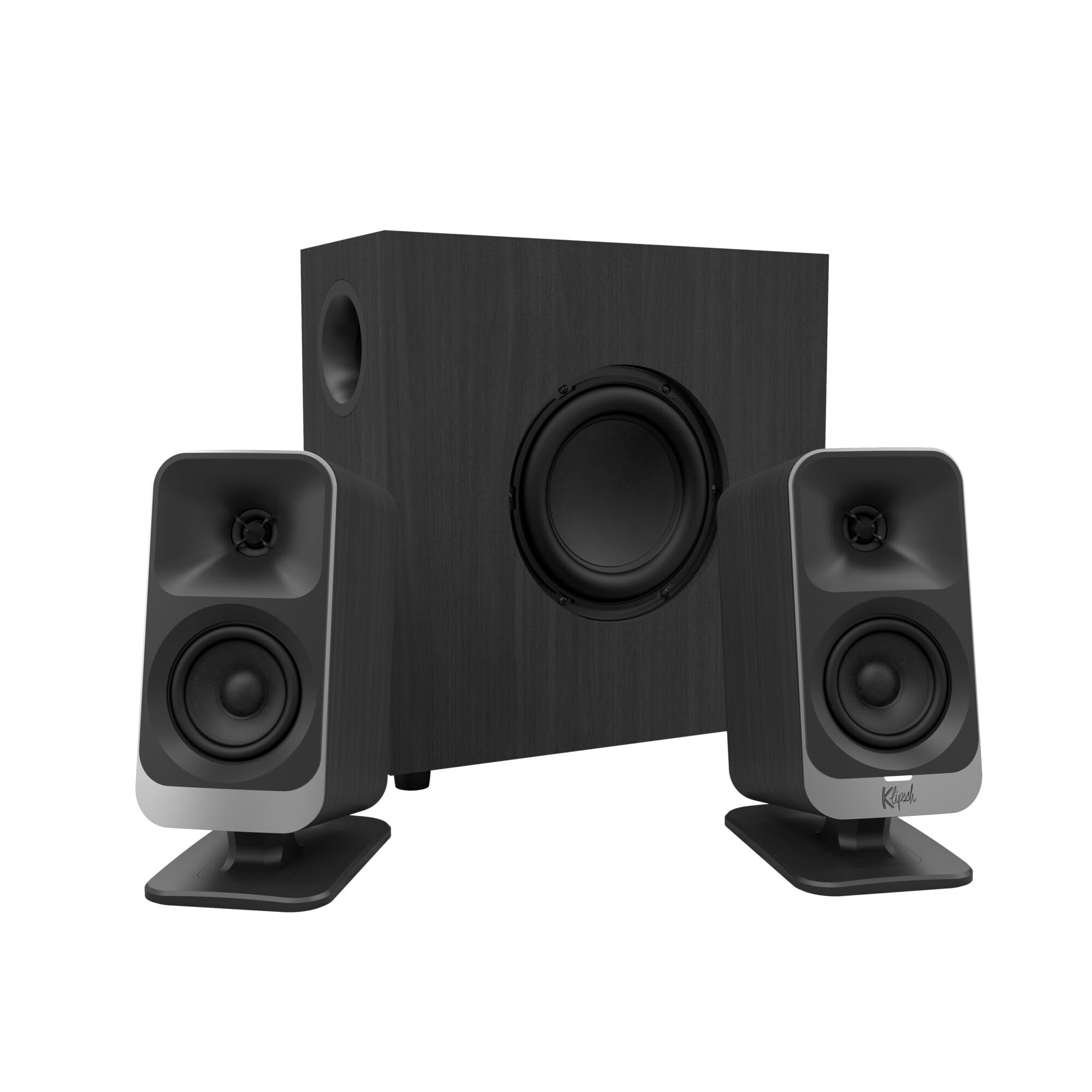
There is no power switch. The ProMedia 2.1 comes on with your computer, stays on, and leaves a bright white LED glowing until you cut the power at the wall — on a desk you also work at, that is the one part of this design we actively dislike. Ours went onto a switched power strip, which is the fix, and the light is easy enough to turn toward a wall.

The sound is why it earns its place. A MicroTractrix horn on each satellite makes the 3-inch drivers unusually efficient, so voices and strings stay open at volumes where other systems in this group start to sound squeezed, and the 6.5-inch ported sub fills in underneath without smearing the midrange. Klipsch rates the whole thing at 110 dB in-room, live-rock territory; we never asked for that, but it explains why the system sounds relaxed when it's loud. The control pod is the other win — a real knob under your hand instead of buttons on a speaker.

Placement takes a little thought. The sub fires out of its side, so leave a few inches of air on that flank instead of wedging it against a desk leg; a side-firing sub pushed into furniture is the quickest way to make any of these systems sound muddy. The pod earns its keep most on movie nights, when you are riding the volume through dialogue and effects in the same scene.

Pros

  • Horn-loaded satellites stay clear when loud
  • 6.5-inch ported sub with real low-end reach
  • Desktop control pod within reach
  • 110 dB in-room output from a 200W peak system

Cons

  • Long-term reliability is uneven
Our verdict

For music-first listening at a desk, this is the pair we reach for: horn-loaded clarity and a tight ported sub, as long as you can live without a power switch.

Check Latest Price
3

Best Wireless Setup

Logitech Z407

87 /100
LBD Score Excellent

Key details

Power
80W peak / 40W RMS
Inputs
Bluetooth, micro USB, 3.5mm
Controls
Wireless dial, 30 m range
Subwoofer
Ported, down-firing
View on Amazon

The dial is the whole idea, and it is a good one. A battery-powered puck — two AAAs, in the box — sits wherever your hand lands and controls volume from up to 30 meters away, so the speakers can hide behind a monitor or across the room and you never reach for them. On a desk that gets rearranged weekly, that one piece of plastic is the reason we kept using these.

The satellites are oval and sit either upright or on their sides, which is the detail that made this system work on a monitor riser: laid flat, they slide under the shelf and vanish. The sub is down-firing and ported, and 80W peak with 40W RMS, 20W of it bass, gives music a floor without turning the desk into a drum. Bluetooth, micro USB and 3.5mm all stay paired to something, so a work laptop and a personal one don't fight over one cable.

Where it wobbles is the wireless layer. The dial is a spin-and-tap control rather than a knob with stops, and a stray tap mutes the system — fine once you know, irritating for the first week — and the AAAs are a replaceable cost rather than a rechargeable convenience. Over a cable it behaves.

Pros

  • Wireless dial works from up to 30 m
  • Satellites lie flat under a monitor riser
  • Bluetooth, USB and 3.5mm stay connected
  • Ported down-firing sub stays compact

Cons

  • Bluetooth drops and re-pairs slowly
Our verdict

Buy this one if your desk is shared with a laptop and a phone: the wireless dial and Bluetooth make it the easiest system here to live with day to day.

Check Latest Price
4

Best Budget

Nylavee SK400Pro

89 /100
LBD Score Excellent

Key details

Inputs
USB, 3.5mm, Bluetooth 5.4
Lighting
8 RGB modes
Subwoofer
6.7 in
Peak Power
60W
View on Amazon

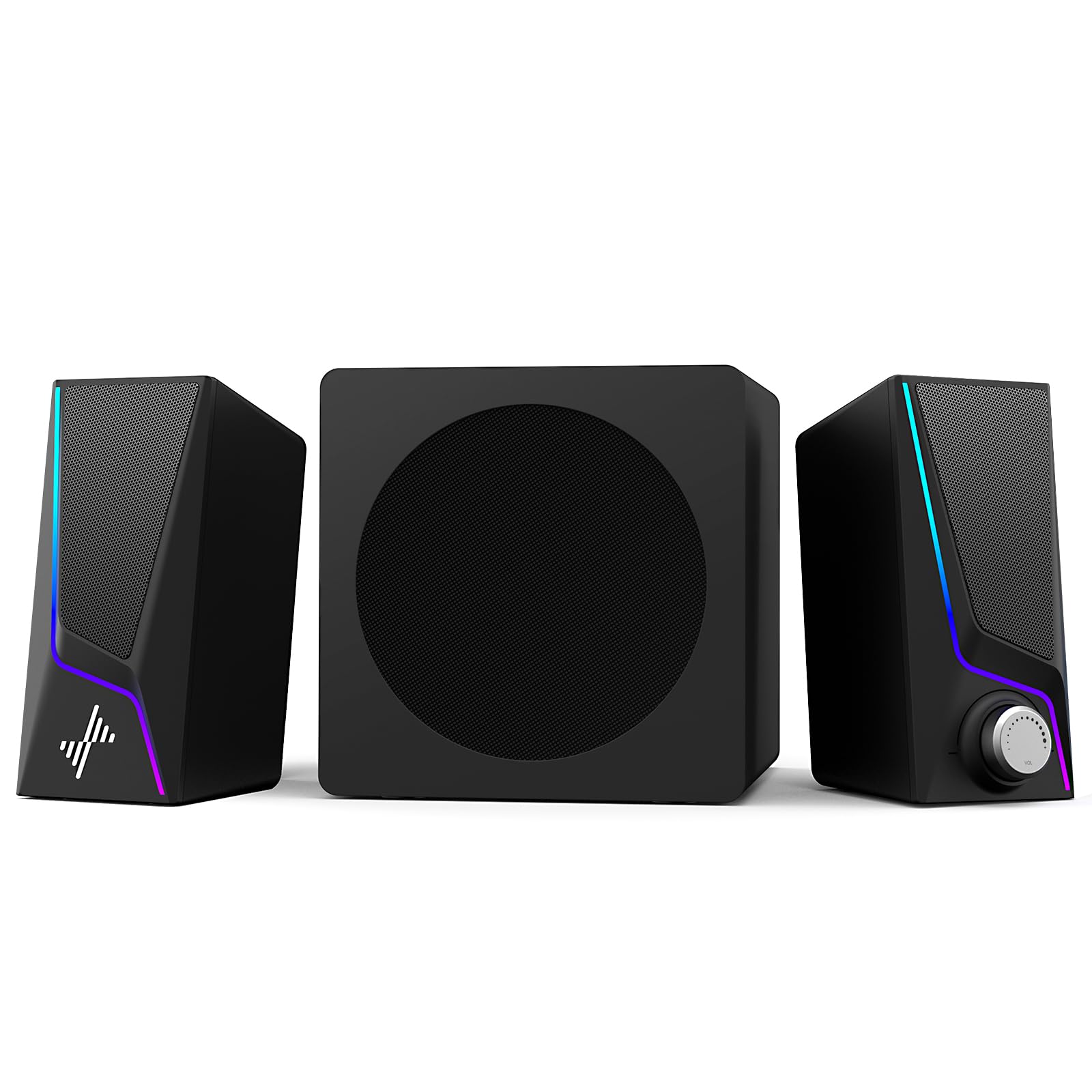
This is the cheapest system here, and nothing about the way it sits on a desk announces that. Two compact satellites, a 6.7-inch sub that slides under a shelf, and the controls on the front of one speaker, so you can switch it on and change the volume without reaching behind anything — which sounds small until you have owned a system that hides its power button around the back.

Sound is where the money went. Mids and highs stay clean at normal desktop volume, the sub adds real weight to games and trailers, and Bluetooth 5.4 pairs fast enough that we stopped plugging in a cable for music. The RGB is a taste call — eight modes, four brightness levels and a way to switch it off, which is the part that matters.

Two quiet advantages. The 18-month warranty is longer than the one-year cover on the bigger names in this group, and the input set — USB, 3.5mm and Bluetooth — covers a PC, a phone and a console without an adapter. For a bedroom desk or a first setup, that is a lot of system for the least money on this page.

Pros

  • Subwoofer, Bluetooth 5.4 and RGB at the lowest price here
  • Front-mounted controls you can reach
  • 18-month warranty, longer than most here
  • Clean mids and adjustable bass at desk volume

Cons

  • Peak rating suits small rooms only
Our verdict

Spend the least and still get a subwoofer, Bluetooth and reachable front controls — the best value here as long as the room is small.

Check Latest Price
5

Small Desks

Creative Pebble X Plus

83 /100
LBD Score Excellent

Key details

Power
15W RMS / 30W peak
Inputs
USB-C audio, Bluetooth 5.3, 3.5mm
Lighting
Six RGB presets
Satellite Drivers
2.75 in
View on Amazon

Two spheres and a small box. The Pebble X Plus takes up less desk than anything else on this list, and the 2.75-inch drivers sit raised on their own pedestals, which is part of why they place instruments so clearly in the space in front of you. The RGB is understated enough to leave on, and six presets is the right number of options for lighting on a work desk.

The part most people miss is power. Out of the box the system runs 15W RMS, and plugging a 30W-or-higher USB-C PD adapter into the power port unlocks up to 30W RMS — double the rated output for the cost of a phone charger, with headroom you can hear at the top of the dial. There is a separate USB-C for audio as well, so a laptop can feed it digitally and leave the 3.5mm jack free for a phone.

Judged as a one-person desk system, it earns its place: the satellites are the smallest here, and the sub fits on a shelf where the bigger boxes won't. It is also the least powerful system in this group, so treat it as nearfield — lovely at arm's length, thin from the sofa.

Pros

  • Smallest satellites on the desk
  • USB-C PD adapter doubles output to 30W RMS
  • USB-C audio plus Bluetooth 5.3 and 3.5mm
  • Sub fits where larger boxes won't

Cons

  • Satellites are hardwired together, fixing their spacing
Our verdict

The pick for a small, tidy desk: the smallest satellites here, real bass from the little sub, and USB-C audio if your laptop has the port for it.

Check Latest Price
6

Gaming Setups

Klipsch ProMedia Lumina

81 /100
LBD Score Excellent

Key details

Controls
Klipsch Control app for EQ and lighting
Subwoofer
6.5 in, low-profile
Satellites
9.75 in tall
Connectivity
USB-C, 3.5mm, Bluetooth 5.3
View on Amazon

Klipsch moved the controls off the hardware. The Klipsch Control app handles EQ, lighting and firmware, and there are no tone knobs on the satellites at all — which is either the cleanest desk setup here or a nuisance, depending on how often you change things mid-game. When a game grabs the audio device and the app has to reconnect, we land on the nuisance side of that line.

The hardware is the good part. The satellites are tall and narrow, about ten inches high and four wide, so they flank a monitor without crowding the mouse hand, and the lighting spills backward onto the wall rather than into your eyes. The low-profile sub has its own gain knob and slides under a desk where the bigger boxes here won't go. It takes USB-C, 3.5mm and Bluetooth 5.3.

Sound isn't the compromise. Our listening put it close to the ProMedia 2.1 for clarity, with more low-end weight available once the app's EQ is doing something, and the effect is a desk that looks deliberate rather than assembled. What you are paying for is exactly that, and the price buys aesthetics and control as much as decibels.

Pros

  • App EQ and lighting control in one place
  • Tall, narrow satellites flank a monitor
  • Low-profile sub fits tight spaces
  • USB-C, 3.5mm and Bluetooth 5.3 together

Cons

  • Most expensive system here
  • Bluetooth connection is unreliable
Our verdict

The premium pick for a lit gaming desk: app-tuned Klipsch sound and RGB in a small footprint, provided you mostly connect by cable.

Check Latest Price

How We Tested the Best 2.1 Computer Speakers

We built the shortlist by reading spec sheets and several hundred owner reviews, then filtering for what a desk actually demands: a subwoofer compact enough to live under or beside it, inputs matching the machines people own (USB-C, USB-A, 3.5mm, Bluetooth), and cabinets that don't feel like toys. That cut a long list down to 11 systems, which we set up in our own home offices for six months — carpet and hardwood, roommates, the occasional barking dog.

Every set got the same treatment. We pushed each one to its ceiling on a bass-heavy track and listened for breakup, then dropped to near-silence to hear whether the amp hissed between songs. Gaming and movie nights told us how the sub handled an explosion versus a bass guitar, and we moved each subwoofer from floor to shelf to check whether it rattled the desk or muddied the midrange.

Day to day, we reached for the volume control blind, mid-call, to see if the knob or buttons were where a hand expects them. We power-cycled each system to see whether it remembered its volume, and noted which ones had an actual switch versus standby-only. We switched between Bluetooth and wired inputs mid-song, timing pairing and counting how often it meant crawling under the desk. The RGB modes got judged in a dark room at night, specifically for whether they could be dimmed or shut off. After six months of plugging, unplugging, and desk moves, we noted which knobs still turned smoothly and which cables had started to loosen.

How to Choose 2.1 Computer Speakers

Size the Sub to the Space You Have

Subwoofers here run from a low-profile box that slides under a desk to a cabinet twelve inches wide that wants its own patch of floor, so measure the gap before you fall for a spec sheet. A bigger cabinet moves more air — the Z623 puts 130 of its 200 RMS watts into the sub — but it also needs clearance. Side-firing designs load against whatever sits beside them, and down-firing ones behave best on a hard, stable surface.

If your desk is on a shared floor, plan for a foam pad or a dense mat under the box. It is the cheapest acoustic upgrade in this whole category.

Decide Where Your Hands Go

Where the volume lives matters more than how the knob looks. Controls on a satellite, a wired pod, a front panel and a wireless puck each suit a different desk, and the pod and puck are the two that keep you in your chair. Reach behind an imaginary speaker once in your head and you will know which you want.

Check for a real power switch while you are at it. A system that only sleeps keeps an LED lit and stays warm all night, and a switched power strip is the easy answer when the design leaves one out.

Read the Power Figures Properly

Peak wattage is the number on the front of the box; RMS is what the amplifiers will actually sustain. Where both are published, compare RMS only — the Z623's 400W peak is 200W RMS, while the Nylavee's 60W is peak. Efficiency matters as much as the figure, which is why the Klipsch's horn-loaded satellites get loud on less.

Watch for systems with a second power mode. The Pebble X Plus only reaches its rated 30W RMS once a 30W-or-higher USB-C PD adapter is plugged in, and that adapter is not in the box.

Match the Inputs to Everything on the Desk

3.5mm is the universal cable and every system here has one. RCA adds a console or a TV without an adapter, USB-C carries digital audio from a laptop, and Bluetooth is for phones. Count your devices before you buy: a system that keeps three connected saves a remarkable amount of cable swapping.

Two traps. Bluetooth adds latency you will notice in games and lip-synced video, so keep a cable for anything timed. And USB-C audio needs an actual USB-C data port on the computer, not a charging-only one.

Frequently Asked Questions

Final Verdict

For most desks, the Logitech Z623 is the system to buy. It has the most power here at 200W RMS, three inputs that stay connected, controls and a headphone jack within arm's reach, and bass that holds together at the low volumes a desk actually runs at.

If music is the main event rather than games and video, the Klipsch ProMedia 2.1 gives you the clearest midrange in this group and asks only that you plug it into a switched strip. And if the desk passes between a laptop and a phone all day, the Z407's wireless dial is worth its smaller, softer sound.