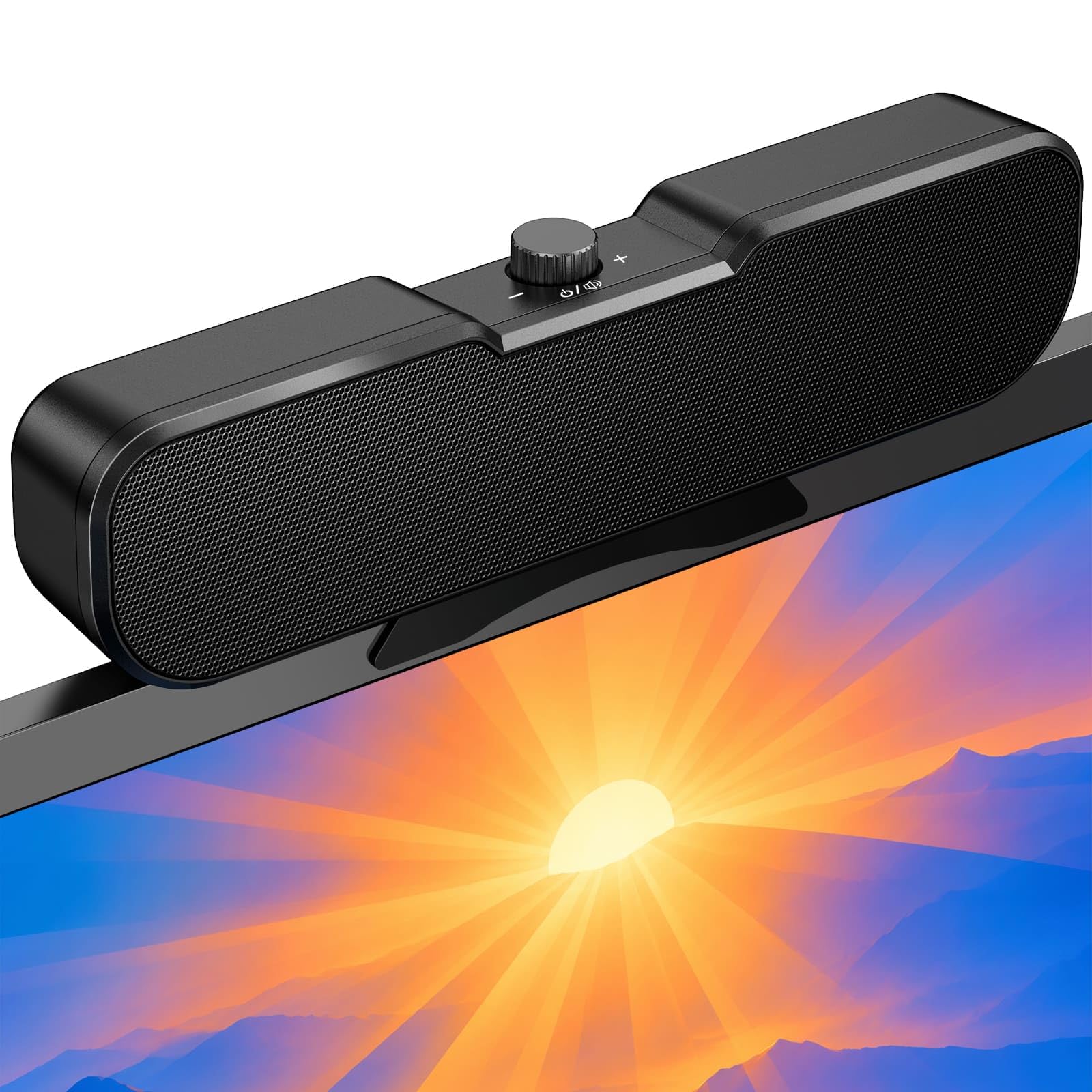
Best USB Computer Speakers of 2026

Desktop speakers have an impossible job: disappear under a monitor, run off a single USB cable, and still sound like something with a power cord behind it. Most manage two out of three, and the miss is something you notice daily — bass that thins out, a volume knob you have to hunt for, or a speaker that walks across the desk every time you bump it.

My team and I have spent the past seven months living with 14 pairs and monitor-mounted bars, clipping them to screens, plugging them into USB-A and USB-C ports, pairing over Bluetooth, and yes, fiddling with the RGB. What separated the good ones wasn't the wattage printed on the box. It was whether the volume control landed under my hand, whether the clip actually held, and whether voices stayed clear when I pushed the level up.

Small cabinets do give up low end, so if bass is the priority, a set with its own subwoofer is the honest answer. Everything below earned its place on a real desk over weeks rather than on a spec sheet — including the clip-on bars for cramped setups and the plain knob-and-cable options for anyone who'd rather not install software to change the volume.

1

Best Overall

Creative Pebble V3

89 /100
LBD Score Excellent

Key details

Drivers
2.25-inch, angled 45 degrees
Connection
USB-C audio and power, Bluetooth 5.0, 3.5 mm
In The Box
USB-A adapter
Rated Power
8W RMS, 16W peak
View on Amazon

One cable, and you are done. The Pebble V3 carries both power and audio over a single USB-C connection, with no 3.5 mm plug and no wall adapter, and Creative puts a USB-A adapter in the box for the older desktop or hub you are likely to plug into. Setup is one connection and one trip to the sound settings.

That single-cable design is why this is the set we point most people to. A modern desktop or mini PC often has one free USB port and no headphone jack at all, and a pair of speakers that needs two connections is a pair that ends up unplugged. Each cabinet holds a 2.25-inch driver angled up at 45 degrees, so the sound aims at your ears rather than your keyboard, and 8W RMS (16W peak) is far more than a laptop manages on its own.

The Clear Dialog processing is the part that earns its keep. Voices stay forward and legible at the modest volumes people actually use for meetings and video, which is the opposite of what a cheap pair usually does with a film soundtrack. Music is pleasant rather than weighty — there is no subwoofer hiding in a 2.25-inch driver — and the Bluetooth 5.0 input pairs with a phone or a work laptop in seconds.

There is also a 3.5 mm input, so the set keeps working from a monitor's headphone output or an old player. In a large open room, 8W runs out of headroom; at a desk, we never came close to the ceiling.

Pros

  • One USB-C cable for power and audio
  • 8W RMS from 45-degree 2.25-inch drivers
  • Clear Dialog keeps speech intelligible
  • Bluetooth 5.0 and 3.5 mm as extra inputs

Cons

  • Bluetooth link can drop and need re-pairing
Our verdict

Our default pick for desk audio: one USB-C cable, 8W of speech-friendly sound, and Bluetooth for when the laptop moves.

Check Latest Price
2

Best for Monitor Mounting

XKX Clip-On Soundbar

85 /100
LBD Score Excellent

Key details

Controls
Three touch buttons for volume and mute
Mounting
Padded clip, top or bottom of monitor
Connection
USB, USB-C adapter included
Rated Power
10W
View on Amazon

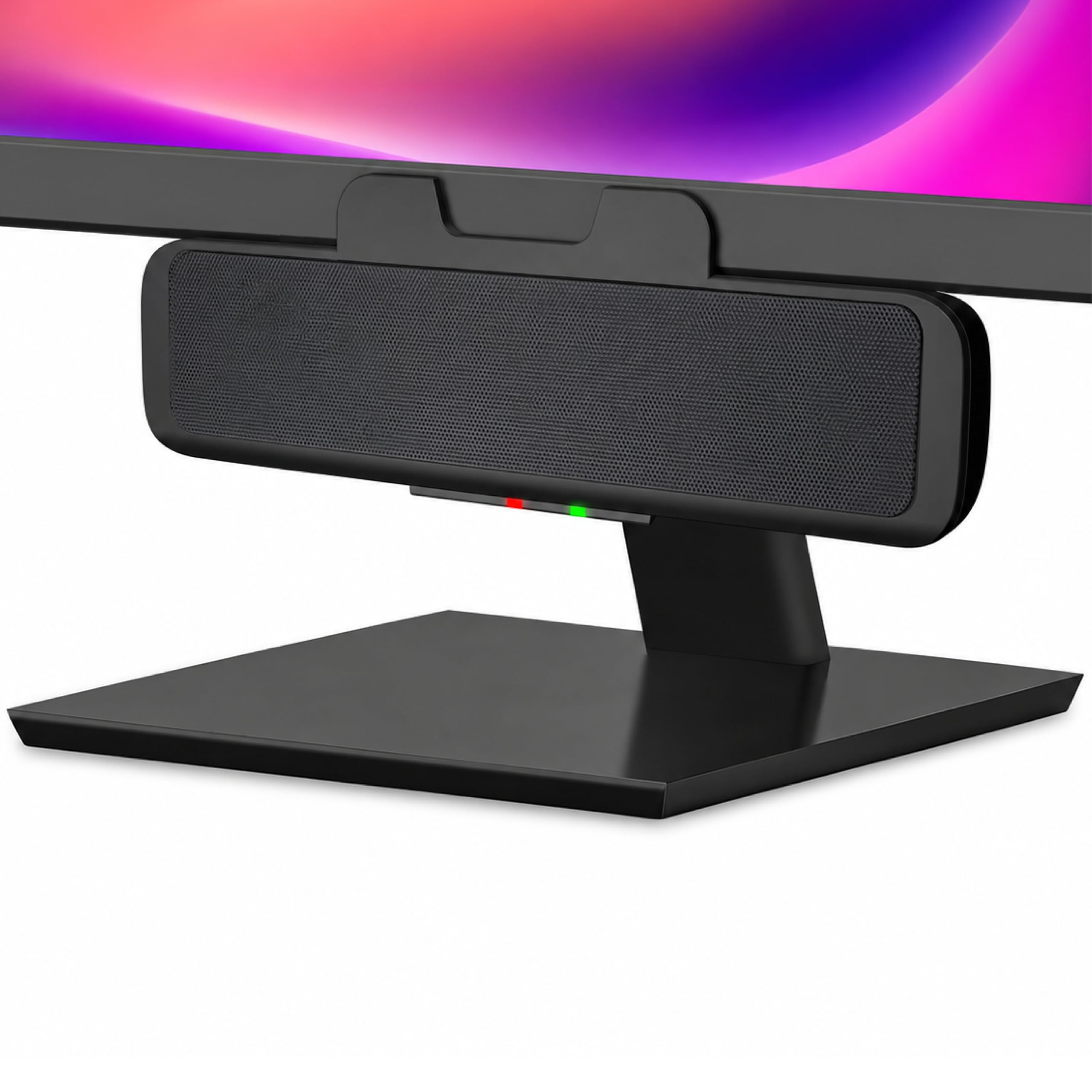
A bar clamped to the bottom of a monitor solves the problem a desk pair creates: it takes up no desk at all. Fitted under a screen, the XKX bar left the whole surface free for a keyboard and a notebook, and the padded clamp held its place without marking the bezel. On a small desk or a standing setup, that is the entire argument, and it holds up.

The clever part is the G-sensor. Clamp a bar to the top of a screen and the left and right channels usually end up reversed; this one flips them automatically, so the bar sounds correct whether it hangs above or below the panel. It is a small thing that decides whether you use the speaker the way you intended, and we have not seen another bar here handle it.

Sound is what 10W, twin drivers and a pair of passive radiators should give you: clear speech on calls and video, reasonable weight on music at low to mid volume, and a ceiling well short of filling a room. Three touch buttons handle volume and mute on the front, and there is a USB-C adapter for a laptop with nothing but USB-C ports.

Pros

  • Clamps above or below the monitor
  • G-sensor keeps left and right correct
  • 10W with dual passive radiators
  • Touch volume and mute on the front

Cons

  • Can produce static or ringing at higher volume
  • Thin plastic housing
Our verdict

The pick for a cramped desk: it clips to the monitor, keeps stereo channels correct either way up, and leaves the desktop clear.

Check Latest Price
3

Best for Calls

Cyber Acoustics CA-2890

85 /100
LBD Score Excellent

Key details

Controls
Volume, mute and play/pause
Mounting
Clip fits screens up to 1 inch thick
Connection
USB, USB-A to USB-C adapter
Rated Power
10W
View on Amazon

Two speaker bars made our list, and this is the one with actual buttons. Volume up and down, mute and play/pause sit on the front edge of the CA-2890, with an LED that shows mute without you having to test it. On a video call, that is the difference between pressing something and hunting through a menu.

The clamp is rated for screens up to 1 inch thick and grips the bottom edge of the monitor, which keeps the bar below the picture and the desk clear underneath. At 8.3 inches wide and a little over an inch deep, it disappears against a 24- or 27-inch panel in a way the desk pairs here never do.

What we kept coming back to is how little it asks: one USB cable, no software, controls that work the first time you press them. Sound is clean and forward-leaning, with the elevated drivers pushing voices toward you rather than into the desk. It is a work speaker first and a music speaker second, and it knows it.

Pros

  • Volume, mute and play/pause on the bar
  • Clips to screens up to 1 inch thick
  • One USB cable, no software
  • Clear, forward sound for speech

Cons

  • Clamp may not grip wide or curved bezels
  • Modest volume for a 10W bar
Our verdict

A monitor bar with proper buttons and a mute light — the one to fit if your day is calls, video and the occasional album.

Check Latest Price
4

Best Budget

Cirqon C1

83 /100
LBD Score Excellent

Key details

Cable
51 inches
Controls
Single knob for power and volume
Clamp Range
0.1 to 0.98 inch
Rated Power
10W
View on Amazon

The least expensive speaker here also has the best control on the list: one knob that clicks the unit on and off and turns for volume, sitting right where your hand lands. No touch panel, no software, no sliding a system slider in the middle of a call.

Ten watts from an 8.3-inch bar at the bottom of the price range is the value story here. Clamped under a monitor it effectively vanishes, and the clamp opens from 0.1 to 0.98 inch, which covers most screens. The cable runs 51 inches, with a tie in the box, which is enough to reach a tower on the floor without stretching.

Sound is clear and surprisingly solid for the size. Voices, video and casual music all come through cleanly, the passive-radiator design gives speech more body than the little cabinet suggests, and the knob lets you drop the volume fast when someone walks in. It will not fill a room, and it was never meant to.

Pros

  • Single knob for power and volume
  • Clamps on top, bottom or side
  • 10W output for the size
  • 51-inch cable with a cable tie

Cons

  • Clamp needs a flat-backed screen to grip
Our verdict

Our budget pick: a clamping bar with a real volume knob and surprisingly clear 10W sound.

Check Latest Price
5

Best for Gaming

Logitech G560

89 /100
LBD Score Excellent

Key details

Lighting
LIGHTSYNC RGB, four zones
Surround
DTS:X Ultra 7.1
Connection
USB and Bluetooth
Configuration
2.1 with subwoofer
View on Amazon

A subwoofer is the whole difference between this system and everything else here. The G560 puts a 16.6 cm driver in a box that lives under or beside the desk and two small satellites on top of it, and the low end that arrangement produces is something no 2-inch desktop pair on this list can fake.

For games, DTS:X Ultra handles positional audio over the USB connection, so footsteps, engines and gunfire land where they should rather than in a flat wall in front of you. Setup over USB is quick, and the satellites are small enough to sit either side of a monitor without crowding it.

The lighting is more fun than we expected. Four LIGHTSYNC zones can be driven by in-game audio, so the satellites pulse with whatever is happening on screen, and in a dark room it is genuinely effective rather than decorative. There is Bluetooth as well, for a phone or a laptop you want to stream from.

If the desk is for gaming first and work second, this is the pick, and nothing else here comes near it for bass. If you mostly take calls and listen to music while you type, the money goes further on the Pebble V3 and a decent monitor arm.

Pros

  • Subwoofer adds real low-frequency weight
  • DTS:X Ultra positional audio over USB
  • LIGHTSYNC RGB reacts to game audio
  • USB and Bluetooth inputs

Cons

  • DTS:X surround does not work on macOS
  • G Hub can reset lighting and drop connections
Our verdict

The gaming system of the group: subwoofer bass, DTS:X positional audio and RGB that reacts to what is on screen.

Check Latest Price
6

Minimal Desk Setups

XKX Single USB Speaker

87 /100
LBD Score Excellent

Key details

Driver
2.25-inch with passive radiator
Output
Single speaker, mono
Connection
USB, USB-C adapter included
Rated Power
6W
View on Amazon

There are no controls on this speaker at all — no knob, no buttons, nothing to press. Volume lives in the system slider, which is either exactly what you want on a tidy desk or the reason to keep looking.

We ended up liking it for what it does not have. One 2.25-inch driver in a 6W box, one USB cable, and nothing to configure: plug it into a laptop, choose it in the sound menu, and the desk stays clear. It also answers the question of where the second speaker goes, which is a real problem on a narrow desk.

It is mono, and it sounds it. Podcasts, calls and video are clear and loud enough at arm's length; music has no stereo image and not much below the midrange. The passive radiator gives it more body than a bare 2-inch driver would manage, and the built-in USB-C adapter covers laptops that dropped USB-A.

Pros

  • One cable, nothing to configure
  • 2.25-inch driver with a passive radiator
  • Built-in USB-C adapter
  • Small enough for a crowded desk

Cons

  • No volume control on the speaker
  • Mono output, no stereo separation
Our verdict

The simplest speaker here: one box, one cable, no controls, and clear sound for calls and video at arm's length.

Check Latest Price
7

Budget Stereo Sound

Uakinat USB Computer Speakers

84 /100
LBD Score Excellent

Key details

Connection
USB power plus 3.5 mm audio
Rated Power
6W
Configuration
Pair with in-line volume control
Cable Between Speakers
31.5 inches
View on Amazon

Color-cycling lights in the base are the first thing anyone notices, and they keep going the whole time the speakers have power. On a shared desk that is either charming or the first thing you want to cover up.

The connection is the older arrangement: USB for power, a 3.5 mm plug for audio. That is one more cable than the USB-audio picks here, but it also means these work with anything that has a headphone jack — an old tower, a monitor's audio output, a spare machine in the back room.

Where they earn their place is as a cheap second pair. Six watts across two small cabinets is a real step up from laptop speakers for video and background music, the in-line volume control sits where your hand already is, and 31.5 inches of cable between the cabinets is enough to straddle a monitor base. Bass is thin and the little column cabinets will not flatter a bassline, but they handle a meeting or a YouTube video without complaint.

Pros

  • In-line volume control on the cable
  • 31.5 inches of cable between speakers
  • Works with anything that has a headphone jack
  • Lights add character to a dark desk

Cons

  • Lights cannot be switched off
  • Volume is modest at the top end
Our verdict

A cheap stereo pair with lights and an in-line volume wheel — best as a second set for video and background music.

Check Latest Price

How We Tested the Best USB Computer Speakers

We built the shortlist from spec sheets and customer reviews, sorting candidates by how each set connects — straight USB-A, a bundled USB-C adapter, Bluetooth, or a 3.5mm fallback — along with mount style and footprint. Anything that needed a driver install to do the basics got cut early, as did sets whose mounting hardware reviewers consistently described as flimsy.

Fourteen sets then lived on our desks for seven months. They handled morning video calls, afternoon music, and evening shows, and we clipped bars to monitor bezels, re-clamped them after cable tugs, and shuttled a couple between a home office and a kitchen table to see how they traveled. Each one was run from both a newer laptop with USB-C only and an older tower with USB-A, using the bundled adapters where they were included.

We kept notes on which volume controls could be found by feel without looking away from the screen, and how much of the dial was usable before distortion set in. A low-volume pass with dialogue-heavy video told us whether speech stayed intelligible, and a lights-off check told us whether the lighting was a feature or a distraction. Clips were attached and removed weekly to see if grip softened, Bluetooth sets were paired, slept, and re-paired to catch dropouts, and we logged every failure — a dead channel, a crackle at high volume, a cable that worked loose — because reliability is the one thing a spec sheet never covers.

How to Choose Usb Computer Speakers

USB audio or USB power?

Work out which job the USB cable is doing before anything else. A true USB-audio set such as the Creative Pebble V3 or the XKX bar needs one cable and works on a laptop with no headphone jack at all. A USB-powered pair like the Uakinat still needs its 3.5 mm plug for sound.

Pick USB audio for a modern laptop, a mini PC or a monitor with a spare USB port. Pick USB power plus aux when you want the cheapest pair going, or when you need to feed audio in from a monitor's headphone output. The tell is in the listing: if it mentions both a USB cable and an aux cable, the USB is carrying power only.

Desk pair, monitor bar, or one box

Decide where the speaker sits before you compare wattage. Two cabinets on the desk give the widest stereo image and eat the most room; a bar clamped to the screen takes none; a single box splits the difference. If you go the clamp route, check two things against your own monitor: the bezel thickness against the clamp range (the Cirqon opens from 0.1 to 0.98 inch, the Cyber Acoustics up to 1 inch), and whether the back of the panel is flat. A clip with nothing to grip ends up sitting on the desk anyway, which defeats the whole purchase.

How much volume you actually need

Wattage is the number everyone compares and the one that means least across brands. A 10W bar and an 8W pair are not measured the same way, and driver size and cabinet volume shape the output as much as the figure on the box does.

For a desk in a small office or a bedroom, any speaker here is sufficient. If you want to fill a living room, no small USB set will do it, and the honest answer is a 2.1 system with a subwoofer like the G560. Be suspicious of a big number attached to a very small cabinet.

Controls you can reach

Most of the daily annoyance in a cheap speaker is the volume control, not the sound. A knob you can find without looking, as on the Cirqon, or a row of buttons with a mute light, as on the Cyber Acoustics bar, is worth more day to day than a slightly larger driver — especially on video calls, where you need silence in half a second.

System-only volume is fine if the keyboard sits in front of you and a nuisance if the computer is under the desk. If you take calls, look for a mute control on the speaker itself; it is the one feature people notice missing.

Frequently Asked Questions

Final Verdict

Start with the Creative Pebble V3. One USB-C cable handles power and sound, the drivers are angled at your ears, and Clear Dialog keeps calls and video legible — it is the set we point to for a desk that has to do everything. If desk space is the constraint, the XKX clip bar mounts to the screen and keeps the channels right either way up. If the budget is tight, the Cirqon C1 gives you 10W and a real knob for very little.