Best AIO Coolers with LCD Screens of 2026

An LCD on a CPU cooler is the quickest way to make a build look finished — and the quickest way to add a cable, a piece of software, and one more part that can fail. I once watched a screen freeze on a cooler that was still holding temps perfectly, which is the useful reminder: you're buying a cooler first and a display second.

That order matters, because the real differences show up where a spec sheet can't help you. A small IPS panel at decent pixel density reads sharper than an oversized curved one, and the 2K curved screens that photograph beautifully also expose every cable you didn't route. Magnetic, hot-swappable screens and daisy-chained fans quietly make installation easier than the pretty pictures suggest.

Over the past eight months, my team and I installed 12 of these 360mm coolers — some in a gaming rig that runs hot for hours, one in a quiet bedroom build — logging how they held temps, how loud the pump sat at idle, and whether the software and screen still behaved weeks later. Here's what held up.

1

Best Overall

Thermalright Peerless Vision 360

89 /100
LBD Score Excellent

Key details

Noise
28.2 dBA
Airflow
68.9 CFM
Display
3.95-inch IPS, 480x480
Radiator
360 mm
View on Amazon

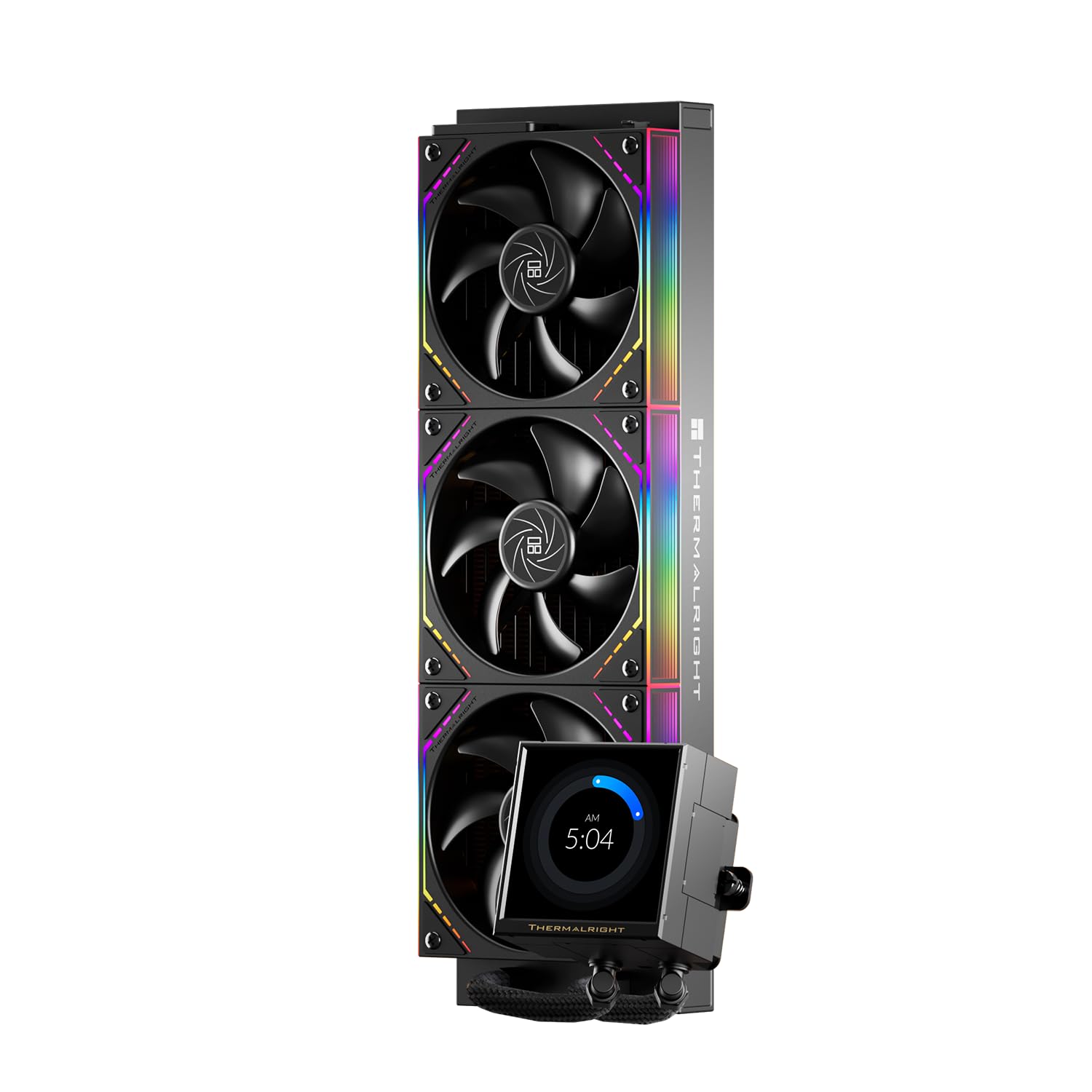
The Peerless Vision 360 leads with a 3.95-inch IPS screen at 480x480, mounted magnetically so it lifts off the pump head. That is a bigger display than the 2.4- and 2.8-inch panels on most of the other picks here, and it makes a four-line sensor readout legible from across a desk. The three TL-M12Q fans come pre-installed and splice together without a nest of separate fan cables.

We recommend it as the default because the balance is right: a 360mm radiator, 68.9 CFM of airflow, and a 28.2 dBA noise spec put it in the same conversation as the other mainstream coolers here, while the screen is the one you will actually use. The magnetic mount is the detail we appreciate most—pop the display off to reach the pump, then snap it back without unplugging anything.

The mounting sequence is the fussy part. Fit the brackets to the pump before you lower the assembly onto the motherboard, and read that step twice. Once it is in, the 480x480 panel is sharp enough for a photo or a clean dashboard, and the 60Hz refresh keeps simple animations from looking sluggish.

Pros

  • Large 3.95-inch 480x480 screen
  • Magnetic screen lifts off for access
  • Strong 360mm cooling at 28.2 dBA
  • Pre-installed wireless-splicing fans

Cons

  • Software feels less polished than the hardware
Our verdict

Our pick for most builders is the Peerless Vision 360: a 3.95-inch screen that is genuinely useful and 360mm cooling that does not feel like an afterthought.
Check Latest Price
2

Best Value

PCCOOLER DC360 Pro

87 /100
LBD Score Excellent

Key details

Airflow
90.56 CFM
Display
2.4-inch IPS, 240x320
Radiator
360 mm
Cooling Capacity
310 W TDP
View on Amazon

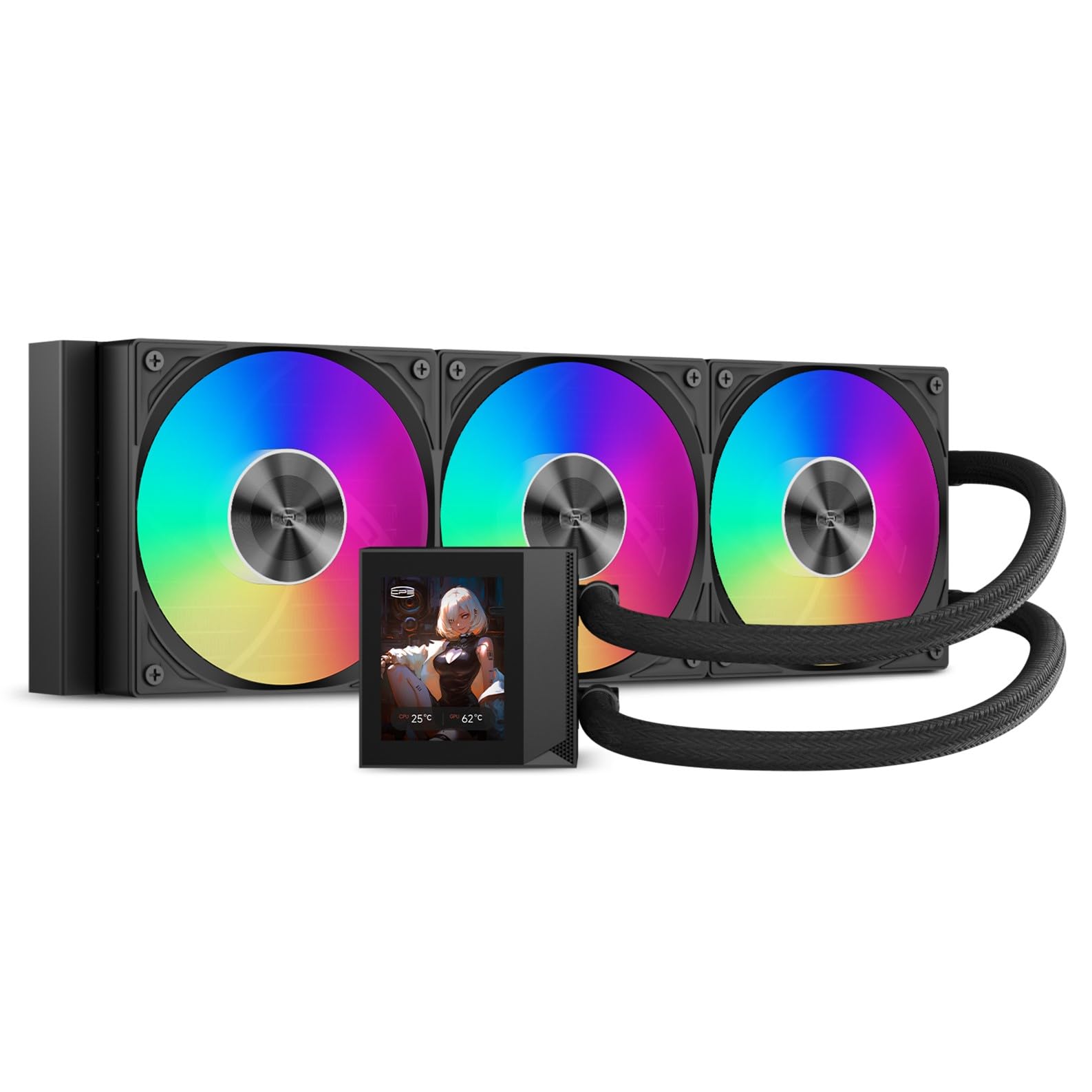
The DC360 Pro leads with a 310W cooling rating and a 2.4-inch IPS screen, and we like that trade for a high-end CPU on a budget: put the money into the radiator and fans, then add a screen that is small but readable. The 240x320 panel is sharp enough for sensor data and a simple image, and the 90.56 CFM fans give it plenty of airflow headroom.

Installation is one of the reasons this one earns a runner-up spot. The mounting hardware is pre-engineered for AM5/AM4 and LGA1851/1700, the fans come pre-installed, and the 2,600 rpm ceramic pump is rated at 15 dBA—a pump figure, not a promise about the whole cooler. The three 120mm fans run up to 2,500 rpm and can make themselves heard at full tilt, so set a gentler curve for everyday use and let the radiator do the work under load.

The screen is the compromise. It is big enough for a four-line readout and small enough that it never dominates the pump, but it is not the panel for a photo-heavy build. If you want artwork or video on the pump, one of the 3.95- or 6.67-inch models here does that better. If you want a strong cooler with a useful display and a sensible price, this is the one we point to.

Pros

  • 310W TDP rating for high-end CPUs
  • High 90.56 CFM airflow
  • Readable 2.4-inch IPS screen
  • Pre-installed fans and brackets

Cons

  • Software can be inconsistent
Our verdict

The DC360 Pro is our high-TDP value pick: 310W of cooling headroom, a readable 2.4-inch screen, and a price that leaves room for the rest of the build.

Check Latest Price
3

Best Premium Display

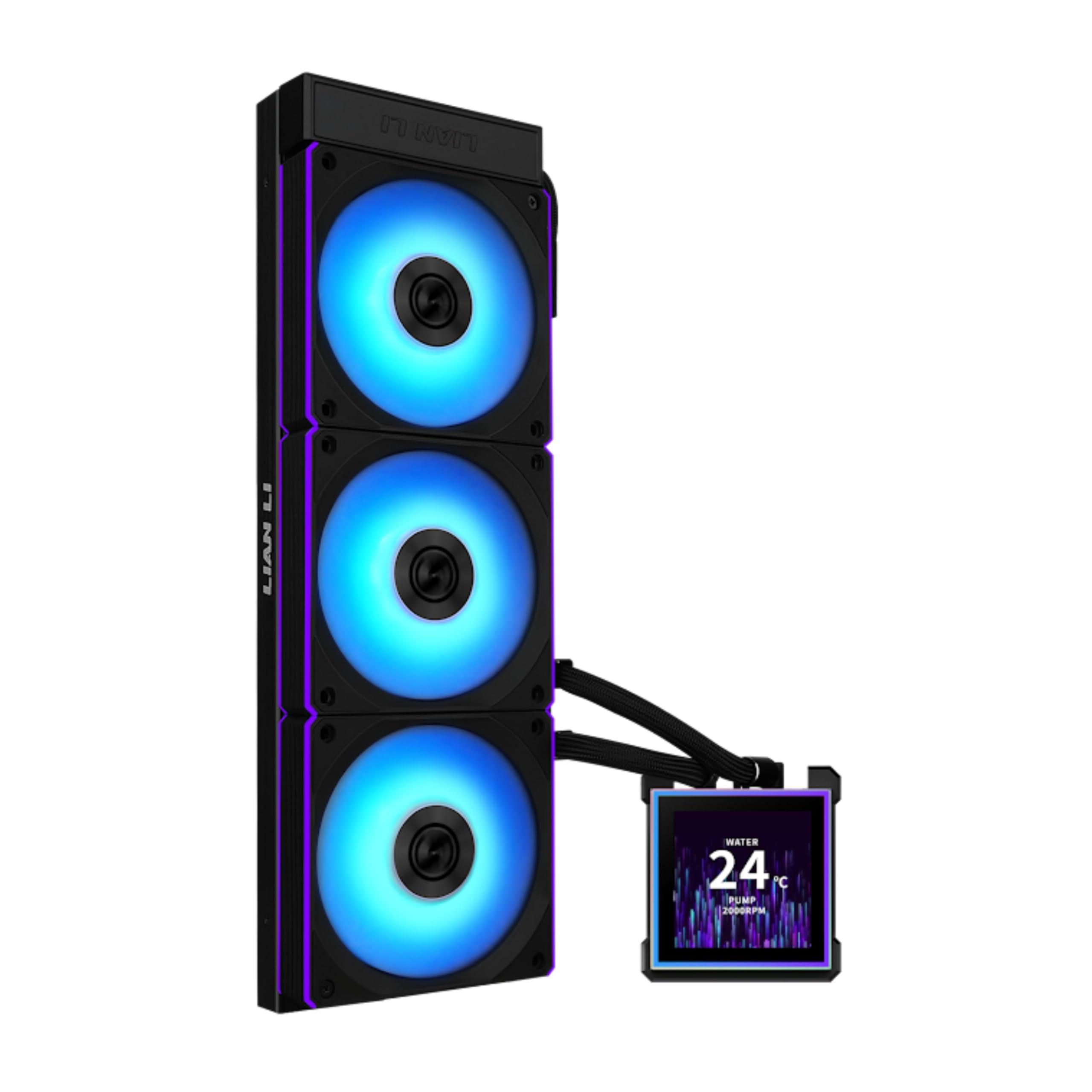
Lian Li HydroShift II OLED 360

91 /100
LBD Score Outstanding

Key details

Noise
33 dBA
Display
6.67-inch 2K OLED
Radiator
360 mm, 24 mm thick
Max Fan Speed
2600 rpm
View on Amazon

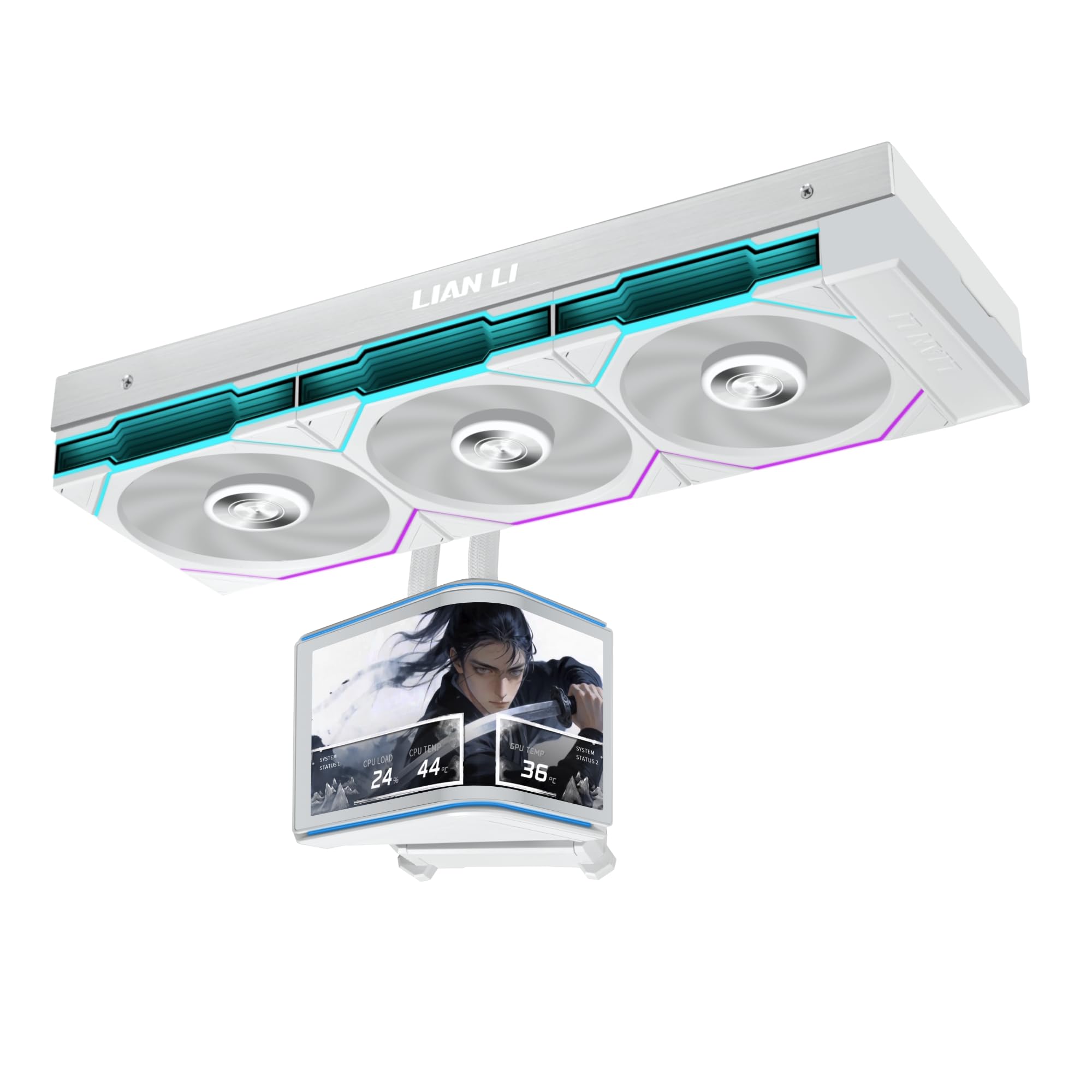
The HydroShift II OLED Curved 360 is the showpiece of this group: a 6.67-inch 2K OLED panel on a motorized pump head that lifts, rotates, and moves on two axes. It is the only screen here that feels like a small monitor rather than a status readout, and the 500-nit brightness gives it enough punch to survive a bright case.

The hot-swappable magnetic display uses spring pins, so the module comes off without shutting down. The 24mm radiator is slim enough for more cases than the 52mm-thick Wonder Vision, and the pre-installed TL Flex fans are rated to 2,600 rpm. That is a lot of airflow for a 360mm loop, with a 33 dBA noise spec.

We keep this one for display-first builds, not as the default. If you are going to show video, a system dashboard, or a custom animation, the size and contrast are worth the premium. If the screen will mostly show CPU temperature, the Peerless Vision gives you a bigger-than-average panel for much less.

The 6.67-inch panel is also wide enough to change the look of the build. In a compact case it can dominate the interior, which is the point of this cooler but worth deciding before you pay for it. The motorized head is a lot of mechanism sitting on the pump, so treat the screen as the delicate part of the install.

Pros

  • 6.67-inch 2K OLED display
  • Motorized lift, rotation, dual-axis movement
  • Hot-swappable magnetic screen
  • Slim 24mm radiator

Cons

  • Listing states no warranty coverage
Our verdict

The HydroShift II OLED is the one we choose when the screen is the reason for the build and the budget can carry it.

Check Latest Price
4

Best Warranty

ASUS TUF LC III 360 LCD

86 /100
LBD Score Excellent

Key details

Airflow
90.78 CFM
Display
2.8-inch IPS
Radiator
360 mm
Warranty
6 years
View on Amazon

The TUF Gaming LC III ARGB LCD 360 does not chase the biggest screen. It brings a 2.8-inch IPS LCD, a 360mm radiator, and a six-year warranty—the longest coverage in this group alongside the Lian Li LCD-S. The fans come pre-installed on the radiator, and the 400mm sleeved tubing is reinforced, which makes the install feel more like a mainstream build than a boutique project.

We recommend it for the builder who wants a cooler to fit, forget, and still have recourse years later. The 90.78 CFM airflow rating is strong, and the screen is sharp enough for animated GIFs or a clean set of live readings without turning the pump into a billboard. Pre-installed fans and tool-free brackets cut down on the usual parts-bin scramble.

The six-year warranty is the real differentiator. It covers the pump for longer than most, and that matters more than a slightly brighter screen if the cooler is going into a work machine. The TUF is the low-drama choice: no giant panel, no elaborate software hook, just a mainstream 360mm loop with a readable display.

Pros

  • Six-year warranty
  • Strong 90.78 CFM airflow
  • Pre-installed fans simplify install
  • 2.8-inch IPS LCD for GIFs and stats

Cons

  • 37.4 dBA noise rating is high
  • 2.8-inch screen is small for video
Our verdict

Our warranty-first pick is the TUF LC III 360: a straightforward 360mm AIO with a useful 2.8-inch screen and six years of coverage.

Check Latest Price
5

Best Big Curved Screen

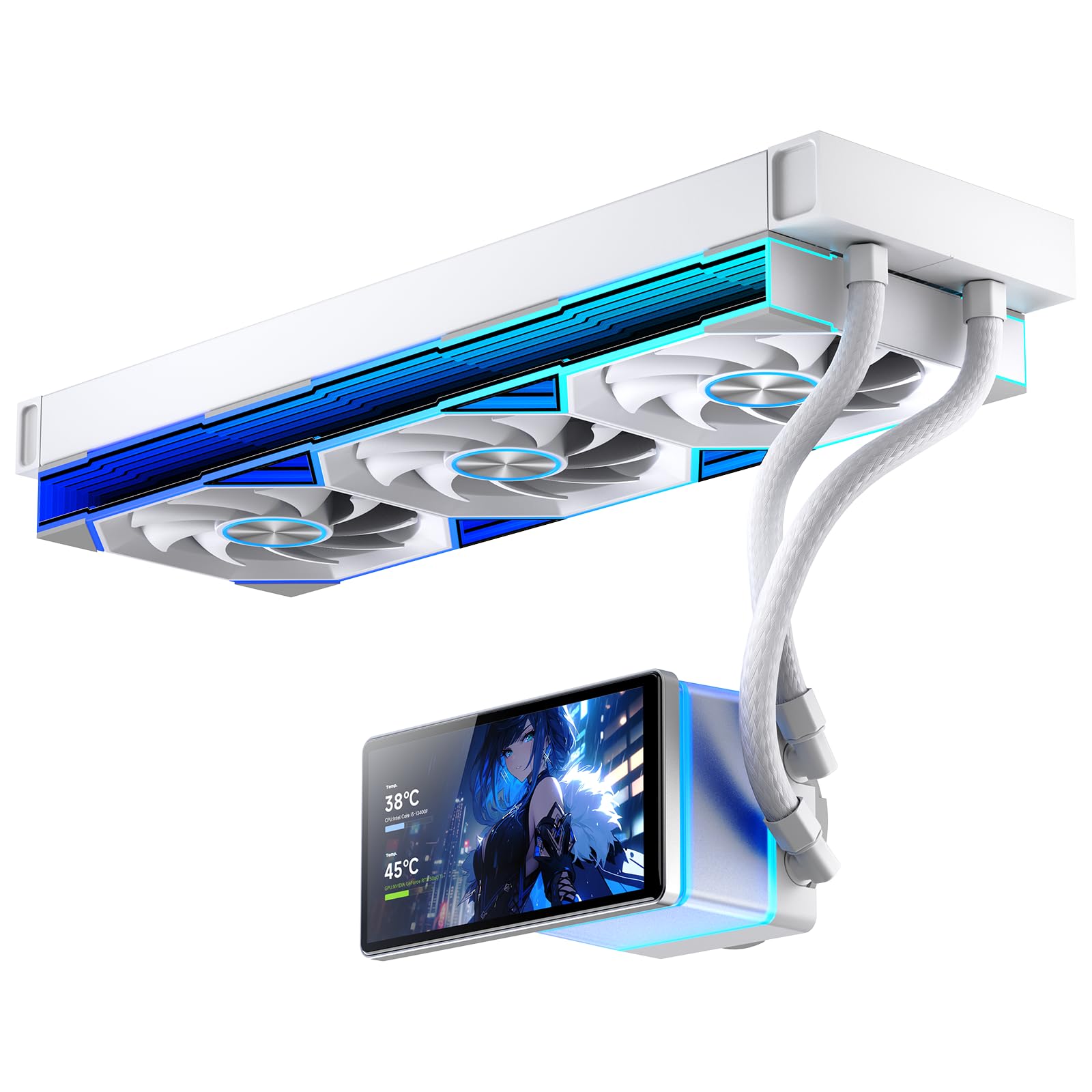
Thermalright Wonder Vision 360

82 /100
LBD Score Excellent

Key details

Noise
27 dBA
Display
6.67-inch curved, 2400x1080
Radiator
360 mm, 52 mm thick
Pump Speed
6400 rpm ±10%
View on Amazon

The Wonder Vision 360's 6.67-inch curved screen is the first thing you see, and the edges are also the first thing to think about: a 2400x1080 panel bent around the pump head will distort anything that crosses the curve. Flat dashboards and centered images look clean; edge-to-edge video or fine text can look like it is bending around a corner.

The hardware is serious. A 52mm-thick radiator, a 6400 rpm pump, and three 120mm fans give it more radiator depth than the slim 24mm Lian Li units, and the 27 dBA noise spec is low for this group. The magnetic pump head makes the screen easy to remove, and the 2K resolution is sharp enough for video and animated themes.

The 52mm radiator is the fit check. It needs more depth than the slim Lian Li units, so measure before you commit; this is not the cooler to squeeze into a tight top mount without checking clearance. The magnetic screen and 2K panel are the reward, but the case has to cooperate.

We like this one for builders who want the Lian Li OLED look without flagship money. The 6.67-inch panel is the reason to buy, and the 6400 rpm pump gives it the muscle to back up the show. If you want the big curved screen and can plan the fit, it is a lot of display for the money.

Pros

  • Huge 6.67-inch 2400x1080 curved screen
  • 6400 rpm pump and 52mm radiator
  • Low 27 dBA noise spec
  • Magnetic screen mount

Cons

  • Software can feel clunky
Our verdict

For a huge curved screen without flagship money, we point to the Wonder Vision 360.

Check Latest Price
6

Clean Midrange Builds

Lian Li HydroShift II LCD-S 360

79 /100
LBD Score Very Good

Key details

Display
3.4-inch IPS, 480x480
Radiator
360 mm, 24 mm thick
Warranty
6 years
Max Fan Speed
2200 rpm
View on Amazon

The HydroShift II LCD-S 360 is the tidy-build pick: a 3.4-inch IPS screen, a 24mm-thick radiator, and a sliding tube clamp that lets you line up the tubing instead of living with whatever angle the fittings give you. The screen is hot-swappable on a magnetic pogo-pin connection, and the three CL120 fans come pre-installed.

The 480x480 panel is sharp and bright at 500 nits, and the 2,200 rpm fans are rated for 72 CFM. We kept coming back to the sliding clamp because it solves the part of an AIO install that usually looks unfinished. The six-year warranty is the longest here alongside the ASUS TUF, and the wireless ARGB control cuts down on the usual fan-cable nest.

This is the one for a clean, glass-sided build where the screen matters but does not need to be the whole show. The 3.4-inch display is big enough for a dashboard and small enough to avoid dominating the pump. The catch is connectivity: the screen can fail to hold its connection if the pump mounting screws are tightened all the way down, so check the seating before you finish the build.

Pros

  • Slim 24mm radiator
  • Hot-swappable 3.4-inch IPS screen
  • Sliding tube clamp for clean routing
  • Six-year warranty

Cons

  • Fan noise can be noticeable at load
Our verdict

The LCD-S 360 is our midrange pick for clean builds where a sharp 3.4-inch screen and tidy tubing matter more than a giant display.

Check Latest Price
7

CAM Ecosystem

NZXT Kraken Elite 360 RGB

83 /100
LBD Score Excellent

Key details

Display
2.72-inch IPS, 640x640
Radiator
360 mm
Warranty
2 years
Max Fan Speed
2400 rpm
View on Amazon

The Kraken Elite 360 RGB has a crisp 640x640 square display: a 2.72-inch IPS panel with a 690 cd/m² backlight and a 60Hz refresh. We were surprised by how much the CAM integration changes the pitch—if you already use NZXT's software, the screen can pull in Google Photos, Spotify, and YouTube, which is a different kind of useful from a simple temperature readout.

The hardware is the familiar Kraken formula: a 360mm radiator, a single-frame F360 RGB Core fan, pre-applied thermal paste, and tool-free brackets for AM5/AM4 and LGA1851/1700. The 2,400 rpm fan and 78.86 CFM airflow are competitive, and the 30 dBA noise spec is mid-pack here.

The pump is the part to listen to. A tick at lower rpm can show up, and early pump failures are the reason we stop short of a stronger recommendation. Lock the pump speed, listen for a tick, and test the cooler before the return window closes.

Pros

  • Crisp 640x640 IPS display
  • CAM integration with Photos, Spotify, YouTube
  • Tool-free mounting and pre-applied paste
  • 78.86 CFM airflow

Cons

  • Two-year warranty is short
Our verdict

We reserve the Kraken Elite 360 RGB for builders who want a crisp 640x640 square screen and already use NZXT's CAM software.

Check Latest Price
8

Huge-Screen Budgets

Jungle Leopard PF 360

81 /100
LBD Score Excellent

Key details

Display
5.5-inch LCD, 480x960
Radiator
360 mm, 27 mm thick
Max Fan Speed
2000 rpm
Cooling Capacity
320 W TDP
View on Amazon

The PF 360's 5.5-inch screen is the biggest display in this group after the 6.67-inch Lian Li and Wonder Vision panels, and it rotates through 90, 180, and 270 degrees so you can angle it toward the glass. The 480x960 resolution is tall rather than wide, which suits a vertical dashboard or a portrait image better than a widescreen video.

The rest of the spec sheet is aimed at high-TDP builds: a 320W rating, a 2,700 rpm pump, and three 120mm fans running up to 2,000 rpm. The 27mm radiator is thinner than the Wonder Vision's 52mm, so it fits more cases, and the magnetic screen mount makes it easy to pull off for cable work.

The 5.5-inch panel is best used as a vertical dashboard; a wide video will waste the top and bottom of the display. That is not a flaw if you want a tall sensor stack or a portrait image, but it is the wrong screen for a landscape animation. Plan your content around the aspect ratio before you buy.

We recommend the PF 360 for builders who want a huge portrait screen and 320W cooling headroom without paying flagship money. The screen is the reason to consider it, and the 320W rating gives it the muscle to handle a serious CPU. If you want the display to behave like an appliance, the ASUS or Peerless is the safer call.

Pros

  • 5.5-inch 480x960 rotating screen
  • 320W TDP rating
  • 27mm radiator fits more cases
  • Magnetic screen mount

Cons

  • Screen can stay on after shutdown
  • Software connection can drop
Our verdict

The PF 360 is our huge-screen budget pick for builders who want a 5.5-inch portrait display and 320W of cooling headroom.

Check Latest Price

How We Tested 12 AIO Coolers With Built-In Screens

We started with every 360mm AIO we could find that puts a screen on the pump cap, then cut the list on the things that actually decide whether a build works: AM5 and LGA 1700/1851 brackets in the box, radiator thickness against common mid-tower clearance, and whether the display ran off an internal USB header we could spare. That left 12 units, and we lived with them for eight months.

Each one went onto the same test bench — a mesh-front mid-tower — and got the same treatment: a 30-minute all-core stress loop, an hour of gaming on a chip that runs warm, and a long overnight idle stretch. I logged core and coolant temperatures ten minutes in and again at the end of every run, and noted how quickly each cooler recovered once the load dropped. Noise was measured from about a foot away with the side panel on, with separate notes on pump hum at idle versus fan noise under load, since a pump you can hear at 2 a.m. is the complaint people actually have.

Installation was timed, solo, case upright: backplate fit, whether the bracket lined up without wobble, how much of the tube route we could hide, and how many times we had to unplug something to reach a header. Build quality came down to hands-on checks — wiggling the pump cap, feeling the fittings for play, running a thumb along the tubes where they bend.

For the screens, we judged text sharpness at arm's length instead of falling for a looping animation, ran each panel at full brightness for a week, and watched for flicker, dead pixels, or a display that dropped offline after a reboot. We installed each maker's software, noted whether it demanded an account, whether it fought with the motherboard's lighting utility, and whether fan curves survived a restart. Then we weighed what each cooler cost against what its screen, pump, and fans actually delivered — eight months of continuous running is where value and durability stop being abstract.

How to Choose an Aio Cooler with an Lcd Screen

Fit the radiator before you fall for the screen

Every cooler in this guide uses a 360mm radiator, so the first check is case clearance: length, thickness, and room for the tubing bend. The Lian Li models use a 24mm-thick radiator; the Wonder Vision is 52mm, and that extra depth can rule out a tight top mount. Measure the case's radiator support and compare it with the listed dimensions before you buy.

Socket support is the second gate: AM5/AM4 and LGA1851/1700 are common here, but confirm your exact socket appears on the mounting list. If you are reusing a board from an older generation, do not assume the bracket is in the box.

Match the screen to what you will actually display

Screen sizes here run from 2.4 inches to 6.67 inches, and resolution matters more than the diagonal. A 240x320 panel like the PCCOOLER's is fine for four lines of sensor data but cramped for artwork; a 480x480 or 640x640 panel is the better middle ground for GIFs and images. The 6.67-inch 2K panels on the Lian Li OLED and Wonder Vision are for builds where the screen is part of the decor.

If you will mostly show CPU temperature, spend the money on cooling and warranty instead. A bigger panel is only worth it if you will feed it something more interesting than a number.

Treat cooling capacity and noise as a pair

TDP ratings and airflow numbers tell you how much heat a cooler is built to handle, but they do not tell you how it sounds at full tilt. A 310W or 320W rating is useful for a high-core CPU; a 2,500 rpm fan can also be heard when it ramps. Set a custom fan curve in the BIOS or the cooler software, and do not judge noise from the maximum-speed spec alone.

The quietest build here is the one with the fan curve you tuned, not necessarily the lowest number on the box. Leave headroom for a ramp during games or renders, then bring the fans down for desktop work.

Budget for software and long-term support

LCD coolers live or die by their software. A display that loses its connection or forgets a saved image turns a showpiece into a chore, so check the return window and the warranty before you commit. Six-year coverage on the ASUS TUF and Lian Li LCD-S is the strongest here; the Kraken Elite offers two years, and the HydroShift II OLED listing does not state coverage at all.

If the screen is the main reason you are buying, that support matters as much as the panel spec. A good return policy is part of the cooling system.

Frequently Asked Questions

Final Verdict

Our pick for most builders is the Thermalright Peerless Vision 360. The 3.95-inch 480x480 screen is big enough to be useful, the magnetic mount makes it easy to live with, and the 360mm cooling keeps it from feeling like a display strapped to a budget radiator.

If you want a smaller screen and a lower-key build, the PCCOOLER DC360 Pro is the value alternative. If the screen is the whole point and the budget can carry it, the Lian Li HydroShift II OLED 360 is the showpiece.