Best 4K Gaming Monitors of 2026

A 4K monitor is an odd thing to shop for, because the number that sells it is also the number that used to ruin it. More pixels meant sharper games that ran slower, so for years you chose between a sharp desktop and a fast one. That tradeoff has mostly dissolved — the newest panels run in dual mode, giving you 4K for a campaign and a lower resolution at double the refresh rate when a match heats up.

I moved to 4K on my desk a few years back, and the surprise wasn't the games — it was how much less I squinted at spreadsheets. The resolution is the easy part now; what separates these screens is brightness that survives a sunny window, color that holds together in a dark scene, and a cursor that feels instant. My team spent six months with eight of them to sort that out. At 27 inches text looks nearly printed; at 32 and up you sit back and let it be a TV. The picks below are the ones I'd start with.

1

Best Overall

ASUS ROG XG27UCG

85 /100
LBD Score Excellent

Key details

Resolution
3840 x 2160
Screen Size
27 inches
Refresh Rate
160Hz (320Hz at 1080p)
Adaptive Sync
G-Sync Compatible, FreeSync Premium
View on Amazon

The dual-mode switch is what sold us: this 27-inch panel runs 4K at 160Hz for desktop work and slower games, then drops to 1080p at 320Hz when a shooter demands speed. We spent most of our time in 4K, where the Fast IPS panel keeps text crisp and motion clean; the 320Hz mode is the escape hatch for competitive play. That flexibility is why it earns the default recommendation.

The rest of the package is unusually complete for this group. G-Sync Compatible and FreeSync Premium cover both graphics-card camps, while HDMI, DisplayPort, and USB-C give you room for a PC, a console, and a laptop. The three-year warranty with advanced replacement is a real ownership advantage, especially on a monitor that will spend long hours switched on.

The one thing we watch is stability: intermittent cutouts can occur, so buy from a seller with easy returns and test every input in the first week. That is a real caveat, but it is not enough to knock the XG27UCG off the top spot for a mixed PC-and-console setup.

Pros

  • 4K 160Hz and 1080p 320Hz dual mode
  • USB-C, HDMI, and DisplayPort inputs
  • G-Sync Compatible and FreeSync Premium
  • Three-year warranty with advanced replacement

Cons

  • DisplayHDR 400 is modest HDR
  • IPS contrast cannot match OLED
Our verdict

For a PC-and-console desk, the XG27UCG is our pick: 4K at 160Hz, a useful 1080p 320Hz mode, USB-C, and three-year coverage.
Check Latest Price
2

Best for Competitive Speed

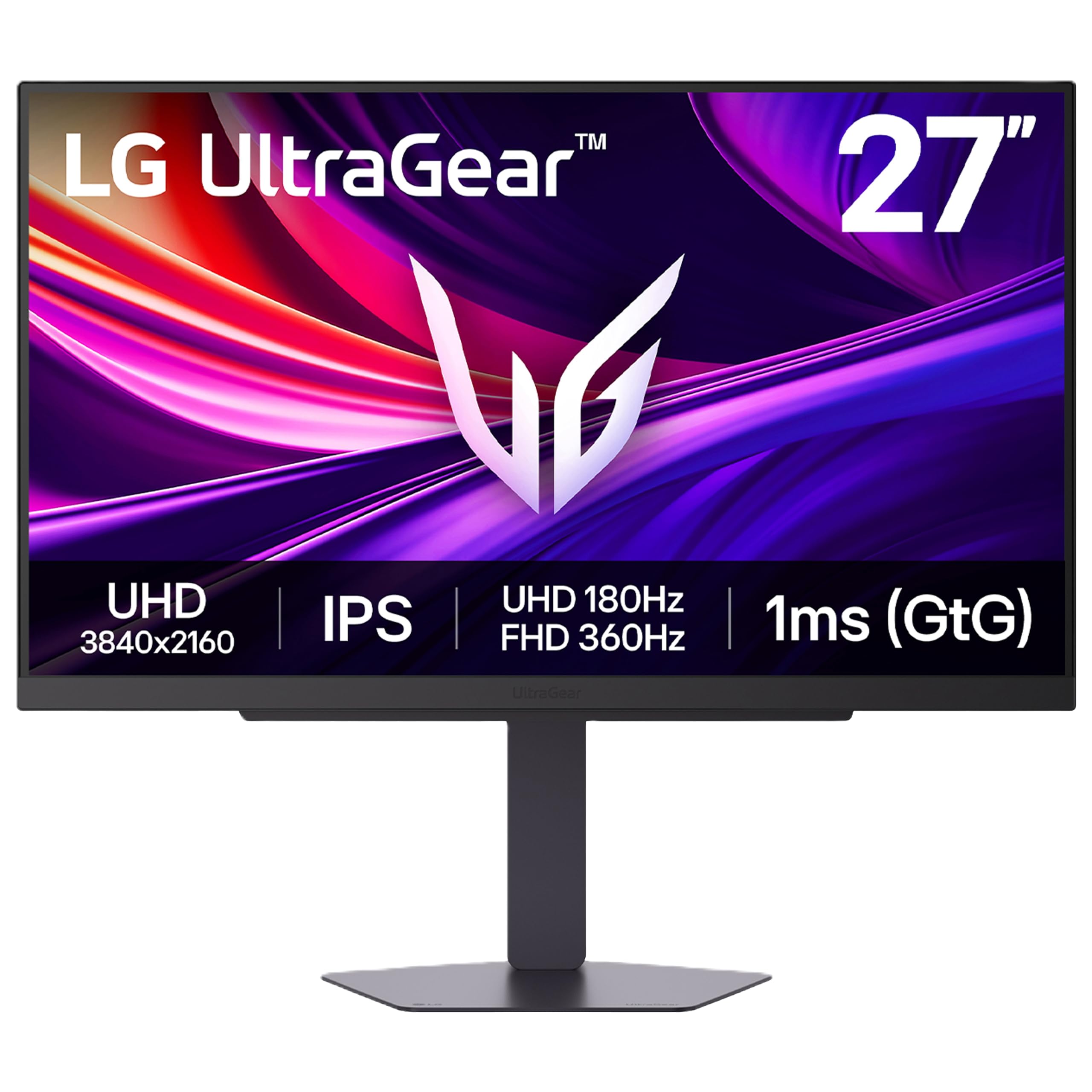
LG UltraGear 27G810A-B

86 /100
LBD Score Excellent

Key details

Resolution
3840 x 2160
Screen Size
27 inches
Refresh Rate
180Hz (360Hz at 1080p)
Adaptive Sync
G-Sync Compatible, FreeSync Premium
View on Amazon

The 180Hz figure is the headline, and the 360Hz 1080p mode is the twist. This 27-inch IPS panel runs 4K at 180Hz or drops to 1080p at 360Hz, which makes it the fastest 4K monitor in this set. We noticed the extra headroom most in fast shooters, where the LG felt more immediate than the 160Hz picks.

That speed is the reason to choose it over the ASUS ROG: you get 20Hz more at 4K and 40Hz more in 1080p, and the dual-mode switch is quick to live with. The trade-offs are real, though. The LG gives up USB-C, and its one-year warranty is shorter than the three-year coverage on the ASUS picks. For a dedicated gaming desk, we think the refresh advantage is worth it.

Color is the other compromise. The IPS panel is sharp and the viewing angles are wide, but the default picture can look dull until you calibrate it. The stand adjusts for height, pivot, and swivel, which makes the speed easier to live with at a desk. We just wish the factory calibration were closer to the mark.

Pros

  • 4K 180Hz and 1080p 360Hz dual mode
  • G-Sync Compatible and FreeSync Premium
  • Height, pivot, and swivel adjustment
  • 1ms response time

Cons

  • One-year warranty is short
  • No USB-C
Our verdict

We point competitive players to the 27G810A-B: it is the fastest 4K panel here, with 180Hz at 4K and 360Hz at 1080p.

Check Latest Price
3

Best Value

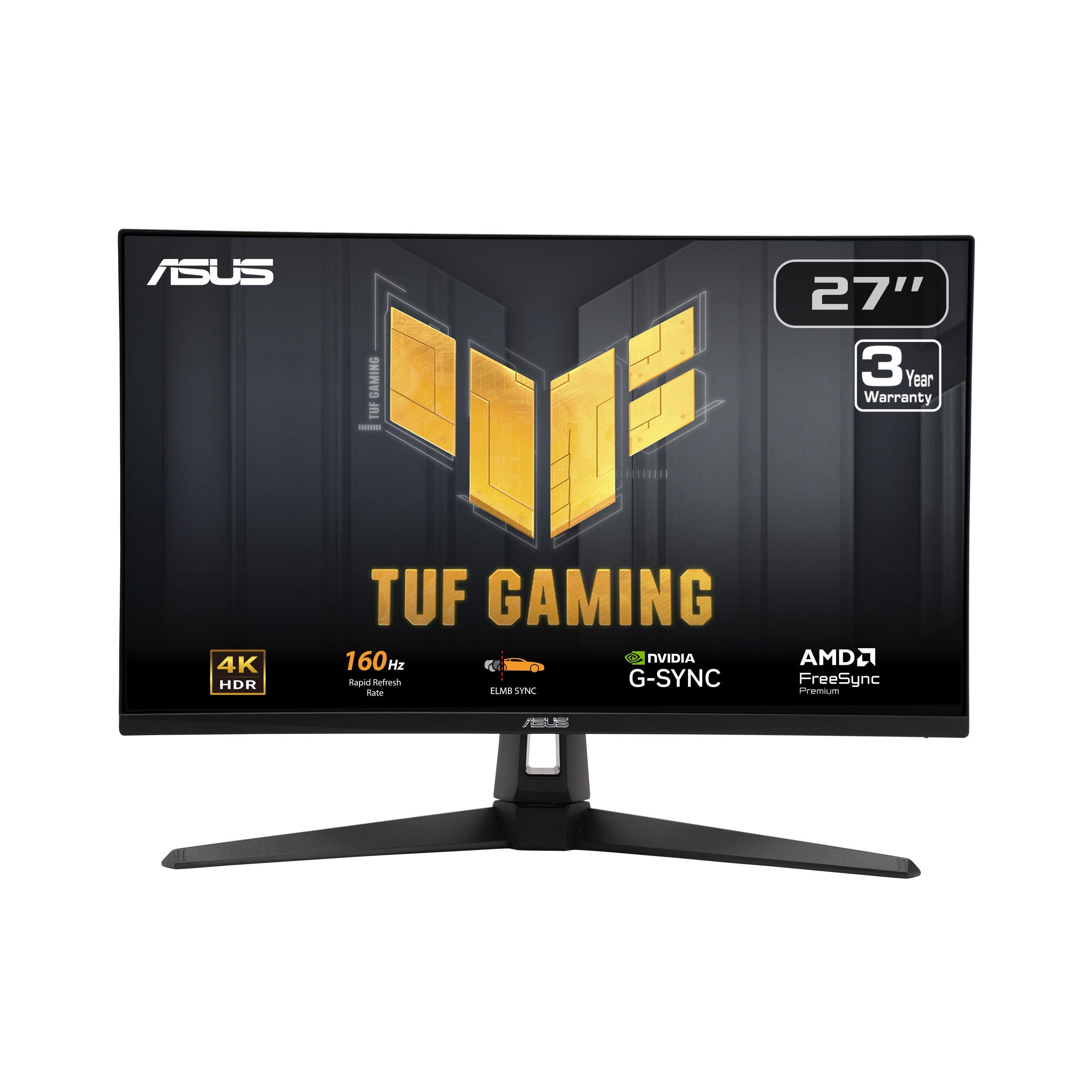
ASUS TUF VG27UQ1A

83 /100
LBD Score Excellent

Key details

Resolution
3840 x 2160
Screen Size
27 inches
Refresh Rate
160Hz
Adaptive Sync
G-Sync Compatible, FreeSync Premium
View on Amazon

If the top pick's USB-C and 320Hz mode are extras you will not use, the TUF VG27UQ1A delivers the same 27-inch 4K 160Hz core for less. The Fast IPS panel is sharp, the 95% DCI-P3 coverage gives games more color than a basic sRGB panel, and ELMB Sync helps with motion blur. It is the practical step down, not a compromised one.

What we appreciate most is the warranty: three years with advanced replacement is one of the longest terms in this group. G-Sync Compatible and FreeSync Premium cover both GPU brands, and the matte screen keeps reflections manageable in a bright room. It does not have USB-C, and there is no 1080p 320Hz mode, so laptop users and competitive players should look at the ROG or LG instead.

The built-in speakers are strictly for system sounds; a headset is the better answer. Otherwise, the TUF keeps the essentials and leaves the extras to the pricier picks. That is the right trade for a PC-first setup.

Pros

  • 4K 160Hz panel
  • 95% DCI-P3 color
  • G-Sync Compatible and FreeSync Premium
  • Three-year warranty with advanced replacement

Cons

  • Default picture can look washed out
Our verdict

We see the TUF VG27UQ1A as the value call for a PC-first desk: 4K 160Hz, G-Sync compatibility, and a three-year warranty, without USB-C or dual-mode extras.

Check Latest Price
4

Best for Work and Play

Dell S2725QS

87 /100
LBD Score Excellent

Key details

Ports
HDMI, DisplayPort, USB-C
Resolution
3840 x 2160
Screen Size
27 inches
Refresh Rate
120Hz
View on Amazon

The stand is the first thing we appreciated: height, tilt, swivel, and pivot adjustment make it easy to put the screen at eye level, and the USB-C input means one cable can carry the display signal from a laptop. That is a more useful kind of flexibility than another 40Hz of refresh for a lot of desks.

The 27-inch IPS panel is sharp at 4K, with 99% sRGB coverage and a 1500:1 contrast ratio that gives text and dark scenes more depth than the usual 1000:1 IPS panel. FreeSync Premium handles variable refresh, and 120Hz is a meaningful step up from 60Hz for casual games and console play. It is not a 160Hz or 180Hz competitive panel, but it is smooth enough for everything short of serious twitch shooting.

The balance is what we keep coming back to: the Dell feels like a work monitor that happens to game well, rather than a gaming monitor pretending to be a work display. The 120Hz cap is the one thing that keeps it from replacing a dedicated gaming panel; for everything else, the Dell is the easier monitor to live with.

Pros

  • Fully adjustable stand with pivot
  • USB-C plus HDMI and DisplayPort
  • 4K 120Hz with FreeSync Premium
  • 99% sRGB and 1500:1 contrast

Cons

  • One-year warranty is short
Our verdict

A work desk benefits most from the S2725QS: we value its USB-C input and fully adjustable stand more than another refresh-rate tier, and 4K 120Hz is enough for casual games.

Check Latest Price
5

Best Big-Screen

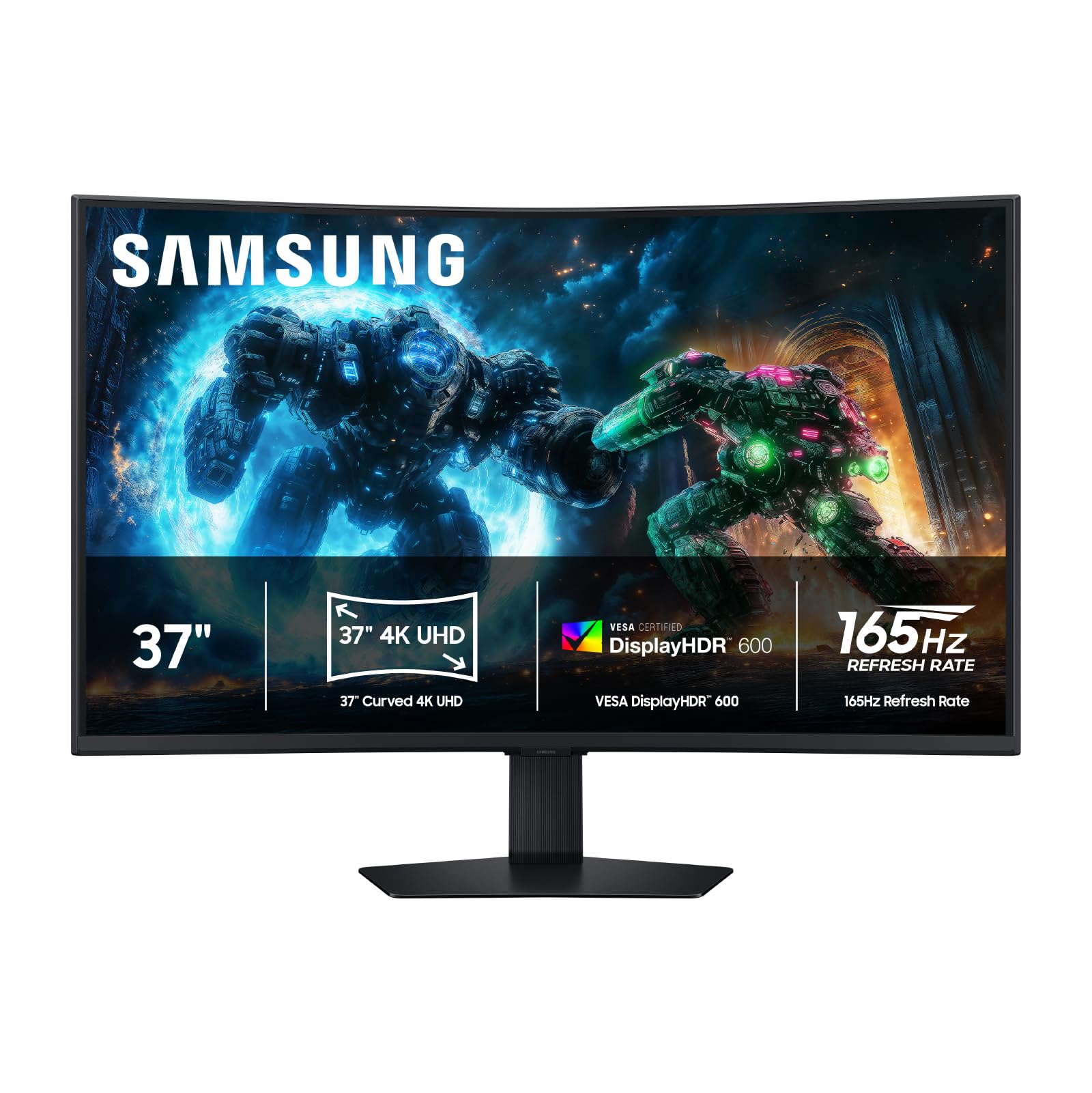
Samsung Odyssey G7 37

83 /100
LBD Score Excellent

Key details

Curvature
1000R
Resolution
3840 x 2160
Screen Size
37 inches
Refresh Rate
165Hz
View on Amazon

A 37-inch 4K monitor with a 1000R curve is a different kind of upgrade: it fills your peripheral vision in a way a 27-inch panel cannot, and the curve keeps the edges from feeling too far away. The 165Hz refresh rate and 1ms response keep it from being a size-only pick, while HDR600 and the VA panel's 3000:1 contrast give dark scenes more depth than the IPS monitors here.

We like it most for single-player games and console sessions, where the size and curve do more for immersion than another 20Hz of refresh. FreeSync Premium Pro covers both PC and console variable refresh, and the 37-inch panel is also comfortable for watching video or playing from a controller. It is not the monitor for precise desktop work at close range; the curve and size make spreadsheets feel more wraparound than they need to.

The single DisplayPort is the connectivity limitation: it is fine for one PC and one console over HDMI, but not for a multi-PC desk. The 1000R curve is a commitment, not a neutral choice. For a dedicated game room, those trade-offs buy an experience the smaller picks cannot match.

Pros

  • 37-inch 1000R curved 4K panel
  • 165Hz with 1ms response
  • HDR600 and 3000:1 VA contrast
  • FreeSync Premium Pro

Cons

  • One-year warranty is short
  • 24.7 pounds needs a deep, solid desk
Our verdict

The Odyssey G7 37 earns our vote for immersive play: a 37-inch 1000R curve, 4K 165Hz, and HDR600 create a big-screen experience the 27-inch picks cannot match.

Check Latest Price
6

Large 4K Desktop

Dell S3225QS

86 /100
LBD Score Excellent

Key details

Panel
VA
Resolution
3840 x 2160
Screen Size
32 inches
Refresh Rate
120Hz
View on Amazon

A 32-inch 4K monitor is the size many people actually want: text is comfortable without scaling tricks, and the screen has enough room for two windows side by side. The S3225QS pairs that size with a 120Hz VA panel, FreeSync Premium, and 99% sRGB coverage. At this price, it is a lot of screen for a desk or a console.

The VA panel gives it stronger contrast than the IPS picks, which helps dark games and movie nights, and the 120Hz refresh is smooth enough for casual play. We do not treat it as a competitive shooter monitor: the 120Hz cap and VA motion are a step behind the 160Hz and 180Hz IPS panels here. The stand adjusts for height and tilt, and the anti-glare finish keeps a bright room manageable.

The built-in speakers are useful for video calls, though not for serious gaming audio. Otherwise, the S3225QS is a straightforward big-screen monitor: it does not ask for calibration tricks or a special mounting setup. That simplicity is part of the appeal.

For a large 4K desktop that doubles as a console display, the S3225QS earns its place. The 120Hz cap is the reason it stays behind the faster 27-inch picks for competitive play, but the 32-inch canvas is the more noticeable upgrade for everything else.

Pros

  • 32-inch 4K panel
  • 120Hz with FreeSync Premium
  • 99% sRGB and 95% DCI-P3
  • Height-adjustable stand

Cons

  • Random blackouts can occur
  • One-year warranty is short
Our verdict

For a large 4K desktop, we prefer the S3225QS: 32 inches, 120Hz, and VA contrast make it a comfortable console-and-work screen, as long as competitive speed is not the priority.

Check Latest Price
7

Budget Dual-Mode

Acer Nitro VG270K V4

82 /100
LBD Score Excellent

Key details

Warranty
3 years
Resolution
3840 x 2160
Screen Size
27 inches
Refresh Rate
160Hz (320Hz at 1080p)
View on Amazon

A three-year parts-and-labor warranty is the standout at the budget end of this group, and the VG270K V4 backs it with a dual-mode panel: 4K at 160Hz or 1080p at 320Hz. The 27-inch IPS screen and 0.5ms response give you the essentials for fast play, while two HDMI 2.1 ports and FreeSync Premium cover modern consoles and graphics cards.

The dual-mode switch is the feature that makes the Acer worth a look. We spent our time in 4K for desktop work and slower games, then dropped to 1080p for shooters; the drop in sharpness is obvious, but the speed is real. The 0.5ms response is a spec-sheet figure, not a magic fix for motion blur, but the panel is quick enough for casual competitive play.

The picture can look dim in a bright room, and the stand is simpler than the ergonomic designs on the Dell and LG. Neither flaw matters much in a darker game room, and a VESA arm fixes the stand. We still think the warranty and dual-mode speed make it the budget pick to beat here.

Pros

  • 4K 160Hz and 1080p 320Hz dual mode
  • Three-year parts-and-labor warranty
  • 0.5ms response time
  • Two HDMI 2.1 ports and FreeSync Premium

Cons

  • Weak built-in speakers
  • No USB-C for laptop docking
Our verdict

Budget shoppers get our nod with the Nitro VG270K V4: 4K 160Hz, a 1080p 320Hz mode, and a three-year warranty, with weak speakers as the trade-off.

Check Latest Price

How We Tested Eight 4K Gaming Monitors Over Six Months

We started with a running list of about 40 4K monitors and cut it down by spec first: a true 3840 x 2160 panel, 120Hz or faster, HDMI 2.1 or DisplayPort for current consoles and graphics cards, and a stand that adjusts height instead of forcing a stack of books. Eight survived, and each spent at least two weeks as the only display on someone's desk.

That desk is where the testing happened: spreadsheets and video calls from morning to late afternoon, ranked matches after dinner, a console pulled up on weekends. We held a light meter against each screen facing a window at noon and again after dark to see how far brightness actually carried in a bright room, and a colorimeter backed up what our eyes caught on gradient patterns, dark film scenes, and the same three games. Appearance got a week-long look — bezels, cable routing through the stand, fingerprints on the finish.

Responsiveness took the most work. We filmed a moving test pattern with a high-speed camera at each panel's top refresh rate, then switched the dual-mode screens down to 1080p mid-session and counted the seconds, noting whether brightness sagged or picture settings reset. In a quiet room we listened for coil whine and ran the built-in speakers to maximum on dialogue-heavy scenes. Reliability was the slow measurement: six months of power cycles, standby wake-ups, and menu digging, tracking dead pixels and inputs that dropped when a console slept.

How to Choose a 4K Gaming Monitor

Match Refresh Rate to the Games You Play

The first decision is not 4K versus 1440p; it is how much refresh rate you need at 4K and whether a dual-mode panel makes sense. A 120Hz 4K monitor is a clear step up from 60Hz for casual and controller games, while the 160Hz and 180Hz panels here suit a mixed library. The 1080p 320Hz or 360Hz modes on the ASUS ROG, LG, and Acer are for motion, not detail: at 27 inches the picture looks soft next to native 4K, but it feels quicker in a shooter.

Choose the Panel for Your Room and Your Work

IPS is the safer default for a bright multipurpose room: wide viewing angles, predictable color, and no burn-in worry. VA gives you deeper blacks and higher contrast, which is why the Samsung Odyssey G7 37 and Dell S3225QS use it, but fast motion can smear and the picture shifts when you sit off to the side. OLED is the contrast leader, but it costs more and asks for burn-in care. Buy for SDR color and motion first; HDR is secondary at these prices.

Let Size and Curve Fit Your Desk

At 27 inches, 4K is very sharp, but you will use scaling to keep text readable. A 32-inch panel is more comfortable for split-screen work and still fits a normal desk, while a 37-inch screen like the Samsung Odyssey G7 37 turns the curve into a functional choice rather than a styling one. Measure desk depth and stand footprint, not just screen width. A 1000R curve wraps more than a flat panel, and a 24.7-pound monitor needs a solid surface.

Treat HDR and Speakers as Bonuses

Many 4K gaming monitors top out at DisplayHDR 400 or 600, which adds a little highlight punch but not the contrast of a true local-dimming or OLED display. Buy for resolution, refresh, and panel quality first. Built-in speakers are convenient for video calls and system sounds, but a headset or desktop speakers will beat them in games. The Dell S2725QS has the most usable speakers here; the Acer Nitro's are a backup at best.

Check Ports, Stand, and Warranty Before You Buy

Make sure the monitor has the ports your PC and console actually need. HDMI 2.1 and DisplayPort 1.4 are the ones that matter for 4K high refresh, and USB-C is useful only if it carries video for your laptop. A height-adjustable stand is worth paying for on a work desk; a VESA mount gives you a second chance in a tight space. Warranty coverage ranges from one year to three, and the longer term is the better match for a monitor you plan to keep.

Frequently Asked Questions

Final Verdict

The ASUS ROG XG27UCG is the one we point most people to: 4K at 160Hz for detail, a 1080p 320Hz mode when speed matters, USB-C, and three-year coverage. That combination makes it a better long-term desk companion than the cheaper 160Hz picks, and it is the easiest recommendation for a mixed PC-and-console setup.

If competitive shooters are the main event, the LG 27G810A-B's 180Hz/360Hz modes are the reason to choose it instead. If work comes first, the Dell S2725QS's USB-C and adjustable stand make more sense than another frame rate tier.