Best Overall
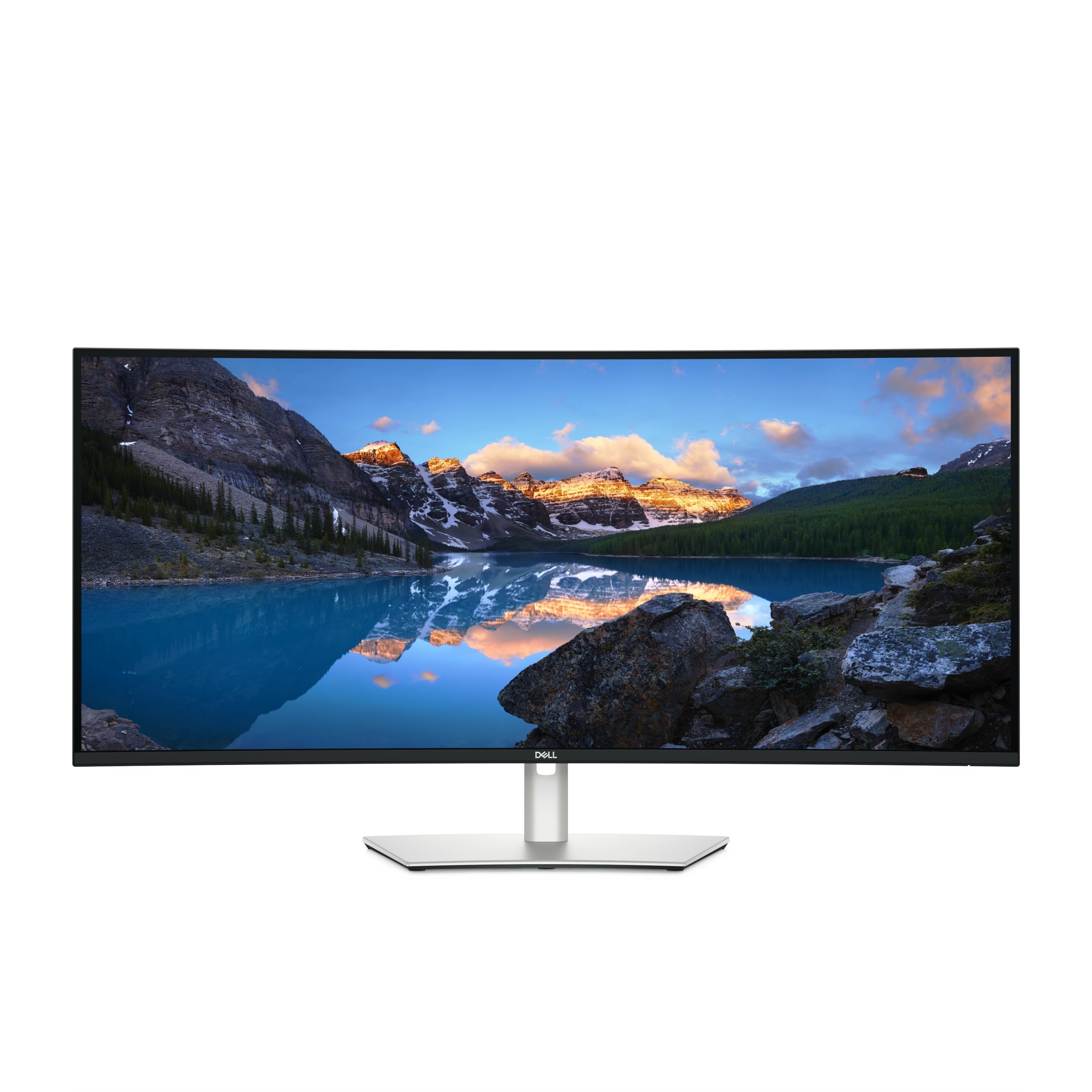
Dell UltraSharp U4025QW
Key details
- Resolution
- 5120 x 2160 (5K2K)
- Screen Size
- 39.7 inches
- Connectivity
- Thunderbolt, USB-C, KVM, 8 USB ports
- Refresh Rate
- 120 Hz
Forty inches sounds excessive until you put two full-size documents side by side and still have room for a chat window. The U4025QW uses a 5120 x 2160 panel in a 21:9 curve, so the appeal is width rather than the 2880 vertical pixels of a true 5K display. We like the built-in hub and KVM for exactly that reason: keyboard, mouse, Ethernet, and storage stay attached while you switch between a work laptop and a personal machine. The 120Hz refresh rate is a welcome bonus for scrolling and window movement, and the matte finish keeps glare manageable.
We think this is the most complete package here for someone who wants one screen to do a bit of everything. Dell rates brightness at 600 nits, and the 5ms response time is quick enough for casual gaming without pretending this is a gaming-first panel. The port selection is the real story: Thunderbolt, USB-C, DisplayPort, HDMI, Ethernet, and eight USB ports mean the monitor can replace a dock for many laptops. The stand adds height, tilt, and swivel adjustment, and the width is generous without feeling like a TV on the desk. If you work in one window at a time, the extra width is overkill; a 27-inch 5K will give you sharper text for less.
The people who get the most from it are the ones who would otherwise buy a separate dock and KVM switch. If your desk is shallow, measure first; the 37.3-inch width needs elbow room.
Pros
- 40-inch 5K2K canvas fits two full windows
- Built-in KVM and eight-port hub simplify a two-computer desk
- 120Hz refresh smooths everyday motion
- 600-nit matte panel with broad connectivity
Cons
- Premium price for the feature set
- Heavy at 41.9 pounds
The Dell UltraSharp U4025QW is our default 5K2K ultrawide for a mixed workday, with the hub and KVM to keep a two-computer desk clean.