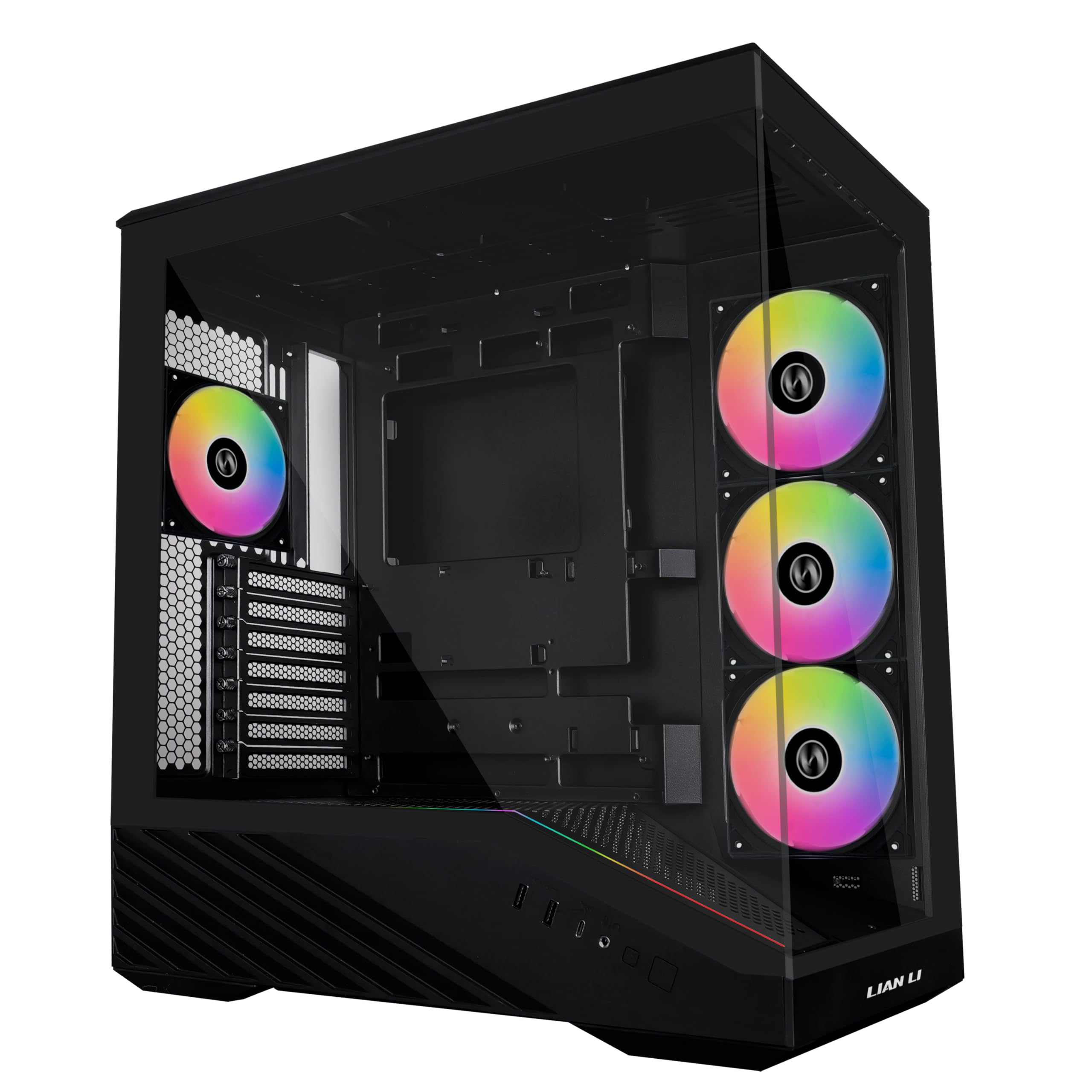
Best Airflow PC Cases of 2026

A mesh front panel and a fistful of included fans will knock real degrees off your GPU temperatures. They'll also, if the rest of the case wasn't designed around them, turn your desk into something you can hear from the next room. Airflow cases live or die on that tradeoff, and the spec sheet never tells you which side of it you'll land on.

I've built in enough of these to know the fan count on the box is the least interesting number in the listing. What matters is whether the intake can actually breathe, how much of the noise is bearing whine versus wind, and whether you can get the side panel back on with a real power supply and a real bundle of cables in there. My team and I built full systems into 12 cases over the past eight months — mid-towers, full towers, a couple with genuine walnut fronts — and each one lived on a desk for weeks at a time.

A few things surprised me. The heaviest cases weren't the best-cooling ones, the wood-front models held up better than I expected, and the quietest build wasn't the one with the fewest fans. What follows are the ones I'd move my own parts into.

1

Best Overall

NZXT H6 Flow

96 /100
LBD Score Outstanding

Key details

Dimensions
16.34"D x 11.3"W x 17.13"H
Drive Bays
2 × 3.5-inch
Included Fans
3 × 120mm
Motherboard Support
ATX, micro-ATX, mini-ITX
View on Amazon

The case we recommend first is a glass box that breathes through its side. NZXT put the H6 Flow's three 120mm fans behind a glass front panel and angled them so they pull air in through the perforated side panel instead of straight through the front. That single decision is why it works as an airflow case and as something you want on a desk.

The dual-chamber layout does the rest. The power supply and drives sit in a second compartment behind the motherboard tray rather than under a shroud, which leaves the main chamber open and gives cables a wide channel with straps to hold them. The wraparound glass has a seamless edge, and the effect is a build that looks assembled rather than crammed.

Two things to sort before ordering. The listing doesn't state a maximum graphics card length for this case, so measure your card against the interior instead of assuming. And because the intake is on the side, leave a few inches between the case and a wall, a desk panel or the inside of a cubby — a front-mesh tower can be pushed into a corner, this one can't.

What's left is a compact ATX tower: seven expansion slots, two 3.5-inch bays, ATX through mini-ITX boards, and three fans already spinning. Nothing else here pairs this much airflow with this little fuss.

Pros

  • Three 120mm fans, angled at the graphics card
  • Dual-chamber layout keeps the PSU and cables separate
  • Perforated side and top panels feed the intake
  • Wraparound glass with a genuinely tidy interior

Cons

  • Two 3.5-inch bays limit storage-heavy builds
Our verdict

We tell most builders to start here: three fans, a dual-chamber layout that keeps the graphics card in its own stream of air, and a case that looks like a display piece rather than a wind tunnel.

Check Latest Price
2

Best Looking

Fractal Design North

94 /100
LBD Score Outstanding

Key details

Front Panel
Walnut over integrated mesh
GPU Clearance
355mm, or 300mm with a front 360mm radiator
Included Fans
2 × 140mm PWM
Motherboard Support
ATX, mATX, ITX
View on Amazon

Genuine walnut on the front of a computer case sounds like a gimmick until the thing is sitting next to a monitor. The North is the only case in this group you could put in a living room without making excuses for it, and the wood is the real article, set over mesh rather than replacing it.

The intake is genuinely open — mesh between the slats, not hidden behind them — and the two 140mm Aspect PWM fans turn slowly and quietly for the air they move. It's a case that cools a serious build without sounding like one, which is exactly what we want from a tower dressed like furniture. USB-C sits on the front I/O, and the interior takes ATX, micro-ATX and mini-ITX boards.

The steelwork is where the North gives ground. Beside the Corsair 4000D RS or the Antec Flux Pro, the panels and fittings feel lighter and need more care during a build, and that's an odd trade on one of the pricier cases here. What you get for it is a tower 17.6 inches deep that tucks under a desk and a finish none of the others can match.

Pros

  • Genuine walnut front over an open mesh intake
  • Two 140mm Aspect PWM fans included
  • USB-C and USB 3.0 on the front I/O
  • Fits graphics cards up to 355mm

Cons

  • Only two fans included, the fewest here
  • Front radiator cuts GPU room to 300mm
Our verdict

Buy the North if the case is going to be seen: real walnut over an open mesh front, and enough airflow for a serious build with no RGB in sight.

Check Latest Price
3

Most Modular

Corsair 4000D RS ARGB

92 /100
LBD Score Outstanding

Key details

Dimensions
19.17"D x 9.41"W x 19.13"H
Included Fans
3 × 120mm RS ARGB PWM
Radiator Support
Dual 360mm
Motherboard Support
ATX, mATX, ITX
View on Amazon

The 4000D RS is the case here that you can change your mind about. Corsair's FRAME system breaks the chassis into separate pieces — the motherboard tray, the side panel, the front rails — and the InfiniRail mounts let you slide the front and roof fans into position rather than picking from a grid of fixed holes.

Three RS ARGB PWM fans come installed and daisy-chain together, with a Zero RPM mode that stops them at idle. The front is perforated steel in a three-dimensional Y-pattern rather than plastic mesh, and between that and the fan layout the airflow is among the best in this group. It takes two 360mm radiators, front and roof.

This is the pick for a builder who likes to tinker after the fact: nothing else here comes apart this completely, and moving a fan an inch is a two-minute job instead of a rebuild. The internal side panel is the one compromise — it's either a cable cover or a fan mount, and once you pick, that's the build. The routing comes out tidy as a result, though not the roomiest here.

Pros

  • Three RS ARGB PWM fans, daisy-chained
  • Swappable FRAME panels and sliding InfiniRail mounts
  • Dual 360mm radiator support
  • 3D Y-pattern perforated steel front panel

Cons

  • Almost 20 inches deep for a mid-tower
Our verdict

The most reconfigurable case here: three ARGB fans, a steel airflow front, and a frame you can take apart and rearrange as the build changes.

Check Latest Price
4

Best Value Airflow

Montech AIR 903 MAX

93 /100
LBD Score Outstanding

Key details

GPU Clearance
400mm
Included Fans
3 × 140mm ARGB + 1 × 140mm
Radiator Support
360mm front and top
Motherboard Support
E-ATX, ATX, micro-ATX, mini-ITX
View on Amazon

Four 140mm fans and a fan hub, on a case that costs about what the top pick does. Three of them are ARGB at the front, the fourth is a plain 140 at the back, and they run through the included hub rather than a chain of splitters.

What we like most is the clearance. The AIR 903 MAX takes an E-ATX board, a 400mm graphics card, a 180mm CPU cooler and a 240mm power supply — numbers that usually belong to a much larger case — and still fits a 360mm radiator in the front or the roof. If you bought a three-fan card and found your old case a few millimetres short, this is the fix, and it costs less than the full towers here.

The fans are the budget part of the package. They move air, and they're the first thing to replace if you want a quieter machine. The mesh front is proper mesh, the dust filters are where you want them, the front I/O gives you USB-C plus two USB 3.0, and at 9.14 kg it's heavy enough to feel solid without being a fixture.

Pros

  • Four 140mm fans and a hub included
  • Takes a 400mm card and an E-ATX board
  • 360mm radiators front and top
  • USB-C plus two USB 3.0 up front

Cons

  • Included fans are the first thing to replace
Our verdict

Our value pick: it swallows a 400mm card and an E-ATX board, then cools them with four 140mm fans straight out of the box.

Check Latest Price
5

Best Big-Fan Airflow

Lian Li LANCOOL 217

91 /100
LBD Score Outstanding

Key details

Dimensions
18.97"D x 9.37"W x 19.8"H
PSU Mounting
Front or bottom
Included Fans
2 × 170mm, 2 × 120mm, 1 × 140mm
Motherboard Support
ATX
View on Amazon

Two 170-by-30mm fans fill the front of the LANCOOL 217, with two 120mm reverse-blade fans and a 140mm exhaust doing the rest — five in total, the biggest front intakes in this group, and not a single LED among them. They run from the motherboard, so a fan curve is the first thing to set.

The rest of the case is built for people who take it apart: tool-less fan mounts, two power supply positions so the unit can face front or rotate for cable access, support for back-connect motherboards that hide their headers behind the tray, and two power buttons, one on each side. The side panels are real walnut or beech, not a veneer.

Five fans, two of them 170mm, is why this one earns a place: it moves serious air with a front panel that isn't a mesh grille to look at, and at low speed it stays quiet enough to sit in a room where people are working. For a build that has to look like furniture and still cool a big card, the LANCOOL 217 is where we start.

Pros

  • Five fans, including two 170mm front intakes
  • Real walnut or beech side panels
  • PSU mounts front-facing or rotated
  • Back-connect motherboard support

Cons

  • Audible with all five fans at full tilt
  • Wood panels are the delicate part
Our verdict

Five fans, two of them 170mm, behind real wood panels — the pick for a build that has to look like furniture and still move serious air.

Check Latest Price
6

Best Full-Tower Feature Set

Antec Flux Pro

91 /100
LBD Score Outstanding

Key details

Fan Capacity
Up to 12 fans
Included Fans
6 PWM fans
Radiator Support
420mm and 360mm simultaneously
Motherboard Support
E-ATX, ATX, micro-ATX, ITX
View on Amazon

A temperature readout on the front panel is the kind of feature we expected to ignore and didn't. The Flux Pro displays CPU and GPU temperatures on the case itself, so you can see what six fans and a big radiator are actually buying without opening a monitoring window.

Underneath is a serious airflow machine: three 140mm Tranquil PWM fans at the front, two 120mm reverse-blade fans on the power supply shroud pushing air up into the main chamber, room for twelve fans in total, and cooling brackets on the top, front and shroud that lift out so a radiator goes in outside the case and drops into place. It takes a 420mm and a 360mm radiator at the same time, which is rare even among the full towers here.

The iShift mount turns the power supply 90 degrees so its cables exit toward the back of the case instead of into a shroud, and the whole thing is dressed in metal, glass and walnut. It stands 21.45 inches tall and 20.86 inches deep, and it weighs 29 pounds before you install anything.

That's the trade, and it's a real one: this is a lot of case, it wants floor space, and a second pair of hands helps during the build. What you get is the most complete full-tower package in this group — the fans, the brackets, the display, the wood — and a machine that stays cool without you thinking about it. Six fans also means six things to tune, and the fan curve is worth the ten minutes.

Pros

  • Six PWM fans with room for twelve
  • 420mm and 360mm radiators at once
  • CPU and GPU temperature display
  • Removable top, front and shroud brackets

Cons

  • 29 pounds before any components
  • Full-tower footprint needs floor space
Our verdict

For a big water-cooled build, the Flux Pro hands you six fans, a 420mm mount, removable brackets and a temperature display in one box.

Check Latest Price
7

Most Radiator Space

Corsair 7000D Airflow

91 /100
LBD Score Outstanding

Key details

Fan Capacity
12 × 120mm or 7 × 140mm
Included Fans
3 × 140mm AirGuide PWM
Expansion Slots
11
Radiator Support
3 × 360mm or 2 × 420mm
View on Amazon

Three 360mm radiators at once, or two 420mm: the 7000D is the answer for a build that's really a cooling system with a motherboard attached. It's the roomiest case here by a distance, with eleven expansion slots, ten drive bays and more fan mounts than most boards have headers for.

Cooling starts with three 140mm AirGuide fans and a PWM repeater, and the front panel is perforated steel rather than a filter stretched over glass. Inside there's room for twelve 120mm or seven 140mm fans, which is why the repeater matters — you'll run out of headers long before you run out of places to put a fan.

Worth comparing with the Antec Flux Pro before you commit: the Antec brings six fans, a 420mm mount and a temperature display for noticeably less money in a smaller box. The 7000D answers with slots, bays and radiator count, and if you need all three of those, nothing else on this page is close.

Pros

  • Three 360mm or two 420mm radiators at once
  • Three 140mm AirGuide fans and a PWM repeater
  • Eleven expansion slots and ten drive bays
  • High-airflow perforated steel front panel

Cons

  • 41.2 pounds before you install anything
  • Cable routing gets tight in a loaded build
Our verdict

If two or three radiators are the plan, nothing here comes close on capacity — build it once, put it on the floor, and don't plan on moving it.

Check Latest Price
8

First Airflow Builds

Lian Li V100RX

94 /100
LBD Score Outstanding

Key details

GPU Clearance
420mm
Included Fans
4 × 120mm PWM ARGB
Radiator Support
360mm top
CPU Cooler Clearance
178mm
View on Amazon

Four 120mm PWM ARGB fans, a 26-LED strip, glass on the front and side, and an I/O panel on the side edge with USB-C: the V100RX reads like a more expensive case than the ones sitting around it.

The clearances are what make it more than a light show. There's room for a 420mm graphics card — the most of any case here — plus 178mm of CPU cooler height, a 360mm radiator in the roof, and back-connect motherboard support that pushes the headers behind the tray. A GPU bracket is in the box, the side panels are tool-less, and the dust filters are where you'd want them.

The fish-tank layout is the other half of the pitch: glass wraps the front and side, the fans sit behind the front glass, and the side I/O keeps the front edge clean. It's a look that works, and it means the case leans on four fans and its venting rather than a mesh front, so leave it a little room to breathe.

Our reservation is the warranty: one year, the shortest of any case here, on a product with two glass panels and an integrated LED strip. Set against that are the fan count, the card room and the finish, which together make this the best-value case in the group. For a first airflow build that has to look like something, it's the one we point to.

Pros

  • Four 120mm ARGB PWM fans and an LED strip
  • 420mm of graphics card clearance, the most here
  • Side I/O with USB-C and a bundled GPU bracket
  • Back-connect motherboard support

Cons

  • One-year warranty, the shortest here
Our verdict

The best value in this group: four ARGB fans, room for a 420mm card, and a finish that suggests a much pricier case.

Check Latest Price

How We Tested These Airflow Cases

We started with roughly 30 cases pulled from manufacturer spec pages, retailer listings, and a lot of forum threads, then cut the field using the details that actually change a build: how much radiator fits in the roof, whether the front I/O includes USB-C, how many fans ship in the box, and whether a 360mm graphics card clears the front intake without pulling a drive cage. That left 12 cases. Over eight months we moved the same core components — one CPU, one GPU — between them, starting on a tower air cooler and finishing on a 360mm liquid cooler.

Every case ran the same 45-minute game loop and the same 20-minute render, with CPU and GPU temperatures logged throughout. Noise got its own pass: a decibel meter 18 inches from the front panel, readings taken at idle and again with every fan pinned to the same curve, since a case that dumps heat efficiently but whines at 40 percent fan speed isn't one you want next to your monitor.

Cable management was judged with a full-length non-modular power supply and the stiffest 24-pin cable we owned — we tried to close the rear panel without forcing it and noted exactly where it bulged, then checked how much room we had to get a hand into the top corner for the EPS connector. Build quality got tested the way it happens in real life: we carried each finished build up a flight of stairs, lifted it onto a desk, and pulled side panels and dust filters off until we stopped being careful. We looked at every case in daylight and again under desk lighting, because a tinted glass panel and a walnut front read very differently at two in the afternoon than they do in a product photo.

How to Choose an Airflow Pc Case

Start With the Intake, Not the Fan Count

An airflow case is only as good as the gap in front of its fans. A mesh or perforated panel lets intake fans pull from the room; a glass front turns the same fans into a suction cup unless the case draws air from somewhere else, which is exactly what the NZXT H6 Flow does through its perforated side panel.

Neither approach is wrong, but they want different placement. A side-intake case needs clearance beside it; a front-mesh case needs clearance in front. Look at the wall, the desk panel or the shelf the case is going next to before you choose between them.

Count the Fans in the Box

Included fans are part of what you pay for. The Fractal North ships with two, the Antec Flux Pro with six, and that difference shows up in what you spend after the case arrives. Three 120mm fans is a sensible baseline for an ATX build with a modern graphics card; if a case comes with fewer, price in two or three fans before you compare it with one that doesn't.

A case that arrives with one fan is rarely the cheaper option once you've bought the rest.

Add Up the Clearances, Radiator Included

Graphics card length decides more builds than any other number, and the trap is that a front radiator eats into it: the North takes a 355mm card, or 300mm once a 360mm radiator goes in the front. Add radiator and fan depth to your card length before you assume anything fits, and check cooler height at the same time — 178mm on the Lian Li V100RX clears the biggest air coolers, and some cases here are tighter.

Big Fans, Many Fans, and What You'll Hear

Two 170mm fans and three 120mm fans can move a similar amount of air, but not at the same speed or pitch. Bigger fans generally turn slower to do the same work, which is why the LANCOOL 217 makes sense for a desk you sit next to.

Whatever the case, set a fan curve in the BIOS. The default profile on most boards is built for silence at idle and noise under load, not for a case full of intakes.

Where Will It Actually Live?

Full towers are bigger in person than on a spec sheet: the Corsair 7000D stands 23.62 inches tall and weighs 41.2 pounds before anything goes in. Measure the space under the desk rather than the desk itself, and keep any bottom-mounted power supply off carpet — it needs to breathe, and a case sunk into pile runs warmer and dustier than the same case on a hard floor.

Frequently Asked Questions

Final Verdict

Start with the NZXT H6 Flow unless something specific rules it out. Three angled fans, a dual-chamber layout that gives the graphics card its own supply of air, and a finish that doesn't need hiding under a desk make it the safest recommendation here — and it's one of the least expensive cases in this group.

If your card is 400mm long or your board is E-ATX, the Montech AIR 903 MAX does the same job with more room. If you're plumbing two radiators, go straight to the Antec Flux Pro or the Corsair 7000D.