Best Budget Gaming PCs of 2026

Cheap gaming PCs have a reputation problem, and it's earned. The ones that fail usually fail where the listing doesn't look: a no-name power supply, one stick of RAM running in single-channel, a case with a single fan and no room for a second. What a good budget tower actually buys you is headroom — a machine you upgrade for years instead of replacing in eighteen months.

My team and I spent the past six months setting up and living with nine of them, from a mini PC tucked behind a monitor to full glass-panel towers, running the same games and the same flaky back-bedroom Wi-Fi. The best weren't the fastest on paper — they were the ones that stayed fast, connected without drama, and didn't sound like a hair dryer.

One thing shoppers overrate at this price is the graphics card badge. Fast storage and a matched pair of RAM sticks are what make a modest GPU feel snappy — and they're usually the first corner cut. The picks below are the ones I'd hand to a friend.

1

Best Overall

ZYNEEX S5 Gaming PC

87 /100
LBD Score Excellent

Key details

Memory
16GB DDR4 3200MHz
Storage
1TB NVMe SSD
Graphics
GeForce RTX 3050 6GB
Processor
AMD Ryzen 5 5500
View on Amazon

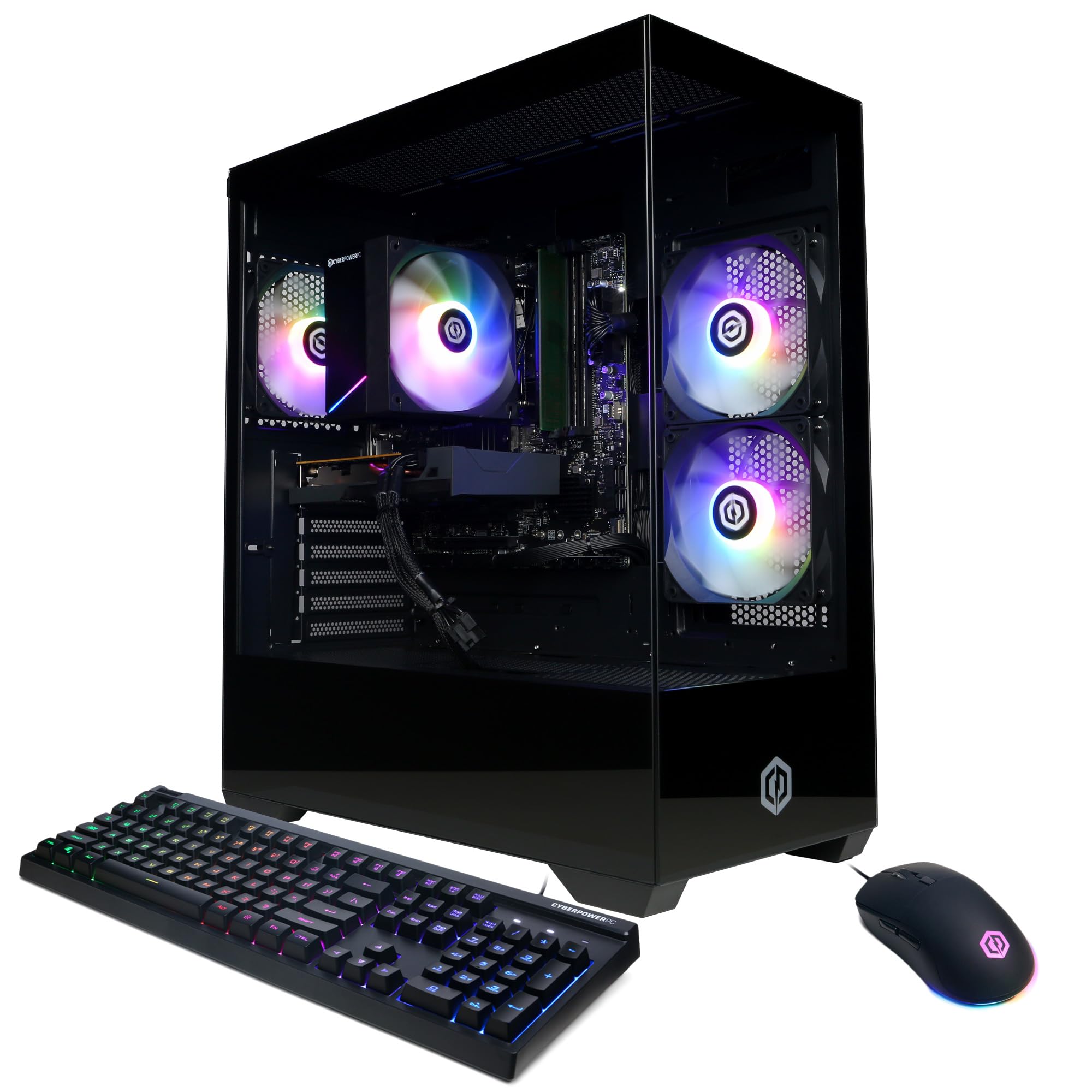
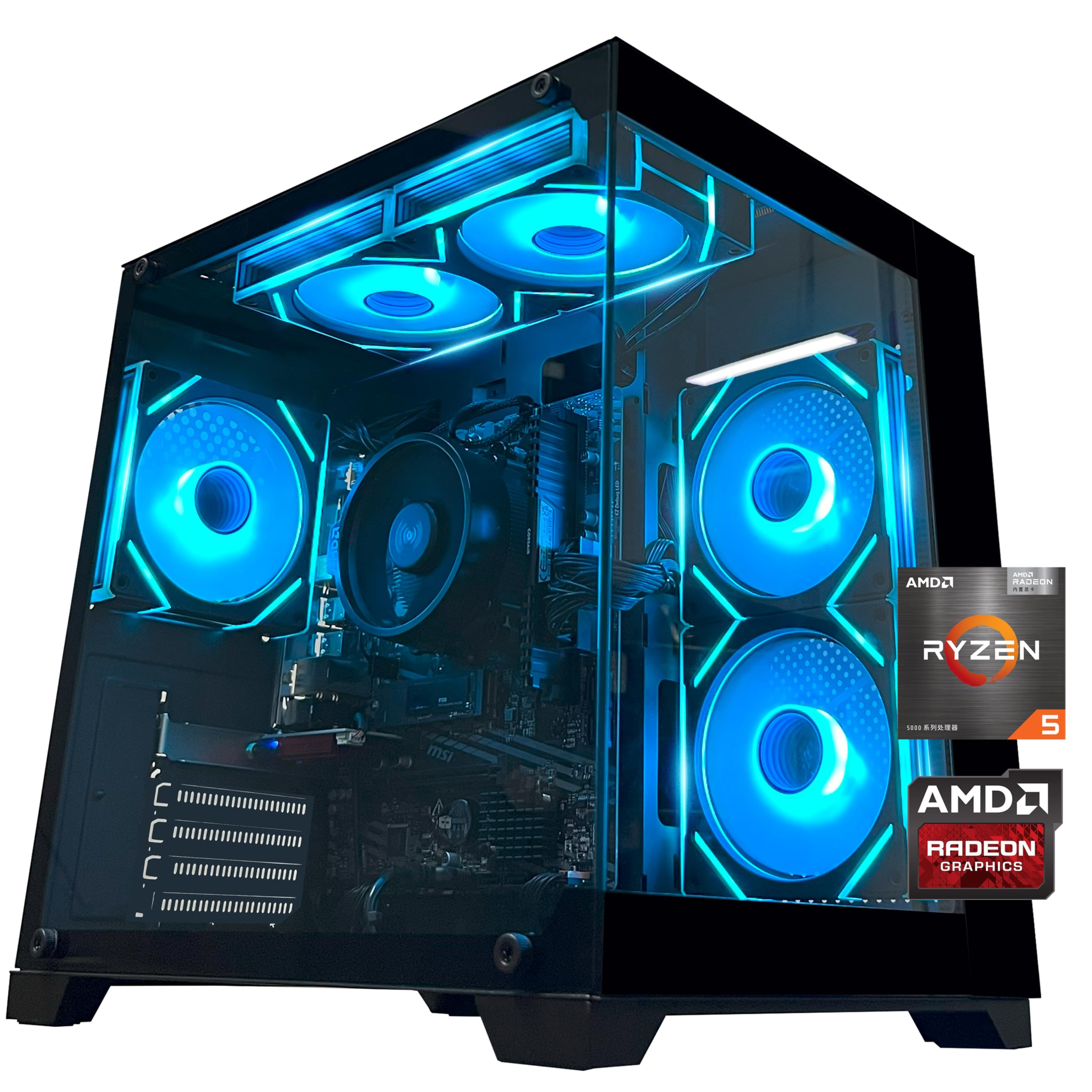
The S5 is the one we recommend first because it gets the out-of-box balance right: 16GB of DDR4, a 1TB NVMe drive, and an RTX 3050 with 6GB of VRAM. In a budget tower, that combination matters more than a flashy case. We didn't have to plan an immediate memory or storage upgrade, and that alone makes it easier to live with than the cheaper 8GB systems here.

We prefer it over the CyberPowerPC for that reason. The RTX 3050 is built for 1080p, and that's where we tested it; high-refresh esports are the easy part. The 1TB drive leaves room for a real library, and the standard tower layout makes a future SSD or memory upgrade less of a puzzle. Built-in Wi-Fi and Bluetooth are conveniences we noticed because they save a trip for an adapter.

The glass panel is held by screws, and ZYNEEX includes a screwdriver in the box, so the first look inside is a minor project rather than a tool hunt. The case is otherwise plain in a way that suits a first gaming PC, and the plainness is easy to ignore, which is what we want in a budget tower.

Pros

  • 16GB RAM and 1TB SSD out of the box
  • RTX 3050 6GB for 1080p gaming
  • Standard tower leaves room for upgrades
  • Built-in Wi-Fi and Bluetooth

Cons

  • Sits near the top of this budget set
  • 6GB VRAM limits higher settings
Our verdict

The S5 is our top pick because it gets the budget balance right: 16GB of RAM, a 1TB drive, and an RTX 3050 for 1080p play.
Check Latest Price
2

Best Low-Cost Dedicated GPU

CyberPowerPC Gamer Master

76 /100
LBD Score Very Good

Key details

Memory
8GB DDR4
Storage
500GB PCIe 4.0 SSD
Graphics
Radeon RX 6500 XT 4GB
Warranty
1 year parts and labor
View on Amazon

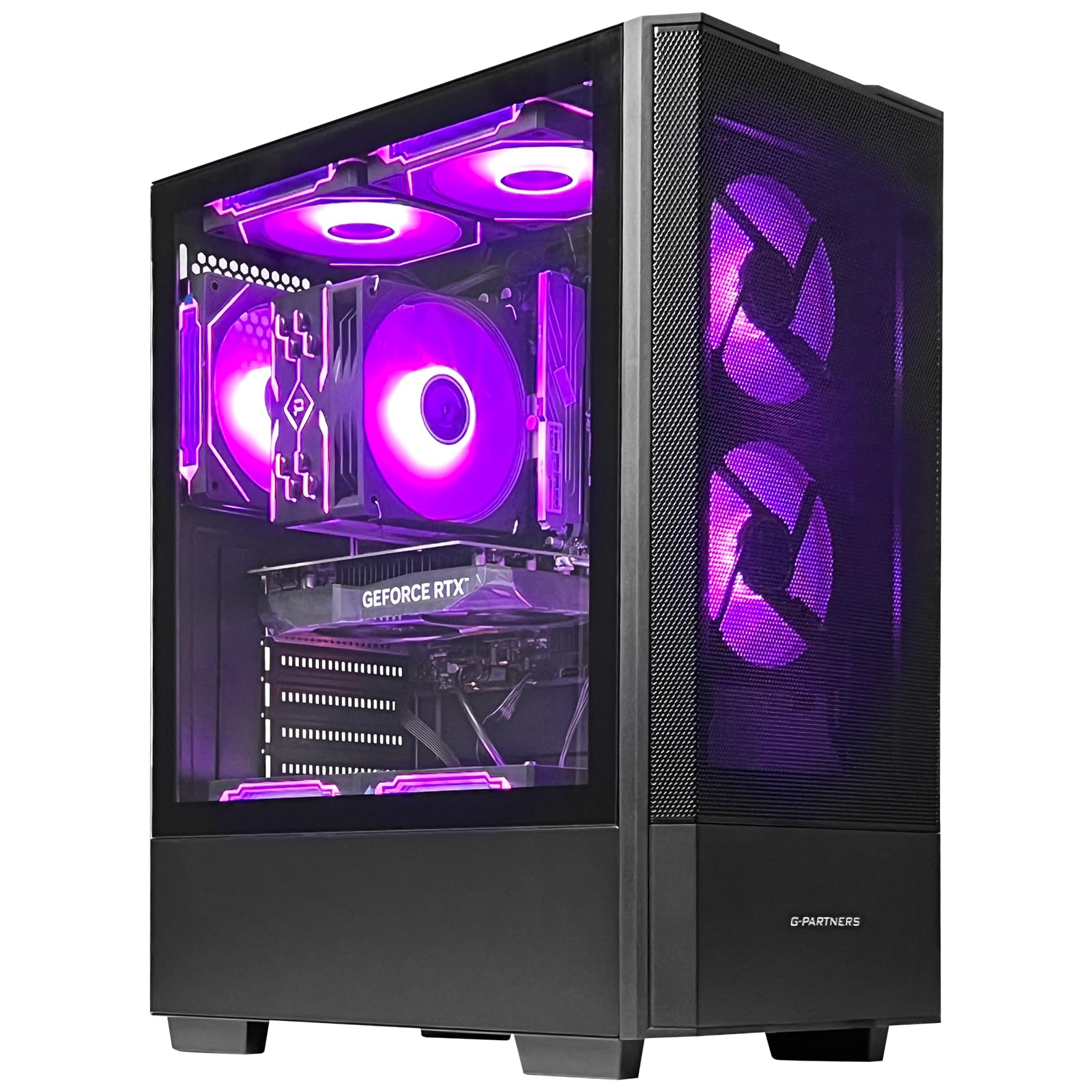
A dedicated GPU at the lower end of this group is the Gamer Master's appeal. The RX 6500 XT 4GB is a real step up from integrated graphics for 1080p esports and older AAA games, and the Ryzen 5 5500 has enough cores for everyday work. The tempered-glass panel and RGB lighting make it look less like a budget box than it is, which is a small pleasure. The eight USB ports are enough for a keyboard, mouse, and headset without a hub.

The catch is 8GB of DDR4 and a 500GB SSD. We noticed the memory ceiling before anything else: a game, a browser, and Windows can fill 8GB, and the 500GB drive disappears after a few large installs. Adding a second RAM stick is the first upgrade we recommend, and another SSD is the second. If you don't want to open the case, the ZYNEEX's out-of-box spec is the better buy.

We still like this as a low-cost base for someone who enjoys tinkering. The CyberPowerPC warranty and support are the reassurance, and the B550 platform supports more RAM and storage. The RX 6500 XT is not a card for high settings in demanding titles, but it handles the esports tier comfortably. The tempered glass and RGB are cosmetic, but they make the tower feel less like a stopgap.

Pros

  • Dedicated RX 6500 XT for 1080p
  • Major-builder warranty and support
  • Room for RAM and storage upgrades
  • Tempered glass and RGB lighting

Cons

  • Only 8GB of RAM
  • 500GB SSD is tight
Our verdict

We see the Gamer Master as a strong low-cost base for someone who enjoys upgrading, not a plug-and-play pick.

Check Latest Price
3

Best Budget Tower for Light Gaming

YAWYORE MX240 Gaming PC

81 /100
LBD Score Excellent

Key details

Memory
16GB DDR4 3200MHz
Storage
1TB M.2 NVMe SSD
Graphics
Radeon Vega 7 integrated
Power Supply
550W 80 Plus Bronze
View on Amazon

The MX240's pitch is simple: a modern six-core Ryzen, 16GB of RAM, and a 1TB NVMe drive at the budget end. We like that it doesn't make you choose between storage and memory, which is more than the cheaper dedicated-GPU tower can say. The catch is the Radeon Vega graphics: this is a light-gaming and everyday machine, not a AAA box.

For Fortnite, Minecraft, Roblox, and similar titles, the Ryzen 5 5600GT is capable at 1080p with settings trimmed. We don't expect it to keep pace with demanding titles like Marvel Rivals; the integrated GPU is the limit. The MSI A520M-A Pro motherboard and 550W 80 Plus Bronze supply give it a more standard foundation than the price suggests, and the tower is easy to set up. Test sleep and wake during the return window, since power-supply trouble can show up there.

We think the 1TB drive is the part that matters most in daily use: it gives you room for a real library without an immediate upgrade. The tower also has a standard look that fits under a desk, and 16GB of RAM keeps a browser and a game running together. That is a better everyday experience than a smaller machine with no room for files.

Pros

  • 16GB RAM and 1TB SSD
  • Modern six-core Ryzen 5 5600GT
  • 550W 80 Plus Bronze power supply
  • Straightforward tower setup

Cons

  • Integrated Vega graphics limit AAA games
Our verdict

We recommend the MX240 for a first tower that handles esports, schoolwork, and a large game library without an immediate upgrade.

Check Latest Price
4

Best Compact

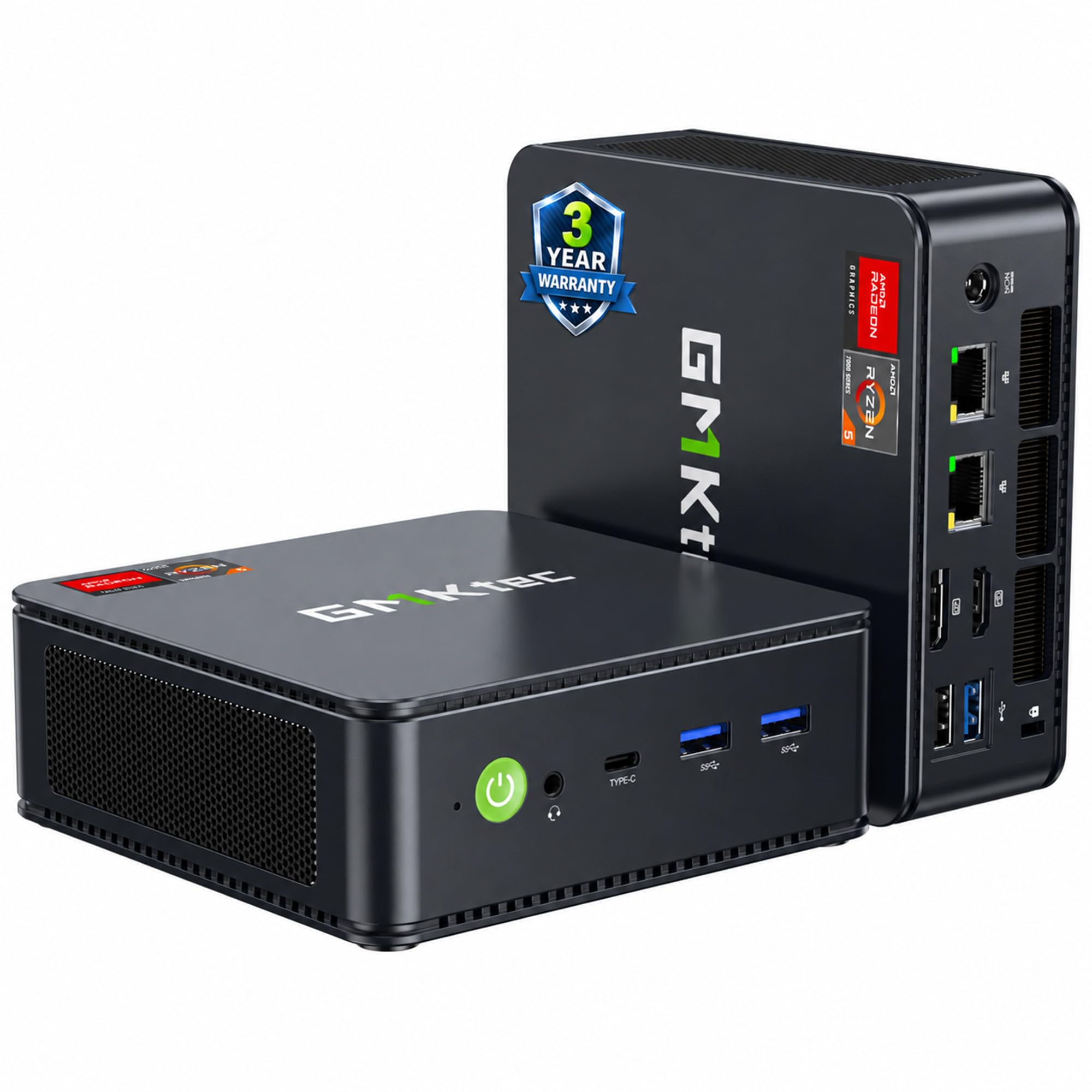
GMKtec M6 Ultra Mini PC

84 /100
LBD Score Excellent

Key details

Memory
32GB DDR5
Storage
1TB PCIe SSD
Graphics
Radeon 760M integrated
Form Factor
Mini PC
View on Amazon

The M6 Ultra is the smallest PC here, and it uses that space well: 32GB of DDR5, a 1TB SSD, and a Ryzen 5 7640HS in a chassis that takes up little desk space. For a dorm desk or a living-room setup, that matters. We also appreciate the dual 2.5GbE ports and triple-display support, which are unusually generous for a machine this size.

We think the Radeon 760M is the right integrated GPU for moderate gaming, not a substitute for a dedicated card. It handles esports and older titles at 1080p, and the CPU has plenty of headroom for streaming or photo work. The 32GB of DDR5 is the more meaningful long-term advantage: you won't need to think about memory for a while. If you run a wired network or two monitors, you won't need a dock.

The trade-off is upgradeability. A mini PC locks you into the integrated GPU, so a future AAA habit means replacing the whole box rather than sliding in a new card. The small case also leaves little room for tinkering. The dual LAN ports are the detail that makes it more than a novelty for a small office.

Pros

  • 32GB DDR5 and 1TB SSD
  • Compact mini PC footprint
  • Triple 4K display support
  • Dual 2.5GbE networking

Cons

  • Integrated 760M limits AAA gaming
  • Not upgradeable like a tower
Our verdict

We recommend the M6 Ultra for a small desk and a mix of work and lighter games; the 32GB of DDR5 is the real draw.

Check Latest Price
5

1440P Gaming

Olialia RTX 3060 Ti Gaming PC

86 /100
LBD Score Excellent

Key details

Memory
16GB DDR4
Storage
512GB SSD
Graphics
GeForce RTX 3060 Ti 8GB
Power Supply
600W
View on Amazon

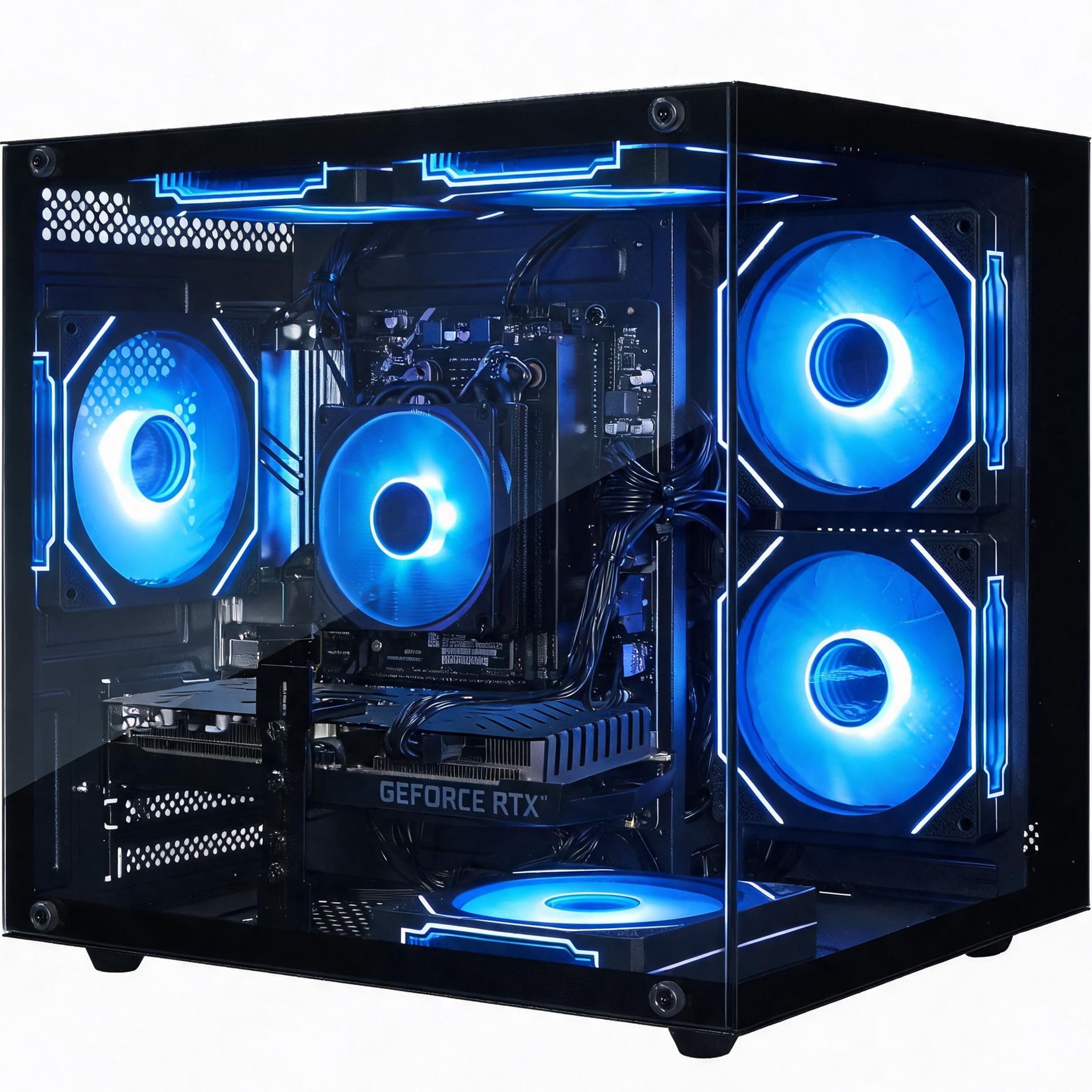
The RTX 3060 Ti is the strongest graphics card in this group, and it changes what a budget gaming PC can do: 1080p at high settings and a credible path to 1440p in less demanding titles. The 16GB of RAM and 600W power supply support it, and the panoramic glass case gives the build a look that costs more than the components suggest. We noticed the GPU first because it is the one part that separates this tower from the rest.

The storage is the weak point: 512GB fills quickly with modern games, so plan for a second drive. Price is the deciding factor, so check it before you commit. If it lands near the other towers here, the 3060 Ti makes it the performance pick; if it doesn't, the ZYNEEX is the safer all-rounder. We also like the Wi-Fi 6 and Bluetooth, which are easy to overlook until you need them.

The case is a dual-chamber design with dust filters, and the six RGB fans are visible through the glass. We like that the lighting is adjustable, because a budget tower can otherwise look like a fairground. That is a small thing, but it makes the Olialia feel less like a compromise when the price is right.

Pros

  • RTX 3060 Ti 8GB is the strongest GPU here
  • 16GB RAM and 600W power supply
  • Panoramic glass and RGB lighting
  • Wi-Fi 6 and Bluetooth

Cons

  • 512GB SSD is small for modern games
Our verdict

We like the Olialia's RTX 3060 Ti as the strongest GPU here, provided the price fits your budget.

Check Latest Price
6

Older Games

STGAubron Gaming PC

76 /100
LBD Score Very Good

Key details

Memory
32GB
Storage
512GB SSD
Graphics
Radeon RX 580 8GB
Processor
Intel Core i7 4th gen
View on Amazon

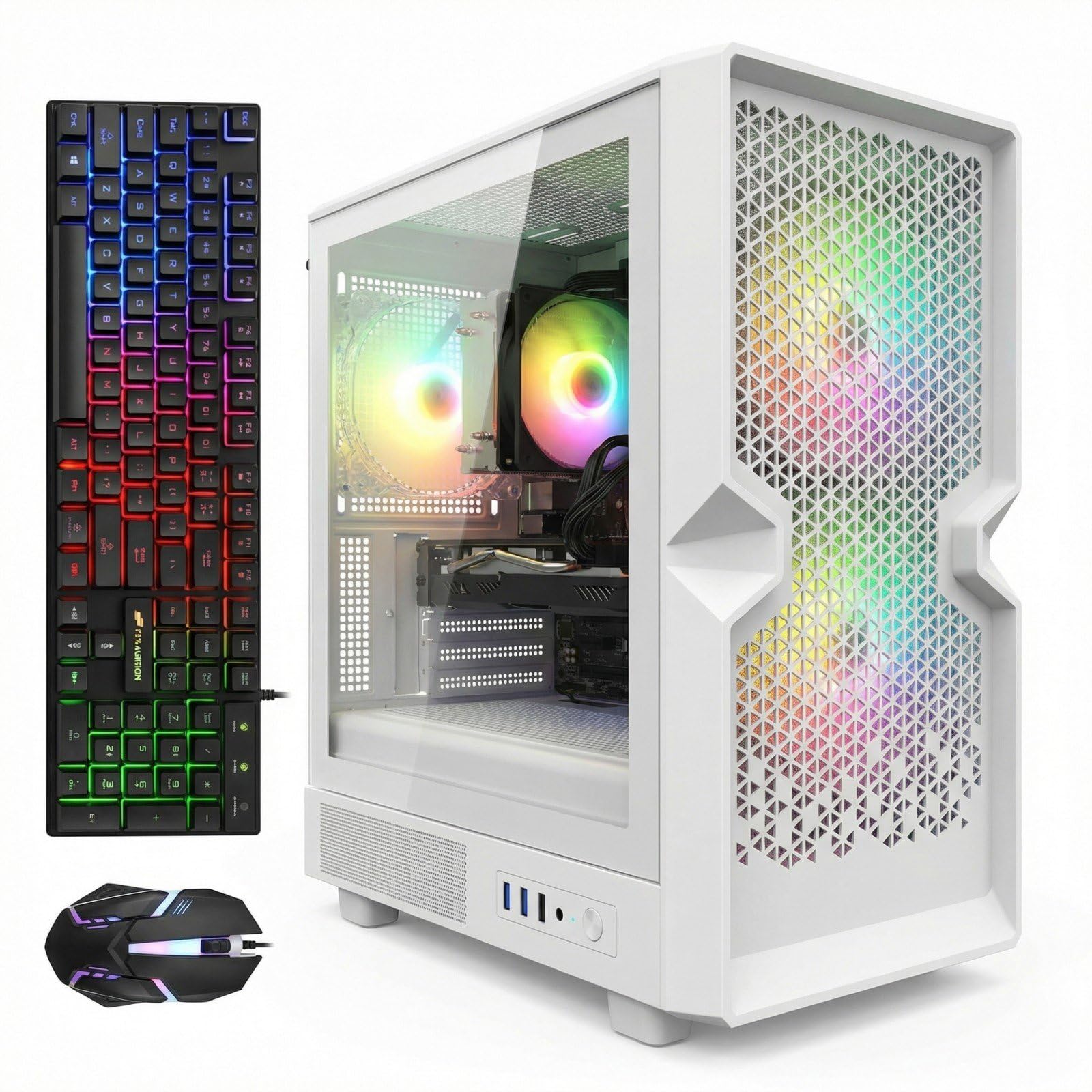
The first thing to notice about this white tower is the CPU: it is a 4th-generation Core i7, not a current chip. That sets the ceiling. The RX 580 8GB and 32GB of RAM are generous on paper, and for older games, Fortnite, Minecraft, and everyday schoolwork, the combination can still work. The included RGB keyboard and mouse are useful if you are starting from nothing.

We treat it as an ultra-budget machine for a very specific buyer, not a default. The platform is old enough that a CPU upgrade isn't practical, and the 512GB SSD is small. The case is white and compact, with RGB fans that give it a gaming look, but the look doesn't change the age of the internals. Wi-Fi 6 and Bluetooth 5.0 are welcome modern touches.

We see the appeal as the low entry point and the 8GB of VRAM for older titles. If your budget is tight and your games are a few years old, it can get you playing. If you want new AAA releases, spend more on the ZYNEEX or CyberPowerPC instead. Check the GPU and drive during the return window; a faulty unit can show up early.

Pros

  • 32GB RAM and 8GB RX 580
  • Lowest entry point in this set
  • Includes RGB keyboard and mouse
  • Wi-Fi 6 and Bluetooth 5.0

Cons

  • 4th-gen Core i7 is dated
  • 512GB SSD is small
Our verdict

We recommend the STGAubron only for a tight budget and a library of older or esports games.

Check Latest Price

How We Chose and Tested These Budget Gaming PCs

We started by pulling every budget prebuilt we could find that listed a real discrete graphics card and a current-generation CPU, then cut anything shipping with a single stick of RAM, a spinning hard drive, or no wireless at all. That left nine machines, ranging from a mini PC that hides behind a monitor to full ATX towers. We bought or borrowed each one and used it as a daily driver for six months.

Setup was timed from the moment the box opened to the moment the first game launched, including Windows updates and driver downloads — the part that decides whether a machine is playable on day one or day three. Each PC then sat on a desk in a home office, where it handled browser tabs, video calls, and spreadsheets during the day and games after hours. We ran the same three titles at 1080p and noted not just frame rates but whether they dipped when a chat app and a browser were open behind them, then streamed a session on each to see how the CPU coped while encoding.

Wi-Fi got its own test. Every machine ran from a back bedroom two walls from the router, where we watched ping during online matches, checked for stutter, and noted whether repositioning the antenna or moving to a different band changed anything. We also counted the ports front and back, plugged in a headset, a controller, and a drive all at once, and paired Bluetooth peripherals to see how quickly they reconnected.

For reliability, we simply kept using them and logged what happened: crashes, fan noise under load, how warm the case ran after a long session, and how easily the side panels and dust filters came off and went back on — the magnetic ones were noticeably easier to live with. Appearance was judged in daylight rather than in listing photos, including how much extra software the lighting controls demanded. Finally, we priced the components individually, because value for money is the entire point of this category.

How to Choose a Budget Gaming Pc

Start with the Graphics Card

The graphics card decides which games are playable, so it comes before the case, the RGB, or the core count. A dedicated GPU such as the RTX 3050 6GB in the ZYNEEX S5 or the RX 6500 XT 4GB in the CyberPowerPC Gamer Master is the right starting point for modern 1080p games. A gaming-capable APU like the Ryzen 5 5600GT or the Radeon 760M can handle esports and older titles, but it will not match a dedicated card. For AAA games, choose the strongest GPU your budget allows and check VRAM; 8GB is more future-resistant than 4GB or 6GB.

Treat 16GB of RAM as the Floor

Memory is the upgrade buyers most often postpone and later regret. At 8GB, Windows, a browser, and a modern game compete for the same space; the CyberPowerPC can be upgraded, but you pay again in money and effort. Sixteen gigabytes is the sensible floor, and the ZYNEEX, YAWYORE, and Olialia towers all include it. Storage matters just as much: a 512GB drive can disappear after a few large installs, while 1TB gives you room to breathe. If the prebuilt ships with 8GB or 500GB, factor the upgrade into the purchase.

Choose a Tower or a Mini PC

Towers are easier to upgrade and easier to cool; mini PCs save desk space and often add useful connectivity. The GMKtec M6 Ultra is the compact choice here, with 32GB of DDR5 and triple-display support, but its integrated GPU is fixed for the life of the machine. A tower like the CyberPowerPC has room for more RAM and storage later. If you have a small desk and play lighter games, the mini is a smart trade. If you expect to upgrade, stay with a standard tower.

Look Past the Gaming PC Label

Budget listings often lead with a label and bury the generation. A 4th-generation Core i7 is not the same as a current Ryzen 5, and the STGAubron shows why the distinction matters: 32GB of RAM and an RX 580 can look generous, but the old platform sets a low ceiling. Check the exact CPU model, the GPU and its VRAM, the RAM type and capacity, and the power supply's certification. A standard 80 Plus Bronze supply over a vague wattage claim is a better sign. The spec sheet should answer these questions before you buy.

Frequently Asked Questions

Final Verdict

The ZYNEEX S5 is the budget gaming PC we recommend first because it removes the two upgrades that hurt most: it arrives with 16GB of RAM and a 1TB SSD, and the RTX 3050 6GB is enough for modern 1080p games at sensible settings. If you want to spend less and are willing to add memory, the CyberPowerPC Gamer Master is the dedicated-GPU alternative. For a small desk and lighter games, the GMKtec M6 Ultra is the compact pick.