Best Prebuilt Gaming PCs of 2026

For years, buying a prebuilt gaming PC meant swallowing someone else's compromises: a single stick of memory, a power supply with no headroom, one lonely case fan. I built my own for a decade for exactly that reason, until a graphics card shortage made DIY pointless and I bought one instead. I never went back.

The spec sheet still won't tell you where the money actually went. A machine can list 32GB of memory and still ship a bronze-rated power supply with no room for a bigger graphics card, and "Wi-Fi ready" usually means there's no wireless card in the box at all. We've spent the past six months with eight of these desktops, from a 1080p starter to a 4K machine, and set each one up on a real desk with a real game library.

The keepers shared one trait: they got me from unboxing to a playable game in under half an hour, with no mystery software chewing up resources in the background. The machines below earned their spots that way.

1

Best Overall

CyberPowerPC Gamer Master

84 /100
LBD Score Excellent

Key details

Memory
16GB DDR5
Storage
1TB NVMe SSD
Graphics
GeForce RTX 5060 Ti 8GB
Processor
AMD Ryzen 7 8700F (8 cores)
View on Amazon

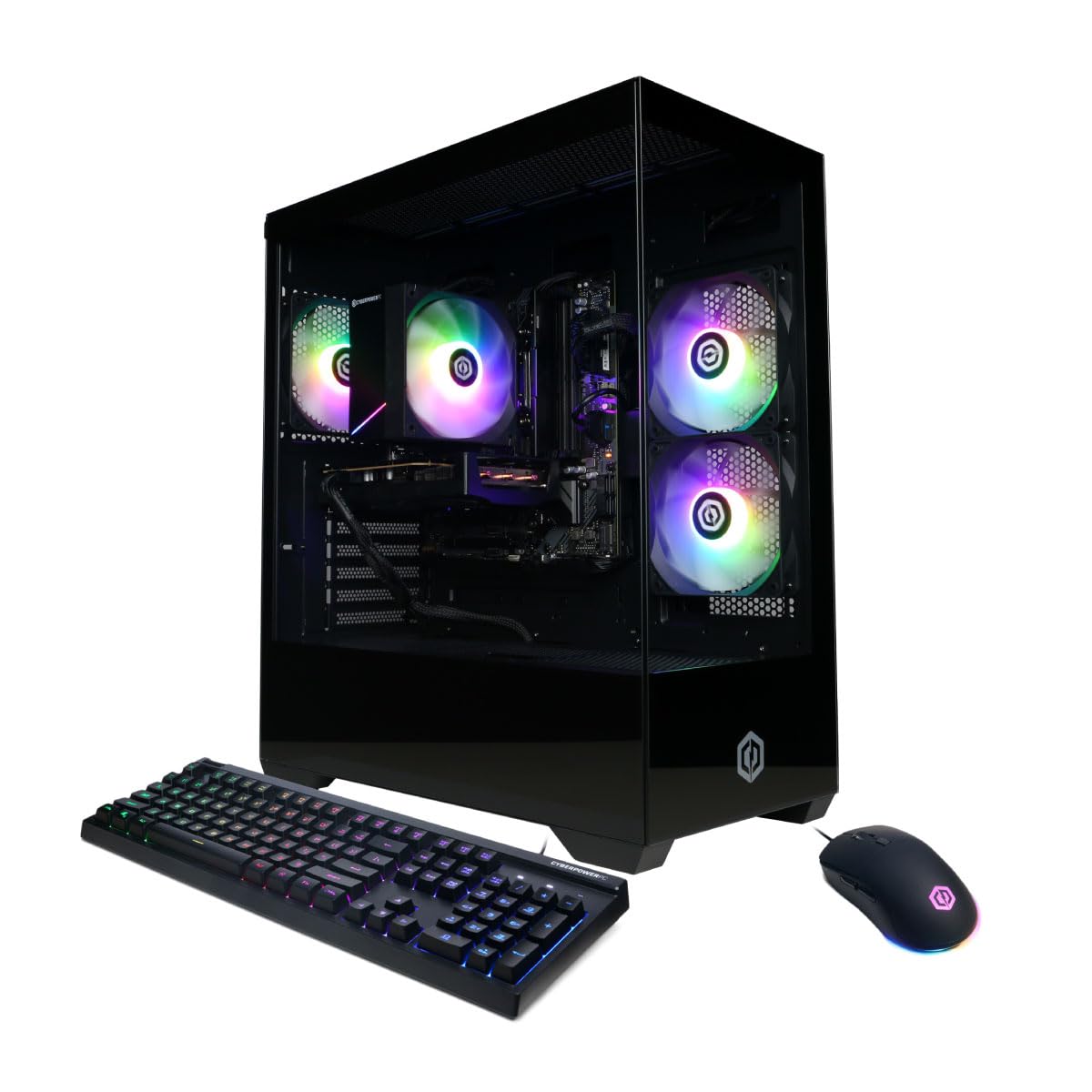
Most people working through this list are really asking one question: how much machine do I need to buy? The Gamer Master is our answer for the majority of them. An eight-core Ryzen 7 8700F and a GeForce RTX 5060 Ti sit on AMD's AM5 socket with DDR5 memory, so the parts inside are the generation being sold now rather than the one being cleared out.

Setting it up is uneventful in the way a good prebuilt should be: Windows 11 arrives licensed and installed, the cooler and power supply are already sorted, and the tempered-glass case with its RGB fans looks better on a desk than the price suggests. There are eight USB ports, two of them USB-C, which starts to matter once a wheel, a microphone, and a webcam are all plugged in at once.

The 8GB of graphics memory is the number we tell people to think hardest about. At 1080p it never comes up. At 1440p the newest releases will push you down from the top texture setting, and DLSS covers most of the rest. If you already own a 1440p high-refresh monitor and want everything left on ultra, that's exactly where the 12GB and 16GB cards here start earning their extra cost.

What tips it for us is what happens in three years. The AM5 socket takes the Ryzen chips AMD is still shipping, the B850 board accepts up to 192GB of memory, and the storage is a standard NVMe drive you can swap or add to — so this is a machine you build on rather than one you replace whole.

Pros

  • Current AM5 platform with a real upgrade path
  • Eight USB ports, two of them USB-C
  • Tempered glass case with custom RGB
  • One year of parts and labor plus lifetime support

Cons

  • Only 16GB of DDR5 out of the box
  • 1TB drive fills fast with modern installs
Our verdict

We recommend the Gamer Master to most buyers: current-generation parts on a platform that can still be upgraded, at a price in the middle of this group.

Check Latest Price
2

Best for Storage

MSI Codex Z2

82 /100
LBD Score Excellent

Key details

Memory
32GB DDR5
Storage
2TB SSD
Graphics
GeForce RTX 5070 12GB
Processor
AMD Ryzen 7 8700F (8 cores)
View on Amazon

Two terabytes is the number that separates the Codex Z2 from nearly everything else here. That's double the drive in our top pick, and once a few large installs are sitting on a 1TB machine you feel every gigabyte; here you simply stop thinking about it.

The rest of the spec sheet holds up just as well: an eight-core Ryzen 7 8700F, a GeForce RTX 5070 with 12GB, and 32GB of DDR5, all for less than the iBUYPOWER and the KOTIN. We think that's the sweet spot for 1440p. The 12GB card keeps ultra textures available in the newest titles, and the memory means you aren't shopping for a second kit in month two.

MSI fits an ARGB air cooler and four case fans into a 21-pound tower that stands 19 inches tall, which slides under a desk without a fight and stays quiet while the 5070 works. The RGB lighting is switchable from a button on the case rather than through software you have to install first, and that small thing matters more than it sounds.

The risk here is a machine that fails a few months in. That's a warranty errand rather than a design flaw, and the response is procedural: register the serial number, keep the box, and put the machine through a real gaming session in the first week while the return window is still open.

Pros

  • 2TB of storage, double most of this group
  • 32GB of DDR5 already fitted
  • 12GB RTX 5070 handles 1440p ultra textures
  • Runs quietly with four case fans

Cons

  • Failures tend to show up in the first months
Our verdict

We point 1440p gamers at the Codex Z2: 32GB of memory, a 12GB RTX 5070, and a 2TB drive make it the most complete spec sheet here for the money.

Check Latest Price
3

Best for Streaming

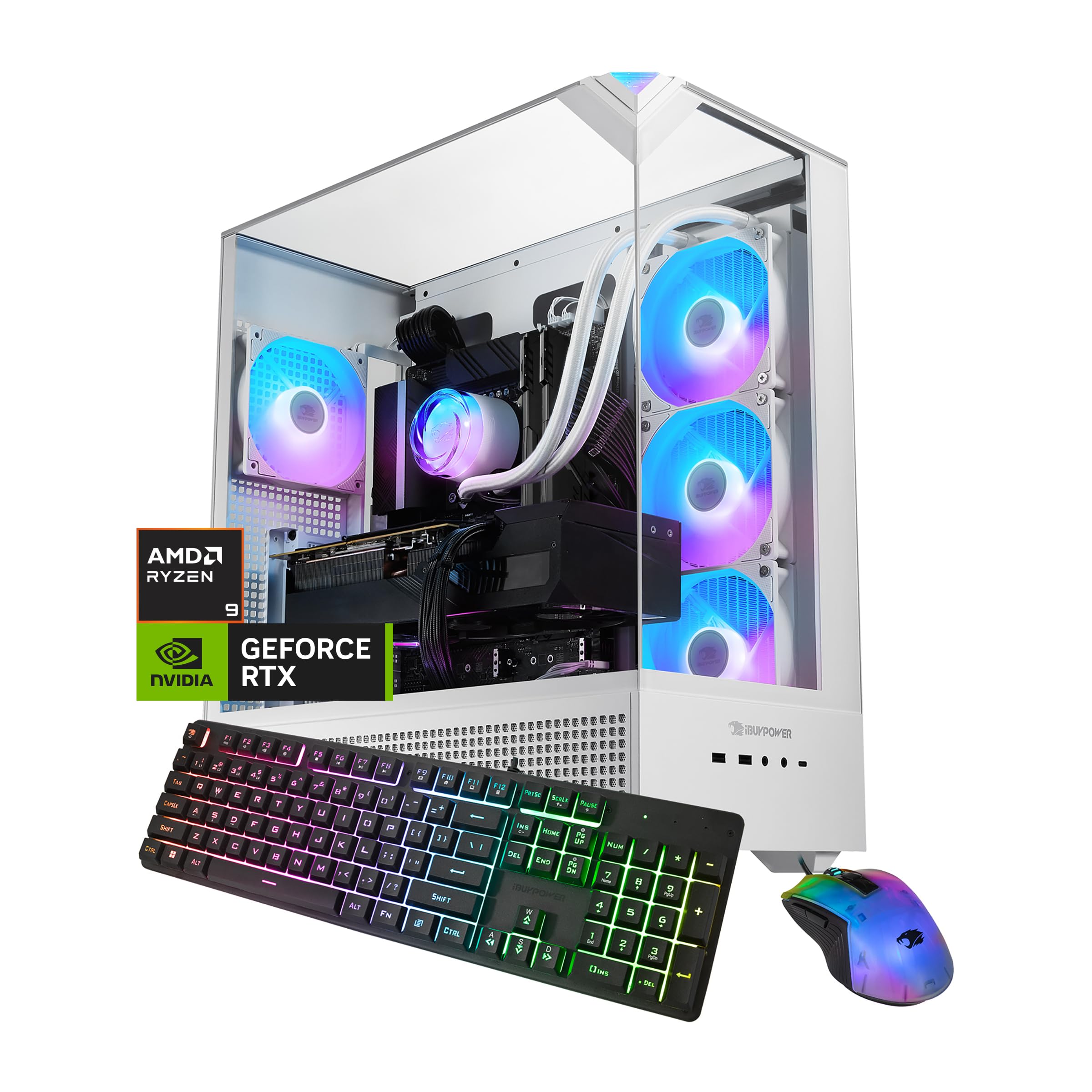
iBUYPOWER Element

87 /100
LBD Score Excellent

Key details

Memory
32GB DDR5
Storage
1TB NVMe SSD
Graphics
GeForce RTX 5070 12GB
Processor
AMD Ryzen 9 7900X (16 cores)
View on Amazon

Streaming, recording, or running a strategy game with a thousand units on screen is a different workload from playing a shooter, and it's the one the Element is built for. A 16-core Ryzen 9 7900X is the most processor you'll find in this group, and it's the reason a broadcast stays smooth while the game underneath keeps its frame rate.

We like the balance around it, too. The RTX 5070 with 12GB handles 1440p without the texture compromises the 8GB cards force, 32GB of DDR5 is already in the board, and the white case with its tempered glass and RGB lighting is the one here that looks most like a display piece. For a machine this capable, it also arrives with very little software you need to uninstall.

Setup is uneventful — plug in, sign into Windows, start installing games — and the practical notes are about the physical thing rather than the software. At 36 pounds it's the heaviest tower in this guide, so plan for two people getting it onto a desk, and 1TB of storage is the same as most of the group but half of the MSI. If your gaming is just gaming, the CyberPowerPC picks cost less and do the job; a second window open while you play is what the extra cores are for.

Pros

  • 16-core Ryzen 9 for streaming and sims
  • RTX 5070 with 12GB for 1440p
  • 32GB of DDR5 out of the box
  • Ships with no bloatware to clear

Cons

  • Wi-Fi 5 only, no Wi-Fi 6 or 7
  • Drive and fan failures show up within months
Our verdict

The Element is the pick for anyone who streams or records while playing; its 16-core Ryzen 9 does the second job an eight-core machine can't.

Check Latest Price
4

Best Budget

CyberPowerPC Gamer Xtreme

83 /100
LBD Score Excellent

Key details

Memory
16GB DDR5
Storage
1TB NVMe SSD
Graphics
GeForce RTX 5060 8GB
Processor
Intel Core i5-14400F (10 cores)
View on Amazon

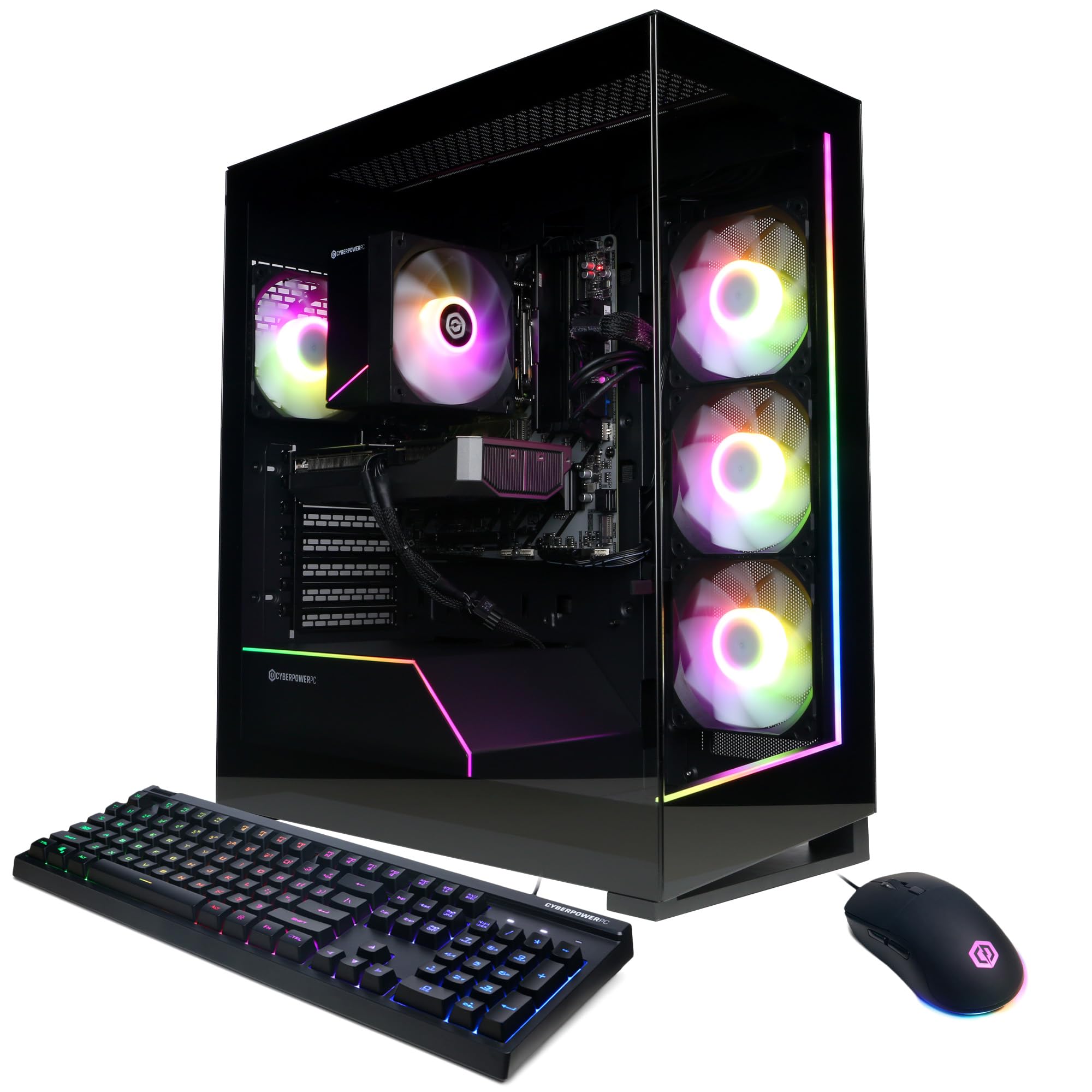
Not everyone needs 32GB of memory or a 12GB graphics card, and the Gamer Xtreme is what that honesty looks like. For the lowest price in this group you get a 10-core Intel Core i5-14400F, an RTX 5060, 16GB of DDR5, and a 1TB NVMe drive — a 1080p gaming machine built from current-generation parts, and the one we point budget shoppers toward first.

This is a 1080p machine and a good one: high frame rates in esports titles, high settings almost everywhere else, and enough headroom to make a 144Hz panel worth owning. At 1440p you'll be managing settings rather than maxing them, which is the honest trade for the price.

The savings sit in details you notice later rather than on day one. The case is the same tempered-glass, RGB-lit design as its more expensive sibling, the bundled keyboard and mouse are usable rather than throwaway, and CyberPowerPC's one-year parts-and-labor coverage with lifetime tech support matches what the pricier picks give you — unusual at the bottom of a category.

Pros

  • Lowest price here with current-generation parts
  • Solid 1080p frame rates for a 144Hz panel
  • Same one-year warranty and lifetime support
  • Tempered glass case with custom RGB

Cons

  • No USB-C anywhere on the case
  • 8GB of VRAM and 16GB of RAM cap headroom
Our verdict

We recommend the Gamer Xtreme to anyone gaming at 1080p who wants current-generation parts and a full warranty rather than the biggest number on the box.

Check Latest Price
5

Best AMD Gaming PC

KOTIN RX 9070 XT

80 /100
LBD Score Excellent

Key details

Cooling
360mm liquid cooler
Graphics
Radeon RX 9070 XT 16GB
Processor
AMD Ryzen 7 9700X (8 cores)
Power Supply
850W 80 Plus Gold
View on Amazon

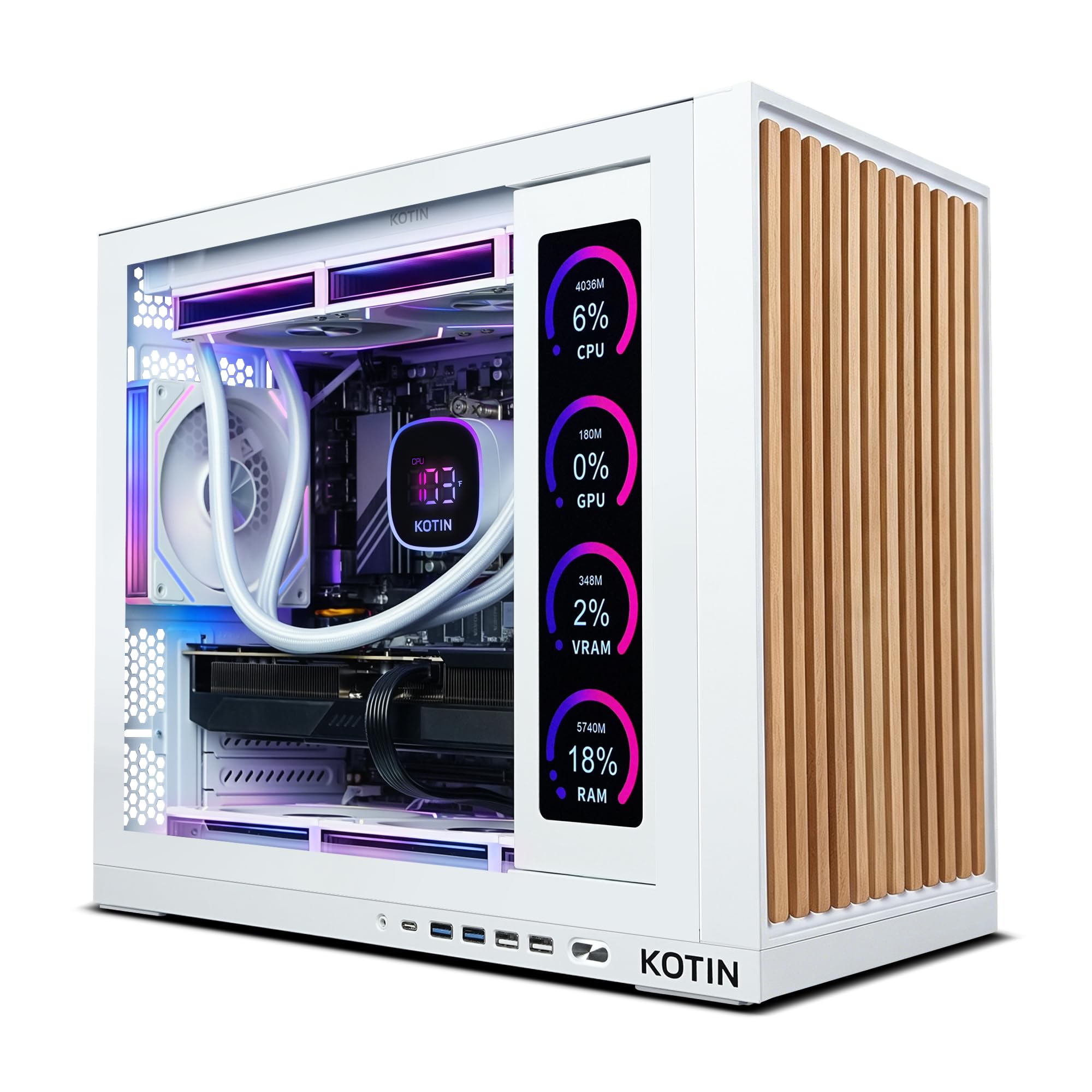
There's an 11.3-inch screen built into the side of this case, and it reads out processor and graphics usage, temperatures, memory, and drive status. We were skeptical of it and came around: the first week you own a machine, knowing whether the cooler is keeping up is worth more than another strip of RGB.

The hardware behind the glass is the real argument. A Radeon RX 9070 XT carries 16GB of memory — the same amount as the RTX 5080 here, for far less money — paired with a Ryzen 7 9700X, 32GB of DDR5, a 360mm liquid cooler, an 850W 80 Plus Gold power supply, and Wi-Fi 7. That's a parts list assembled for 1440p and 4K rather than for a spec sheet.

Where we hesitate is the processor. Eight cores is plenty for games and thin for anything that encodes, and the iBUYPOWER's sixteen cost about the same. For pure gaming at high resolution, though, this is the strongest AMD machine here, and the 360mm radiator gives the 9700X more thermal room than the air coolers on most of this list.

The 850W Gold unit is the practical bonus: it's the headroom you want if a graphics card upgrade is in your future, and it's more than the 650W supplies at the bottom of this group can offer. Assembled and tested before shipping, it also arrives with a one-year warranty and a machine that's ready the moment you plug a monitor in.

Pros

  • 16GB of VRAM matches the RTX 5080 here
  • 360mm liquid cooler and 850W Gold supply
  • Built-in 11.3-inch system monitor
  • Wi-Fi 7, 32GB of DDR5, and a 1TB PCIe 4.0 drive

Cons

  • 1TB of storage is thin for a 4K-class machine
Our verdict

For 1440p and 4K gaming on AMD hardware, the KOTIN's 16GB Radeon and 360mm cooler are the strongest combination here, as long as your work stays GPU-bound.

Check Latest Price
6

Best for 4K

Alienware Aurora RTX 5080

83 /100
LBD Score Excellent

Key details

Memory
32GB DDR5
Graphics
GeForce RTX 5080 16GB
Processor
Intel Core Ultra 9 285
Power Supply
1000W
View on Amazon

This is the only machine here with an RTX 5080, and that single part defines the rest of the purchase. Sixteen gigabytes of GDDR7 and the fastest graphics card in this group mean 4K at maximum settings without the texture compromises the 8GB and 12GB cards force, and the Core Ultra 9 285 with 32GB of DDR5 is there so the processor never becomes the reason frames drop.

The chassis is the other half of what you're paying for: a matte basalt-black tower with customizable AlienFX lighting zones, 18 inches tall and 33.9 pounds, with a 1000W power supply. That wattage is the kind of headroom that makes a future graphics card swap sensible, which is rare in a prebuilt. Confirm the 240mm heat exchanger is on the configuration you order — it's listed as optional on this model.

Around the back you get 2.5Gb Ethernet, Wi-Fi 7, and ten USB ports, and the machine runs quiet enough under load to sit on a desk rather than under it. Dell's one-year onsite service is the real differentiator: someone comes to your house, which is a different kind of support from a phone line and a return label.

Whether it earns its price depends entirely on your monitor. At 4K with ray tracing on, nothing else here is close. At 1440p the RTX 5070 machines cost far less and will not feel slow, which makes this the pick for the buyer who already owns the 4K display — or is buying one in the same order.

Pros

  • RTX 5080 with 16GB, the fastest card here
  • 1000W supply leaves room for a GPU upgrade
  • Wi-Fi 7, 2.5Gb Ethernet, ten USB ports
  • A year of onsite service from Dell

Cons

  • 33.9 pounds and 18 inches tall
Our verdict

We recommend the Aurora 5080 to anyone gaming at 4K with ray tracing on, where its 16GB RTX 5080 is the only card in this group that keeps settings maxed.

Check Latest Price
7

Big-Memory Budget Rigs

Skytech Crystal

87 /100
LBD Score Excellent

Key details

Memory
32GB DDR4
Graphics
GeForce RTX 5060 8GB
Processor
AMD Ryzen 7 5700 (8 cores)
Power Supply
650W 80 Plus Gold
View on Amazon

Thirty-two gigabytes of memory for about what our budget pick costs is the pitch, and there's a catch built into it. The Crystal gets there by staying on DDR4 and an AM4 socket — an older platform that costs less to build and has no path to a newer Ryzen chip.

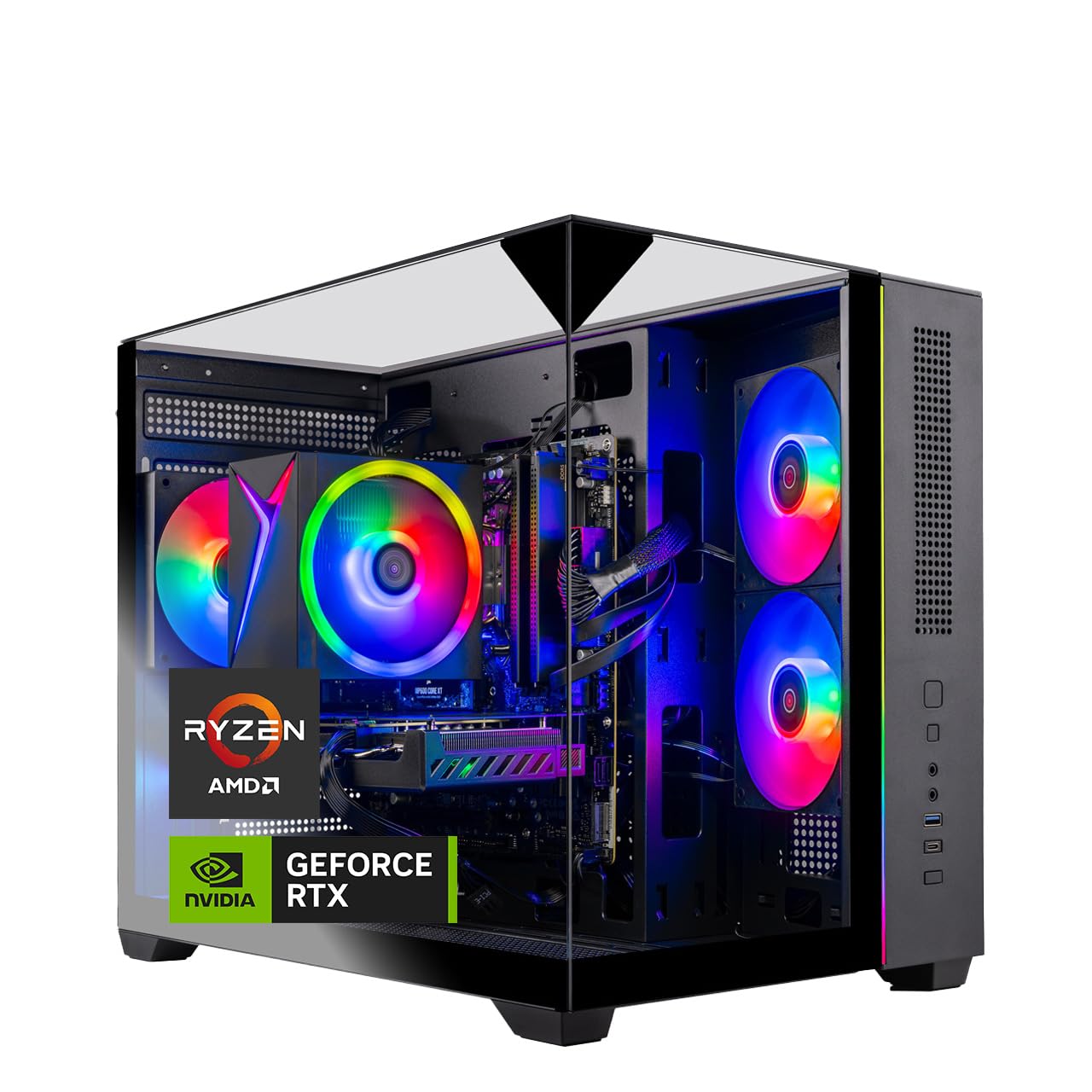
What you get for it is an eight-core Ryzen 7 5700, an RTX 5060, a 1TB NVMe drive, and a 650W 80 Plus Gold power supply inside a case with tempered glass on three sides. The glass is what you notice first; it's the most showpiece-like tower at the low end of this group, and the gold-rated supply is a step above the bronze units some budget builds use.

Where it makes sense is a shared household machine: enough memory for a browser with too many tabs, a game, and a stream running at once, at a price that leaves room in the budget for a monitor. What matters more than any of that is the first day — a tower that never powers on is the failure to watch for in this corner of the market, so test it properly while the return window is open.

Pros

  • 32GB of memory for budget money
  • Tempered glass on three sides
  • 650W 80 Plus Gold power supply

Cons

  • AM4 and DDR4 leave no CPU upgrade path
  • Only four USB ports in total
Our verdict

We recommend the Crystal to buyers who want 32GB of memory and a glass-heavy case without current-platform prices, and who can live without a CPU upgrade path.

Check Latest Price

How We Chose and Tested These Gaming PCs

We built the shortlist by reading spec sheets against price rather than by brand: how much graphics card you got for the money, whether the memory was running dual-channel, how many M.2 slots were left open for later, and whether the case had intake fans sitting in front of the drive cages. That narrowed a long list to eight machines, which we bought at retail the way you would and ran for six months.

Each one got the same start. We timed unboxing to first game launch with a stopwatch, then ran driver updates and clicked through the startup tab to see how much preinstalled software was still loading at idle. We counted the ports we actually used over a week: USB-C on the front panel, enough rear USB for a keyboard, mouse, headset, and webcam, and whether the wireless was built in or a card we had to add ourselves.

For gaming, every machine ran the same three titles at 1080p, 1440p, and 4K where the hardware allowed, and we judged what we saw on screen rather than frame counters alone: whether textures loaded cleanly, whether a high-refresh monitor was actually being fed high frames, and where settings had to come down. Multi-hour sessions logged temperatures and, just as tellingly, whether the fans became audible from three feet away.

Storage got filled, not just benchmarked. We installed a handful of large games and noted how much of the advertised drive was left once Windows had its share, then added a second drive to see if there was anywhere to put it. We compared each power supply's wattage and efficiency rating against what the parts actually pulled, then lived with every PC daily for six months: sleep and wake, restarts, driver updates, and the occasional crash we had to troubleshoot.

How to Choose a Prebuilt Gaming Pc

Start With the Graphics Card and Your Monitor

Resolution, not the model number, is what separates these machines. An 8GB card such as the RTX 5060 or 5060 Ti is comfortable at 1080p and has to give up texture detail at 1440p; 12GB buys ultra settings at 1440p; 16GB is the entry ticket for 4K. DLSS and FSR stretch a card further, but neither makes up for memory that isn't there.

Buy for the monitor on your desk now. Going from an 8GB card to a 12GB one is the single biggest jump in this group, so if a 1440p upgrade is more than a year out, spend the difference on a bigger drive instead.

Match the CPU and Memory to Your Second Job

Eight cores runs games. Sixteen cores runs games while encoding a stream, a recording, or a call — and that second job is where an eight-core machine drops frames. If you never do a second thing, the money is better spent on graphics.

Memory follows the same logic. 16GB is fine today and 32GB is what stops you shopping for a kit in a year. Check the generation too: 32GB of DDR4 on an AM4 board is a lot of memory on a platform with nowhere to go, while 16GB of DDR5 on AM5 is a smaller amount you can add to.

Storage and the Power Supply Deserve a Look

Listings give the drive size and rarely the part number. 1TB is the default here and it goes quickly once a few large games are installed, so 2TB up front — as on the MSI Codex Z2 — costs less than adding a drive later and saves you the migration.

The power supply is where budget builds quietly save. A 650W Bronze unit runs the parts it shipped with; an 850W Gold or a 1000W unit is what makes a graphics card upgrade possible in two years. If upgrading is part of your plan, refuse to compromise on this one spec.

Cooling, Weight, and Where It Actually Goes

Air coolers handle the chips in most of these towers; a 240mm or 360mm radiator mostly buys quieter running under a long load. More useful than the cooling spec is the tape measure — the Alienware is 18 inches tall and 33.9 pounds, the iBUYPOWER is 36 pounds, and a glass-panel tower needs open air around it rather than a closed cabinet.

Measure the desk, the shelf above it, and the gap underneath before you order, and plan for two people if the tower is over 30 pounds.

Frequently Asked Questions

Final Verdict

We recommend the CyberPowerPC Gamer Master for most people. It has the least compromised balance in this group: current-generation parts, an AM5 platform with a real upgrade path, eight USB ports, and a price in the middle rather than at either end.

If your monitor is 1440p and you want ultra textures left on, the MSI Codex Z2's 12GB card and 2TB drive justify the step up. If you stream while you play, the iBUYPOWER's sixteen cores are the difference. And if you're gaming at 4K with ray tracing on, only the Alienware's RTX 5080 will do.