Best Cardstock Printers of 2026

The first time I fed 110-pound cardstock into my own printer, it ate three sheets and handed back a fourth with a gray tire track down the middle. Cardstock is where ordinary printers give themselves away: the sheet is thick, the paper path bends tight around the rollers, and the ink sits on top instead of soaking in. The right machine turns out invitations and business cards that look shop-made.

Heavier isn't automatically better — what matters is whether the printer can take the weight, which is buried in the spec sheet as a maximum paper weight and a straight-in rear feed. My team and I spent six months putting 12 printers through that exact scenario, and the difference between a clean run and a ruined stack usually appears in the first ten sheets.

Ink is the other quiet cost, since heavy stock pulls far more of it than copy paper does, and every pick here also kept its wireless connection through a week of phone and laptop printing. What follows are the models that fed heavy stock without drama.

1

Best Overall

Canon MegaTank G3270

84 /100
LBD Score Excellent

Key details

Duplex
Simplex
Ink System
Refillable MegaTank
Max Paper Size
8.5 x 14 in
Cardstock Support
Yes
View on Amazon

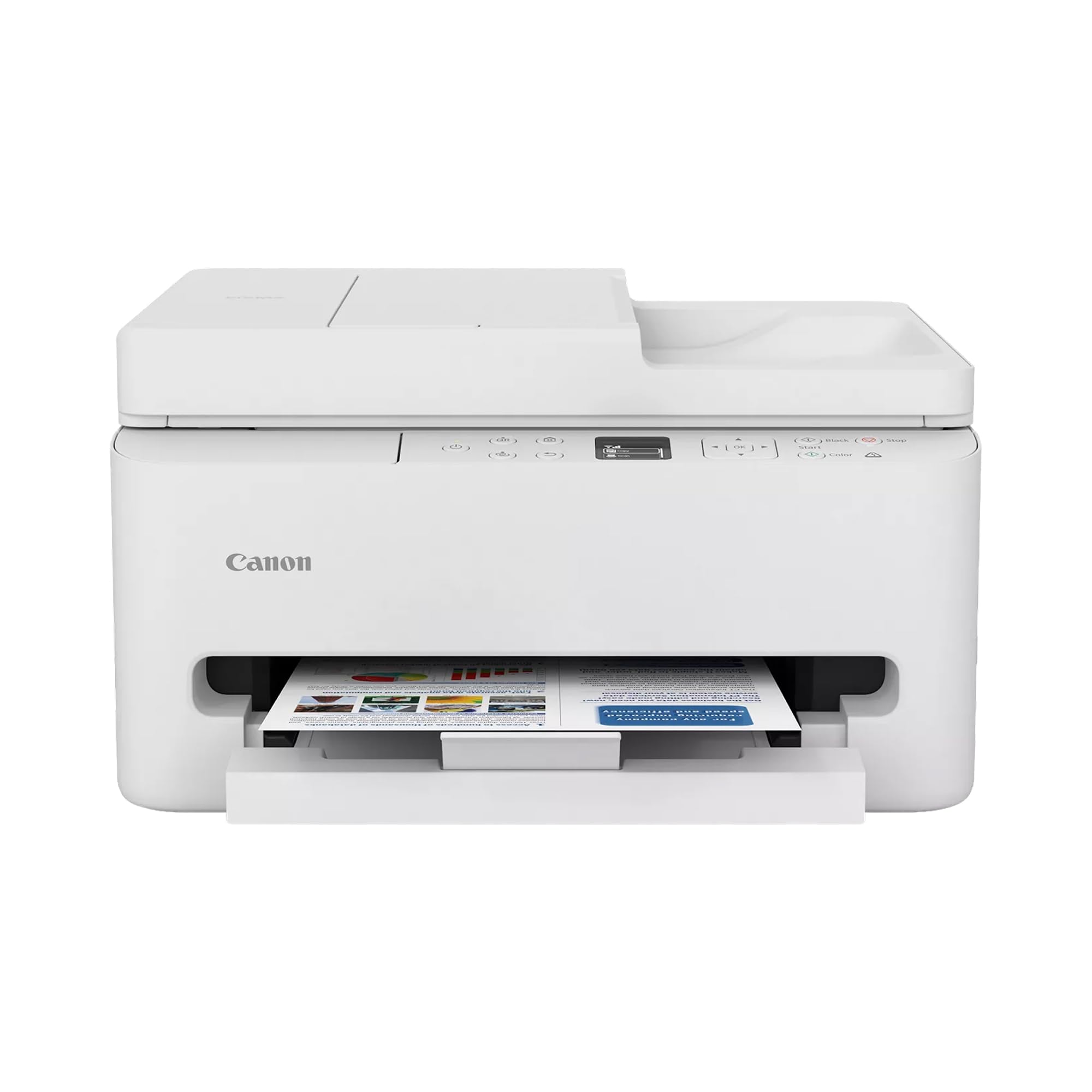
Card stock is one of the G3270's supported media types, a detail that matters more in this category than a long feature list. It is a full print, copy, and scan machine with a 100-sheet tray and a legal-size maximum, so a stack of cardstock does not feel like a special occasion. We like that Canon treats thick paper as ordinary stock rather than an accessory.

The bigger advantage, and the reason we recommend it first, is cost per page. The MegaTank system uses refillable bottles, and Canon includes enough ink for up to two years of typical use. For invitations, tags, or classroom sets, that matters more than a tenth of a second of print speed. The listed speeds are 11 ppm black and 6 ppm color, and the single 100-sheet tray means you swap paper when a job changes. That suits a household that mostly keeps one stock loaded.

Print quality is tuned for documents and clean color rather than gallery photos, and the 4,800 x 1,200 dpi maximum is plenty for type, line art, and simple graphics. The flatbed scanner and copier make it useful beyond cardstock, and the 1.35-inch display is small but readable. Nothing about the G3270 feels precious, which is exactly what we want from a printer that will see glue sticks and corner rounders.

Pros

  • Cardstock is a listed supported medium
  • Refillable tanks keep ink costs low
  • Up to two years of ink included
  • Flatbed copy and scan built in

Cons

  • No automatic duplexing
  • Wi-Fi setup can be fussy
Our verdict

We recommend the G3270 as the default cardstock printer for households and small offices that print letter- or legal-size sheets in batches and want tank-ink running costs.

Check Latest Price
2

Best for Large Cardstock

Canon PIXMA TS9521Ca

79 /100
LBD Score Very Good

Key details

Duplex
Automatic
Ink System
Five individual cartridges
Max Paper Size
11 x 17 in
Specialty Size
12 x 12 in
View on Amazon

The 11 x 17 and 12 x 12 paper sizes are what separate this PIXMA from the rest of the group. If your cardstock projects run to scrapbook pages, folded posters, or oversized card bases, that extra room is the whole reason to pay more. The TS9521Ca also has two trays, automatic duplexing, and a 4.3-inch touchscreen, so switching between plain paper and heavy stock is less of a shuffle. We think the size and tray setup justify the premium for craft-heavy households.

The 110 lb stock capability is the other important number. That is squarely in heavyweight cardstock territory, and it is the kind of stock that punishes a flimsy feed path. Borderless printing and a five-ink system give color work more depth than the cheaper two-cartridge machines here. The paper-crafting results are the most enthusiastic in this group, which is why we see it as a small-format press for cards and invitations rather than a document workhorse.

The one place it asks for patience is wireless setup. Ethernet and USB are both available, and for a printer parked in a craft room, a cable is a small price for a stable connection. If most of your cardstock is letter-size, the G3270 is the simpler machine; this one earns its keep when the sheet gets big. The 4.3-inch touchscreen is the small luxury that keeps you from guessing which tray is active.

Pros

  • Handles 110 lb cardstock
  • Prints 11 x 17 and 12 x 12 sheets
  • Two trays and automatic duplexing
  • Borderless craft printing with five inks

Cons

  • Five cartridges cost more than tank ink
Our verdict

For paper crafters who need 11 x 17 or 12 x 12 sheets, this is the cardstock printer we trust, provided you can live with cartridge ink and a sometimes-stubborn Wi-Fi connection.

Check Latest Price
3

Best for Home Offices

Canon PIXMA TR7120

83 /100
LBD Score Excellent

Key details

ADF
Yes
Duplex
Automatic
Max Paper Size
8.5 x 14 in
Paper Capacity
100 sheets
View on Amazon

The TR7120 reads like a small-office printer that happens to handle cardstock. It has a 100-sheet tray, an auto document feeder, automatic duplexing, and a body only 14 inches wide. For a home office that prints the occasional cardstock sign or invitation between invoices, that combination is more useful than a craft-first machine with no scanner feeder.

Cardstock and envelopes are both part of the media mix, and the ADF lets you copy or scan a stack without feeding sheets one at a time. Automatic duplexing is a convenience for ordinary paper; thick stock is usually a one-side-at-a-time job, which is why we do not treat duplex as a cardstock feature. The result is a printer that feels organized rather than fussy.

At 14 ppm black and 9 ppm color, it is quicker than the MegaTank on short office jobs, and the 4,800 x 1,200 dpi output keeps text crisp. The two-cartridge ink system is simple to replace, but it is the least economical of the three for frequent cardstock batches. This is the one we point to when the printer has to earn its space as a scanner and copier too.

Pros

  • Prints on cardstock and envelopes
  • ADF speeds up copying and scanning
  • Automatic duplexing for plain paper
  • Compact 14-inch-wide body

Cons

  • Wireless connection can drop
Our verdict

Our compact home-office pick: the TR7120 handles cardstock, scans through its ADF, and duplexes plain paper without taking over the desk.

Check Latest Price

How We Tested Cardstock Printers

We started with spec sheets, because cardstock is one of the few categories where the deciding number is printed in the manual — the maximum paper weight each feed path will take, and whether sheets travel straight through a rear feed or turn a corner inside the machine. From there we filtered by price and by whether a printer could scan and copy as well as print, then bought 12 models at retail.

Each one got the same start: unboxed on a kitchen table and set up solo, following only the manufacturer's app, with a stopwatch running. We joined it to a home network and printed from an iPhone, an Android phone, and a Windows laptop over the following week, noting which ones dropped the connection or demanded the password again.

Then came the paper. We ran every printer through 110-pound cover stock, 80-pound cardstock, and a lighter 65-pound sheet, feeding one at a time first and then 25 at a stretch to see where jams began. We checked each sheet for roller marks, curled corners, and whether a thumb dragged across the ink left a smear, and we switched the paper-type setting to see how much of that the printer could correct on its own.

Print quality got judged on six-point type, gradients, and a color photo card, which is where cheap color printing starts to band or go muddy. We timed the first page out of sleep mode and a 20-sheet run on cardstock rather than plain paper, since heavy stock slows everything down, and we kept a running tally of ink used against sheets printed to get a rough cost per card. Reliability meant repeat runs across six months, on a desk and on a counter, with trays emptied and refilled each time and a note on which plastic parts started to feel loose.

How to Choose a Cardstock Printer

Start with the paper path, not the print resolution

Cardstock is stiff, and stiff paper is where a printer's feed design shows. A rear or straight-through path is more forgiving than a tight internal bend, and a 100-sheet tray is plenty for most home runs. Weight matters too: 65 lb cover stock is a different animal from 110 lb cover, and a printer that handles one may not handle the other. We put documented cardstock support ahead of a long feature list. The Canon PIXMA TS9521Ca is the one to choose when you know you need 110 lb stock.

Match the sheet size to the project

An 8.5 x 11 card base and an 11 x 17 poster sheet put very different demands on a printer. Letter and legal sizes cover most invitations, tags, and signs; 11 x 17 opens up folded posters and oversized layouts. Borderless printing is a separate check, because not every wide-format printer can print to the edge of every sheet. We prefer a little less speed to a sheet size a project cannot use. The PIXMA TS9521Ca is the only pick here with 11 x 17 support; the other two top out at legal.

Do the ink math before you commit

Cardstock drinks ink, especially on borderless color work, so the ink system matters more than the purchase price over a year of projects. Refillable tanks are the better fit for repeat batches; cartridge printers are simpler to replace but cost more per page. The MegaTank G3270 is the tank pick here, with a two-year ink claim in the box. The PIXMA TR7120 is the opposite trade-off: easy cartridge swaps in a compact office printer. If you print a few cards a month, either works; for hundreds of sheets, start with the tank.

Plan for setup and paper changes

Wireless connectivity is the most common weak point in this group, and cardstock jobs are frustrating enough without a dropped connection. A USB cable or Ethernet port is a practical backup, and a printer with two trays saves you from swapping stock every time a document job follows a card run. We also look at the display and the app: a clear screen makes it easier to choose the right paper type, which is what keeps thick stock from getting too much ink. The TR7120's ADF and auto duplex are office conveniences; the TS9521Ca's two trays are the craft-room equivalent.

Frequently Asked Questions

Final Verdict

The Canon MegaTank G3270 is the cardstock printer we recommend to most households and small offices. It lists cardstock as supported media, keeps ink costs low with refillable tanks, and handles letter and legal sheets without making a project of it. Choose the Canon PIXMA TS9521Ca if you need 11 x 17 or 12 x 12 sheets and borderless craft output; choose the PIXMA TR7120 if a compact home office with an ADF and auto duplex matters more than long-run ink savings.