Best Color Inkjet Printers of 2026

Printers are the appliance nobody praises and everybody needs — until the night a book report, a return label, or a boarding pass has to come out of one and the ink has dried up again. A color inkjet that behaves itself erases an entire genre of small household disasters: it prints, scans, and copies what you throw at it without a trip to the store every few weeks.

The money question is ink, and how you buy it changes everything. Cartridges, refillable tanks, and subscriptions that mail ink on a schedule look similar on a shelf and behave nothing alike once you're printing homework every week. Over the past six months my team ran 12 color inkjets through our actual homes — school forms, tax documents, photos for grandparents — and the gaps in setup, print quality, speed, and wireless reliability showed up fast.

One thing worth knowing before you scroll: the cheapest box on the shelf is rarely the cheapest printer to own, and the fastest one on the spec sheet doesn't always finish a two-sided document first. The picks below held up in daily use — at two pages a week or two hundred a month — and they're the ones that earn their counter space.

1

Best Overall

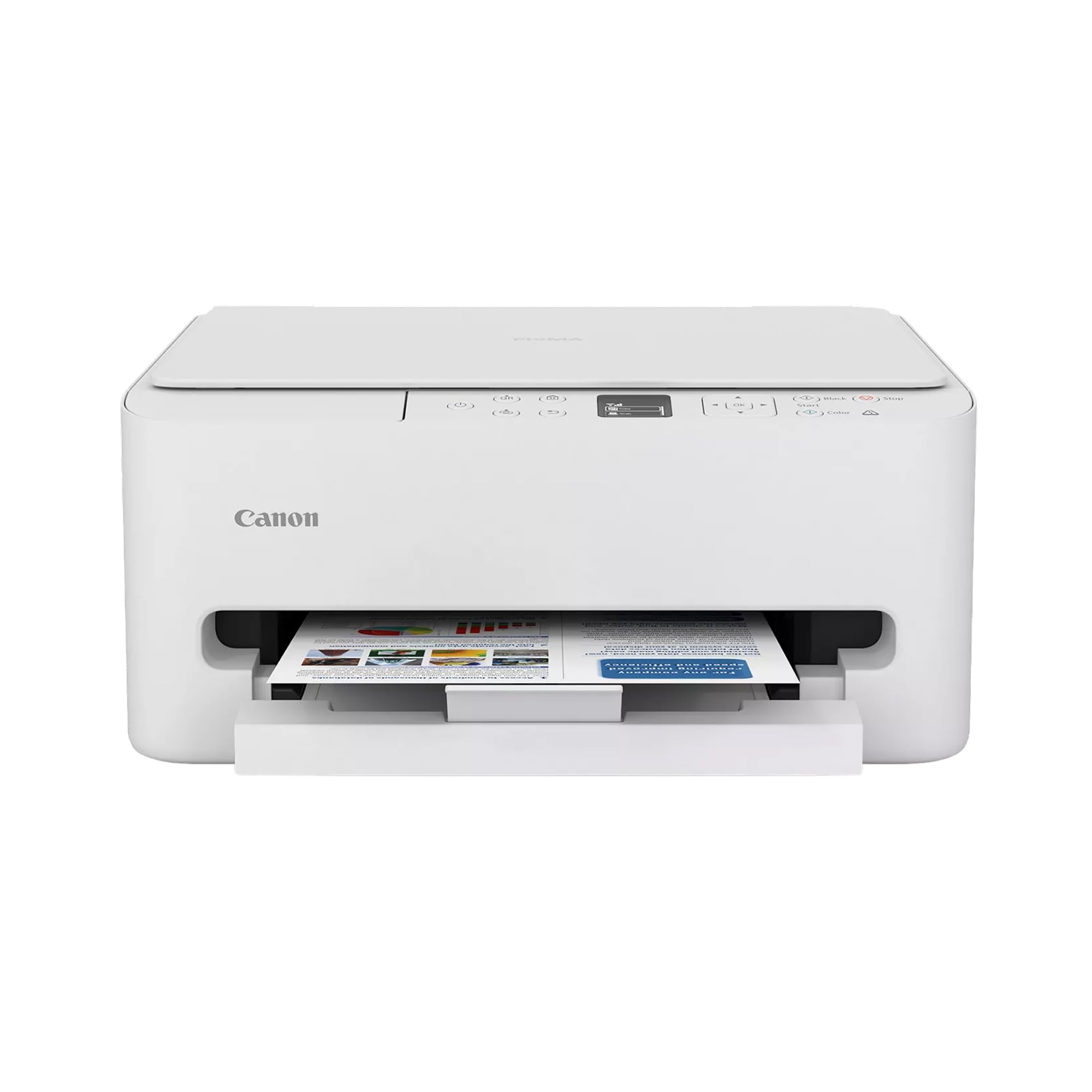
Canon PIXMA TS6520

85 /100
LBD Score Excellent

Key details

Duplex
Automatic
Ink System
2 cartridges (PG-295, CL-286)
Print Speed
14 black / 9 color ppm
Connectivity
USB, dual-band Wi-Fi
View on Amazon

Automatic two-sided printing is the feature people stop noticing only after they have lived without it, and the PIXMA TS6520 is the least expensive printer here that does it by itself. The body is about 14 inches square and 6.7 inches tall, so it fits the end of a desk or a shelf in a hallway, and it costs less than any other machine on this page. That combination is why we hand it to the typical household.

Output beats the price. Canon's two-cartridge setup pairs a pigment black tank with a dye color tank, so text lands dark and sharp while graphics and 4x6 photos stay bright, and borderless printing means a snapshot does not arrive with a white frame around it. At 14 black and 9 color pages a minute it keeps up with a kitchen-table workload, and the 1.42-inch OLED walks you onto the network in a few short steps. Dual-band Wi-Fi is a real advantage here: you can put the printer on the 5 GHz band where fewer devices compete.

The trade-off is how you pay for ink. Two cartridges mean the color tank is replaced as a set, and this is a printer you buy cheaply rather than feed cheaply. If the household is printing school packets and work documents most days, the MegaTank G3270 below will cost less across a couple of years. For a few dozen pages a week, the TS6520 is the easier machine to own.

Pros

  • Automatic two-sided printing for the least money here
  • Compact 14-inch-square body fits a desk or shelf
  • Pigment black cartridge keeps text crisp
  • Dual-band Wi-Fi on 2.4 or 5 GHz

Cons

  • No automatic document feeder
  • Color ink is replaced as a full set
Our verdict

We think it is the right color printer for most homes: automatic duplex, a compact footprint, and crisp text for the least money here.

Check Latest Price
2

Best for Cheap Ink

Canon MegaTank G3270

84 /100
LBD Score Excellent

Key details

Ink Yield
6,000 black / 7,700 color pages
Print Speed
11 black / 6 color ppm
Paper Capacity
100 sheets
View on Amazon

Six thousand black pages and 7,700 in color: that is Canon's rating for a single set of ink in the MegaTank G3270, and no other printer here runs anywhere near that long between fills. For a household that goes through a ream a month, the higher sticker price stops mattering fairly quickly.

We think the refill routine matters more than the spec sheet suggests. There are four bottles, one per tank, and filling is a pour rather than a cartridge swap in the middle of a job, with nothing left to throw away afterward. Output at 4800 x 1200 dpi is solid for documents and fine for casual photos, the 1.35-inch square LCD is small but gets you through copies and network setup, and the 100-sheet tray is standard for this class.

Two omissions shape who should buy it. There is no automatic duplex, so a two-sided document means flipping the stack by hand, and color pages come out at 6 ppm, matched only by the EcoTank below. The wireless is the other thing to plan around: joining a network can take a few attempts, and a USB cable or the router's 2.4 GHz band is the usual fix.

Pros

  • Rated for 6,000 black and 7,700 color pages per set
  • Four-bottle refill, no cartridge swaps
  • 4800 x 1200 dpi output

Cons

  • No automatic two-sided printing
  • Color printing at 6 ppm is the slowest here
Our verdict

We recommend it to anyone who prints in volume: one set of tanks covers thousands of pages, so the higher price pays itself back.

Check Latest Price
3

Best Home Office Value

Brother MFC-J1410DW

78 /100
LBD Score Very Good

Key details

Duplex
Automatic
Print Speed
16 black / 9 color ppm
Paper Capacity
150 sheets
Document Feeder
20 sheets, single-sided
View on Amazon

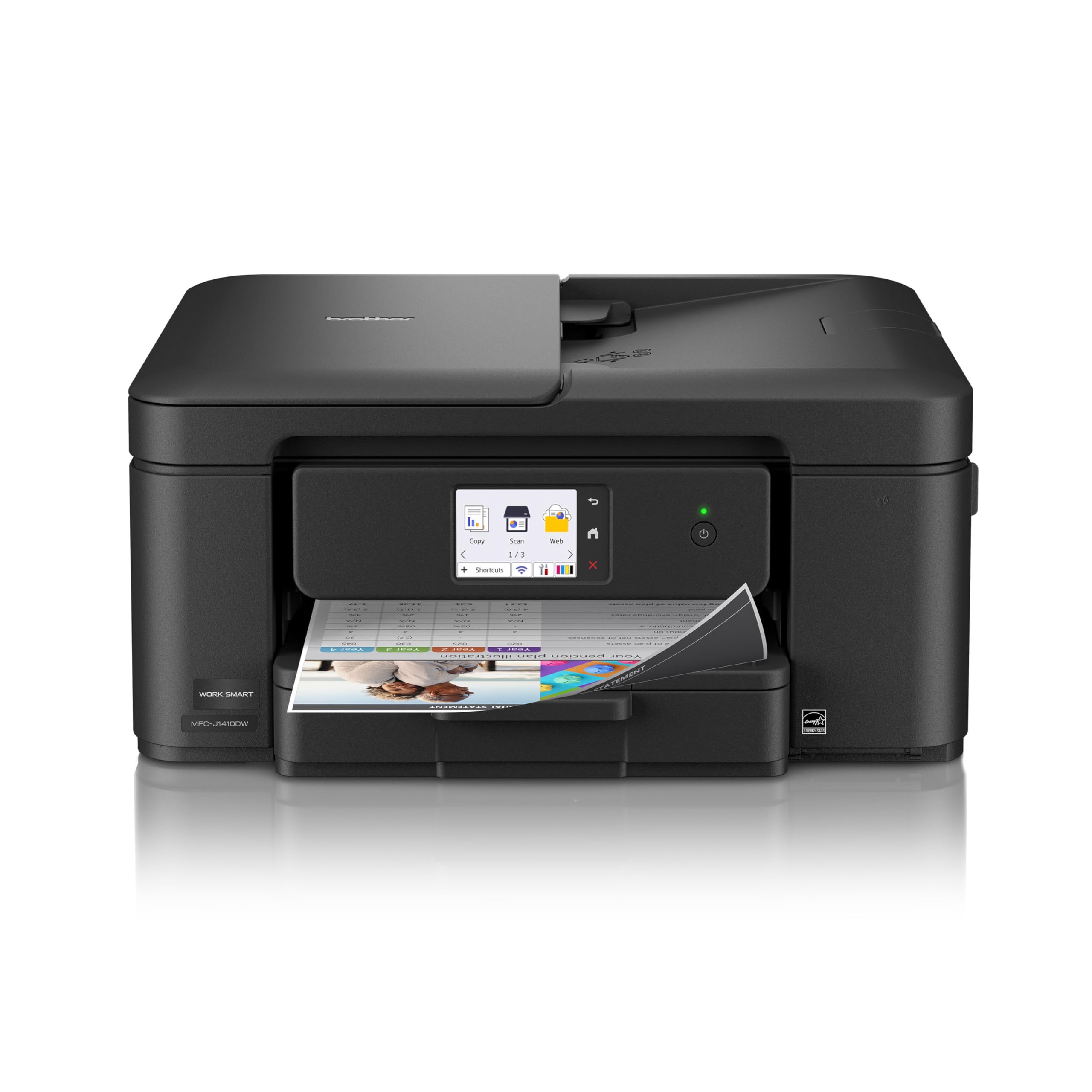
If your day involves as much copying and scanning as printing, this is the machine to start with. The Brother MFC-J1410DW fits a 20-sheet document feeder, automatic duplex printing, and a 150-sheet tray into a body about 15 inches wide, which is small enough to share a desk with a monitor.

The feeder is what we appreciate most. Stack a multi-page form, press copy, and walk away, which is the sort of job a flatbed-only machine turns into ten separate lifts of the lid. Text prints at 16 pages a minute and color at 9, and the 2.7-inch touchscreen puts scan-to-cloud destinations such as Google Drive and Dropbox a couple of taps from the home screen, with no computer in the loop.

Where it sits in this lineup: it is the least expensive route here to a proper document feeder and two-sided printing together. The business machines print faster and hold more paper, and the photo printer below does better on glossy stock, but neither does both jobs from a desk-sized box. Setup over Wi-Fi was straightforward for us, and the touchscreen walks you through the network step instead of burying it in a menu.

Pros

  • Document feeder handles multi-page copies
  • Automatic two-sided printing
  • Compact 15-inch-wide body
  • Scan-to-cloud apps on the touchscreen

Cons

  • Single-sided document feeder
Our verdict

We put it in the home office for its document feeder, automatic duplex, and compact body, features the business machines here charge more for.

Check Latest Price
4

Best for Photos

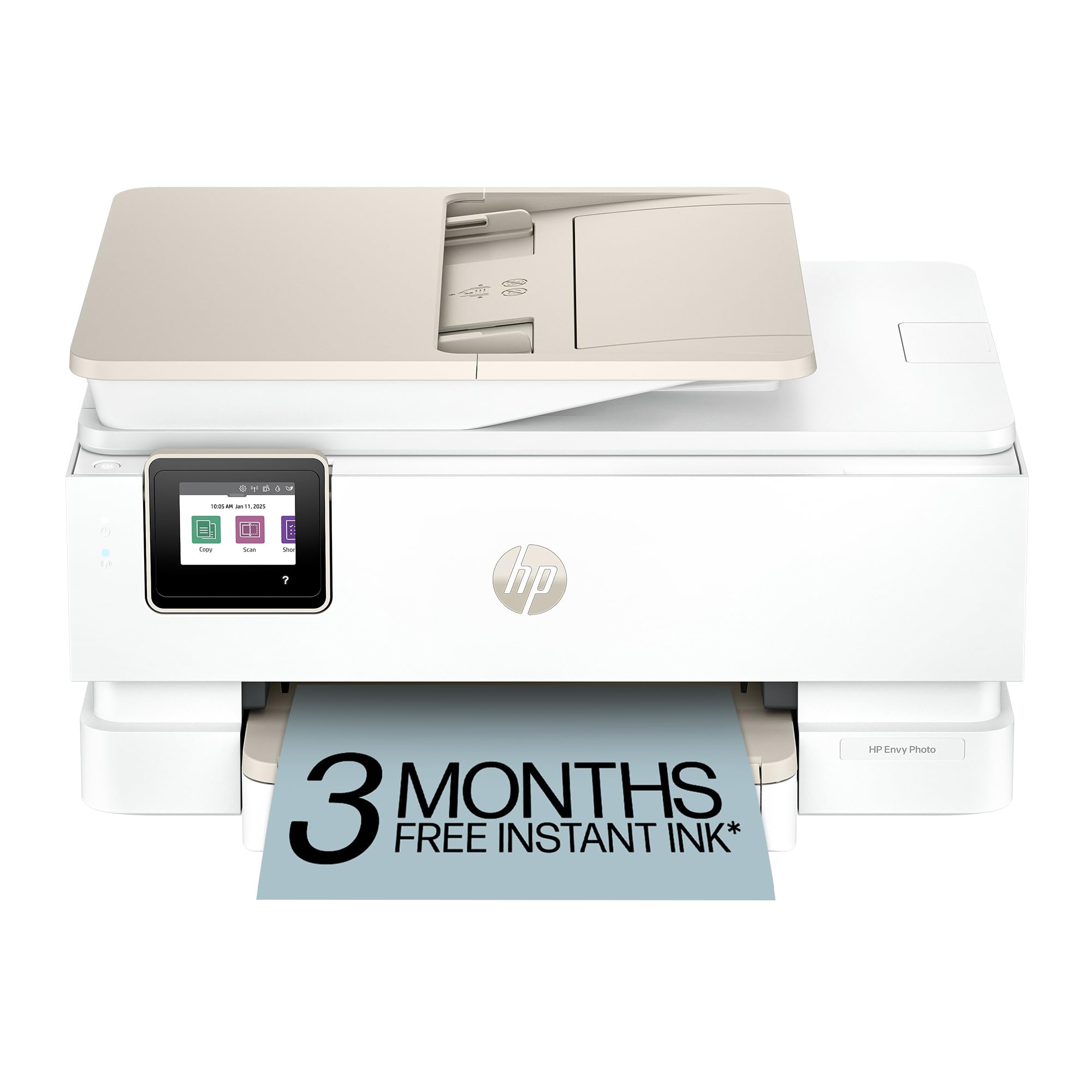
HP Envy Photo 7975

79 /100
LBD Score Very Good

Key details

Duplex
Automatic
Paper Trays
Main tray plus photo tray
Print Speed
15 black / 10 color ppm
Document Feeder
35 sheets
View on Amazon

Two paper trays sound like a small convenience until you have pulled a stack of letter paper out to print a single 4x6. The Envy Photo 7975 keeps a photo tray loaded alongside its 125-sheet main tray, so snapshots and homework stop competing for the same feed.

That is the detail that sells it for us, because the rest is a competent all-in-one: borderless prints on glossy stock at up to 4800 x 1200 optimized dpi, a 35-sheet feeder for copying and scanning, automatic duplex, and 15 black or 10 color pages a minute. HP builds this one around photos rather than around documents that happen to contain a picture, and the 2.7-inch touchscreen makes the everyday jobs quick to start.

Where it earns its price over the cheaper cartridge printers is the photo workflow: no paper swapping, no fiddling to get an edge-to-edge print, no second machine on the shelf. Choose it over the OfficeJet Pro when photos matter more than faxing and a 225-sheet tray, and over the MegaTank when the second tray is worth more to you than the cheaper page cost.

Pros

  • Dedicated photo tray stays loaded
  • Borderless photos up to 4800 x 1200 optimized dpi
  • 35-sheet feeder plus automatic duplex

Cons

  • One tri-color cartridge carries all color
Our verdict

We keep coming back to it for photos first and paperwork second: a dedicated photo tray, borderless output, and a document feeder in one box.

Check Latest Price
5

Best for Small Offices

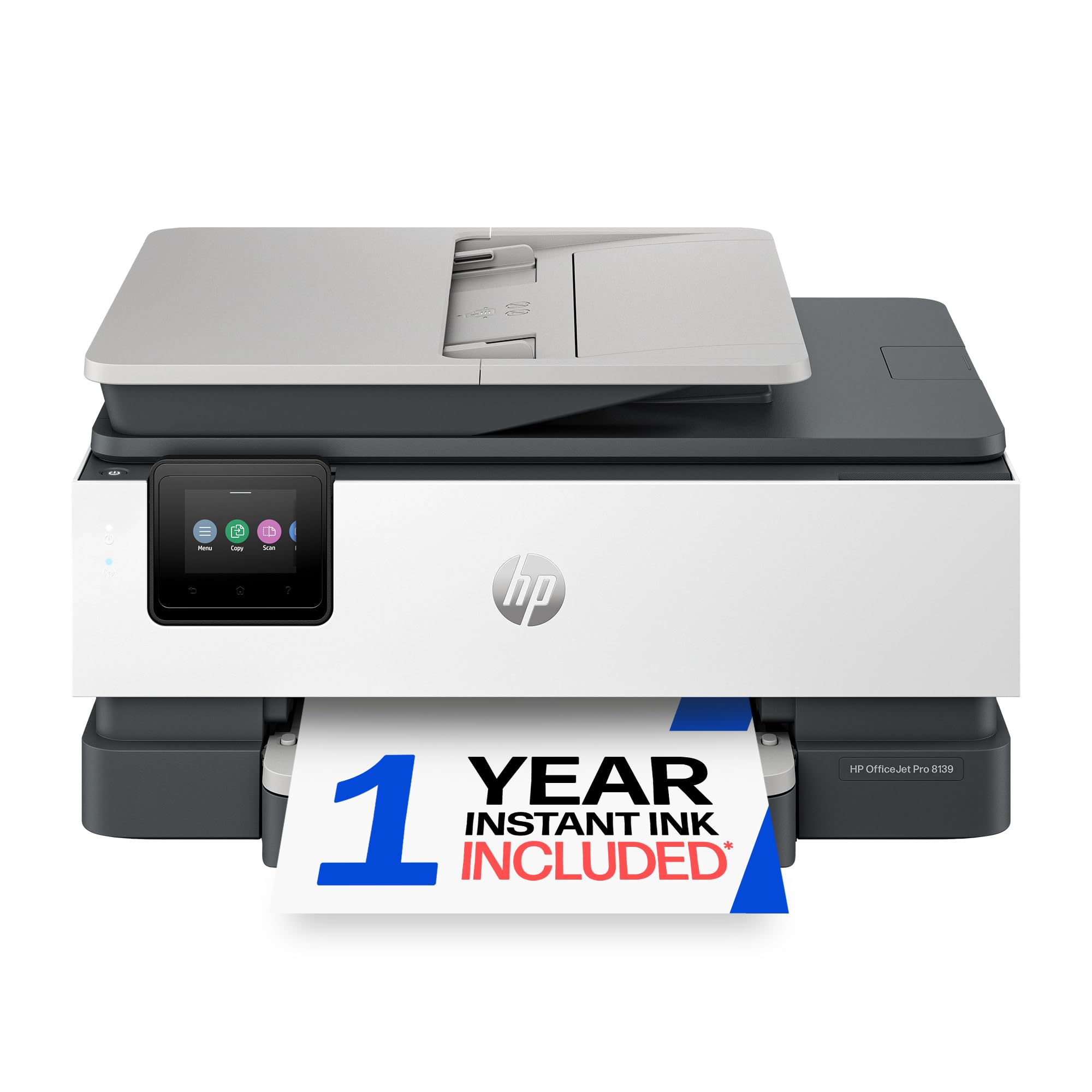
HP OfficeJet Pro 8139

78 /100
LBD Score Very Good

Key details

Duplex
Automatic
Print Speed
20 black / 10 color ppm
Connectivity
USB, Ethernet, Wi-Fi
Paper Capacity
225 sheets
View on Amazon

Fax, Ethernet, a 225-sheet tray, a document feeder, and 20 pages a minute in black: the OfficeJet Pro 8139 reads like the checklist for a small office that has finally outgrown a bargain printer.

Speed and paper handling are the arguments. Twenty black pages a minute, ten in color, and a first page out in about 18 seconds means a 40-page report does not own the afternoon, and the 225-sheet tray swallows a full ream so you are not topping it up every other day. Ethernet is the quiet advantage: one cable and the printer stops being a network conversation.

It is the machine we hand to a home office that faxes or wires in. For a household printing homework and the occasional return label, it is more printer than the job needs, and the cheaper cartridge models here will do the same work without paper capacity you will never fill.

Pros

  • 20 black / 10 color ppm with a fast first page
  • Ethernet, Wi-Fi, and USB connections
  • 225-sheet tray holds a full ream
  • Fax and a 2.7-inch touchscreen

Cons

  • One-sided automatic document feeder
  • 17.6 pounds across an 18-inch frame
Our verdict

We point small offices here: Ethernet, fax, a 225-sheet tray, and 20 ppm printing make it the most office-ready machine in this group.

Check Latest Price
6

Best for Speed

Brother MFC-J5010DW

82 /100
LBD Score Excellent

Key details

Duplex
Automatic
Print Speed
28 black / 26 color ppm
Paper Capacity
250 sheets
Document Feeder
50 sheets, single-pass duplex
View on Amazon

Twenty-eight black pages a minute and 26 in color puts the MFC-J5010DW in a different class from everything else on this page; the next fastest machine here prints black at 20.

The paper handling matches the speed. A 250-sheet tray takes a full ream, and the 50-sheet feeder scans both sides of a duplex original in a single pass, so a contract does not get fed through twice and a queue of jobs does not turn into a queue of people.

Ink comes as high-yield cartridges rather than refillable tanks. Brother includes a black cartridge rated at 1,800 pages in the box, which suits a business that measures supplies in months rather than in bottles poured at the desk.

What it asks in return is floor space: 30.9 pounds on a 17-inch frame, so it wants a table of its own rather than a shelf. And it costs as much as the HP office machine. What we are paying for is throughput, which is worth it when two people print to it all day and wasted when one person prints a few pages on Tuesday.

Pros

  • 28 black / 26 color ppm, the fastest here
  • 250-sheet tray holds a full ream
  • 50-sheet feeder scans both sides at once
  • Ethernet, Wi-Fi Direct, and USB

Cons

  • 30.9-pound chassis needs its own table
Our verdict

We chose it for offices where throughput matters: 28 ppm printing, a 250-sheet tray, and a feeder that scans both sides in one pass.

Check Latest Price
7

Small-Space Tank Printing

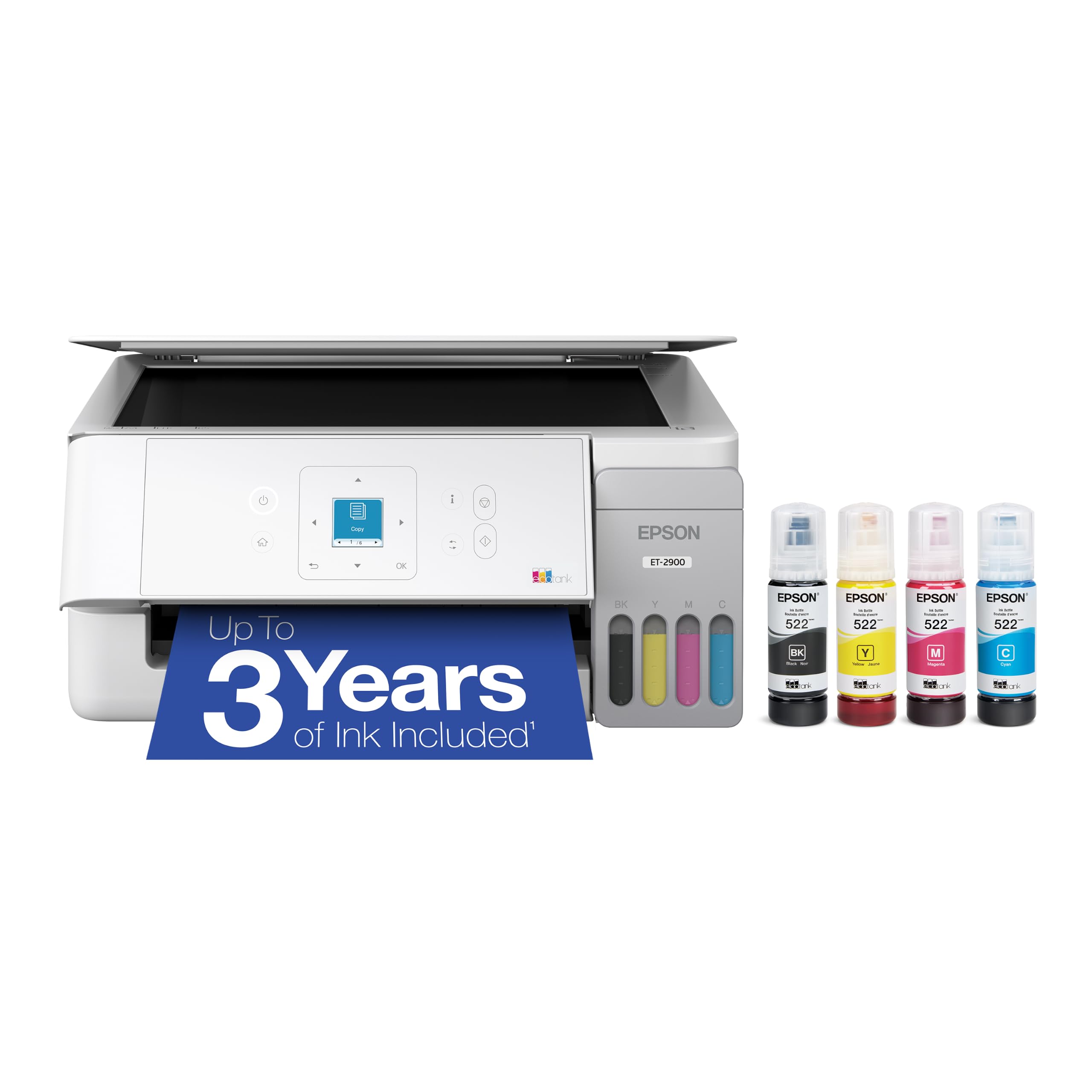
Epson EcoTank ET-2900

85 /100
LBD Score Excellent

Key details

Weight
9.3 lb
Ink Yield
3,600 black / 6,500 color pages
Print Speed
11 black / 6 color ppm
Print Resolution
5760 x 1440 dpi
View on Amazon

At 9.3 pounds and about 14 inches across, the EcoTank ET-2900 is the smallest tank printer here. It will sit on a bookshelf beside the router without anyone registering that it is a printer at all.

Epson's EcoFit bottles are keyed so each one only fits its own tank, which turns a refill into a two-minute job with nothing to clean up, and the boxed ink is rated for 3,600 black and 6,500 color pages. Resolution is quoted at 5760 x 1440 dpi, generous for a machine this size: graphics and snapshots come out smooth and text is clean. The 1.44-inch color screen handles copies without sending you to a computer.

The catch is that it prints one side at a time. There is no automatic duplex, so a two-sided handout means feeding the stack twice, and color runs at 6 ppm, the slowest in this group alongside the MegaTank. What you get in exchange is the lightest, most compact tank machine here, with a running cost the cartridge printers cannot approach.

Pros

  • 9.3 pounds and about 14 inches wide
  • Rated for 3,600 black / 6,500 color pages
  • Keyed EcoFit bottles prevent mix-ups
  • 5760 x 1440 dpi output

Cons

  • No automatic two-sided printing
Our verdict

For a tight shelf and light printing, we like this one: 9.3 pounds, keyed refill bottles, and years of ink for a small household.

Check Latest Price

How We Tested Color Inkjet Printers

We started by reading spec sheets and owner reviews for close to 40 color inkjets, then filtered for the things that actually matter in a house: whether it scans and copies, how much counter it eats, whether it duplexes, and how the ink is sold — cartridges, refillable tanks, or a subscription. That narrowed the field to 12 units, which we ran for six months across our homes and one small office.

Setup came first. We timed everything from opening the box to pulling the first print, pairing each machine with both a phone and a laptop, and noted where the app lost us. A few were printing in under ten minutes; a couple had us hunting through menus for a Wi-Fi password field that should have been on the first screen.

Then we printed the same files on every machine: a two-page color flyer, a dense text form, a page of small-print charts, and a batch of 4x6 photos. We looked for banding in gradients, grain in skin tones, and whether small text stayed crisp on plain paper, and we timed both the first page out and a ten-page two-sided job. We also loaded envelopes and cardstock, induced and cleared a jam on each, and measured every printer on a shelf with its trays open.

The long game was ink. We logged pages printed against each cartridge or tank refill and noted when the low-ink warning appeared, since advertised yields rarely match a house that prints in bursts. We also left printers idle for three weeks and checked whether the first page back came out clean or streaked.

How to Choose a Color Inkjet Printer

Pay Less Up Front or Pay Less Per Page

A cartridge printer is cheap to buy and expensive to feed; a refillable tank is the reverse. The MegaTank G3270 is rated for 7,700 color pages on one fill and the EcoTank ET-2900 for 6,500, while a two-cartridge machine like the PIXMA TS6520 asks for a fresh color cartridge every few weeks of family use. Our rule of thumb: under about 50 pages a month, save the money up front and buy cartridges; at a ream a month, the tanks earn their price back.

Two-Sided Printing and the Document Feeder

Automatic duplex is the specification we notice most in daily use, because it halves the paper and removes the flip-the-stack ritual. It is standard on the cartridge models here and missing from both tanks, which print a side at a time. The feeder is the other half of the question: a flatbed-only all-in-one cannot copy a ten-page form without ten lid lifts, and a one-sided feeder still needs two passes for a double-sided original. Only the Brother MFC-J5010DW scans both sides in one pass.

Wireless That Holds Its Connection

Every printer here offers Wi-Fi, and every one of them has a dropped connection somewhere behind it, so treat the network as something to design around rather than hope for. Dual-band Wi-Fi lets you park the printer on the quieter 5 GHz band. Ethernet on the OfficeJet Pro 8139 and the MFC-J5010DW takes wireless out of the equation entirely, which is what we want in an office. If the printer lives at the far end of the house, a USB cable to the nearest computer is still the most dependable option.

Color, Photos, and Paper

Two-cartridge machines are the value play, pairing a pigment black for text with a tri-color for everything else, and that is plenty for homework, labels, and the odd 4x6. Once photos become the point, the useful upgrade is not more dots per inch but a dedicated photo tray: the Envy Photo 7975 keeps 4x6 stock loaded while the main tray stays on letter, so you stop pulling a ream out to print one snapshot. Glossy paper will do more for a print than another few hundred dpi ever will.

Where It Will Live

Footprints run from roughly 14 inches square on the compact models to 18 inches wide and 31 pounds on the office machines. Measure the shelf and not just the wall, and leave room behind for the rear paper feed and in front for the output tray. Weight matters more than you expect when the printer shares a desk with a monitor: the 9.3-pound EcoTank ET-2900 moves between rooms without a second thought, while the 30.9-pound MFC-J5010DW has found its permanent home the moment you set it down.

Frequently Asked Questions

Final Verdict

For most households, the Canon PIXMA TS6520 is the printer to buy. It costs the least here, prints on both sides without help, and turns out crisp documents and decent 4x6 photos from a body the size of a toaster oven. Its weak spot is ink, which is the one thing you cannot upgrade later.

So if the household prints a ream a month or more, start with the MegaTank G3270 instead: its refillable tanks cost more at checkout and far less over a couple of years, and that math outweighs slower color printing and the missing duplex. Everyone else should take the Canon and stop shopping.