Best Drawing Tablets for Kids of 2026

Fifteen minutes into a restaurant wait, the crayons are on the floor and the paper menu has been scribbled to death. That's usually when a parent starts looking at drawing tablets — something a kid can scribble on, wipe clean, and scribble on again, with no paper trail and no bag of markers. What a good one fixes isn't just boredom; it's the middle ground between a coloring book and a phone full of games you'd rather they didn't play.

I've bought these as gifts for years, and over the past four months my team and I handed 16 of them — plain LCD pads and light-up tracing boards both — to kids ages 1 to 8 to see which ones got picked up a second time. The small things decided it more than the specs: whether the screen clears in one swipe, whether the stylus stays clipped to the frame, whether a lock switch stops a toddler erasing a masterpiece mid-drawing. The ones below earned their spot in the bag you carry to restaurants.

1

Best Overall

bravokids 10-Inch LCD Writing Tablet

93 /100
LBD Score Outstanding

Key details

Weight
5.29 oz
Erase Type
One-button erase
Screen Size
10 inches
Stylus Storage
Tethered stylus
View on Amazon

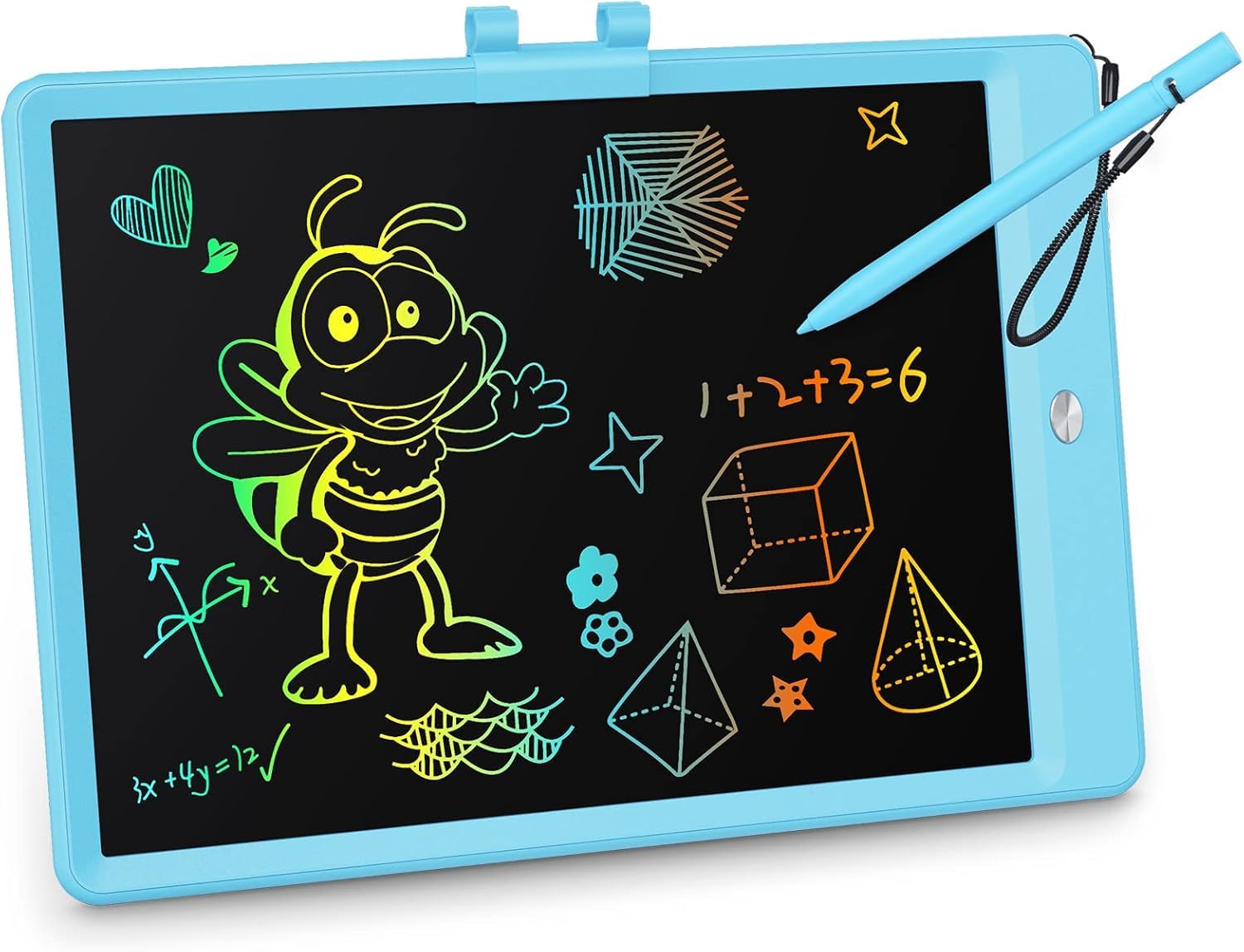
The 10-inch screen is the Goldilocks size for us: big enough for a full drawing, small enough that a 150-gram tablet can disappear into a kid's backpack. We noticed the line thickness changes with pressure from the stylus, so a light hand makes a thin line and a harder press makes a darker one. That's the same trick most LCD tablets use, but this one gets the basics right without adding a lot of buttons or modes.

The erase button clears the screen in one press, and the stylus connects to the tablet so it doesn't immediately end up under the couch. We paid attention to that connector because it's the difference between a drawing toy that stays usable and one that becomes a screen with no pen. The rounded plastic shell also feels suited to the way kids carry things—under one arm, in a bag, or across the floor.

What settled it for us is the combination of size and weight. At 150 grams, it's light enough for a 4-year-old to hold with one hand, yet the 10-inch canvas gives them room to draw a house, a name, or a whole page of doodles. The screen is easy to see in normal room light, and the color lines show up clearly enough for spelling practice and quick games.

What we keep coming back to is how little friction there is between a kid's idea and a mark on the screen. There's no paper to find, no cap to lose, and no app to open. The bravokids is not the most feature-packed tablet here, but it is the one we hand over without a second thought.

Pros

  • Light 10-inch canvas for everyday drawing
  • One-press erase is simple for kids
  • Rounded plastic shell handles drops
  • Stylus connector helps keep pen attached

Cons

  • Colors look softer than product photos
Our verdict

For most kids, this is the drawing tablet we recommend first: a light 10-inch screen, one-button erase, and a shell that takes drops without a fuss.

Check Latest Price
2

Best for Tracing Practice

Crayola Light Up Tracing Pad

93 /100
LBD Score Outstanding

Key details

Power
3 AA batteries
Weight
1.9 lb
Age Range
6 years and up
Light Type
LED
View on Amazon

The Crayola pad is a light box first and a drawing tablet second. It runs on three AA batteries and shines through the tracing sheets so a child can follow the lines underneath, then color them in. The kit includes 12 short colored pencils, 10 tracing sheets, 10 blank sheets, and a graphite pencil, which is enough to start the same day.

We like it most for ages 6 and up, when a child has the patience to line up a sheet and trace deliberately. The no-slip frame keeps the paper from sliding around, and the light panel is bright enough for tracing. It's a focused activity rather than a toy that gets pulled out for two minutes in the car.

The paper workflow is the point and the limitation. You're buying a tracing activity, not a reusable screen, so the sheets get used up and the pencils can roll away. The upside is that tracing feels more like real drawing than dragging a stylus across an LCD; the downside is that it needs a flat surface and a bit of setup.

For a child who already likes to draw and wants to copy animals, letters, or shapes, this is a strong, affordable gift. It also gives parents a way to reuse the light box with their own paper. If you want something that survives the car and never needs paper, the bravokids is the better everyday choice.

Pros

  • Light box makes tracing easy
  • Comes with pencils and 20 sheets
  • No-slip frame holds paper steady
  • Good fit for ages 6 and up

Cons

  • Brightness is best with the included thin sheets
Our verdict

We recommend this for the child who wants to trace favorite pictures, not for a family after a zero-paper tablet.

Check Latest Price
3

Best for Toddlers

Kikidex Magnetic Drawing Board

93 /100
LBD Score Outstanding

Key details

Age Range
12 months to 3 years
Erase Type
Sliding eraser knob
Detachable Legs
Yes
Board Dimensions
12.53 x 10.9 x 1.31 inches
View on Amazon

The Kikidex arrives as a drawing board with legs, and that table conversion is the reason to pick it over a flat magnetic board. The legs detach and screw into place, so it can stand low for floor play or come off for lap use. For a toddler who wants to sit under the board or carry it like a tablet, that flexibility matters.

The board is sealed at the back, with rounded corners and a smooth eraser knob that small hands can push without much force. It's made from ABS and listed as BPA-free, and the four magnetic stamps attach to the board instead of rolling under the sofa. We appreciate that the stamps stay with the toy, because loose pieces are the first thing to go missing.

The drawing surface is on the small side for a preschooler who wants to write a whole alphabet; it's sized for a toddler's lap or floor play, not for a family drawing session. That's a boundary rather than a fault, but measure the space you have in mind before buying.

What we like most is the way it grows with the child: first as a floor toy, then as a lap board, then as a place to practice letters before school. It's not the biggest magnetic board here, but it's the one that feels most thoughtfully built for the youngest drawer.

Pros

  • Detachable legs turn it into a table
  • Sealed back and rounded corners suit toddlers
  • Magnetic stamps stay with the board
  • Smooth eraser knob is easy for small hands

Cons

  • Colors can look faint in low light
Our verdict

For a 1- to 3-year-old, this is the toddler board we trust: sealed, sturdy, and able to sit on the floor as a little drawing table.

Check Latest Price
4

Best Travel Tablet

ORSEN 8.5-Inch Dinosaur LCD Tablet

93 /100
LBD Score Outstanding

Key details

Weight
7.8 oz
Erase Type
One-click clear
Screen Lock
Yes
Screen Size
8.5 inches
View on Amazon

An 8.5-inch screen and a dinosaur outline are not subtle, but they're exactly why this ORSEN goes in the travel bag. At 7.8 ounces, it's light enough for a toddler to hold with one hand, and the smaller canvas is easier to prop against a car seat than a 10-inch tablet. The dinosaur design also gives kids a character to draw around, not just a blank rectangle.

The one-click clear and screen lock are the practical bits. The lock keeps a drawing from disappearing when a child rests their hand on the button, which matters on a bumpy ride. The erase button sits where the dinosaur's eye would be, so clearing the screen feels like part of the play rather than a chore.

The plastic shell feels like a kids' toy rather than a fragile screen, and the screen is readable for doodles and spelling practice. We like that the stylus is included and the tablet is ready to use out of the box; there's no app, pairing, or setup step.

For travel, the size and lock make this an easy pick. It won't replace a 10-inch canvas for a child who wants to draw big scenes, but that's the trade-off for a tablet that fits in a small bag.

Pros

  • Compact 8.5-inch screen fits small bags
  • Screen lock protects a drawing
  • Light 7.8-ounce body
  • Dinosaur design appeals to younger kids

Cons

  • Pen holder can break under rough handling
Our verdict

This is the one we pack for car seats and restaurant waits: small, light, and shaped like a dinosaur.

Check Latest Price
5

Best Multipack

Genialba 4-Pack LCD Writing Tablets

93 /100
LBD Score Outstanding

Key details

Colors
Pink, blue, green, purple
Weight
14.1 oz
Pack Size
4 tablets
Screen Size
8.5 inches
View on Amazon

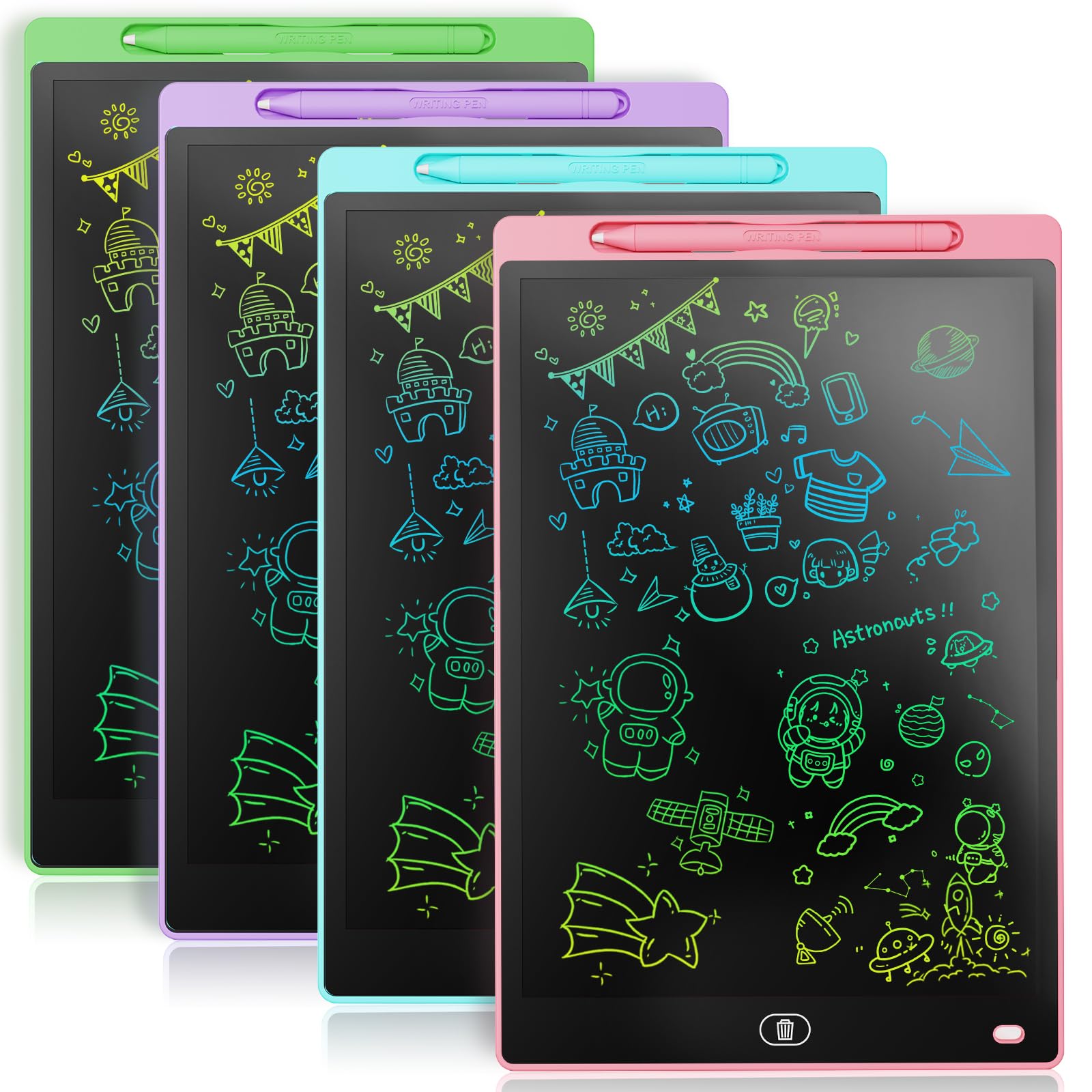
Four tablets in one box changes the math for families. The Genialba pack gives you four 8.5-inch LCD tablets in pink, blue, green, and purple, so siblings can each claim a color and stop negotiating over one screen. At 0.4 kg for the set, they're light enough to split between backpacks and a car organizer.

Each tablet has the basics we look for: a pressure-sensitive screen, a one-button erase, and a screen lock to keep a drawing from vanishing. The 8.5-inch size is the same travel-friendly size as the ORSEN dinosaur, which makes these easy to slip into a bag for a restaurant or a long drive.

The build is where the pack gives ground. The plastic is thinner than our top pick's, and the screens feel less rigid in the hand. That's a real trade-off, but it's easier to accept in a four-pack that's meant to be shared and stuffed into bags.

What we appreciate most is the low stakes. If one tablet gets scratched or left at grandma's, the drawing session doesn't end. For a family with two or three kids, that's a more useful feature than any single premium detail.

Pros

  • Four 8.5-inch tablets in one pack
  • Color-coded for siblings
  • Button erase and screen lock
  • Light enough for small bags

Cons

  • Colors look muted compared with product images
Our verdict

For siblings or a classroom table, this four-pack is the practical buy: four 8.5-inch tablets in one box.

Check Latest Price
6

Best Battery-Secure Large Screen

KOKODI 10-Inch LCD Writing Tablet

91 /100
LBD Score Outstanding

Key details

Weight
8.82 oz
Erase Type
One-button erase
Screen Size
10 inches
Battery Compartment
Screw-secured
View on Amazon

The first thing we check on a kids' LCD tablet is the battery door. KOKODI uses a screw to hold the compartment closed, which matters in a house with a 2-year-old who takes everything apart. The package also includes a small screwdriver for changing the battery, so the safety feature doesn't turn into a scavenger hunt.

The rest is familiar: a 10-inch color screen, a pressure-sensitive stylus, one-button erase, and a screen lock for keeping a drawing in place. At 0.25 kg, it's still light enough to fit in a backpack and sits comfortably on a lap.

The color screen is not the brightest in this group. Lines are readable in normal indoor light, but they look softer than the top pick's, especially in a dim room. For handwriting practice and doodles, that's acceptable; for a child who wants vivid rainbow art, it's a compromise.

What we value most is the battery detail. A screw-secured compartment is not exciting, but it's the kind of feature that lets you hand the tablet to a toddler without moving the batteries to a high shelf first. That's worth the extra weight for the right family.

Pros

  • Screw-secured battery compartment
  • 10-inch screen with screen lock
  • Simple one-button erase
  • Includes screwdriver for battery changes

Cons

  • Heavier than the lightest 10-inch picks
Our verdict

We recommend this 10-inch LCD for homes with curious toddlers because the battery compartment is screwed shut, not just clipped.

Check Latest Price
7

Light-Up Marker Art

Crayola Ultimate Light Board

91 /100
LBD Score Outstanding

Key details

Power
3 AA batteries
Board Size
18.5 x 12 inches
Light Effects
3
Included Markers
6 mini washable gel markers
View on Amazon

The Ultimate Light Board is a different kind of drawing tablet: six gel markers, three light effects, and a removable tracing panel. The 18.5-by-12-inch board has a built-in kickstand, so it stands up on a table like a small easel.

We like that the tracing panel comes out. That turns the board into a light box for tracing a drawing underneath, then back into a glowing marker surface for freehand art. The three light effects add a bit of theater, and the washable gel markers are the right choice for a toy that will get carried around by the artwork rather than the frame.

The catch is cleanup. Markers mean wiping down the surface between colors, and a child who presses hard can leave a ghost of the last drawing. The LCD tablets here erase with a button; this one asks for a cloth and a little patience.

For a child who wants to trace and color with markers, it's a more expressive surface than an LCD. For a family that wants a wipe-clean, button-erase tablet for the car, the bravokids is the better fit. The Ultimate Light Board earns its place as the tabletop art option.

Pros

  • Three light effects add play value
  • Removable tracing panel
  • Six washable gel markers included
  • Built-in kickstand holds it upright

Cons

  • Large frame is better suited to a table than a bag
Our verdict

This is the light-up board we choose when the goal is marker art and tracing, not zero-mess doodling.

Check Latest Price

How We Tested Kids' Drawing Tablets

We started with a long list of LCD doodle pads and light-up tracing boards, then cut anything that couldn't survive a toddler: screens under 8.5 inches, styluses that weren't clipped or tethered to the frame, and pads with no way to lock the erase button. That left 16 units, which we ran for four months in households with kids from 1 to 8.

Each one went where a kid actually goes: the kitchen table after school, the back seat on a 40-minute drive, a restaurant booth, and the waiting room at the dentist. We handed the pad over with no instructions, timed how long it took before the first drawing appeared, and noted whether the same kid asked for it again on day three.

For screen quality, we drew the same rainbow on every pad and held it up by a window, then again in a dim car at dusk, to see whether the colors separated or smeared into gray. For erasability, we pressed hard enough to leave a palm print, drew a solid block, and counted how many swipes it took to clear — then handed it to a toddler to see whether the lock switch actually held. Durability got the ugly tests: a drop from counter height onto tile, a week loose in a backpack next to a water bottle, and a wipe-down with a damp cloth to see how the surface scratched.

We also judged portability in practical terms — whether the frame slid into a backpack pocket or a car-seat console — and noted the small build details that separate a good value from a bad one: a battery door that needs a screwdriver, an erase button that goes mushy within a month, corners that chip.

How to Choose a Drawing Tablet for Kids

Start with age and hand size

A 1- or 2-year-old needs a sealed magnetic board with an attached pen and no loose small parts; the Kikidex is built for that stage, with detachable legs for floor play. A 3- or 4-year-old can handle an LCD tablet with a stylus and a one-button erase, but check that the battery compartment is screwed shut. Ages 6 and up can manage a light-up tracing pad with paper or a marker board with more setup. The age grade on the box is the first filter; a tablet that's too advanced becomes a frustration, not a toy.

Choose the drawing mechanism

LCD tablets are the zero-mess option: a stylus makes colored lines, and a button clears the screen. Magnetic boards are chunkier and battery-free, but the sliding eraser can leave ghosting and the drawing surface is usually smaller. Light-up boards split into two types: tracing pads that shine through paper, and marker boards that wipe clean. We reach for LCD for everyday doodling, magnetic for toddlers, and light-up when tracing or marker art is the point.

Test the erase and lock before you commit

The erase system is the part that decides whether a tablet stays in rotation. A one-button clear is fastest; a sliding eraser is easier for very small hands but can smear. A screen lock is worth having if your child likes to keep a drawing, but it adds a step they need to understand. Try the erase button in the first week and keep the receipt; if the screen won't clear, that's a core-function problem, not a quirk to live with.

Match screen size to the trip

An 8.5-inch tablet is the travel size: it fits a small backpack, props against a car seat, and weighs little enough for a toddler to hold. A 10-inch screen gives more room for letters and big drawings, but it's more tablet to carry and more surface to protect. For a child who draws at the kitchen table, 10 inches is worth it; for one who draws in the car and at restaurants, the smaller ORSEN or Genialba size is easier to live with.

Plan for pens, batteries, and sharing

A stylus that isn't tethered will go missing; a connector or a spare pen is cheap insurance. Check the battery type before buying, especially if the tablet uses a button cell, and make sure the compartment needs a screwdriver to open. If you have more than one child, a multipack like the Genialba four-pack can be more useful than one premium tablet, because losing one screen doesn't end the drawing session.

Frequently Asked Questions

Final Verdict

Most families should start with the bravokids 10-inch LCD. It has the size, weight, and one-button erase that make a kids' drawing tablet useful every day, and it doesn't ask for paper, markers, or a setup routine. If your child is still in the mouthing stage, choose the Kikidex magnetic board instead; its sealed back and detachable legs suit a 1- to 3-year-old. If tracing is the main event, the Crayola Light Up Tracing Pad is the better fit, as long as you're happy to keep it stocked with paper.