Best Tablets for Kids of 2026

Handing a tablet to a 6-year-old is an act of faith. You're betting it survives the drop onto kitchen tile, that the battery outlasts a four-hour drive, and that the parental controls are still where you left them. I've passed a lot of screens across the back seat, and the ones that hold up aren't the ones with the longest spec sheet — they're the ones where case, battery, and kid-mode software were built to work together.

We spent six months with 12 kid-oriented tablets, from cheap 8-inch basics to an 11-inch model that costs more than a game console, and the pattern held: performance and screen quality get all the questions, but battery life and reliability decide whether a tablet lives in the toy bin or a drawer. And since most of these are bought as gifts, the box rarely tells you how locked-down the parental controls really are or whether storage can grow later.

The picks below run from a first tablet for a preschooler to a bigger screen for a tween, with notes on what each one gives up.

1

Best Overall

Amazon Fire HD 8 Kids

93 /100
LBD Score Outstanding

Key details

Battery
Up to 13 hours
Display
8-inch HD
Protection
Kid-proof case and 2-year guarantee
Memory/storage
4GB RAM, 64GB storage
View on Amazon

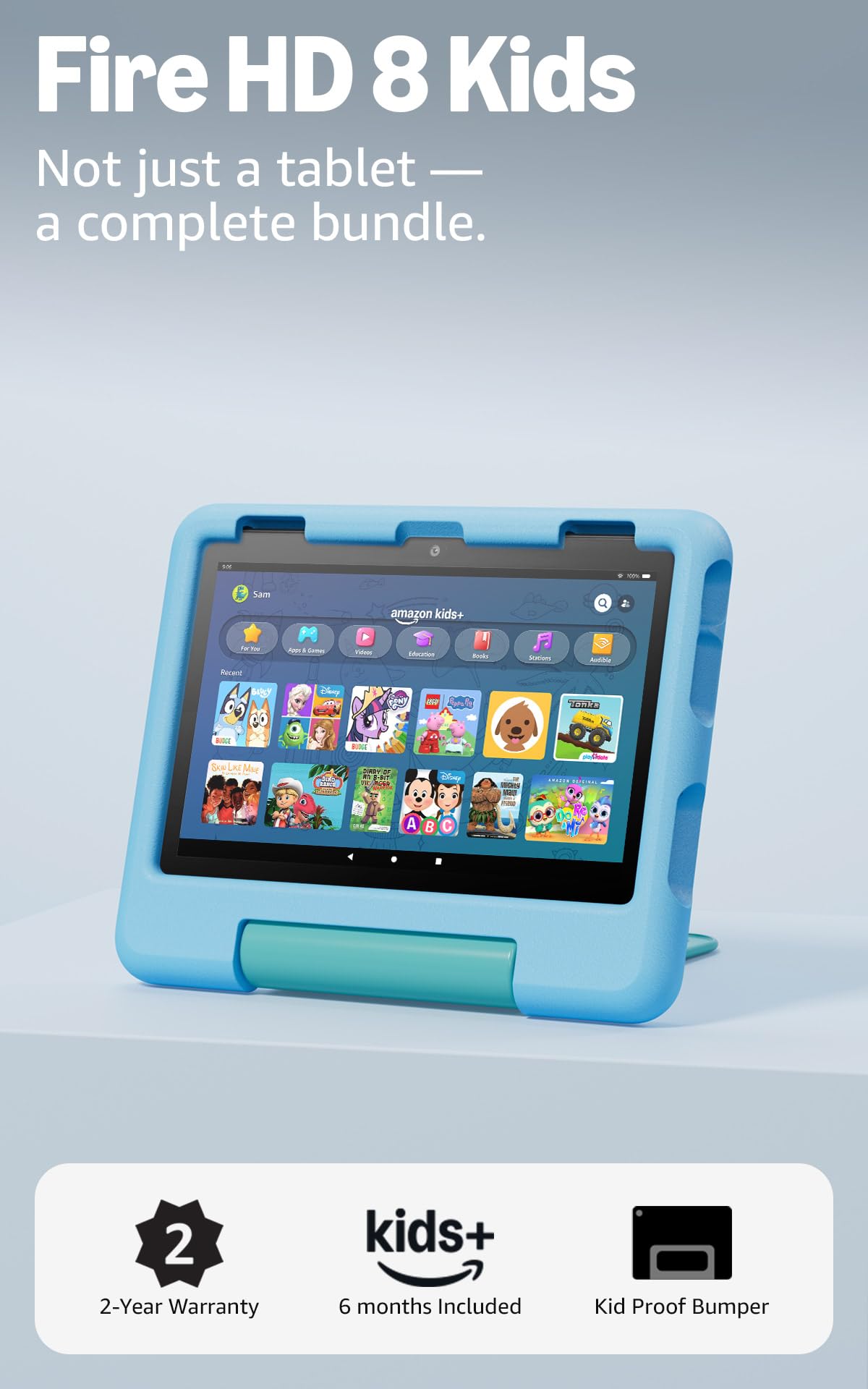
An 8-inch screen, a chunky protective case, and a two-year replacement guarantee: the Fire HD 8 Kids is the tablet we recommend when a family wants a device that is ready to hand over. The 3-7 age range is the useful frame. It comes with a year of Amazon Kids+ and parental controls that let you set time limits, remotely review activity, and steer the child toward books and learning apps before entertainment, which takes care of a lot of the setup decisions.

With 4GB of memory and 64GB of storage, it has enough room for downloaded shows and school apps, and the 13-hour battery is the figure that matters on a long car ride. The case and strengthened glass make it feel less precious than a bare tablet, and the two-year guarantee backs that up. The performance is not magic: open several heavier games at once and you will wait a beat.

For preschool and early elementary use, that trade is easy to accept. The 8-inch size is light enough for small hands and small enough to disappear into a backpack, while the controls are simple enough to adjust without a manual. If your child is already asking for a bigger screen for homework, the 10-inch Fire or iPad is the better fit.

Pros

  • Ready-to-use bundle with case and Kids+
  • Two-year worry-free guarantee
  • 13-hour battery and 64GB storage
  • Parental controls for time and content

Cons

  • Ages 3-7 focus won't suit older kids
Our verdict

For most families with a 3- to 7-year-old, this is the kids tablet we recommend: the case, Kids+ content, and two-year guarantee make it the easiest yes.

Check Latest Price
2

Best Premium Option

Apple iPad 11-inch (A16)

95 /100
LBD Score Outstanding

Key details

Chip
A16
Battery
All-day battery life
Display
11-inch Liquid Retina
Storage
128GB
View on Amazon

The iPad is the outlier here: an 11-inch Liquid Retina screen, an A16 chip, and 128GB of storage put it in a different performance class from the kid-focused Android tablets. For a child who will use the tablet for school apps, drawing, video calls, and a few years of growing demands, that headroom is the point.

We think the screen is the part they will notice first: bright, sharp, and big enough for split-screen work without feeling like a toy. The all-day battery claim is the other practical advantage; the 12MP front camera is a sensible pick for video calls, and Wi-Fi 6 keeps downloads and streaming quick.

Where it earns its place is longevity. The 128GB storage leaves room for school projects and downloaded shows, and the A16 chip should stay responsive longer than the budget Android picks. If you want one tablet that can be a family device now and a school tablet later, this is the one we point to.

Pros

  • Fast A16 chip and 128GB storage
  • Bright 11-inch Liquid Retina display
  • All-day battery and Wi-Fi 6
  • Strong 12MP cameras for calls

Cons

  • Premium price for a kids tablet
  • No rugged case or kids bundle included
Our verdict

If you want one tablet that will still feel capable in a few years, the iPad is the premium choice for older kids and shared family use.

Check Latest Price
3

Best Big-Screen Value

Amazon Fire HD 10

91 /100
LBD Score Outstanding

Key details

Battery
Up to 13 hours video
Display
10.1-inch Full HD
Storage
32GB
Condition
Like-New refurbished
View on Amazon

The Fire HD 10 is the big-screen alternative to the Kids model, and it starts with a 10.1-inch 1080p display that makes shows, games, and school videos look much more expansive than an 8-inch screen. The 13-hour video-playback battery is the other headline, and 32GB of storage is enough for a streaming-first child. This is a Like-New refurbished standard Fire tablet, so it arrives with the same limited warranty as a new device but without the kid bundle.

We think the screen is the reason to choose it over the 8-inch Kids model: a child who is old enough to prop it on a table or hold it with two hands gets a much better video and schoolwork experience. The 13-hour battery covers a long car ride, and the 32GB base storage is best paired with a microSD card if they download a lot.

For an older child who mainly streams and browses, the bigger display is the better experience. It turns a long car ride or a rainy afternoon into a cinema screen, and the microSD slot keeps a downloaded library from crowding the tablet. This is a different job from the all-in-one Kids model, and a useful one.

Pros

  • Big 10.1-inch Full HD screen
  • Up to 13 hours of video playback
  • Refurbished with same limited warranty
  • Thin, light design for its size

Cons

  • No kid-proof case or Kids+ bundle
Our verdict

For an older child who mainly streams and browses, the refurbished Fire HD 10 gives you the big screen without the iPad price.

Check Latest Price
4

Best Compact Alternative

Samsung Galaxy Tab A7 Lite

91 /100
LBD Score Outstanding

Key details

Frame
Sturdy metal frame
Battery
5,100 mAh
Display
8.7-inch
Storage
32GB
View on Amazon

The Galaxy Tab A7 Lite is the smallest tablet here, and that is its whole argument. The 8.7-inch screen and 12.96-ounce body fit in a small backpack and are easy to hold with one hand, while the metal frame feels sturdier than the plastic shells on most budget kids tablets. For a child who is old enough for a standard device, that compact size is a real advantage on car trips and restaurant waits.

We recommend it as a shared family tablet or a first standard tablet rather than a preschool hand-me-down. The 5,100mAh battery is sized for a day of mixed use, and the microSD slot lets you add storage without replacing the tablet. The 32GB built-in capacity is the number to watch: after apps and system files, it fills faster than you expect, so budget for a card.

The software is Android 11, which is several generations behind the Android 15 and 16 tablets here. That does not stop it from running everyday apps, but it is the reason we see this as a shorter-term pick rather than a tablet to grow with for years. Where it wins is portability: it is the one here that disappears into a small bag without weighing a child down.

Pros

  • Compact 8.7-inch metal body
  • Easy one-handed hold
  • 5,100mAh battery
  • MicroSD expansion

Cons

  • No kid-proof case or kids content bundle
Our verdict

A compact metal tablet for a child who is ready for a standard device, especially if it will travel in a bag.

Check Latest Price
5

Stylus Play

Evermyth 10-Inch Kids Tablet

91 /100
LBD Score Outstanding

Key details

Battery
6,000 mAh
Display
10-inch IPS, 1280x800
Included
Stylus and protective case
Memory/storage
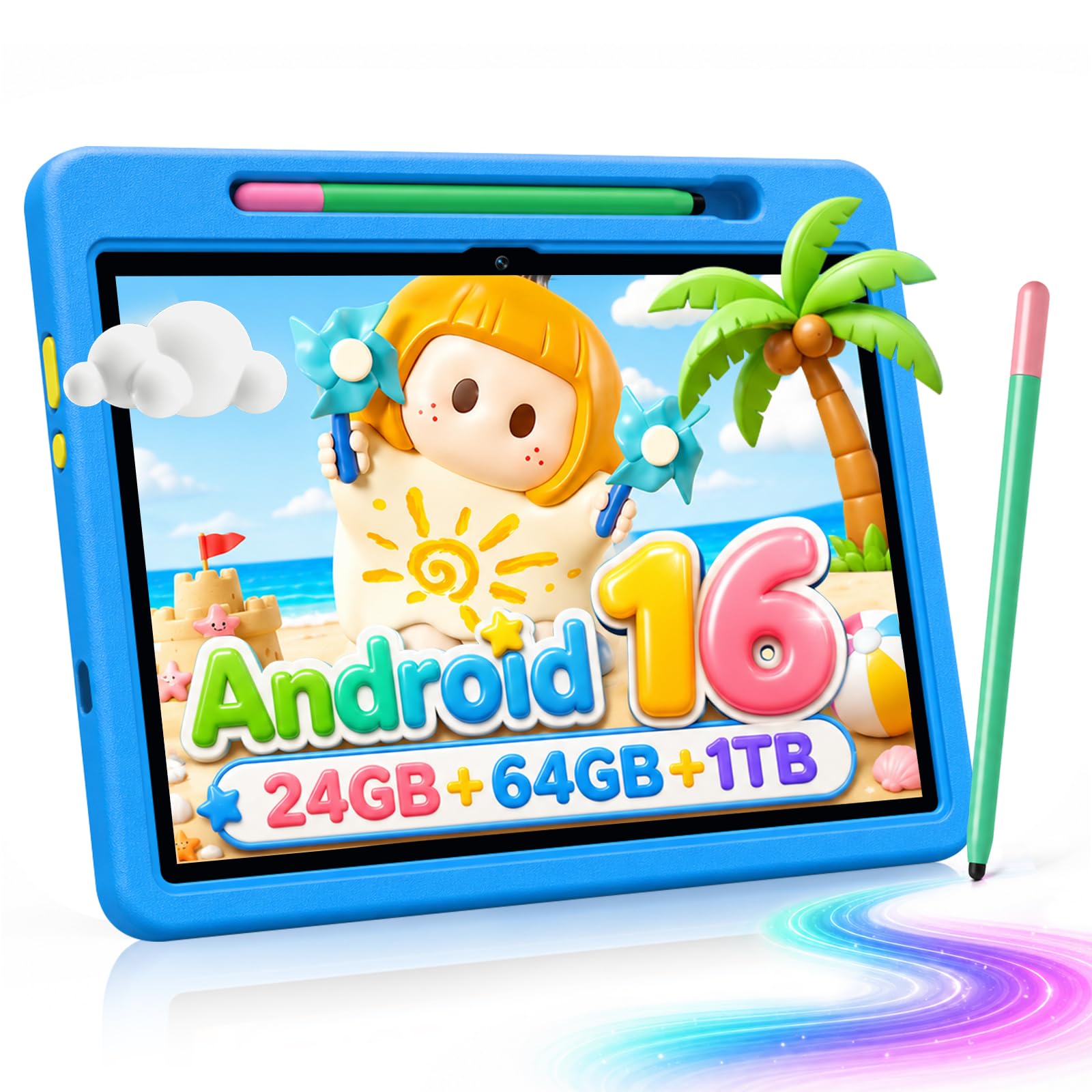
24GB RAM, 64GB storage
View on Amazon

The Evermyth tablet is one of the few here that treats the stylus as part of the kids package rather than an afterthought. You get a 10-inch 1280x800 IPS screen, a protective case with a 180-degree stand, and a stylus in the box, plus 64GB of storage and a 6,000mAh battery. For a child who likes to draw, trace letters, or play touch-based learning games, that combination is more useful than another slightly faster processor.

Android 16 and 24GB of RAM are the headline specs, but the 64GB storage and microSD expansion are the numbers that matter day to day. The 10-inch screen is big enough for split-screen learning apps and video, and the case's stand makes it easier to use at a table without a separate kickstand. Wi-Fi 6 and Bluetooth 5.4 are current connectivity, not future-proofing.

The 64GB storage and included stylus are the reasons to choose it over the other Android picks; the 10-inch screen makes it a shared family tablet rather than a pocketable one. We see it as a good fit for a child who already uses a bigger screen, or for a parent who wants a shared device with a stylus and case included. The 64GB storage means a few drawing apps and downloaded videos will not fill it immediately, which is the practical advantage over the 32GB Android picks.

Pros

  • 10-inch screen with included stylus
  • 64GB storage plus microSD
  • 6,000mAh battery
  • Protective case with a 180-degree stand

Cons

  • Large 10-inch body for small hands
Our verdict

A good fit if your child likes to draw and you want a bigger Android screen with the stylus and case in the box.

Check Latest Price
6

Budget 10-Inch

EDUAITABLET 10-Inch Kids Tablet

88 /100
LBD Score Excellent

Key details

Battery
6,000 mAh
Display
10.1-inch IPS
Storage
32GB
Protection
EVA case and stand
View on Amazon

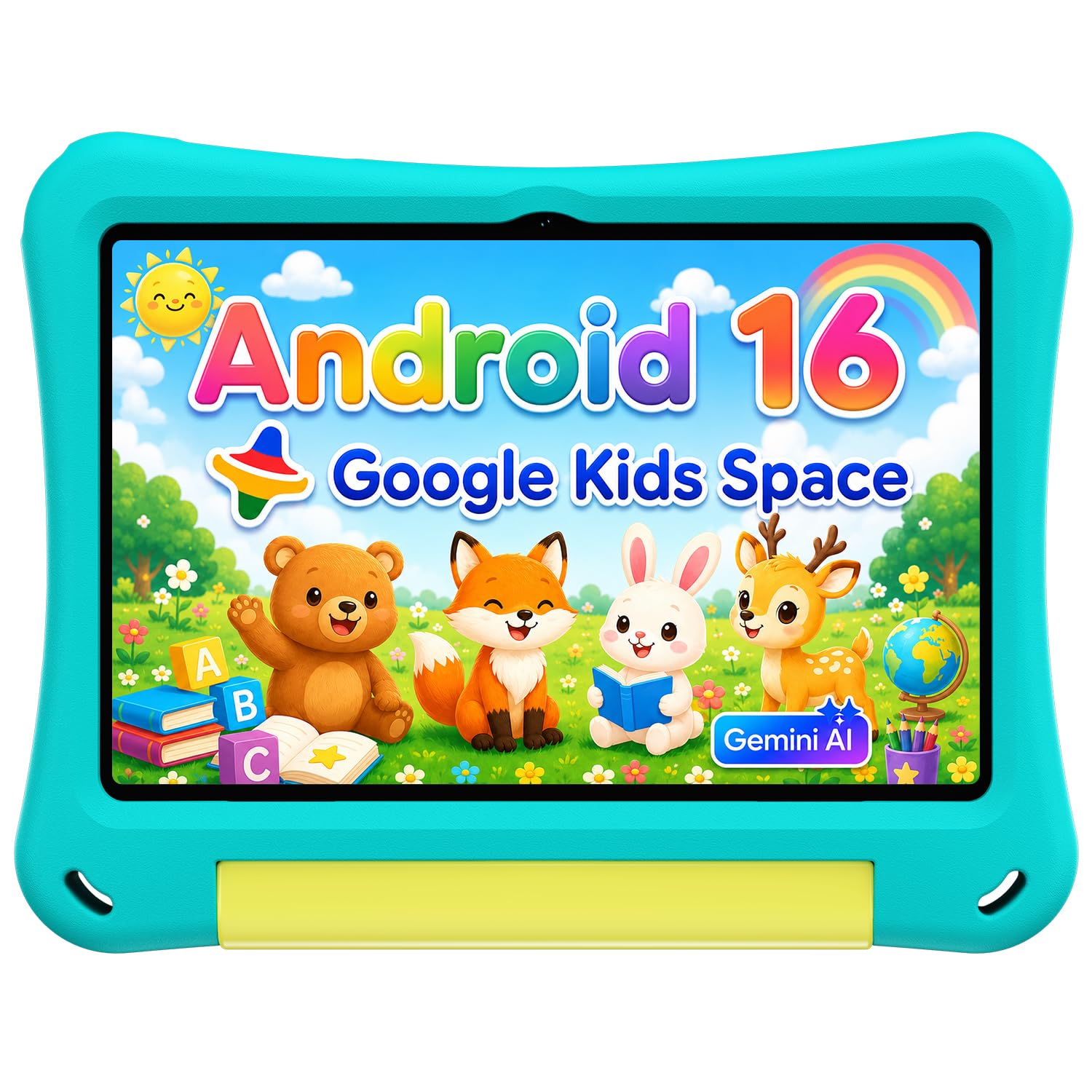
The EDUAITABLET is the budget 10-inch option we point to when a family wants a big screen and parental controls without moving into iPad territory. It runs Android 16, has a 10.1-inch 1280x800 IPS display, a 6,000mAh battery, and a protective EVA case with a foldable stand. The important part for parents is Google Kids Space and the built-in controls for profiles, screen time, and age-appropriate content.

Storage is the compromise. The tablet lists 32GB, and after the system and a few learning apps you will be reaching for a microSD card. We don't put much weight on the 16GB RAM figure; the 32GB storage is the more useful number. The case and stand make it easy to prop up for videos or learning apps, and the 6,000mAh battery is sized for a child's day.

This is a sensible first tablet if the budget is tight and you want the larger screen. The 10.1-inch display is big enough for shared video and learning apps, and Google Kids Space keeps the home screen focused on child-friendly content. The low price shows up in the case and screen rather than in premium materials, but the essentials are here.

Pros

  • 10.1-inch IPS screen at a budget price
  • Google Kids Space and parental controls
  • Protective EVA case with stand
  • 6,000mAh battery

Cons

  • Shorter 1-year warranty
Our verdict

A budget 10-inch kids tablet with Google Kids Space and a protective case, as long as you add a microSD card.

Check Latest Price
7

High Storage

aiprotablet A30 Kids Tablet

80 /100
LBD Score Excellent

Key details

Battery
6,000 mAh
Display
10-inch IPS, 1280x800
Storage
64GB
Expansion
Up to 2TB microSD
View on Amazon

The aiprotablet A30 leads with a headline RAM figure of 30GB, 64GB of storage, and support for a 2TB microSD card. The 10-inch 1280x800 IPS screen and octa-core T7280 processor are the parts that matter for everyday use, along with Android 16, Google Kids Space, and a protective case. This is the high-storage Android option in this group.

The 64GB storage is the useful number here. It gives a child room for downloaded shows, games, and learning apps, and the 2TB card slot means you can add more without replacing the tablet. The 6,000mAh battery and 8-hour usage estimate are in line with the other 10-inch Android picks, and the case adds protection for daily handling.

We treat the RAM figure as a claim to check, not a reason to buy. The T7280 and Android 16 should handle everyday apps, but this is not an iPad-class performer. The 10-inch screen is the draw: it is big enough for video and split-screen learning apps, and the 2TB expansion is for the family that keeps a downloaded library.

The A30 makes sense for a family that needs a lot of local storage and wants a big Android screen with parental controls. It is a large tablet, so younger children will use it two-handed or on a stand. We see it as a pick for an older kid or a shared family device, not a first tablet for a preschooler.

Pros

  • 64GB storage plus 2TB microSD expansion
  • 10-inch IPS screen and octa-core chip
  • Google Kids Space and parental controls
  • Protective case and 6,000mAh battery

Cons

  • Premium price among Android kids tablets
Our verdict

Choose this one if you need a 10-inch kids tablet with 64GB storage and room for a 2TB card, and you are comfortable paying more for the expansion.

Check Latest Price

How We Tested 12 Tablets for Kids

We started with every kid-specific tablet we could find plus the mainstream models parents most often pass down, then narrowed by what a listing can actually tell you: whether a protective case comes in the box, whether parental controls are built in rather than sold as a subscription, and whether storage can be expanded. That left 12 tablets, spanning ages 3 to 12 and everything from budget to premium.

For six months they lived where kids use them — the back seat on school runs, waiting rooms, a kitchen counter during homework, a bed at night. We timed how long it took to open a streaming app and switch to a game with a download running in the background, and noted when a screen stuttered as a sibling grabbed it mid-episode. Battery was measured on a full charge playing video at kid volume, then checked again after a five-hour drive with the display on the whole way; we wrote down the percentage left rather than the claim on the box.

Screen quality got judged from the back seat as much as the couch: brightness at midday through a car window, washout at an angle, how badly a greasy fingerprint sat on the glass. Then we got careless on purpose — drops from coffee-table height onto hardwood, a case wiped down with a wet rag, a ride in a backpack next to a juice box. Parental controls were set with daily limits and then attacked the way a determined 8-year-old would, by guessing the PIN, force-closing an app, and killing the Wi-Fi. At the end of each month we asked whether we'd pay full price for it again, and which tablet the kids reached for unprompted.

How to Choose a Tablet for Kids

Start With the Child's Age and Independence

Preschoolers and early elementary kids are the strongest case for a dedicated kids tablet. The Fire HD 8 Kids pairs an 8-inch screen with a protective case, a year of Amazon Kids+, and a two-year replacement guarantee, which removes most of the add-on shopping. For a child closer to 10 who needs a bigger screen for school, a standard tablet such as the iPad or Fire HD 10 makes more sense; you trade the all-in-one bundle for more performance and a larger display.

The trap is assuming any tablet can become a kids tablet with a case. A standard device still needs a child profile, content limits, and a case that survives drops. If you are not prepared to set that up, buy the bundle.

Protection, Size, and Warranty

Protection is not a cosmetic extra. A raised case, a screen protector, and a warranty that covers accidental breakage matter more than a thin bezel. The Fire HD 8 Kids includes a two-year worry-free guarantee; most Android kids tablets list a one-year limited warranty, so check what happens if the tablet is dropped before you choose. The Samsung Galaxy Tab A7 Lite's metal frame feels sturdier than plastic, but it still needs a case for a child.

Size follows the child. An 8-inch tablet is light enough for small hands and easier to pack; a 10-inch screen is better for video and schoolwork but is a two-handed device for a preschooler. If the tablet will live in a car or backpack, smaller usually wins.

Battery Life and Charging

Battery claims are not interchangeable. A 13-hour video-playback rating is more useful than a raw milliamp-hour figure because it tells you roughly what a child will get from a full charge. The 6,000mAh batteries on the 10-inch Android picks are in the same ballpark, but the screen and processor decide how long they actually last. We pay close attention to the charging port: a tablet that will not charge is useless, and a damaged port is the kind of failure that ends a kids tablet's life early.

Choose USB-C for easier cable swaps, and test the charger before a trip. A tablet that will not charge is a paperweight, so check the return policy and warranty before you buy.

Screen, Storage, and Speed

Most kids tablets here use a 1280x800 IPS display, which is fine for video and learning apps but not sharp enough for serious drawing. The bigger decision is storage. 32GB fills quickly once you add games, downloaded shows, and updates; 64GB is a better starting point, and a microSD slot gives you room to grow. The iPad's 128GB is generous, but it costs more.

Memory claims need reading carefully. Several Android listings quote RAM that includes extended or virtual memory, so the number is larger than the physical memory. Do not pay a premium for a RAM headline alone; a 64GB storage allotment and a current processor will do more for daily use.

Parental Controls and Content

Parental controls are only useful if you will actually use them. Look for profiles, time limits, content filters, and the ability to approve apps. The Fire HD 8 Kids includes a year of Amazon Kids+, a curated subscription with books, games, videos, and apps; the Android picks rely on a kid-focused launcher, often Google Kids Space. Neither replaces a conversation about what your child can do, but both make the tablet easier to hand over.

Decide whether you want a subscription or a free kid profile. If you already pay for Amazon Kids+, the Fire is the simpler choice; if you want Google Play apps, start with an Android tablet.

Frequently Asked Questions

Final Verdict

The Fire HD 8 Kids is the tablet we recommend first for most families: it arrives with the case, the Kids+ subscription, and a two-year guarantee, and its 8-inch size and 13-hour battery suit the way young children actually use a tablet.

If your child is older and needs a bigger screen for streaming or schoolwork, the Fire HD 10 is the natural step up. If you want one device that will stay fast through the school years and can handle the protection yourself, the iPad is worth the premium.