Best Overall
CMSTEDCD 8K HDMI KVM
Key details
- Switching
- Button and wired controller
- USB Ports
- 4x USB 3.0
- Resolution
- 8K@60Hz, 4K@120Hz
- Computer Inputs
- 2x HDMI
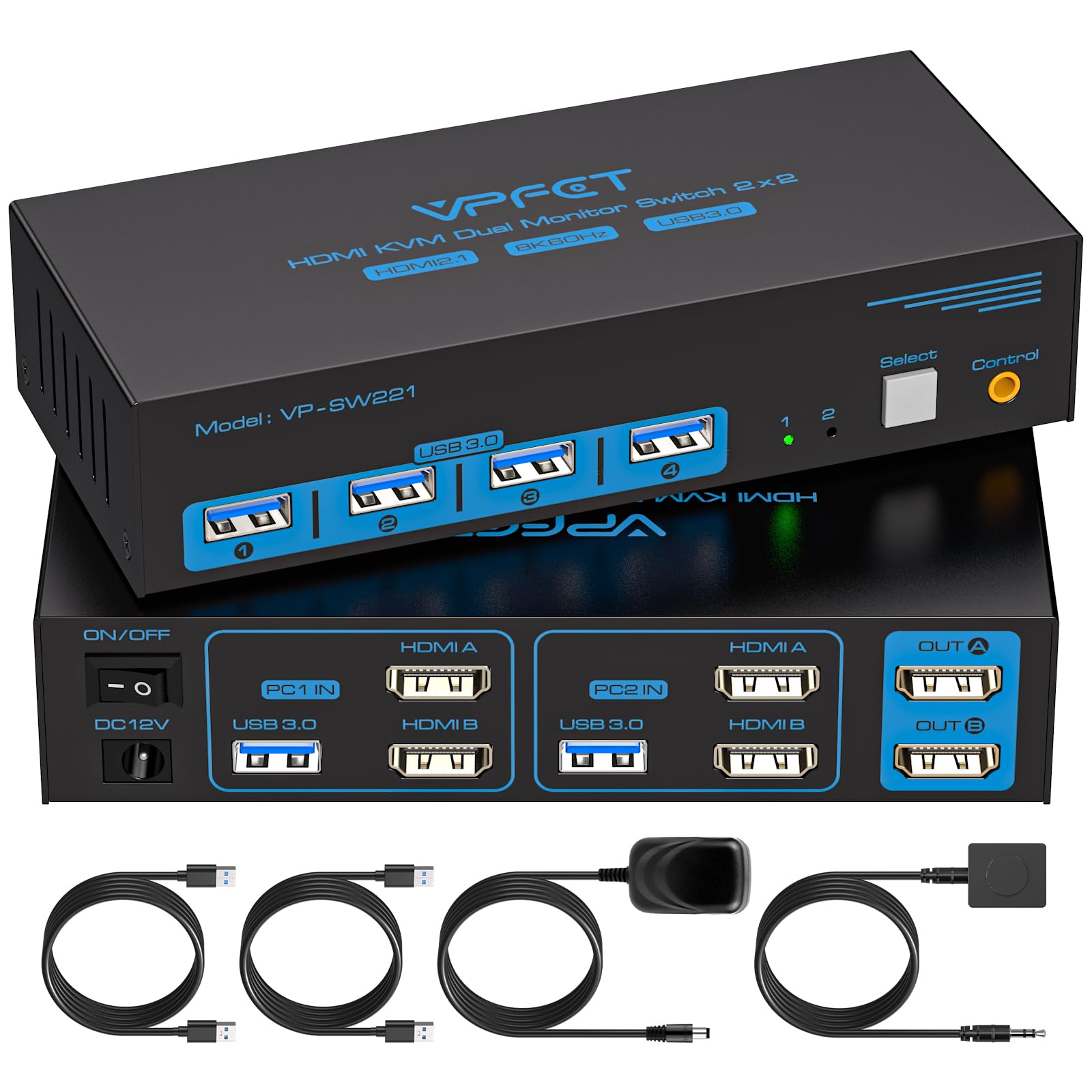
A KVM switch is two devices sharing one box: a video switcher and a USB hub, and the USB half is where most of them get skimped. This one arrives with a 12V adapter and runs its four USB 3.0 ports from that supply instead of drawing on the computers, so a webcam, a headset and an external drive behave the same way on both machines.
That is a large part of why it sits at the top of this list. The video side is rated to 8K@60Hz and 4K@120Hz over HDMI, which is more headroom than a pair of 60Hz office screens needs but costs nothing to have, and the switching settled into the background within a day of use: press the button on the box, or the wired controller if the unit lives under the desk, and both screens come back with the layout intact.
The small things are the ones we kept noticing. The indicator light says which computer is live without ducking behind the monitor, and the metal case stays put when a stiff HDMI cable tugs at it. Nothing here feels like a compromise at this money, which is not something we can say about most of the switches below it.
Pros
- Four USB 3.0 ports on a 12V supply
- 8K@60Hz and 4K@120Hz HDMI headroom
- Panel button plus wired desktop controller
- Metal housing that stays put
Cons
- No video cables in the box
- HDMI only; two outputs needed per computer
For two HDMI computers on two HDMI monitors, this is the switch we point to first: powered USB ports, 8K-rated video paths, and switching that stops being noticeable.