Best Full-Size Mechanical Keyboards of 2026

A mechanical keyboard sounds like a great idea until someone in the next room asks what that noise is. The switches decide almost everything — how loud the board gets, how much work each keystroke takes, whether it feels like a tool or a toy — and full-size models add a number pad, dedicated controls, and real desk footprint on top of that.

Over the past six months, my team and I used 11 full-size boards as daily drivers, wired and wireless, hot-swappable and sealed. The good ones didn't win on specs, and they didn't always cost the most. They won on how solid the case felt when you picked it up, whether the backlighting actually helped at night, and whether a wireless pairing survived a full workday.

One thing worth knowing first: hot-swappable sockets, where you pull a switch and press in a new one without soldering, have become the feature that keeps a board useful for years — something too loud for your office today can be a quiet one next month. The picks below are the ones we'd hand to a friend.

1

Best Overall

Logitech G413 SE

90 /100
LBD Score Outstanding

Key details

Keys
108
Keycaps
PBT
Switches
Tactile mechanical
Connection
USB wired
View on Amazon

Two things decide how a keyboard looks after three years of typing: the plastic on top of the switches and the plate underneath them. Logitech got both right on the G413 SE. The keycaps are PBT, the material that resists the greasy shine ABS develops, and the top case is brushed black aluminum rather than the usual plastic shell. At 780 grams it stays where you put it, even during a bad round.

The switches are tactile, with a bump you feel at the actuation point and none of the click of a blue switch, and the layout is the full 108 keys with the numpad, plus six-key rollover so simultaneous presses don't cancel each other out. There's no software in the box and none needed: plug in the USB cable and Windows or macOS sees a keyboard.

The backlight is white with three brightness settings, and we came to prefer that over a rainbow. At night you can read every key without turning the desk into a light show, and there's no per-key software to open. What the G413 SE doesn't do is disappear: the space bar is the loudest thing on the board, and every keystroke lands with a hard tap that carries in a quiet room.

It isn't the quietest or the flashiest keyboard here, and it will never be wireless. It's the one we hand to most people, because the parts that wear out first, the caps and the case, are the parts Logitech spent the money on. The Redragon K668 costs less and gives you swappable switches; the ROG Scope II X is smoother for a good deal more. Neither makes this a worse default.

Pros

  • PBT keycaps resist shine and wear
  • Brushed aluminum top case stays planted
  • Tactile switches with no software to install
  • White backlight with three brightness levels

Cons

  • Wired only, with no wireless option
  • White lighting only, no per-key color
Our verdict

Our default for most desks: PBT keycaps and an aluminum case at a mid-range price, with tactile switches and nothing to install or charge.

Check Latest Price
2

Best Wireless

AULA F108 Pro

89 /100
LBD Score Excellent

Key details

Keys
108
Battery
8,000 mAh
Switches
Linear, hot-swappable
Connection
Bluetooth 5.0, 2.4 GHz, USB-C
View on Amazon

The first thing anyone notices about the F108 Pro is the small color screen and the knob in the top-right corner. The screen tells you which connection is live and how much battery is left; the knob handles volume and backlight without hunting for a function key. It's the most useful pair of extras on any board in this guide, as long as you have a light touch, because the knob is on the sensitive side.

Underneath those extras is why we recommend it: this is the most feature-dense keyboard here. Tri-mode connectivity covers Bluetooth 5.0, a 2.4 GHz dongle, and USB-C, the battery is 8,000 mAh, the sockets are hot-swappable for 3- and 5-pin switches, and a five-layer foam-and-silicone stack takes the hollow ping out of the case.

That stack is what you hear. The pre-lubed linear switches produce a low, creamy thock rather than a plastic clack, and the difference is obvious the first time you bottom out a key next to a plain plastic board. The side-printed PBT keycaps are smarter than they sound, too: the legends sit on the front face of each cap, where your fingertips never polish them away.

Bluetooth is the weak link. Pairing can take a couple of attempts and the connection can drop, so treat the 2.4 GHz dongle and the cable as the dependable paths and Bluetooth as the convenience for a tablet. Weighed against how much board you get, the F108 Pro is still the wireless pick here; plan on pairing once and leaving it alone.

Pros

  • Tri-mode wireless with an 8,000 mAh battery
  • Hot-swappable 3- and 5-pin sockets
  • Five-layer dampening gives a creamy, low sound
  • Screen and knob for volume and lighting

Cons

  • Six-month warranty is the shortest here
Our verdict

We recommend it when you want one board for everything: wireless to three devices, hot-swap sockets, and the best-damped sound in this guide.

Check Latest Price
3

Best for Macros and Media

Redragon K580 VATA

93 /100
LBD Score Outstanding

Key details

Keys
104
Extras
5 macro keys, media wheel
Switches
Outemu Blue, clicky
Connection
USB wired
View on Amazon

This is the board for someone whose working day is the same twelve keystrokes in sequence. Five macro keys sit along the left edge, and you record a combo straight into them without opening any software, so the shortcut lives in the keyboard rather than in a profile tied to one machine. That's a genuinely rare thing to find this far down the price range, and it's the reason we keep recommending it.

The rest of the hardware is built for the same person: a volume roller and dedicated media buttons in the top-right corner, RGB with 18 preset schemes you can edit on the board itself, double-shot keycaps rated to 50 million keystrokes, and an aluminum plate under a 1,200-gram body that doesn't walk across the desk.

It is also the loudest keyboard in this guide. The Outemu Blue switches deliver the full click and clack, which is satisfying alone at night and antisocial in an open office. The hot-swap sockets soften that considerably: pull the blues, press in a set of linears, and you have a different keyboard with the macro column still there. Two small notes: the printed manual is tiny enough to need good light, and the deeper macro layering and lighting effects live in optional software rather than on the board.

Pros

  • Five on-board macro keys, recorded without software
  • Volume roller and dedicated media controls
  • Hot-swap sockets let you swap out the blues
  • Double-shot caps rated to 50 million keystrokes

Cons

  • Clicky switches carry into the next room
  • Advanced macro layering requires optional software
Our verdict

Buy it for the five on-board macro keys and the media wheel; the clicky switches are loud enough to keep it out of shared offices.

Check Latest Price
4

Best for Gaming

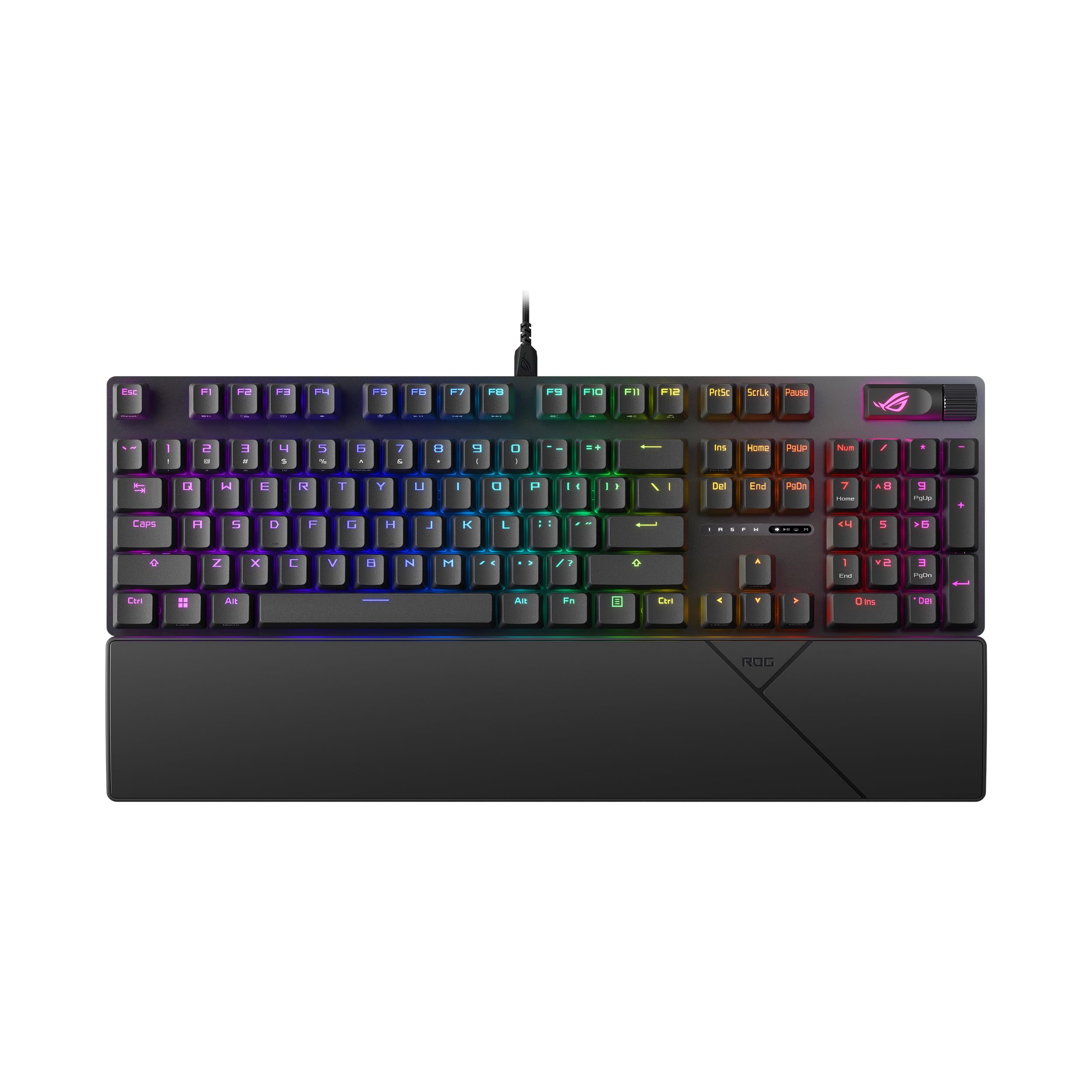
ASUS ROG Strix Scope II X

89 /100
LBD Score Excellent

Key details

Keys
104
Keycaps
Doubleshot PBT
Switches
ROG NX Snow V2 linear, hot-swappable
In The Box
Wrist rest, detachable cable
View on Amazon

The Logitech G413 SE is the safer buy for most desks. This is the board for someone who wants the difference to be audible: pre-lubed ROG NX Snow V2 linear switches in hot-swap sockets, doubleshot PBT keycaps, an aluminum top plate, and three tilt angles to choose from.

The acoustics are the real work here. Foam inside the case and dampening pads under each switch soak up the ping and echo that make a cheap mechanical board sound cheap, and what's left is a low, dry thock that doesn't ring. That puts it in the narrow window of boards quiet enough for a shared office and still mechanical enough to feel like something.

The practical details are right, too. The USB-C cable detaches at the board, so a chewed cord is a cable replacement rather than a keyboard replacement, and the wrist rest in the box sits at the right height instead of floating below your palms. The multi-function wheel and the F1 through F5 Game Bar keys are there if you stream and invisible if you don't.

It costs the most of the wired boards here, and the premium buys a smoother switch and a quieter case rather than more keys. One thing to do when it arrives: run a finger across every key and check the whole backlight before the return window closes, because boards in this line can show up with a dead zone. Do that, and it's the most refined typing experience in this group.

Pros

  • Pre-lubed linear switches in hot-swap sockets
  • Foam and switch pads keep the case quiet
  • Doubleshot PBT caps on an aluminum plate
  • Detachable cable and wrist rest included

Cons

  • Costs the most of the wired boards here
Our verdict

The most refined wired board here: pre-lubed hot-swap linears, foam-damped acoustics, and PBT caps, for gamers who notice the difference.

Check Latest Price
5

Best for Mac and Quiet Offices

Keychron C2

86 /100
LBD Score Excellent

Key details

Keys
104
Keycaps
ABS
Switches
Keychron Brown tactile
Backlight
None
View on Amazon

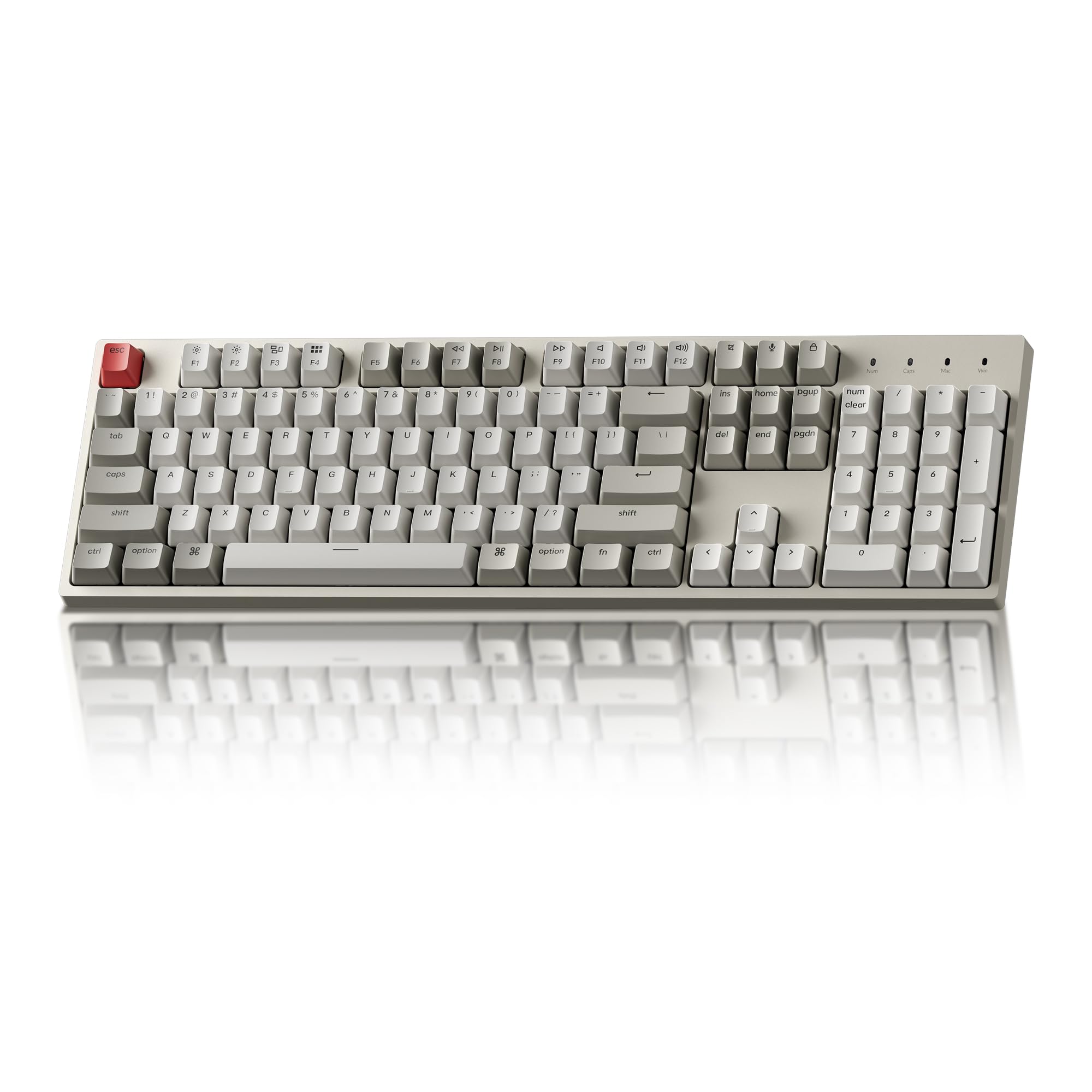
There's no backlight on this one, none, not even white. That's the trade the C2 makes, and the rest follows the same instinct: a plain 104-key board with a Mac-first layout, tactile brown switches, a braided USB-C cable, and a beige-and-grey colorway that looks like 1992 in the best possible way.

The brown switches are the office compromise we reach for most often, with a bump you feel and no click for the hallway to hear. Keychron tunes the case to a soft, low thock that stays under the volume of a phone call, and the 1.5-kilogram body doesn't move. Mac users get the modifier keys where they expect them and a spare set of Windows keycaps in the box; Num Lock itself is Windows-only.

Where it gives ground is over time. Keys can stop registering after a few months on some boards, which is the one thing to weigh before you buy, and the ABS caps will shine at the fingertips long before a PBT set would. Take it for the layout, the sound, and the price; if you want a board you never think about again, the G413 SE's PBT and aluminum are the safer bet.

Pros

  • Mac-first layout with Windows keycaps included
  • Quiet, tactile brown switches
  • Heavy 1.5 kg body that stays put

Cons

  • No backlight at all
  • ABS keycaps shine with use
Our verdict

For Mac users who want a quiet, tactile 104-key board and can live without a backlight, it's the value pick of the group.

Check Latest Price
6

Best Low-Profile for Multi-Device

Logitech MX Mechanical

85 /100
LBD Score Excellent

Key details

Keys
104
Battery
Up to 15 days
Switches
Low-profile tactile
Connection
Bluetooth LE, Logi Bolt
View on Amazon

Three machines on one desk, a work laptop, a personal desktop, a tablet, is the situation this keyboard was designed around. Pair it with three devices over Bluetooth LE or the included Logi Bolt receiver, tap a key, and you're typing on the next one. Logitech's Flow software carries the cursor and clipboard across with you.

The keys are low-profile and tactile, with a bump you feel rather than a click you hear, and the aluminum body gives it a planted, expensive feel that most low-profile boards lack. Charging is USB-C, and Logitech quotes up to 15 days with the backlight active. The smart backlight is also the most irritating thing about it: it fades within seconds of your hands leaving the keys, so reading a shortcut from across the desk means touching the board first.

We rate this as a workflow tool more than a typing showcase. Per dollar it's the weakest value in the guide, since the switches aren't better than the wired boards here and shallow travel is a taste not everyone acquires. What you're paying for is multi-device switching and a desk presence you barely notice. If you work across two or three machines all day, that trade holds up; if you don't, it doesn't.

Pros

  • Pairs with three devices over Bluetooth or Bolt
  • Low-profile keys are comfortable for long days
  • Aluminum body with USB-C charging
  • Up to 15 days of backlit battery life

Cons

  • The most expensive board in this guide
  • Backlight fades within seconds of idle
Our verdict

Worth its price only if you switch between three computers daily; the multi-device pairing is excellent, the low-profile feel is a matter of taste.

Check Latest Price
7

Best Budget

Redragon K668

89 /100
LBD Score Excellent

Key details

Keys
108
Extras
Two keycap sets, spare switches
Switches
Linear red, hot-swappable
Backlight
RGB, 19 modes
View on Amazon

Open the box and you find a second full set of keycaps in a contrasting color, spare switches, and the tools to pull both. That's an unusual amount of extra to include with a keyboard at the bottom of the range, and it says what Redragon thinks it's selling: a board you're meant to take apart.

The fundamentals hold. There are 108 keys with four dedicated hotkeys for mute, calculator, screen lock, and desktop; the sockets take 3- or 5-pin switches, so the stock linears can become tactiles whenever curiosity strikes; and a layer of dampening inside takes the edge off the sound. RGB runs to 19 preset modes, and two-stage feet let you pick the angle.

What you give up is heft. The case is plastic and the board is light enough to slide if you shove it, and the fitted keycaps feel like the spares they resemble. Neither matters much for the money, and the hot-swap sockets mean the parts most likely to fail are the parts you can replace yourself. For a first mechanical keyboard, a second desk, or a kid's setup, this is where we point.

Pros

  • Second keycap set and spare switches included
  • Hot-swappable 3- and 5-pin sockets
  • 108 keys with four dedicated hotkeys
  • 19 RGB modes and two-stage feet

Cons

  • Plastic case feels light and slides
  • Remapping the four hotkeys needs software
Our verdict

The best first mechanical keyboard here: hot-swap sockets, a spare keycap set, and 108 keys for the least money in the guide.

Check Latest Price
8

Quiet Low-Profile Work

ProtoArc K310 Pro

89 /100
LBD Score Excellent

Key details

Keys
108
Switches
Low-profile linear
Warranty
2 years
Connection
Bluetooth, 2.4 GHz
View on Amazon

Take the low-profile wireless idea behind the Logitech MX Mechanical, strip out the premium, and you land here: a 108-key board with shallow linear red switches, an aluminum top case, and three-device connectivity over Bluetooth or a 2.4 GHz receiver. ProtoArc backs it with a two-year warranty, the longest of any keyboard in this guide. If you want that low-profile shape without paying Logitech money, this is the one we point to.

Day to day, that means quiet, shallow typing that suits anyone who learned on a laptop, a single-color backlight with ten effects instead of per-key RGB, and macro and lighting changes that live in software rather than on the board. Three devices over Bluetooth is the feature that earns it a place next to the MX Mechanical, and the aluminum case is what makes it feel like more than the sum of its parts. Keep the USB-C cable handy for the days you forget to charge.

Pros

  • Three devices over Bluetooth or 2.4 GHz
  • Quiet, shallow linear switches
  • Aluminum top case, unusual at this price
  • Two-year warranty, the longest here

Cons

  • Single-color backlight, no per-key RGB
Our verdict

The low-profile wireless board to buy if the Logitech's price is the obstacle: quiet linear switches, an aluminum case, and a two-year warranty.

Check Latest Price

How We Tested Full-Size Mechanical Keyboards

We started with every full-size board we could find from brands with a track record, cut anything that wasn't a true 100 percent layout with a number pad, then spread the final 11 across switch types, wired and wireless models, hot-swap and fixed-socket builds, and a range of budgets so the group looked like the choice a real shopper faces.

Testing ran six months, and each board spent at least two weeks as someone's daily driver. That meant a 9-to-5 desk typing spreadsheets and email, a shared living room after 10 p.m. with someone asleep down the hall, weekend gaming sessions, and one wireless model that rode in a bag to a coffee shop.

We typed the same passage on every board and logged how loud it got with a decibel meter held at arm's length, noting whether the sound was a low thock or a hollow ping. We pressed keys at all four corners to feel for wobble, twisted each case with both hands to listen for creak, and lifted boards by one end to see if the frame gave. Backlighting was judged in a dark room — readable legends or just glow. Wireless boards were paired to a laptop and a phone and left connected through a full workday, and hot-swap sockets were tested by pulling and reseating switches to see how tightly they held.

By the end, we were also checking keycaps for shine and watching for dropped connections, stuck keys, or a battery that quit early. The boards that scored highest were the ones we kept reaching for after the novelty wore off, and the ones that still felt tight after months of daily use.

How to Choose a Full-Size Mechanical Keyboard

Start with the switch, not the feature list

Three switch families cover almost everything here. Linear switches, like the reds in the Redragon K668 and the ROG NX Snow in the ASUS, travel straight down with no bump and are the quietest. Tactile switches add a bump you feel at the actuation point. Clicky switches add an audible click on top of that.

If the keyboard lives in a shared room, cross clicky off before you compare anything else. The Redragon K580's blues are the loudest thing in this guide; the Keychron C2's browns are the reason it earns a place in an office.

Keycaps and case materials decide how it ages

ABS keycaps start smooth and turn shiny where your fingers rest; PBT keeps its texture and its legends much longer. The usual trap is the word aluminum: a listing may mean the plate under the switches rather than the case around them. Both help, but they aren't the same thing.

If you plan to keep the board for years, pay for PBT. The Logitech G413 SE's PBT caps and brushed aluminum case are most of why it's our default, and they're the difference between a board that looks used and one that looks worn out.

Hot-swap sockets are the feature you'll use in year two

A mechanical keyboard usually fails one switch at a time. A hot-swap socket lets you pull the dead switch with the included tool and press in a replacement, turning a dead keyboard into a five-minute repair. It also lets you change the feel without buying another board: the Redragon K668 and the AULA F108 Pro both take 3- and 5-pin switches.

What you probably won't use is the nineteenth RGB mode. Weight the sockets above the light show, and treat extra keys, knobs, and screens as worth paying for only if you already know the job you have for them.

Wired, 2.4 GHz, or Bluetooth

Wired is simplest and most reliable: no charging, no pairing, no latency question. A 2.4 GHz dongle gets close to wired with a battery to manage. Bluetooth is the one to pick when switching between a laptop, a desktop, and a tablet matters more than milliseconds, and it's also the connection most likely to need a second attempt.

The practical answer for most people is a board that offers both. The AULA F108 Pro and the Logitech MX Mechanical each let you fall back to a cable, which is what saves you on the day the wireless misbehaves.

Where the extra money actually goes

Above the budget tier you're paying for switches, keycaps, plate material, and sound dampening, not for more keys. A cheap board can now give you hot-swap sockets and a full second keycap set, as the Redragon K668 does; a premium one earns its price with pre-lubed switches and a case that doesn't ring, which is what the ROG Strix Scope II X delivers.

Lighting predicts nothing about price: the most expensive board in this guide has a single-color backlight and the cheapest has nineteen modes. Pick the two things you'll notice every day, switch feel and keycap material, and let the rest go.

Frequently Asked Questions

Final Verdict

We recommend the Logitech G413 SE for most people. PBT keycaps, an aluminum case, and tactile switches at a mid-range price are the right things to spend on, and there's nothing to charge, pair, or configure.

If you want wireless and hot-swap sockets in the same board, the AULA F108 Pro is the step up, as long as you treat Bluetooth as the convenience and the dongle as the connection. If the budget decides it, the Redragon K668 covers the essentials and lets you replace your own switches.