Best Tenkeyless Mechanical Keyboards of 2026

A tenkeyless board asks you to give up one thing: the number pad. What you get back is roughly four inches of desk — the difference between a mouse that swings freely and one that keeps clipping the edge of the keyboard. That trade is only worth it if the board feels right under your fingers, and after six months with 14 tenkeyless mechanical keyboards, I can tell you the differences between them are not subtle.

First-time buyers shop by switch color, but sound and feel come from the whole package: case material, whether there's dampening inside, and whether the keycaps are ABS or the denser PBT that resists shining up. Hot-swappable sockets let you change the feel later instead of replacing the board, and battery life claims on the wireless models deserve real skepticism.

Some of these are loud and proud; others are the kind you can type on during a shared meeting without apologizing. Every one earned its spot on build quality and value rather than how many lighting zones it can flash.

1

Best Overall

HyperX Alloy Origins Core

95 /100
LBD Score Outstanding

Key details

Body
Full aluminum
Cable
Detachable
Switches
HyperX Red, linear
Switch Rating
80 million keystrokes
View on Amazon

The Alloy Origins Core is the only board here built on a full aluminum body rather than a plastic case wearing a metal top plate, and you notice it before you type a word. At 900 grams it sits flat and stays there; push hard through a strafe or lean into a long paragraph and nothing shifts, rattles, or flexes under your palms. That planted feel is most of why it takes the top spot.

The switches are HyperX's own linear Reds, rated for 80 million keystrokes, and they're smooth from the first press with no scratch and very little stem wobble. Linear means no bump at the actuation point: fast and clean for games, less informative for typing than the tactile browns on the Keychron boards. If you like feeling the actuation, that's the trade you're making here.

The cable detaches, which matters more than it sounds — the board goes into a bag without a stiff cord hanging off it, and a damaged cable becomes a cheap replacement instead of a dead keyboard. Lighting is bright and even through the caps, and per-key setup runs through HyperX's Ngenuity software. If we could change one thing it's the stock keycaps, which feel like the least premium part of an otherwise serious package.

One caveat to check against your own desk: this is officially a Windows-only board. Mac users should go straight to the Keychron K8, which ships with Mac keycaps and pairs over Bluetooth. On a Windows machine, this is the one we reach for first.

Pros

  • Full aluminum body stays planted
  • Switches rated for 80 million keystrokes
  • Detachable cable for travel
  • Bright, even RGB lighting

Cons

  • Officially Windows-only, no Mac support
  • A key can stop registering after long use
Our verdict

Our pick for most people: a full aluminum body that doesn't flex, smooth linear switches rated for 80 million presses, and a cable that comes off when you travel.

Check Latest Price
2

Best Value

Logitech G413 TKL SE

91 /100
LBD Score Outstanding

Key details

Keycaps
PBT
Systems
Windows and macOS
Switches
Tactile mechanical
Top Case
Brushed aluminum
View on Amazon

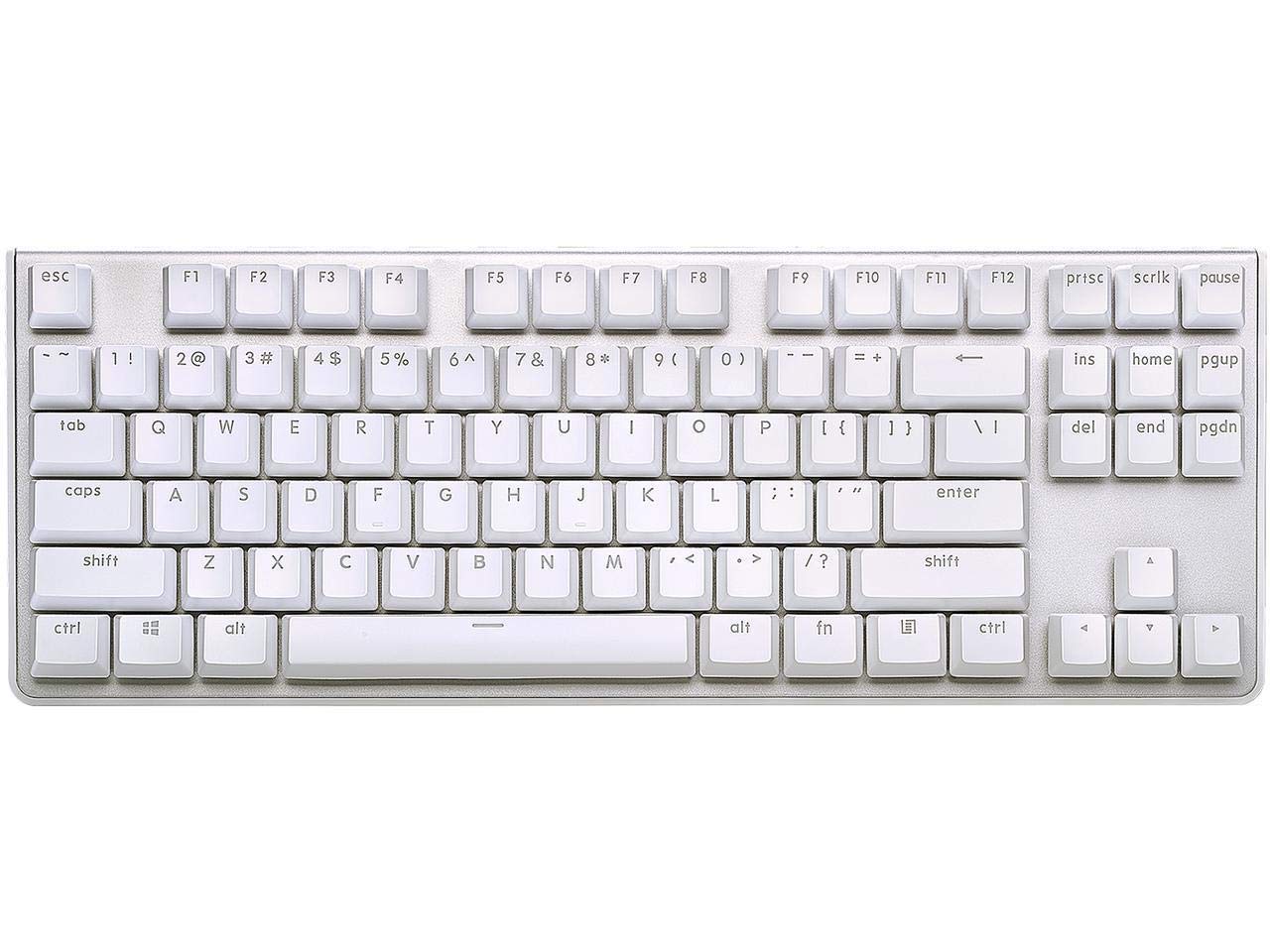
Most keyboards in this bracket hand you ABS caps and a plastic case with a metallic-looking paint job. The G413 TKL SE gives you PBT keycaps and a brushed aluminum top case instead — the two parts of a keyboard most likely to outlast everything else in it, and the two that decide whether it still looks decent in three years.

The switches are tactile mechanicals with a light bump and a short, clean throw. That's a good match for typing and a fine one for gaming, and the sound stays modest — this is a board you can use in an open office without anyone asking what the noise is. The white backlight is the compromise: single color only, no RGB, though it looks tidy and deliberate rather than cheap. Six-key rollover covers everything short of serious competitive play.

It also carries official macOS support alongside Windows, which the HyperX lacks, so a mixed desk works with no keycap swap and no workaround. At 650 grams the body is light enough to move around your desk and heavy enough not to skate. If you want wireless or hot-swap sockets, look at the K707 PRO or the V3 — otherwise this is the value call in the group.

Pros

  • PBT keycaps resist shine and wear
  • Brushed aluminum top case
  • Official Windows and macOS support
  • Quiet, modest typing sound

Cons

  • Single-color white backlight, no RGB
  • Wired only, no wireless option
Our verdict

The value pick: PBT keycaps and a brushed aluminum top case for less than most of this group, with a tactile feel that suits typing as much as gaming.

Check Latest Price
3

Best Wireless for Mac

Keychron K8

85 /100
LBD Score Excellent

Key details

Layout
87-key TKL
Battery
4,000 mAh, up to 200 hrs
Switches
Keychron K Pro Brown
Connection
Bluetooth 5.1, 3 devices
View on Amazon

If there's a Mac on your desk and an iPad beside it, start here. The K8 pairs with three devices over Bluetooth 5.1 and hops between them with a key combination, and it ships with both Mac and Windows keycaps, so the bottom row reads correctly the moment you unbox it. That multi-device switching is why it earns a place in this group.

The K Pro Brown switches are tactile — a soft bump at 50 grams of actuation force — and rated to 50 million presses. Typing on them is the pleasant middle ground: more feedback than a red linear, none of the click that makes enemies in an office. The 4,000 mAh cell is rated for up to 200 hours with the backlight off, and USB-C wired mode means a flat battery never ends your day.

Bluetooth is where the K8 asks for patience. A connection can drop mid-session and come back after a re-pair, and switching to the cable settles it for good. The case also sits tall enough that a wrist rest stops being optional over a long afternoon — the two-level feet fix the angle, not the height.

The case is plastic rather than aluminum, which is the honest difference between this and the HyperX. What you get in exchange is wireless, three devices, and Mac support out of the box. If you never leave a cable behind, the Keychron V3 gives you the same layout with hot-swap sockets for about the same money.

Pros

  • Pairs with three devices over Bluetooth 5.1
  • Mac and Windows keycaps in the box
  • 4,000 mAh battery, up to 200 hours unlit
  • USB-C wired mode when you need it

Cons

  • Bluetooth can drop and need re-pairing
  • Tall case wants a wrist rest
Our verdict

For a desk with a Mac and a tablet on it, the K8's three-device Bluetooth and included Mac keycaps make it the easiest wireless recommendation here.

Check Latest Price
4

Best Low-Profile

Logitech G515 LIGHTSPEED

88 /100
LBD Score Excellent

Key details

Battery
Up to 36 hours
Keycaps
Double-shot PBT
Switches
GL Brown low-profile
Connection
LIGHTSPEED, Bluetooth, USB-C
View on Amazon

Low-profile switches are the whole point of the G515, and they're also the reason to think twice. The GL Browns sit shorter than anything else in this group, so your fingers move less between keys. Some people type faster that way; others lose the rhythm a full-height board gives them. We noticed the difference in the first hour and stopped noticing it by the end of the first day.

What the low profile buys is a genuinely slim board with a quiet, damped sound — the switches are factory-lubed and the whole thing reads as furniture rather than equipment. Double-shot PBT caps mean the legends will outlast the years of use the rest of the board is built for. Connectivity covers LIGHTSPEED wireless, Bluetooth, and USB-C, and the 36-hour rating is honest but modest next to the Keychron K8's 200.

Customization runs through Logitech's G HUB, and that software is the least pleasant part of owning this keyboard: slow to open, awkward to navigate, and required for anything past the basics. Once it's set, per-key functions and lighting stick. Budget an evening for the setup and you won't think about it again.

It's the priciest board in this group, and the premium buys the slim chassis and the wireless rather than more keyboard. For maximum key travel and a metal body at similar money, the HyperX is the better buy; for a board that disappears into a quiet office, this is it.

Pros

  • Slim low-profile chassis with PBT caps
  • Three ways to connect, including LIGHTSPEED
  • Quiet, factory-lubed switches
  • Up to 36 hours of wireless use

Cons

  • Shorter key travel than full-height boards
  • Lighting and remapping require G HUB
Our verdict

Pick the G515 if a slim, quiet board matters more than key travel — it's the lowest-profile keyboard here and the easiest to live with in a shared room.

Check Latest Price
5

Best Budget Cherry MX

G.SKILL KM360

87 /100
LBD Score Excellent

Key details

Cable
Detachable USB-C
Plate
Aluminum top
Keycaps
ABS dual-injection
Switches
Cherry MX Red, linear
View on Amazon

Genuine Cherry MX switches are unusual at the bottom of the market, and the KM360 is one of the few boards here that has them. Cherry MX Reds are linear, rated past 50 million presses, and they're still the reference point other linear switches get measured against. That single fact is most of why this board earns a spot.

The rest of the package is more thoughtful than the price suggests. There's a solid aluminum top plate, and the switches float above it rather than sitting in a recessed tray, so crumbs and dust brush straight off instead of disappearing into a channel. The white backlight is clean rather than flashy, and the cable detaches at the keyboard end — both small conveniences we appreciated more the longer the board stayed on the desk.

The keycaps are ABS, which is the trade-off: the injected legends won't rub away, but the surface will polish and shine faster than the PBT caps on the Logitech and Keychron boards. The flip-out feet are the flimsiest part of the whole thing, so treat them gently. And it's Windows-only, with no Mac layout in the box.

As a first mechanical board, a second one for the office, or a cheap way to try linear switches, that's a reasonable set of compromises. Compare it with the Redragon K552 and the math is simple: the K552 costs less and brings a metal frame and rainbow lighting, while the KM360 brings real Cherry switches and a cleaner desk presence.

Pros

  • Genuine Cherry MX Red linear switches
  • Aluminum top plate with easy-clean floating keys
  • Detachable USB-C cable
  • Understated white backlight

Cons

  • ABS keycaps will shine with use
  • Windows only, no Mac support
Our verdict

A budget board with real Cherry MX Red switches, an aluminum plate, and a detachable cable — the sensible first mechanical keyboard here.

Check Latest Price
6

Best for Customizing

Keychron V3

85 /100
LBD Score Excellent

Key details

Keycaps
Double-shot PBT, OSA
Software
QMK/VIA
Switches
K Pro Brown, hot-swap
Connection
Wired USB-C
View on Amazon

QMK and VIA are the reason the V3 exists in this lineup. Every key can be remapped, macros live on the board, and you do the work in a browser instead of a manufacturer's app that may not be supported in three years. If you have ever wanted a key where the keyboard doesn't put one, this is the most flexible way here to get it.

The sockets are hot-swappable, so changing switches is a five-minute job with a puller and no soldering iron, and both 3-pin and 5-pin switches fit. Out of the box the K Pro Browns are pre-lubed and tactile with 50 million presses behind them. The double-shot PBT caps use Keychron's OSA profile, low enough to keep the board slim, and one design detail is worth knowing: the LEDs face south, so the light washes the desk rather than shining through the legends.

It's wired only, over USB-C, in a plastic case that's stiffer than it looks and sits lower than the K8. Mac, Windows, and Linux are all supported without a keycap swap, which makes it one of the few genuinely cross-platform boards in this group.

The catch is that all of this is for people who want to tinker. If you'll never open VIA, the Logitech G413 TKL SE does the same typing job with better stock keycaps for less. If you will, nothing else here hands you this much control for the money.

Pros

  • Hot-swap sockets for 3- and 5-pin switches
  • QMK/VIA remapping in a browser
  • Double-shot PBT keycaps
  • Mac, Windows, and Linux support

Cons

  • Wired only, no wireless option
Our verdict

Buy the V3 if you plan to remap keys or change switches: hot-swap sockets and QMK/VIA support at a midrange price, with no software install required.

Check Latest Price
7

Best Budget Wireless

Redragon K707 PRO

85 /100
LBD Score Excellent

Key details

Keycaps
Gradient PBT, side-printed
Switches
Mint Mambo linear, hot-swap
Dampening
5-layer foam
Connection
USB-C, Bluetooth, 2.4 GHz
View on Amazon

Five layers of foam, a silicone gasket, and thick-lubed linear switches add up to the quietest budget board here. Press a key and you get a soft, low thock instead of the hollow ring a plastic tray case usually produces. That sound is the first thing anyone notices about the K707 PRO, and it's the reason it's on this list.

It's also a three-mode board for about what most of this group charges for a wired one: USB-C, Bluetooth 3.0/5.0, and 2.4 GHz wireless, switched right on the keyboard. The sockets are hot-swappable, and the PBT keycaps use side-printed legends — the right call here, because the south-facing LEDs light the front of each cap exactly where the lettering sits.

The Mint Mambo switches are custom linears, heavily lubed, with a light actuation that suits both long typing sessions and fast games. They're linear only, so if you want a bump you're looking at the Keychron browns instead. The gasket mount softens the bottom-out and the whole board flexes just enough to feel forgiving rather than mushy, which is not something we expect at this price.

One thing to check in the first week: the 8 key is the one to watch, and a few of these arrive with a key that needs a firmer press to register. Test every key before the return window closes. Past that, this is a lot of board for the money — wireless, hot-swap, and damped, in a category where you usually get to pick two.

Pros

  • Three connection modes: USB-C, Bluetooth, 2.4 GHz
  • Hot-swap sockets and a gasket mount
  • Five layers of dampening kill the hollow ring
  • Side-printed PBT keycaps stay readable

Cons

  • The 8 key can need a firmer press
  • Linear switches only, no tactile version
Our verdict

Wireless, hot-swappable, and heavily damped at a budget price — the K707 PRO is the quietest way into a wireless tenkeyless.

Check Latest Price
8

Cheap First Board

Redragon K552

89 /100
LBD Score Excellent

Key details

Frame
Metal
Layout
87-key TKL
Switches
Redragon Red, linear
Backlight
Rainbow LED, 6 modes
View on Amazon

This is the board most people picture when they think of a cheap mechanical keyboard: metal frame, rainbow backlight, red linear switches, no number pad. The K552 has been the default first mechanical for years, and it's still the least expensive way into the layout in this group.

What you get for that is more substantial than the price suggests. The frame doesn't flex, the board weighs 875 grams and stays put on rubber feet, and N-key rollover means the anti-ghosting claim holds up under fast input. Six lighting modes cycle from the keyboard itself, and the maker's software lets you remap keys — a genuine bonus at this end of the market.

The two things to accept are noise and longevity. This board is loud in a way that carries into the next room, so it's a poor fit for a shared office or a bedroom with someone sleeping nearby. The bigger risk is a key that stops registering months in, usually a heavily used one like W. At this price you're buying a first board, a spare, or a travel keyboard — and for those jobs a month of testing every key still leaves you ahead.

Pros

  • Least expensive board in this group
  • Metal frame with N-key rollover
  • Six rainbow backlight modes
  • Remapping software included

Cons

  • Loud enough to hear in the next room
  • A key can stop registering after months of use
Our verdict

An inexpensive way to try the layout: metal frame, red linear switches, and rainbow lighting for less than anything else here, as long as you can live with the noise.

Check Latest Price
9

Wireless with Dial

Razer BlackWidow V4 TKL

81 /100
LBD Score Excellent

Key details

Battery
Up to 980 hours
Controls
Roller plus 3 buttons
Switches
Razer Orange, hot-swap
Connection
HyperSpeed 2.4 GHz, Bluetooth
View on Amazon

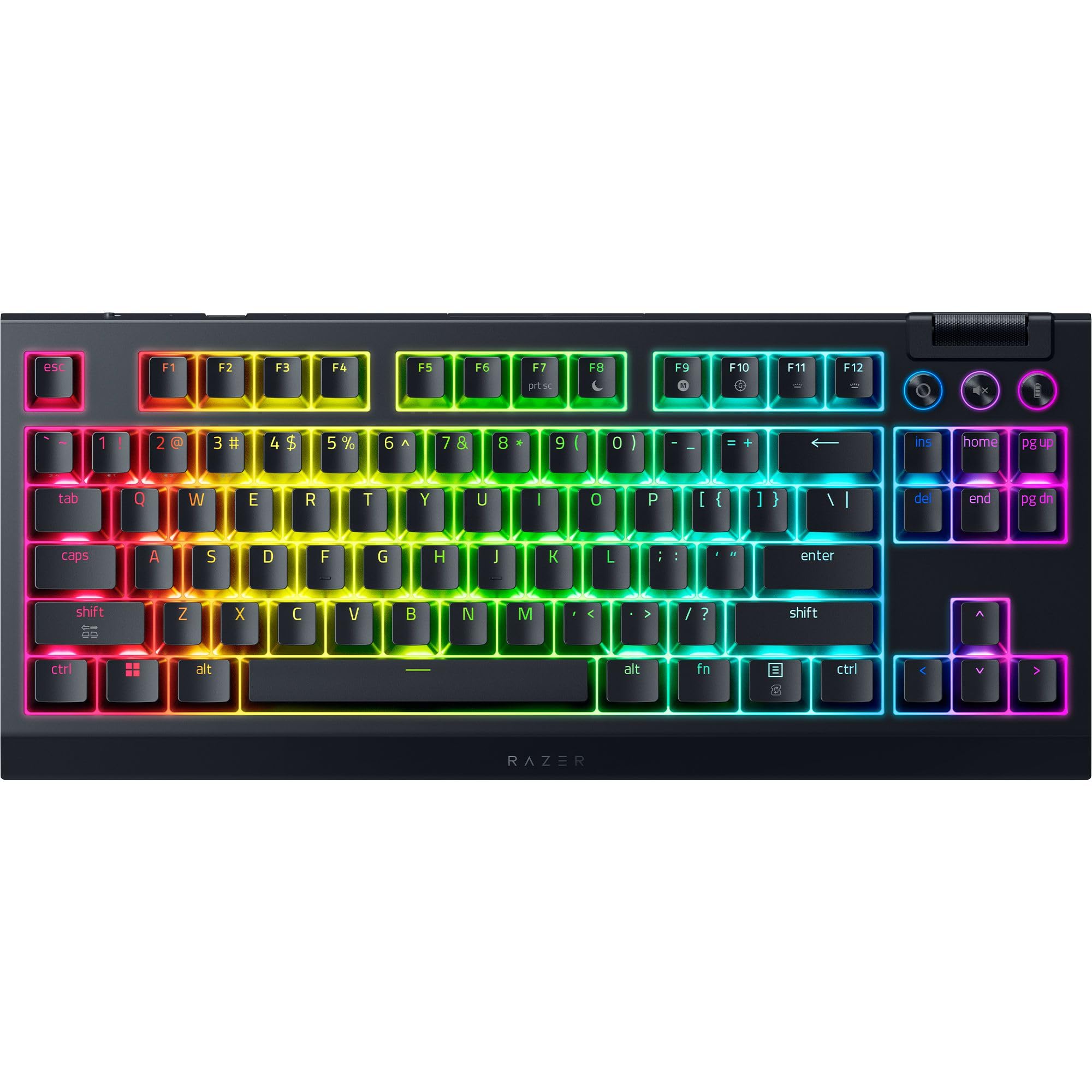
Two features separate the BlackWidow V4 TKL from the other wireless boards here: a multi-function roller with three remappable buttons beside it, and hot-swap sockets under the keycaps. The roller is the one we used constantly — volume under a thumb beats reaching for a mouse, and the buttons can be mapped to whatever you actually touch mid-session.

The Orange switches are tactile, with a bump you feel without a click you hear, and they sit in sockets that accept 3- or 5-pin replacements later. Under the caps there's a stainless steel plate, a tape-enhanced PCB, and lubricated stabilizers, which together give the wide keys — space bar especially — a solid, rattle-free landing.

Wireless comes two ways: 2.4 GHz HyperSpeed for gaming and Bluetooth for everything else, and a compatible Razer mouse can share the same dongle, which saves a port. Connection is the part to test early. Drops and pairing trouble are the weak spot in an otherwise well-equipped board, particularly when you're away from a PC.

Razer rates the battery at up to 980 hours, and that figure assumes the lighting is off. Run Chroma at the brightness this board was built to show off and you'll be charging regularly, so treat the big number as a ceiling rather than a schedule.

It sits above the K707 PRO on price and below the G515, and what you're paying for is the roller, the sockets, and the lighting rather than a better typing feel than the Keychron boards. If those controls are what you want on a wireless tenkeyless, this is the board that has them.

Pros

  • Multi-function roller and three remappable buttons
  • Hot-swap sockets for 3- and 5-pin switches
  • 2.4 GHz and Bluetooth in one board
  • Steel plate and damped, rattle-free stabilizers

Cons

  • Battery life falls well short of 980 hours with lighting on
  • Bluetooth and console connections can drop
Our verdict

If you want wireless, a media roller, and swap-ready switches in one board, the BlackWidow V4 TKL is the most feature-dense pick here — just plan on charging it.

Check Latest Price

How We Tested the Best Tenkeyless Mechanical Keyboards

We started with roughly 40 tenkeyless boards pulled from manufacturer spec sheets, then cut the list to 14. Filtering came first: 87-key layouts only, a spread of switch types, wired and wireless options, and a price range that ran from budget to premium. Price stayed in the room the whole way through — each board was judged against what the same money bought elsewhere on the list.

Every keyboard spent six months on a real desk, not a bench: drafts in the morning, spreadsheets in the afternoon, games at night. We typed the same paragraph on each one and listened — a decibel meter at desk height for volume, plus notes on whether the sound landed as a low thock or a sharp clack. We leaned hard on the middle of each case and twisted the corners to see if it flexed, and on the hot-swappable models we pulled switches and reseated them repeatedly to see how the sockets held up.

Wireless boards were paired with a laptop, a phone, and a tablet, and we switched between all three mid-sentence to catch pairing lag. Each one ran from full charge to dead so we knew how long the battery genuinely lasted and how fast it woke up. Keycaps were photographed on day one and again at the end to spot legends and textures going shiny, and reliability lived in a running log: dropped connections, double-typed keys, software that forgot a profile after a restart.

How to Choose a Tenkeyless Mechanical Keyboard

Make Sure It's a Real TKL

Tenkeyless means the number pad is gone and everything else stays: the function row, the arrow cluster, and the block of Insert, Home, Page Up, and Page Down above the arrows. That's 87 keys on a standard U.S. layout, and it's what most people mean by 80 percent.

The trap is boards that trim further and still get called TKL. Some drop the navigation column or fold the arrows into the function row, which lands you in 75-percent territory wearing the wrong label. Count the keys before you order: 87 is the number you want, and 84 or fewer usually means something else went missing. Every board on this list keeps the full cluster.

Pick the Switch by How You Type

Linear switches such as the HyperX Reds and Cherry MX Reds travel straight down with no bump — smooth, quick, and the usual choice for gaming. Tactile switches, including the Keychron browns and the Razer Oranges, add a bump at the actuation point that many typists find easier to time. Clicky switches add an audible click on top of that bump; none of our picks use them, and in a shared room you're not missing much.

Buy for feel first and plan to swap second. If you genuinely want to try other switches later, pay for hot-swap sockets up front: the Keychron V3, the Redragon K707 PRO, and the BlackWidow V4 all take a new set without a soldering iron.

Case, Plate, and Why Weight Is a Feature

A plastic tray case is light and cheap; an aluminum body is neither, and that's the point. Heavier boards stay where you put them when you push through a game or lean into a sentence, and a rigid plate keeps every key feeling the same. The HyperX Alloy Origins Core and the Logitech G413 TKL SE both use aluminum to good effect.

Gasket-mounted boards like the K707 PRO go the other way: the plate floats on silicone so the case absorbs vibration instead of passing it along. You give up some of that rigid, planted feel for a softer bottom-out and a quieter room.

Keycaps, Legends, and Backlighting

Keycaps are what your fingers actually touch, and the material decides how they age. PBT is denser and resists the oily shine that builds on ABS, which is why the G413 TKL SE and both Keychron boards are easy to recommend for long-term use. ABS caps with double-shot legends won't wear through, but they will polish.

Backlighting deserves a reality check. A south-facing LED points away from the legend, so on caps that aren't built to pass light you get a lit desk rather than lit letters. If you type in the dark, check which way the LEDs face before you count on the glow.

Wired, Wireless, and Battery Math

Wired is still the simplest answer: no charging, no pairing, no dropouts, and a detachable cable makes travel easy. Wireless buys a clean desk and, with Bluetooth, the ability to jump between a laptop, a desktop, and a tablet from one keyboard — the Keychron K8 does exactly that with three paired devices.

Read battery figures as best-case. Ratings assume the backlight is off, so a 200-hour claim and a 980-hour claim can both turn into about a week of real use once the lighting is on. If you keep the RGB running, plan on a charging routine or a cable within reach.

Frequently Asked Questions

Final Verdict

The HyperX Alloy Origins Core is the tenkeyless keyboard we point most people to. The aluminum body doesn't flex, the linear switches are rated for 80 million presses, and the cable comes off when you need to pack it — a combination that holds up for gaming and for a full day of typing.

If you want to spend less, the Logitech G413 TKL SE gets you PBT keycaps and an aluminum top case, and it's the better board if a Mac is involved. For a desk with several devices on it, the Keychron K8's three-device Bluetooth is the deciding feature.