Best Gaming PCs Under $1,000 of 2026

A thousand dollars is a lot to hand over for a black box you can't boot up in the store, and under that ceiling the spec sheets get slippery — a fast-sounding processor paired with a graphics card that can't carry it, or 32GB of RAM standing in for a GPU that will struggle at 1080p. What you're actually buying is smooth frames on the games you already own, load times short enough that you stop noticing them, and a tower that turns on and just works.

I've built plenty of PCs from loose parts, and I still keep a prebuilt under my desk, because I'd rather spend the evening playing than troubleshooting a BIOS. Over the past six months my team and I put eight prebuilt desktops through the same routine, and the lesson kept repeating: in this price range the graphics card sets the ceiling, and the RAM, drive, and power supply only need to be good enough not to hold it back.

The rest is what owners actually talk about — whether the tower looks presentable in a living room, whether the lighting can be toned down or switched off, how long setup takes before you're in a game, and whether the Wi-Fi holds up in a room with no Ethernet jack. The picks below are the ones we'd buy with our own money.

1

Best Overall

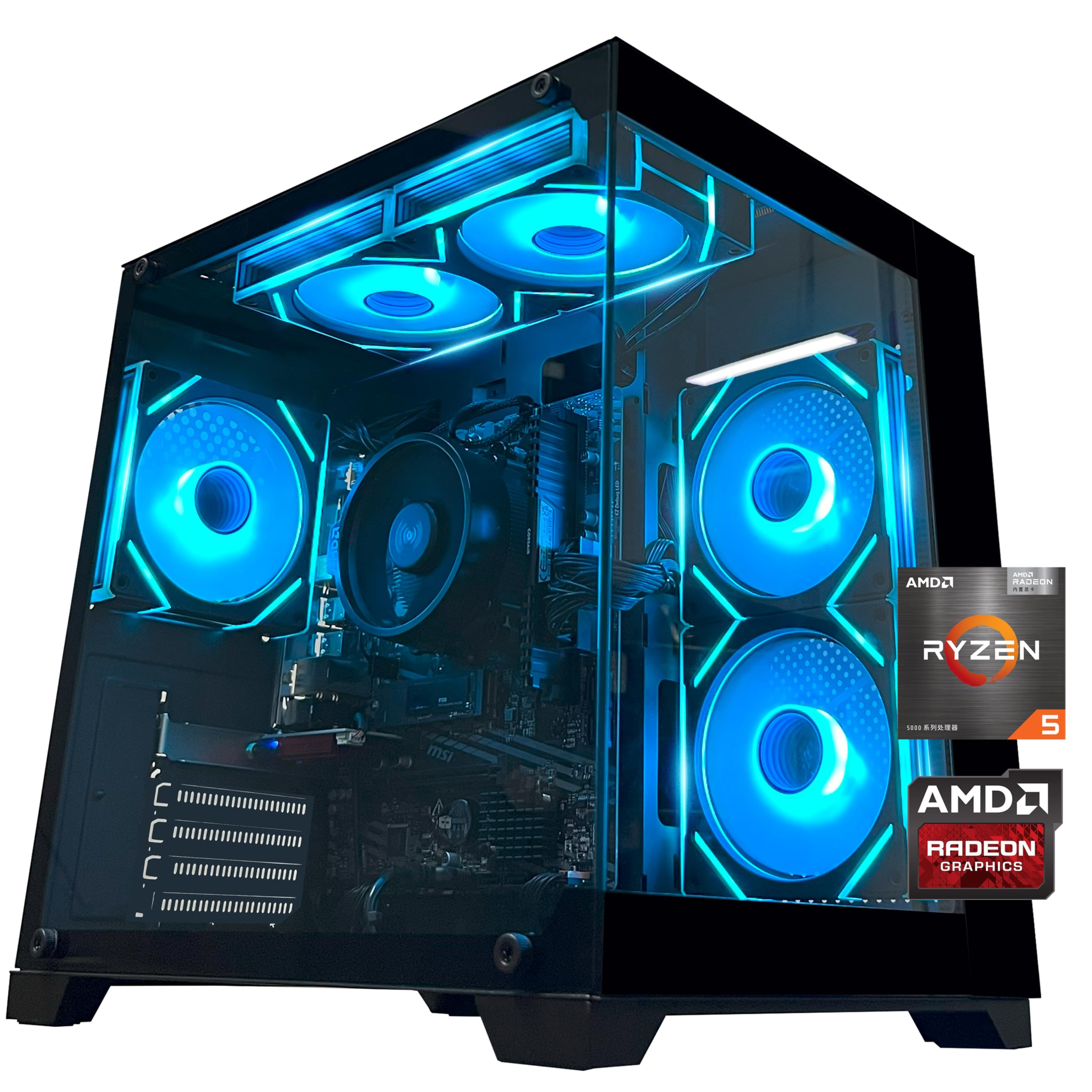
ZYNEEX S5 Gaming PC

87 /100
LBD Score Excellent

Key details

Memory
16GB DDR4 3200MHz
Storage
1TB NVMe SSD
Processor
AMD Ryzen 5 5500
Graphics Card
GeForce RTX 3050 6GB GDDR6
View on Amazon

Three specifications do the heavy lifting at this budget: the graphics card, the amount of memory, and the size of the boot drive. Skimp on any one and the machine tells you within a month, whether that's a 4GB card forcing textures down to medium, 8GB of RAM stuttering with a browser open behind the game, or a 500GB drive that's full after four installs.

The ZYNEEX S5 is the only build here that doesn't take any of those shortcuts, and that's why it's our top pick. A GeForce RTX 3050 with 6GB of GDDR6 sits alongside 16GB of DDR4-3200 and a 1TB NVMe drive. The 3050 isn't the fastest card on this page, but 6GB of video memory lets you leave textures on high at 1080p, and the board accepts up to 64GB of memory later, so nothing about the machine is boxed in.

The details around that core are better than the price suggests. Windows 11 Home is already installed, Wi-Fi and Bluetooth are built in, and the box includes a screwdriver — a small thing that tells you the builder expects you to open the panel eventually. The ARGB fans keep air moving without the drone some budget towers produce; we stopped noticing them partway through a session.

Budget for a keyboard and mouse, since they aren't listed with the computer — the box carries the tower, power cord, screwdriver, and manual. That's the one gap in an otherwise complete package.

Pros

  • 16GB of RAM and a 1TB drive
  • 6GB of VRAM holds high textures at 1080p
  • Memory ceiling of 64GB leaves room
  • Windows 11 installed with Wi-Fi built in

Cons

  • The most expensive build in this group
  • RTX 3050 is a 1080p-class card
Our verdict

We recommend the ZYNEEX S5 to anyone who wants a gaming PC already sorted: 16GB of RAM, a 1TB drive, and a 6GB card make it the least compromised build here.

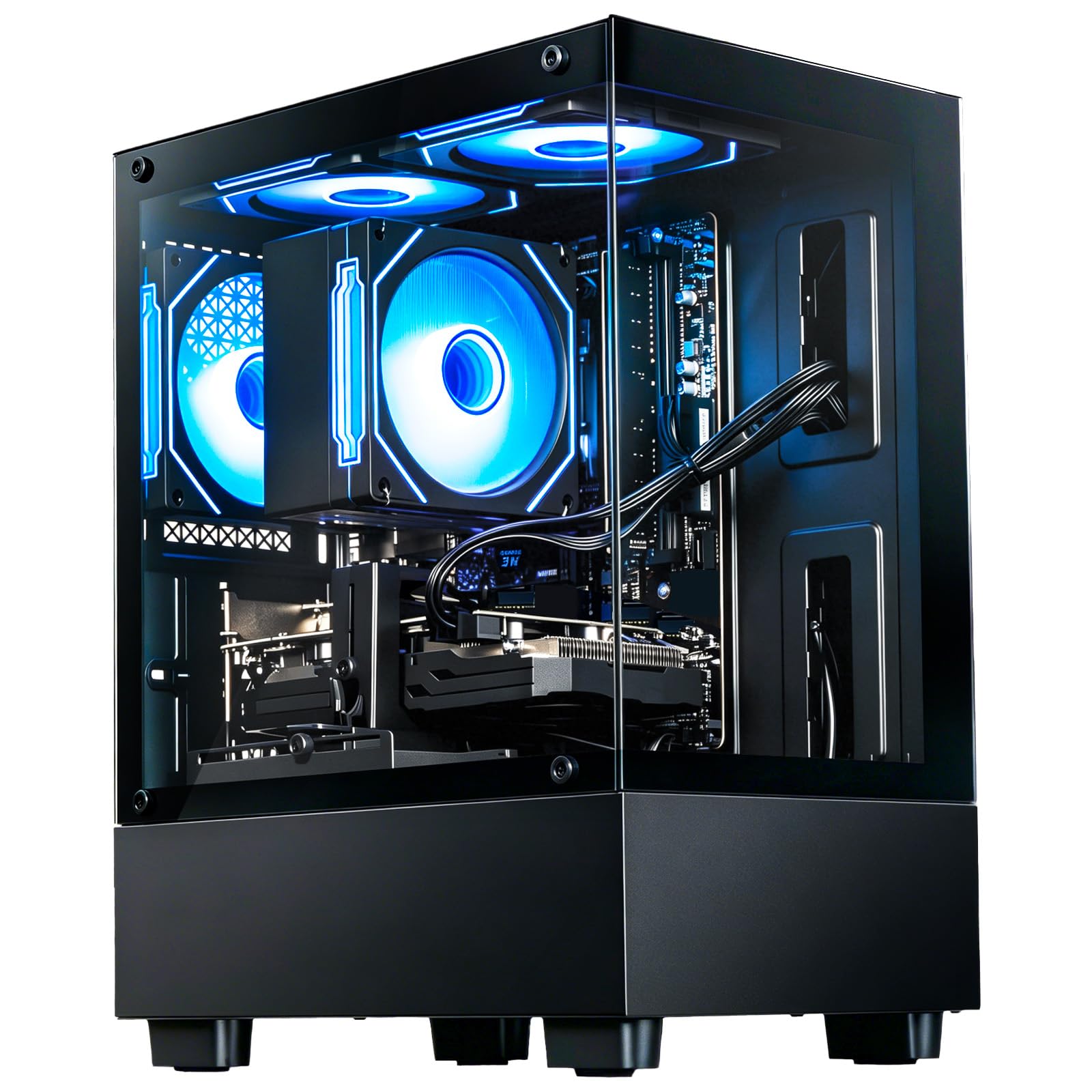
Check Latest Price
2

Best Graphics

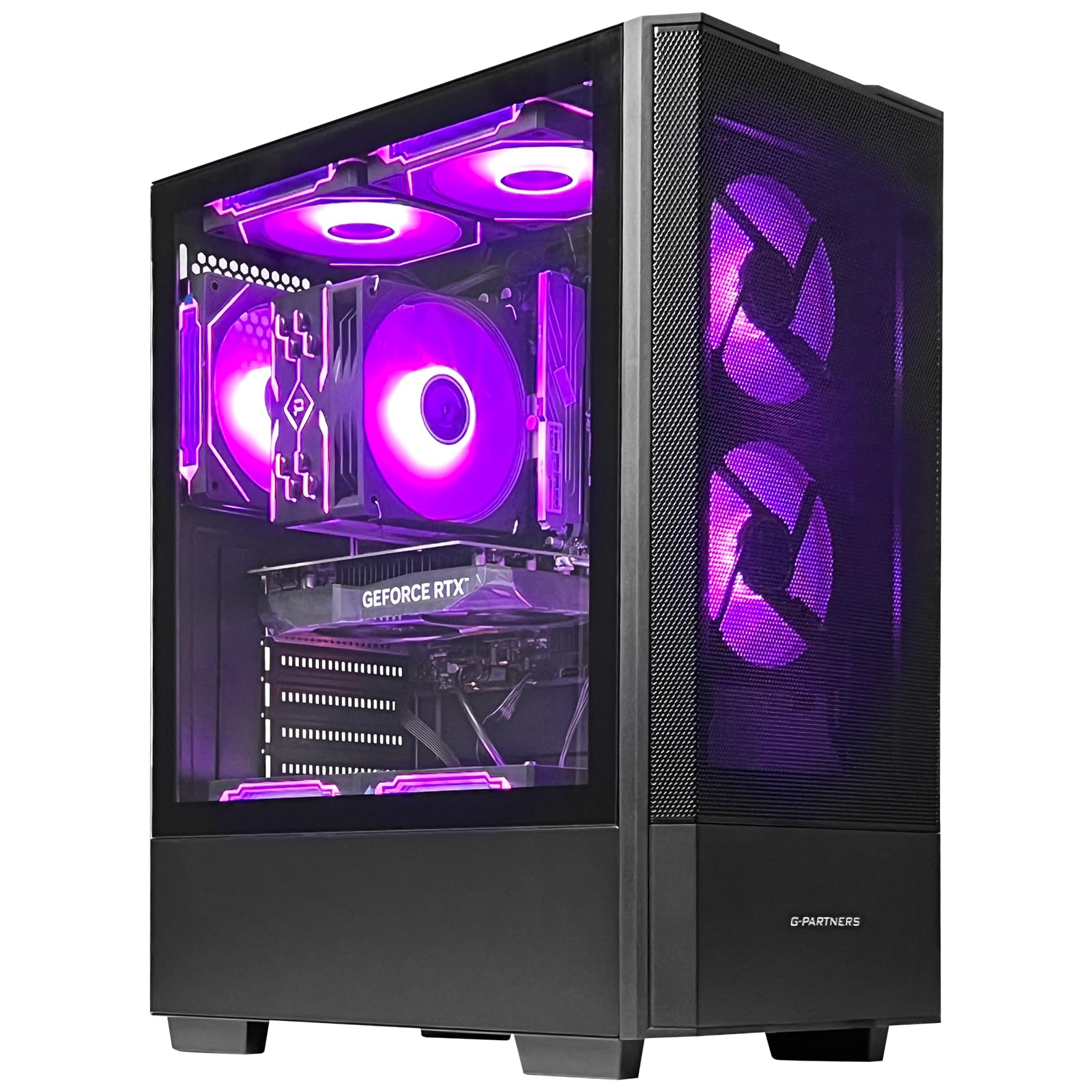
Olialia RTX 3060 Ti Gaming PC

84 /100
LBD Score Excellent

Key details

Memory
16GB DDR4
Storage
512GB PCIe NVMe SSD
Power Supply
600W
Graphics Card
GeForce RTX 3060 Ti 8GB GDDR6
View on Amazon

An RTX 3060 Ti at this price is the entire argument for the Olialia build, and we think it's a good one. It carries 8GB of GDDR6 and more graphics horsepower than anything else in this roundup, which is the difference between running demanding titles at high settings and settling for medium. Paired with 16GB of DDR4, this is a 1080p system with headroom to spare.

Around the card, the build is competent rather than remarkable. The 600W power supply leaves room for a future upgrade, Wi-Fi 6 comes from an Intel AX200 module rather than a cheap USB dongle, and the tempered glass case with software-controlled ARGB is the kind of thing you notice on a desk. Windows 11 Home is preinstalled and the warranty runs a year.

One caution about the spec sheet: it describes an eight-core Ryzen 5 5500 at 3.4GHz, and the Ryzen 5 5500 is a six-core, 12-thread processor. Buy this one for the graphics card and let the processor claim go; the chip is perfectly capable for gaming, but eight cores it is not.

Pros

  • The most graphics power in this roundup
  • 600W supply leaves upgrade headroom
  • Wi-Fi 6 from an Intel AX200 module

Cons

  • 512GB drive fills quickly with modern installs
Our verdict

If frame rates matter more than storage, this is our pick: the RTX 3060 Ti is the strongest card in the group by a wide margin.

Check Latest Price
3

Best Value

LXZ R7 4700LE Gaming PC

81 /100
LBD Score Excellent

Key details

Memory
16GB DDR4
Storage
512GB NVMe SSD
Processor
AMD Ryzen 7 4700LE
Graphics Card
Radeon RX 580 8GB GDDR5
View on Amazon

A gaming PC that leaves money in the budget for the monitor is a different proposition from one that swallows all of it, and that's the gap the LXZ tower fills. It sits well below the ceiling here without gutting the parts that decide whether games actually run well.

Eight cores and 16 threads from a Ryzen 7 4700LE, a Radeon RX 580 with 8GB of GDDR5, 16GB of DDR4, and a 512GB NVMe drive: that's a real gaming configuration, not a repurposed office machine. The A520 board gives you both HDMI and DisplayPort, Wi-Fi 6 is built in, and the 128GB memory ceiling makes this one of the few towers here that will still take a serious RAM upgrade years from now.

We're fond of the restraint elsewhere, too. It weighs about 16 pounds, light enough to move between rooms without clearing a shelf, and the plain black tower doesn't pretend to be a showpiece. What it is built for is a 1080p monitor, where the card is at its best — a fast 1080p panel is a smarter partner for this machine than a bigger one, and the money you keep buys exactly that.

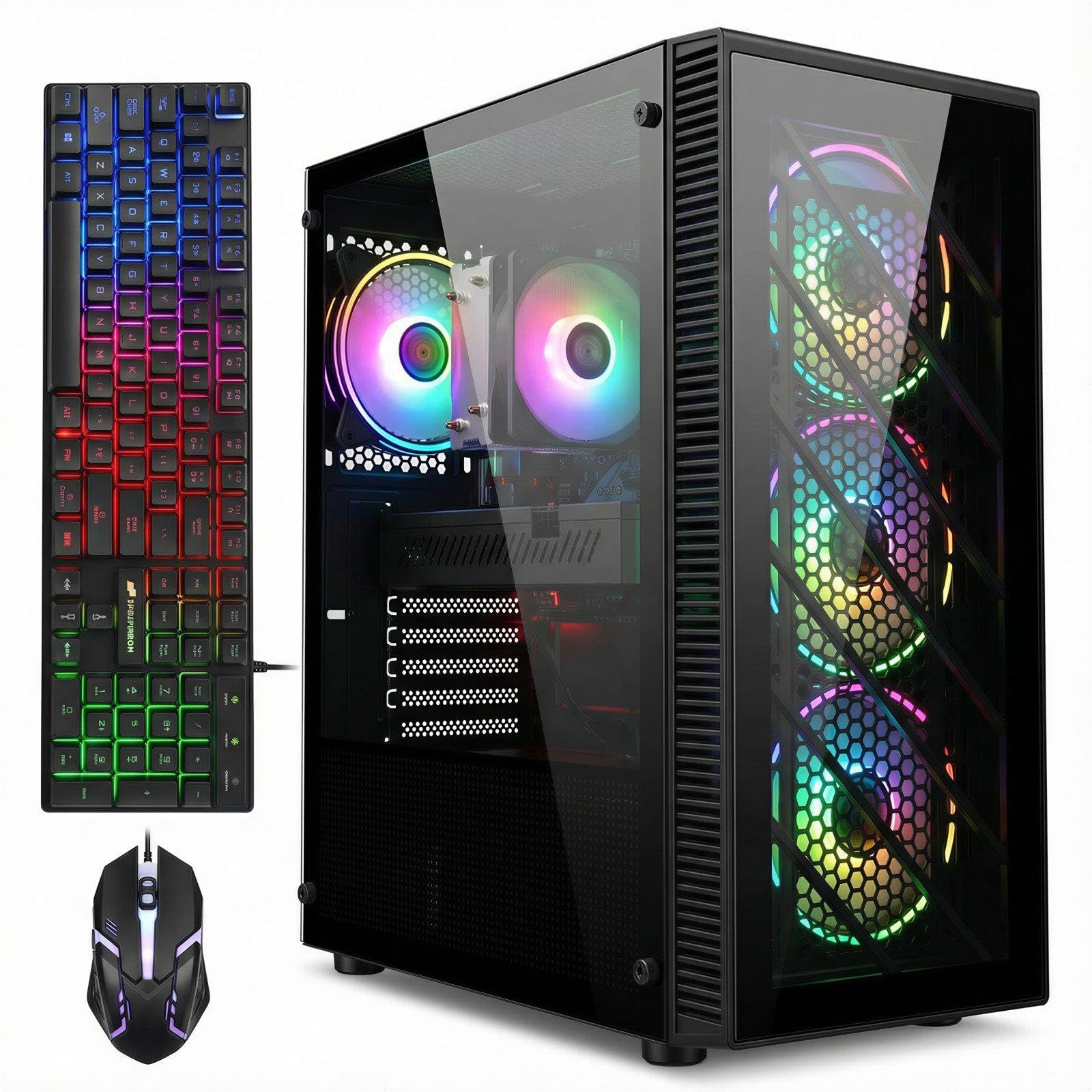
The keyboard and mouse are not included; the box carries the tower, power cord, and manual. Add those to your total before you decide this one is the cheap option.

Pros

  • Eight cores and 16 threads for the money
  • 8GB of graphics memory on a budget build
  • Memory ceiling of 128GB
  • Wi-Fi 6 and eight USB ports

Cons

  • Keyboard and mouse are not included
  • Older graphics card with no ray tracing
Our verdict

Our value choice: an eight-core tower with a real 8GB graphics card that leaves enough of the budget for a decent 1080p monitor.

Check Latest Price
4

Light Gaming First

YAWYORE MX240 Gaming PC

81 /100
LBD Score Excellent

Key details

Memory
16GB DDR4 3200MHz
Storage
1TB M.2 NVMe SSD
Graphics
Radeon Vega integrated
Processor
AMD Ryzen 5 5600GT
View on Amazon

There is no graphics card inside the YAWYORE MX240. Everything about the machine follows from that: the Ryzen 5 5600GT leans on the Radeon Vega graphics built into the processor, which is why the price lands where it does and why the 1TB drive and 16GB of RAM are as generous as they are for the money.

For everyday work and lighter games, we think that trade is fair. Vega graphics handle esports titles and older games at 1080p, and the six-core 5600GT is quick enough for browsing, schoolwork, and photo editing. The parts we appreciate most are the MSI A520M-A PRO board and the 550W 80 Plus Bronze power supply, because they leave the door open: add a modest dedicated card later and this becomes a genuine 1080p gaming machine for the price of one component.

Plan the physical setup as carefully as the parts list. At just over 21 pounds it's the heaviest tower in this group, so give it a shelf or the floor rather than a lightweight side table. The 1TB drive is also one of only two that size here, which counts for a lot if you'd rather not think about storage for a year.

Pros

  • 1TB NVMe drive and 16GB of RAM
  • 550W Bronze supply ready for a later card
  • Six-core Ryzen 5 for everyday work

Cons

  • No dedicated graphics card
  • Memory tops out at 32GB
Our verdict

We like this as a first desktop that games lightly and grows later, as long as you don't expect it to carry demanding titles on its own.

Check Latest Price
5

Budget Multitasking

STGAubron ABR0122 Gaming PC

77 /100
LBD Score Very Good

Key details

Memory
32GB DDR3
Storage
1TB SSD
Processor
Intel Core i7, LGA 1150
Graphics Card
Radeon RX 590 8GB GDDR5
View on Amazon

The number that matters most on the STGAubron ABR0122 isn't the 32GB of memory; it's the letter after the DDR. This is a DDR3 machine on an LGA 1150 socket, an old platform paired with an old graphics card, and no amount of RAM compensates for that. We think it makes sense for one buyer in particular: someone who needs a lot of memory and a lot of cheap storage far more than they need frame rates.

Within that brief, it delivers. A Radeon RX 590 with 8GB of GDDR5 runs 1080p games at moderate settings, four RGB fans move air through a case with plenty of working room, and Wi-Fi 6 and Bluetooth 5.0 are both on board. The RGB keyboard and mouse come in the box, which is more than several builds here manage, and this is the least you can pay in this roundup for 32GB of memory and a 1TB drive together.

Give some thought to where it sits. The case measures 14.8 by 7.5 by 17.6 inches, so it wants a deep desk or the floor beside one. Warranty coverage runs a year on parts and labor with lifetime tech support, and if the tower ends up far from your router, a network cable will serve you better than wireless.

Pros

  • 32GB of memory and a 1TB SSD
  • RGB keyboard and mouse included
  • Wi-Fi 6 and Bluetooth 5.0 built in

Cons

  • Radeon RX 590 is an older-generation card
  • 17.6-inch depth needs a deep desk
Our verdict

For memory-hungry work on a tight budget, this is the cheap route to 32GB and 1TB, as long as you accept the platform you're getting.

Check Latest Price
6

Support and Warranty

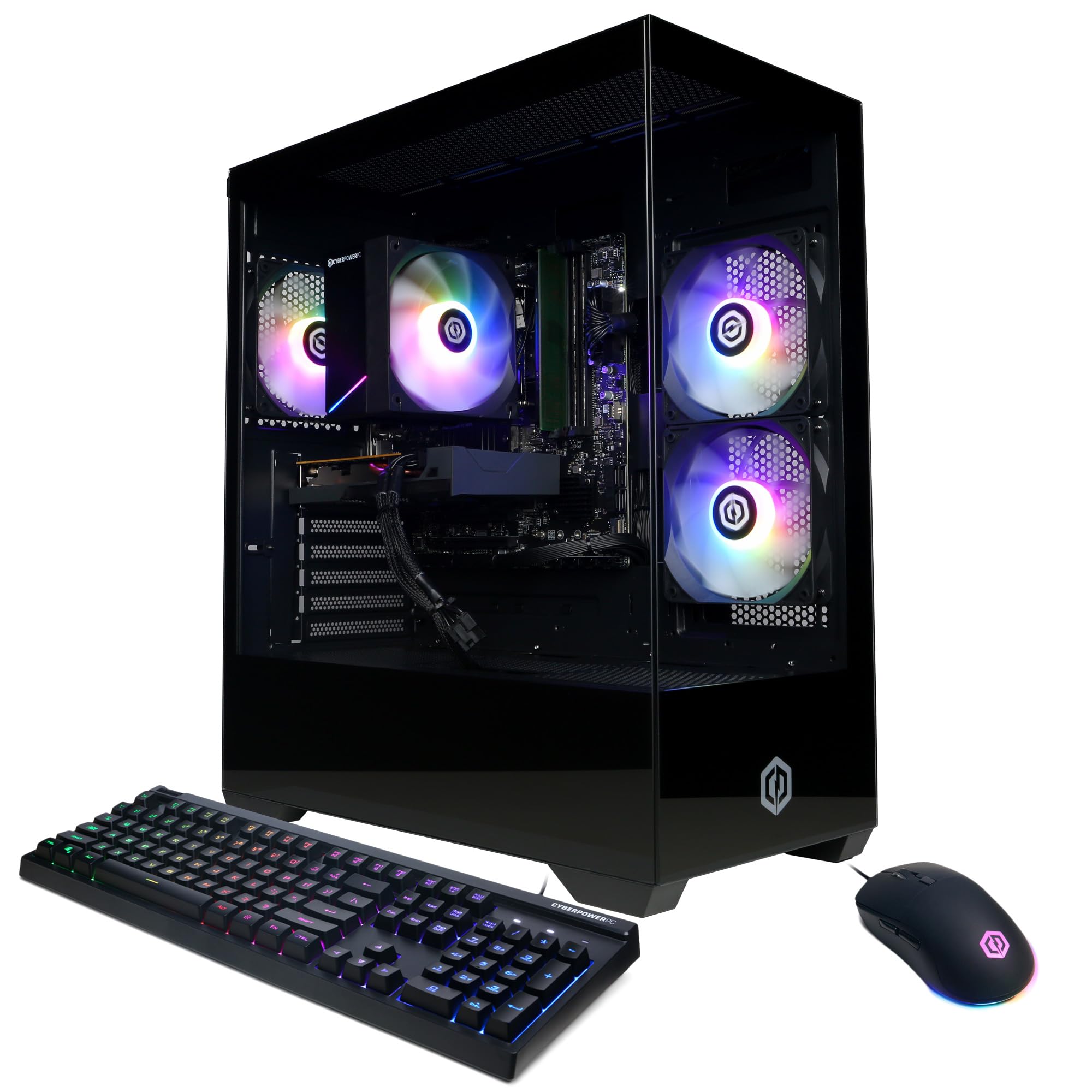
CyberPowerPC Gamer Master

76 /100
LBD Score Very Good

Key details

Memory
8GB DDR4
Storage
500GB PCIe 4.0 NVMe SSD
Processor
AMD Ryzen 5 5500
Graphics Card
Radeon RX 6500 XT 4GB
View on Amazon

Eight gigabytes of RAM in a gaming tower is a decision, and the CyberPowerPC Gamer Master makes it while costing more than several 16GB machines in this roundup. That's the tension you're buying into, and it's worth being clear-eyed about before you click.

What you get in exchange is a name you've heard of and support to match: a one-year parts and labor warranty plus free lifetime tech support, a Ryzen 5 5500 on a B550 board, a 500GB PCIe 4.0 NVMe drive, Wi-Fi 5 and Bluetooth 5.0, four USB-A 3.2 ports and four more at 2.0, and a tempered glass side panel with custom RGB. A keyboard and mouse are in the box, which several builds here can't claim.

For a first PC bought by someone who wants to talk to a person when something goes wrong, that package has real value, and the RX 6500 XT will run esports titles and older games at 1080p without complaint. Adding a second memory stick is the first purchase to plan for; it changes the machine more than the cost of the stick suggests.

Pros

  • One-year warranty plus lifetime tech support
  • Keyboard and mouse included
  • Tempered glass case with custom RGB

Cons

  • 8GB of RAM in a gaming tower
  • 4GB of VRAM limits texture settings
Our verdict

We point first-time buyers here when a phone number to call matters more than the spec sheet, because that support is genuinely part of what you buy.

Check Latest Price

How We Tested These Budget Gaming PCs

We started by pulling every prebuilt we could find from major retailers, then narrowed with one question: which graphics card is in it? Every other spec — RAM, storage, power supply — got checked against that GPU so we weren't comparing a well-fed system to a starved one. Built-in Wi-Fi, an SSD, and a Windows license were the floor. That left eight towers, which we bought at retail and lived with for six months.

Setup came first. I timed each machine from box to desktop, noted whether it booted into Windows without a fight, and wrote down what preinstalled software showed up. Then each one went to a desk two rooms from the router with no Ethernet drop, where I ran the same evening routine: an hour of a demanding AAA title, a few rounds of a competitive shooter, and a voice chat going the whole time.

Performance showed up in the details — frames that dipped when a scene got busy, load times long enough that I left the room and came back, fans that climbed over game audio. Reliability took longer to judge. By the third and fourth month, some machines needed their Wi-Fi reconnected after waking from sleep, and others simply kept working.

Appearance was scored the way a friend would judge it: does the tower look fine on a desk or only under it, does the lighting hold its color after a reboot, can the glow be turned off entirely. Value closed things out — whether the cheaper systems felt like compromises you'd notice day to day, or corners we never thought about again.

How to Choose a Gaming Pc under $1,000

Start With the Graphics Card and Its VRAM

Frame rates at 1080p come from the GPU, and the spread at this price is wide. Cards with 4GB of video memory sit at the bottom of this group; 8GB cards sit at the top. VRAM is what lets you keep textures and shadows turned up, and a 4GB card forces those settings down even when the chip itself has power to spare. The Radeon RX 6500 XT in the CyberPowerPC is the clearest example, while the RX 580 and RTX 3060 Ti builds both carry 8GB.

Read ray tracing and upscaling claims carefully at this level. Treat ray tracing as something you switch on for older games rather than a default, and when two builds are close on price, take the card with more memory.

Insist on 16GB of RAM

Sixteen gigabytes is the line between a machine that games comfortably and one that stutters when a browser is open behind the game. Some towers in this bracket still ship with 8GB. Adding a matching stick later is cheap and takes ten minutes, but it's a second purchase and a second errand, so where two builds otherwise match, take the one that already has the memory.

Check the maximum the board will accept as well. A 32GB ceiling is fine for gaming; 64GB or more means the machine can absorb a memory-hungry hobby later without a rebuild.

Buy a 1TB Drive if You Can

Modern games are enormous, and a 500GB boot drive is full after a handful of installs, which turns managing your library into a chore. A 1TB NVMe drive is the comfortable floor at this budget and shows up in more than one build here.

If you have to choose between a bigger card and a bigger drive, take the card and add storage afterward. A second drive is the easiest upgrade a tower takes.

Check the Platform, Not Just the Parts List

Two towers can list the same 16GB and 1TB and be five years apart underneath. DDR3 memory and an LGA 1150 socket mark an old platform where the processor and RAM are effectively fixed for life; AM4 boards with DDR4 take a much wider range of upgrades and are what most builds here use.

Look at the power supply too. A 550W to 600W 80 Plus unit leaves room for a future graphics card; an unbranded supply with no rating caps you where you stand. Match the platform to how long you intend to keep the machine.

Leave Room in the Budget for the Rest of the Setup

The ceiling applies to the tower, not the desk. Some builds here include a keyboard and mouse and some don't, so read what's in the box before ordering and count the monitor against your total.

A fast 1080p monitor is the right partner for every machine on this list. Pairing a tower with a 1440p panel is how buyers end up disappointed by a card that was never built for that resolution.

Frequently Asked Questions

Final Verdict

The ZYNEEX S5 is the machine we point most people to. It's the only build here that gets the graphics card, the memory, and the drive size right at the same time, and that combination is what you notice every time you sit down — not the badge on the case.

If frame rates matter more than anything else, the Olialia build's RTX 3060 Ti is the strongest card in this group and worth living with a smaller drive. If the tower has to share the budget with a monitor, the LXZ tower leaves the most room while still giving you a real 8GB graphics card.