Best GPUs for Blender of 2026

You know the moment: the scene looks fine in the viewport, you switch to Cycles, hit render, and the progress bar settles in for the afternoon. A graphics card won't make Blender easier to learn, but it decides how long you wait between an idea and a frame worth judging. My team spent the past eight months running nine cards through the same scenes, and the spread between the fastest and slowest was wider than I expected.

Memory is the spec I'd argue about first: when textures and geometry don't fit in VRAM, Cycles falls back to the CPU or refuses the render altogether, so a slower 16GB card often beats a quicker 8GB one. Then come the things you notice in week two — fan noise mid-render, coil whine, power draw, and whether the card fits the case you already own.

Appearance counts if you're building behind glass, though it settled fewer arguments here than anything else. What separated the cards that made the list was duller: they finished renders without crashing, stayed quiet doing it, and didn't cost more than the time they saved. Which of those you can least afford to lose is what the picks below are sorted by.

1

Best Overall

PNY RTX 5060 Ti 16GB

90 /100
LBD Score Outstanding

Key details

GPU
NVIDIA GeForce RTX 5060 Ti
Memory
16GB GDDR7
Slot Width
2-slot
Card Length
9.65 in
View on Amazon

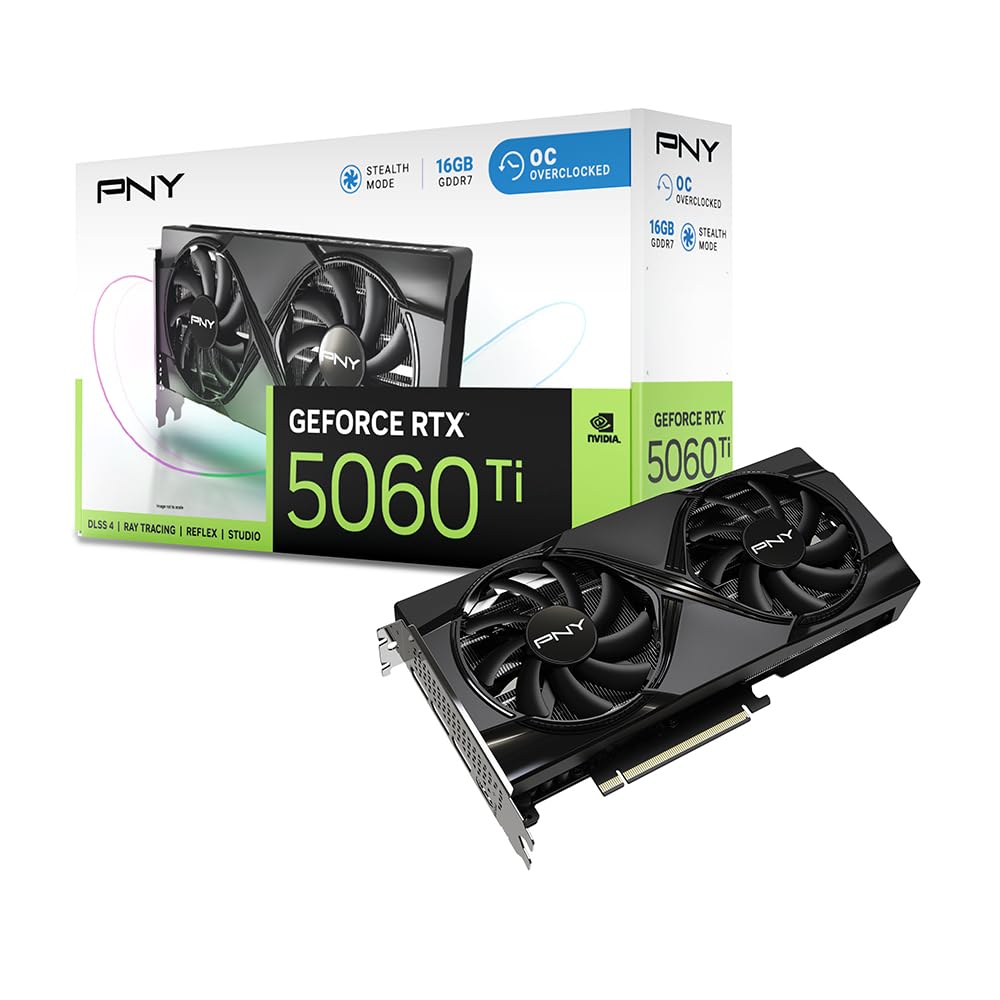
Sixteen gigabytes of GDDR7 on a 9.65-inch, two-slot card is the combination that makes this our default for Blender. The frame buffer is what decides whether a scene renders on the card or starts spilling into slower system memory, and 16GB gives you room for high-resolution textures, denser geometry, and multiple passes. We also like that it is a standard two-slot design, so it fits more cases than the big triple-fan cards.

Nvidia's software path is the other half of the recommendation. Blender's Cycles renderer works with CUDA and OptiX, and OptiX is the path most Nvidia users enable for GPU rendering. The 5060 Ti also lists 448 GB/s of bandwidth, which is healthy for a 16GB card at this size. We didn't expect a card this compact to carry that much memory without a huge cooler, and the dual-fan design is a sensible match for a two-slot body.

The card is not the biggest 16GB option here; the AMD cards have larger coolers and higher boost clocks. If you have the case space and want that extra thermal headroom, they make sense. But we keep coming back to the 16GB/two-slot combination because it solves the two problems that actually stop a Blender build: running out of memory and running out of case space. For most people, that is the better default.

Pros

  • 16GB GDDR7 for larger scenes
  • CUDA and OptiX support
  • Compact two-slot, 9.65-inch body
  • 448 GB/s listed bandwidth

Cons

  • 128-bit memory bus limits bandwidth headroom
Our verdict

We recommend this as the default Blender card because 16GB of GDDR7 and Nvidia's CUDA/OptiX path cover larger scenes in a compact two-slot body.

Check Latest Price
2

Best for Heavy Rendering

GIGABYTE RX 9070 XT 16G

90 /100
LBD Score Outstanding

Key details

GPU
AMD Radeon RX 9070 XT
Memory
16GB GDDR6
Weight
3.92 lb
Card Length
11.34 in
View on Amazon

At 1.78 kg and 11.34 inches long, this is the card in the group that makes you check the case before you check the spec sheet. It is a 16GB Radeon RX 9070 XT with a 3060 MHz boost clock and a heavy, sturdy build. We like that it doesn't pretend to be a small card; it is a desktop rendering card for someone with room.

The 16GB frame buffer is the reason it belongs here. Blender scenes with high-resolution textures and a lot of geometry can push past 8GB, and the 9070 XT keeps those assets on the card. AMD's HIP path in Cycles is the relevant software support; it is not the same ecosystem as Nvidia's OptiX, so check the add-ons you rely on before committing. The 16GB buffer and 3060 MHz boost give it more headroom than the 8GB cards for long Cycles renders.

The cooler is built for sustained work, and the card holds its clocks without drama. If your tower sits next to your desk, the ASUS Prime RX 9070 is the calmer 16GB alternative; if you have a closed case and want the biggest AMD card in this group, this is the one.

Pros

  • 16GB GDDR6 for large scenes
  • 3060 MHz boost clock
  • Heavy, sturdy build
  • 3-year warranty

Cons

  • Fans can get loud under sustained load
Our verdict

This is our pick for heavy AMD Cycles work when the case has room for a big card and you want 16GB without a workstation badge.

Check Latest Price
3

Best AMD All-Rounder

ASUS Prime RX 9070 16GB

92 /100
LBD Score Outstanding

Key details

GPU
AMD Radeon RX 9070
Memory
16GB GDDR6
Cooling
Triple-fan
Card Length
12 in
View on Amazon

The first thing we noticed about the ASUS Prime RX 9070 is how little it looks like a gaming card. The shroud is clean and understated, with no rainbow light show, and the three-fan cooler is built around a phase-change thermal pad. Under the cover it is a 16GB Radeon RX 9070 with a 2610 MHz boost clock and dual-ball fan bearings. That is a useful combination for a workstation that happens to render games on the side.

We think this is the AMD card to pick when you want 16GB without a card that dominates the room. The three fans and phase-change pad are aimed at sustained load, and the 16GB buffer gives Blender room for larger scenes. It is not as compact as the ASRock 9060 XT, and it does not have the 9070 XT's higher boost clock, but it sits in a sensible middle: more memory than the 8GB cards, a cooler that is easier to live with, and a design that won't look out of place in a working studio.

The catch is length: 12 inches is a lot of card, and it needs a roomy case. If you have the room, it is a calm, capable 16GB card for Cycles and EEVEE work. If you don't, the ASRock 9060 XT is the one that fits.

Pros

  • 16GB GDDR6 for larger scenes
  • Triple-fan, phase-change cooling
  • Understated non-RGB shroud
  • Dual-ball fan bearings

Cons

  • 2.5-slot thickness can block lower slots
Our verdict

We like this as the calmer 16GB AMD choice: a quiet triple-fan cooler, an understated shroud, and enough memory for larger Blender scenes.

Check Latest Price
4

Best for Small Cases

ASRock RX 9060 XT Challenger 16GB

92 /100
LBD Score Outstanding

Key details

GPU
AMD Radeon RX 9060 XT
Power
Single 8-pin
Memory
16GB GDDR6
Card Length
249 mm
View on Amazon

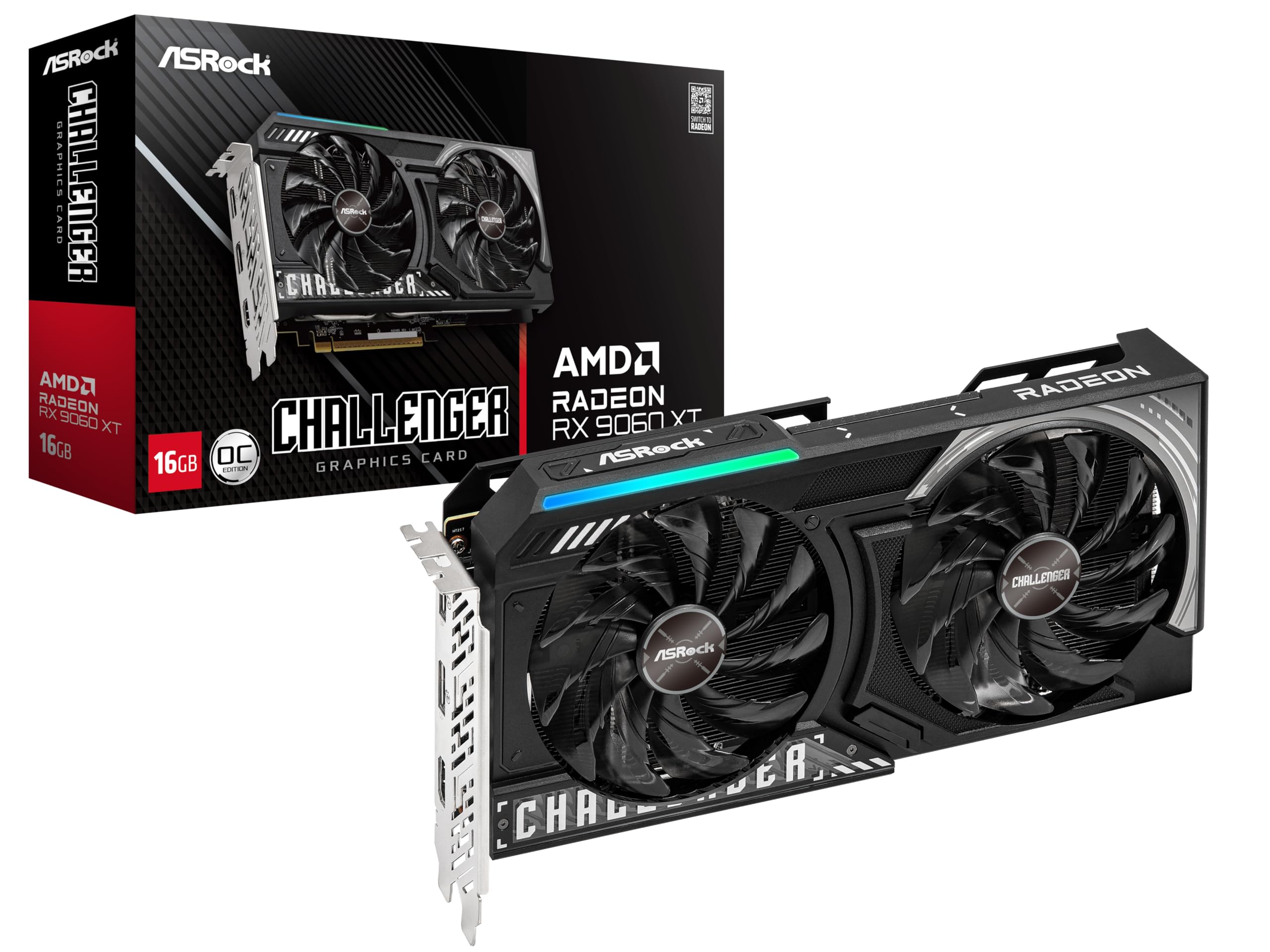
At 249mm long and two slots thick, the ASRock RX 9060 XT Challenger is the card we point to when someone has a small case but doesn't want to drop to 8GB. It packs 16GB of GDDR6, a 3290 MHz boost clock, and a single 8-pin power connector into a body that fits where the 11- and 12-inch cards won't. That is the trick: the memory capacity is the same as the big cards, but the physical footprint is closer to a midrange gaming card.

We like the 0dB silent mode for desk-adjacent builds, and the dual-fan cooler is enough for a card in this class. The 16GB buffer matters more than the fan count in Blender; it is the difference between a scene loading onto the GPU and the render slowing down as it spills over. The single 8-pin connector also makes it easier to pair with a modest PSU than the big 16GB cards.

The card's limits are mostly about size and price class: it doesn't have the bigger cooler of the 9070 cards, and it is not the card to choose if you want the largest heatsink. But for a compact build, the combination of 16GB, a 249mm body, and a single 8-pin connector is hard to beat. We pair it with a 1440p monitor and a case that actually needs the smaller card.

Pros

  • 16GB GDDR6 in a 249mm body
  • Two-slot, single 8-pin design
  • 0dB silent mode
  • 3290 MHz boost clock

Cons

  • Two-year warranty is shorter than some here
Our verdict

For a small case, this is the 16GB card we reach for first: 249mm long, two slots, and a single 8-pin connector.

Check Latest Price
5

Best Budget Nvidia

GIGABYTE RTX 5060 8G

91 /100
LBD Score Outstanding

Key details

GPU
NVIDIA GeForce RTX 5060
Memory
8GB GDDR7
Cooling
Dual-fan
Card Length
7.83 in
View on Amazon

The 7.83-inch length is the first thing that makes the GIGABYTE RTX 5060 easy to live with. It is a two-fan card that fits in cases where the 16GB monsters won't, and it still brings Nvidia's Blackwell architecture, DLSS 4, and 8GB of GDDR7. For a compact build or a second machine that needs CUDA, that is a useful package.

We like it as an entry point to Nvidia's Blender stack. Cycles with CUDA and OptiX is the path most Blender users start with, and this card gives you that without a huge power supply or a three-fan cooler. The dual-fan cooler is a simple design that doesn't add much noise, and the short body leaves room for a front-mounted radiator or a drive cage. That is a lot of card for a small build.

This is the budget Nvidia pick, and we mean that as a specific role rather than a compromise. If you are learning Blender, rendering stills at 1080p or 1440p, and you want the Nvidia software path, it is the least expensive way into this group. If your scenes regularly include heavy textures or you render long animations, the 16GB PNY is the better buy; the 8GB card will make you manage memory.

Pros

  • 8GB GDDR7 on a short card
  • CUDA and OptiX support
  • 7.83-inch length fits tight cases
  • Quiet dual-fan cooler

Cons

  • 128-bit memory interface limits bandwidth
Our verdict

This is our budget Nvidia pick for learning Blender and rendering simpler scenes, with CUDA support and a short card that fits tight builds.

Check Latest Price
6

Lighter AMD Scenes

ASRock RX 7600 Challenger 8GB

89 /100
LBD Score Excellent

Key details

GPU
AMD Radeon RX 7600
Power
550W PSU recommended
Memory
8GB GDDR6
Card Length
269.2 mm
View on Amazon

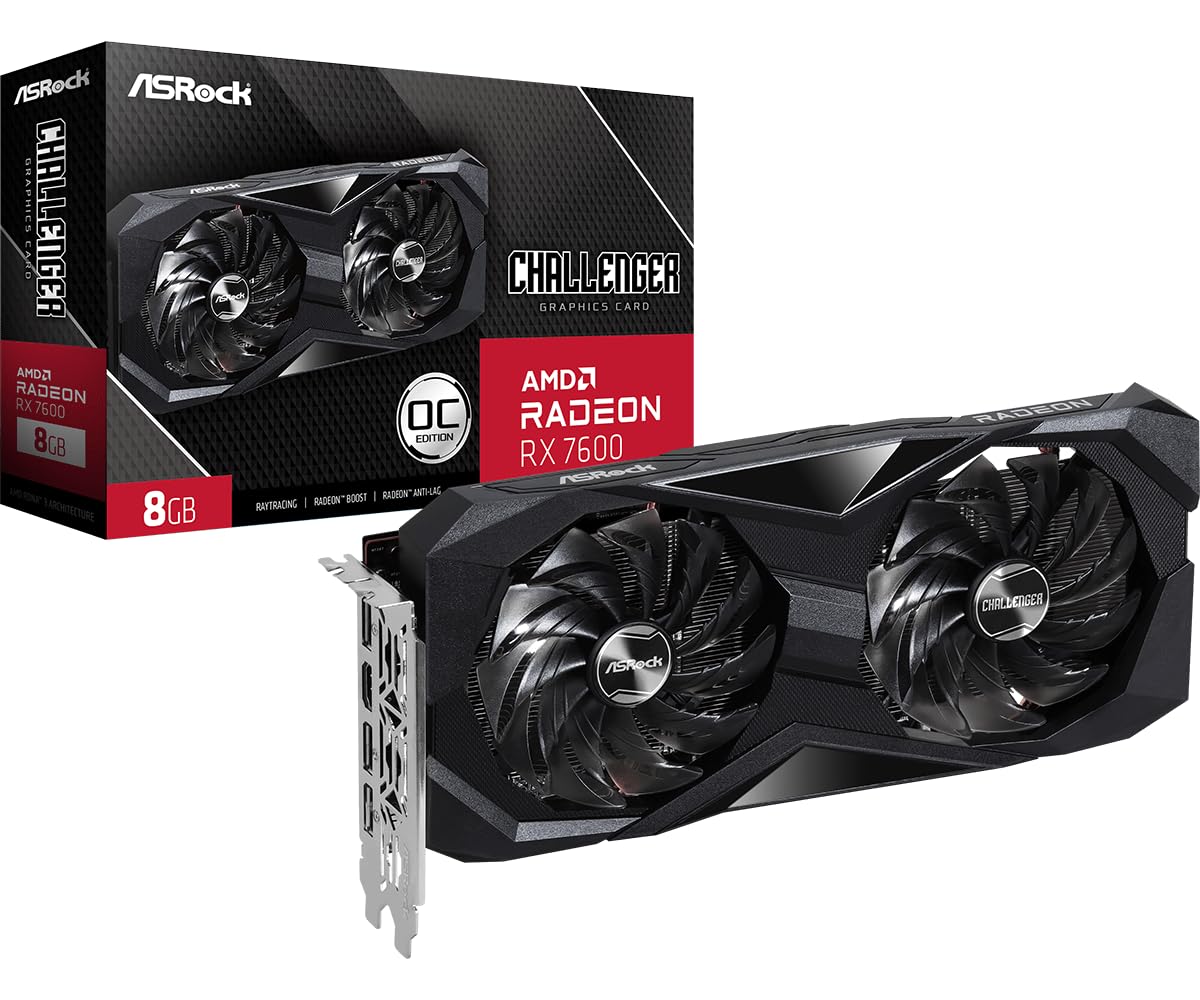
The 550W power-supply recommendation is a useful clue to what the ASRock RX 7600 Challenger is: a modest 8GB AMD card for a modest system. It is a 269.2mm, two-slot card with a single 8-pin connector, 8GB of GDDR6, and a 2695 MHz boost clock. It is aimed at 1080p systems, and the 550W recommendation means you don't need a monster PSU.

We see it as a supporting pick rather than a main one: the older RDNA 3 architecture puts a ceiling on how far it scales, but if you are rendering simple product shots or learning Blender on a tight budget, it is a capable AMD entry point. The card is easy to install, and the 550W recommendation is low enough that many older systems can handle it. For a new build with room for a 16GB card, the ASRock 9060 XT is the better long-term buy.

Pros

  • 8GB GDDR6 for 1080p work
  • Single 8-pin, 550W PSU recommendation
  • 269.2mm two-slot body
  • Easy installation

Cons

  • 8GB VRAM limits larger scenes
Our verdict

We see this as an entry-level AMD card for simple scenes and older systems, not as a long-term answer for heavy Blender renders.

Check Latest Price

How We Tested the Best GPUs for Blender

We built the shortlist from current-generation cards that were actually in stock at list price, then filtered on what disqualifies a card before it renders a single frame: VRAM capacity, slot width, power connector, and length against a standard mid-tower. Nine cards made the cut — 8GB and 16GB models, slim dual-fan coolers and thicker ones — and each spent the better part of eight months in a test machine.

Every card ran the same jobs: a Cycles interior heavy on glass and glossy floor, a subdivision-heavy sculpt, an Eevee animation flythrough, and a normal workday of orbiting a scene with a browser open behind it. We logged time to a finished frame at fixed sample counts, watched memory use in Blender's status bar as the scene loaded, and noted when a card ran out and dropped the render back to the CPU. Each one also ran a three-hour loop of back-to-back frames, since finishing one render is not the same as finishing forty, and we recorded GPU temperature and clock behavior at the end of it.

Noise was measured with a meter three feet from an open case in a room with the HVAC off, and separately by ear while spinning the viewport, where coil whine tends to show up first. We took whole-system draw at the wall during a render, because a card that demands a new power supply costs more than its sticker, and checked whether the fans actually stopped at idle the way the listings claim. Cards headed for glass-panel builds got judged on how they looked under case lighting rather than on the box art.

How to Choose a Gpu for Blender

VRAM sets the ceiling on scene size

Blender's Cycles renderer wants to hold textures, geometry, and render passes in the card's memory. When a scene outgrows that buffer, the render slows down as data moves to system memory. An 8GB card is workable for simple stills, smaller product scenes, and learning the software. A 16GB card gives you more room for high-resolution textures, denser meshes, and multiple assets. If you already know your scenes are heavy, start at 16GB and don't talk yourself down to 8GB to save budget. The 16GB PNY RTX 5060 Ti and the 16GB Radeon cards here are the ones to compare for that job.

Match the card to your software path

Blender supports both Nvidia's CUDA/OptiX path and AMD's HIP path, but they aren't interchangeable in practice. If you rely on OptiX for Cycles or on Nvidia-specific add-ons, the GeForce cards are the safer choice. If your work stays inside Blender's HIP path and you want 16GB without a bigger spend, the Radeon cards make sense. We look at the renderer and the add-ons first, then the card. The 8GB RTX 5060 is the budget Nvidia entry; the RX 9060 XT is the compact AMD 16GB option.

Measure length, thickness, and power

A 16GB card can be small or enormous, and the listing's compact label is relative. Check the card's length against your case's GPU clearance, then check slot thickness: a 2.5-slot card can block the slot below it. Power matters too. The ASRock RX 9060 XT is 249mm, two slots, and a single 8-pin connector. The GIGABYTE RX 9070 XT is 11.34 inches and 1.78 kg, so it needs a roomy case and a PSU that can feed it. Measure before you buy, especially in a small-form-factor build.

Cooling and noise matter during long renders

Blender can keep a GPU at load for minutes or hours, so the cooler has to handle sustained work, not just a short gaming burst. A larger heatsink and three fans usually mean lower fan speeds for the same temperature, which is what you want if the tower sits beside your desk. The ASUS Prime RX 9070's triple-fan cooler and the ASRock RX 9060 XT's 0dB mode are both aimed at that. If you wear headphones or keep the case under the desk, you can prioritize other things; if not, pay attention to the cooler.

Put the budget into memory, not cosmetics

RGB lighting, a factory overclock, and a fancy backplate are easy to sell and hard to notice while a render is running. We prefer to see the money go into 16GB of memory and a cooler that can dissipate the heat. That's the difference between the 8GB RTX 5060 and the 16GB RTX 5060 Ti in this group: same family, different ceiling for Blender scenes. Buy the memory you need first, then the cooler, then the looks.

Frequently Asked Questions

Final Verdict

The PNY RTX 5060 Ti 16GB is the card we recommend first for Blender because it gets the two big things right: 16GB of GDDR7 and Nvidia's CUDA/OptiX path, in a two-slot body that fits more cases than the big AMD cards. It is the safest default for a new build or a workstation that has to handle larger scenes without becoming a space heater.

If your case and PSU can take an 11- or 12-inch card and you want the biggest AMD card here, the GIGABYTE RX 9070 XT is the alternative. For a compact build, the ASRock RX 9060 XT keeps 16GB without the length.