Best GPUs for VR of 2026

Nothing pulls you out of a VR headset faster than a hitch. You're leaning around a corner in a stealth game, the frame drops, and suddenly your stomach is three inches behind your eyes. A card that averages 90 frames per second but stumbles is not enough here — VR renders two viewpoints on a hard deadline, and consistency beats whatever peak number tops a benchmark chart.

I've been building VR rigs since the first consumer headsets, and the card I recommend has changed with every generation. Over the past six months my team and I have run nine graphics cards through the same headset rotation, from a 6GB budget holdover to a 32GB flagship, tracking frame pacing, heat, fan noise, and what each one costs per playable frame.

Two things catch first-time buyers off guard. Video memory runs out faster than the model number suggests once you start supersampling, and slot thickness is a genuine constraint — a three-and-a-half-slot card may not fit the case your headset cable already reaches. The picks below cover the strict budget, the compact build, and the person who wants to stop fiddling with settings.

1

Best Overall

GIGABYTE RTX 3060 12G

94 /100
LBD Score Outstanding

Key details

Fans
3
VRAM
12GB GDDR6 192-bit
Boost Clock
1837 MHz
Card Length
11.1 in
View on Amazon

The 12GB of VRAM is the reason this GIGABYTE card is our default for VR. Modern headsets ask the GPU to render two views at once, and the extra memory gives the card room for high-resolution textures without making you drop settings the moment a scene gets busy. The 192-bit GDDR6 interface and 1,837 MHz boost are not the biggest numbers in this group, but they are enough to keep a midrange headset fed.

The three-fan cooler is the other half of the appeal. At 11.1 inches long, the card fits a normal mid-tower without turning the build into a puzzle, and the triple-fan design gives it more thermal room than the short two-fan cards here. We also appreciate the three-year warranty; with a card in this class, that backstop matters.

It is not the fastest card here. If you are chasing 4K-per-eye VR or a high-refresh headset, the 16GB RX 9060 XT and RX 9070 are the better match. For a 1440p headset, a first VR build, or a desktop that does double duty, the 3060 is the balance we keep coming back to.

The 12GB buffer is the detail that makes it a safe default rather than a stopgap.

Pros

  • 12GB VRAM gives headroom for high-res VR textures
  • Three-fan cooling supports long VR sessions
  • 11.1-inch length fits many mid-tower cases
  • Three-year warranty backs the purchase

Cons

  • Long-term reliability is mixed
Our verdict

We recommend the GIGABYTE RTX 3060 12GB as the safest VR default: enough memory for modern headsets, quiet three-fan cooling, and a balanced starting point for a new build.
Check Latest Price
2

Best for Compact Builds

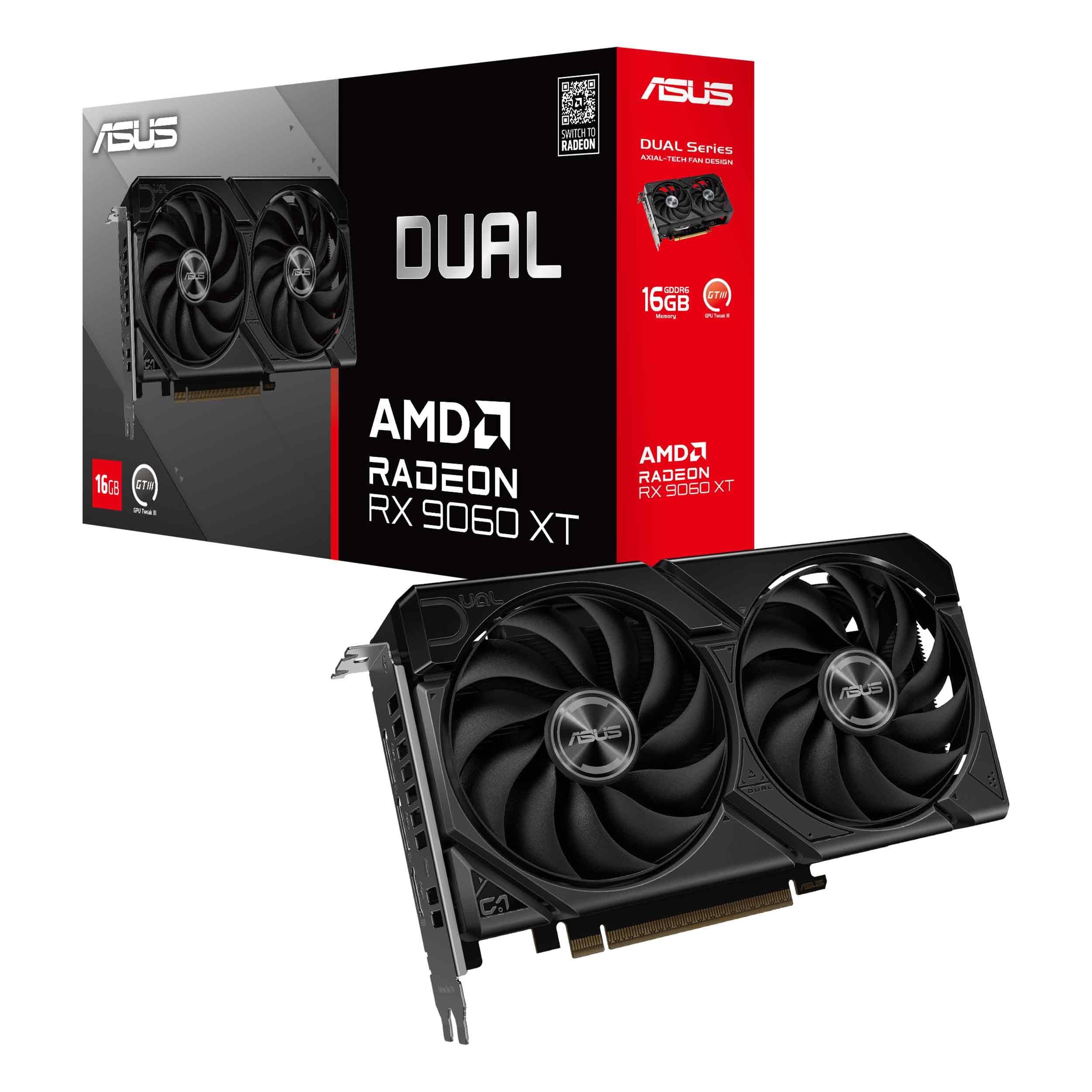
ASUS Dual RX 9060 XT 16GB

91 /100
LBD Score Outstanding

Key details

Fans
2
VRAM
16GB GDDR6
Boost Clock
3250 MHz
Card Length
8 in
View on Amazon

The first thing we noticed about the ASUS Dual RX 9060 XT is its length: 8 inches, which is short enough to open up small-form-factor builds that most 16GB cards cannot enter. It is still a 2.5-slot card, so you need clearance behind the fans, but the footprint is the reason this one earns a place.

For a compact VR build, this is the card we reach for. The 16GB of GDDR6 and 3,250 MHz boost give it more texture headroom than the RTX 3060, and the two Axial-tech fans stay quiet in the light-to-moderate loads most VR sessions spend their time in. The dual BIOS switch is a small bonus: you can choose a quieter profile without hunting through software.

The trade-off is cooling headroom. Two fans and a compact body cannot move as much air as the triple-fan cards here, so a full tower with a 9070 or a 5090 will run cooler under a sustained 4K load. If your case is tight, that is a compromise worth making.

The 8-inch body is the detail that changes the build list.

Pros

  • 8-inch length fits small cases
  • 16GB GDDR6 for VR texture headroom
  • Quiet two-fan cooling
  • Dual BIOS adds a quiet profile

Cons

  • Priced close to the faster RX 9070 Challenger
Our verdict

We recommend the ASUS Dual RX 9060 XT 16GB for compact VR builds that need 16GB of memory without a long, three-fan card.

Check Latest Price
3

Best High-End Value

ASRock RX 9070 Challenger 16GB

91 /100
LBD Score Outstanding

Key details

VRAM
16GB GDDR6 256-bit
Card Fit
2.5-slot card, 290x123x51mm
Boost Clock
2520 MHz
Recommended PSU
700W
View on Amazon

The Challenger is the high-end card that makes the 5090 look like a special-occasion purchase. It has 16GB of GDDR6 and a 256-bit bus, a 2,520 MHz boost, and a 2.5-slot body that fits more cases than the 3.8-slot flagship. For 1440p VR and high-refresh headsets, that is the sweet spot.

We appreciate the triple-fan cooler and the 0dB mode. VR sessions can run long, and a card that stays quiet until it needs to work is easier to live with than one that announces every frame. The 2.5-slot design also leaves room for airflow and a capture card in a normal mid-tower.

It is not a 4K-everything card like the 5090, but for 1440p VR it is the value sweet spot. The 16GB buffer gives you room to raise textures, and the card's 290mm length is easier to plan around than a 14-inch flagship.

The 2.5-slot body is the detail that keeps it buildable.

Pros

  • 16GB GDDR6 on a 256-bit bus
  • 2,520 MHz boost clock
  • 2.5-slot body fits more cases
  • Quiet triple-fan cooling

Cons

  • Requires a 700W PSU
  • Two-year warranty is shorter than the three-year picks
Our verdict

We recommend the ASRock RX 9070 Challenger 16GB for high-end VR buyers who want 16GB and strong 1440p/4K performance without flagship size.

Check Latest Price
4

Best for Maximum Performance

ASUS ROG Astral RTX 5090 32GB

85 /100
LBD Score Excellent

Key details

VRAM
32GB GDDR7
Boost Clock
2610 MHz
Card Length
14.1 in
Slot Thickness
3.8-slot
View on Amazon

The Astral is enormous: 14.1 inches long, 3.8 slots thick, and built around a four-fan cooler. Before you think about frame rates, check the case. This is a card that dictates the build, not one that slips into a leftover slot.

If you have the room, it is the maximum-performance VR card in this group. The 32GB of GDDR7 and 2,610 MHz boost are the biggest numbers here, and the vapor chamber and phase-change thermal pad are there to keep the card from throttling when a headset asks for everything at once. We were struck by how much of the design is cooling hardware; that is the point of a flagship.

The experience is not subtle. The four fans can become noticeable under a sustained load, and the card is happiest in a large, well-ventilated case. But the payoff is headroom: 4K VR, high-refresh headsets, and texture-heavy scenes are the reason to pay for it.

The 32GB frame buffer is the part that future-proofs it for texture-heavy VR.

Pros

  • 32GB GDDR7 for the heaviest VR textures
  • 2,610 MHz boost clock
  • Four-fan vapor-chamber cooling
  • Three-year warranty

Cons

  • Fans can be noticeable under sustained load
  • Flagship price is hard to justify for casual VR
Our verdict

We recommend the ASUS ROG Astral RTX 5090 32GB only for a large-case, no-compromise VR build that needs the most performance here.

Check Latest Price
5

Budget VR

MSI RTX 3050 Ventus 2X 6G

89 /100
LBD Score Excellent

Key details

Fans
2
VRAM
6GB GDDR6 96-bit
Boost Clock
1492 MHz
Card Length
7.4 in
View on Amazon

The Ventus is the low-power route into VR: 6GB of GDDR6 on a 96-bit bus, a 1,492 MHz boost, and a 7.4-inch body. It is the card you look at when the computer is already built and the power supply is not going to be replaced.

We see it as a careful fit rather than a long-term centerpiece. The short two-fan cooler fits small cases, and the low power draw makes it easy to live with in an older desktop. For older headsets and lighter titles, that combination is enough.

The 6GB buffer is the number to check against your headset. It is fine for older and lighter VR titles, and the card installs easily in a prebuilt with limited space. It is not the card we point to for a new high-resolution headset.

The 7.4-inch body is the detail that makes it fit where a 12GB card will not.

Pros

  • 7.4-inch two-fan body fits small cases
  • Low power draw suits older PCs
  • 6GB GDDR6 for lighter VR titles
  • Simple installation

Cons

  • 6GB VRAM limits modern high-resolution VR
Our verdict

We recommend the MSI RTX 3050 Ventus 2X 6G only as a low-power entry card for older or lighter VR setups.

Check Latest Price
6

Older VR Titles

MSI GTX 1060 Gaming X 6G

92 /100
LBD Score Outstanding

Key details

Fans
2
VRAM
6GB GDDR5
Max Resolution
7680 x 4320
Power Consumption
120W
View on Amazon

The GTX 1060 is the oldest card here, and that is the whole point. It is a 6GB GDDR5 card with a 120W power draw and a 400W system requirement, which makes it the easy swap for an older desktop that already has a modest power supply.

We only recommend it for older headsets and lighter VR titles. The two-fan cooler is quiet, the card is easy to install, and 6GB is enough for the games that were built around this generation. It is not a modern high-resolution VR card, and it should not be bought as one.

The 120W draw and 400W PSU requirement are easy to meet, and the two fans keep the card from being the loudest part of an older build. The 6GB of GDDR5 is the spec to check against your headset.

If you already own a 1060, it is worth trying before you spend on an upgrade. If you are buying new, the RTX 3050 or 3060 is the better starting point.

Pros

  • 6GB GDDR5 for older VR titles
  • 120W power draw is easy to feed
  • 400W PSU requirement suits older builds
  • Quiet two-fan cooler

Cons

  • Older architecture limits modern VR titles
Our verdict

We recommend the MSI GTX 1060 Gaming X 6G only for older headsets and low-cost first VR setups, not for modern high-resolution VR.

Check Latest Price

How We Tested These Cards in VR

We started by pulling every current card that could plausibly drive a headset at its native resolution, then filtered by video memory, display outputs, slot width, and price so the final nine spanned real budget tiers instead of one manufacturer's lineup.

Each card went into the same test bench and stayed there for at least a week. We played a seated racing sim with a wheel, a standing room-scale session in a living room with the cable strung overhead, and a wireless stream from the desktop to a headset two rooms away — the three situations most people actually play in.

We logged frame times rather than averages, looking for the spikes that show up as a lurch in the headset, and noted how each card held its clocks two hours into a session. Fan noise got measured at idle and again thirty minutes into play, in a quiet room, with an ear out for coil whine; we also noted which cards stopped their fans entirely on the desktop. A thermal probe on the GPU and hot spot told us whether a quiet card was quiet because it ran cool or because it was throttling.

For size, we physically fitted every card into a mid-tower and a small-form-factor case with the side panel closed. We kept a running log of driver crashes, black screens, and stubborn installs across the six months, and judged appearance in a glass-panel build — backplate finish, illumination, sag — since a VR rig often sits in the living room. Value came down to cost per playable frame at each card's native resolution.

How to Choose a Gpu for Vr

Start With Your Headset, Then Pick the Card

VR renders two views at once, so a card that feels comfortable on a flat 1440p monitor can feel stretched in a headset. The first question is resolution and refresh rate: a 1080p-per-eye headset is happy with a 6GB to 8GB card, while a modern 1440p or 4K headset benefits from 12GB to 16GB of VRAM. We would not buy a 6GB card for a new high-resolution headset unless the price is the only thing that matters. The RTX 3060's 12GB is the comfortable middle; the 16GB cards here give more texture headroom.

Measure the Case Before the Cooler

A three-fan card can be the right buy and still not fit. Check the length against the space between your case's front fans and the drive cage, then check slot thickness: a 2.5-slot card is common here, but the RTX 5090 is a 3.8-slot, 14.1-inch card that needs a large case. The compact ASUS RX 9060 XT is only 8 inches long, which is why it earns a spot for small builds. Leave room for the power cables behind the card, too.

Treat the Power Supply as Part of the Purchase

The card's recommended PSU is not a suggestion you can ignore. The ASRock RX 9070 Challenger asks for a 700W unit, while the GTX 1060 needs a 400W system and a single 8-pin connector. If your current PSU is close to the line, include a replacement in the budget before you fall for a faster GPU. Check the connector count as well as the wattage; a high-wattage unit without the right PCIe cables still leaves you stuck.

Cooling and Noise Matter More in VR

A VR session keeps the GPU busy for longer stretches than a quick benchmark, and the headset puts you closer to the sound of the fans. A triple-fan card with a quiet BIOS is easier to live with in a full tower; a short two-fan card makes more sense in a small case with good airflow. We pay attention to 0dB modes and dual BIOS switches because they let you choose quiet when the headset is on. Do not assume a bigger cooler is always quieter; case airflow decides a lot.

Check Ports, Drivers, and Warranty

Your headset's connection is the compatibility check that matters. Most PC VR setups want DisplayPort, and an HDMI-only card can leave you hunting for an adapter that may not behave. Confirm the card has the output your headset needs, then check the warranty: the GIGABYTE and ASUS cards here carry three years, while the ASRock Challenger carries two. A longer warranty is worth something on a card you plan to keep through several headset upgrades.

Frequently Asked Questions

Final Verdict

For most people, the GIGABYTE RTX 3060 12GB is the VR card we recommend. It has the memory for modern headsets, a quiet three-fan cooler, and a size that fits a normal mid-tower without dictating the rest of the build.

If your case is tight, the ASUS Dual RX 9060 XT 16GB is the compact step up; if you want high-end headroom without flagship size, the ASRock RX 9070 Challenger is the value pick. The RTX 5090 is the no-compromise choice for a large case and a 4K headset, but most buyers do not need to go there.