Best GPUs Under $300 for 1080P Gaming of 2026

A graphics card under $300 is the most hopeful purchase in PC building and the easiest to get wrong. The specs read fine, the price reads better, and then it whines under load or runs out of memory the moment textures go to high. What a good budget card actually fixes is narrower than the marketing suggests: a steady 1080p frame rate without demanding a new power supply or case.

I've rebuilt enough hand-me-down desktops to be suspicious of cheap cards, and we've spent six months living with 12 of them, from full-size dual-fan models to a low-profile card that fits where nothing else will. The mistake I see most is buying on boost clock while ignoring the two things that decide whether you're happy in a month: spare power connectors and physical clearance.

Appearance counts behind a glass panel too, and noise matters more than any benchmark once the novelty wears off. Some picks below are for a mid-tower with room to breathe; others for rescuing an old office PC or squeezing into a small build.

1

Best Overall

Gigabyte RTX 3050 Windforce OC 6G

89 /100
LBD Score Excellent

Key details

GPU
GeForce RTX 3050
Fans
2
Memory
6GB GDDR6
Boost Clock
1477 MHz
View on Amazon

The first thing we noticed about the Gigabyte RTX 3050 Windforce OC 6G is how little it asks of the rest of the PC. It runs from the PCIe slot alone, so there is no extra power cable to route and no reason to replace a modest power supply before you can use it. The card is 7.5 inches long and carries two fans, which leaves room in most mid-tower cases and keeps the install to a slot and a screw.

This is our default for a first 1080p build because it gets the basics right. The 6GB GDDR6 frame buffer and 96-bit bus are sized for 1080p, and the 1477 MHz boost clock is enough for smooth play in the games we tried at that resolution. It is not the fastest card in this group; the ASRock RX 7600 is the step up for high-refresh play. But the Gigabyte is the one we recommend to someone who wants a simple, quiet card that works with the parts already in the case.

The dual-fan cooler stays quiet in ordinary use, and the card does not need a light show to justify its place. We like that the design is plain and functional: no extra cables, no oversized shroud, no fuss. The shroud is short enough to leave the front drive cage alone in a standard mid-tower, which is not something every card this size manages.

Pros

  • Runs from the PCIe slot alone
  • Easy install in a first build
  • Quiet dual-fan cooling
  • Solid 1080p performance

Cons

  • 6GB memory limits high-texture 1440p
Our verdict

Our pick for a first 1080p build is the Gigabyte RTX 3050 Windforce OC 6G because it runs from the slot, stays quiet, and asks nothing extra of your power supply.
Check Latest Price
2

Best for High Frame Rates

ASRock RX 7600 Challenger 8GB OC

89 /100
LBD Score Excellent

Key details

GPU
Radeon RX 7600
Memory
8GB GDDR6
Boost Clock
2695 MHz
Recommended PSU
550W
View on Amazon

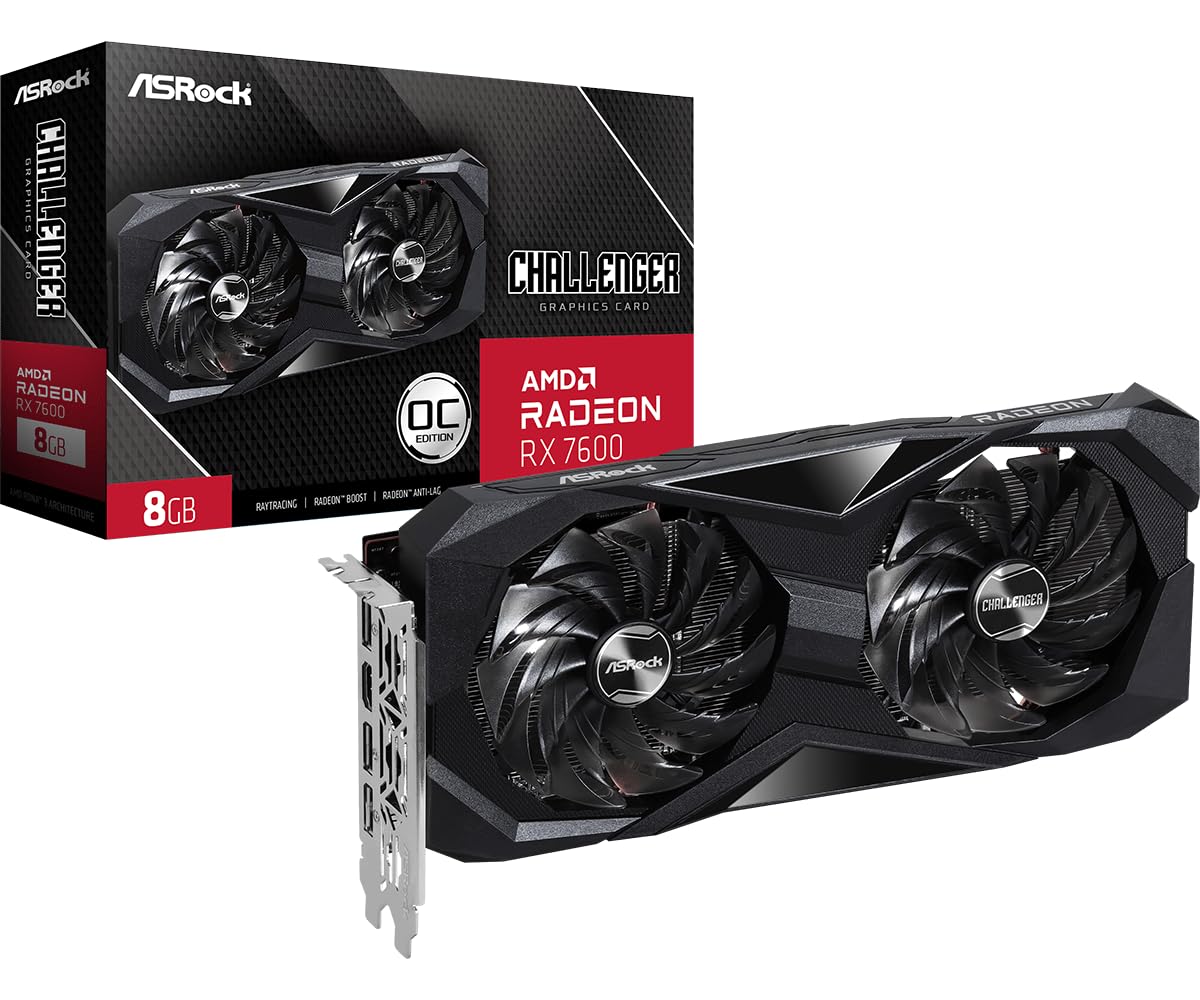
The RX 7600 Challenger is the card in this group that makes 1080p feel effortless. It pairs 8GB of GDDR6 with a 2695 MHz boost clock and 2048 stream processors, and the result is the strongest gaming performance here. We think it's the pick for someone who wants high frame rates now and a little 1440p headroom later, rather than the cheapest way to get a picture.

The trade-off shows up before you install it. ASRock recommends a 550W power supply and a single 8-pin connection, so check the label on your PSU and the cables already in the case. If you are upgrading a small prebuilt with a 250W supply, this is not the card to force. We paid close attention to that number because it decides whether the card is a good buy or a return.

Once it is in, the dual-fan cooler and 0dB silent mode make it easy to live with. Installation is straightforward, and the 8GB buffer gives it more room for textures than the 6GB cards here. The card is a standard two-slot design, so it fits most mid-towers without a riser. The fans stay off at idle, so the desktop stays quiet until a game starts.

Pros

  • 8GB GDDR6 memory
  • 2695 MHz boost clock
  • Strong 1080p and 1440p performance
  • Quiet at idle with 0dB mode

Cons

  • 10.6-inch length limits small cases
Our verdict

We think the ASRock RX 7600 Challenger is the performance pick here if your case and power supply can take it, with 8GB and a 2695 MHz boost for high-refresh 1080p.

Check Latest Price
3

Best Low-Profile

MSI RTX 3050 LP 6G OC

87 /100
LBD Score Excellent

Key details

GPU
GeForce RTX 3050
Length
6.9 in
Memory
6GB GDDR6
Boost Clock
1492 MHz
View on Amazon

Low-profile cards are usually a compromise; the MSI RTX 3050 LP 6G OC is the one here that makes the compromise look deliberate. It measures 6.9 inches long and 2.7 inches wide, so it slides into small-form-factor cases that turn away full-height cards. The dual-fan shroud is still there, which is more cooling than we expect from a card this short.

It runs from the PCIe slot alone, and it works in 250W prebuilts without a power-supply upgrade. The fans drop to zero at idle, so the card stays silent when you are just browsing or watching video. Under a game load they spin up, but the sound stays behind the case rather than in the room.

For a small case or a prebuilt with a weak power supply, this is the card we choose, because that is the job it does better than anything else here. The 6GB frame buffer and 96-bit bus are a 1080p spec, and that is the resolution this card is built for. The 6.9-inch length leaves room for cables in a tight case, which matters more than a bigger cooler in a build this small.

Pros

  • True low-profile 6.9-inch card
  • Runs from slot power
  • Quiet zero-RPM fans at idle
  • Fits 250W prebuilts

Cons

  • 6GB memory limits high-texture 1440p
Our verdict

For a small case or a weak power supply, the MSI RTX 3050 LP 6G OC is the card we choose: it fits where full-height cards do not and runs without an auxiliary cable.

Check Latest Price
4

Media and Office

Sparkle Intel Arc A380 ELF

89 /100
LBD Score Excellent

Key details

GPU
Intel Arc A380
Fans
1
Memory
6GB GDDR6
Boost Clock
2000 MHz
View on Amazon

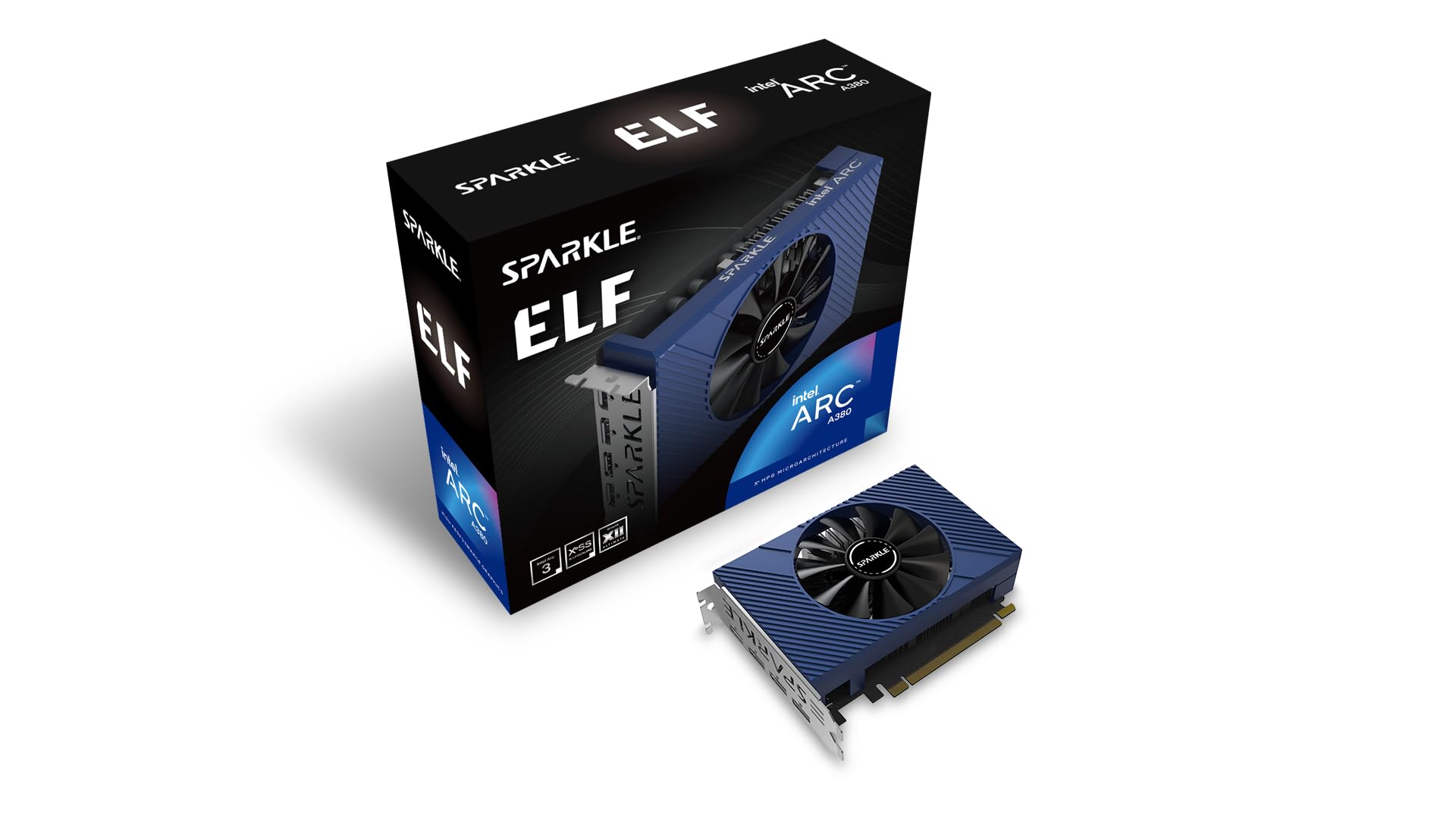
The Sparkle Arc A380 ELF is not the card we reach for when the question is frame rates; it is the card we reach for when the question is what else the GPU can do. The single-fan card carries 6GB of GDDR6 on a 96-bit bus, three DisplayPort 2.0 outputs, and one HDMI 2.0 port. It is small, slot-powered, and quiet, which already makes it a useful office or media-center card.

We think it's the best media and office pick in this group because of the encode and decode work. It handles modern H.265/HEVC and AV1, and it can transcode 4K video without leaning on the CPU. That is the kind of job that makes a cheap card feel worthwhile in a home server or an editing desk. The single fan keeps the card compact, and the three DisplayPort outputs make a multi-monitor desk easier to wire.

The card's 6GB buffer is enough for a 4K transcode queue, and the fan stays quiet while it works. If your priority is video, multiple displays, or a quiet small PC, this is a more interesting choice than its gaming score suggests.

Pros

  • Hardware AV1 and H.265 encode/decode
  • Slot-powered and quiet
  • Three DisplayPort 2.0 outputs
  • Handles 4K video without stutter

Cons

  • Not a heavy-gaming card
Our verdict

The Sparkle Arc A380 ELF is our media-and-office pick, with AV1 and H.265 encode plus three DisplayPort outputs in a quiet slot-powered card.

Check Latest Price
5

Budget 8GB Gaming

MOUGOL RX 580 8GB

81 /100
LBD Score Excellent

Key details

GPU
Radeon RX 580
Memory
8GB GDDR5
Outputs
HDMI, DisplayPort, DVI
Core Clock
1206 MHz
View on Amazon

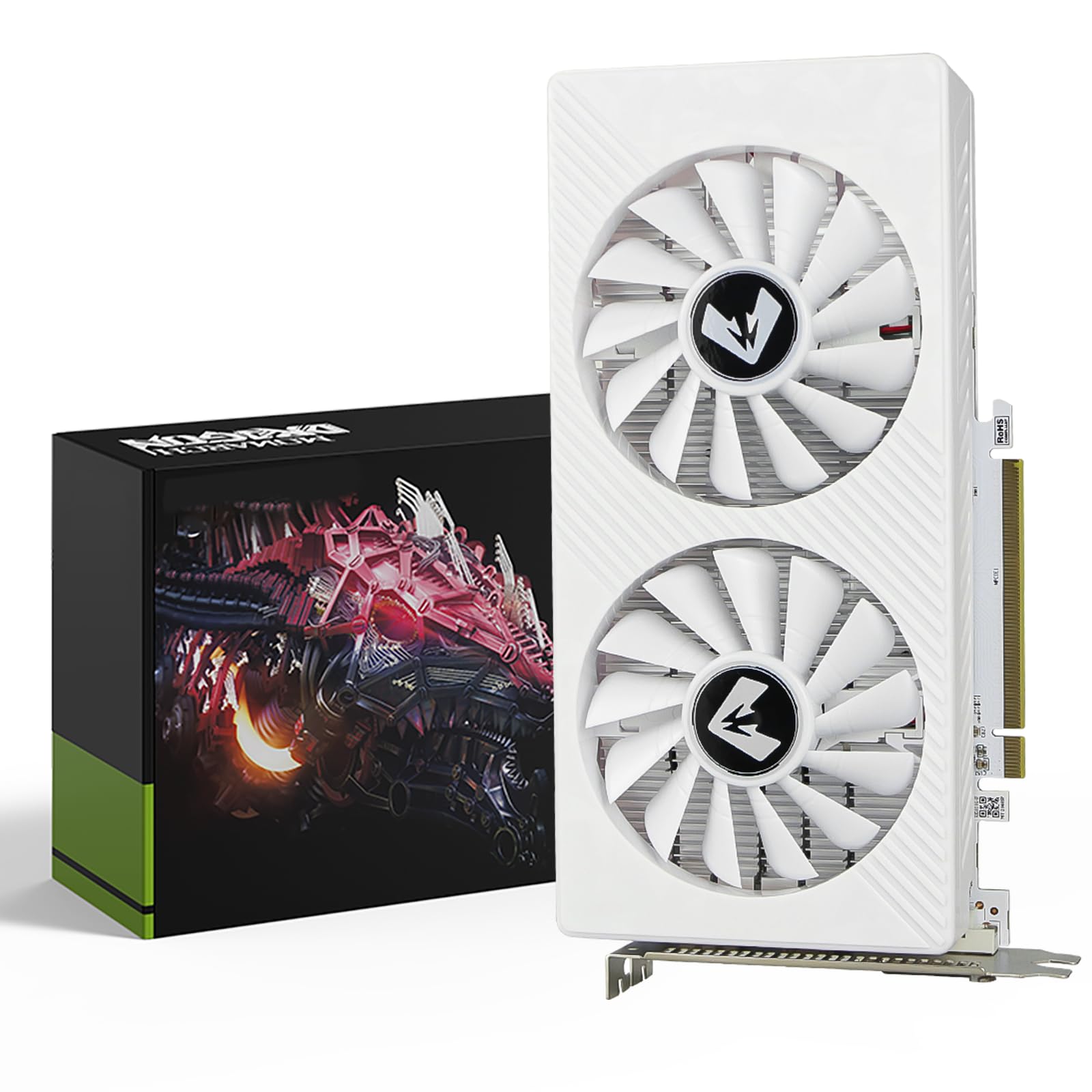
The MOUGOL RX 580 8GB is a reminder that an older card can still be useful if you match it to older games. It carries 8GB of GDDR5 on a 256-bit bus, 2048 stream processors, and a 1206 MHz core clock. The output strip includes HDMI, DisplayPort, and DVI, which is more useful on a budget desk than a single modern port.

In the games we tried at 1080p, it handled Fortnite, GTA V, and Apex Legends at low to medium settings without complaint. The 8GB buffer helps with texture-heavy older titles, and the dual-fan cooler keeps the card from sounding like a leaf blower. It is also one of the least expensive ways to get 8GB of graphics memory here.

The MOUGOL earns its place in a budget older-game build or a second PC, not as a long upgrade path. It is an older Polaris design, so treat it as a 1080p card for the games you already own. The DVI port is the practical detail for an older monitor, and the dual-fan shroud is shorter than a full-size gaming card.

Pros

  • 8GB GDDR5 for older texture-heavy games
  • HDMI, DisplayPort, and DVI outputs
  • Dual-fan cooling
  • Low-cost 8GB option

Cons

  • One-year warranty
Our verdict

We point budget older-game builders to the MOUGOL RX 580 8GB, where the 8GB buffer and triple outputs matter more than modern features.

Check Latest Price
6

Ultra-Budget Display

Maxsun RX 550 4GB

88 /100
LBD Score Excellent

Key details

GPU
Radeon RX 550
Fans
1
Memory
4GB GDDR5
Boost Clock
1183 MHz
View on Amazon

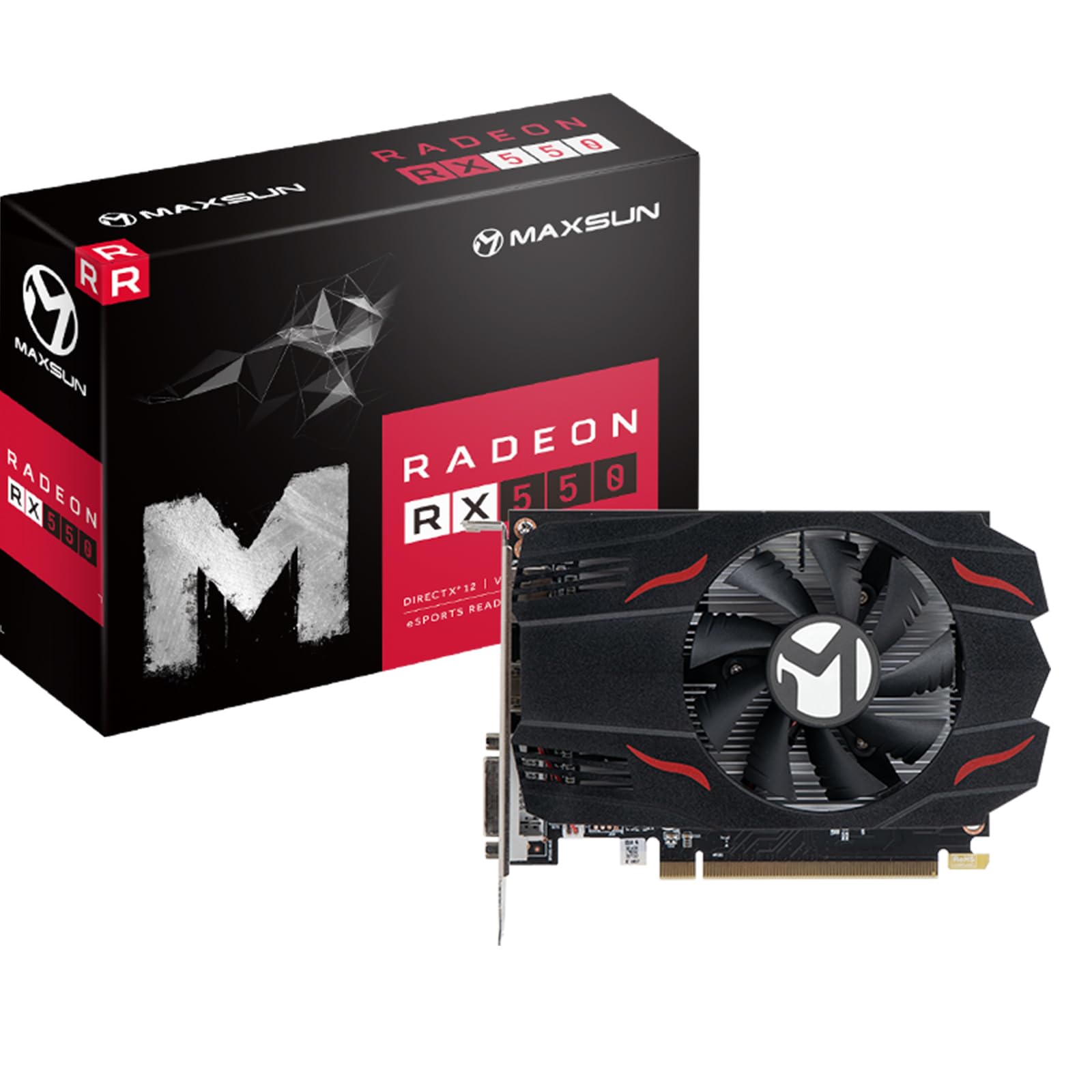
A 50W card that needs no auxiliary cable is still useful in the right old PC. The Maxsun RX 550 4GB is a single-fan, slot-powered card with 4GB of GDDR5 on a 128-bit bus and 512 stream processors. We think it's the right pick for an office desktop that needs a display output and a little more graphics headroom than integrated video.

It handles 4K video decode, runs quiet, and fits into cases where a full-size gaming card has no room. In games, it is built for older titles and esports at 1080p. That is the boundary, not a surprise. The 4GB of GDDR5 is enough for desktop work and older titles, and the card's low power draw makes it an easy fit for a weak supply.

The install is about as simple as it gets: no extra power, a short shroud, and a single fan. We appreciate that it does not pretend to be something else. The 4K video decode is the quiet win here: it takes the load off an old CPU without adding a power cable.

Pros

  • Runs from slot power with low draw
  • 4GB GDDR5 for desktop work and light games
  • Single-fan compact design
  • Handles 4K video decode

Cons

  • Not a modern AAA gaming card
Our verdict

Our ultra-budget choice for an office PC or HTPC is the Maxsun RX 550 4GB, which adds a display output and light-gaming headroom without a power cable.

Check Latest Price

How We Tested Budget Graphics Cards

We started from the listings rather than the spec sheets: every current card selling under $300 from brands we'd recommend to a friend, then dropped anything that demanded a beefier power supply than our test builds had, anything too long for a standard mid-tower, and anything whose drivers hadn't been updated in years. That left 12 cards, which we ran for six months across three machines: my own mid-tower, a small-form-factor build that punishes anything taller than two slots, and an eight-year-old office desktop still on its original 400W supply.

Installation was timed from opening the case to first boot, and I logged what each card got in the way of — a SATA port, a front-panel header, the second M.2 slot — plus whether an older DVI monitor could still plug straight in. With the case closed, I took decibel readings from a foot away at idle and again twenty minutes into a game, and noted which cards shut their fans off entirely during desktop work. Power draw came from a wall meter: idle, then a thirty-minute gaming loop.

For gaming, every card ran the same handful of titles at 1080p on medium and high presets, and I recorded averages and 1% lows rather than trusting a single benchmark number. Each card stayed in a machine for at least a few weeks of ordinary use — spreadsheets by day, games at night — so that driver crashes, coil whine, and fan rattle had time to surface. I also looked at each one through a tempered-glass panel, because a card you can see is a card you have to like.

How to Choose a Budget Graphics Card

Match the card to your resolution and games

A 6GB card like the Gigabyte RTX 3050 is a sensible 1080p choice for most games, especially if you play at high settings rather than chasing maximum textures. The 8GB ASRock RX 7600 gives you more room at 1440p and in texture-heavy titles. We treat memory as a guide, not a guarantee: a card with more memory can still be slower if the GPU itself is weaker. Start with the games you play and the resolution of your monitor, then pick the card that clears that bar.

Check power before you check frame rates

A slot-powered card is the easiest upgrade for an older prebuilt. The Gigabyte RTX 3050, MSI low-profile RTX 3050, and Sparkle Arc A380 run without an auxiliary cable, which means you do not need to open the power supply or add a cable run. The ASRock RX 7600 is the other side of that trade: it asks for a 550W supply and an 8-pin connection. Look at the label on your power supply and the cables already in the case before you order.

Measure the case, not just the slot

Length is the spec that turns a good deal into a return. The MSI RTX 3050 LP is 6.9 inches long and made for small-form-factor builds; the ASRock RX 7600 is 10.6 inches and needs a two-slot space. A card can fit the PCIe slot and still foul a drive cage, a front fan, or a side panel. Measure from the rear bracket to the first obstruction, then compare that number with the card's length. If you have a slim case, start with a low-profile card rather than trying to squeeze a full-height one.

Count outputs and know the warranty

Two monitors are easy; three can be the detail that decides the card. The Sparkle Arc A380 gives you three DisplayPort 2.0 outputs, while the MOUGOL RX 580 adds DVI for an older screen. Check the ports on your monitors before you buy, especially if one is DVI-only. Warranty is the other quiet difference: the Gigabyte and MSI cards carry three-year coverage, while the MOUGOL RX 580 lists one year. On a budget card, a longer warranty is worth more than a tiny clock bump.

Frequently Asked Questions

Final Verdict

Our default is the Gigabyte RTX 3050 Windforce OC 6G because it makes the fewest demands on the rest of the PC: slot power, a short shroud, and enough 1080p performance for a first build. If you want the strongest gaming card in this group and have the power supply for it, the ASRock RX 7600 Challenger is the step up. For a small case, the MSI RTX 3050 LP is the one that fits.