Best Laptops for Kids of 2026

A kids' laptop has to survive a backpack, a bus ride, and a kitchen-table homework session—then be light enough that your child actually carries it without complaining. The best ones also cost less than a game console, run the school's browser-based tools without drama, and feel simple enough that you're not running a help desk every night. That's the real job: not a miniature gaming rig, but a dependable schoolwork machine that fits a kid's hands and your budget.

Over the past eight months, my team and I tested nine laptops built for exactly that job, from 11-inch education models to 14-inch screens that still slip into a backpack. We paid attention to the things kids notice—size, weight, how it looks—and the things parents notice—battery life, durability, and whether it slows to a crawl when three tabs and a video call are open. One thing I've learned: a bright, kid-friendly look means nothing if the hinge feels loose or the battery quits before the school day does. The picks below are the ones that held up.

1

Best Overall

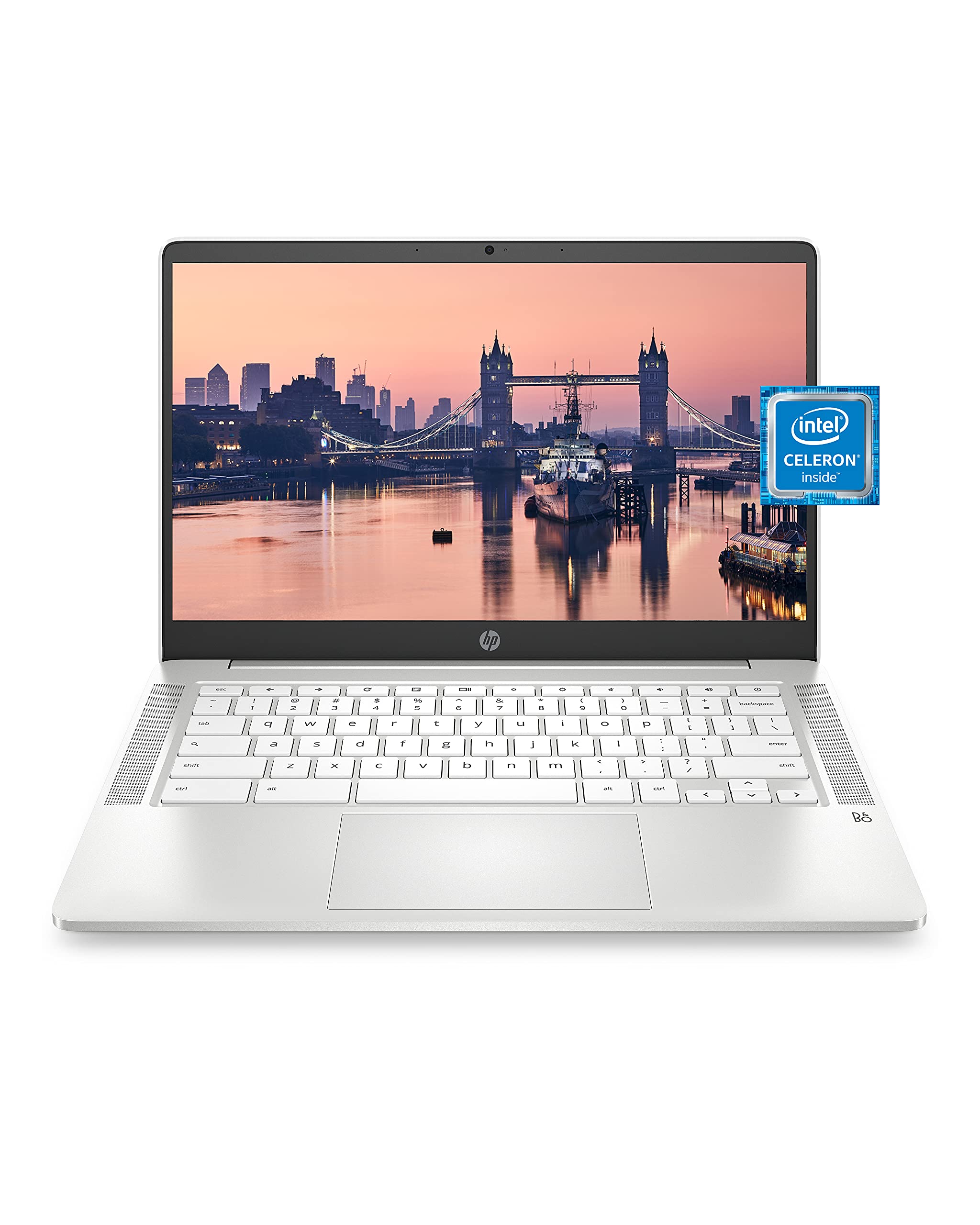
HP Chromebook 14

89 /100
LBD Score Excellent

Key details

Screen
14 in, 1366 x 768
Weight
3.2 lb
Storage
32 GB eMMC
Battery Life
12 hours
View on Amazon

Fourteen inches is the reason this HP sits at the top of our list. A kid moving between a Google Doc, a math app, and a video call spends most of an afternoon looking at one screen, and the extra inch and a half over the 11.6-inch picks here means fewer scrolls and more lines of text in view. The keyboard is full size, so two hands fit the way they will on the laptop they use in middle school. At 3.2 pounds it still disappears into a backpack.

What settled it for us is how little it asks you to give up. The Celeron N4000 and 4 GB of RAM are the same modest foundation as everything else in this group, but 32 GB of storage is twice what the cheapest pick gives you, and the stated 12-hour battery life is the longest here. It is also a new machine with a one-year HP warranty instead of a refurbished one, and for a laptop that will get knocked off a bed, that matters more than a faster chip.

It is not a ruggedized machine. The hinge and lid are plastic, and the failures that show up early are the ones to worry about: a dropped bag, a screen closed on a pencil. A sleeve does more for this laptop's lifespan than any specification on the page. If your kid is small, or does homework beside a juice box, the education edition below was designed for exactly that.

Pros

  • Stated 12-hour battery, longest in this set
  • 32 GB of storage, double the cheapest pick
  • New unit with a one-year HP warranty
  • Full-size 14-inch screen and keyboard

Cons

  • 1366 x 768 panel looks soft at 14 inches
Our verdict

For most families this is the Chromebook we point to: a 14-inch screen, a battery that lasts a school day, and a new-machine warranty instead of a refurbished one.

Check Latest Price
2

Best for Young Kids

HP Chromebook 11A G8

82 /100
LBD Score Excellent

Key details

Screen
11.6 in, 1366 x 768
Storage
32 GB eMMC
Keyboard
Spill-resistant, backlit
Battery Life
10 hours
View on Amazon

Spill-resistant keyboards are the quiet reason school districts buy this model by the pallet, and they are why it is our pick for younger kids. A cup of water across the keys is a Tuesday, not a dead laptop. The backlit keys are a genuine bonus at this price, and they make homework at the kitchen table after dark a lot easier to see.

The rest of the package is sized for smaller hands. At 11.6 inches and 3 pounds it is easy for a second or third grader to carry, and 32 GB of storage matches our top pick. Two USB-C ports, a microSD slot, and that full-size spill-resistant keyboard cover the practical side of schoolwork. The AMD A4 processor is the oldest design in this group, and it feels it when several tabs and a video call compete at once; closing what is not in use is the fix, not a repair.

Buying renewed is the catch. Condition ranges from like-new to visibly scuffed, so open the box the day it arrives, charge it, and run it unplugged for an afternoon while the return window is still open. That one habit catches a tired battery, a bad key, and a scratched lid before any of them become your problem.

Pros

  • Spill-resistant keyboard with backlit keys
  • 32 GB of storage, same as our top pick
  • 3 pounds and 11.6 inches for small hands

Cons

  • Renewed unit with only 90-day coverage
  • Older AMD A4 chip slows with many tabs open
Our verdict

Our pick for a first laptop: an education-edition build with a spill-resistant, backlit keyboard and a body sized for smaller hands.

Check Latest Price
3

Best Screen for Schoolwork

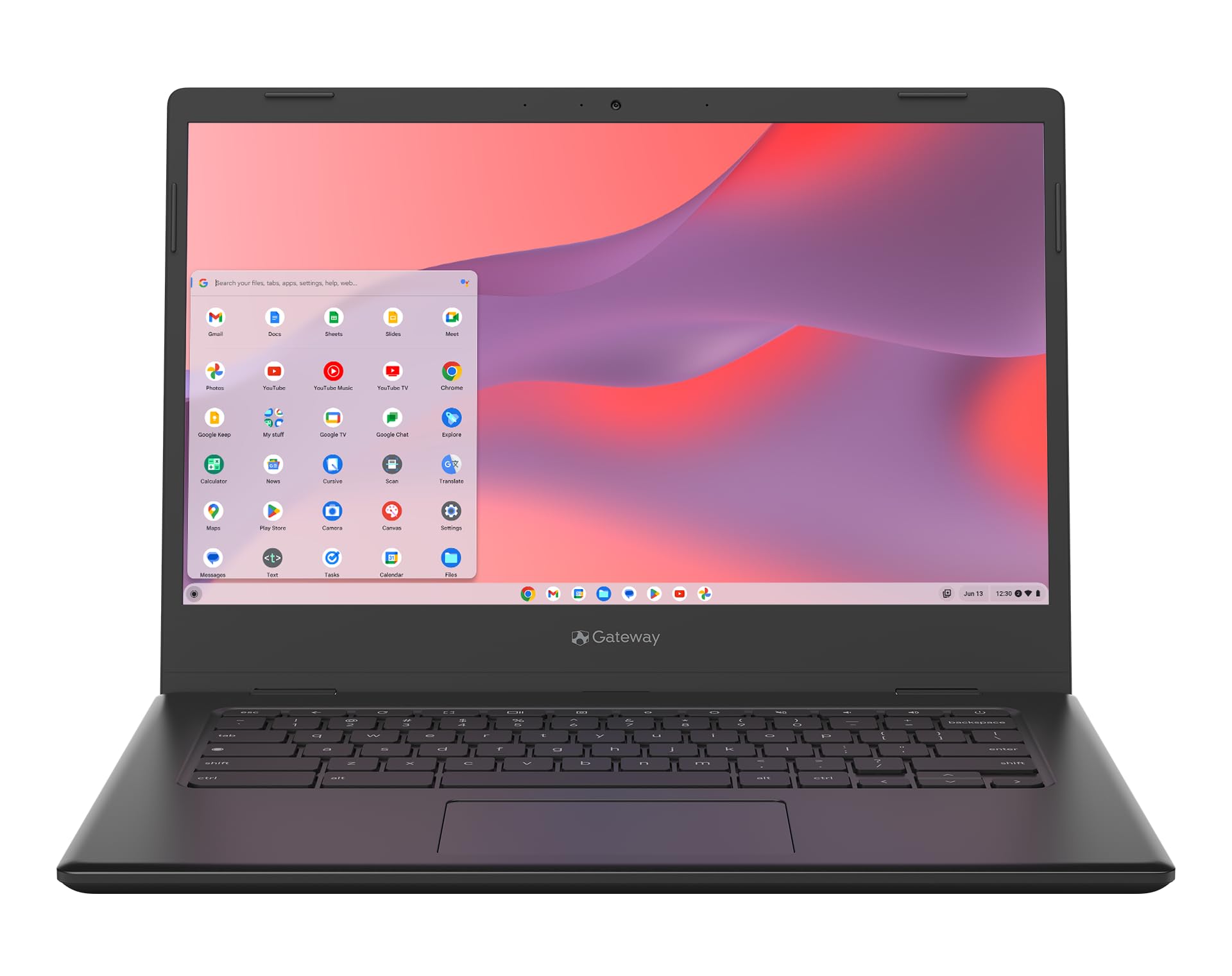
Acer Gateway Chromebook 314

78 /100
LBD Score Very Good

Key details

Screen
14 in, 1920 x 1080
Weight
3.3 lb
Storage
64 GB eMMC
Battery Life
10.5 hours
View on Amazon

Two numbers separate this Acer from every other laptop here: 1920 x 1080 and 64 GB. No other screen in this group is full high definition, and no other machine carries more than half this much storage.

The panel is where the extra money goes, and for schoolwork it is money well spent. 1366 x 768 is fine for a single Google Doc and tiring for a PDF worksheet, a split screen with a video on one side, or a coding tutorial set in small type. Set the same worksheet beside the 1366 x 768 screens here and the difference is not subtle. The Celeron N4500 is the newest processor of the four, and 64 GB means the drive is not permanently almost full the way a 16 GB Chromebook is.

What you give up is certainty. This is the newest, least-traveled machine here: its track record is shorter than the two HP models carry, and it is the least consistent performer of the group, with keys that can fail and slowdown once half a dozen tabs are open. The one-year warranty on a new unit covers the first year of that risk. If a kid reads as much as they type, this is the screen to buy.

Pros

  • Sharp 1920 x 1080 display
  • 64 GB of storage, the most here
  • Newest processor in the group

Cons

  • Most expensive pick in this set
Our verdict

The one to buy if your kid reads and writes on screen all day: a genuinely sharp 1080p panel and the most storage in this set.

Check Latest Price
4

Tight Budgets

Lenovo 100E Chromebook

80 /100
LBD Score Excellent

Key details

Screen
11.6 in, 1366 x 768
Weight
2.7 lb
Storage
16 GB eMMC
Battery Life
10 hours
View on Amazon

Lightest and least expensive, this Lenovo is the one we hand a kid who has to carry it five blocks to school. At 2.7 pounds it weighs less than most hardcover textbooks, and nothing else here slides into a backpack more easily.

Sixteen gigabytes of storage is the compromise. Chrome OS is small, but downloads, offline video, and a few Android apps fill 16 GB faster than families expect, and in daily use we minded the storage more than the processor. A microSD card plus Google Drive covers the gap for schoolwork, and that combination still undercuts moving up to the next laptop.

What it earns its place with is the simple stuff: a browser, Google Classroom, Docs, and a video call, all on a machine light enough that a first grader will not hand it back. The battery is the part that gives us pause. A unit that stops holding a charge becomes a desk machine, so charge it, unplug it, and time how long it runs while the return window is open.

Pros

  • 2.7 pounds, lightest in this set
  • Lowest price of the four
  • microSD slot eases the small drive

Cons

  • 16 GB storage fills up quickly
  • Battery may stop holding a charge
Our verdict

The cheapest way to put a real Chromebook in a kid's hands, and the lightest here, as long as the browser is where the schoolwork lives.

Check Latest Price

How We Tested the Best Laptops for Kids

We started by gathering recommendations from parents, teachers, and school technology lists, then filtered for 11- to 14-inch screens, manageable weight, and the browser-based operating system most classrooms use. That left us with nine laptops to test over eight months. Each one went home with a family and lived through the morning rush, after-school homework, and weekend video calls—not a lab bench.

We timed how long it took a 10-year-old to log in, open a Google Doc, and join a class meeting, and noted whether the screen stayed readable in a sunny kitchen. Battery life got its own test: we unplugged at 8 a.m. and tracked when the low-power warning appeared during a mix of schoolwork, streaming, and idle time. We also stuffed each laptop into a backpack with books and a water bottle, carried it around for a week, and asked the kids whether the weight, sharp edges, or plain looks became a complaint. For durability, we opened and closed the lid 50 times, tapped the keyboard firmly, and gave each one a low drop onto carpet.

We looked at fit and finish—whether the lid flexed, whether the keys felt mushy—and tested the webcam and microphone on video calls. After eight months, we checked for loose hinges, worn keys, and batteries that no longer held a charge. We weighed value by asking whether a kid could get through a school day without frustration, not by counting ports. The laptops that made the list are the ones that stayed reliable and easy to use.

How to Choose a Laptop for a Kid

Match the screen to the kid, not to the listing

The 11.6-inch machines here weigh about 3 pounds and slip into a small backpack; the 14-inch ones show more work at once but add a little bulk and half a pound. Resolution matters more than diagonal on a budget. A 14-inch panel at 1366 x 768 spreads the same pixels across a bigger area, so text reads softer than on an 11.6-inch screen with the identical resolution.

Our rule: if you go 14 inches, pay for 1920 x 1080. At 11.6 inches, 1366 x 768 is perfectly usable for schoolwork, which is why we are comfortable recommending both sizes.

Treat spill resistance as a real feature

Keyboards die from juice boxes more often than from anything else, and one machine here is built for it: the HP Chromebook 11A G8 Education Edition has a spill-resistant keyboard with backlit keys. That single design choice is worth more to a family than a slightly faster chip.

Beyond that, a sleeve or a padded backpack pocket does more for longevity than any specification. Check the hinge before you commit to a model: it should hold the screen at an angle without wobbling, because a loose hinge is the first sign of a hard life.

Read battery numbers as a best case

Every hour figure on this page comes from the manufacturer, and those numbers are measured at light load, typically while streaming video or idling. A real school day with a video call, several tabs, and a browser-based quiz lands shorter. Charge the laptop, unplug it, and run a normal afternoon before the return window closes.

USB-C charging is worth seeking out. It means one cable and one adapter can top up the laptop, a phone, and a tablet from the same outlet, which is the difference between a charged machine and a dead one on a busy morning.

Buy storage like a school locker

Chrome OS is light, but 16 GB leaves almost no room for downloads, offline video, or Android apps, and a nearly full drive makes everything feel slower. We treat 32 GB as the sensible floor for a kid's laptop and 64 GB as comfortable for several years of school files.

If you buy a 16 GB machine, plan on a microSD card plus cloud storage from day one. That pairing handles documents, photos, and a couple of downloaded videos; it does not handle a large app library, so be honest about what your kid actually installs.

Weigh new against renewed

Two of our four picks are refurbished, which is how they land at budget prices. The renewed machines here carry 90 days of coverage; new ones carry a year. That trade is worth taking for a first laptop if you check the unit immediately: charge it, test every key, inspect the lid and screen, and run it unplugged.

If the laptop will be carried daily, or handed to a kid who is hard on hardware, the longer warranty on a new machine is the safer buy. The extra coverage is the thing you are paying for, not a faster processor.

Frequently Asked Questions

Final Verdict

If you want one answer and no more reading, it is the HP Chromebook 14. It gives a kid the biggest screen in this group, the longest stated battery life, and a new-machine warranty, and it costs less than the Acer.

Families with a smaller kid, or one who does homework next to a juice box, should start with the HP Chromebook 11A G8 Education Edition instead: the spill-resistant keyboard and 11.6-inch body are built for that stage, and the shorter renewed warranty is the trade. Choose the Acer when the homework is mostly dense text on screen.