Best Touchscreen Laptops of 2026

A touchscreen laptop only earns its extra layer of glass if the panel keeps up with your finger and the hinge stays put when you tap it. When it doesn't, you drift back to the trackpad within a week and the feature quietly becomes dead weight. What a good one actually buys you is less reaching — tapping a link from the couch, signing a form with a thumb, sketching a note over a slide without breaking your train of thought.

My team has had 11 touchscreen laptops in rotation over the past six months, in 14-, 15.6-, and 16-inch sizes, and the keepers had surprisingly little to do with spec sheets. It was how quickly each one got through its first-run setup screens, how much trial software was waiting on the desktop afterward, and whether the battery estimate survived an afternoon of video calls.

The mistake I see most often is paying the touchscreen premium and then trimming RAM or storage to stay inside a budget. A 256 GB drive and 8 GB of memory will feel cramped long before the display does. The machines below are the ones that held up to real use, sorted by who they fit.

1

Best Overall

HP OmniBook 3 16

84 /100
LBD Score Excellent

Key details

Weight
3.6 lb
Display
16-inch 2K touch
Processor
AMD Ryzen 3 7320U
Configuration
8 GB RAM, 256 GB SSD
View on Amazon

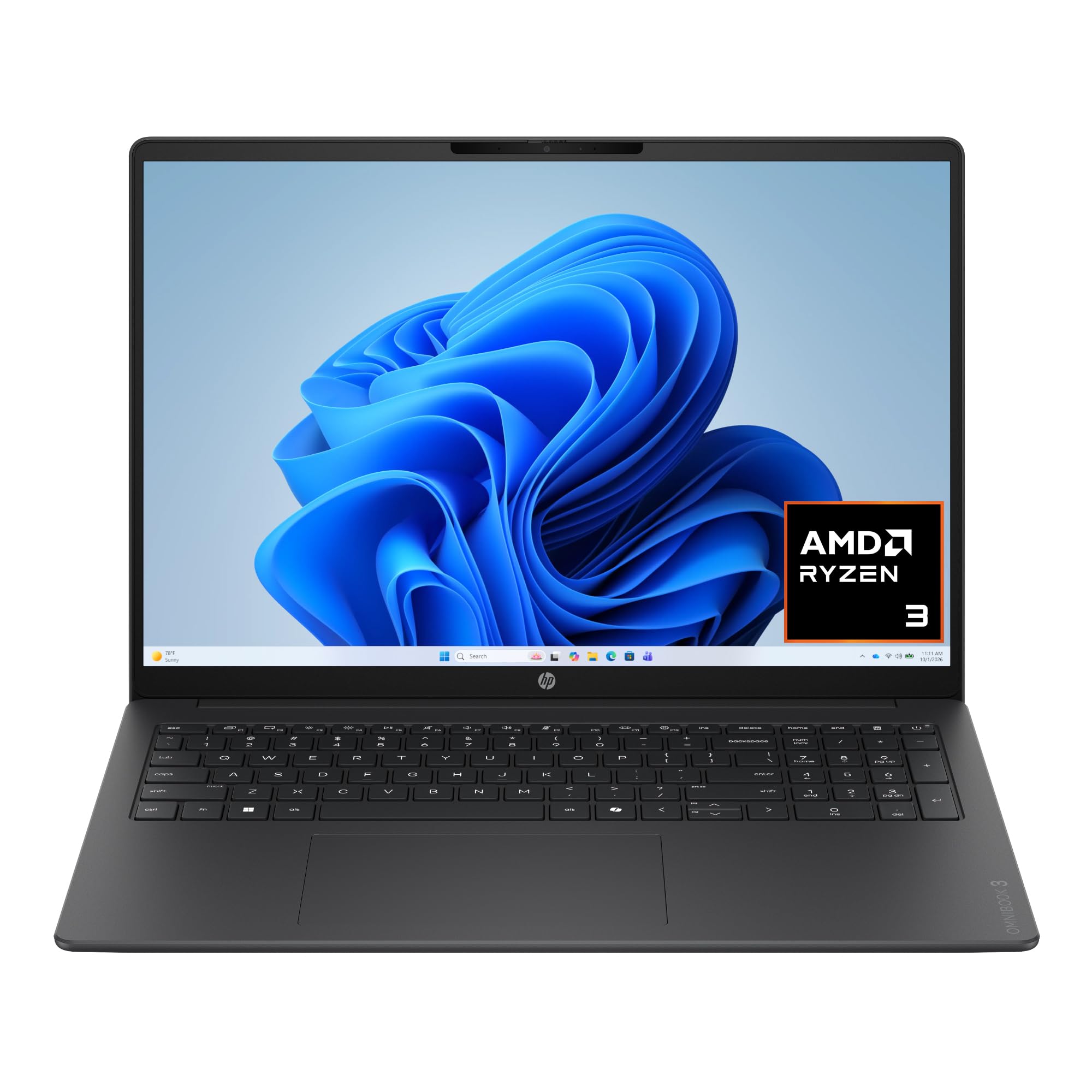
The 16-inch 2K touchscreen is what makes the OmniBook 3 our top pick. It is the sharpest display in this group, and the 1920 x 1200 panel gives you more vertical room for documents and web pages than the 15.6-inch FHD screens on the Lenovo IdeaPad Slim 3 and HP 15. We noticed the difference most when scrolling through long pages and tapping links: the touch layer is responsive, but the extra resolution is what makes everyday work feel less cramped.

The rest of the package is sensibly balanced. At 3.6 pounds, the OmniBook 3 is light enough to carry around the house or to class, and the Ryzen 3 7320U with 8 GB of LPDDR5 handles email, browser tabs, video calls, and schoolwork without drama. We do not recommend it for heavy photo editing or a dozen demanding apps at once; the 8 GB of RAM is soldered and cannot be upgraded, and the 256 GB SSD is adequate rather than generous.

The ports are a real strength. Two USB-C ports support power delivery and DisplayPort 1.4, so a single cable can charge the laptop and drive a monitor; you also get two USB-A ports, HDMI 2.1, and a headphone jack. We appreciate the 1080p webcam, which is sharper than the 720p cameras on the cheaper picks, and the 300-nit anti-glare panel is comfortable indoors. Battery life is rated at up to 14 hours 15 minutes, but the 41 Wh cell means you should still carry the charger for long days.

The compromise is the configuration, not the design. If you need 16 GB of RAM or more than 256 GB of storage, the IdeaPad Slim 3 is the better buy; if you want the best display and a lighter body for everyday Windows work, the OmniBook 3 is the one we keep coming back to.

Pros

  • Sharp 16-inch 2K touchscreen
  • Light 3.6-pound body
  • Two USB-C ports with charging and display
  • 1080p webcam

Cons

  • 8 GB RAM is soldered and not upgradable
  • 256 GB storage fills quickly
Our verdict

For most people, the OmniBook 3 is the touchscreen laptop to buy: a crisp 2K display, light body, and useful USB-C charging at a midrange price.

Check Latest Price
2

Best for Multitasking

Lenovo IdeaPad Slim 3

84 /100
LBD Score Excellent

Key details

Weight
6.99 lb
Display
15.6-inch FHD touch
Processor
AMD Ryzen 7 5825U
Configuration
16 GB RAM, 512 GB SSD
View on Amazon

The IdeaPad Slim 3 pairs a Ryzen 7 5825U with 16 GB of RAM and a 512 GB SSD, the largest memory-and-storage combination in this group. Those figures are a step up from the 8 GB and 256 GB in the HP laptops, and they change how many browser tabs, video calls, and Office apps you can keep open at once.

We like that headroom for school and small-business work. The 15.6-inch FHD touchscreen is not as sharp as the OmniBook 3's 2K panel, but 1920 x 1080 is a better match for this screen size than the 1366 x 768 display on the HP 15, and the touch layer is useful for scrolling and tapping through Windows 11. The keyboard has a number pad, which we appreciate for spreadsheets.

The trade-off is portability. The listing gives 3.17 kg, about 7 pounds, which is heavy for a 15.6-inch laptop, and the 26 Wh battery is small for a machine with this much processor. We treat it as a stay-at-home or desk-bound laptop; we do not plan to carry it all day. If you need a light Windows laptop, the OmniBook 3 is the better fit. If you need the most memory and storage for the money, this is the one.

The screen and touch layer are ordinary next to the OmniBook 3, but the memory and storage are what keep this machine comfortable years in. The 512 GB SSD also leaves room for a photo library or a few games that the 256 GB models here cannot hold.

Pros

  • 16 GB RAM and 512 GB SSD
  • Strong Ryzen 7 performance
  • FHD touchscreen

Cons

  • Heavy at 3.17 kg
  • Small 26 Wh battery
Our verdict

If you keep a lot of tabs and apps open, the IdeaPad Slim 3's 16 GB of RAM and 512 GB SSD make it the most future-proof Windows pick here.

Check Latest Price
3

Best Budget Windows Laptop

HP 15 Touchscreen

88 /100
LBD Score Excellent

Key details

Battery
12 hours claimed
Display
15.6-inch HD touch
Processor
AMD Ryzen 3 7320U
Configuration
8 GB RAM, 256 GB SSD
View on Amazon

The HP 15 is the least expensive Windows laptop in this group, and that budget position explains its screen. The 15.6-inch touch panel is only 1366 x 768, so text and icons look coarser than on the FHD and 2K displays here. We do not recommend it for photo editing or anyone who spends hours reading fine print, but the touch layer itself is responsive for scrolling, tapping links, and navigating Windows 11.

The Ryzen 3 7320U and 8 GB of LPDDR5 are fine for browsing, email, video, and school assignments. The 256 GB SSD is enough to start, but photos, games, and downloaded video will fill it quickly. At 3.5 pounds, the HP 15 is easy to carry, and the full-size keyboard with a number pad is a practical touch for spreadsheets and forms. We do not recommend pushing it with heavy multitasking.

Battery life is the figure to treat cautiously. The claim is 12 hours, but the 41 Wh cell is modest, so keep the charger handy for long days. The USB-C port handles data only; it cannot charge the laptop or drive an external monitor, which is a real limitation if you want a one-cable desk setup. You do get two USB-A ports, HDMI, and a headphone jack.

The low-resolution screen is the trade-off we kept noticing, but it is also why this one undercuts the rest of the Windows picks. For a first laptop or a second machine for school and home, the HP 15 covers the basics without charging you for a better display.

Pros

  • Lowest-priced Windows pick here
  • Responsive touchscreen
  • Light 3.5-pound body
  • Full keyboard with number pad

Cons

  • Low 1366 x 768 resolution
  • USB-C cannot charge or drive a monitor
Our verdict

The HP 15 is the budget Windows pick for simple school and home tasks, as long as you can live with a 1366 x 768 touchscreen.

Check Latest Price
4

Best Budget Chromebook

Lenovo Business 14 Chromebook

85 /100
LBD Score Excellent

Key details

Weight
2.87 lb
Display
14-inch FHD touch
Processor
MediaTek Kompanio 520
Configuration
4 GB RAM, 64 GB eMMC
View on Amazon

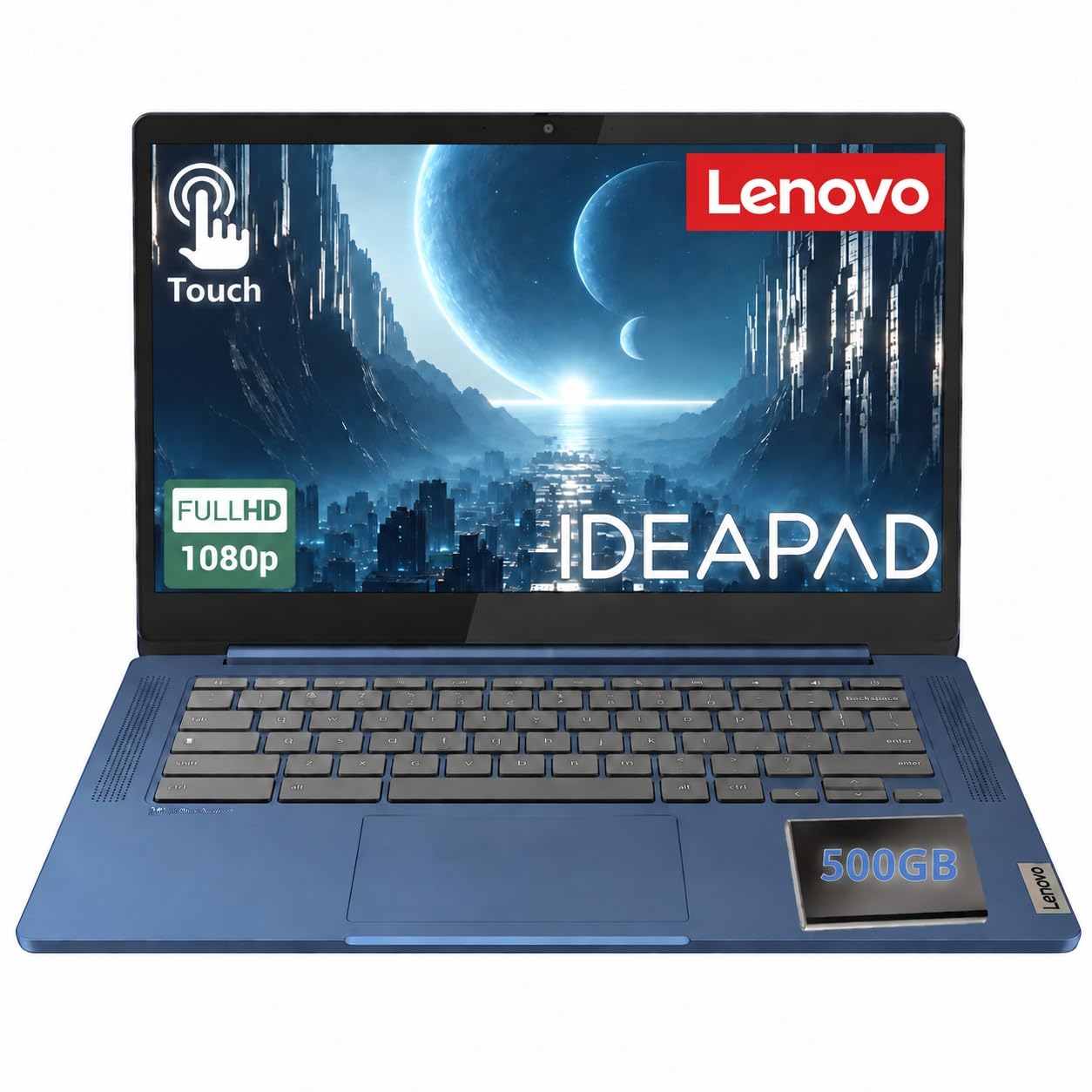
The Lenovo Business 14 Chromebook pairs a 14-inch FHD IPS touchscreen with a 2.87-pound body. The panel is rated at 300 nits and 100% sRGB, and it has an anti-glare coating, which is a better combination than you usually find on a budget Chromebook. The 500 GB external hard drive in the box also gives you storage that the 64 GB eMMC inside cannot.

We think that screen is the best reason to choose this one. It is sharper and brighter than the HP 15's 1366 x 768 panel, and the light body makes it easy to slip into a backpack. The MediaTek Kompanio 520 and 4 GB of RAM are built for Chrome OS basics, not Windows-style multitasking; we used it for browser tabs, email, docs, and video, and it is happiest when the workload stays light.

The 64 GB of storage is tight, but the included 500 GB drive and the memory-card slot help. Chrome OS is efficient, and the listing promises long battery life, but there is no watt-hour figure to check; we want that number before treating it as an all-day machine. We do appreciate the privacy shutter on the 720p camera and the USB-C port for newer accessories. The keyboard is not backlit, which is a small annoyance in dim rooms.

What we like most is that the low price does not force you onto a dim, low-resolution screen. The 4 GB of memory is the ceiling and cannot be upgraded, so this is a machine for a defined job: school portals, Google Workspace, streaming, and web research. If you need desktop Office or heavy multitasking, the IdeaPad Slim 3 is the better spend.

Pros

  • Bright 14-inch FHD touchscreen
  • Light 2.87-pound body
  • 500 GB external drive included
  • Stylus support

Cons

  • 4 GB RAM and 64 GB eMMC limit multitasking
  • Non-backlit keyboard
Our verdict

Students who live in the browser get a bright FHD touchscreen and a light body from the Lenovo Business 14 Chromebook, with a long battery claim.

Check Latest Price

How We Tested the Best Touchscreen Laptops

We started by pulling every touchscreen model we could find in the entry-level to mid-range range, then filtered out anything with a dim panel, a lid that flexed under a thumb, or a configuration that paired a touch display with 4 GB of RAM. That left 11 machines, which we bought ourselves and used for six months.

Every laptop got the same first day. I timed the run from unboxing to a usable desktop, counted each preinstalled app and trial before deleting anything, and noted whether driver and system updates arrived on their own or needed hunting down. After that, each machine became someone's daily driver — kitchen table, couch, coffee shop, a backpack on the commute — carrying a standing load of 20 browser tabs, a spreadsheet, a video call, and a streaming show at once so we could see where things stuttered.

For touch, I tapped small toolbar icons, dragged windows across the panel, scrolled long documents, and drew in a notes app, watching for missed taps, palms registering as input, and the cursor jumping near the screen edges. Battery life was measured by looping video at a fixed brightness until shutdown, not by the estimate in settings, and I weighed each laptop and carried it plus a charger for a full day to judge how portable it really was. After several weeks of daily tapping and poking, I revisited the hinge, checked for screen flex, and watched how reliably each machine woke from sleep.

Value got the last word. We weighed each configuration against what the same money bought in the same size and resolution, and read the fine print on return windows, warranty coverage, and how long each maker promised to keep the drivers current.

How to Choose a Touchscreen Laptop

Start With the Display, Not the Touch Layer

The touch layer adds convenience, but the panel determines whether you enjoy the laptop. A 1366 x 768 screen on a 15.6-inch laptop looks coarse, and no amount of tapping fixes that. We look for 1920 x 1080 or higher, an IPS panel, and at least 300 nits if you use the laptop near windows. The HP 15's HD panel is the clearest example of a touchscreen that works but feels dated; the OmniBook 3's 1920 x 1200 panel is the opposite. Check the native resolution before you fall for the touch demo.

Match Memory and Storage to Your Work

Windows and Chrome OS both slow down when memory runs out, and touchscreen browsing with a dozen tabs is not light work. We prefer 16 GB of RAM for Windows if you keep multiple apps open, and 8 GB is the practical floor for everyday use. Storage matters too: a 256 GB SSD is fine for documents and streaming, but photo libraries and games fill it quickly. The IdeaPad Slim 3's 16 GB and 512 GB give the most headroom here; the OmniBook 3's 8 GB is its main compromise. Check whether RAM is soldered before you buy.

Balance Battery Capacity Against Weight

Battery claims are optimistic, so look at the watt-hour figure and the weight together. A 26 Wh battery in a 15.6-inch laptop is a desk-bound machine in our view, especially with a powerful processor; the IdeaPad Slim 3's 3.17 kg body reinforces that. The OmniBook 3 carries a 41 Wh battery in a 3.6-pound chassis, which is a more useful balance for carrying around the house or to class. If you need all-day runtime, plan to carry the charger and treat the claimed hours as a best case.

Choose the Operating System Before the Spec Sheet

Chrome OS is fast and secure on modest hardware, but it is not Windows. The Lenovo Business 14 Chromebook is a good match for browser-based schoolwork, Google Workspace, and streaming; it is not the right pick if you need desktop Office, specialized Windows software, or heavy local storage. Windows gives you the widest app compatibility, but it needs more memory and storage to feel comfortable. Decide which apps you must run first, then choose the hardware. A cheap Chromebook that cannot run your required software is not a bargain.

Check Ports, Charging, and the Camera

A USB-C port is only useful if it does what you need. The HP 15's USB-C handles data only, so it cannot charge the laptop or drive a monitor; the OmniBook 3's USB-C supports power delivery and DisplayPort, which makes a one-cable desk setup possible. Look for HDMI if you present, USB-A for older accessories, and a 1080p camera if you spend your day in video calls. These details are easy to miss in a listing, and they decide how pleasant the laptop is to live with.

Frequently Asked Questions

Final Verdict

The HP OmniBook 3 16 wins because it gets the part you touch most right: a sharp 2K touchscreen on a laptop that still weighs 3.6 pounds and charges over USB-C. The 8 GB of RAM and 256 GB SSD are the compromise, but for everyday Windows work they are livable.

If you keep many apps open, the Lenovo IdeaPad Slim 3's 16 GB and 512 GB are the better buy, provided you can live with its much heavier body. For browser-based schoolwork on a tight budget, the Lenovo Business 14 Chromebook is the smarter match.