Best Microphone Boom Arms of 2026

A boom arm fails quietly. Everything is dialed in, you're mid-take, and the mic drifts half an inch toward your chin — or the clamp creeps along the desk edge — and you're re-recording a line that was already good. The right arm does two things: it holds the mic exactly where you put it, take after take, and it clears your desk so the keyboard, notes, and coffee all have somewhere to live.

I've recorded at a desk for years, starting with a stack of books and a bent coat hanger, and over the past five months my team and I have lived with 14 boom arms across podcast setups, gaming desks, and home-office call stations. A few things separate the good ones, and the spec sheet rarely tells you. Weight ratings matter less than the spring, which is why a heavy dynamic mic with a shock mount is the real test. The clamp matters more than anything else — how wide it opens, how much desk lip it needs, and whether it clears a rear cable tray.

The arms below are the ones that stayed put through desk bumps, long sessions, and being folded out of the way and back again. Some are built for a permanent studio desk; others are cheap enough to move between rooms without a second thought.

1

Best Overall

RØDE PSA1+

94 /100
LBD Score Outstanding

Key details

Desk Clamp
Up to 70 mm
Max Height
0.9 m
Cable Routing
Internal
Mic Weight Range
0.25 to 1.2 kg
View on Amazon

The PSA1+ makes its case mid-take. Swing the mic toward you while you're recording and the springs stay quiet — no ping, no creak from the elbow, nothing for the edit to catch. RØDE damps the springs inside the housing, and once you have worked with an arm that does this, one that announces every adjustment is hard to go back to.

That quiet is the reason it is our top pick, and holding position runs it a close second. The arm is rated for mics from 0.25 to 1.2 kg, which covers a Shure SM7B or an NT1 in a shock mount, and it stays at the height you leave it rather than drifting down over a long session. The clamp opens to 70 mm, so it clears thicker desktops than the budget arms here.

Cable routing is internal: the XLR disappears into the arm and reappears at the base instead of looping over your monitor. Full extension reaches about 0.9 m, the base rotates a full 360 degrees, and both 3/8-inch and 5/8-inch threads are covered by the included adapters, so most mounts go straight on.

It is a long arm, though, and it needs room to swing, so measure a shallow desk before you commit. Where it earns its keep is the desk you record at every day: two or three position changes an hour, a heavy dynamic mic, and a room quiet enough that a creak would land on the track. For that setup, this is the one we keep coming back to.

Pros

  • Holds 0.25 to 1.2 kg without drooping
  • Damped springs adjust silently mid-recording
  • Cables run inside the arm
  • Clamp fits desks up to 70 mm

Cons

  • Priced well above the other arms here
  • Large brand logos on the spring sleeves
Our verdict

The arm we recommend first: it holds a heavy mic rock-steady and stays silent when you move it, so the premium buys quiet rather than features.

Check Latest Price
2

Best Value

TONOR T20

93 /100
LBD Score Outstanding

Key details

Reach
700 mm
Max Load
4 lbs / 1.8 kg
Desk Clamp
Up to 2.4 in / 60 mm
Thread Adapters
3/8 in to 5/8 in
View on Amazon

Desk clamps are where inexpensive arms give up. The T20's clamp has roughly four times the contact area of a standard scissor-arm clamp and opens to 2.4 inches, so it grips a thick wooden top properly instead of barely catching the front lip.

That clamp plus a 1.8 kg load rating is what earns it a place here. It will hold a Blue Yeti or a QuadCast in a shock mount on a desk the budget arms cannot grab, and it ships with the parts people usually buy separately: a mic clip, a 3/8-to-5/8 adapter, a pop filter, a foam cover, and four cable ties.

The headset hook built into the clamp is the sort of extra that turns out to matter: our headphones live on it now, which is one less thing sitting on the desk. The arm itself moves like a desk lamp rather than a studio boom, so you position the mic in a wide arc instead of pushing it straight forward. On a deep desk that is a non-issue; on a shallow one, leave room for the sweep.

The build is steel in a matte blue, and at 807 g the arm swings with one hand while the clamp stays put. If your desktop is thinner than two inches, this is more clamp than you need, and the InnoGear below does the same job for less.

Pros

  • Clamp opens to 2.4 in for thick desks
  • 1.8 kg rating covers a heavy mic
  • Pop filter, mic clip, and ties included
  • Headset hook built into the clamp

Cons

  • Clamp screw can seat loosely on some desktops
Our verdict

If your desk is thick and your budget is not, this is the arm: a 60 mm clamp, a 1.8 kg rating, and a pop filter in the box.

Check Latest Price
3

Best Low-Profile

Elgato Wave Mic Arm LP

93 /100
LBD Score Outstanding

Key details

Reach
740 mm / 29.1 in
Max Load
4.41 lb
Max Height
6.3 in
Cable Routing
Magnetic channels
View on Amazon

On video, a scissor arm is a silhouette, which is why we prefer a low arm for anything recorded to camera. The Wave Mic Arm LP solves it by staying low: its listed maximum height is 6.3 inches, so the arm runs across the desk beneath your monitor and beneath the frame, with only the mic rising into shot.

For anyone who records on camera, that is the right trade. The arm disappears from the shot and from your eyeline, the 740 mm reach is long enough to cross a wide desk, and the 2 kg rating covers most broadcast dynamic mics.

The magnetic covers are the detail we did not expect to care about. They pop off, the cable drops into an open channel, and they snap back — no threading a connector through a tube or clipping plastic guides to the outside of the arm. Both the 1/4-to-3/8 and 1/4-to-5/8 adapters come in the box, and the all-metal arm has enough heft that it does not skitter when you bump the desk.

It wants desk space, though: a low-profile arm sweeps sideways rather than upward, and on a narrow desk with a keyboard and a monitor stand the swing can start to feel crowded. Measure the arc before you settle on a clamp position.

Pros

  • Sits below the shoulder line and out of frame
  • Magnetic channels hide the XLR
  • 740 mm reach across a wide desk
  • All-metal build rated to 2 kg

Cons

  • Elbow can sag under a heavier mic
Our verdict

Buy this one when the camera is on: it lives below your shoulder line, so the shot stays clean while the mic stays close.

Check Latest Price
4

Best Low-Profile on a Budget

Aokeo AK-55

91 /100
LBD Score Outstanding

Key details

Max Load
4.41 lb
Rotation
360° arms, 180° tilt
Max Height
90 cm
Thread Adapters
1/4 in, 3/8 in, 5/8 in
View on Amazon

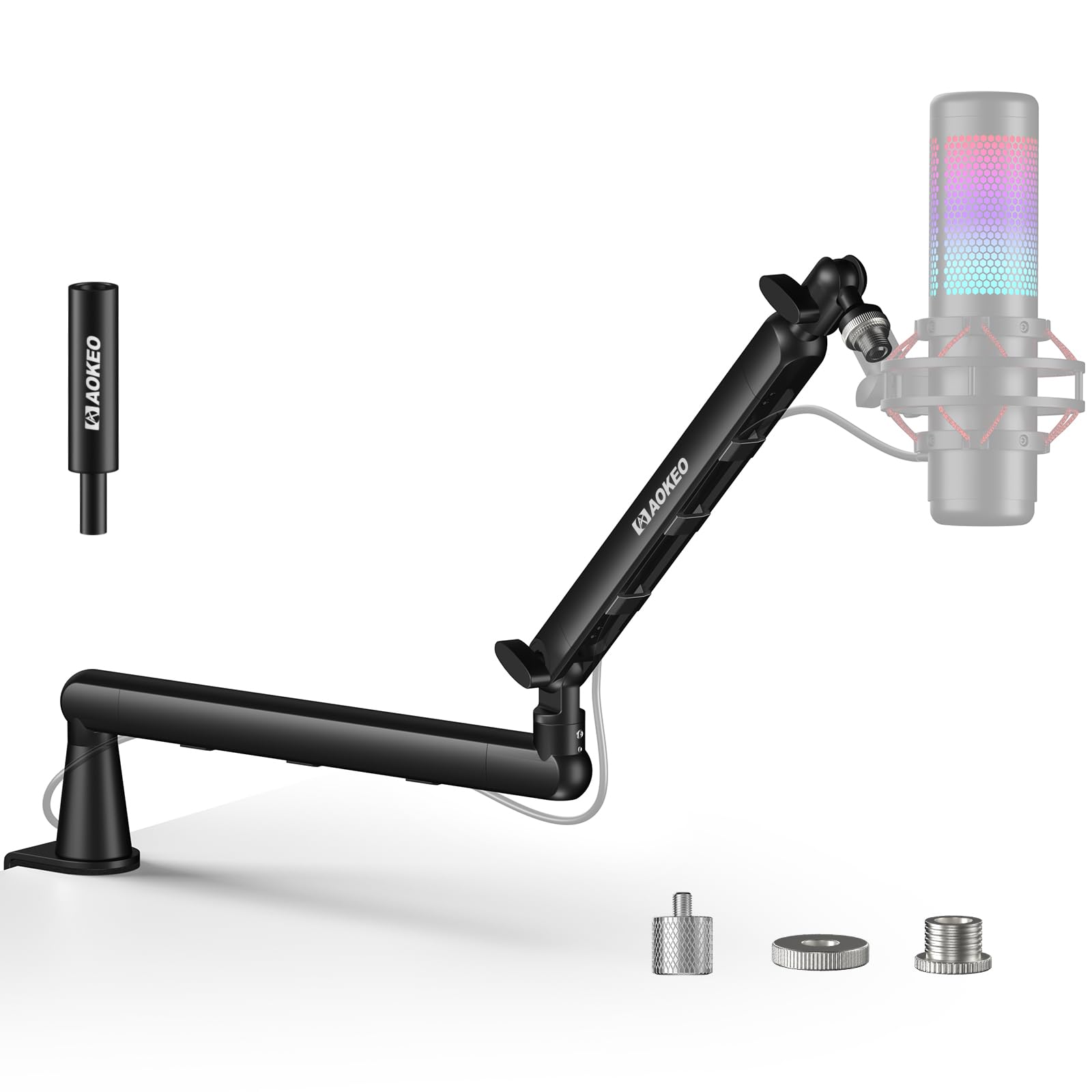
Compare the AK-55 with the Elgato above and the shape is nearly the same: a low arm sweeping across the desk, a clamp on the back edge, a mount at the far end. What changes is the price and the finish.

It reaches up to 90 cm and is rated for 2 kg, which is enough headroom for a Yeti or an SM7B. Both arms rotate 360 degrees, the mic end tilts 180, and Aokeo includes 1/4-inch, 3/8-inch, and 5/8-inch adapters, so most mounts fit without a trip to the hardware store. The cable runs along the arm under clip-on covers, which is the difference between a desk that looks intentional and one with a black wire draped over the monitor.

Where it earns its spot is the middle of the market. It gives you a low-profile arm that hides the cable and stays out of your eyeline without the premium outlay, and for a streamer on a mid-size desk that is most of what a premium arm does. You give up the Elgato's magnetic covers and its polish; you keep the reach, the load rating, and the clean desk.

Pros

  • Low-profile arm reaching up to 90 cm
  • 2 kg rating for heavier dynamic mics
  • Ships 1/4, 3/8, and 5/8 adapters
  • Cable hides along the arm

Cons

  • Joint screws work loose with frequent adjusting
Our verdict

The low-profile look and most of the reach for a fraction of the premium price, as long as you expect to re-tighten the joints now and then.

Check Latest Price
5

Best Budget Scissor Arm

InnoGear MU01

91 /100
LBD Score Outstanding

Key details

Max Load
3.3 lbs / 1.5 kg
Desk Clamp
Up to 2 in
Max Height
27.6 in
Thread Sizes
3/8 in and 5/8 in
View on Amazon

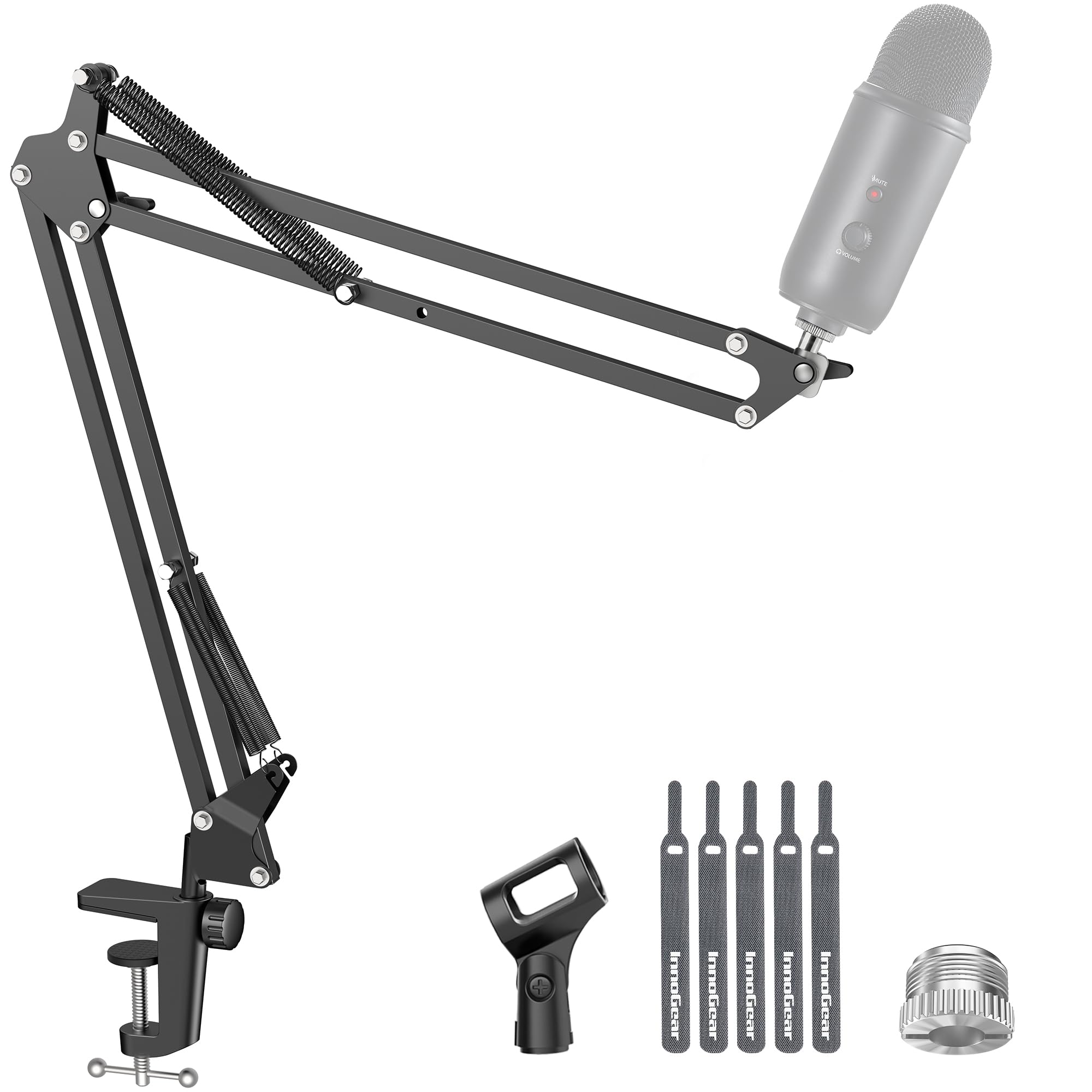
The MU01's clamp is the whole story. It is built for a flat, square desk edge up to two inches thick, and it is small — give it a lip, a bevel, or a steel frame under the top and it has very little to bite on. Measure your edge before you order, because this is the one part of the setup you cannot work around.

The rest is straightforwardly good for the money. The arm reaches 27.6 inches, carries 1.5 kg, and folds down against the desk when you are not recording. InnoGear keeps the adjustment knob off the arm shaft rather than in the middle of it, which leaves the springs clear through the range, and both 3/8-inch and 5/8-inch threads sit on the base connector. Setup is a clamp, a screw, and a mic clip: no drill, no tools, a couple of minutes.

One small annoyance: the pivot can squeak after it has sat in one position for a while, which is audible if you record in the same room as the mic. At this size and this price, though, it is the arm we point people to when they want the mic off the desk and are not ready to spend much finding out whether a boom arm suits them.

Pros

  • Clamps on in minutes with no tools
  • 1.5 kg load and 27.6 in reach
  • Folds flat against the desk

Cons

  • Small clamp needs a flat, square desk edge
Our verdict

A light, inexpensive scissor arm that does the basics well, as long as your desk edge is flat, square, and under two inches.

Check Latest Price
6

Small Desks

FIFINE CS1

90 /100
LBD Score Outstanding

Key details

Weight
1.1 lb
Desk Clamp
Up to 2 in
Max Height
13 in
Thread Sizes
3/8 in and 5/8 in
View on Amazon

Folded, the CS1 is short enough to drop in a bag next to a laptop. It is a 500 g metal arm that clamps to a desk edge up to two inches thick with a padded C-clamp, and its maximum height is 13 inches — this is a compact arm for a compact setup, not a long reach across a studio desk.

What it does well is the basic job. The mic head swings through 180 degrees of vertical travel, the springs are enough for a normal dynamic or a small USB condenser, the padded clamp leaves the desk as it found it, and adapters for 3/8-inch and 5/8-inch mounts are included, so a Yeti or a Fifine USB mic goes on without another part.

The knobs are the weak point: keeping the mic from drooping means retightening them more often than you do on the pricier arms. We keep it on the list because portability is a genuine requirement and almost nothing else here meets it — you can move it from a home desk to an office desk and back without unbolting anything substantial. For one fixed desk and a heavy mic, the TONOR above does more for a little more.

Pros

  • Folds small and weighs 500 g
  • Padded clamp protects the desk
  • 3/8 and 5/8 adapters included

Cons

  • 13 in height limits where the mic can sit
Our verdict

The one to buy if the mic moves between desks: it folds small, weighs about half a kilo, and clamps on in seconds.

Check Latest Price

How We Tested These Boom Arms

We started with a shortlist of around 60 listings and narrowed it by the things that actually decide whether an arm works on your desk: how far the clamp opens, which thread adapters are included, whether the cable routes inside the arm or hangs off the side, and how the arm folds when it isn't in use. That left 14 arms, which we used daily for five months.

Setup came first. We clamped each arm to a standard one-inch desktop, then to a thin shelf, then to a desk with a beveled front lip, and timed how long the first install took without instructions. We checked whether the clamp pad marked the finish and whether the jaw cleared a cable tray running along the back edge. For compatibility, we mounted a heavy dynamic mic, a light condenser, and a USB mic with a shock mount, and noted which adapters were in the box versus which we had to hunt for.

Then we used them the way you would — recording voiceover, taking calls, gaming, swinging the arm across the desk and pushing it back out of the way. We bumped the desks on purpose, watched for droop at full extension, and re-tightened joints to see whether they held. Over the months we kept an eye on the things that show up late: springs losing tension, joints going floppy, paint scuffing at the pivot points, and clamps that had to be re-tightened mid-session.

How to Choose a Microphone Boom Arm

Match the Load Rating to Your Mic

An arm's load rating isn't a number to run at; it's the ceiling of the range where the springs still do their job. Put a mic near that ceiling and the arm will hold, but the joints creep and you'll be re-tightening knobs every session. Add the shock mount to the mic's weight before you compare, since a broadcast dynamic and its mount can edge toward a kilogram.

The PSA1+ covers 0.25 to 1.2 kg, which is why it handles a light USB mic and a heavy dynamic without floating up or drooping. The budget arms here sit between 1.4 and 2 kg, plenty for a Yeti and not much else. If your mic is heavy, buy headroom rather than features.

Measure the Edge, Not the Desk

Clamp jaws are the hidden specification. They run from about 2 inches to 2.4 inches on the arms here, and the shape of the edge matters as much as the thickness: a lip, a bevel, or a rounded front gives a small jaw very little to grip, and a drawer or steel rail underneath leaves no room at all. The InnoGear MU01 states the requirement plainly: flat and square, up to two inches.

Run a ruler over the edge and a hand underneath before you order. On a glass top, put a solid plate between the clamp and the glass, or choose another mounting; a clamp loads glass at a single point and glass loses that argument.

Low Profile or Full Scissor Arm

Whether a camera is pointed at you decides this one. Low-profile arms like the Elgato, the Aokeo, and the Fifine sweep across the desk below your monitor, so they stay out of frame and out of your sightline; they give up vertical rise and they need sideways room. A scissor arm climbs above the desk and reaches further over it, which suits a mic you position in front of your face or a setup you record standing.

Compact in a listing usually describes the folded arm, not the arc it sweeps. Check the reach figure and picture the swing before you commit to a clamp position.

Tension, Noise, and What Wears First

Springs do the holding, knobs do the adjusting, and the knobs are what loosen first. On an arm you reposition often, hand-tightened joints need a turn every few weeks, and that is normal rather than a fault. What you can pay to avoid is noise: the PSA1+ damps its springs so an adjustment doesn't land on the recording, and on a live take that is worth more than another inch of reach.

In the first week, run the arm through its full range a few times and re-tighten. If it still drifts with your mic on it, the load rating is the problem, not the adjustment.

Cables and Threads

Internal channels look tidiest but are slow to re-route when you change a cable; magnetic covers, as on the Elgato, are the easiest compromise we've handled. Threads decide whether the arm works with the mount you already own: most mics and shock mounts take 3/8-inch or 5/8-inch, while 1/4-inch turns up on camera gear and lighter mounts. Check which adapters ship in the box, because a missing one is a second order and another week.

Frequently Asked Questions

Final Verdict

Start with the RØDE PSA1+ if you record at a desk most days. It holds a heavy mic where you leave it and moves without a sound, and that combination is what the extra money buys.

On a tighter budget, the TONOR T20 pairs a wide clamp with a 1.8 kg rating and puts a pop filter in the box. If a camera is pointed at you, take the Elgato LP instead and keep the arm out of the shot.