Best NVMe Enclosures of 2026

An NVMe enclosure is a deceptively simple thing: a metal shell, a small bridge board, and a cable. The drive inside does the real work, which is why the differences between enclosures hide so well on a spec sheet and show up so fast in practice. I've kept a spare drive in an enclosure for years as a scratch disk, and the cheap ones throttle, run warm, and occasionally vanish mid-transfer.

So we gathered 14 enclosures — from bare-bones tool-free cases to finned aluminum models built around the fastest USB standards — and used them daily for six months. What separated them wasn't branding. It was whether the quoted speed survived a real transfer and held, whether the case shed heat instead of trapping it, and whether the lid actually closed over a drive with a heatsink stuck to it.

Ease of use mattered more than I expected, too: a tool-free tray you can open without instructions beats a striking design that needs a screwdriver and a steady hand. Below are the ones I'd buy again.

1

Best Overall

UGREEN 40Gbps NVMe Enclosure

86 /100
LBD Score Excellent

Key details

Interface
USB4 / Thunderbolt 3/4
Top Speed
3600 MB/s
Max Capacity
8TB
Drive Support
M.2 NVMe, 2230/2242/2260/2280
View on Amazon

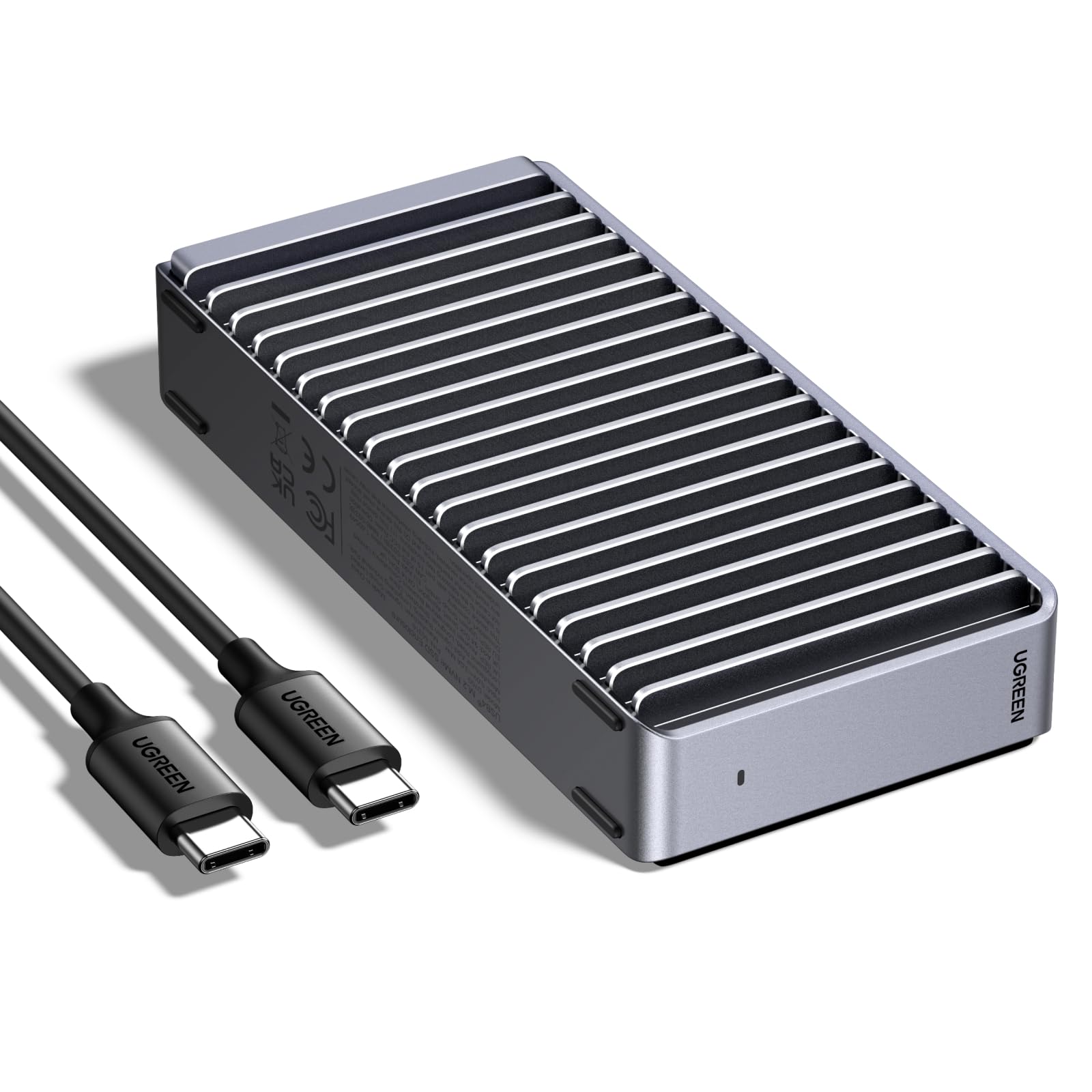
The 40Gbps figure is the reason this UGREEN sits at the top of our list, but it comes with a condition: you need USB4 or Thunderbolt on the host to see it. On those ports the ASM2464PD controller and 3,600MB/s ceiling put it in a different class from the 10Gbps cases here, which is why we recommend it first for large video files, game libraries, and anyone buying a laptop with USB4.

The cooling is not decorative. The double-sided aluminum fins and thermal pad give both the drive and the controller somewhere to send heat during long writes; that matters because a fast SSD that throttles is just a slower SSD with a bigger number on the box. We also like that the case takes 2230 through 2280 drives up to 8TB, so it can follow a drive from a handheld into a desktop.

The screw-in assembly takes a few minutes, and the included disassembly kit has what you need; frequent drive swappers may prefer a clamshell. This is a desk or backpack enclosure rather than a pocket accessory, and the aluminum body is the part that makes it feel worth the space. We like the way it turns a bare drive into something that feels like a finished portable SSD.

Pros

  • 40Gbps ceiling for USB4 and Thunderbolt
  • Finned aluminum body and thermal pad
  • Fits 2230–2280 drives up to 8TB
  • Installs with included disassembly kit

Cons

  • Door feels less sturdy than the body
  • Heavier than most 10Gbps cases
Our verdict

For a USB4 or Thunderbolt laptop, this is the NVMe enclosure we recommend first: it has the speed ceiling, cooling, and drive range to justify its size.
Check Latest Price
2

Best 10Gbps Value

Sabrent EC-PNVO NVMe Enclosure

91 /100
LBD Score Outstanding

Key details

Weight
2.62 oz
Interface
USB 3.2 Gen 2, 10Gbps
Max Capacity
8TB
Drive Support
M.2 NVMe, 2230/2242/2260/2280
View on Amazon

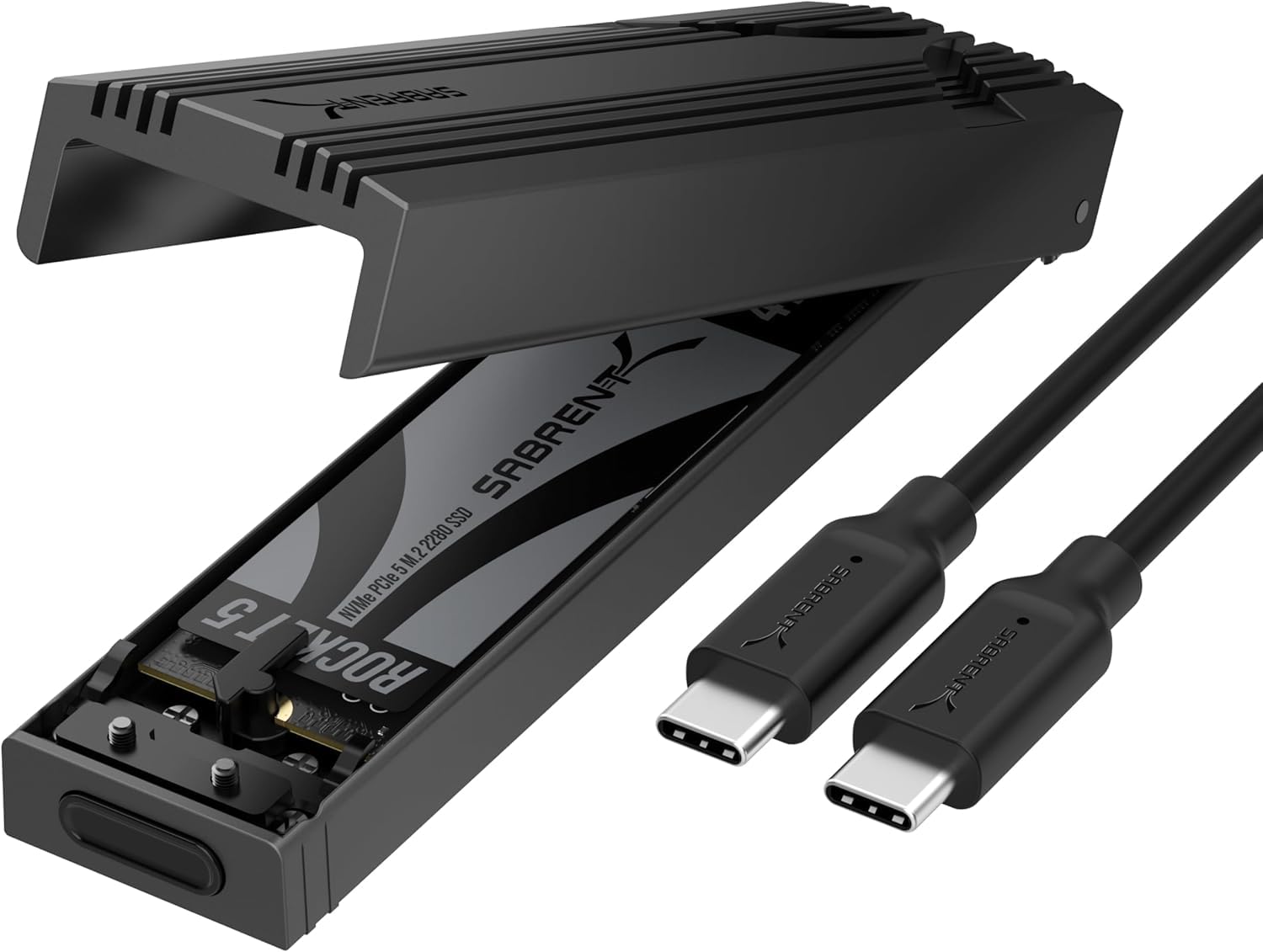
The flip-open clamshell is the part we appreciate most. There are no screws to drop on a dark desk and no tiny caddy to lose: open the lid, seat the drive, close it. That makes it the enclosure we reach for when we are cloning a drive or moving a Steam library rather than installing a drive once and forgetting it.

At 10Gbps, speed is exactly what the interface promises: quick enough for backups and external game storage, not a match for a 40Gbps USB4 case. The aluminum top and thermal pad give the drive a metal path to the outside, and the 2.62-ounce body disappears into a bag. We keep an eye on heat during long writes; the aluminum top is doing the work, but it can still get warm. We think that is the right balance for a case that lives in a bag.

The limits are protocol and fit. This is NVMe only, so a SATA M.2 drive will not mount, and the case is built around bare drives rather than a tall heatsink. For a drive that moves between a handheld and a laptop, the size range is right; for an old SATA stick, choose a dual-protocol case instead.

Pros

  • Tool-free clamshell makes drive swaps quick
  • Aluminum top and thermal pad
  • Fits 2230–2280 NVMe drives up to 8TB
  • Compact 2.62-ounce body

Cons

  • NVMe only; no SATA support
  • Connection can drop under sustained transfers
Our verdict

This is our default 10Gbps case for quick drive swaps and everyday backups, as long as your drive is NVMe and you test the connection under load.

Check Latest Price
3

Best for NVMe and SATA

Sabrent EC-SNVE NVMe/SATA Enclosure

91 /100
LBD Score Outstanding

Key details

Cable
8-inch USB-C to USB-C
Interface
USB 3.2 Type-C, 10Gbps
Drive Support
M.2 NVMe and SATA, 2242/2260/2280
Heatsink Clearance
Bare drives only
View on Amazon

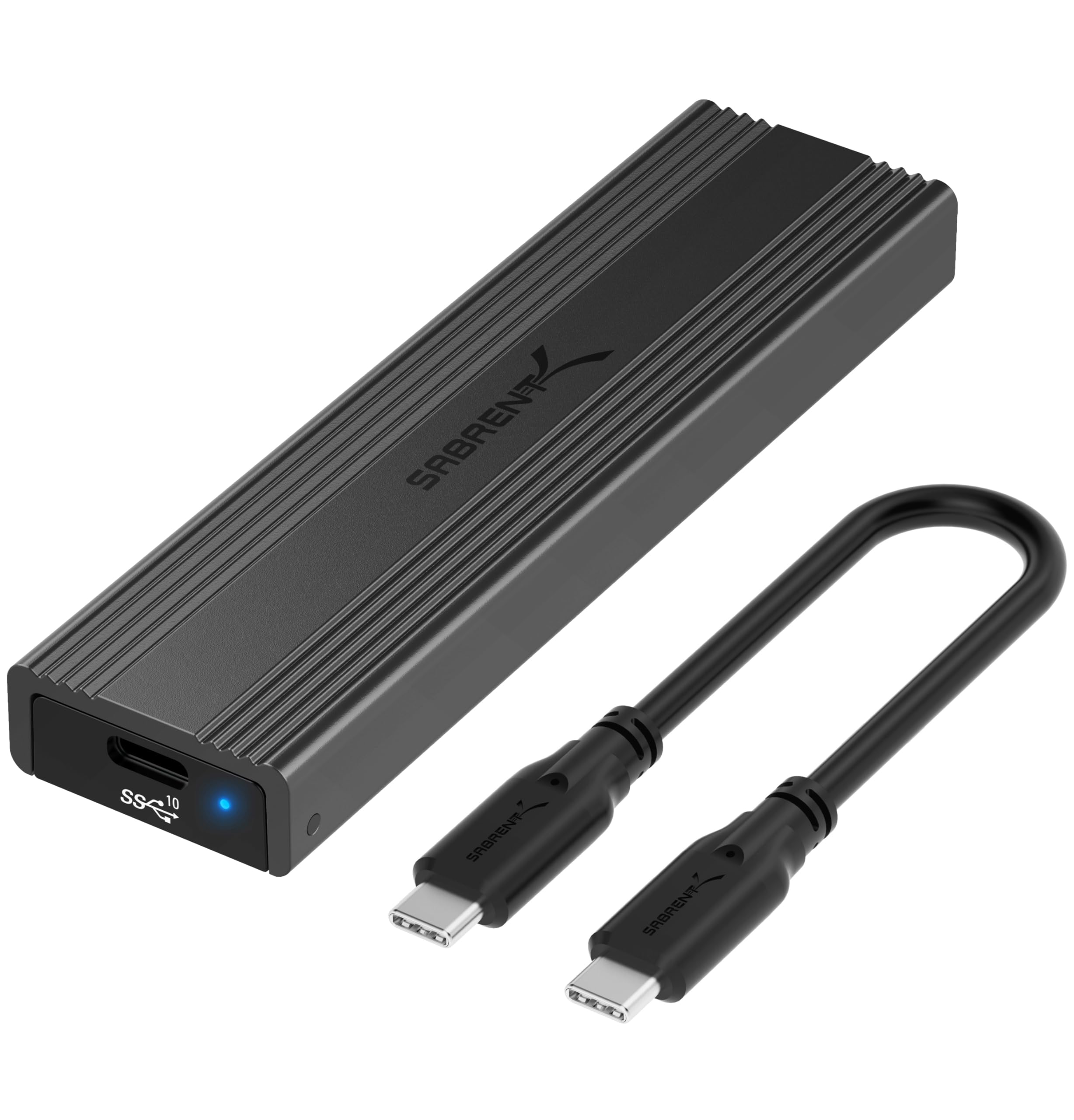
The reason to pick this Sabrent over the other 10Gbps cases here is simple: it accepts both NVMe and SATA M.2 drives. That makes it the one we choose when we do not know what is coming out of an old laptop, or when a drawer has a mix of drives and we want one case to read them all.

The physical fit is narrower than the protocol support, and the first thing to check is whether your bare drive matches the lengths and clearance this case allows. A compatible drive drops in without tools, and the clamshell closes with a reassuring snap. The slim aluminum body has a thermal pad, so it does not feel like a plastic adapter in the hand.

Performance is the familiar 10Gbps ceiling, up to about 1,000MB/s in real transfers. The case can still get warm during a long clone; that is the trade-off of a fanless design. We like it as a versatile reader, not as the fastest enclosure in the roundup.

Pros

  • Accepts NVMe and SATA M.2 drives
  • Tool-free clamshell install
  • Slim aluminum body with thermal pad

Cons

  • No 2230 drive support
  • No room for a pre-installed heatsink
Our verdict

If you need one case for both NVMe and SATA M.2 drives, this is the flexible 10Gbps pick, provided your drive is bare and at least 2242 long.

Check Latest Price
4

Best 20Gbps

UGREEN 20Gbps NVMe/SATA Enclosure

89 /100
LBD Score Excellent

Key details

Chipset
RTL9210B
Cooling
Aluminum case, thermal pad
Interface
USB 3.2 Gen 2x2, 20Gbps
Drive Support
M.2 NVMe and SATA, 2230/2242/2260/2280
View on Amazon

USB 3.2 Gen 2x2 is the awkward middle of the enclosure market: twice the bandwidth of the common 10Gbps cases, but not the 40Gbps of USB4. We recommend this UGREEN when your desktop or laptop actually has a 20Gbps port, because on a 10Gbps connection it steps down and you have paid for headroom you cannot use.

The aluminum case has a grooved surface and a thermal pad, and the RTL9210B controller is a familiar, well-protected choice. We like the screw-down mount for a drive that stays put, and the case is compact enough to live beside a laptop without crowding the desk.

It is one of the few enclosures here that takes both NVMe and SATA M.2 drives, which makes it a useful bridge for old laptop drives. Expect 20Gbps speeds only with the right host and cable; otherwise it behaves like a good 10Gbps case.

We put it in the runner-up group rather than the top spot because the 20Gbps port is still less common than plain USB-C 10Gbps. If you have the port, it hits a sweet spot; if you do not, a 10Gbps case is the smarter buy.

Pros

  • 20Gbps over USB 3.2 Gen 2x2
  • Supports NVMe and SATA M.2 drives
  • Aluminum case with thermal pad

Cons

  • Included cable is only 0.3 m
Our verdict

This is the 20Gbps pick for a machine with USB 3.2 Gen 2x2, and its dual-protocol support makes it a useful drive-swapping case.

Check Latest Price
5

Best Design for Gamers

ASUS ROG Strix Arion

95 /100
LBD Score Outstanding

Key details

Cables
USB-C to C and USB-C to A
Interface
USB 3.2 Gen 2, 10Gbps
Drive Sizes
2230/2242/2260/2280
Drive Support
M.2 NVMe, M/B+M key
View on Amazon

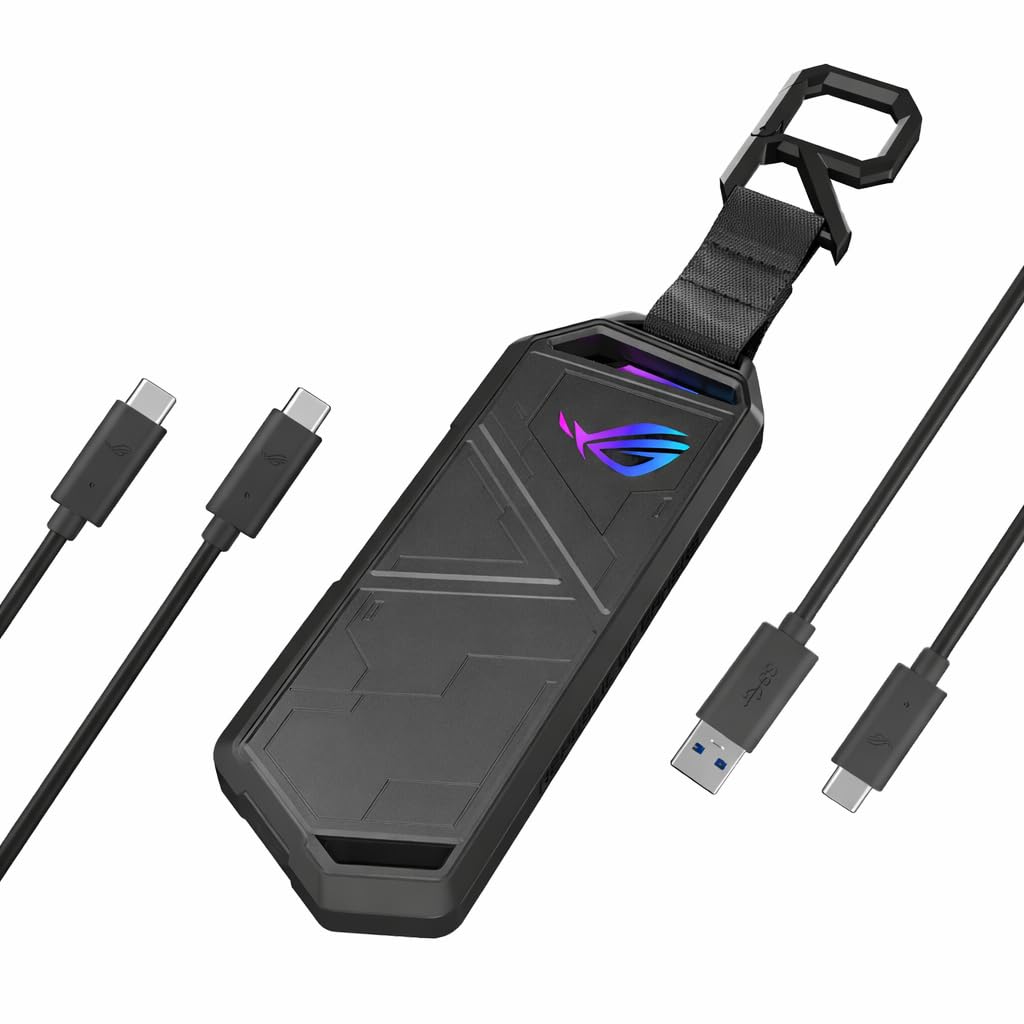
The Arion is the enclosure that looks like a piece of gaming hardware and mostly backs it up. The aluminum shell feels dense in the hand, the ROG hatch and bundled pin ejector make installation a no-screw job, and the Aura Sync lighting is there if you want the case to match the rest of a desktop.

At 10Gbps it is not a speed play; this is about the shell, the thermal pads, and the two included cables. We like that ASUS supplies both USB-C to C and USB-C to A, because that covers a modern laptop and an older desktop without an adapter hunt. The drive sits on thermal pads and the aluminum spreads heat, though a long clone still makes the case warm.

The premium is real, and it buys design and a sturdy feel more than raw throughput. We think of it as the enclosure for a gamer who wants the case to feel as good as the drive performs. The aluminum is also the reason it feels at home in a bag with a laptop and a headset.

Pros

  • Sturdy aluminum body
  • Aura Sync RGB lighting
  • Tool-free install with pin ejector
  • USB-C to C and USB-C to A cables

Cons

  • Lid can fail to latch closed
Our verdict

For a gamer or anyone who wants a sturdy, good-looking 10Gbps case, the Arion earns its premium, provided the lid latches cleanly.

Check Latest Price
6

Best Budget

FIDECO M210 NVMe Enclosure

90 /100
LBD Score Outstanding

Key details

Cable
USB-C to C with USB-A adapter
Interface
USB 3.2 Gen 2, 10Gbps
Drive Sizes
2230/2242/2260/2280
Drive Support
M.2 NVMe, M/M+B key
View on Amazon

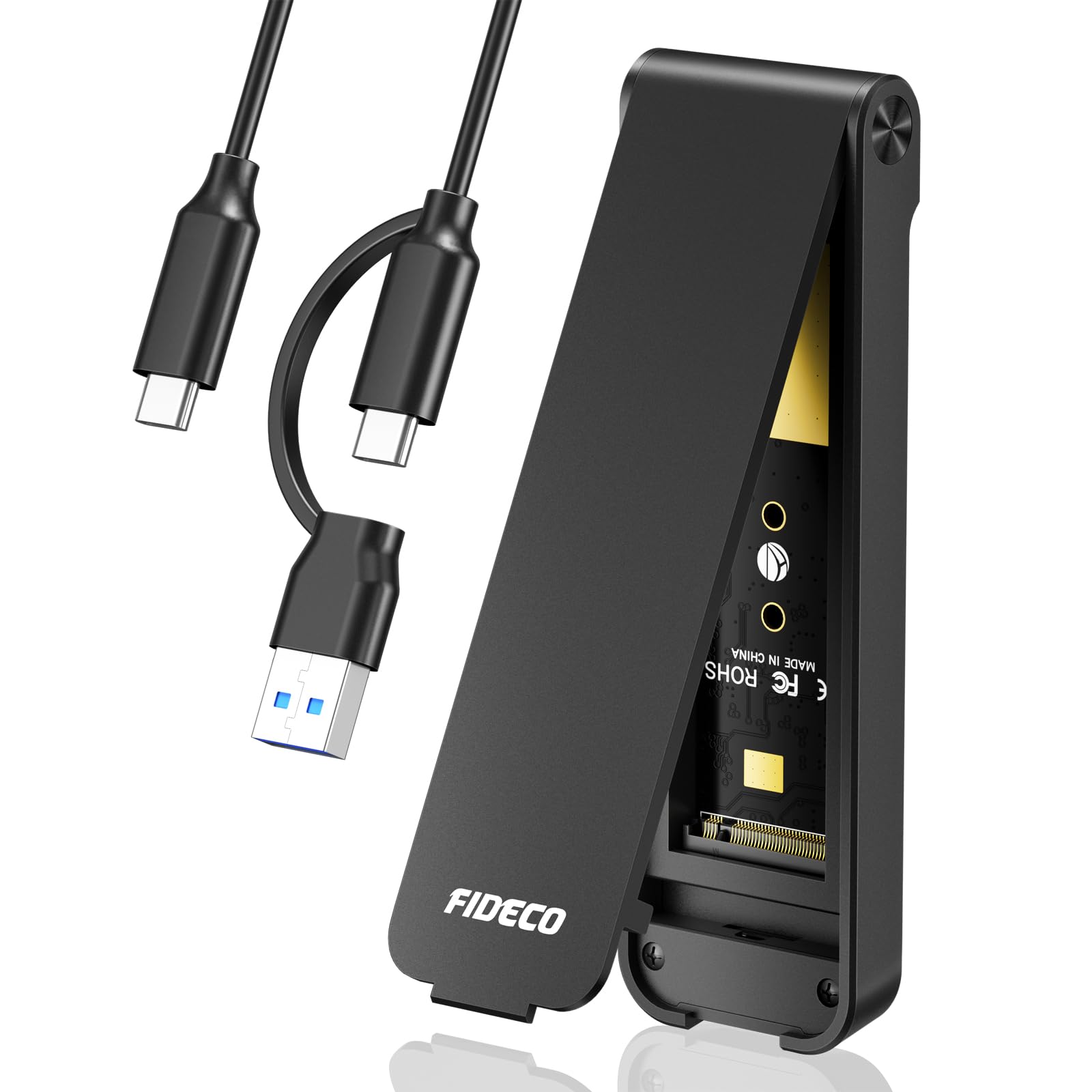
The FIDECO is the enclosure we reach for when the job is a one-off clone, not a permanent fixture. It is a simple sandwich-style case: open it, drop in a bare NVMe drive, close it, and connect. That is enough for backing up a laptop before a reinstall or reading a drive pulled from a dead machine, and it does it at the usual 10Gbps pace.

We like the cable arrangement: a USB-C to C lead with an attached USB-A adapter, so the same case works with a modern laptop and an older desktop without a dongle. The aluminum and ABS body has a thermal pad and a metal lid, which is more than we expect from a budget enclosure.

The protocol is the one thing to verify before ordering: this is an NVMe case, and a drive's key does not by itself tell you whether it is SATA or NVMe. For occasional use, the simple build and the dual cable make it an easy case to keep in a drawer.

Pros

  • Low-cost 10Gbps enclosure
  • Tool-free sandwich design
  • USB-C to C cable with USB-A adapter

Cons

  • SATA M.2 drives are not supported
  • Lid can be stiff to open
Our verdict

The FIDECO is our budget pick for occasional backups and clones: quick at 10Gbps, simple to load, and honest about its NVMe-only limits.

Check Latest Price
7

Budget Heatsink Case

SEINIKAY S1692P NVMe Enclosure

82 /100
LBD Score Excellent

Key details

Cooling
Aluminum case and heat sink
Interface
USB 3.2 Gen 2, 10Gbps
Max Capacity
16TB
Drive Support
M.2 NVMe, M key, 2230/2242/2260/2280
View on Amazon

The SEINIKAY's pitch is capacity and cooling at the low end: a 10Gbps case that takes up to 16TB and comes with a heatsink, not just a thermal pad. That is a useful combination for a spare drive that will sit under a desk and move large files, and it is why we kept it in the roundup.

Installation is tool-free: the middle frame slides out, the drive sits in place, and the frame slides back. We like the aluminum housing and the heatsink for a drive that runs warm, and the 16TB ceiling leaves room for a large drive. The finish is plainer than the pricier cases, but the case feels purposeful. We think the extra metal is worth the plainer finish.

The heatsink is the reason to consider it, but it cannot turn a slow host port into a fast one. This is a 10Gbps case, and the drive still needs a good cable and a sensible port. For a spare drive that runs warm, the extra metal is a real advantage; for a daily work drive, the main picks are the safer bet.

Pros

  • Includes a heatsink
  • Supports up to 16TB
  • Aluminum housing and tool-free tray

Cons

  • USB-A adapter can be unreliable
Our verdict

A budget 10Gbps case with a real heatsink for a spare drive that needs airflow, not a speed upgrade.

Check Latest Price
8

Spare Drive

Xiaobi Bi-M217 NVMe Enclosure

87 /100
LBD Score Excellent

Key details

Interface
USB 3.2 Gen 2, 10Gbps
Drive Sizes
2230/2242/2260/2280
Max Capacity
8TB
Drive Support
M.2 NVMe, M/B+M key
View on Amazon

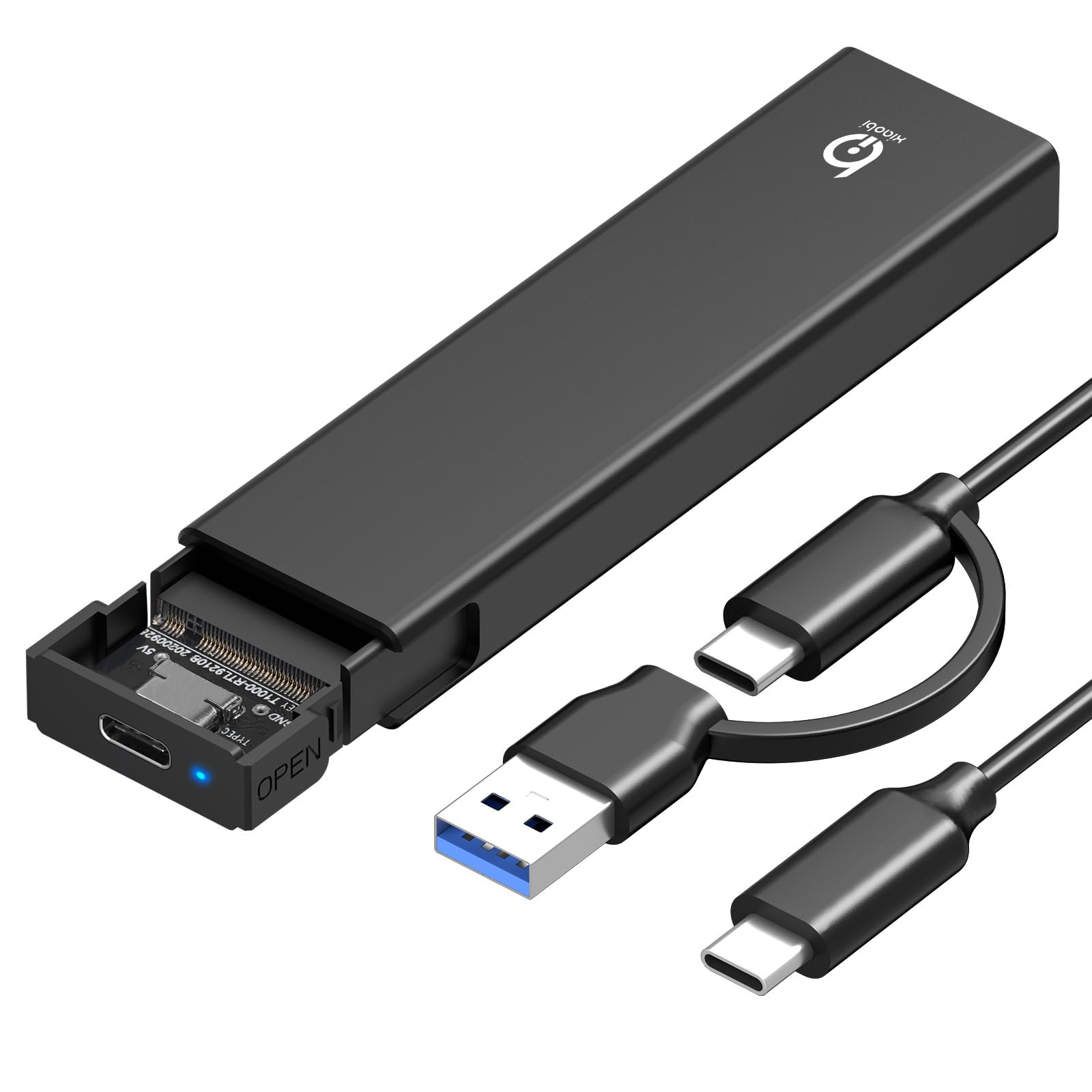
The first thing to know about this xiaobi case is that the box is just the enclosure. There is no USB-C cable in the package, so the low price only looks like the whole cost if you already have a spare cable that handles 10Gbps. That is not a dealbreaker for a drawer spare, but it changes what you need on hand.

The case itself is a simple tool-free aluminum-and-ABS shell with a thermal pad and support for 2230 through 2280 NVMe drives up to 8TB. We like it for reading a loose drive or keeping a clone of a small boot drive; it is light, the drive sits snugly, and it does not ask for software.

The case is at its best with a drive you use now and then: reading an old SSD, making a clone, or carrying a spare game library. It is not the enclosure we reach for when a drive will be writing for an hour at a time.

For a spare drive and occasional use, it is a low-cost way to get a drive out of a drawer; for a daily work drive, the better-built picks here are worth the step up.

Pros

  • Low-cost 10Gbps enclosure
  • Tool-free install
  • Fits 2230–2280 NVMe drives up to 8TB

Cons

  • Runs hot under sustained writes
  • NVMe only; no SATA support
Our verdict

A low-cost spare enclosure for occasional reads and clones; it is best kept for short jobs and a drawer.

Check Latest Price

How We Tested 14 NVMe Enclosures

We started with roughly 40 listings and cut anything that didn't clearly support UASP and TRIM, list its compatible drive lengths, or offer a 10Gbps-or-better bridge. That left 14 enclosures across every price point, from budget plastic to machined aluminum, including two dual-protocol models that take SATA drives as well as NVMe, and six months of steady use. Part of the job was working out whether the extra spend bought a faster bridge chip or just nicer metal.

Speed was measured, not trusted. We copied the same 20GB folder of video onto each enclosure, timed the write, read it back, then ran it again to see whether the second pass held or fell off — the tell for a case that can't keep its drive cool. An infrared thermometer on the lid after each write showed which designs were actually moving heat and which were just wearing fins, and software drive-temperature readings mid-transfer caught throttling before it reached the stopwatch. Long unattended copies flushed out the dropouts.

Then we lived with them. I cloned a laptop's boot drive before a repair, carried project files to a client's office in a jacket pocket, and left one plugged into a desktop for a week of photo edits. Each drive went in twice — once following the instructions, once with none — and we noted where the fit was tight, where a heatsink wouldn't clear the lid, and where an M-key drive sat loose in a B+M slot. Cables got yanked, cases got knocked off a desk, and everything went back into a bag to see whether the connector still seated cleanly the next time.

How to Choose an Nvme Enclosure

Match the enclosure to your port

A 10Gbps enclosure is the practical default because USB 3.2 Gen 2 ports are everywhere on laptops and desktops; it caps real transfers near 1,000MB/s, which is plenty for backups, clones, and external game storage. USB 3.2 Gen 2x2 doubles that to 20Gbps, but only if the host port supports it. USB4 and Thunderbolt 3/4 reach the 40Gbps class, where a good drive can move several gigabytes a second.

We start by checking the port, not the drive's peak rating. A 40Gbps case like the UGREEN 40Gbps works on a 10Gbps port but runs at the slower speed; a 20Gbps case is wasted on a 10Gbps laptop. If you move large video files and have USB4, pay for the faster case. If you are backing up photos and documents, put the savings into a better drive.

Check protocol, key, and length

NVMe and SATA are different protocols, and the notch on an M.2 drive does not settle which one you have. A B+M key drive can be SATA or NVMe; an NVMe-only enclosure will not mount a SATA drive even when it fits. The length matters too: 2230 drives are common in handhelds and some laptops, while 2280 is the standard desktop size. A case that stops at 2242 will not take a 2230 drive without an adapter.

If you keep a mix of drives, a dual-protocol case such as the Sabrent EC-SNVE or UGREEN 20Gbps saves you from owning two enclosures. For a single known NVMe drive, a simpler NVMe-only case is fine. Check clearance for a drive that already has a heatsink; many slim cases close only over a bare drive.

Treat heat as a performance part

A fanless enclosure relies on a thermal pad and a metal body to move heat out of the drive. That is enough for short transfers, but a long write can saturate the path and push the drive into throttling. Aluminum helps; a finned case with a pad making real contact helps more. Plastic shells and loose pads look fine on a spec sheet and do less in practice.

We look for a case that presses the pad against the drive and gives the controller some metal too. The UGREEN 40Gbps uses double-sided fins, while the ASUS Arion uses thermal pads inside an aluminum shell. Do not add a thick pad or force a drive with its own heatsink into a slim case; poor contact is worse than no contact.

Decide how often you will swap drives

Tool-free clamshells are a gift if you move drives between machines; screws and caddies are fine if the drive stays put. The trade-off is that latches, hinges, and lids are the parts that wear out or fail to close. A screw-down mount is slower but more secure, and it is the better choice for a case that lives on a desk.

Check the cable as well. Short USB-C cables suit a laptop; a desktop tower may need a longer one. A case with both USB-C to C and USB-C to A cables is easier to move between old and new hardware. The Sabrent EC-PNVO's clamshell and the UGREEN 20Gbps's screw-down mount are the two ends of that convenience trade-off.

Frequently Asked Questions

Final Verdict

The UGREEN 40Gbps enclosure is the one we recommend first if your laptop or desktop has USB4 or Thunderbolt. It turns a fast NVMe drive into a genuinely quick external SSD, and the finned aluminum body gives sustained transfers a better chance of staying fast.

On a plain 10Gbps port, the Sabrent EC-PNVO is the smarter everyday buy: it swaps drives without tools, costs far less, and still handles backups and game libraries well. Choose the Sabrent EC-SNVE instead if you need one case for both NVMe and SATA drives.