Best PTZ Cameras for Live Streaming

A PTZ camera is a camera on a motor: it pans, tilts, and zooms, and someone usually tells it where to look. The part people actually pay for is when nobody tells it — modern models are supposed to find a face, lock on, and follow it, which is how a church with one volunteer and a laptop can now cut between shots like a small broadcast crew. The trouble is that "auto" covers a very wide range of competence.

I've spent eight months with seven of these cameras, from compact conference-room units to full broadcast bodies, and the pattern holds: the specs on the box — zoom reach, resolution, output count — rarely decide whether a stream looks good. What decides it is whether tracking locks on quickly and stays put when the speaker turns, whether the pan brakes smoothly instead of snapping past the soloist, and whether you can fix any of it from a laptop without hunting through a menu tree. The picks below are the ones that held up.

1

Best Overall

AVKANS 30X NDI PTZ Camera

91 /100
LBD Score Outstanding

Key details

Power
PoE (802.3af/at)
Optical Zoom
30x
Video Outputs
NDI HX2/HX3, 3G-SDI, HDMI, USB
Max Resolution
1080p at 60fps
View on Amazon

Thirty times optical zoom is where this camera earns its place, because reach is what actually decides whether a PTZ works in a live room. From the back of a sanctuary, a 30x lens fills the frame with a face or a single instrument and holds it there through a whole service; a 20x camera in the same seat leaves you with a wide shot and a lot of empty stage. Add the fullest professional output set in this guide — licensed NDI HX2 and HX3, 3G-SDI, HDMI, USB, and PoE — and this is the camera we recommend as the default for a weekly stream.

The NDI license is the part worth paying for. One Ethernet cable carries power, control, and video, so a ceiling position no longer needs a mains outlet or a 12V brick, and the camera turns up as a source in OBS or vMix without a capture card. If your switcher is SDI, the 3G-SDI port covers the long cable runs that make HDMI complain. We were also glad to see a tally light, which tells everyone in the room which camera is live — a small thing that saves a lot of hand-waving.

Two things to know before you commit. The sensor is 1080p at 60fps rather than 4K, and we are comfortable with that trade: a live pan shows off frame rate more than resolution, and 60 frames reads smoother on air than 4K at 30. The other is patience with the network side — the camera wants a fixed address and a few minutes in the web interface before NDI behaves the way you want. Neither changes our recommendation.

Pros

  • 30x optical zoom reaches across a long room
  • Licensed NDI HX2/HX3 plus 3G-SDI, HDMI, and USB
  • PoE carries power, control, and video on one cable
  • 1080p60 keeps pans and walking subjects smooth

Cons

  • One-year warranty, the shortest cover here
Our verdict

If your stream has to look right every week, this is the camera we put our name behind: the longest zoom here, licensed NDI, and one-cable power.
Check Latest Price
2

Best Value

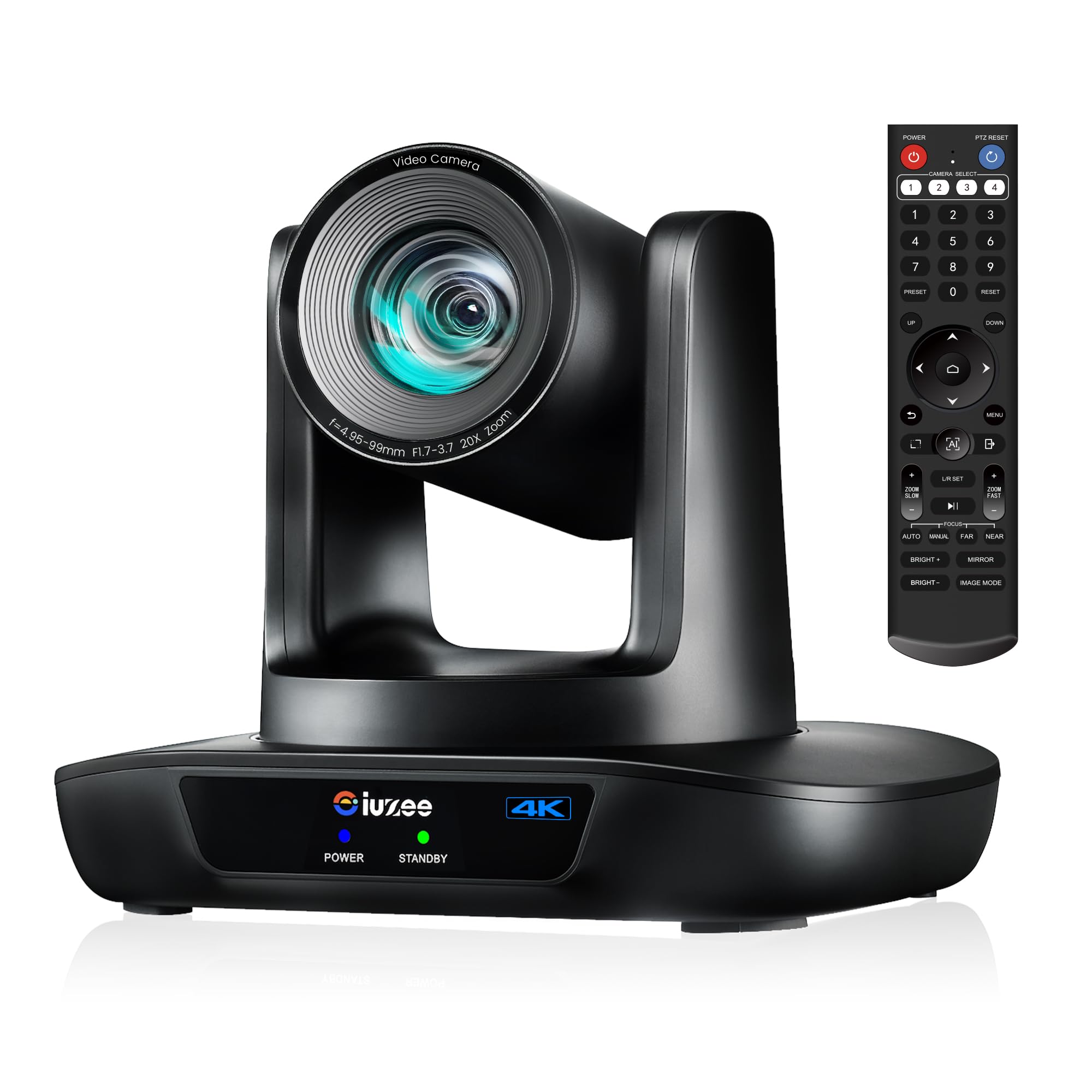
iuZee 4K 20X PTZ Camera

89 /100
LBD Score Excellent

Key details

Power
PoE
Optical Zoom
20x
Video Outputs
USB 3.0, HDMI, LAN
Max Resolution
4K at 30fps
View on Amazon

A 4K sensor, 20x optical zoom, and Power over Ethernet for the least money of any 4K camera here is the kind of listing you check twice. It holds up. The 4K signal is the useful part: even if you deliver at 1080p, a 4K frame lets an operator crop and reframe in software without the picture falling apart, which effectively widens what one camera can cover.

This is where we start a first build for a small or mid-size room. Twenty times zoom is enough from the back of a chapel or a classroom, the LAN port means one cable to a PoE switch, and USB 3.0, HDMI, and LAN can all run at once, so the same camera feeds a laptop, a room display, and a stream. The gesture control is the strangest feature here and the one that grew on us: an OK sign toggles the AI mode and a peace sign drops it into auto-framing, which is genuinely handy in a room with nobody at the controls.

Two practical notes. The IR remote is the least dependable way to drive it, so plan on the browser interface for anything beyond basic moves. And change the default admin password on day one — the camera ships with a known login and it will be sitting on your network.

Pros

  • 4K and 20x zoom at the entry price
  • PoE over a single Ethernet cable
  • USB 3.0, HDMI, and LAN can run together
  • Gesture control switches tracking modes hands-free

Cons

  • No SDI or NDI output
Our verdict

Buy this one when 4K and single-cable power are the whole brief — nothing else here covers both for less.

Check Latest Price
3

Best 4K With SDI

TONGVEO 4K NDI PTZ Camera

87 /100
LBD Score Excellent

Key details

Power
PoE
Optical Zoom
20x
Video Outputs
NDI, HDMI, SDI, USB 3.0
Max Resolution
4K at 30fps
View on Amazon

Four outputs live at once — HDMI, 3G-SDI, USB 3.0, and LAN — is the reason this camera exists in a lineup. One body can feed a hardware switcher down an SDI run, a laptop running OBS over USB, and a network encoder at the same time, with no distribution amplifier in the rack. The NDI integration is licensed rather than a firmware workaround, which is the difference between a camera that shows up in vMix and one that nearly does.

For a mixed rig it is the value pick of this group: it is the least expensive camera here with 4K, NDI, and SDI in one body, and it is the one we point to when a church streams through OBS every Sunday but still wants a broadcast feed for a bigger event. The AI tracking and autofocus do the unglamorous work well — the frame follows a presenter without hunting back and forth.

Setup is browser-based, and the interface does more than the remote ever will: set your presets there, name the camera, and give it a fixed address before it goes on a wall you cannot easily reach. The printed manual is thin enough that you will learn most of it by clicking around, so budget an evening rather than ten minutes.

Pros

  • 4K, NDI, and SDI in a single body
  • HDMI, SDI, USB 3.0, and LAN outputs at once
  • Licensed NDI integration rather than a workaround
  • AI auto-tracking paired with fast autofocus

Cons

  • 4K output tops out at 30fps
Our verdict

We reach for this one when a single camera has to serve a switcher, a laptop, and a network feed without extra hardware.

Check Latest Price
4

Best Budget NDI

AVKANS LV20N NDI PTZ Camera

89 /100
LBD Score Excellent

Key details

Power
PoE
Optical Zoom
20x
Video Outputs
NDI HX2/HX3, HDMI, 3G-SDI, USB
Max Resolution
1080p at 60fps
View on Amazon

Whether you need 4K at all is the question that decides this one, and our answer is often no. The LV20N is the cheapest route into licensed NDI HX2 and HX3 with an SDI output in this group, and it handles the part that shows up on air — 1080p at 60fps, a 20x lens, and steady motor control — without the 4K premium. For a church or a school streaming to YouTube, that is the sensible spend.

It carries the family traits that make the 30x model our top pick: the same NDI licensing, a 3G-SDI port alongside HDMI and USB, and PoE on a single cable. The wide end is generous enough to frame a whole stage from a rear wall, and 20x covers a pulpit or a lectern from the same seat without moving the mount.

The part that takes real time is the network. Give the camera a fixed address, work through the CMS software on a laptop, and expect an evening rather than ten minutes; presets, NDI discovery, and control from OBS all depend on getting that right first. Do it on a bench, not on a ladder.

Pros

  • Licensed NDI HX2/HX3 with a 3G-SDI output
  • Cheapest NDI and SDI route in this guide
  • 1080p60 with a 20x optical lens
  • PoE on a single Ethernet cable

Cons

  • Auto-tracking can lose a subject in a busy scene
Our verdict

We point a tight budget here when NDI and SDI matter more than 4K.

Check Latest Price
5

Best for Large Venues

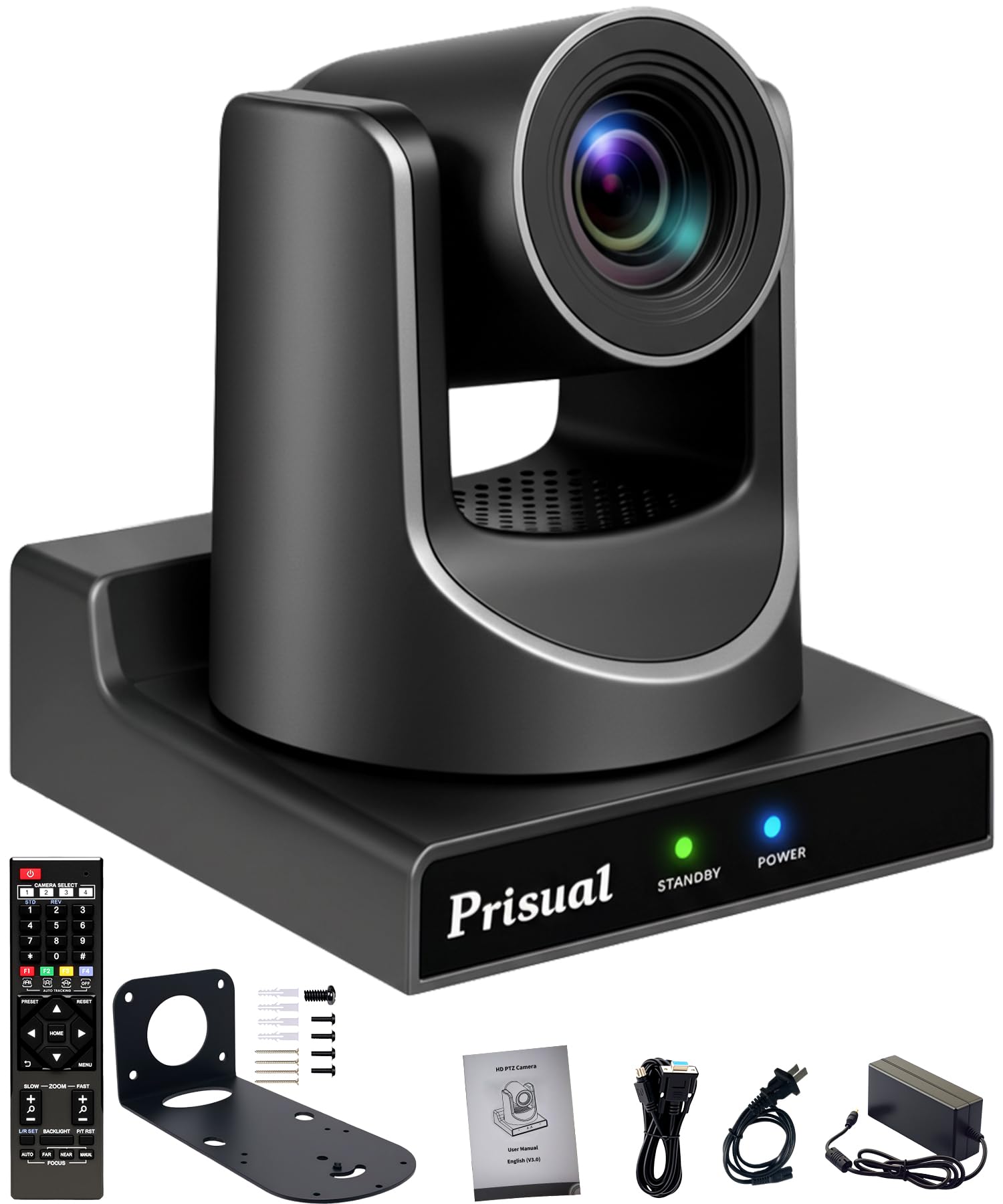
Prisual 30X PTZ Camera

90 /100
LBD Score Outstanding

Key details

Power
PoE
Optical Zoom
30x
Video Outputs
HDMI, 3G-SDI, USB 3.0, LAN
Max Resolution
1080p at 60fps
View on Amazon

Picture quality is where this camera separates itself from the rest of the set: at 1080p60 it produces the most consistent image here, and it holds up in rooms where the stage is lit and the congregation is not.

The 30x optical zoom puts a face or a hymnal in frame from the back of a big room, and the output set covers a real install — HDMI, 3G-SDI, USB 3.0, and LAN at the same time, with PoE carrying power down the network cable. We like that 1080i and 720p sit alongside 1080p60 as selectable formats, because older switchers and some broadcast chains want exactly that. The tracking modes go further than most, with presenter, zone, and auto-frame options plus an anti-lost lock that holds a subject when they turn away.

The trade is resolution and nothing else. There is no 4K output, so anyone who likes to crop and reframe inside a 4K frame will not get that headroom — this camera wants you to frame it properly with the lens instead. For a fixed install where the shot is decided before the service, that is a fair swap, and it is why the picture is this good for the money.

Pros

  • 30x optical zoom for large rooms
  • HDMI, 3G-SDI, USB 3.0, and LAN together
  • Selectable 1080p60, 1080i, and 720p formats
  • Presenter, zone, and auto-frame tracking modes

Cons

  • No NDI for network-first productions
  • Heaviest camera here at 3.2 kg
Our verdict

In a big, dim room where the shot is set before the service, we trust this picture more than any other here.

Check Latest Price
6

Best 4K Reach

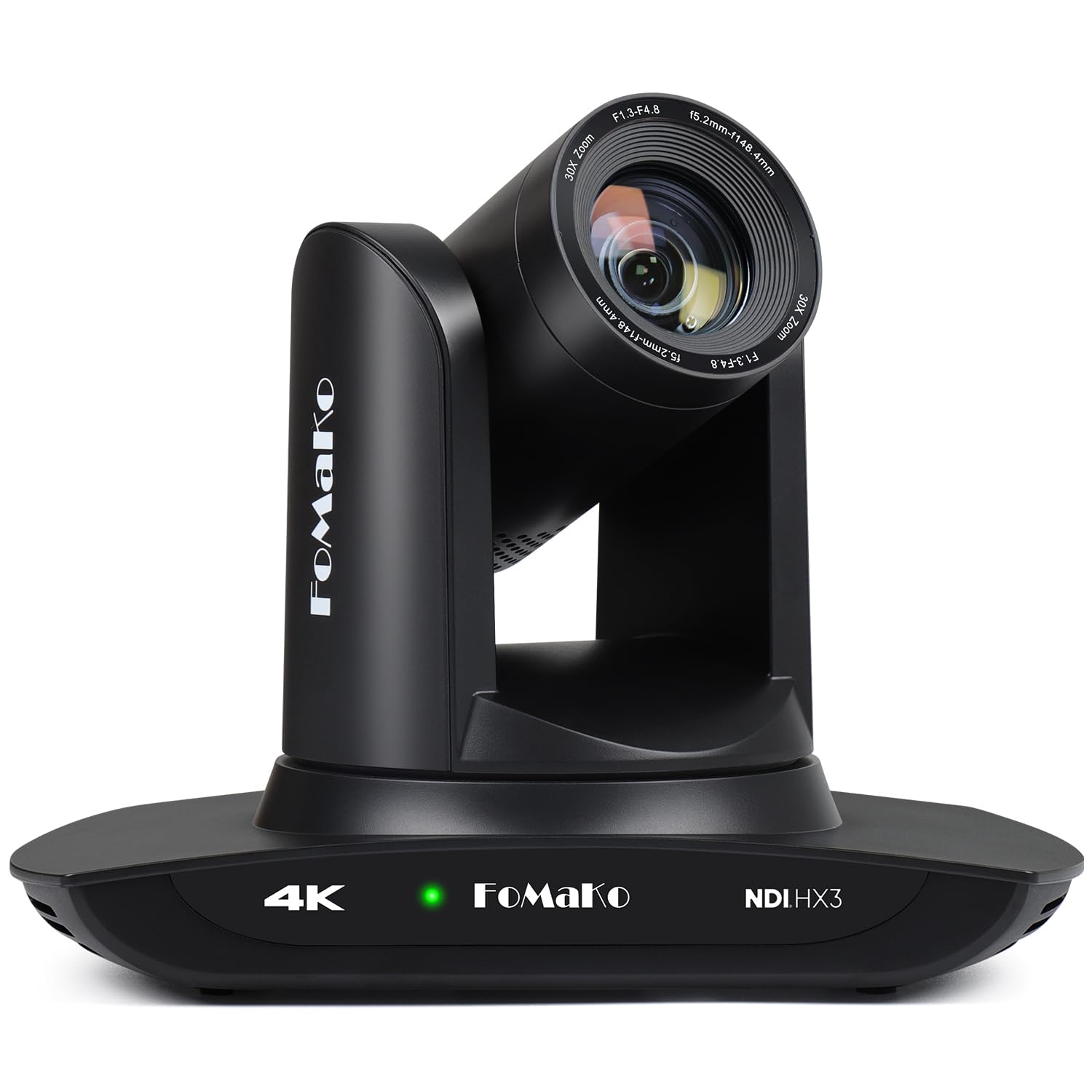
FoMaKo K30NS 4K PTZ Camera

85 /100
LBD Score Excellent

Key details

Optical Zoom
30x
Pan And Tilt
340° pan, 120° tilt
Video Outputs
NDI 6/HX3, 3G-SDI, HDMI, USB 3.0
Max Resolution
4K
View on Amazon

4K and 30x optical zoom in the same body is a pairing nothing else in this guide offers. If the camera has to sit at the back of a long room and still give you a frame you can crop, that combination is the whole argument: you get the reach of a long lens and the reframing room of a 4K sensor.

NDI 6 and NDI HX3 certification come with it, along with 3G-SDI, LAN, HDMI, and USB 3.0, so it can join a network production or a hardware switcher without adapters. The third-generation AI tracking is more adjustable than most — you can set the tracking mode, the sensitivity, and how tightly it frames a presenter, which is the difference between tracking that works in your room and tracking that works in a demo.

Where it sits in this set is straightforward: it is the camera for a room too long for a 20x lens and a production that wants 4K frames to crop. It costs roughly what the Prisual does, and the choice between them comes down to resolution against a longer record of picture quality — this one has the sensor and the reach, that one has the proven image.

Pros

  • 4K with 30x optical zoom
  • NDI 6 and NDI HX3 certified
  • Adjustable third-generation AI tracking
  • 3G-SDI, HDMI, USB 3.0, and LAN outputs

Cons

  • PoE is not stated, so plan on the 12V adapter
Our verdict

The only 4K camera here that reaches as far as 30x allows — we buy it when the room is long and cropping matters.

Check Latest Price
7

Simple PoE Setups

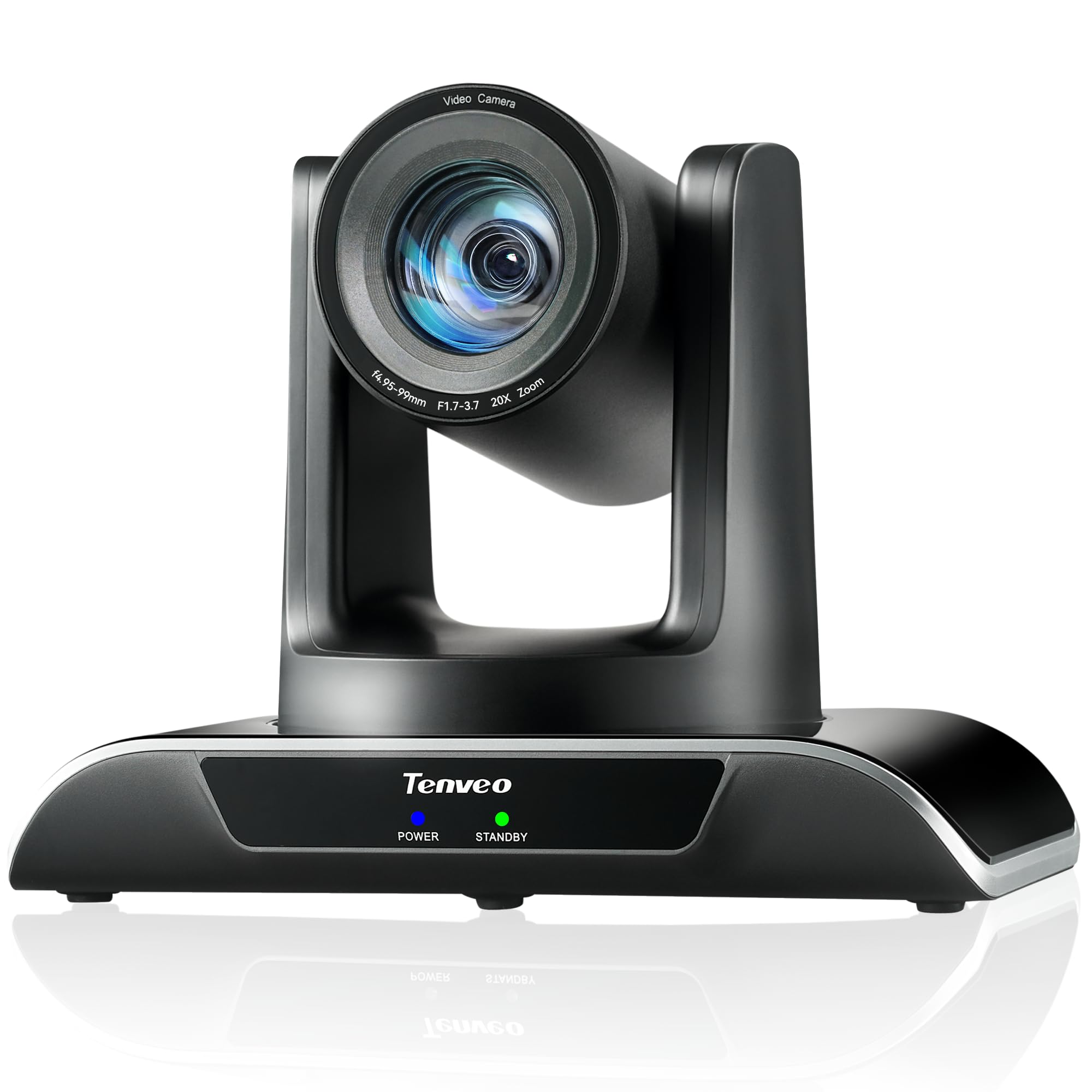
Tenveo VHD20H PTZ Camera

86 /100
LBD Score Excellent

Key details

Warranty
3-year parts and labor
Optical Zoom
20x optical, 8x digital
Video Outputs
USB 3.0, HDMI, LAN
Max Resolution
1080p at 60fps
View on Amazon

Three years of parts-and-labor cover plus a 30-day return window is the sort of thing you notice on a spec sheet, and it is a real part of what this camera is selling. Everything else is familiar: 20x optical zoom, 1080p at 60fps, and USB 3.0, HDMI, and LAN with PoE.

The optical lens does the work, and the 8x digital figure is best ignored — it crops the picture rather than resolving more of it. What we appreciate is the control story: Tenveo lists compatibility with Blackmagic ATEM switchers and its own joystick controllers, so presets set on the remote can be recalled from the switcher, which is what makes a two-camera service feel calm rather than frantic.

Sixty frames per second at 1080p is the specification that keeps a walking speaker from smearing across the frame, and it is the reason this class of camera still exists alongside the 4K models. Focus holds as the lens moves, at least at the speeds an operator actually uses live, and the mount takes a wall or ceiling bracket without drama.

Where that leaves it: the sensible middle of this set. Less reach than the 30x cameras, less resolution than the 4K ones, but a complete output set and PoE on one cable. Buy it when a service has to run the same way every week and nobody wants to troubleshoot on a Sunday morning.

Pros

  • Three-year parts-and-labor warranty
  • 20x optical zoom at 1080p60
  • USB 3.0, HDMI, and LAN with PoE
  • Works with ATEM switchers and joystick controllers

Cons

  • No SDI output for broadcast cabling
Our verdict

We like this one when reliability beats resolution: a steady 1080p60 camera with three years of parts-and-labor cover.

Check Latest Price
8

Standalone Streaming

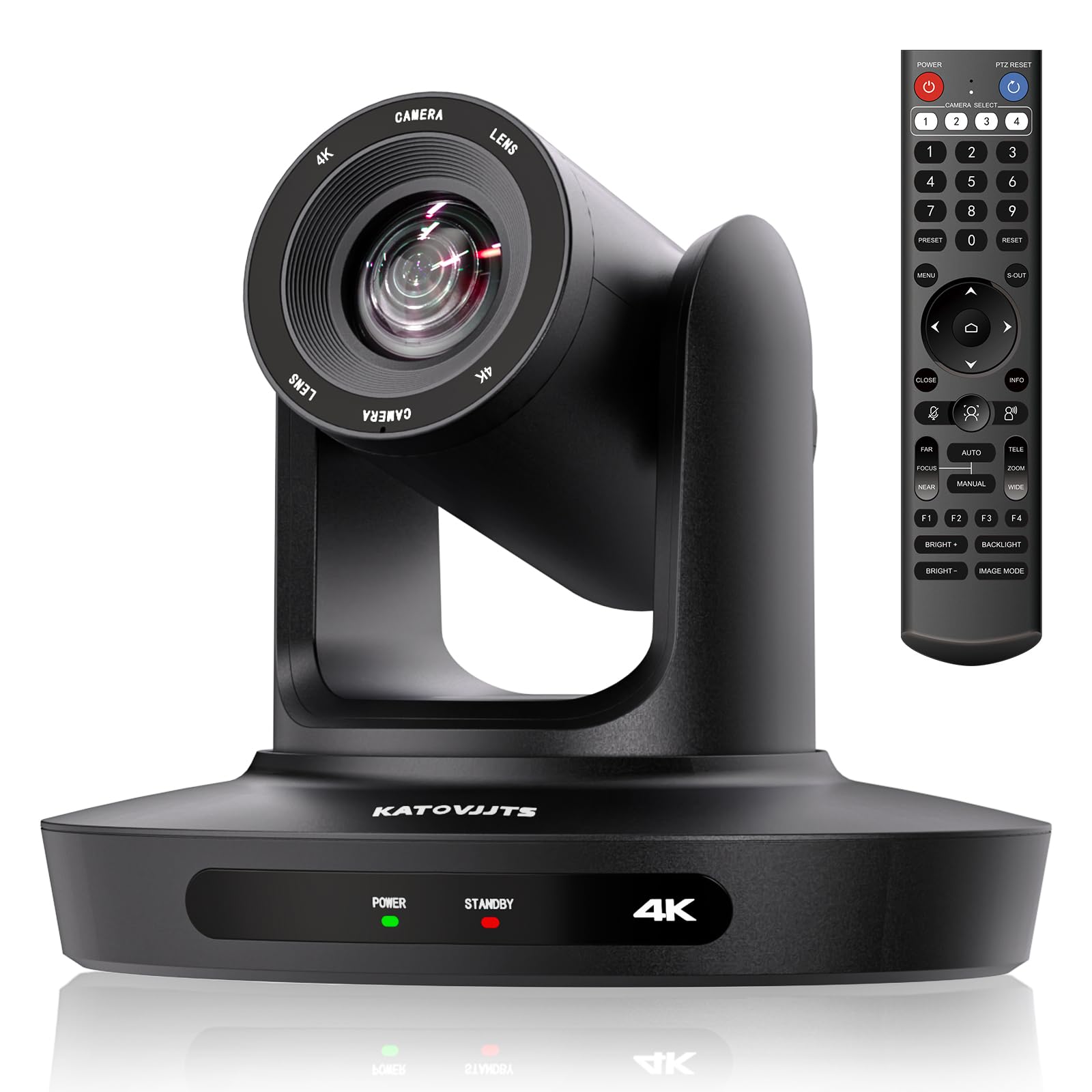
KATOVJJTS 4K PTZ Camera

82 /100
LBD Score Excellent

Key details

Streaming
RTMP and RTSP
Optical Zoom
20x
Video Outputs
HDMI, USB 3.0, LAN
Max Resolution
4K at 30fps
View on Amazon

Streaming straight from the camera is the feature worth knowing about here: with RTMP and RTSP support and H.264 or H.265 encoding on board, it can push a stream to YouTube or Facebook with no computer in the chain. That is a genuinely useful trick for an overflow room, a hall, or a second venue where nobody wants to leave a laptop running unattended.

The rest is a familiar 4K package — a 20x optical zoom, 4K at 30fps, USB 3.0, HDMI, and LAN, with PoE for a single-cable run. Pan is 340 degrees and tilt 120 degrees, which covers a wall or ceiling mount without leaving a dead spot behind the camera.

The compromise is on the network side. There is no NDI here, so a production built around NDI sources needs another route; RTSP is what this camera offers, and it works, but it means configuring a stream address rather than picking the camera out of a list. Plan for that if your switcher or software is NDI-first.

It still earns a place for a small hall or an overflow room. We like the idea of a camera that goes live on its own far more than the idea of leaving a laptop running in an empty building, and 4K at the bottom of this group's price range is hard to argue with. Go in expecting a camera you set once and leave alone.

Pros

  • Streams to YouTube or Facebook without a computer
  • 4K at 30fps with 20x optical zoom
  • PoE with HDMI, USB 3.0, and LAN
  • 340° pan and 120° tilt

Cons

  • One-year warranty
Our verdict

We keep this one in mind for a second room that needs to go live on its own, with no laptop tethered to the camera.

Check Latest Price

How We Tested the PTZ Cameras

We started with every PTZ camera we could find that combined at least 20x optical zoom, some form of AI auto-tracking, and a genuine streaming output — HDMI, SDI, USB, or IP — rather than a webcam sensor in a motorized housing. Anything without PoE or NDI was ruled out, since those decide whether the camera needs its own power run and whether it drops into a switcher without a converter. Seven made the cut.

Each one spent time on a tripod in a sanctuary-style room with a stage and a center aisle, then moved to a conference room with windows down one side and a lecture hall with dim back rows. We timed setup from unboxing to a usable picture, counted how many menu layers it took to reach the tracking settings, and ran each camera from its remote, its web interface, and a joystick to see which controls worked without line of sight.

For tracking, we walked the same path in every room — up the aisle, across the stage, out a side door — at normal pace and at a near-jog, noting how fast the camera acquired a face, whether it drifted onto a monitor or a bright doorway, and whether it recovered after the subject stopped and turned. We watched pan starts and stops for overshoot, checked whether zoom was smooth or stepped, and timed how long each camera took to answer a command.

Image quality came from recorded footage, not spec sheets: skin tones under mixed tungsten and daylight, noise in the unlit back rows, and how much fine detail survived at full telephoto. On value, we counted what shipped in the box and what still had to be bought — a power supply, a mounting plate, a capture card.

How to Choose a Ptz Camera for Live Streaming

Start With the Outputs Your Switcher Already Takes

USB is the easy one: it plugs into a laptop and appears in Zoom, OBS, or vMix as an ordinary camera. HDMI is the next step up and fine over a short run to a capture card, but it gets unhappy over distance. SDI is what installations use to cover long cable runs, and NDI or IP puts the camera on the network so a single Ethernet cable carries video, control, and power.

Count the ports on the gear you already own before you fall for a sensor specification. A USB-only camera cannot join an SDI switcher without a converter, and the converter eats the savings. If you plan to grow into a hardware switcher later, buy the camera with SDI now.

Match Zoom to the Distance, Not the Spec Sheet

Twenty times optical zoom is plenty when the camera lives in a classroom, a boardroom, or the front of a small chapel. Thirty times is for the back of a long room, where you need to fill the frame with one face and hold it there through a whole service.

Check the wide end as well. A camera that starts too tight cannot show the whole stage from a rear wall, and a generous wide angle often matters more than another ten times of magnification nobody uses. Measure the throw from your intended mount to the platform, pick the reach that covers it, and put what is left of the budget into outputs.

Decide Between 4K and 60 Frames Per Second

This is the trade buyers get wrong. A 4K sensor buys cropping headroom in a switcher and a sharper still frame, but most cameras in this group deliver 4K at 30fps, and a live pan at 30 looks rougher than the same pan at 1080p60. If people walk, gesture, or dance on camera, frame rate wins. If the camera is locked off on a wide shot and you reframe in software, 4K wins.

Very few cameras here give you both at once, which is why the choice deserves a deliberate decision rather than a spec-sheet reflex.

Plan Control Before You Mount It

An infrared remote is the free option and the one that fails first: it needs line of sight, and it is awkward from a balcony. What actually makes a two-camera shoot calm is presets recalled from a switcher, a joystick, or a plug-in for OBS or vMix over VISCA or IP.

Auto-tracking is the feature to test in your own lighting before you lean on it. It holds a single presenter beautifully and struggles when the background gets busy, so set a wide preset as your fallback and check the tracking in the room, not in the shop.

Cable, Power, and Mounting

PoE is the difference between a camera you can put anywhere and one that needs a socket near the ceiling. Where it is listed, an 802.3af/at switch or injector carries power down the same cable as the video and the 12V adapter stays in the box. If PoE is not stated for a model, budget a power run before you order.

Check the weight against your mount, too. Several cameras here are over 2.5 kg, and that is more than a drywall anchor should ever be asked to hold.

Frequently Asked Questions

Final Verdict

Choosing here comes down to two questions: how far away the camera sits, and what your switcher accepts. If the answer is a long room and a professional output chain, the AVKANS 30X NDI is our recommendation — licensed NDI, SDI, HDMI, and PoE in one body, with the longest zoom in this set and the steadiest record behind it.

If budget is the binding constraint, the iuZee gets you 4K and single-cable power for the least money here. You give up SDI and NDI to get there, and that is the trade worth making deliberately rather than by accident.