Best Smart Light Switches of 2026

Before you buy a smart switch, go look inside one wall. The thing that most often derails an install isn't the app or the wiring diagram — it's opening the box and finding no neutral wire, which is what you'll see in plenty of homes wired before the mid-1980s. That one fact narrows the field immediately. What you get in exchange is small and genuinely good: lights that come on at sunset, a hallway that isn't dark when you walk in with groceries, dimming without getting up off the couch.

The other thing nobody tells you is that dimmers and LED bulbs have to get along. The switch that's silent with one bulb can hum or flicker near the bottom of the dial with another, and no listing warns you. Over the past eight months, we've installed and lived with 12 smart switches — Wi-Fi, hub-based, and Matter, single-pole and three-way — in kitchens, hallways, bedrooms, and on one long staircase. The ones below are the ones we'd put back in our own walls.

1

Best Overall

Lutron Caseta Smart Dimmer

95 /100
LBD Score Outstanding

Key details

Hub
Caseta Smart Hub required
Works With
Alexa, Google Home, Apple HomeKit, Ring, Sonos
Switch Type
Single-pole or 3-way dimmer
Neutral Wire
Not required
View on Amazon

The Caseta dimmer is the only pick here that doesn't talk to your router. It pairs with Lutron's Smart Hub, a separate purchase and a separate thing to plug in, and the hub handles the network over Lutron's own protocol instead of Wi-Fi. That's the trade in one line: an extra box and a bigger bill in exchange for a connection that doesn't depend on your router's mood.

What sells it for us is the wiring. No neutral wire is required, so it goes into the older boxes where most of the switches here can't follow — the ones with just a hot and a switched leg coming up the wall. That single fact settles the purchase for anyone in an old house, and it's the first thing we check on a candidate now: what happens in a box with no neutral?

The keypad is a taste thing. There's no paddle; you press the middle to toggle and the up and down keys to change brightness, and holding a key ramps the light slowly rather than jumping. We got used to it in a day. Guests take a beat. Dimming runs smoothly across the range, and on connection stability this one sits near the top of the set.

Compatibility is the other half of the case. Caseta works with Alexa, Google Home, Apple HomeKit, Ring, and Sonos, so changing assistants later doesn't mean replacing switches. And because the hub runs the schedule rather than the cloud, the lights still do what you told them when the internet doesn't.

Pros

  • Installs where there's no neutral wire
  • Alexa, Google, HomeKit, Ring, and Sonos support
  • Hub-based connection independent of your Wi-Fi
  • Smooth dimming from keypad, app, or voice

Cons

  • Some LED bulbs won't dim all the way to off
Our verdict

Spend once here and stop thinking about it: no neutral wire, every major platform, and the steadiest connection in this group.

Check Latest Price
2

Best Budget

Kasa HS200

91 /100
LBD Score Outstanding

Key details

Rating
15 A / 600 W
Works With
Alexa, Google Assistant
Switch Type
Single-pole on/off
Neutral Wire
Required
View on Amazon

This is the switch we point people to when they want to try one smart switch and see how it goes. It's the least expensive single switch here, it needs no hub, and it works with Alexa and Google Assistant over 2.4 GHz Wi-Fi — the whole feature list at the bottom of the price range.

Installation is about as friendly as in-wall wiring gets. The Kasa app walks through pairing step by step, and the physical button keeps working like an ordinary switch, so anyone in the house who hasn't opened the app is no worse off. Schedules, countdowns, and an away mode that randomizes the lights all live in the app and take a minute to set up.

Where this one gives us pause is how long it lasts. Switches that stop responding, or quit in the first weeks, are part of this model's record, and that's the price of the low entry cost. Two things soften it: a two-year warranty and a seller with painless returns. Put the first one somewhere a dead switch is annoying rather than disruptive.

If you're wiring more than one room, the Kasa dimmer pack is the better use of the money. The HS200 is the one-switch answer, and it doesn't pretend to be anything else.

Pros

  • No hub and no separate controller
  • App-guided install, schedules, and away mode
  • Lowest price for a single switch here
  • Physical button works for everyone else

Cons

  • Needs a neutral wire in the switch box
  • No Apple Home or Matter support
Our verdict

Start with this one if you want a single smart switch without a hub or a big spend; the two-year warranty covers the longevity question.

Check Latest Price
3

Best Dimmer Multipack

Kasa HS220P3 3-Pack

91 /100
LBD Score Outstanding

Key details

Dimming
0% to 100%
Works With
Alexa, Google Assistant
Switch Type
Single-pole dimmer, 3-pack
Neutral Wire
Required
View on Amazon

Three dimmers in one box, at a per-switch price nothing else here touches: if the goal is dimming in more than one room, this is where the math points. Brightness runs 0 to 100 percent from the paddle or the app, a double-click fades out at bedtime, and schedules can bring a light up to a set level instead of full blast.

Everyday use is where the pack earns its keep. Presets are stored per switch, so the hallway can sit at 30 percent while the kitchen goes full; the app is unremarkable in the best way, and once the schedules are set you rarely open it.

The reservation is lifespan. Units that quit within months are part of this model's record, more so than for the Caseta above, and a three-pack gives you three chances to meet that. The two-year warranty covers the replacement; the annoyance is the hour you spend pulling the plate off again. Buy the pack somewhere with a forgiving return window and fit the first dimmer where a failure isn't a crisis.

None of that changes what the pack is for. Dimming a whole house is normally the expensive part of going smart, and this is the cheapest honest route to it.

Pros

  • Three dimmers at a low per-switch price
  • 0 to 100 percent dimming with fade-off and schedules
  • No hub; Alexa and Google control

Cons

  • Faceplate is stiff to remove
  • Needs a neutral wire
Our verdict

The pack to buy if you want every room dimmable without a hub or a premium budget — just keep the receipt.

Check Latest Price
4

Best for 3-Way Without Wiring

Lutron Caseta 3-Way Kit

93 /100
LBD Score Outstanding

Key details

Hub
Caseta Smart Hub required
Remote
Pico remote included, no wiring
Works With
Alexa, Google Home, Apple HomeKit
Switch Type
Single-pole or 3-way on/off
View on Amazon

Two switches on one light usually means a traveler wire running between them, and adding a location that has no wiring at all means opening the wall. This kit skips both: the switch replaces the one you already have, and the Pico remote covers the new spot on the included bracket, with no wire to run and no drywall to patch.

What we like is how little the remote feels like an accessory. It matches the switch, it mounts like a switch, and either one controls the light. In a stairwell or a garage entry, that's the whole job done in one box, and because the remote is wireless it can move later without an electrician.

It's the on/off member of the Caseta family, so there's no dimming here — plenty of people pair it with a Caseta dimmer further along the same circuit. Everything else about the system applies: scenes, schedules, and voice control through Alexa, Google Home, or Apple HomeKit.

Pros

  • Adds a second switch without new wiring
  • Remote matches the switch and can be relocated
  • Works with Alexa, Google Home, and Apple HomeKit

Cons

  • Requires the Caseta Smart Hub, sold separately
Our verdict

If you want a second switch where there's no wiring, this kit does the job in an afternoon, provided the hub is part of the plan.

Check Latest Price
5

Best for Apple Home

Tapo S505 2-Pack

89 /100
LBD Score Excellent

Key details

Protocol
Matter over Wi-Fi
Works With
Apple Home, Alexa, Google Home, SmartThings
Switch Type
Single-pole on/off, 2-pack
Neutral Wire
Required
View on Amazon

Matter is the reason this switch exists, and the reason to pick it. The S505 shows up in Apple Home, Alexa, Google Home, and SmartThings — all four, with no vendor's hub in the middle — which is more than any other switch here manages.

Setup is where the patience goes. The switch pairs through the Tapo app first, and Matter needs a controller — a HomePod, Apple TV, an Echo, or a Google speaker — before Apple Home sees anything. Budget a few minutes in the app rather than expecting a scan-and-go.

The hardware is plain in a good way: one paddle, a small status light, standard Decora width, and a two-pack that covers a hallway and a porch.

What we keep coming back to is local control. Matter devices talk to each other on your own network, so the switches keep answering when the internet doesn't. If the house is already all Alexa or all Google, the Kasa picks cost about the same per switch and skip the Matter setup step; the S505 earns its place when Siri is in the mix or when two platforms have to coexist.

Pros

  • Apple Home, Alexa, Google, and SmartThings in one switch
  • Matter keeps commands on your local network
  • Two switches per pack

Cons

  • On/off only, no dimming
  • Single-pole wiring only
Our verdict

It's the switch for a mixed-platform house: Apple Home, Alexa, and Google all see it, and nothing else here does that without a hub.

Check Latest Price
6

Best Budget Multipack

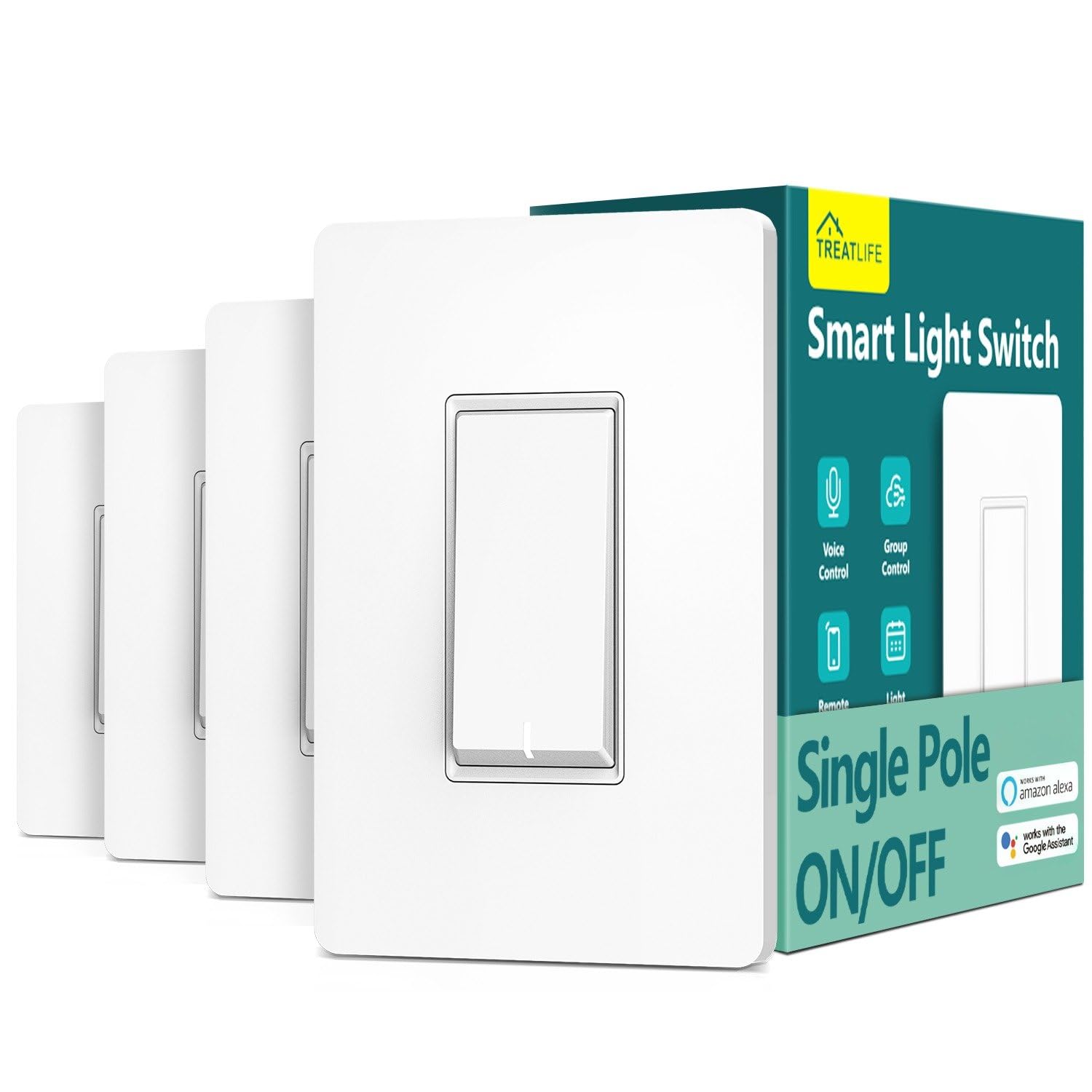
Treatlife 4-Pack

91 /100
LBD Score Outstanding

Key details

Rating
10 A / 1250 W
Works With
Alexa, Google Assistant, SmartThings
Switch Type
Single-pole on/off, 4-pack
Neutral Wire
Required
View on Amazon

Four switches in one box, at the lowest cost per switch here — that's the case for this pack, and for a whole floor or a rental it's a good one. Making every exterior light answer to a schedule stops being expensive when the switches arrive four at a time.

The faceplate is nicer than the money suggests: flat, screwless, with a small indicator light that makes the switch findable in a dark hallway. That's the kind of detail you notice at two in the morning and never see on a product page. In a hallway with three of them, that consistency matters more than the spec sheet.

Installation runs through the Smart Life app, which also handles Alexa, Google Assistant, and SmartThings, and the same app runs Treatlife's dimmers if you mix the two lines. Plates, screws, and wire nuts are in the box, so four switches in an afternoon is realistic.

Pros

  • Lowest cost per switch in this group
  • Screwless flat faceplate with a locator light
  • Alexa, Google Assistant, and SmartThings support
  • Plates, screws, and wire nuts included

Cons

  • Some units fail within the first year
  • Neutral wire and single-pole wiring only
Our verdict

Four switches and the lowest per-switch price here, which is exactly what a whole floor or a rental needs.

Check Latest Price
7

Slider Dimming

Treatlife Smart Dimmer

89 /100
LBD Score Excellent

Key details

Control
Touch slider, app, voice
Works With
Alexa, Google Assistant
Switch Type
Single-pole dimmer
Neutral Wire
Required
View on Amazon

The slider is what makes this dimmer worth a look. Instead of tapping a paddle and waiting, you drag a finger up or down the strip and the light follows — the quickest dimming control in this group, with a row of small LEDs showing the level without lighting up the bedroom.

Setup and brightness memory are handled well. It remembers the last level through a power cut, which matters more than it sounds in a house that browns out, and Alexa and Google both pick it up without a hub.

Where it lands for us is a bedroom or a hallway, not a whole house. Treatlife's dimmers have the weakest durability showing in this group, with units quitting after a year or two, so fit one where a failure is an errand rather than a problem, and buy from a seller that takes returns without a debate.

Pros

  • Touch slider dims faster than a paddle
  • Remembers brightness after a power cut
  • No hub required

Cons

  • Neutral wire required; single-pole only
Our verdict

A fast, pleasant slider dimmer at a low price, with the shortest expected lifespan in this group.

Check Latest Price

How We Chose and Tested the Best Smart Light Switches

We started with a shortlist of roughly 40 switches pulled from manufacturer lineups and retailer best-seller pages, then cut it on the specs that actually decide an install: whether a neutral wire is required, hub or no hub, single-pole versus three-way, dimming versus plain on/off, and whether multi-packs brought the per-switch cost down. That left 12 units, which we installed over eight months in kitchens, hallways, bedrooms, and one three-way staircase.

Installation came first. We killed the breaker at the panel, pulled each old switch, and timed the swap solo with a screwdriver and a phone, noting whether the box had room for the new hardware, whether the app walked us wire by wire, and how long pairing took once the power came back. We judged the hardware too: how stiff the mounting plate was, whether the paddle felt solid or plasticky, and whether the terminals took 12-gauge wire without a fight.

Then we just lived with them. Each switch ran the same lights for months — a hallway on a sunset schedule, a kitchen dimmed to its lowest setting every evening, a bedroom controlled by voice with hands full of laundry. We dimmed every one against three kinds of LED bulb, listening for buzz and watching for flicker at the bottom of the dial, and timed how fast the light answered a tap, a voice command, and the app. We also logged which ones went offline after a router reboot or a brief power cut. The disappointing ones all failed the same way: they dropped their connection and had to be re-paired by hand.

How to Choose a Smart Light Switch

Check for a neutral wire first

A smart switch needs power around the clock to keep its radio listening, and most take it from the neutral wire — the white bundle at the back of the box. Pull one switch and look before you order anything. If there's no neutral, nearly every pick here is out, and the Lutron Caseta dimmer is the one that still works because it draws its standby power through the light instead.

That single check is the biggest fork in this purchase and it costs nothing. It's also the reason we start every recommendation with the box rather than the app.

Hub, Wi-Fi, or Matter

A Wi-Fi switch joins your router directly: nothing else to buy, but it's one more device on a 2.4 GHz band that also has to reach the far corner of the house. A hub system keeps the switches on their own low-power network and talks to the router once, which is why the Caseta picks sit near the top of this list for stability. Past a handful of switches, or in a thick-walled house, the hub earns its cost.

One trap: "no hub required" for a Matter switch still means a controller — a HomePod, Apple TV, Echo, or Google speaker — before Apple Home or Google Home sees it.

Single-pole, three-way, or dimmed

Count the switches on the circuit before ordering. One switch for one light is single-pole. Two switches for the same light is three-way, and it needs either a matched pair that replaces both ends or a kit with a wireless remote that needs wire at only one end. Dimming is a separate question: the bulbs must be dimmable, and the switch must be rated for the load you're putting on it.

Make room in the box

The hard part of installing a smart switch isn't the wiring, it's folding it back in. The body is deeper than the mechanical switch it replaces, and a shallow box holding three cables plus a bundle of neutrals turns a quick swap into a wrestling match. If your boxes are tight, fit one switch before you order a pack, and check that its plate sits flat against the wall.

Budget for one failure

Every brand here has switches that quit, so buy the way you'd buy anything with a motor in it: from a seller with an easy return, with the receipt kept, and with the first unit somewhere a failure is an inconvenience rather than a safety problem. Warranties run to two years on the Kasa and Treatlife models and one year on the Caseta dimmer, which tells you something about who expects what.

Frequently Asked Questions

Final Verdict

Buy the Caseta dimmer when the switch is going somewhere permanent and you want to stop thinking about it: no neutral needed, every platform supported, and the fewest surprises of anything here. If a hub and the price are more than the job deserves, the Kasa HS200 is the honest budget answer for a single-pole light, and the Tapo two-pack is the one to take when Siri is in the house.

Get the wiring right first — neutral, circuit type, box depth — and everything after that is preference.