Best Tablets for Gaming of 2026

Every gaming tablet looks fast for the first ten minutes. Then the back warms up, the frame rate sags, the battery drops into the teens, and the level you were in becomes a chore. A screen that looked crisp under store lights can smear during a fast camera pan, and the game you bought the tablet for sometimes won't even install. We've spent the past six months living with 10 tablets — a few big-name flagships, several budget Android models, and a couple of keyboard-bundled dark horses — and the ones worth buying hold their speed after an hour, not just on first launch.

Here's what I wish I'd known sooner: past a point, resolution stops mattering and refresh rate takes over. A smoother panel does more for a fast game than a denser one, and a tablet that manages heat will beat a better chip that throttles. We weighed that against battery life, app compatibility, and whether the keyboard or stylus you want comes in the box or costs extra. The picks below are grouped by who they're for.

1

Best Overall

Apple iPad 11-inch (A16)

95 /100
LBD Score Outstanding

Key details

Chip
A16
Weight
1.05 lb
Display
11-inch Liquid Retina
Storage
128GB
View on Amazon

The A16 chip is the reason this iPad is our top pick. It gives you the most headroom here for demanding games, and the 128GB base storage means you can keep a few large titles installed without clearing space every week. At 1.05 pounds and 0.28 inch thick, it is also one of the easiest tablets here to hold for a long session.

The 11-inch Liquid Retina display is bright and crisp, and small text in strategy games stays readable. If a 90Hz panel is non-negotiable, the Samsung Galaxy Tab S10 FE is the Android pick with one. For most games, we think the A16's headroom matters more than the refresh number.

iPadOS is the other half of the case. The App Store's tablet-game selection is the strongest here, and Bluetooth controllers pair without much fuss. That matters if you switch between a controller and touch controls depending on the game.

Reliability is the one thing we watch. A subset of units have crashed after a month of use, so buy where returns are easy and keep the receipt. We still choose it first because the performance and game selection are the strongest combination here.

Pros

  • A16 chip has the most headroom here
  • 11-inch Liquid Retina display
  • 128GB base storage
  • Light at 1.05 pounds

Cons

  • 128GB fills quickly with large games
Our verdict

The safest gaming default here: the A16 chip and 128GB storage give you headroom, and iPadOS has the strongest tablet-game selection in this group.

Check Latest Price
2

Best Android

Samsung Galaxy Tab S10 FE

92 /100
LBD Score Outstanding

Key details

RAM
8GB
Chip
Exynos 1580
Display
10.9-inch 90Hz LCD
Storage
128GB
View on Amazon

A 90Hz screen and 8GB of RAM are the two specs that put the Galaxy Tab S10 FE at the front of the Android pack. The 10.9-inch panel makes movement in games look smoother, and the extra memory helps when you switch between a game and a guide or chat window.

The Exynos 1580 is the Android chip we trust most here for demanding games. It has enough headroom for the mainstream Android library, though the iPad's A16 is still the one we choose for the heaviest titles.

IP68 water resistance is rare in this group and genuinely useful if the tablet lives in a backpack or near a kitchen table. The included S Pen is a bonus for note-taking and strategy games, but we do not buy this for the pen alone.

The main trade-off is price: this costs more than the iPad and the Lenovo, and 128GB is the same starting point as Apple. If you do not need Android, the iPad is the better value; if you do, this is the one to beat.

Pros

  • 90Hz display smooths motion
  • 8GB RAM for multitasking
  • IP68 water resistance
  • S Pen included

Cons

  • Costs more than the iPad
Our verdict

The Android gaming tablet to beat: a 90Hz screen, 8GB RAM, and IP68 durability, provided you are willing to pay more than the iPad.

Check Latest Price
3

Best Value

Lenovo Idea Tab

91 /100
LBD Score Outstanding

Key details

RAM
8GB
Chip
MediaTek Dimensity 6300
Display
11-inch 2.5K 90Hz
Storage
256GB
View on Amazon

At roughly half the price of the S10 FE, the Lenovo Idea Tab gives you a 2.5K 90Hz screen, 8GB of RAM, and 256GB of storage, plus a pen and folio in the box. That is the combination that makes it our value pick: the display is sharp enough for text-heavy games, and the 90Hz refresh keeps motion fluid.

The Dimensity 6300 is the catch. It is fine for casual and mid-tier games, and the 90Hz panel makes those feel smoother, but it is not the chip for the most demanding titles. We choose this for someone who plays a mix of puzzle, racing, and strategy games rather than a steady diet of console-style releases.

The included pen and folio are more useful than they sound: the case doubles as a stand for long sessions, and the pen works for menus and strategy games. For the money, it is the most complete gaming package here.

Pros

  • Sharp 2.5K 90Hz display
  • 8GB RAM and 256GB storage
  • Pen and folio included
  • Strong value

Cons

  • Wi-Fi can drop between mesh nodes
Our verdict

The best gaming value here: a 2.5K 90Hz screen, 8GB RAM, 256GB storage, and a pen and folio for less than the Samsung.

Check Latest Price
4

Best Midrange Android

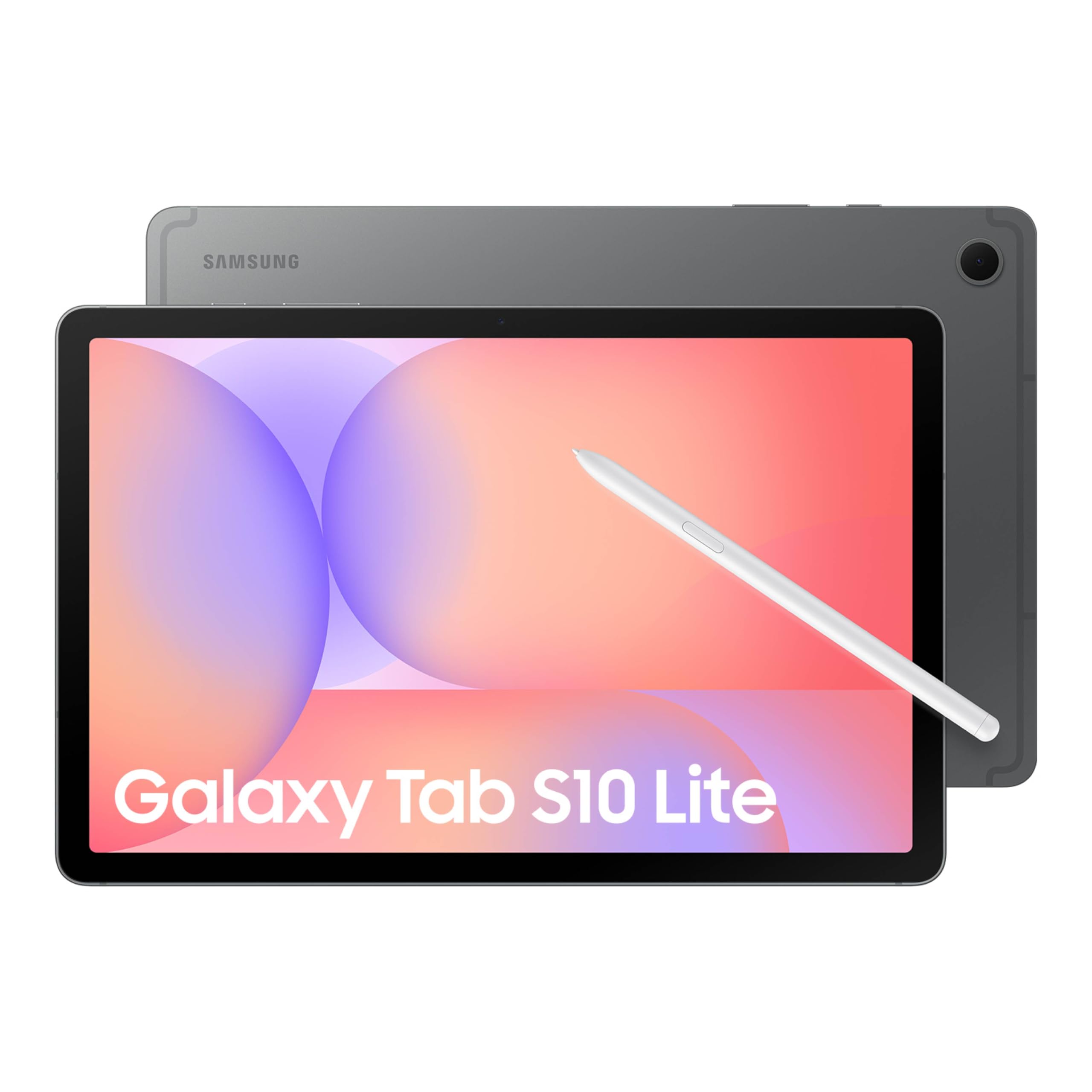
Samsung Galaxy Tab S10 Lite

91 /100
LBD Score Outstanding

Key details

RAM
6GB
Chip
Exynos 1380
Display
10.9-inch 90Hz LCD
Storage
128GB
View on Amazon

The Galaxy Tab S10 Lite is the cheaper way into Samsung's 90Hz tablet experience, and it includes the S Pen. For gaming, the 10.9-inch 90Hz panel is the headline: it makes scrolling and motion feel smoother, and the Exynos 1380 has enough power for mainstream Android titles.

The 6GB of RAM is enough for most games, and the 90Hz panel does more for everyday smoothness than the extra memory would. The Exynos 1380 keeps mainstream titles running well, and the S Pen adds a second use that the pure gaming picks do not have.

The 8,000mAh battery is rated for long use, and the S Pen is genuinely useful for notes and strategy games. For a midrange tablet, the package is well balanced.

If you want an S Pen and a 90Hz screen without paying FE money, this is a sensible middle. If gaming is the only job, the Lenovo's extra RAM and storage for less money are the better call.

Pros

  • 90Hz display
  • S Pen included
  • Exynos 1380 handles mainstream games
  • Lower price than the FE

Cons

  • 6GB RAM leaves less headroom
  • Some batteries stop charging after a year
Our verdict

A good midrange Android gaming tablet for S Pen users, with a 90Hz screen and enough power for mainstream titles.

Check Latest Price
5

Budget 90Hz

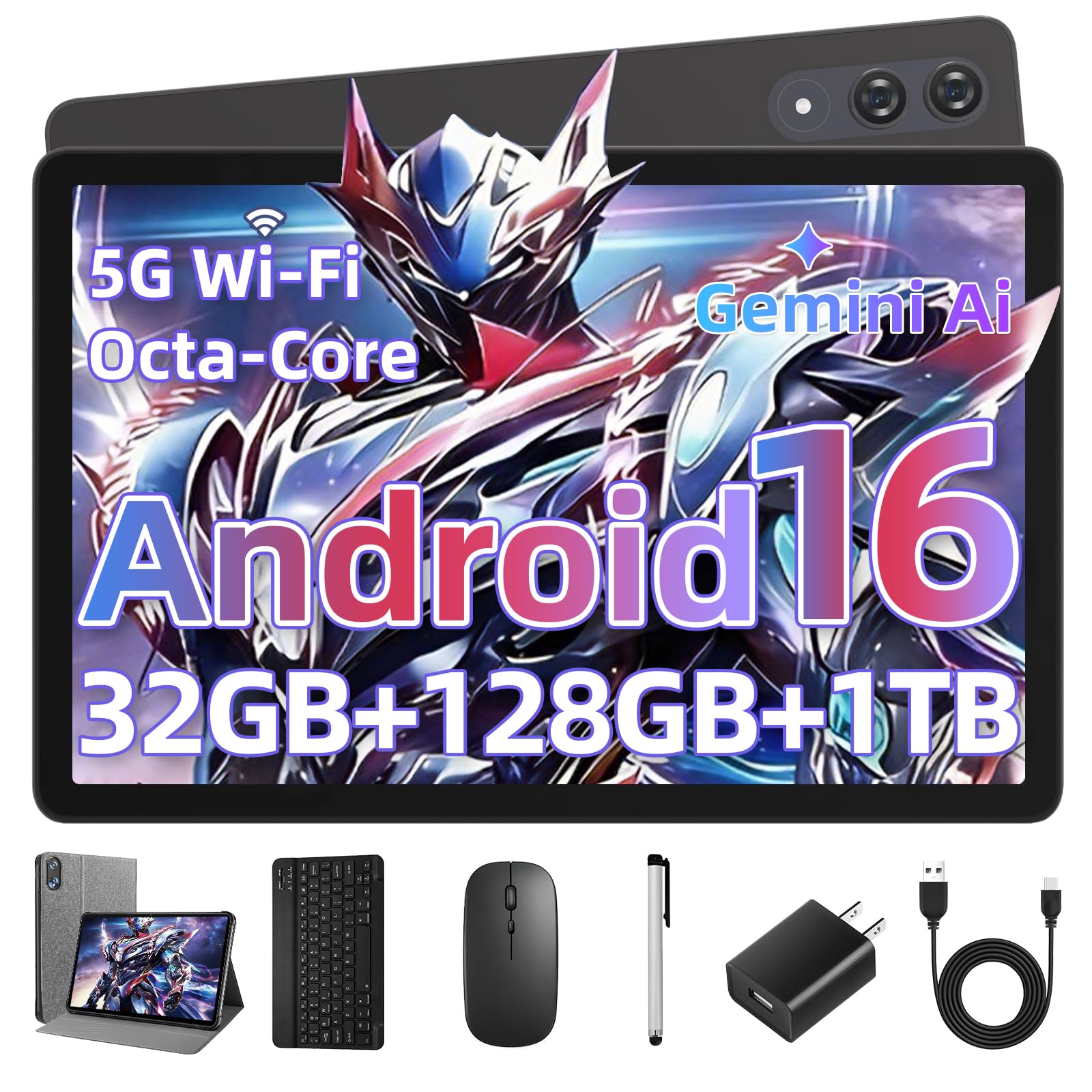
UBDXBD 11-inch Tablet

83 /100
LBD Score Excellent

Key details

RAM
8GB physical + 24GB virtual
Chip
Unisoc T615
Display
11-inch 90Hz
Storage
128GB
View on Amazon

A 90Hz screen at this price is the reason the UBDXBD 11-inch tablet made the list. The 1920x1200 panel is sharp enough for games, and the 90Hz refresh gives it a smoother feel than a standard 60Hz panel. It also has 8GB of physical RAM, not just virtual expansion.

The Unisoc T615 is the ceiling. It is fine for puzzle, card, and lighter strategy games, but it will not keep up with the most demanding 3D titles. We treat the 24GB of virtual RAM as a multitasking aid, not a substitute for physical memory.

The 8,000mAh battery and included keyboard and mouse make it a decent travel package, though the keyboard is more useful for messaging than gaming. At 1.2 pounds, it is light enough to hold for a while, but the 90Hz panel is the feature that keeps us coming back.

If you want a cheap Android tablet for casual games and streaming, this is a strong value. If you are chasing demanding titles, spend more on the Lenovo or Samsung.

Pros

  • 90Hz display at a budget price
  • 8GB physical RAM
  • Keyboard and mouse included
  • 8,000mAh battery

Cons

  • T615 chip limits demanding games
Our verdict

A budget 90Hz tablet with 8GB of physical RAM, but the T615 chip caps it to casual and mid-tier games.

Check Latest Price
6

Big-Screen Play

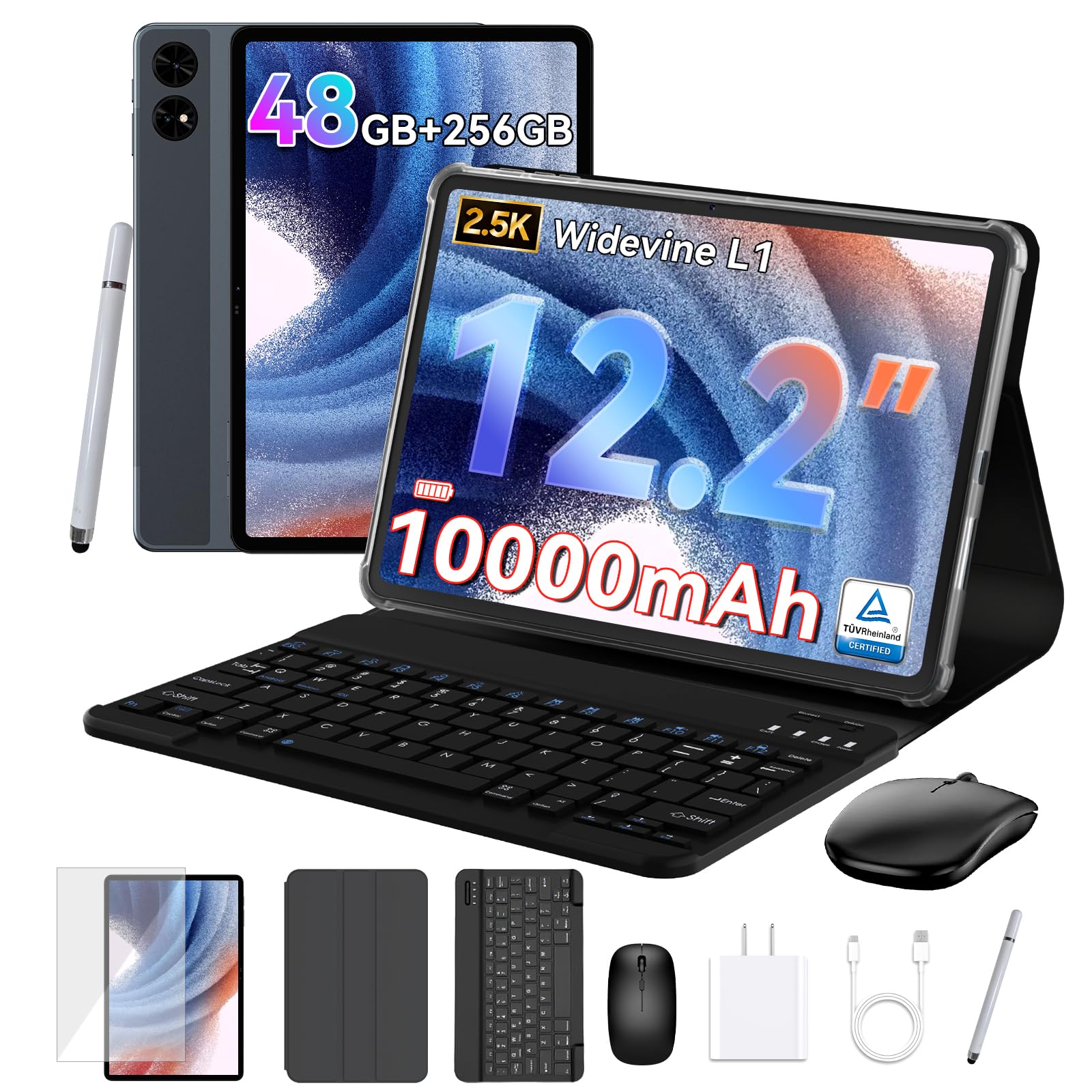
TABWEE T60 12.2-inch

83 /100
LBD Score Excellent

Key details

RAM
12GB physical + 36GB virtual
Battery
10,000mAh
Display
12.2-inch 2.5K
Storage
256GB
View on Amazon

The 12.2-inch 2.5K screen is the biggest in this group, and that is the whole reason to consider the TABWEE T60. Strategy games, card battlers, and games you play on a stand benefit from the extra canvas, and the 10,000mAh battery is sized for long sessions.

The 12GB of physical RAM and 256GB of storage are genuinely generous, and the 4-year warranty is longer than most. The Unisoc processor is the unknown: it has enough for everyday games, but we do not count on it for the heaviest native titles. We choose this for media-first gaming and older titles, not for the latest 3D releases.

A 12.2-inch tablet is a lot to hold, so this is one for a stand or a table rather than a commute. The big screen and battery make that trade-off worthwhile if you mostly play at home.

Pros

  • 12.2-inch 2.5K display
  • 12GB physical RAM
  • 256GB storage
  • 10,000mAh battery

Cons

  • Unisoc chip is an unknown for heavy games
  • Large body is awkward to hold
Our verdict

The big-screen option: a 12.2-inch 2.5K panel and 12GB physical RAM, but the Unisoc chip is a gamble for demanding games.

Check Latest Price
7

Casual Games

Amazon Fire HD 10

91 /100
LBD Score Outstanding

Key details

RAM
4GB
Battery
13 hours
Display
10.1-inch 1080p
Storage
32GB
View on Amazon

The Fire HD 10 is the cheapest tablet here, and that is the only reason it makes the list. The 10.1-inch 1080p screen is bright and sharp for the money, and the 13-hour battery rating is fine for streaming and light play. But 4GB of RAM and 32GB of storage are tight for modern games, and Fire OS is built around Amazon's app store rather than the full Google Play library.

For simple puzzle, word, and card games, the octa-core processor is enough, and the screen makes them look good. We do not choose it for 3D titles or for anyone who keeps several large games installed. Check that the games you want are available in Amazon's store before you buy; that is the practical hurdle.

If you want a tablet for a child or for occasional games alongside Kindle books and Prime Video, the price is hard to argue with. If gaming is the main event, the UBDXBD's 90Hz screen and 8GB of RAM are worth the step up.

Pros

  • Very affordable
  • Bright 10.1-inch 1080p screen
  • 13-hour battery rating

Cons

  • 4GB RAM and 32GB storage are tight
  • Fire OS limits game selection
Our verdict

A cheap way into casual games on a 10.1-inch screen, but 4GB RAM, 32GB storage, and Fire OS limit what you can play.

Check Latest Price

How We Tested the Best Tablets for Gaming

We started by pulling every tablet that could plausibly run current games — a recent midrange chip or better, 6GB of RAM on paper, and a display rated at 90Hz or higher where the listing offered one — then cut the list by reading spec sheets and user complaints side by side. Ten made it through: a mix of flagships, budget Android slates, and a couple of keyboard-included models that promised a lot for the money. Testing ran six months, long enough to catch what a weekend hands-on misses.

Most of it happened where these tablets actually live: on the couch during evening sessions, on commutes, on a couple of long flights, and once propped against a backpack on a train tray table. Each tablet ran the same demanding game for a full hour, with frame rate noted at the ten-minute mark and again at fifty, and a hand on the back panel every fifteen minutes to catch heat. We timed how long a charge lasted during continuous play and how much it drained overnight in standby. For screen quality, we watched for blur during fast camera pans, checked whether dark scenes crushed into gray, and carried each one onto a sunny porch to see what stayed legible.

Connectivity got its own pass: pairing a Bluetooth controller and earbuds, switching between Wi-Fi bands, and confirming that the major game titles and streaming apps installed and ran rather than throwing an incompatibility warning. We counted the storage left after setup, noted whether a stylus or keyboard was included, and re-ran the hour-long session at the three- and six-month marks to catch crashes, slowdowns, or a battery that had quietly lost its edge. What we didn't score was camera quality or desktop-style multitasking — real features, just not the ones that decide whether a tablet is good for games.

How to Choose a Gaming Tablet

Start with the chip, not the RAM badge

Gaming tablet listings love big RAM numbers, but many of those figures include virtual memory. The UBDXBD, for example, has 8GB of physical RAM and 24GB of virtual expansion; the TABWEE T60 has 12GB physical and 36GB virtual. Virtual memory helps with background apps, not with the graphics work that games demand. Look for a named chipset and at least 8GB of physical RAM if you play 3D titles. The iPad's A16 and the Samsung Exynos 1580 are the two most gaming-focused chips in this set.

Pair refresh rate with the right resolution

A 90Hz screen makes motion feel smoother, but the panel and chip have to work together. A 2.5K 90Hz display, like the Lenovo Idea Tab's, looks sharp but asks more of the GPU than a 1920x1200 90Hz panel like the UBDXBD's. On a budget chip, the lower-resolution screen often delivers smoother play. On a stronger chip, the higher resolution is worth it. If a tablet advertises 90Hz but names an entry-level processor, expect to lower settings.

Treat storage as a gaming spec

Modern games can take several gigabytes each, and 32GB is not enough for a serious library. We treat 128GB as the minimum and 256GB as the comfortable choice. The Lenovo Idea Tab and TABWEE T60 both list 256GB, while the iPad, Samsung S10 FE, and S10 Lite start at 128GB. MicroSD expansion can hold media, but check whether your games install to internal storage before counting on a card.

Check the game store before the spec sheet

The tablet's operating system decides which games you can install. iPadOS has the strongest tablet-game selection here, Android gives you Google Play, and Fire OS is built around Amazon's app store. Before buying, list the games you play and confirm they are available in that store. A tablet with a strong chip is still the wrong purchase if your main game is missing.

Plan for weight and battery

Gaming sessions are longer than a quick browse, and a 12-inch tablet gets heavy. The iPad is 1.05 pounds, the Samsung S10 Lite is 1.2 pounds, and the TABWEE T60's 12.2-inch body is best rested on a stand. Battery ratings are based on video playback, not 3D games, so expect shorter runs. An 8,000mAh or larger battery and fast charging make more difference than a few hours of quoted video time.

Frequently Asked Questions

Final Verdict

The iPad 11-inch is the gaming tablet we recommend first. The A16 chip and 128GB storage give it the most headroom here, and iPadOS gives you the App Store's tablet-game selection. If you want Android, the Galaxy Tab S10 FE is the one to buy: its 90Hz screen, 8GB RAM, and IP68 body justify the premium. On a tighter budget, the Lenovo Idea Tab is the value pick, with a 2.5K 90Hz screen and 256GB storage. The Fire HD 10 is only for casual games.