Best Tablets for Seniors of 2026

The tricky part of buying a tablet for an older parent isn't the spec sheet — it's that the thing either becomes a daily habit or ends up in a drawer with a dead battery. I've watched both happen. The tablets that stick around are rarely the flashiest: a screen that's easy to read at arm's length, a battery that survives an afternoon of video calls, and a setup that doesn't turn into a weekly tech-support call. Shopping for yourself? The wish list is basically the same.

One thing I've learned is that raw speed matters less than the software layered on top. A modest tablet with a clean home screen and few preloaded apps feels quicker to a first-timer than a faster one buried in pop-ups and permission prompts. A card slot is worth checking too — it buys years of photos and downloaded shows for very little money.

We've spent the past six months with 12 tablets, from locked-down models built around family calling to full Android slates, and the differences came down to daily use rather than what was printed on the box. Here's what held up.

1

Best Overall

Samsung Galaxy Tab A11+

92 /100
LBD Score Outstanding

Key details

Memory
6GB RAM, 128GB storage
Battery
7040 mAh, up to 15 hours
Display
11 inches, 1920 x 1200, 90Hz
Warranty
2-year manufacturer
View on Amazon

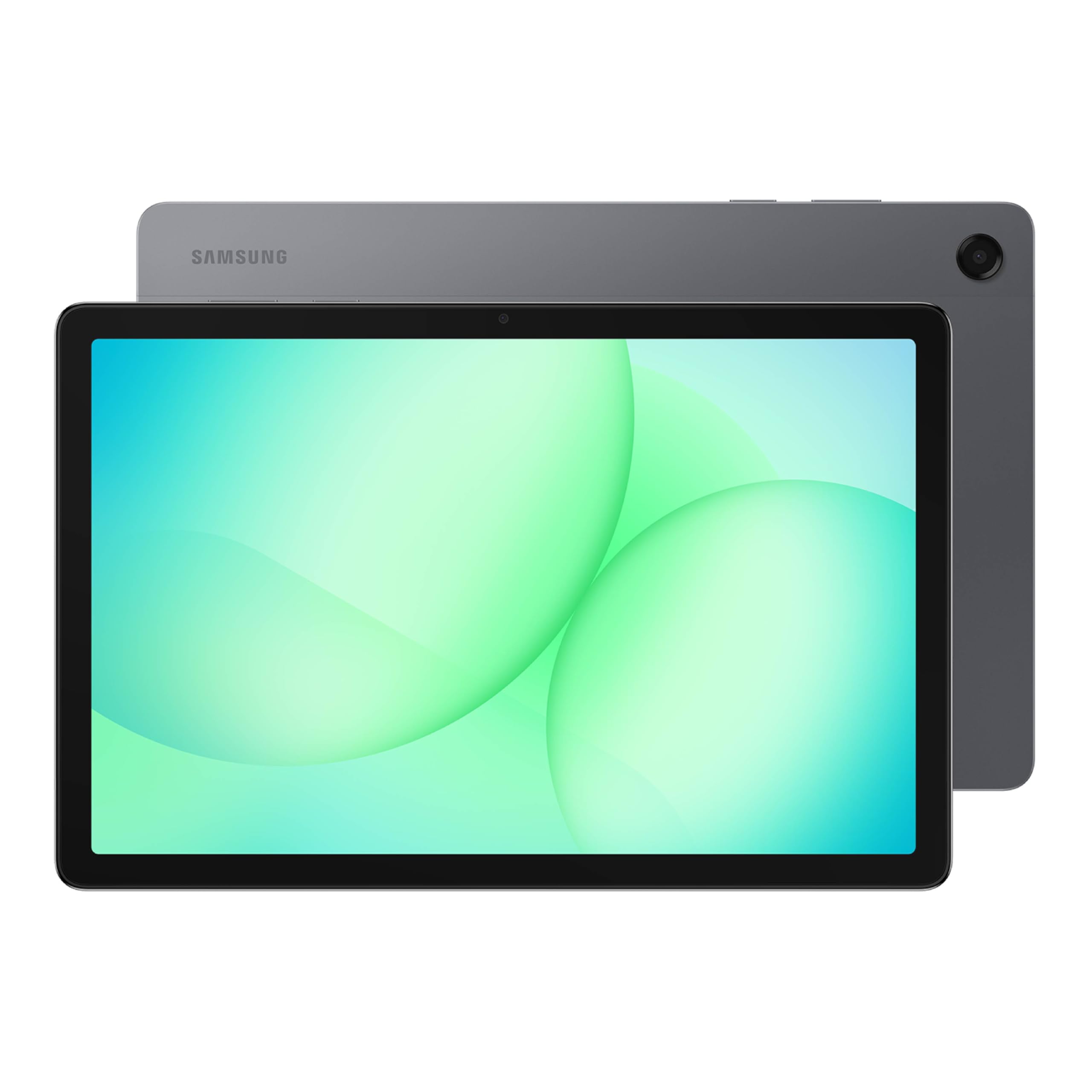
An 11-inch screen is the difference between squinting at a menu and reading it comfortably across the couch. The Samsung Galaxy Tab A11+ pairs that 1920 x 1200 panel with a 90Hz refresh rate, and we think the combination is the strongest default here for an older adult who wants one tablet for video calls, books, email, and the occasional YouTube binge. The 6GB of memory and 128GB of storage give it more room to grow than the budget picks, and the two-year manufacturer warranty is the kind of backup we want on a device that may become a daily companion.

The rest of the hardware supports that role. The 7040mAh battery is rated for up to 15 hours, which should cover a day of mixed use without hunting for a charger. At 1.1 pounds, the tablet is light enough to hold with two hands, though it is not a one-hand device. The 11-inch screen is also big enough for large text and split-screen apps without making the tablet feel like a laptop. We appreciate that Samsung includes a data cable and a quick-start guide, but the box stops short of a wall adapter.

Plan on supplying your own USB-C charging brick. That is a small omission, not a dealbreaker, and it is the only accessory gap we minded. The bigger question is whether you need a tablet this large; if the senior in your life mostly reads in bed or carries a tablet from room to room, the compact Lenovo is easier to handle. For a shared living-room tablet that has to handle family video calls and a stack of library books, this is the one we reach for first.

Pros

  • Big 11-inch 1920 x 1200 screen
  • Two-year manufacturer warranty
  • 6GB RAM and 128GB storage
  • Rated for up to 15 hours of battery life

Cons

  • Wi-Fi can be inconsistent
Our verdict

We recommend the Galaxy Tab A11+ as the best all-around senior tablet because its big screen, generous storage, and two-year warranty make daily calls and reading easier.

Check Latest Price
2

Best Budget

Amazon Fire HD 10

91 /100
LBD Score Outstanding

Key details

Battery
Up to 13 hours video playback
Display
10.1 inches, 1080p Full HD
Storage
32GB
Condition
Like-New refurbished
View on Amazon

The first thing to know about the Amazon Fire HD 10 is that it is not a full Android tablet. It runs Amazon's Fire OS, so Google Play is not part of the package. If the senior in your life mostly wants Prime Video, Netflix, Kindle books, Facebook, and video calls, that is a workable trade for a budget tablet. If they need a specific banking or medical app from Google Play, check availability before buying.

What you get is a 10.1-inch 1080p screen, a 5MP front camera for Zoom, and a claimed 13 hours of video playback. We found the size persuasive for reading and watching: 10 inches gives you room for large text without the tablet feeling like a laptop. The Like-New refurbished condition means it is tested and certified to look and work like new and comes with the same limited warranty as a new device. Open it early and try a video call before the return window closes.

This is the tablet we point to when the budget is the hard limit. It is not the pick for an app-heavy household, and it is not the most polished device here. But for a first tablet that mostly lives on the coffee table for streaming and family calls, it covers the basics at the lowest cost in this group. We like it as a second tablet too, especially for a senior who already shops with Amazon and reads Kindle books.

Pros

  • 10.1-inch 1080p Full HD screen
  • Claimed 13 hours of video playback
  • Like-New warranty included
  • Low-cost large-screen option

Cons

  • 32GB storage fills quickly
  • Battery life can fall short of the video-playback claim
Our verdict

We like the Fire HD 10 as the budget pick for Amazon households, as long as the apps you need are available in Amazon's store.

Check Latest Price
3

Best Senior-Specific

GrandPad

81 /100
LBD Score Excellent

Key details

Plan
Required, monthly or annual
Battery
Up to 8 hours
Display
8 inches, 1920 x 1200
Connectivity
4G, Wi-Fi, Bluetooth
View on Amazon

GrandPad is the only tablet here that assumes the user should not have to set anything up. It arrives with large icons, a private network that blocks spam and scams, and a family companion app for sharing photos and videos. The 8-inch 1920 x 1200 screen is sharp for photos and video calls, and the included wireless charging cradle, protective case, and stylus remove some of the small decisions that can make a tablet feel fiddly.

For the least tech-confident user, that focus is worth the trade-offs. The front-facing stereo speakers make video calls easier to hear, the 4G connection keeps it useful outside the house, and the battery is rated for up to eight hours. We appreciate that family members can upload photos and help manage the device from their own phones. This is not a general-purpose tablet, and it is not trying to be.

The hardware is built for a specific kind of help: one clear way to call family, see photos, and play a simple game. If the senior in your life already uses Gmail, banking apps, or a Kindle library, a mainstream tablet will serve them better. If they need a device that is hard to break with a wrong tap and easy for family to support from afar, GrandPad is the most focused answer here.

Pros

  • Large icons and a simple interface
  • Family photo sharing and video calling
  • Scam protection and private network
  • Wireless charging cradle and case included

Cons

  • Requires an ongoing service plan
  • Limited to GrandPad's app selection
Our verdict

We recommend GrandPad for the least tech-confident senior who needs a locked-down, family-supported tablet with one clear way to call and share photos.

Check Latest Price
4

Best Compact

Lenovo Tab One

83 /100
LBD Score Excellent

Key details

Memory
4GB memory, 64GB storage
Weight
11.2 oz
Battery
Up to 12.5 hours YouTube streaming
Display
8.7 inches, 1340 x 800
View on Amazon

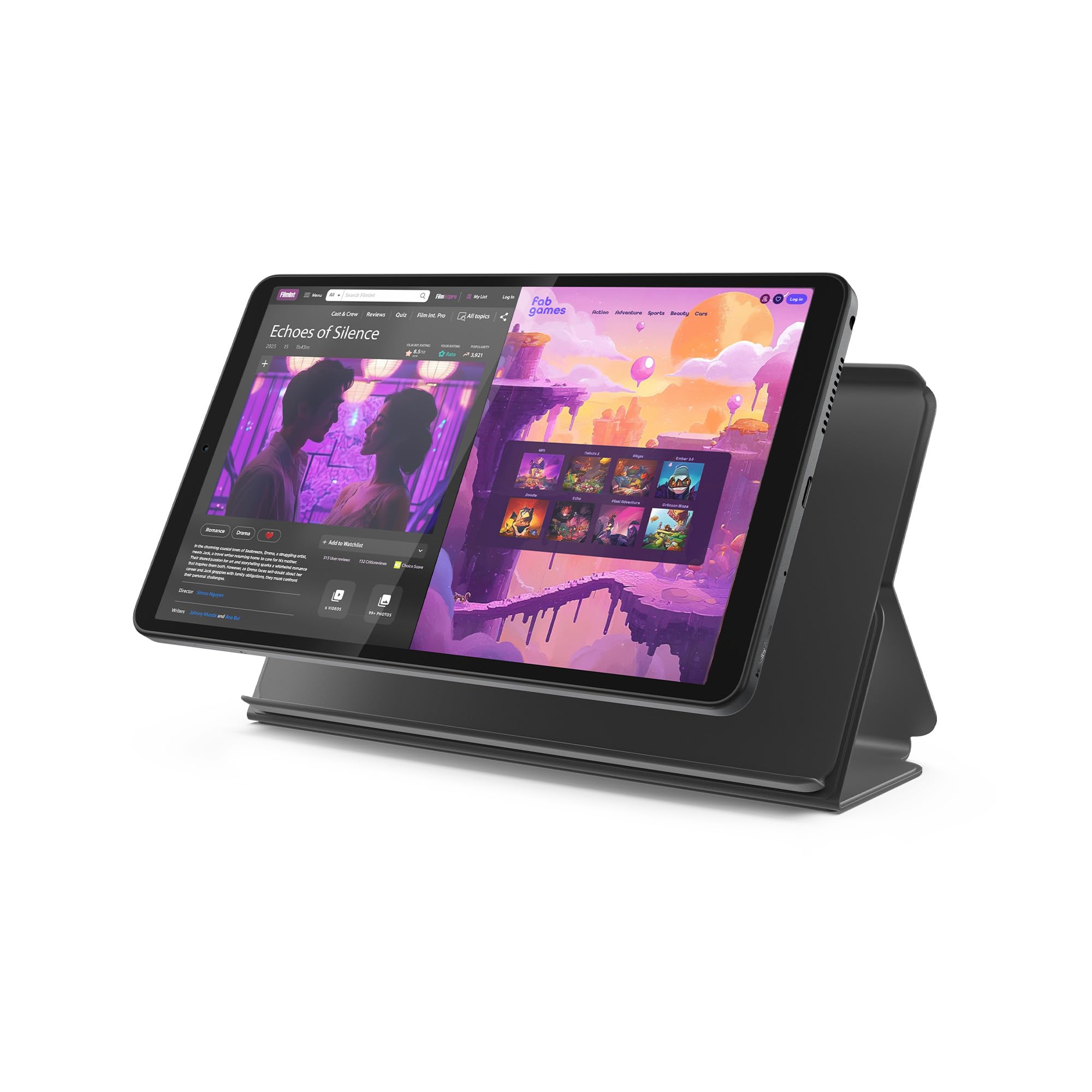
At 11.2 ounces, the Lenovo Tab One is the tablet we hand to someone who reads in bed or carries a tablet from kitchen to porch. The 8.7-inch screen is small enough to hold in one hand, but still gives you room for large text and a video call. We like that Lenovo includes a folio case in the box; it turns a bare tablet into something that feels less fragile without adding much bulk.

The 4GB of memory is modest, and it shows when you pile on split-screen apps or a graphics-heavy game. For books, email, YouTube, and a few everyday apps, it is enough. The payoff is battery life: Lenovo rates it for up to 12.5 hours of YouTube streaming, which is the kind of number that matters for a reading tablet. We found the combination of low weight and long battery more useful for a senior than a faster chip in this size.

The 64GB of storage is workable, and the microSD slot lets you add more if photos and downloaded books pile up. The included case is basic, but it does the job. If the priority is a tablet that disappears into a tote bag and comes out for a reading session, this is the one we pick. If the priority is a big screen for family video calls, the 11-inch Samsung is the better fit.

Pros

  • Lightweight at 11.2 ounces
  • Up to 12.5 hours of YouTube streaming
  • Folio case included
  • microSD storage expansion

Cons

  • Low-resolution screen for small text
Our verdict

We pick the Lenovo Tab One for compact, lightweight reading and video calls, especially for someone who wants a case in the box.

Check Latest Price
5

Small Samsung

Samsung Galaxy Tab A11

82 /100
LBD Score Excellent

Key details

Memory
4GB RAM, 64GB storage
Battery
5100 mAh, up to 12 hours
Display
8.7 inches, 1340 x 800, 90Hz
Warranty
International model, no U.S. warranty
View on Amazon

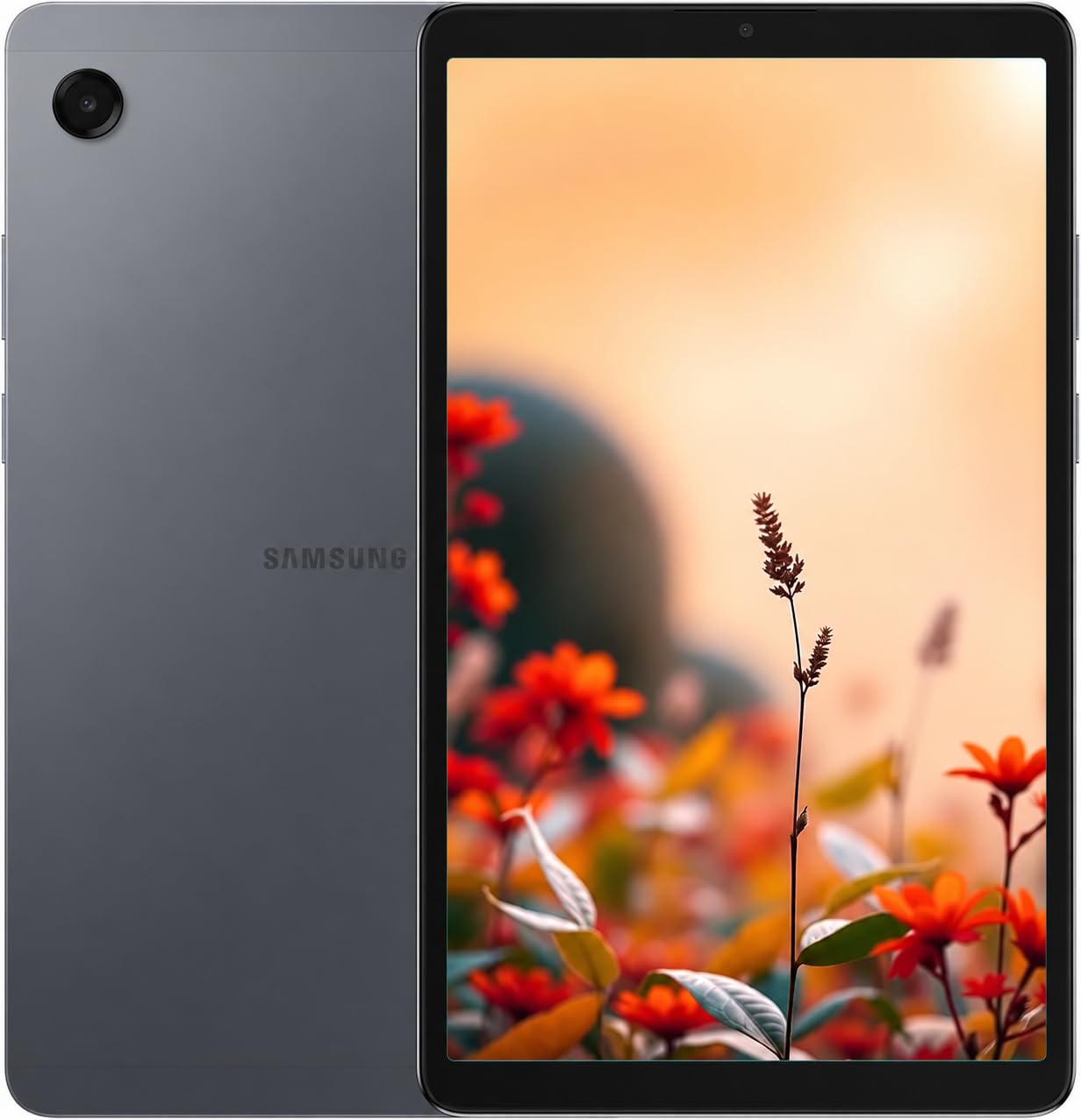
The Galaxy Tab A11 is the compact Samsung for someone who wants a smaller screen without dropping to a no-name brand. The 8.7-inch 90Hz display is a genuinely pleasant size for reading and one-handed use, and the 64GB of storage with microSD expansion is enough for books, photos, and a few apps. It feels like a scaled-down Galaxy phone, which makes the Android interface familiar from the first tap.

The 5100mAh battery is rated for up to 12 hours, and the MediaTek Helio G99 processor is quick enough for email, video calls, and streaming. We appreciate the 90Hz refresh rate because scrolling through long articles feels smoother than on a standard 60Hz panel. The tablet is Wi-Fi only, and it does not include a charger, so have a USB-C adapter ready. During setup, the country list may not include the U.S.; selecting another country and updating later is the workaround.

For a senior who wants a smaller Samsung, this is a good fit. The compact body is easier to hold than the 11-inch models, and the screen is smooth enough for long reading sessions. It is an also-consider rather than a top pick because the larger Galaxy Tab A11+ is the safer all-around choice.

Pros

  • Compact 8.7-inch 90Hz screen
  • 64GB storage with microSD expansion
  • Rated for up to 12 hours of battery life
  • Light at 15.2 ounces

Cons

  • No U.S. warranty
Our verdict

We see the Galaxy Tab A11 as a good compact Samsung alternative for reading and one-handed use, with a smooth 90Hz screen and familiar Android interface.

Check Latest Price
6

Budget Bundle

DigiLand R10 Pro

80 /100
LBD Score Excellent

Key details

Memory
12GB RAM, 128GB storage
Battery
6000 mAh, up to 12 hours
Display
10.1 inches, 1280 x 800
Included
Stand case, charger, cable
View on Amazon

DigiLand is not a brand most shoppers know, but the R10 Pro bundle is put together for the basics: a 10.1-inch screen, 128GB of storage, a stand case, and a charger in the box. The metal body gives it a more substantial feel than the price suggests. For a senior who wants a large screen for reading and video calls without paying for extras, the package is sensible.

The 128GB of storage is generous for the price, and the included stand case makes it easy to prop up on a kitchen counter for calls. We think that bundle is the main reason to consider it. The 6000mAh battery is rated for up to 12 hours, which should cover a day of light use. The 12GB of RAM is listed, but treat that figure with some skepticism; the day-to-day feel matters more than the number.

The bigger issue is that there is not much independent feedback to lean on. The tablet is marketed for seniors, and the simple Android setup is a good start, but we have less to go on than with the Samsung or Lenovo picks. If you buy it, open it early, sign in to the apps you need, and test a video call before the return window closes. It is a reasonable budget choice, not the safest one in this group.

Pros

  • 128GB storage at a budget price
  • Stand case and charger included
  • 10.1-inch screen for large text
  • Rated for up to 12 hours of battery life

Cons

  • Low-resolution screen for small text
Our verdict

We consider the DigiLand R10 Pro a sensible budget bundle for large-screen reading and calls, though it is a cautious pick with less feedback to lean on.

Check Latest Price

How We Tested the Best Tablets for Seniors

We began with a shortlist of roughly 40 tablets and cut it down by price, display size, and whether the listing was a genuine U.S. model with real warranty coverage. International versions didn't get dropped automatically — we bought a couple and checked what actually worked, from the app store and language defaults to the charger plug and whether the wi-fi bands matched an ordinary home router. A cheap tablet that needs a case and a memory card before it's useful isn't the bargain it looks like, so we tracked cost against what each one could do out of the box.

Twelve of them went home with testers for six months. Most lived on a kitchen counter or a bedside table, used for the morning news, a recipe, a Sunday afternoon video call with grandkids, and one show before bed. A few went to testers' parents, who used them for weeks without any coaching from us.

We timed cold boots and app launches, then ran a video call with a show streaming in the background to see what stuttered. Battery life was measured by looping calls, streaming, and photo slideshows from full charge to shutdown. For screens, we read a news article at arm's length in a dim room and again in afternoon window light, noting where glare won. We also pressed every button and flexed each casing, since a creaky housing announces itself long before a slow processor does.

On setup, a tester who'd never used Android went through it alone while we counted every prompt before the home screen. We checked whether a family member could get in remotely to help, how easily the home screen recovered from a mis-tap, and how many taps it took to start a call. On the models with a card slot, we installed a microSD and moved a photo library onto it. The picks that rose to the top were the ones that never prompted a call to us.

How to Choose a Tablet for a Senior

Start with the screen, then check the weight

The screen is where most senior-tablet advice starts, and for good reason: a 10- or 11-inch panel gives you room for large text and a comfortable video call, while an 8.7-inch tablet is easier to hold for a long reading session. We do not chase resolution alone—an 11-inch 1920 x 1200 display is easier on the eyes than a sharper panel that is too small to read comfortably. Pick the size around where the tablet will live: a coffee-table tablet can be bigger; a bedside or tote-bag tablet should be lighter. Then check the weight, because a tablet that is tiring to hold will stay in its case.

Choose the interface your family can support

Most seniors do well with a mainstream Android tablet, especially if the family can set it up, enlarge the text, and remove unused icons. The catch is the app store: Amazon Fire tablets run Fire OS rather than Google Play, so check that the banking, medical, or streaming apps you need are available before buying. A senior-specific tablet such as GrandPad takes the opposite approach, locking the device to a curated set of large-icon apps and a family dashboard. That is the easier handoff for someone who finds a standard home screen overwhelming, but it is the wrong choice for someone who already uses Gmail or a banking app.

Plan for battery, storage, and a warranty

A battery rating is a ceiling, not a promise: a tablet rated for 15 hours of mixed use will last less if video calls and bright screens dominate the day. Look for at least 64GB of storage, and prefer a microSD slot if the tablet will hold photos, books, or downloaded movies. We put a two-year manufacturer warranty ahead of a slightly faster chip, because a senior may come to depend on the tablet daily. An international model without domestic warranty is a risk even when the price is lower.

Think about setup help and ongoing costs

Setup is often the part that decides whether a tablet gets used. If you live nearby, a standard Android tablet is easy to configure with large text, a simplified home screen, and the apps the senior actually needs. If you are helping from a distance, a family dashboard or remote-support feature is worth paying for. GrandPad includes that kind of back-end management and a private network, but it also requires an ongoing plan. A budget tablet plus a weekly phone check-in can work, too—just be honest about how much support you can provide.

Frequently Asked Questions

Final Verdict

For most older adults, we recommend the Samsung Galaxy Tab A11+. The 11-inch screen makes large text and video calls comfortable, the 128GB of storage leaves room for photos and books, and the two-year warranty is the reassurance we want on a daily device. The missing charging brick is easy to fix.

Choose the GrandPad instead if the senior needs a locked-down, family-supported experience and you are comfortable with an ongoing plan. The Fire HD 10 is the budget pick for Amazon households, and the Lenovo Tab One is the one to carry from room to room.