Best Tablets for Video Editing of 2026

A tablet is the lightest way to cut footage, right up until it isn't. The wrong one turns a five-minute export into a coffee break, and the timeline stutters the moment you drop a second 4K layer on it. I've cut clips on a tray table, on the couch with a kid asleep upstairs, and once in a parking lot — and the tablets that survive that aren't always the ones with the loudest spec sheet.

Over the past six months, my team and I have lived with eight tablets, loading the same footage onto each and pushing them through real edits instead of demo reels. Peak speed separated them less than stamina did: a battery that lasted a full export, a screen bright and accurate enough to trust a color grade, and a stylus that made masking fun rather than fiddly.

Compatibility was the quiet decider — whether a tablet reads your camera's files and hands footage to an external drive without a fight. The eight below are the ones I'd pass to another editor.

1

Best Overall

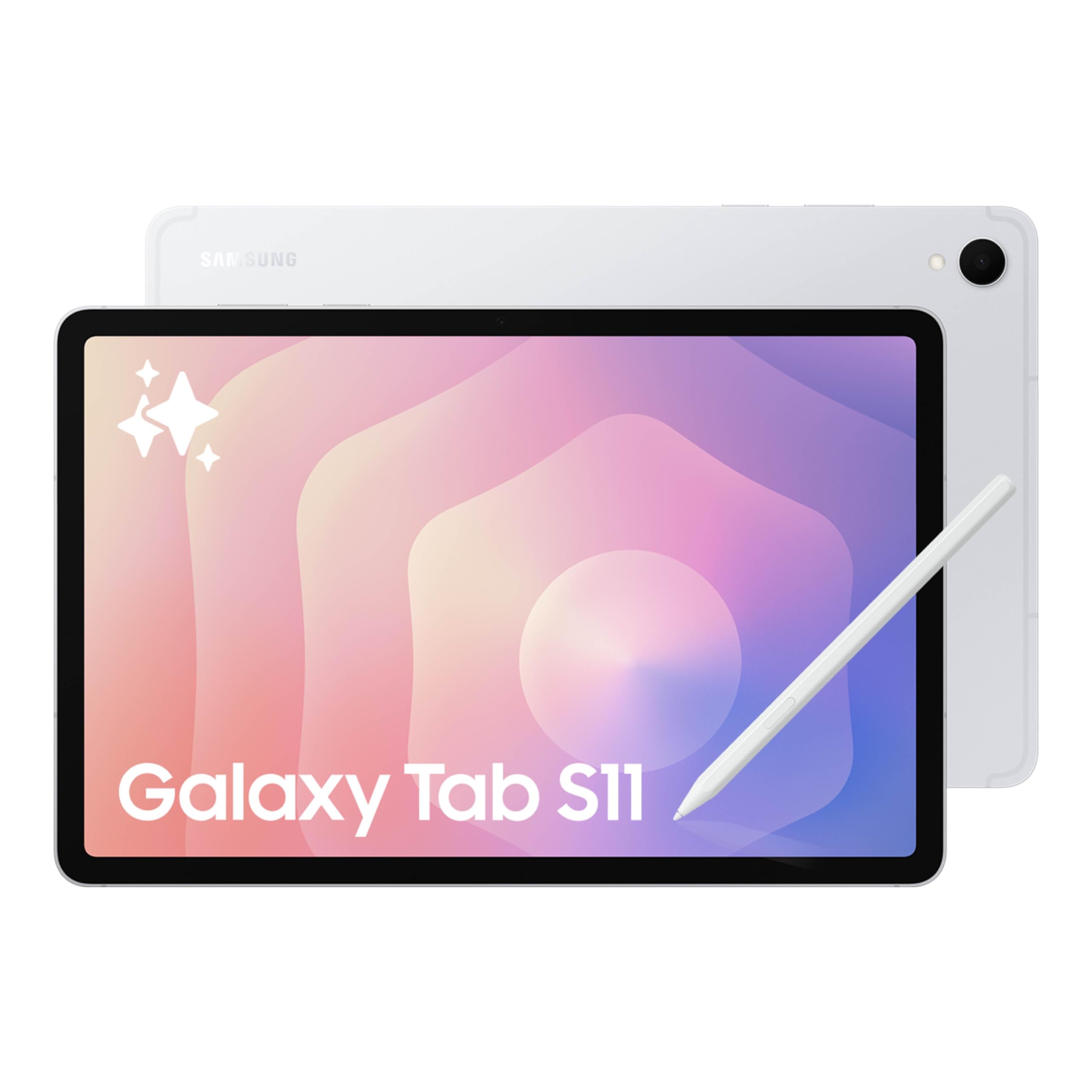
Samsung Galaxy Tab S11

90 /100
LBD Score Outstanding

Key details

Memory
12GB RAM
Display
11-inch 2560 x 1600 AMOLED
Storage
256GB plus microSD
Processor
MediaTek 3nm
View on Amazon

12GB of RAM and 256GB of storage are the first numbers we look at on this tablet, because they decide whether an editing app can hold a second video track without making you close everything else. Samsung backs that with a 3nm MediaTek processor and a microSD slot, so the S11 is the one here that does not force a choice between speed and room for footage on day one. The 11-inch AMOLED screen is the other half of the case: 2560 x 1600 resolution, strong contrast, and a size that still fits in a bag.

We kept coming back to this one as the default for editors who want a tablet to do real work rather than a second-screen toy. The 12GB of RAM gives the editing app room to breathe alongside a browser and cloud sync, and the included S Pen is useful for marking up a shot list or sketching a rough cut. Samsung rates battery life at 18 hours; a long export will cut into that, so we treat a charging break as part of the session. The 60Hz panel is the one spec we wish were higher, because scrolling and timeline dragging feel less fluid next to the 90Hz and 120Hz screens here.

That refresh-rate gap is a trade-off, not a dealbreaker: the S11 still has the most complete editing package in this group. If your work lives in iPad apps, the iPad is the easier buy. If you want the tablet that covers the widest range of editing jobs, this is the one we point to.

Pros

  • 12GB RAM gives editing headroom
  • 256GB storage plus microSD
  • 11-inch AMOLED display
  • Included S Pen

Cons

  • Premium price for the set
Our verdict

For editors who want the most complete hardware package in this group, the Galaxy Tab S11 is the tablet we point to first.

Check Latest Price
2

Best Apple Editing Apps

Apple iPad 11-inch (A16)

95 /100
LBD Score Outstanding

Key details

Chip
A16
Weight
1.05 lb
Display
11-inch Liquid Retina
Storage
128GB
View on Amazon

The reason to choose this iPad for editing is the app library, not the model name. iMovie, LumaFusion, DaVinci Resolve, and a deep bench of caption, audio, and color tools make iPadOS the easiest tablet platform to fit into an existing editing workflow, and the 11-inch Liquid Retina screen is bright and color-friendly enough for cut-and-caption work. The A16 chip keeps everyday edits responsive, and the 1.05-pound body is easy to hold in one hand while you scrub.

We see it as the Apple-first pick rather than the outright top choice. The 128GB base model is the number to plan around: short 1080p projects are fine, but 4K footage fills it quickly, so most editors will want to keep active projects and media on a USB-C SSD. That extra drive is the difference between a convenient travel editor and a tablet you are constantly cleaning out. If you already own an iPhone or Mac, setup and file transfer make the iPad the path of least resistance; if you need the most RAM and storage in the box, the Galaxy Tab S11 is the stronger buy.

Pros

  • Mature iPad editing-app library
  • A16 chip handles everyday edits
  • Bright 11-inch Liquid Retina screen
  • Light 1.05-pound body

Cons

No notable drawbacks to flag.

Our verdict

The iPad is the easiest tablet to recommend if your editing workflow already lives in Apple's app ecosystem.

Check Latest Price
3

Best Large-Screen Value

Lenovo Idea Tab Pro

90 /100
LBD Score Outstanding

Key details

Memory
8GB RAM
Display
12.7-inch 2944 x 1840
Storage
128GB, microSD
Processor
Dimensity 8300
View on Amazon

The 12.7-inch 3K display is the reason to consider this Lenovo: timeline tracks, scopes, and a preview window have room to coexist, and 2944 x 1840 resolution makes small text easier to read than on an 11-inch panel. At 1.4 pounds it is still a tablet you can move around the house, though it is happiest on a stand or keyboard case. The MediaTek Dimensity 8300, 8GB of RAM, and 128GB of storage put it in the midrange rather than the flagship class.

We were struck by how much editing screen you get for the money. The included pen and folio case mean you do not have to buy the basics separately, and the microSD slot gives you a place to park finished projects. The 8GB of RAM is the ceiling to accept: it handles 1080p timelines and short 4K edits, but effects-heavy sequences and lots of background apps will make you wait. The 128GB base storage is also tight for camera footage, so we treat a fast USB-C SSD as part of the kit rather than an optional extra.

This is the pick for an editor who wants a big canvas without paying flagship money. It is not as polished as the Samsung or as app-rich as the iPad, but for straightforward cuts and social edits, the screen-to-price balance is hard to beat.

Pros

  • 12.7-inch 3K editing canvas
  • Dimensity 8300 midrange speed
  • microSD expansion
  • Pen and folio case included

Cons

  • LCD contrast trails AMOLED
Our verdict

The Idea Tab Pro is the large-screen value pick for editors who want more timeline room without flagship spending.

Check Latest Price
4

Best for Glare-Heavy Rooms

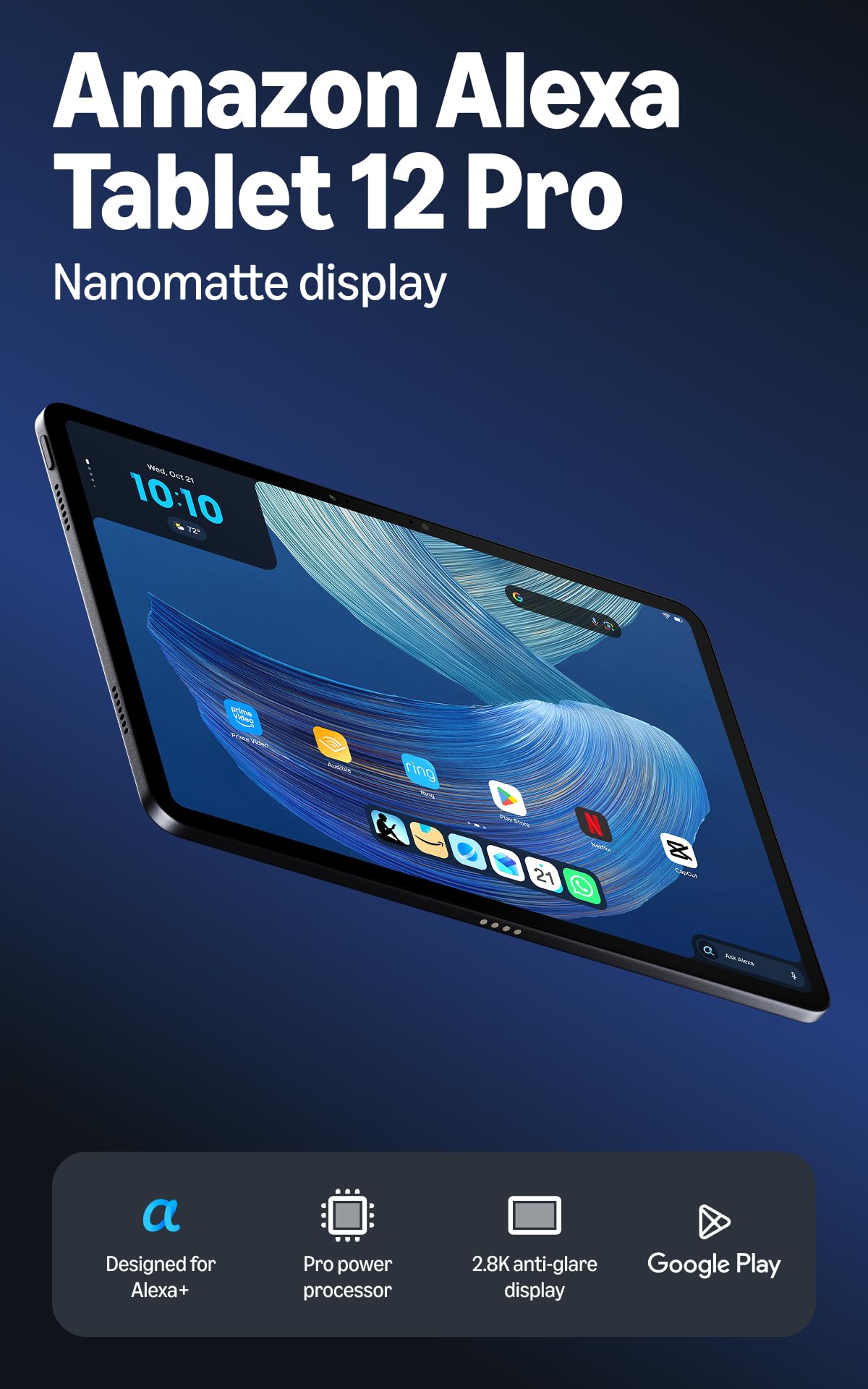
Amazon Alexa Tablet 12 Pro

82 /100
LBD Score Excellent

Key details

Memory
16GB RAM
Display
12-inch 2.8K Nanomatte
Storage
256GB
Refresh Rate
120Hz
View on Amazon

The 12-inch Nanomatte display is the reason this tablet stands out in a bright room: it diffuses reflections instead of turning into a mirror, and the 2.8K resolution keeps text and timelines crisp. The 120Hz refresh rate makes scrolling and timeline dragging feel smoother than on the 60Hz and 90Hz screens here, and the 3:2 aspect ratio gives vertical timelines a little more breathing room. Under the glass, the 16GB of RAM and 256GB of storage are the most generous pairing in this group.

We were also impressed by how complete the package looks on paper: an 8-core chip, quad speakers, an aluminum body, and full Google Play access. The anti-glare finish is the feature we kept coming back to, because editing often happens near a window or overhead light, and a matte screen saves you from fighting reflections all afternoon. The 16GB of RAM gives Android editing apps more headroom than the 8GB models here, though the chip's real-world export performance is less proven than Samsung's or Apple's.

The hardware is not the question here; the ecosystem is. If you want the biggest matte canvas for editing and you are comfortable with a newer platform, it is a compelling alternative. If you want the safest long-term bet, the Samsung or Apple pick is easier to recommend.

Pros

  • 12-inch 2.8K matte screen
  • 16GB RAM and 256GB storage
  • 120Hz refresh rate
  • Full Google Play access

Cons

  • Premium price for the set
Our verdict

The Alexa Tablet 12 Pro is the pick for editors who fight glare and want the biggest matte canvas here.

Check Latest Price
5

Best Midrange S Pen

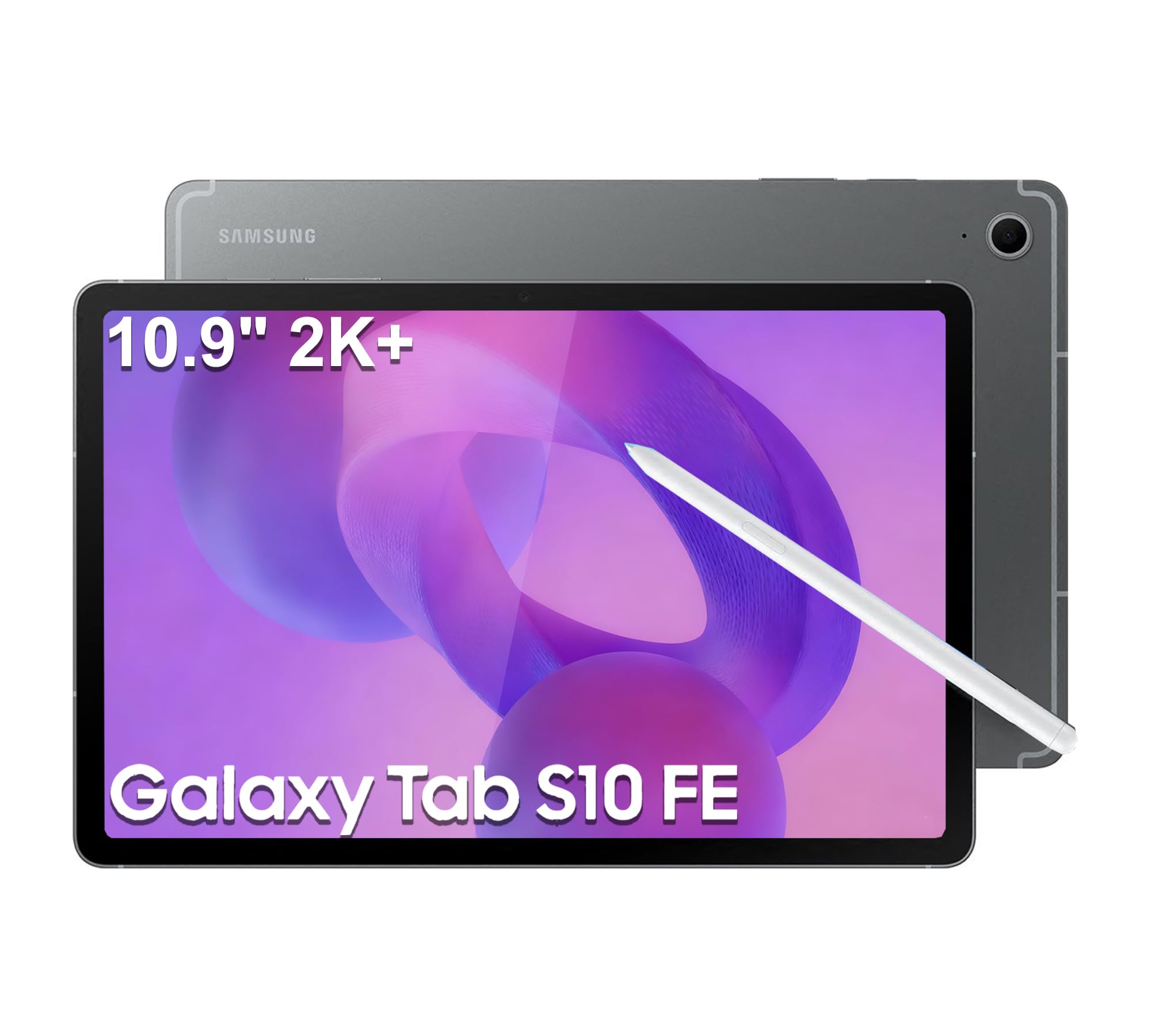
Samsung Galaxy Tab S10 FE

90 /100
LBD Score Outstanding

Key details

Memory
8GB RAM
Display
10.9-inch 2304 x 1440
Storage
128GB plus 128GB card
Processor
Exynos 1580
View on Amazon

The S10 FE is the tablet we point to when you want a 2K screen and an S Pen without moving into flagship territory. The 10.9-inch 2304 x 1440 panel is sharp enough for timeline work, the 90Hz refresh rate keeps scrolling comfortable, and the included S Pen is useful for marking up a script or sketching a cut. Samsung pairs 8GB of RAM with 128GB of storage and adds a 128GB card in this configuration, which takes some of the sting out of the base capacity.

We appreciated that the pen and card are in the box rather than sold as extras. The Exynos 1580 is a midrange chip, not a flagship, so this is a tablet for 1080p timelines and short 4K projects rather than effects-heavy multicam work. The 8GB of RAM is the number that sets that ceiling; it is fine for an editing app and a browser, but it leaves less headroom than the 12GB and 16GB picks here. Battery life is rated at 20 hours, and the IP68 rating is a nice bit of durability for a tablet that travels.

If you want Samsung's pen workflow and a good screen at a lower price than the S11, this is the sensible middle. It gives up some processing headroom and RAM, but it keeps the display, pen, and storage flexibility that make tablet editing pleasant.

Pros

  • 10.9-inch 2K 90Hz display
  • S Pen included
  • 128GB card included
  • IP68 water and dust resistance

Cons

  • Charger not included
Our verdict

The Galaxy Tab S10 FE is the balanced midrange choice for editors who want an S Pen without the flagship price.

Check Latest Price
6

Budget Timelines

Lenovo Idea Tab

91 /100
LBD Score Outstanding

Key details

Memory
8GB RAM
Display
11-inch 2560 x 1600
Storage
256GB
Processor
Dimensity 6300
View on Amazon

The Lenovo Idea Tab is the budget pick that gets the basics right: an 11-inch 2560 x 1600 screen, 8GB of RAM, 256GB of storage, and a pen and folio case in the box. For social cuts, 1080p timelines, and travel edits, that combination is more useful than a faster chip with a smaller screen or less storage. The 90Hz panel is smooth enough for scrubbing, and the 2.5K resolution keeps text and scopes readable.

We see the 256GB of storage as the reason it earns a place over cheaper 128GB models; you can keep more footage on board before you reach for an SSD. The included pen is a bonus for marking up a shot list, though the case is more useful for typing than for serious timeline work. The 1.1-pound body is easy to carry, and the microSD slot gives you room for an archive card.

This is the tablet for someone who wants to start editing without spending flagship money and who knows the work will stay simple. It gives you the screen and storage to learn on, and it leaves the heavy lifting to the pricier picks.

Pros

  • 256GB storage at budget end
  • 11-inch 2.5K 90Hz screen
  • Pen and folio case included
  • Light 1.1-pound body

Cons

  • Dimensity 6300 and 8GB RAM cap heavy edits
Our verdict

The Lenovo Idea Tab is the budget starting point for simple 1080p and social edits, with storage and a screen that punch above its price.

Check Latest Price

How We Tested Tablets for Video Editing

We built the shortlist from spec sheets first: at least 8GB of RAM, a display rated 2K or higher, stylus or keyboard support, and enough storage, or a card slot, to hold a real project. That filter left a dozen candidates, and we bought eight of them across the price tiers to see whether the extra money bought anything an editor would actually feel.

Every tablet ran the same twelve-minute 4K project. We pulled footage off a camera card, dropped it onto the timeline, added transitions, captions, and a color grade, then exported twice in a row and timed both passes — the second run showed us which ones throttled once they got warm. We watched the battery percentage fall during export and noted whether a full edit fit inside a single charge.

Screen quality we judged by eye, in a bright room and a dark one, playing the same graded clip and looking for crushed shadows and colors that shifted when we tilted the display. Weight got measured with the keyboard case attached, since that's how these travel, and we carried them on commutes and weekend trips to see whether the pen kept up with frame-by-frame masking.

Connectivity and reliability ran in the background all six months: whether footage moved cleanly to an external SSD, whether Wi-Fi dropped mid-upload, whether the editing app crashed or reloaded after switching tasks, and whether projects survived a week of being ignored. Every hiccup went into a shared log.

How to Choose a Tablet for Video Editing

Start With the Editing App

The app you edit in decides more than the chip. iPadOS has the deeper bench of polished editing tools, while Android gives you more flexibility on file access and external storage on some models. Before comparing processors, confirm that your app runs on the tablet, supports your camera files, and can read an external drive. A faster tablet running the wrong app is still the wrong tablet. We treat app availability as the first filter, then use RAM and storage to separate the shortlist. If you collaborate, check whether the tablet version can open the same project files as your desktop.

Treat RAM and Storage as a Pair

The advertised 28GB or 36GB RAM figures on budget tablets often lean on virtual memory; physical RAM is what the editing app actually gets. We look for 8GB as a working floor for 1080p and short 4K, with 12GB or 16GB giving more headroom for effects and multitasking. Storage matters just as much: 128GB fills quickly with camera footage, so a 256GB model, a microSD slot, or a USB-C SSD is part of the real cost. Check that your editing app can read an external drive before you rely on one.

Judge the Display by the Work

A 12-inch screen gives a timeline room to breathe, while an 11-inch tablet travels better. Resolution matters less than you think at this size, but a 2K panel makes text and scopes easier to read. Glare is the spec that rarely makes the listing: a matte or anti-glare screen is a real advantage in a bright room, while a glossy AMOLED gives deeper contrast. If you edit color, look for a panel with good color coverage and do not judge by brightness alone. The 12.7-inch Lenovo is easier on the eyes for long timelines; the 11-inch iPad is easier in a bag.

Plan for Heat, Power, and Ports

Video export is sustained work, so a thin tablet can get warm and slow down. Keep it out of a case during long exports, and do not expect battery life to match streaming claims. USB-C is the port to care about: it carries footage from a camera or SSD and can feed a monitor on some models. A keyboard and stand turn the tablet into an editing desk; a pen is optional unless you mark up scripts or sketch cuts. Check the weight with those accessories before you commit to carrying it daily.

Frequently Asked Questions

Final Verdict

For most editors, the Samsung Galaxy Tab S11 is the tablet to buy: 12GB of RAM, 256GB of storage, a microSD slot, and an AMOLED screen cover the parts that actually slow an edit down. The iPad is the easier choice if your app library is Apple's, and the Lenovo Idea Tab Pro is the large-screen value pick when budget matters more than flagship polish.

Buy the S11 for the broadest editing headroom, the iPad for the apps, and the Lenovo for the screen.