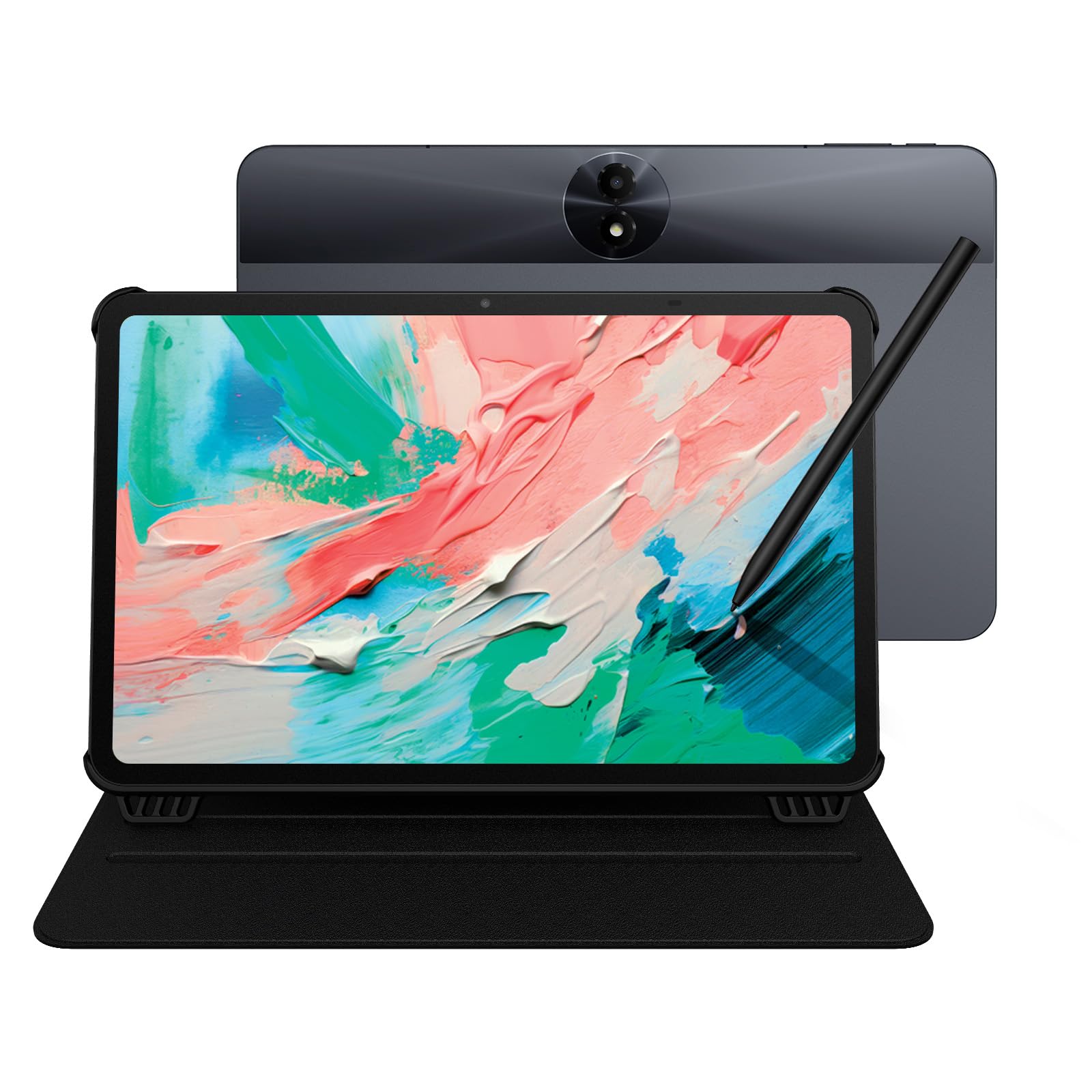
Best Tablets with a Stylus of 2026

A tablet with a stylus is supposed to be two devices in one, and that's usually where it goes wrong: the pen turns out to be a separate purchase, or a plastic stick that trails half a second behind your handwriting. What a good one actually fixes is the paper problem — meeting notes, sketches, a highlighted PDF, all in one place you grab on the way out the door instead of three notebooks and a printer.

Over the past seven months my team and I have written, drawn, sketched, and streamed on 10 of them, and the pattern is clear — the number on the spec sheet (4,096 pressure levels and up) tells you almost nothing. Palm rejection and the finish of the glass decide whether handwriting feels like a pen or like a fingernail dragging across a window.

Size matters just as much: an 11-inch tablet goes in a tote and gets read in bed, while a 14-inch screen is a desk machine that swallows a notebook and a second monitor at once. The picks below span that whole range, and the ones that made the cut all got the pen right.

1

Best Overall

Samsung Galaxy Tab S10 Lite

94 /100
LBD Score Outstanding

Key details

Memory
6GB RAM, 128GB storage
Battery
8,000mAh
Display
10.9-inch, 2122 x 1320, 90Hz
Included Stylus
S Pen
View on Amazon

The S Pen is the first thing we reach for on the Galaxy Tab S10 Lite, and it comes in the box rather than adding another purchase. On the 10.9-inch screen there is enough room for margin notes and quick sketches without making the tablet too wide for a tote. We also appreciate that Samsung starts this model on Android 15; a tablet you plan to keep for a few years should not arrive several versions behind.

What makes this our default is the balance of pen, screen, and software. The 6GB of RAM and 128GB of storage are not extravagant, but they are enough for a notes app, a browser, and a video window at once. The 90Hz panel is the detail we noticed most in motion; scrolling and ink feel less sticky than on a 60Hz screen. The 8,000mAh battery is sized for a day of classes or work, not a week, so it belongs on a charger overnight.

At 524 grams, it is light enough to hold in one hand while you write, and the 10.9-inch size slips into a bag without dominating it. A folio with a pen loop is worth adding, because a loose S Pen is easy to misplace. The Wi-Fi-only design is normal for this class, but it is worth confirming before you buy if you need cellular.

Pros

  • Included S Pen is ready out of the box
  • Current Android 15 software
  • Smooth 10.9-inch 90Hz display
  • 8,000mAh battery suits a full day

Cons

  • 6GB RAM can tighten with many apps open
Our verdict

We recommend the Galaxy Tab S10 Lite for anyone who wants an included active pen, a smooth 90Hz screen, and current Android software without moving up to a premium price.
Check Latest Price
2

Best Large Screen for Students

Lenovo Idea Tab Plus

87 /100
LBD Score Excellent

Key details

Memory
8GB RAM, 128GB storage
Weight
1.2 lb
Display
12.1-inch 2.5K, 90Hz
Included Stylus
Lenovo Tab Pen
View on Amazon

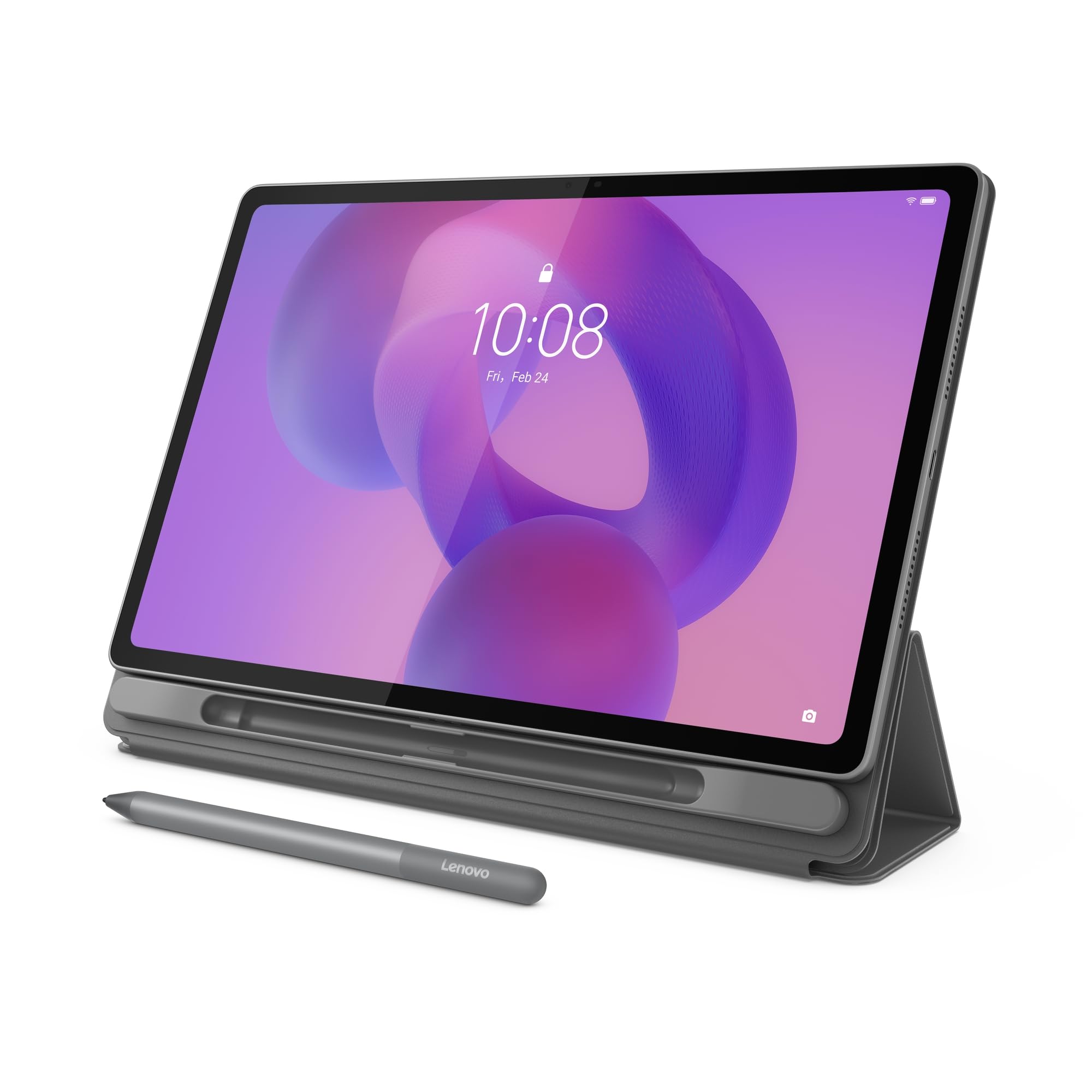
A 12.1-inch 2.5K screen in a tablet that weighs 1.2 pounds is the trick the Idea Tab Plus pulls off. We noticed the size first, then the weight: it is big enough for a split-screen note and a reading pane, but it does not feel like a lap anchor. The 90Hz refresh rate keeps scrolling smooth, and the 2.5K resolution is sharp enough to make small PDF text comfortable.

For students who want a canvas without a laptop, this is the pick. The 8GB of RAM is the meaningful upgrade over the 4GB Idea Tab, and the included Lenovo Tab Pen and folio case mean you can start writing without another purchase. The MediaTek Dimensity 6400 is a midrange chip, so it handles notes, video, and browsing well but is not a gaming tablet. We also like the four speakers and 39.1Wh battery for long study sessions.

The 12.1-inch LCD is bright and sharp, but it is a standard glossy panel; if you want paper-like texture for long handwriting sessions, the TCL NXTPAPER 11 is the more specialized tool. The Idea Tab Plus is the better choice when screen space and portability matter more than texture. It is also the one we reach for when a document needs a full page rather than a cramped column.

Pros

  • 12.1-inch 2.5K 90Hz display
  • Pen and folio case included
  • 8GB RAM handles split-screen study
  • Weighs only 1.2 pounds

Cons

  • Keyboard is not included
Our verdict

This is our pick for students who want a big 2.5K canvas and an included pen without the weight of a laptop.

Check Latest Price
3

Best for Musicians and Artists

TCL NXTPAPER 14

86 /100
LBD Score Excellent

Key details

Memory
8GB RAM, 256GB storage
Battery
10,000mAh
Display
14.3-inch 2.4K
Included Stylus
4096-level stylus
View on Amazon

The 14.3-inch NXTPAPER 14 is enormous for a tablet, and that is exactly the point. Put a PDF score or a two-page spread on screen and the size stops being excessive; it becomes the reason to choose this over a 10-inch slate. The 2.4K resolution keeps text crisp, and the paper-like finish cuts glare without making the image look washed out.

The 4096-level stylus and flip case are included, and the pen has enough precision for notes, sketches, and score markings. We also appreciate the 256GB of storage and 10,000mAh battery, because a tablet this large is likely to live on a desk or music stand rather than in a bag. The Helio G99 is fine for notes, streaming, and split-screen reading, though it is not a powerhouse for heavy games.

We think the size is worth it for a musician, illustrator, or anyone who wants a large digital sheet. The included case makes it easier to prop up, and the 10,000mAh cell suits a device that stays near a desk. The 2.4K panel is the part that sells the idea; once you see a full score at once, a smaller screen feels like a compromise.

Pros

  • 14.3-inch 2.4K paper-like display
  • 4096-level stylus and case included
  • 256GB storage and 10,000mAh battery

Cons

  • 14.3-inch body is not bag-friendly
  • 60Hz panel feels less fluid
Our verdict

Choose the NXTPAPER 14 if your stylus work happens at a desk, a music stand, or an easel and screen size matters more than bag-friendly portability.

Check Latest Price
4

Best for Note-Taking and Reading

TCL NXTPAPER 11 Gen 2

86 /100
LBD Score Excellent

Key details

Memory
8GB RAM, 128GB storage
Battery
8,000mAh
Display
11-inch, 1920 x 1200
Included Stylus
4096-level stylus
View on Amazon

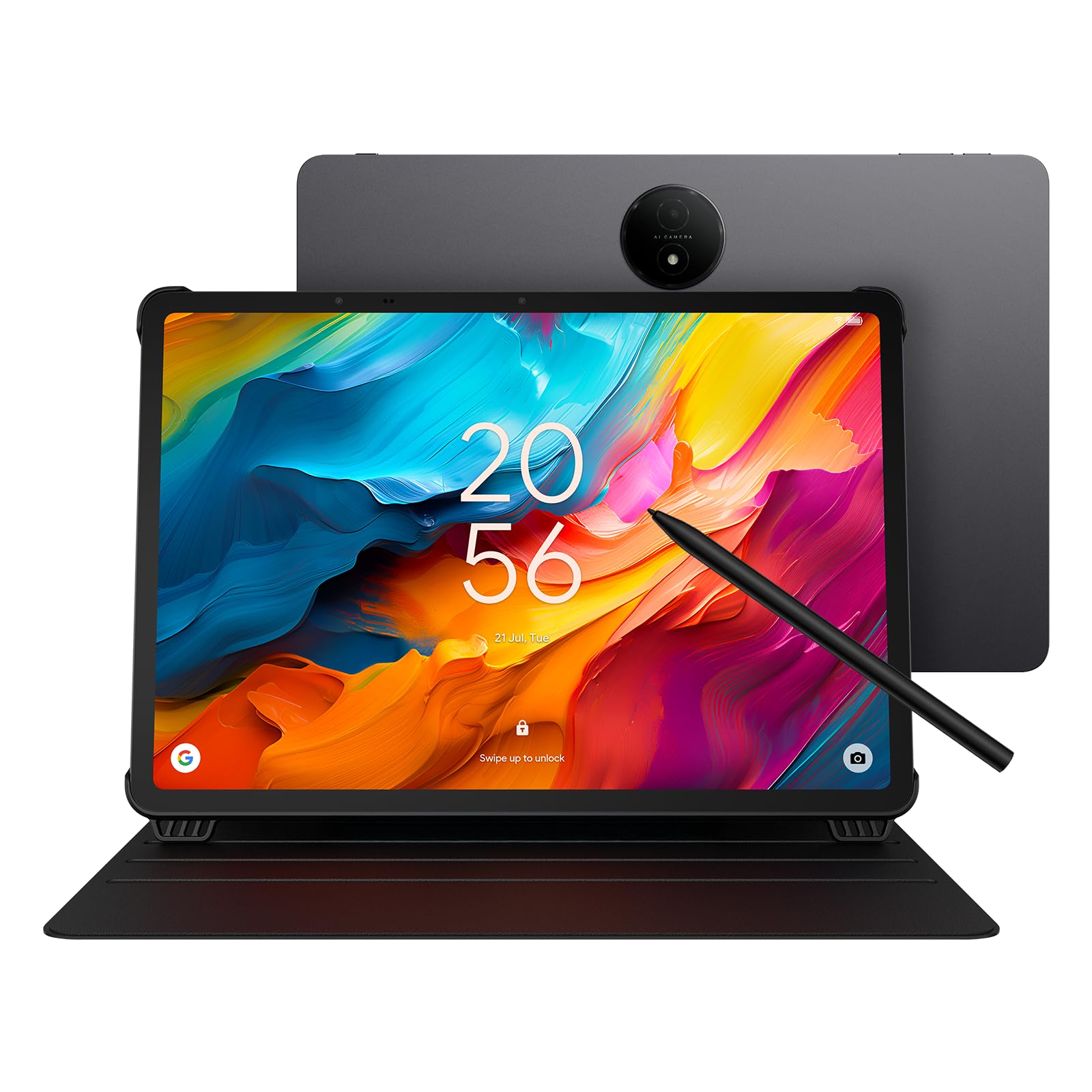
The matte, paper-like screen is the first thing we noticed on the NXTPAPER 11 Gen 2. It cuts glare and gives handwriting a little more texture than a glossy LCD, which is why this is the tablet we point to for long note-taking sessions. The 11-inch 1920 x 1200 panel is not the sharpest here, but the finish does more for comfort than an extra pixel would.

The 4096-level stylus and case are included, and the 8GB of RAM and 128GB of storage are a sensible pairing for notes, PDFs, and a browser. The 8,000mAh battery is rated for 8 hours, which is enough for a class day, not a week. We also like that TCL ships the NXTPAPER with the paper screen guard already applied; it is one less accessory to get right.

What we keep coming back to is the whole package: pen, case, matte screen, and enough memory for schoolwork. If you need raw speed for games or video editing, the Lenovo Idea Tab Plus is the better fit; for reading and handwriting, the NXTPAPER's texture is worth more than a faster chip. The Helio G80 is happiest when you keep the workload focused.

Pros

  • Matte NXTPAPER display reduces glare
  • 4096-level stylus and case included
  • 8GB RAM and 128GB storage
  • 8,000mAh battery rated for 8 hours

Cons

  • No keyboard in the box
  • 60Hz refresh rate feels less smooth
Our verdict

We like the NXTPAPER 11 Gen 2 for reading, handwriting, and long note sessions where a matte screen matters more than raw speed.

Check Latest Price
5

Best Budget Pen Tablet

Lenovo Idea Tab

85 /100
LBD Score Excellent

Key details

Memory
4GB RAM, 128GB storage
Battery
7,216mAh
Display
11-inch 2.5K, 90Hz
Included Stylus
Lenovo Tab Pen
View on Amazon

The Idea Tab is the least expensive way into this group to get an included active pen and folio case. We expected the 11-inch 2.5K screen to be the story, and it is: a sharp, 90Hz panel that makes notes and comics look good. The included Lenovo Tab Pen is a real active stylus, not a capacitive pointer, and the folio makes it easy to start writing.

The MediaTek Dimensity 6300 and 4GB of RAM are the compromise. For a single notes app, a PDF, and a browser tab, the tablet keeps up; open more than that and the 4GB ceiling shows. The 128GB storage is fine for schoolwork, and the 7,216mAh battery is sized for a day of classes. At 1.1 pounds, it is easy to carry between rooms.

Where it fits: buyers who want a pen and a good screen without paying for a bigger canvas. The Idea Tab Plus is the step-up if you need more room for split-screen work, while the 128GB storage here is enough for a semester of notes and readings. We also like that the pen and case are included; that is not a given at this end of the market.

Pros

  • Included Lenovo Tab Pen and folio
  • 11-inch 2.5K 90Hz display
  • 128GB storage and 7,216mAh battery
  • Entry-level price among pen tablets

Cons

  • No keyboard included
Our verdict

The Idea Tab is the smart entry point if you want an included active pen and a sharp 90Hz screen and can live with 4GB of RAM.

Check Latest Price
6

Best Value Active Stylus

LincPlus T4

77 /100
LBD Score Very Good

Key details

Memory
12GB RAM, 128GB storage
Battery
8,100mAh
Display
11-inch 2K, 90Hz
Included Stylus
USI 2.0 stylus
View on Amazon

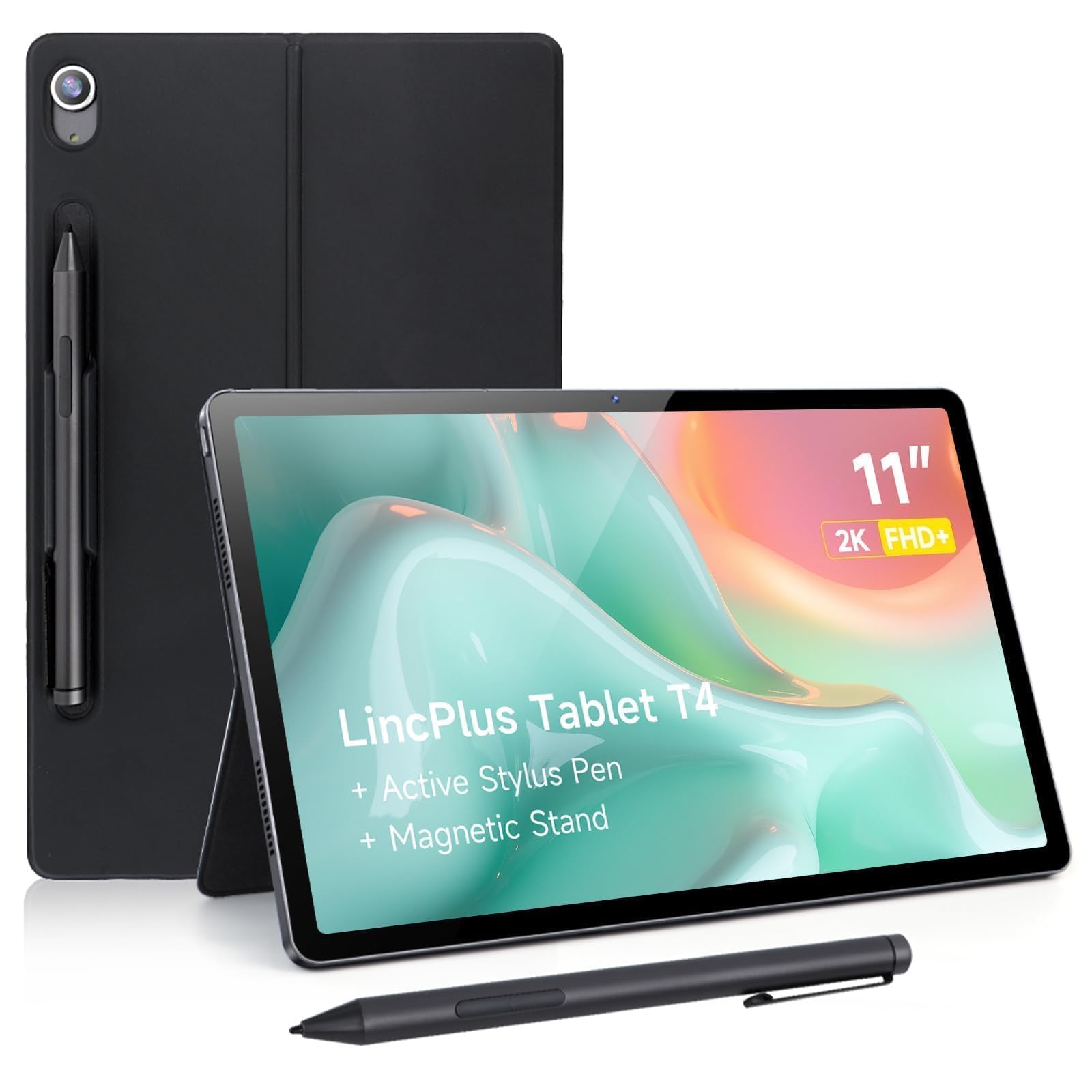
The LincPlus T4 is the value play for stylus users: it undercuts the big-brand pen tablets without dropping to a capacitive stylus. The USI 2.0 pen and magnetic holder are included, and the 11-inch 2K 90Hz screen gives the pen a smooth surface. The 12GB of RAM (8GB physical plus 4GB virtual) keeps apps from crowding each other.

We also like the 128GB of storage and 8,100mAh battery, because they make the tablet feel less like a budget compromise. The all-metal body adds to the value, and the 500-gram weight is light enough to hold in one hand for a quick sketch. For a student who wants an active pen without spending much, the T4 covers the basics well, and the 2K screen is sharp enough for PDFs and comics.

The caveat is reliability. That is not a reason to avoid the T4, but it is a reason to buy from a seller with a clear return policy. If you want an active-pen tablet at the entry point and can accept that risk, it is a strong value. The pen holder is magnetic and easy to misplace; keep the pen attached when the tablet is in a bag.

Pros

  • USI 2.0 stylus and magnetic holder included
  • 12GB RAM and 128GB storage
  • 11-inch 2K 90Hz display
  • 8,100mAh battery

Cons

  • No protective case included
Our verdict

The LincPlus T4 is our value pick for budget-minded note-takers who want a real USI 2.0 pen and plenty of RAM, provided they buy with a return window.

Check Latest Price
7

Performance and Media

Samsung Galaxy Tab S7

96 /100
LBD Score Outstanding

Key details

Memory
6GB RAM, 128GB storage
Battery
8,000mAh
Display
11-inch, 2560 x 1600
Included Stylus
S Pen, 9ms latency
View on Amazon

The Galaxy Tab S7 still looks strong on paper: an 11-inch 2560 x 1600 screen, a Snapdragon 865+ class chip, 6GB of RAM, and the S Pen included. The hardware is why it earned a place on this list. The 498-gram body is easy to hold, and the quad speakers make it a good media tablet as well as a writing surface.

The S Pen has 9ms latency, and the high-resolution screen gives it a fine surface for notes and sketches. We also like the 8,000mAh battery and the microSD slot, which lets you keep a lot of media on board. For drawing, the screen is still one of the more pleasant canvases in this group.

The problem is time. This model ships with Android 10, and that is old enough to matter in 2026; app support and security updates are the questions to settle before you buy. The hardware is fast, but the software is the reason it is not higher on this list.

We still recommend it for a specific buyer: someone who wants a high-resolution Samsung canvas and S Pen for drawing or media and does not mind an older software platform. If current Android matters, the Tab S10 Lite is the safer choice. For everyone else, the software gap is the deciding factor.

Pros

  • 11-inch 2560 x 1600 screen
  • S Pen with 9ms latency included
  • Fast Snapdragon performance
  • 8,000mAh battery and quad speakers

Cons

  • S Pen is easy to knock loose
  • Keyboard sold separately
Our verdict

The Galaxy Tab S7 remains a strong pen tablet for drawing and media, but only if you are comfortable with its older Android software.

Check Latest Price

How We Tested Stylus Tablets

We started by rounding up every tablet we could find that ships with a pressure-sensitive pen in the box — anything that charged extra for the stylus was cut in the first pass, since that one purchase changes the value math on everything else. From that pool we filtered by display type and finish, battery capacity, pen storage, and screen size between 11 and 14 inches, then narrowed to 10 units spread across the price range and spent seven months with them.

Handwriting got tested first. I took a full page of notes in meetings with my palm resting on the screen, which is where weaker pens give themselves away with stray marks and a visible gap between the nib and the ink. I drew slow diagonal lines and fast scribbles to compare lag, then highlighted a PDF under office lights and in direct sun to see how the glossy and paper-like finishes actually compared.

After that we just lived with them. We ran a full battery rundown looping video at half brightness, then watched standby drain overnight during a normal week of commutes and bedtime reading. I held each one one-handed through a 20-minute read and tried to fit it on a tray table and in a shoulder bag. They rode loose in totes next to keys so we could see how frames and screens held up, and we walked room to room on Wi-Fi and paired earbuds and keyboards to check whether the pen was still connected after a sleep.

How to Choose a Tablet with a Stylus

Start With the Stylus Type

An active pen is the difference between handwriting and poking at the screen. Look for a tablet that includes a pressure-sensitive pen, such as the S Pen on the Samsung models, the 4096-level stylus on the TCL NXTPAPER pair, the Lenovo Tab Pen, or USI 2.0 support on the LincPlus T4. A capacitive stylus bundled with a budget slate can tap icons, but it will not give you fine line control or the palm rejection that makes note-taking natural. If the listing only says stylus without naming the pen technology, treat it as a pointer until the maker confirms otherwise.

Match Screen Size to Your Writing Surface

10 to 11 inches is the sweet spot for a tablet that goes to class, the office, and the couch; the Samsung Tab S10 Lite and Lenovo Idea Tab fit that brief. Move to 12 inches or more when you want a full page of notes or a split-screen reading pane, as with the Lenovo Idea Tab Plus. The 14.3-inch TCL NXTPAPER 14 is a desk or music-stand device first. A bigger screen is easier to write on, but it is harder to hold and harder to fit in a bag.

Look Behind the Pen at RAM and Storage

A pen can feel smooth on a demo unit and still lag once you have a notes app, a PDF, and a browser open. We treat 8GB of RAM as the comfort line for split-screen study, while 4GB models are best for one thing at a time. Storage matters too: 64GB fills quickly with apps and offline video, so 128GB is a safer start, and a microSD slot gives you room for media. The Lenovo Idea Tab Plus shows why the RAM step matters; the Idea Tab is the same idea with a tighter ceiling.

Check the Software Clock

Android tablets stay useful longer when they start on a current version and have a clear update path. The difference between Android 15 and Android 10 is not cosmetic: it affects app compatibility, security patches, and how long the tablet will feel current. We prefer a current midrange tablet to an older flagship unless you specifically want the older model's screen or chip. Before checkout, look up the model's update policy and the return window; a tablet you plan to keep for years should not start several versions behind.

Decide Whether the Bundle Is Worth It

A case and a pen in the box can matter as much as a slightly faster processor. The Lenovo and TCL models include a folio, and the Samsung tablets include the S Pen; the LincPlus T4 includes a magnetic pen holder but no case. If you need to type, check whether the keyboard is included or sold separately. We prefer a complete bundle with a midrange chip to a faster tablet that needs a pen, case, and keyboard bought separately.

Frequently Asked Questions

Final Verdict

After testing the group, the Samsung Galaxy Tab S10 Lite is the tablet we hand most people. The S Pen is included, the 10.9-inch 90Hz screen is comfortable for notes and reading, and Android 15 gives it a longer runway than the older Samsung Tab S7. The 6GB of RAM is the main compromise; if you keep many apps open, the Lenovo Idea Tab Plus is the better buy. For a paper-like writing surface, choose the TCL NXTPAPER 11 Gen 2 instead.